
A microwave is one of those appliances you never think about until the moment it stops working. Then suddenly reheating leftovers becomes a genuine inconvenience. The good news is that most microwave problems follow a clear pattern, and the majority of them are diagnosable and fixable without calling a repair technician.
That said, microwaves deserve more caution than most home appliances. The high-voltage capacitor inside stores a lethal charge even after the unit is unplugged. Before opening any microwave cabinet, always discharge the capacitor using an insulated screwdriver with a resistor in series, or leave internal repairs to a qualified technician. Everything in this guide flags clearly when a repair crosses into high-voltage territory.
I have worked through microwave diagnostics across GE, Whirlpool, Samsung, Panasonic, LG, and Toshiba units. The problems below cover the full range of what goes wrong in daily use.

Quick Microwave Troubleshooting Guide
| Problem | Most Common Cause | Quick Fix |
|---|---|---|
| Runs but does not heat | Failed magnetron or diode | Test diode, replace if shorted |
| Heating intermittently | Weak magnetron or faulty thermoprotector | Replace thermoprotector, test magnetron |
| Buttons not working | Faulty control panel membrane | Replace touchpad membrane |
| Turntable not spinning | Broken coupler or dirty track | Clean track, replace coupler |
| Sparks when running | Metal in cavity or damaged waveguide | Remove metal, replace waveguide cover |
| Door won’t close | Broken door hook or misaligned latch | Replace door hook or latch |
| Buzzing noise | Faulty diode or worn turntable motor | Replace diode or turntable motor |
| Burning plastic smell | Melted waveguide cover or arcing | Replace waveguide cover immediately |
What Are the Most Common Microwave Problems?
Microwave problems present in an array of forms – some easy to fix DIY and others best left to the experts. This microwave troubleshooting guide will help you adress the former, and on that note, here are microwave problems you can try troubleshooting…of course with some caution:
1. Microwave Runs But Does Not Heat Food
A microwave that runs but does not heat food is one of the most common microwave complaints across every brand. The turntable spins, the light comes on, the timer counts down normally, but food comes out exactly as cold as it went in. The magnetron, which is the component that actually generates microwave energy, is at the center of this problem in the majority of cases.
| Cause | Sign | Fix |
|---|---|---|
| Failed high-voltage diode | Loud hum, no heat | Test and replace diode |
| Burned out magnetron | No heat, no unusual sound | Professional replacement needed |
| Failed high-voltage capacitor | Loud hum, no heat | Discharge and replace capacitor |
| Blown thermal cutout | Intermittent no-heat after long use | Test and replace thermal cutout |
Failed High-Voltage Diode
The high-voltage diode converts alternating current into the direct current that powers the magnetron. When the microwave diode fails, the magnetron receives no usable power and produces no heat. A shorted diode also causes the microwave to hum loudly during operation, which distinguishes this fault from a failed magnetron that usually runs silently.
Recommended Fix
Important: Discharge the capacitor before touching any internal components. The diode sits near the magnetron and capacitor. Test it with a multimeter on the diode setting. A healthy diode conducts in one direction only. A failed diode either reads open in both directions or conducts in both, meaning it has shorted.
Burned Out Magnetron
The magnetron is the core component that generates the microwave energy that heats food. After years of use, the magnetron tube degrades and eventually stops producing energy entirely. Unlike the diode failure, a dead magnetron typically produces no unusual noise. The microwave simply runs a complete cycle while doing nothing useful.
Recommended Fix
Magnetron replacement involves working directly adjacent to the high-voltage capacitor and requires discharging it safely before proceeding. If you are comfortable with electronics repair, test the magnetron filament with a multimeter for continuity. Replace the magnetron (View on Amazon) if the filament reads open. For most homeowners, a professional repair or replacement of the unit is the more practical path.
Blown Thermal Cutout
The thermal cutout is a one-time safety fuse that opens permanently when the magnetron overheats beyond a safe threshold. Once it blows, the heating circuit breaks and the microwave runs without producing heat. This often happens when the vents are blocked or the unit runs for an extended period without adequate airflow.
Recommended Fix
Locate the thermal cutout mounted directly on the magnetron body. Test it with a multimeter for continuity. A blown cutout reads open at room temperature. Replace it and then identify why it overheated in the first place, typically a blocked vent or a failed cooling fan.
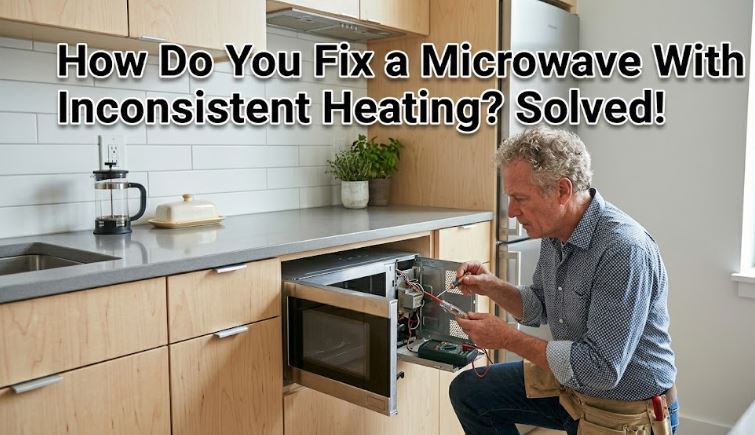
2. Microwave Heating Intermittently
Intermittent heating is more difficult to diagnose than a complete no-heat failure precisely because the problem is not always present when you go looking for it. The microwave heats normally sometimes and then fails partway through a cycle at other times, with no obvious pattern at first.
| Cause | Sign | Fix |
|---|---|---|
| Failing magnetron | Heats then stops mid-cycle | Professional magnetron assessment |
| Faulty thermoprotector | Stops heating after extended use | Test and replace thermoprotector |
| Loose or corroded wire connection | Random failure, no pattern | Inspect and reseat all connections |
| Weak door interlock switch | Loses heating when vibrated | Test all three door interlock switches |
Faulty Thermoprotector
The thermoprotector monitors magnetron temperature and cuts the heating circuit if it gets too hot. A thermoprotector that has weakened over time trips at lower and lower temperatures until it starts interrupting normal cycles. The microwave heats for several minutes, then cuts out, waits for the component to cool, and sometimes resumes heating automatically.
Recommended Fix
After discharging the capacitor, test the thermoprotector with a multimeter at room temperature. It should show full continuity when cold. A thermoprotector that reads borderline or open at room temperature has failed. Replace it and check that the ventilation path is completely clear.
Failing Door Interlock Switches
Every microwave has two or three door interlock switches that must all register a closed door simultaneously before heating begins and continues. A switch that is weakening makes intermittent contact as the microwave vibrates during operation. Heating stops randomly, the microwave waits, and then resumes when the switch makes contact again.
Recommended Fix
Open the microwave door and inspect the door hooks and the switch actuators they press. Test each switch with a multimeter while pressing the actuator manually. Replace any switch that fails to show clean continuity when actuated. Always replace door switches in sets (View on Amazon) since they wear at similar rates.
3. Microwave Buttons Not Working But Display On
When the microwave display is lit and showing the time but none of the buttons respond, the problem sits between the touchpad you press and the control board that receives those inputs. This is a purely electronic fault with no high-voltage risk, making it one of the safer microwave repairs to tackle yourself.
| Cause | Sign | Fix |
|---|---|---|
| Worn touchpad membrane | Specific buttons or rows fail | Replace touchpad membrane |
| Control lock active | All buttons unresponsive | Hold lock button to disable |
| Moisture behind panel | Buttons work intermittently | Dry panel thoroughly |
| Failed control board | Entire panel unresponsive | Replace control board |
Worn Touchpad Membrane
The touchpad is a thin membrane with conductive contacts printed on its inner surface. Every button press physically compresses that membrane to make contact. After thousands of presses on the most-used buttons, the conductive coating wears through and those buttons stop registering. You will typically notice number buttons wearing out first, particularly the ones used to enter common cooking times.
Recommended Fix
Order a replacement touchpad membrane specific to your model number. The membrane usually peels away from the control panel frame after removing two or three screws. Transfer the ribbon cable connector carefully from the old membrane to the new one. This repair costs a fraction of a new microwave and takes about 20 minutes.
Control Lock or Demo Mode Active
Many microwave models include a control lock that disables all buttons to prevent unintended operation. This is often to blame when the start button is not working. However, aside from Control Lock, Demo Mode can also prevent the microwave from operating normally. It’s often used in retail stores to run the display without activating the magnetron. Either state makes the microwave appear broken when it is actually fully functional.
Recommended Fix
Check the display for a lock icon or the word “DEMO.” Hold the Stop or Cancel button for five seconds to exit control lock. For demo mode, the exit sequence varies by brand but typically involves holding Start and Cancel simultaneously for three seconds. Check your model’s manual for the exact combination.
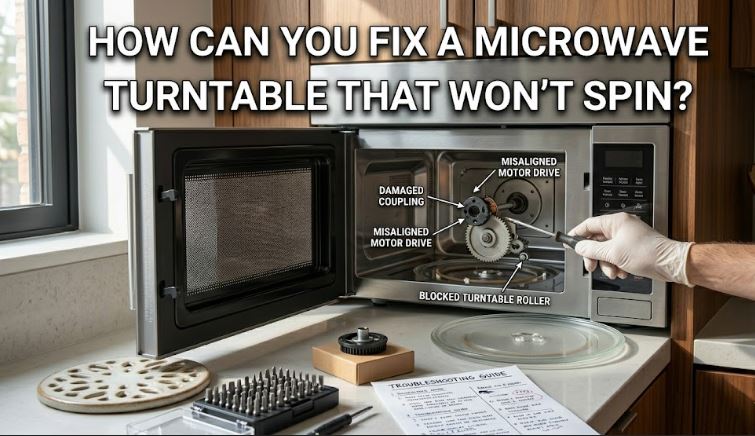
4. Microwave Turntable Not Spinning
The turntable exists for a specific reason: rotating food through the uneven microwave energy field inside the cavity ensures more uniform heating. A turntable that has stopped spinning means food heats unevenly with hot and cold spots throughout. This is one of the most straightforward microwave repairs you will encounter.
| Cause | Sign | Fix |
|---|---|---|
| Dirty or obstructed track | Turntable wobbles or jerks | Clean track and roller guide |
| Broken drive coupler | Turntable sits still, no movement | Replace plastic drive coupler |
| Failed turntable motor | No movement, track clean | Test and replace turntable motor |
| Overloaded turntable | Stops with heavy dishes | Use lighter cookware |
Dirty or Obstructed Roller Track
Food spills and debris accumulate under the turntable plate and on the roller guide ring over time. This buildup creates enough friction to slow the turntable or stop it entirely. This is by far the most common cause of a non-spinning turntable and requires no parts whatsoever to fix.
Recommended Fix
Remove the turntable plate and the three-wheeled roller guide beneath it. Wash both in warm soapy water. Clean the floor of the microwave cavity, paying particular attention to the circular track the roller guide rides in. Dry everything thoroughly before reinstalling. Run the microwave empty briefly to confirm the turntable spins freely.
Broken Drive Coupler
The drive coupler is the small plastic piece that connects the turntable motor shaft to the bottom of the glass plate. It has a D-shaped center hole that matches the motor shaft and a set of tabs on top that engage the turntable. When it breaks, usually from a heavy dish being set down too hard, the motor runs but the plate sits still.
Recommended Fix
Remove the turntable and look at the center of the cavity floor. Lift the coupler off the motor shaft and inspect it closely. A broken coupler almost always has a visible crack through one of the tabs or a stripped center hole. Replace it with an exact match for your microwave model.
Failed Turntable Motor
If the coupler and track are both in good condition but the turntable still does not move, the motor itself has failed. You can confirm this by listening carefully during operation. A working motor produces a faint hum. A completely silent unit during what should be turntable rotation points to a motor that has stopped receiving power or has seized internally.
Recommended Fix
Access the turntable motor from beneath the microwave floor panel. Test it with a multimeter for continuity across its terminals. Replace the turntable motor (View on Amazon) if it shows an open circuit. This repair carries no high-voltage risk since the turntable motor runs on low-voltage alternating current separate from the magnetron circuit.
5. Microwave Sparks When Running
Sparking inside a microwave is alarming and should be taken seriously every single time it happens. The good news is that most sparking events have a simple and inexpensive cause. The important thing is to stop the microwave immediately when you see sparks and identify the source before running it again.
| Cause | Sign | Fix |
|---|---|---|
| Metal in the cavity | Sparks only with specific item | Remove all metal from cavity |
| Damaged waveguide cover | Sparks in upper cavity corner | Replace waveguide cover |
| Burned or pitted cavity wall | Sparks from same spot always | Clean cavity, apply microwave repair paint |
| Damaged rack support | Sparks from side wall | Remove rack or replace support |
Damaged or Dirty Waveguide Cover
The waveguide cover is the flat panel, typically made of mica or plastic, that covers the opening in the cavity wall where microwave energy enters the cooking space. Food splatters cook onto its surface over time, and those carbonized food deposits absorb microwave energy and arc, creating sparks. A cover that has developed burn marks or holes makes this problem progressively worse with every use.
Recommended Fix
With the microwave unplugged, locate the waveguide cover on the interior wall of the cavity. It is usually held in place by a tab or small screw. Remove it and inspect it closely. Any burn marks, holes, or significant discoloration mean it needs replacing. Clean the cavity wall behind it thoroughly before installing the new cover.
The Microwave Waveguide Cover Sheet (View on Amazon) is available as a universal mica sheet that you can cut to size for any microwave brand, making it a practical solution even when a model-specific replacement is hard to find.
Burned or Pitted Cavity Wall
Over time, even without a damaged waveguide cover, the painted interior walls of the microwave can develop small pits or chips where the paint has worn away. Bare metal exposed to microwave energy creates arcing that shows up as sparks from a consistent location inside the cavity regardless of what food is being heated.
Recommended Fix
Clean the affected area thoroughly and apply microwave cavity touch-up paint specifically rated for microwave interiors. Standard paint is not safe for this application because it can release fumes under microwave energy exposure. Let the repair cure fully for 24 hours before running the microwave again.
6. Microwave Door Won’t Close Properly
A microwave door that will not close fully is not simply an inconvenience. Modern microwaves have safety interlocks that prevent any operation at all if the door is not confirmed fully shut. A door that closes but bounces back, sits crooked, or fails to latch is a problem that must be addressed before the microwave can run at all.
| Cause | Sign | Fix |
|---|---|---|
| Broken door hook or latch | Door pops back open after closing | Replace door hooks or latch assembly |
| Misaligned door hinges | Door sits at an angle when closed | Adjust or replace door hinges |
| Broken door spring | Door swings open on its own | Replace door spring |
| Warped door | Gap visible around door edge | Door frame replacement or unit replacement |
Broken Door Hook or Latch
Microwave doors use two or three plastic hooks that extend from the door edge and engage corresponding latch catches on the microwave frame. These hooks are made of plastic and break under impact, usually from closing the door too forcefully or from something catching in the door opening. A broken hook means the door either will not close at all or closes but fails to trigger the interlock switches.
Recommended Fix
Open the door and inspect each hook along the door edge. A broken hook usually shows a clean snap at the base. Remove the inner door panel to access the hook assembly, which is typically held by a few screws. Replace broken hooks with exact-match parts for your model.
Misaligned Door Hinges
On over-the-range microwaves especially, the door hinges bear significant weight over years of daily openings. The hinge pins wear their mounting holes gradually until the door hangs slightly lower than designed and no longer aligns correctly with the latch catches.
Recommended Fix
Open the door fully and inspect the hinge pins at the top and bottom. Look for visible wear, a loose fit in the mounting holes, or a door that visibly drops when fully opened. Tighten the hinge mounting screws first since they often loosen before the hinge itself fails. Replace worn hinges if the door continues to sit out of alignment after tightening.
7. Microwave Making Buzzing Noise
Every microwave makes some noise during operation. The magnetron hums, the cooling fan runs, and the turntable motor produces a faint sound. A buzzing noise that is distinctly different from those normal operating sounds, particularly one that is louder, harsher, or new, points to a specific component developing a fault.
| Cause | Sign | Fix |
|---|---|---|
| Failing high-voltage diode | Loud buzzing or humming, no heat | Discharge capacitor, replace diode |
| Worn turntable motor | Buzzing from floor of cavity | Replace turntable motor |
| Failing cooling fan | Buzzing from rear of unit | Replace cooling fan |
| Loose internal component | Buzzing varies with vibration | Tighten all accessible internal screws |
Failing High-Voltage Diode
A diode that is beginning to fail but has not yet failed completely passes current unevenly, which creates a pronounced buzzing or humming sound that is distinctly louder than normal magnetron operation. Heating may still occur but at reduced efficiency, or it may cut out entirely depending on how far the diode has degraded.
Recommended Fix
After discharging the capacitor, test the diode as described in the first section of this guide. A diode that conducts weakly in the correct direction but produces unusual noise during operation is failing and should be replaced before it causes secondary damage to the magnetron or capacitor.
Worn or Failing Cooling Fan
The cooling fan runs throughout every microwave cycle and continues for a period after the cycle ends to dissipate residual heat from the magnetron. Fan bearings wear over time and develop a buzzing or grinding quality that is most noticeable during the post-cycle cooling phase when the fan is the only thing still running.
Recommended Fix
Unplug the microwave and locate the fan at the rear of the cabinet. Spin the fan blade by hand. Smooth, free rotation with no grinding indicates the blade and motor are still functional. Resistance, grinding, or wobbling indicates worn bearings. Replace the fan motor assembly (View on Amazon).
8. Microwave Smelling Like Burning Plastic
A burning plastic smell coming from your microwave should stop you from continuing to use it until you have identified the source. Some causes are minor and straightforward to fix. Others indicate active damage that will worsen significantly with continued use. The smell alone tells you something is overheating that should not be.
| Cause | Sign | Fix |
|---|---|---|
| Burning waveguide cover | Smell with sparks or discoloration | Replace waveguide cover immediately |
| Melting plastic container | Smell starts during specific cook | Use microwave-safe cookware only |
| Burning wiring insulation | Persistent smell after stopping | Stop use, inspect wiring professionally |
| Burning magnetron components | Strong electrical smell, no heat | Professional inspection required |
Burning or Arcing Waveguide Cover
A waveguide cover that has accumulated burnt food deposits and begun arcing produces a distinctive burning smell that combines plastic, carbon, and electrical odors. The smell usually accompanies visible discoloration inside the cavity or sparking during operation. This is the most common source of burning plastic smells in microwaves that are otherwise functioning normally.
Recommended Fix
Stop using the microwave immediately. Unplug it and let it cool completely. Remove the waveguide cover and examine both its surface and the cavity wall behind it. Clean the cavity wall thoroughly with a damp cloth and mild detergent. Install a new waveguide cover before running the microwave again. Do not attempt to clean and reuse a cover that has developed burn-through holes.
Non-Microwave-Safe Containers
Certain plastics, including takeout containers, some storage containers, and plastic bags, are not rated for microwave use. When heated, they soften, warp, and release fumes that produce a strong burning plastic smell. The container itself may partially melt onto the turntable or cavity floor.
Recommended Fix
Remove the container immediately and ventilate the kitchen thoroughly. Clean any melted plastic from the turntable and cavity floor while still warm using a plastic scraper. Look for the microwave-safe symbol, which shows a microwave icon with wavy lines, on the bottom of any container before placing it in the microwave going forward.
Burning Wiring or Internal Insulation
A persistent burning smell that continues even after the microwave is turned off, or one that smells distinctly electrical rather than food-based, points to wiring insulation burning inside the cabinet. This can result from a short circuit, a loose connector arcing against a metal surface, or heat damage that has been building over time.
Recommended Fix
Stop using the microwave completely and unplug it from the wall. Do not attempt to diagnose this problem internally without proper training given the high-voltage components present. A burning wiring smell warrants either professional inspection or replacement of the unit, depending on the age and value of the appliance. You can find amazing over-the-range microwaves on Amazon!
Frequently Asked Questions
Is it safe to repair a microwave myself?
Certain microwave repairs, including replacing the touchpad, door hooks, waveguide cover, turntable coupler, and motor, are genuinely safe for a careful DIYer because they involve no contact with high-voltage components. Anything involving the magnetron, capacitor, diode, or transformer carries serious risk because the capacitor stores a potentially lethal charge even after the unit is unplugged. Always discharge the capacitor through a properly rated resistor before touching internal components, or leave high-voltage repairs to a qualified technician.
How do I know if my microwave magnetron has failed?
The clearest sign of a failed magnetron is a microwave that runs a complete cycle normally, with the light on, turntable spinning, and timer counting down, but produces absolutely no heat. The diode and capacitor produce the same symptom but usually also cause a loud buzzing hum during operation. A magnetron failure is typically silent. Confirming it requires testing the filament with a multimeter after safely discharging the capacitor.
Why does my microwave trip the circuit breaker when I run it?
A microwave that trips the breaker consistently is drawing more current than the circuit can supply, which points to a failing magnetron drawing excessive current, a shorted capacitor, or a circuit that is simply too heavily loaded. Microwaves should run on a dedicated 20-amp circuit. If yours shares a circuit with other appliances, try running it alone. If the breaker still trips on a dedicated circuit, an internal component is likely shorted and needs professional diagnosis.
Can a microwave be fixed if it has burn marks inside the cavity?
Yes, in most cases. Small burn marks from food spatter or a damaged waveguide cover can be cleaned and treated with microwave-specific cavity touch-up paint after replacing the waveguide cover. Extensive burn damage that has penetrated the cavity wall through to the outer shell is a different matter and may justify replacement. Always identify and fix the root cause of the arcing before repainting, otherwise the new paint will burn through quickly for the same reason the original did.
Why does my microwave work fine but food takes much longer to heat than it used to?
Gradual reduction in heating efficiency over time almost always means the magnetron is weakening. Magnetrons have a finite lifespan and produce progressively less microwave energy as the tube ages. If the microwave is more than eight years old and heating efficiency has dropped noticeably, the magnetron is the most likely cause. At that age, the economics of replacing a magnetron versus replacing the unit are worth considering before committing to a repair.
What does it mean when my microwave display shows an error code?
Error codes on modern microwaves point to specific component failures detected by the control board. Common codes include F3 or SE for touchpad faults, F1 for control board issues, and various door and sensor codes depending on the brand. Always search the exact code combined with your full model number to get an accurate diagnosis, since the same code can mean different things across different brands and model years.
Also Read: Is Your Microwave Not Working But Has Power? (Fixed!)
Most Microwave Problems Are Fixable: Know When to Repair and When to Replace
Working through the sections in this guide will get you to the right diagnosis for the most common microwave problems you are likely to face. Most of the faults covered here, from a cracked door hook to a dirty waveguide cover to a failed diode, have inexpensive solutions that take well under an hour to complete. The key is always identifying the root cause rather than simply replacing parts and hoping for the best.
Use the quick reference table at the top of this microwave troubleshooting guide as your first stop whenever a problem develops. If your specific issue requires a deeper dive, or you need help matching a replacement part to your exact model number, visit repairmeyourself.com for model-specific microwave repair guides and wiring diagrams. A microwave that heats reliably is a small but meaningful part of a well-functioning kitchen, and for most faults, getting it back to full operation is well within reach.