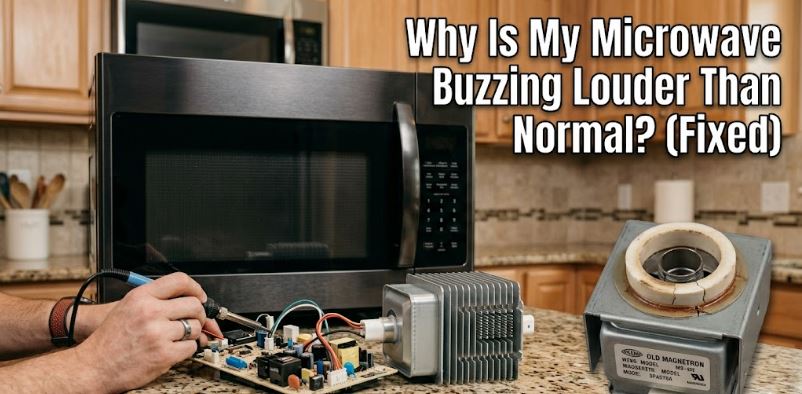
Every microwave produces some level of operational hum during use. That quiet background noise from the fan and magnetron is completely normal. But when that hum becomes a loud, persistent buzz that was not there before, the machine is signalling a problem that deserves attention before it becomes a bigger one.
The first thing to establish is when the buzzing happens. A buzz only during cooking points to different causes than a buzz that continues after the cycle ends. A buzz from the back of the machine is different from one coming from the bottom. Use those clues alongside the causes below to narrow it down quickly.
Critical Safety Reminder
Many buzzing causes involve or sit adjacent to high-voltage internal components. Never open the microwave cabinet for any diagnosis or repair. The capacitor retains a lethal charge even after unplugging. Every cause below is clearly marked as either a safe external check or a professional repair. Stay within those boundaries.
Quick Reference for a Microwave Making Buzzing Noise
| Buzz Type and Timing | Most Likely Cause |
|---|---|
| Loud buzz from rear during cooking | Clogged or failing cooling fan |
| Loud electrical buzz with reduced heating | Failing magnetron or high-voltage diode |
| Buzz only when turntable rotates | Worn turntable motor or debris under roller ring |
| Buzz when placed on uneven surface | Vibration from loose external components |
| Buzzing that started suddenly after years of use | Aging magnetron or loose internal component |
| Low muffled buzz with food not heating | Failing high-voltage diode |
What Causes a Microwave to Make a Buzzing Noise?
Buzzing noises are not normal, especially when they are louder. If your microwave is making a buzzing noise, it’s more likely a result of one of these issues:
1. The Turntable Motor or Roller Ring Has an Issue
Start here before anything else. This is a fully safe check that costs nothing and resolves a surprising number of buzzing complaints.
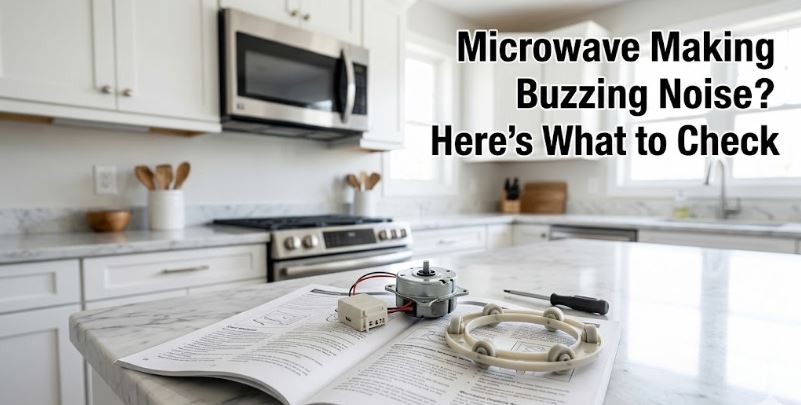
The turntable motor rotates the glass plate during cooking. When it wears out, its shaft develops resistance, and that resistance produces a buzzing or grinding sound that is clearly timed to the turntable’s rotation. Similarly, food debris under the roller ring, a cracked roller, or a misaligned glass plate all create vibration that travels through the cavity walls and sounds like an electrical buzz from outside.
Here is how to check and fix it:
- Remove the glass turntable plate and the roller ring beneath it
- Clean both thoroughly and check the rollers for cracks or flat spots
- Wipe the turntable track on the tub floor to remove any debris
- Reinstall both components, confirming the plate sits centered on the coupler
- Run a short cycle and listen whether the buzz has gone
If the buzzing disappears with the turntable removed but returns when it is reinstalled, the turntable motor needs replacement, and you can find one on Amazon.
2. The Cooling Fan Is Clogged or Failing
The cooling fan runs throughout the cooking cycle and often for a short time afterward to prevent the magnetron from overheating. Over time, grease and dust from the kitchen environment accumulate on the fan blades. That buildup throws the blades off balance, causes them to strain against the motor, and produces a loud buzzing or rattling sound that is most noticeable from the rear of the machine.
A failing fan motor produces the same noise as the bearings wear and the motor struggles to maintain speed.
Here is what you can safely check externally:
- Listen to confirm the buzz originates from the rear of the machine
- Check whether the buzz is present immediately at the start of a cycle and throughout it
- Look at the rear vent grille for visible dust or grease buildup restricting airflow
- Vacuum the exterior vent grille gently with a soft brush attachment to remove surface buildup
Cleaning the exterior vent often reduces the noise by improving airflow immediately. If the buzzing persists after cleaning the exterior vents, the fan blades or motor internally need professional attention since accessing them requires opening the cabinet.
For over-the-range microwaves, also check and clean the grease filters on the underside of the machine. A clogged grease filter restricts airflow enough to make the fan work harder and louder. Clean or replace these filters (View on Amazon) every one to three months, depending on how heavily the stovetop below is used.
3. Loose External Components Are Vibrating
Sometimes the buzzing has nothing to do with the microwave’s internal components at all. Instead, it comes from the machine’s own housing vibrating against a surface or from a loose external panel resonating during operation.
Countertop microwaves placed on uneven surfaces, pushed against a wall, or sitting near other appliances that transfer vibration are particularly susceptible. Over-the-range microwaves with loose mounting screws or a loose trim kit can also buzz from the housing rather than from any internal fault.
Here is how to identify and fix vibration buzz:
- Place your hand on different exterior surfaces of the machine while it runs and feel for vibration
- Check whether the buzz changes when you apply gentle pressure to the top or side panels
- Confirm the machine sits on a flat, even surface with all four feet making contact
- For countertop models, place a Non-Slip Silicone Appliance Mat (View on Amazon) under the machine to dampen vibration transfer from the countertop
- Check over-the-range mounting screws and tighten any that have loosened from the vibration of daily use
This fix costs nothing in most cases and takes under five minutes to identify.
4. The Waveguide Cover Is Damaged and Arcing
A damaged or heavily soiled waveguide cover does not only cause sparking as covered in our post on microwave sparks when running. In the early stages before visible arcing occurs, a cover with carbon deposits or a hairline crack absorbs microwave energy and produces a buzzing or humming sound that is louder than the usual operational hum.
This cause is important to identify quickly because it progresses from buzzing to sparking if the cover damage is not addressed.
Here is how to check and fix the waveguide cover safely:
- Open the door and locate the flat panel on the interior side wall
- Look for any brown or black discoloration, burn marks, or visible damage on the surface
- If the cover looks clean but feels rough or pitted, that texture is absorbing energy
- Clean light grease buildup with a soft damp cloth and mild dish soap, drying completely before use
- Replace any cover with burn marks, holes, or warping before the next cycle (View replacement waveguide covers on Amazon)
5. The Magnetron Is Aging or Failing
Safety level: Symptom observation only. Professional repair required.
The magnetron is the component that generates microwave energy. As it ages, its internal components develop wear that produces an increasingly loud buzzing or humming during operation. Early-stage magnetron wear produces a buzz that is noticeably louder than before but the machine still heats. Advanced wear produces a loud buzz alongside reduced or absent heating.
A magnetron buzzing that has developed gradually over months points to age-related wear. A buzz that appeared suddenly at maximum volume points to a more acute failure.
Here is what to observe safely:
- Note whether the buzz appeared gradually or suddenly
- Test heating by placing a cup of cold water inside and running for one minute on High
- Water that is barely warm after one minute alongside a loud buzz strongly indicates magnetron deterioration
- Stop using the machine if the buzz is accompanied by burning smell, sparking, or zero heating
Do not attempt any internal access. A technician handles magnetron assessment and replacement. On machines over eight years old, replacement of the microwave (View on Amazon) is almost always more economical than magnetron repair.
6. The High-Voltage Diode Is Failing
Safety level: Symptom observation only. Professional repair required.
The high-voltage diode converts alternating current from the transformer into the direct current that powers the magnetron. A failing diode produces a low, muffled buzzing sound that often comes paired with noticeably reduced heating performance. Sometimes a failing diode produces a more pronounced crackling buzz as it deteriorates further.
This is one of the more affordable internal fixes when caught early, but it requires a professional with the equipment to discharge the capacitor safely before accessing the high-voltage circuit.
Here is what to observe:
- Listen for a low, electrical buzz that is lower in pitch than normal operational hum
- Note whether heating has become less effective alongside the buzz
- A cup of water that heats less than expected in a standard time confirms reduced power output
Report these observations to a technician since they point specifically to the diode rather than other high-voltage components, which significantly speeds up the professional diagnosis.
7. The Power Supply or Outlet Has a Problem
This is a cause that sits entirely outside the microwave and is worth checking before drawing any conclusions about internal components.
A microwave running on an underpowered circuit or a loose outlet connection receives inconsistent voltage. The machine’s internal components compensate for the fluctuation, and that compensation produces a buzzing sound as the power draw varies. Similarly, a microwave sharing a circuit with other high-draw appliances experiences voltage drops that stress the power components and create audible buzzing.
Here is how to check the power supply:
- Unplug the microwave and plug it into a different outlet on a different circuit
- Run a short cycle and listen whether the buzz is reduced or absent on the different outlet
- Confirm the original outlet accepts the plug firmly without any looseness
- Avoid running the microwave on the same circuit as a refrigerator, dishwasher, or other high-draw appliance
- If the outlet itself buzzes or feels warm, contact an electrician since this is a wiring issue not a microwave fault
Plugging into a dedicated circuit with a surge protector prevents this cause from recurring. The Belkin Multi-Outlet Surge Protector (View on Amazon) is a reliable option for home and office use that protects against voltage fluctuations that stress microwave components over time.
Microwave Buzzing Cause and Cost Overview Table
| Cause | Safe DIY Fix | Part Cost | Pro Repair Cost |
|---|---|---|---|
| Clean turntable and roller ring | Yes | Free | N/A |
| Replace turntable motor | Yes | $8 – $15 | $80 – $150 |
| Clean exterior vent or grease filter | Yes | Free – $15 | N/A |
| Fix vibration with appliance mat | Yes | $8 – $15 | N/A |
| Replace waveguide cover | Yes | $5 – $10 | N/A |
| Switch outlet or add surge protector | Yes | $15 – $25 | N/A |
| Cooling fan replacement | Professional | N/A | $100 – $180 |
| High-voltage diode | Professional | $5 – $15 parts | $100 – $180 |
| Magnetron replacement | Professional | N/A | $200 – $400 |
Frequently Asked Questions
Is a buzzing microwave safe to keep using?
It depends on the cause. A buzz from the turntable, a vibrating panel, or the waveguide cover is safe to address and use afterward once fixed. A loud electrical buzz especially when paired with reduced heating or burning smells means stop using the machine immediately and have it professionally assessed.
Why did my microwave suddenly start buzzing after years of quiet use?
A sudden onset after years of quiet operation almost always points to a component that has reached the end of its lifespan, most commonly the cooling fan bearings, the high-voltage diode, or the early stages of magnetron failure. Gradual wear produces gradual noise. A sudden change in noise level signals a component crossing a failure threshold.
Can I fix a buzzing microwave myself?
Several causes are fully safe to address yourself, including the turntable, roller ring, waveguide cover, external vibration, and the power supply. Anything requiring opening the microwave cabinet, including the cooling fan, diode, and magnetron, requires a professional due to the lethal capacitor charge that persists even after unplugging.
Why does my microwave buzz after the cooking cycle ends?
A buzz that continues after the cycle ends is almost always the cooling fan running to bring the magnetron temperature down. This is completely normal and typically lasts 30 to 90 seconds. If it continues for several minutes or the buzz is new and louder than before, the fan motor is struggling and needs professional assessment.
Start With the Turntable and Work Outward
A microwave making a buzzing noise almost always starts with something accessible. The turntable system, the waveguide cover, the grease filter, and the power outlet together cover the majority of buzzing complaints without any tools or professional help needed.
Work through those free checks first, then move to the cooling fan and high-voltage components if the buzz persists. In case of other microwave issues, check out our microwave troubleshooting guide for possible diagnosis, DIY fixes, and professional tips.