
Your microwave runs, the light comes on, the turntable spins, and the timer counts down perfectly. But the food comes out warm on some cycles and stone cold on others. Sometimes it works fine for three days, then stops heating for a day, then works again.
Intermittent heating is one of the most frustrating microwave problems because it is hard to pin down. The machine appears fully functional. The issue comes and goes without any obvious trigger. And because a working microwave can look identical to a non-heating one from the outside, the cause hides behind a completely normal-looking display.
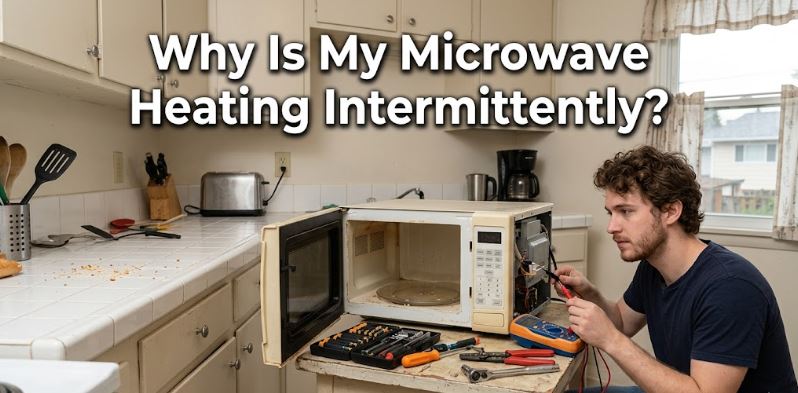
Before diving into causes, there is an essential safety warning that applies to this entire post.
Critical Safety Warning
Microwaves contain a high-voltage capacitor that stores enough electrical charge to deliver a lethal shock even after the machine is unplugged. Do not open the microwave cabinet or touch any internal component unless you are a trained appliance technician with the equipment to safely discharge the capacitor. Every cause below is identified clearly as either a safe DIY check or a professional repair. Respect that distinction without exception.
Microwave Heating Intermittently Quick Reference
| When the Heating Fails | Most Likely Cause |
|---|---|
| Heats sometimes, cold other times, no pattern | Failing magnetron or faulty door switch |
| Heats fine then stops after 10-15 minutes | Thermal protector or thermoprotector tripping |
| Heats at some power levels but not others | Power level set incorrectly or failing triac |
| Works after pushing or adjusting the door | Failing door switch or misaligned latch |
| Works when cold, stops after warming up | Thermal cutout or overheating magnetron |
| Heats food on one side only | Turntable motor issue or failing magnetron |
Microwave Works One Minute, Fails the Next—Why?
If your microwave is heating intermittently – one minute it’s heating well and the next one it’s not – here are issues to consider:
1. The Power Level Is Set Too Low
This is always the first thing to check because it costs nothing and takes ten seconds. Many people accidentally change the power level while adjusting cooking time and never realize it.
A microwave set to 30 or 50 percent power cycles the magnetron on and off throughout the cooking time rather than running it continuously. Food heated on a low power level feels barely warm after a short cook time, which is easy to mistake for an intermittent heating fault when the machine is actually working exactly as instructed.
Similarly, Demo Mode on many modern microwaves makes the appliance appear completely operational, with lights, turntable, fan, and display all active, while deliberately disabling the magnetron so no heat is produced. Retail showrooms use this mode to demonstrate features without heating anything.
What to Check
Press the power level button and confirm the setting reads 100 percent or High for standard cooking. If Demo Mode is suspected, check your user manual for the deactivation sequence since it varies between brands. On most Samsung and LG models, pressing and holding a specific button combination for three seconds exits Demo Mode. On Whirlpool models, the process is outlined in the first page of the user manual.
2. A Door Switch Is Failing Intermittently
DIY safety level: Visual inspection only. Internal testing requires a professional.
Microwaves use two or three door interlock switches that must all confirm the door is fully closed before the magnetron receives power. This is a safety system designed to prevent microwave radiation from being emitted with the door open.
When any one of these switches begins to fail intermittently, it sends inconsistent signals to the control board. The magnetron receives power on some cycles and not on others, producing exactly the random heating and no-heating pattern that makes intermittent heating so confusing.
A door switch that is physically misaligned rather than electrically failed produces the same symptom and is sometimes visible without opening the machine.
What to Check Safely
Examine the door latch and the latch hooks along the door edge for any visible cracking, bending, or debris. Also check the small plastic receptacles on the microwave frame that the latch hooks engage. Any damage or misalignment here prevents consistent switch contact.
Close the door and apply gentle pressure to different parts of the door edge while running a heating test. A microwave that starts heating when you press on a specific area of the door almost certainly has a switch alignment issue at that point. Do not attempt to access the switches internally. Diagnosis and replacement require a technician because the door switches connect directly to the high-voltage circuit.
3. The Thermoprotector or Thermal Cutout Is Tripping
DIY safety level: External checks only. Internal access requires a professional.
The thermoprotector, also called the thermal cutout or cavity thermostat, is a safety device that cuts power to the magnetron when the internal temperature exceeds a safe threshold. It resets automatically once the temperature drops, which produces a recognizable pattern: the microwave heats normally for ten to fifteen minutes, stops heating, runs on fan only for several minutes, then resumes heating after cooling down.
This pattern often appears when the microwave’s ventilation is restricted. An over-the-range microwave with a clogged grease filter, a countertop microwave pushed too close to the wall or placed in a cabinet without adequate clearance, or a machine used for extended cooking sessions without rest periods are all common triggers for repeated thermoprotector trips.
What to Check Safely
Check whether the heating failure follows a consistent time pattern. A microwave that always stops heating after 10 to 15 minutes of continuous use and then resumes after a few minutes rest almost certainly has its thermoprotector tripping from heat buildup.
For over-the-range models, remove and clean the grease filter. Most slide out from the underside of the microwave without tools. Wash it in warm soapy water, rinse thoroughly, and dry before reinserting. Confirm the exhaust fan is set to run during cooking and check that the exterior vent is not blocked. For countertop models, ensure at least three inches of clearance on all sides and never operate inside an enclosed cabinet.
4. The Magnetron Is Failing
DIY safety level: External symptom observation only. This is a professional-only repair.
The magnetron is the component that generates the microwave energy that heats food. It is the heart of the machine’s heating system and the component most frequently responsible for intermittent heating as it ages.
A magnetron does not always fail all at once. Early-stage failure produces exactly the kind of random, unpredictable heating that characterizes this problem. It generates full power on some cycles, reduced power on others, and occasionally no power at all, with no consistent pattern that connects the failures. Food may heat properly on Tuesday, come out lukewarm on Wednesday morning, and heat again normally by Wednesday afternoon.
Magnetrons in residential microwaves typically last seven to ten years under normal use. Running the microwave empty even once can cause immediate magnetron damage since the energy has nowhere to go and reflects back into the tube. A burning smell during operation or visible arcing inside the cavity are serious warning signs of advanced magnetron failure.
What to Check Safely
Note when the intermittent heating started and whether the machine has ever been run empty by accident. Check whether food heats unevenly or only partially, which suggests the magnetron is producing partial output rather than failing completely.
If magnetron failure is suspected, stop using the microwave and contact a technician. A failed or failing magnetron poses a safety risk from arcing and potential radiation leakage around the tube seals. On machines over eight years old, the cost of magnetron replacement often approaches the cost of a new microwave, making replacement the more financially sensible choice.
5. The High-Voltage Diode Has Failed
DIY safety level: Symptom observation only. Professional repair required.
The high-voltage diode converts the alternating current from the transformer into the direct current that powers the magnetron. When it fails partially rather than completely, it produces reduced or inconsistent power output to the magnetron, which results in food being heated intermittently or unevenly rather than at the expected rate.
A completely failed diode usually produces no heating at all. A diode that is breaking down progressively produces intermittent heating that worsens over weeks until it fails entirely. Sometimes a failed diode also produces a loud humming sound during operation that is noticeably different from the normal operational sound of the machine.
What to Observe Safely
Listen for an unusually loud buzzing or humming during operation that was not present before the intermittent heating started. This sound is distinct from normal fan and turntable noise and is a strong indicator of a failing diode or capacitor.
Do not attempt to test or replace the diode yourself. It sits directly adjacent to the high-voltage capacitor which retains a lethal charge even after unplugging. A technician with the proper equipment to discharge the capacitor safely is required for any work in this area of the machine.
6. The Control Board or Triac Has a Developing Fault
DIY safety level: Reset attempts only. Board replacement is a professional repair.
The control board manages every function of the microwave including sending power signals to the magnetron at the correct intervals during a cook cycle. The triac is a switching component on the board that controls power delivery to the magnetron. When either develops a fault, the result is random, unpredictable heating since the power signal to the magnetron becomes inconsistent.
A control board fault often produces other symptoms alongside intermittent heating, such as buttons that respond inconsistently, display errors, or the microwave behaving differently on each use even with identical settings. A failing triac specifically tends to produce heating at some power levels but not others.
What to Try Safely
Perform a hard reset. Unplug the microwave from the wall and leave it unplugged for two full minutes. This clears any temporary errors stored in the board’s memory. Plug it back in and test with a cup of water on High power for one minute to see if consistent heating returns.
If intermittent heating persists after the reset, note whether it occurs at specific power levels or randomly across all settings. Share that pattern with a technician since it helps distinguish a triac fault from a board fault and speeds up the diagnosis significantly.
7. The Waveguide Cover Is Damaged or Contaminated
DIY safety level: Cleaning is safe. Replacement cover is also a safe DIY task.
The waveguide cover is the flat panel, usually made of mica or plastic, mounted on the interior wall of the microwave cavity. It protects the magnetron’s waveguide opening from food splatter while allowing microwave energy to pass through freely. When food grease, moisture, or charred debris builds up on this cover, or when the cover itself cracks or develops burn marks, it absorbs microwave energy rather than passing it through. This causes hot spots and cold spots in the food and in severe cases causes arcing inside the cavity.
This is one of the few internal components that is completely safe to inspect and clean without any high-voltage risk, since it is simply a flat cover with no electrical connections.
How to Inspect and Clean the Waveguide Cover
Open the microwave door and look at the interior walls. The waveguide cover is typically located on the right side wall or the ceiling of the cavity. It is a flat rectangular or square panel that is a different color or texture from the painted cavity walls.
Check it for discoloration, charring, moisture buildup, or cracks. A cover with light grease buildup cleans easily with a damp cloth and mild dish soap. Never use abrasive scrubbers since they scratch the surface and accelerate damage.
A cover with burn marks, cracking, or holes needs replacement. Replacement waveguide covers (View on Amazon) are model-specific.
Microwave Intermittent Heating Cause Overview
| Cause | Safe DIY Check | Professional Required For |
|---|---|---|
| Wrong power level or Demo Mode | Yes, full fix | N/A |
| Door switch misalignment | Visual check only | Testing and replacement |
| Waveguide cover cleaning | Yes, full fix | N/A |
| Waveguide cover replacement | Yes, full fix | N/A |
| Thermoprotector tripping | Ventilation check only | Internal access |
| High-voltage diode failure | Symptom observation | All internal work |
| Magnetron failure | Symptom observation | All internal work |
| Control board or triac fault | Reset attempt only | Board replacement |
Frequently Asked Questions
Is it safe to keep using a microwave that heats intermittently?
It depends on the cause. If the intermittent heating comes from a power level setting or a dirty waveguide cover, continued use is safe once those are addressed. If the cause is a failing magnetron, a damaged door switch, or internal arcing, stop using the microwave immediately. Arcing inside the cavity and a failing door switch both present genuine safety risks that worsen with continued use.
Why does my microwave heat food on some days but not others?
This random, day-to-day pattern without a consistent trigger almost always points to a failing door switch or a deteriorating magnetron. Both components can produce inconsistent output during early-stage failure before they fail completely. The randomness comes from the component working within acceptable parameters some of the time and failing outside them at other times, with no predictable trigger.
Can I fix intermittent microwave heating myself?
For some causes, yes. Checking and correcting the power level, exiting Demo Mode, cleaning the waveguide cover, and replacing a damaged waveguide cover are all safe DIY tasks. Everything involving the internal high-voltage components, including the door switches, diode, capacitor, magnetron, and control board, requires a qualified technician. The capacitor stores a lethal charge that persists even after unplugging and cannot be safely approached without proper discharge equipment.
How do I know if my microwave magnetron is failing?
The most reliable field test is the cup of water test. Place a microwave-safe cup of cold water in the microwave and run it on High power for one minute. The water should be hot, close to boiling, after one minute at full power. If it is barely warm or cool, the magnetron is not producing full power. Combined with a pattern of intermittent results across multiple tests, this strongly indicates magnetron deterioration.
Is intermittent heating worth repairing or should I replace the microwave?
It depends entirely on the cause and the machine’s age. A waveguide cover replacement costs $5 to $15 and takes five minutes. A door switch replacement from a technician typically runs $100 to $200. A magnetron replacement on a machine over eight years old often costs $150 to $300 in parts and labor, which approaches the cost of a new mid-range microwave. For machines over eight years old with a confirmed magnetron or control board fault, replacement is almost always the more economical decision, and you can check out the top-selling options on Amazon.
Start With the Safe Checks and Work From There
Intermittent microwave heating follows a clear diagnostic path. Start with the settings and the waveguide cover since both are completely safe to check and resolve a meaningful portion of intermittent heating complaints without any tools or professional help.
Move to ventilation and door alignment checks if those are clear. Then call a technician for anything involving internal components since the high-voltage system inside a microwave is genuinely dangerous territory for anyone without the proper training and equipment.
For related reading across all microwave faults, our complete microwave troubleshooting guide covers every major microwave symptom, error code, and component failure across all leading brands including Whirlpool, GE, Samsung, LG, and Panasonic.

Hi, I’m Barlgan! I created Repair Me Yourself to empower homeowners to tackle appliance repairs with confidence. From decoding error codes to fixing cooling issues, I break down complex repairs into simple, actionable steps that save you time and money.