Think of your thermostat as the conductor of an orchestra. Every musician, compressor, blower, condenser fan, can play perfectly, but without the conductor sending the right signals at the right moments, the whole performance falls apart. When the thermostat stops working, the entire HVAC system becomes either completely silent or completely uncontrollable, and comfort disappears either way.
The encouraging thing about thermostat problems is that the majority of them live right at the surface: dead batteries, wrong settings, a tripped breaker, dust on the sensors. These are five-minute fixes that do not require a technician, and they resolve most thermostat complaints. The handful of causes that do require professional attention are worth knowing upfront so you are not chasing simple fixes when the problem runs deeper.
AC Thermostat Not Working? Overview
| What You Notice | Most Likely Cause |
|---|---|
| Blank or dark display | Dead batteries or tripped circuit breaker |
| Display on but AC ignores thermostat commands | Incorrect settings, control lock, or wiring fault |
| Temperature reading clearly wrong | Poor placement or dirty internal sensor |
| Thermostat works intermittently | Loose wiring or dying batteries |
| Smart thermostat shows offline | Wi-Fi connectivity issue or power disruption |
| AC runs constantly and never shuts off | Thermostat stuck in closed circuit or faulty sensor |
| AC won’t turn on despite correct settings | Safety float switch tripped or blown low-voltage fuse |
| Screen flickers or displays error codes | Control board issue or firmware fault |
8 Reasons Your AC Thermostat Is Not Working and How to Fix Each One
These are the causes behind virtually every thermostat problem homeowners face, starting with the ones you can resolve immediately.
1. The Batteries Are Dead or Low
Dead batteries are the single most common cause of a thermostat not working and account for a remarkable proportion of professional HVAC service calls that could have been resolved in under two minutes at home.
Battery-powered thermostats show a blank or very dim screen when the batteries die. What catches many people off guard is that low but not fully dead batteries can cause erratic behavior well before the screen goes blank: intermittent response, inaccurate temperature readings, delayed commands, and missed cooling cycles. The thermostat appears to be malfunctioning when it is simply running out of power.
Here Is How to Fix It
- Remove the thermostat faceplate and locate the battery compartment, usually on the side or back of the unit
- Remove old batteries and wait 30 seconds before installing fresh ones to allow the internal memory to clear
- Install fresh alkaline batteries of the correct size, confirming positive and negative ends match the compartment markings
- The Duracell Coppertop AA Batteries (View on Amazon) maintain consistent voltage output through the battery life and are one of the most reliable choices for thermostat use
- Replace batteries at least once a year at the start of each cooling season regardless of whether the thermostat shows any problem, since preventive replacement avoids mid-summer failures
2. The Circuit Breaker or Low-Voltage Fuse Has Tripped
Safety level: Checking the breaker panel is safe. Do not reset more than once if it trips again.
A thermostat that suddenly goes blank with no battery-related cause almost always points to a power supply issue at the electrical panel or inside the air handler. The thermostat receives its operating voltage through a low-voltage transformer inside the air handler. When the circuit breaker for the air handler trips, or when the small fuse protecting the low-voltage circuit inside the air handler blows, the thermostat loses all power and the display goes dark.
This is particularly common after power surges, lightning storms, or when a short circuit in the thermostat wiring blows the protective fuse.
Here Is How to Check and Fix It
- Go to the main electrical panel and locate the breaker labeled Air Handler, Furnace, or HVAC Indoor
- A tripped breaker sits in the middle position rather than fully on or off. Flip it fully to Off, wait 30 seconds, then flip it firmly back to On
- If the breaker is fine, open the air handler access panel and look for a small automotive-style fuse or a blade fuse on the control board, usually labeled 3A or 5A
- Replace a blown fuse with the identical amperage rating.
- If the fuse blows again immediately after replacement, a short circuit in the thermostat wiring needs professional diagnosis before replacing the fuse again
3. The Settings Are Incorrect
This is the cause that costs nothing to fix and requires nothing more than a careful look at the thermostat display. Incorrect settings produce symptoms that look like thermostat malfunctions but are actually the thermostat doing exactly what it was told.
A thermostat in Heat mode on a warm day runs the furnace instead of the AC. A thermostat in Fan Only mode blows uncooled room-temperature air continuously. A thermostat set to a temperature above the current room temperature has no reason to activate the AC and simply waits. A thermostat with an active schedule or vacation mode overrides manual adjustments and appears to ignore input.
Here Is How to Fix It
- Confirm the system mode is set to Cool for air conditioning operation
- Set the target temperature at least five degrees below the current room reading to trigger a cooling call
- Check the fan setting and switch it to Auto rather than On so the blower only runs when the compressor is also active
- Scroll through any programmed schedules and vacation modes to confirm none are overriding manual inputs
- For smart thermostats, check the app for any active away modes, geofencing settings, or scheduled temperature holds that might be preventing the manual setting from taking effect
4. The Thermostat Is Poorly Positioned
A correctly functioning thermostat placed in the wrong location reads the room temperature inaccurately and causes the AC to behave in confusing ways that look like thermostat malfunctions.
Direct sunlight hitting the thermostat makes it read the temperature significantly higher than the actual room temperature. The AC runs continuously trying to cool a room that is already at the set point. A thermostat installed directly above or below a supply vent gets hit with cooled air on every cycle, making it think the room has reached the set temperature far earlier than it actually has. Both placements cause comfort problems that no amount of setting adjustment resolves.
Here Is How to Diagnose and Fix It
- Place an independent digital thermometer at the same height as the thermostat and compare readings. A discrepancy of more than two degrees Fahrenheit confirms a sensing problem
- Check whether direct sunlight hits the thermostat at any point during the day
- Confirm the thermostat is not positioned within a foot of a supply vent, a lamp, or any heat-generating appliance
- If repositioning is possible, an interior wall away from windows, vents, and heat sources is the correct location
- If repositioning is not practical, a smart thermostat with remote sensors averages temperature from multiple locations throughout the home. The Ecobee Smart Thermostat Premium (View on Amazon) eliminates placement-based inaccuracy permanently.
5. The Internal Sensor Is Dirty
The temperature sensor inside the thermostat is a small electronic component or, in older mechanical thermostats, a bimetallic coil that expands and contracts with temperature changes. When dust accumulates on the sensor or on the components around it, it insulates the sensor from the actual room air temperature and causes inaccurate readings.
This cause develops gradually over years rather than appearing suddenly, which is why homeowners rarely connect a thermostat cleaning with a restoration of accurate temperature control. Mechanical thermostats with visible components inside the housing are more susceptible than sealed electronic models.
Here Is How to Clean It
- Remove the thermostat faceplate carefully by unclipping or unscrewing it from the base
- Use a small soft brush or a can of compressed air to gently remove dust from the visible internal components and the sensor area
- Do not use a wet cloth or any liquid cleaner inside the thermostat since moisture damages the sensitive electronic components
- Replace the faceplate and test whether temperature readings now match an independent thermometer placed alongside the thermostat
- For smart thermostats with sealed housings, wipe only the exterior surface with a dry soft cloth since internal cleaning is not applicable
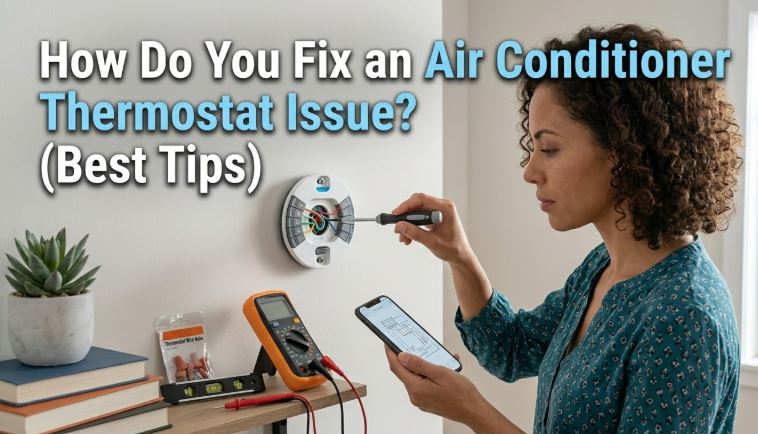
6. The Wiring Has a Loose Connection or Fault
Safety level: Visual inspection is safe. Wiring repair requires a licensed HVAC technician.
The thermostat communicates with the air handler and outdoor unit through a multi-wire low-voltage cable. Each wire carries a specific signal: cooling call, heating call, fan command, common power return. When any of these wires develops a loose connection at the thermostat terminal, at the air handler terminal block, or anywhere along the cable run, the corresponding function stops working while others may continue normally.
A loose cooling wire causes the AC not to respond while the fan and heating work fine. A loose common wire causes the thermostat to lose power intermittently. Corroded terminals, damage from rodents, or staple damage through the cable during installation can all produce the same intermittent or function-specific failures.
Here Is What to Check Safely
- Remove the thermostat faceplate and look at the terminal block where the wires connect. Each wire should be firmly seated in its labeled terminal with no slack or exposed copper visible outside the connection
- Gently tug each wire and confirm none pull free without releasing the terminal screw
- Look for any visible corrosion, discoloration, or damage on the wire ends
- Do not attempt to rewire or extend the thermostat wiring yourself since incorrect low-voltage wiring causes short circuits that blow the protective fuse and can damage the air handler control board. A licensed HVAC technician handles wiring diagnosis and repair
7. The Safety Float Switch Has Tripped
This is the cause that catches the most homeowners off guard because a drainage problem seems completely unrelated to whether the thermostat works or not.
Most modern air handlers have a condensate drain safety float switch mounted in the drain pan beneath the evaporator coil. When the condensate drain line clogs and water backs up into the pan, the float rises and the switch cuts power to the thermostat and AC system entirely to prevent water damage. The thermostat display may go blank or show a low-power indicator even with fresh batteries because the switch has cut the power supply to the entire low-voltage circuit.
Here Is How to Check and Fix It
- Open the air handler access panel and inspect the drain pan beneath the evaporator coil for standing water
- If water is present, the float switch has tripped and needs to be cleared before the thermostat will restore power
- Pour one cup of white vinegar into the condensate drain line access port and use a wet/dry vacuum at the outdoor end of the drain line for two to three minutes to pull the clog through
- The Deflecto Drain Cleaning Brush Kit (View on Amazon) reaches deep into condensate lines for stubborn clogs that a vacuum cannot fully clear
- Once the drain pan empties and the float drops, the thermostat restores power automatically. Our post on AC leaking water indoors covers condensate drain maintenance in full detail
8. The Thermostat Has Failed or Is Outdated
When every cause above has been checked and the thermostat still does not function correctly, the thermostat itself has reached the end of its serviceable life or has developed an internal fault. Most residential thermostats last ten to fifteen years under normal use. A unit that is older than that alongside unexplained behavior after all other causes are cleared is a strong candidate for replacement.
Smart thermostats with Wi-Fi connectivity can also develop software or firmware faults that a factory reset resolves without requiring full replacement.
Here Is How to Address It
- Perform a factory reset before replacing. On most programmable thermostats, this involves pressing a small reset button on the face or inside the battery compartment with a paperclip
- For smart thermostats, follow the manufacturer’s reset sequence from the app or the device menu. Most Nest, Ecobee, and Honeywell smart thermostats have a reset option in the settings menu
- If a reset produces no improvement on a thermostat over ten years old, replacement is the most cost-effective path forward
- The Honeywell Home T6 Pro Programmable Thermostat (View on Amazon) is a reliable, straightforward replacement compatible with most split systems and installs in about 30 minutes without professional help for homeowners comfortable following wiring diagrams
- For more complex systems including heat pumps and multi-stage equipment, professional installation ensures the new thermostat is wired and configured correctly for the specific system
AC Thermostat Fix Cost Overview
| Cause | DIY Safe | Fix Cost | Pro Service Cost |
|---|---|---|---|
| Replace dead batteries | Yes | $3 – $8 | N/A |
| Reset tripped circuit breaker | Yes | Free | N/A |
| Replace blown low-voltage fuse | Yes | $5 – $10 | N/A |
| Correct settings and schedule | Yes | Free | N/A |
| Clean internal sensor | Yes | Free | N/A |
| Clear condensate drain and float switch | Yes | Free – $25 | $80 – $150 |
| Wiring diagnosis and repair | No | N/A | $80 – $200 |
| Thermostat replacement DIY | Yes | $30 – $150 | N/A |
| Thermostat replacement professional | No | $30 – $150 parts | $150 – $300 |
Frequently Asked Questions
Why does my thermostat display go blank randomly but come back on its own?
Intermittent blanking with spontaneous recovery is the classic signature of a loose wire connection at the thermostat terminal block. The connection makes contact most of the time but loses it briefly from vibration or thermal expansion. Remove the faceplate and firmly check each wire terminal. A loose common wire, the C wire that provides continuous power, is the most frequent specific cause of this pattern on battery-free thermostats.
My thermostat shows the right temperature but the AC still does not turn on. What is wrong?
When the thermostat reads correctly and is set properly but the AC still does not start, the problem has moved downstream of the thermostat. Check whether the outdoor unit’s circuit breaker is tripped, whether the outdoor disconnect box is fully engaged, and whether the condensate float switch in the air handler has tripped from a drain clog. If all three check out, the AC itself has a mechanical fault rather than a thermostat problem. Our post on AC won’t turn on covers every downstream cause systematically.
Can I replace my thermostat myself?
For most standard split systems with conventional thermostat wiring, yes. Take a photo of the existing wiring before removing any wires, label each wire with masking tape and its terminal letter, and connect the new thermostat following those labels. Most modern programmable and smart thermostats include clear wiring guides. Heat pumps, multi-stage systems, and proprietary communication systems like those used by some Carrier, Lennox, and Trane equipment require professional installation since the wiring configurations are significantly more complex.
Why does my smart thermostat show offline and stop controlling the AC?
A smart thermostat showing offline has lost its connection to the Wi-Fi network or to the manufacturer’s cloud service. Restart your Wi-Fi router, then power cycle the thermostat by flipping its circuit breaker off for 30 seconds and back on. If the thermostat reconnects to Wi-Fi but the app still shows offline, the manufacturer’s server may be experiencing an outage. Most smart thermostats continue controlling the HVAC system locally without the app during server outages, so the AC should still respond to manual adjustments at the thermostat itself.
How long should a thermostat last before needing replacement?
A standard programmable thermostat typically lasts ten to fifteen years under normal use. Smart thermostats with active Wi-Fi connections and more complex electronics may have a shorter practical lifespan closer to eight to ten years before software support ends or hardware degrades. A thermostat that is more than ten years old showing unexplained problems after battery replacement and circuit breaker checks is a strong candidate for replacement rather than repair.
Batteries and Breaker First, Everything Else After
Thermostat problems follow a very clear diagnostic hierarchy, and the most common causes cost nothing to fix. Replace the batteries, check the breaker, confirm the settings, and look for a tripped float switch before drawing any conclusions about wiring faults or thermostat failure.
Those four free checks resolve the vast majority of thermostat complaints in every season, across every major brand, and in every home. We also have a complete air conditioner troubleshooting guide, which explore the various AC problems and their troubleshooting.