Few things are more frustrating than standing in a sweltering room, pointing the remote at the AC unit, pressing the power button repeatedly, and getting absolutely nothing back. No beep, no indicator light, no change in the air. Just silence and rising temperatures.
The silver lining is that an unresponsive AC remote is one of the most solvable appliance problems in the home. The vast majority of causes live outside the AC unit itself, in the remote, the signal path, or the settings, and resolve in under five minutes without tools or professional help. The few causes that do involve the AC unit are still relatively straightforward to identify and fix.
This post applies to wall-mounted mini-split systems, window units, and portable ACs that use an infrared remote control.
What Is Stopping Your AC Remote From Working?
Use this table to match what you are experiencing to the most likely cause before reading further.
| What You Notice | Most Likely Cause |
|---|---|
| Remote display blank or dim | Dead or weak batteries |
| Remote display on but AC ignores all commands | Blocked IR sensor or control lock active |
| Remote works from close range but not across the room | Weak batteries or dirty IR sensor |
| AC responds to some buttons but ignores others | Remote needs reset or control lock on specific functions |
| Remote worked fine then suddenly stopped | Batteries died, power surge, or pairing lost |
| AC responds to manual buttons but not the remote | IR receiver on unit is dirty or faulty |
| New remote does not work with existing unit | Compatibility issue or remote needs pairing |
Why Is My AC Remote Not Responding to Commands?
These are the causes behind virtually every unresponsive AC remote complaint, starting with the ones you can resolve in under two minutes at no cost.
1. The Batteries Are Dead or Weak
This is responsible for more unresponsive remote complaints than every other cause combined. It is also the most commonly skipped check because people assume they would notice a battery warning. Most AC remotes do not give obvious battery warnings. The display stays on even with nearly depleted batteries, but the infrared signal becomes too weak to reach the unit reliably.
Weak batteries produce inconsistent results: the remote works from three feet away but not from across the room, or it works on some presses but not others. This intermittent behavior is the clearest sign of batteries that are low rather than completely dead.
Here Is How to Fix It
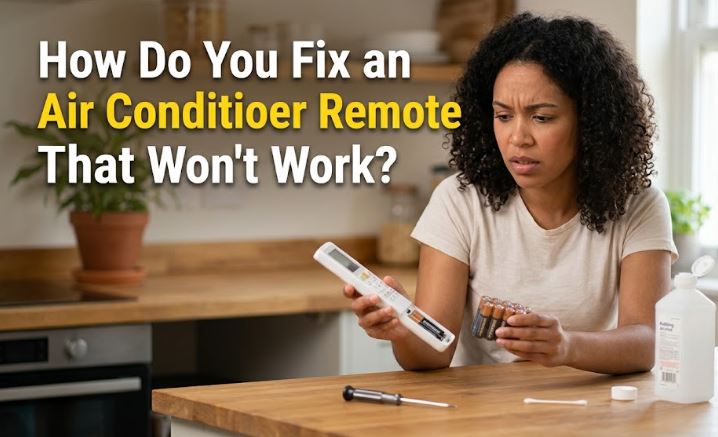
- Remove the battery cover and take out both batteries completely
- Wait 30 seconds before reinserting to clear any residual charge from the remote’s internal capacitors
- Insert a fresh set of batteries, confirming the positive and negative ends align with the markings inside the compartment
- Test by pointing directly at the unit from about five feet away
- Use alkaline batteries rather than rechargeable ones in AC remotes since rechargeable cells run at a slightly lower voltage that can cause signal issues even when the charge indicator looks full
- The Energizer AA Batteries (View on Amazon) provide consistent voltage output for the full battery life and are one of the most reliable choices for IR remotes
2. The IR Sensor on the AC Unit Is Blocked or Dirty
AC remotes communicate using infrared light, the same technology used by TV remotes. Infrared signals require a clear line of sight between the remote’s transmitter and the small IR receiver window on the indoor unit. When anything blocks that path, commands never reach the unit regardless of how strong the remote’s signal is.
Dust and grime buildup on the receiver window is one of the most overlooked causes of a gradually worsening remote response. The receiver does not go suddenly dark. Instead, response becomes progressively less reliable over months until commands need to be sent from very close range or at a very specific angle to register at all.
Here Is How to Fix It
- Locate the small IR receiver window on the front panel of the indoor unit. It is usually a small dark-tinted plastic window, sometimes marked with a small remote icon
- Wipe it gently with a soft dry cloth or a cotton swab slightly dampened with isopropyl alcohol to remove dust and grime
- Check whether any objects in the room, furniture, curtains, decorative items, or other electronics sit between the remote and the receiver
- Confirm the remote is being pointed directly at the receiver window rather than at the unit in general, since IR signals have a limited angle of reception
- Test whether the remote now responds from across the room after cleaning
3. The Control Lock or Timer Is Active
Modern AC units and their remotes include control lock features that disable button inputs to prevent accidental changes to settings. When the lock is active, the remote display works normally, buttons press and produce a display response, but the AC unit ignores every command. This is intentional behavior rather than a malfunction, and it catches homeowners off guard regularly.
A timer that was accidentally set can also make the unit appear unresponsive. The unit will not accept a power-on command if the timer has programmed it to turn on or off at a specific time, creating the appearance of an unresponsive remote.
Here Is How to Fix It
- Look at the remote display for a lock icon, a key symbol, or the letters “LOCK” indicating the lock function is active
- Check your user manual for the specific deactivation sequence since it varies between brands. On most LG and Samsung mini-splits, pressing and holding the lock button for three seconds releases it
- Scan the display for any timer indicator showing a scheduled on or off time. Cancel any active timer by pressing the Timer button and adjusting to zero or selecting the cancel option
- If the display shows no lock or timer but the unit still ignores commands, perform a full remote reset as described in the next cause
4. The Remote Needs a Reset
A power surge, a battery change without the proper wait period, or simply long-term use can cause the remote’s internal microchip to enter an error state where it sends commands incorrectly or loses synchronization with the indoor unit’s receiver. Resetting the remote clears that error state and restores proper communication.
This is especially common immediately after a power outage since the AC unit resets its internal state while the remote retains its previous settings, creating a mismatch that prevents the two from communicating correctly.
Here Is How to Reset the Remote
- Remove the batteries from the remote completely
- Locate the small reset pinhole on the back or side of the remote, usually labeled RESET or marked with a circular arrow symbol
- Insert a straightened paperclip or a thin pen tip and press the button inside the hole firmly for five seconds
- If your remote does not have a reset pinhole, press and hold the Power button on the remote for ten seconds with the batteries removed
- Reinsert fresh batteries and point the remote at the unit from close range to test
- Also unplug the AC unit from the wall for one minute before plugging back in, since this resets the unit’s receiver to its default state and restores synchronization with the remote
5. Infrared Signal Interference Is Blocking Communication
Infrared signals occupy the same general electromagnetic spectrum region as several other household light sources and electronics. When strong sources of IR interference are present in the room, they can overpower or confuse the AC unit’s receiver, preventing it from correctly reading the remote’s commands.
Common interference sources include certain LED and fluorescent light fixtures directly aimed at the receiver, bright direct sunlight hitting the receiver window, other IR remotes being used simultaneously nearby, and some baby monitors and security camera systems.
Here Is How to Identify and Fix It
- Test the remote in a darkened room by switching off overhead lights and closing curtains. If the remote suddenly works in reduced light, a light source was the interference
- Move any other remotes, electronics, or light sources away from the direct line between the remote and the indoor unit
- If sunlight hits the receiver window at certain times of day, shading that window with a small piece of non-adhesive removable material during peak sun hours resolves the time-dependent interference
- Try using the remote from different angles and positions in the room to find a path that avoids the interference source
6. The Remote Has Physical Damage or Internal Fault
Physical damage from dropping, liquid exposure, and years of daily use all take a toll on the remote’s internal circuitry and the condition of the button contacts. A remote that has been dropped on hard flooring may have hairline cracks in the circuit board that are invisible externally but prevent signals from being generated correctly. A remote exposed to kitchen steam or bathroom humidity can have corroded battery terminals or degraded button membrane contacts.
The most reliable way to confirm the remote itself is the problem rather than the AC unit is to test whether the unit responds to its manual control buttons, which most mini-splits have on the front panel.
Here Is How to Diagnose and Fix It
- Use the manual control buttons on the front panel of the indoor unit to turn the AC on or off. If the unit responds correctly to manual controls but not to the remote, the remote is the fault rather than the unit
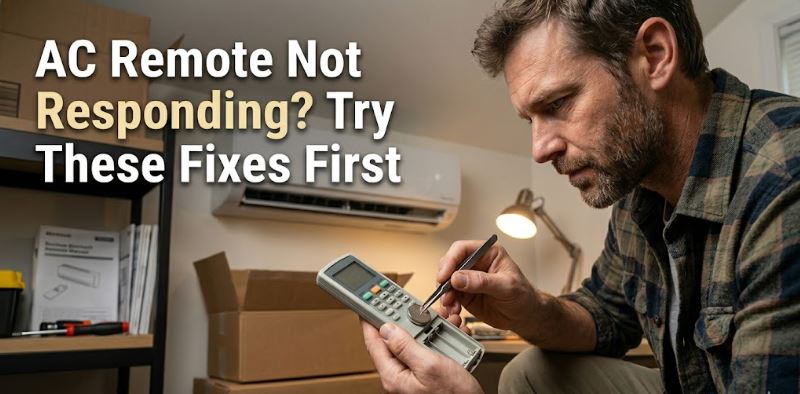
- Use a smartphone camera to test whether the remote is transmitting. Open the camera app, point the remote’s IR transmitter directly at the lens, and press any button while watching the screen. A working transmitter appears as a flickering purple or white light on the camera display. No light means the remote is not transmitting at all
- If the remote is confirmed faulty, a replacement remote is the correct fix, and you can get a replacement universal AC remote control from Amazon.
7. The IR Receiver on the AC Unit Has Failed
Safety level: External cleaning is safe. Internal receiver replacement requires a professional.
When new batteries, a clean sensor window, no interference, and a confirmed working remote all fail to produce any response from the AC unit, the IR receiver inside the indoor unit itself has likely failed. The receiver is a small electronic component behind the receiver window that converts incoming infrared signals into electrical commands for the control board. A power surge, moisture infiltration, or simple age can cause it to stop responding.
This cause is confirmed when the unit responds perfectly to its manual control buttons but completely ignores every remote command even with a verified working remote from close range and a clean receiver window.
Here Is What to Observe and Do
- Confirm the unit responds to manual buttons on the front panel. If yes and the remote still produces zero response with fresh batteries and a clean sensor, the receiver component has failed
- Check whether the unit’s display or indicator light shows any error code or blinking pattern when a remote command is sent, since some units signal a communication error that confirms receiver fault
- Contact a licensed HVAC technician or the AC manufacturer’s service line for receiver replacement. On mini-split systems, the receiver module is typically part of the indoor unit’s control board assembly
- On units under warranty, a receiver failure is usually covered since it is an internal electronic component failure rather than a consumable part. Check your warranty documentation before paying for any repair
AC Remote Fix Cost Overview
| Cause | DIY Safe | Fix Cost | Pro Service Cost |
|---|---|---|---|
| Replace batteries | Yes | $3 – $8 | N/A |
| Clean IR sensor window | Yes | Free | N/A |
| Deactivate control lock or cancel timer | Yes | Free | N/A |
| Reset remote and AC unit | Yes | Free | N/A |
| Identify and remove IR interference | Yes | Free | N/A |
| Replace damaged remote | Yes | $10 – $30 | N/A |
| IR receiver replacement on indoor unit | No | N/A | $80 – $200 |
Frequently Asked Questions
How do I test whether my AC remote is actually sending a signal?
Open your smartphone camera app, point the remote’s IR transmitter end directly at the camera lens, and press any button while watching the screen. A functioning remote appears as a flickering purple or white light on the camera display that pulses with each button press. If you see no light at all, the remote is not transmitting and needs a battery change, a reset, or replacement.
Why does my AC remote work sometimes but not other times?
Intermittent response is almost always caused by one of three things: weak batteries that cannot reliably power the IR transmitter, partial obstruction or dust on the IR receiver window that lets some signals through but not all, or mild signal interference from a nearby light source or electronic device. Replacing the batteries and cleaning the receiver window together resolve the vast majority of intermittent response complaints.
Can I use a universal remote for my AC if the original is broken?
Yes, for most brands. Universal AC remotes cover the infrared codes for all major mini-split brands including Mitsubishi, Daikin, LG, Samsung, Gree, Midea, and many others. Search your AC brand and model number alongside “replacement remote” or “compatible universal remote” on Amazon to confirm compatibility before purchasing. Note that some advanced brand-specific functions like weekly scheduling may not be available on a universal remote even if basic cooling, heating, and fan controls work correctly.
Why did my AC remote stop working right after a power outage?
A power outage resets the AC unit’s internal control board to its default state while the remote retains the settings it held before the outage. This mismatch prevents the two from communicating correctly. Unplug the AC unit for one full minute to complete its reset, then remove the remote batteries for 30 seconds before reinserting them to reset the remote simultaneously. Testing immediately after both resets in this sequence restores communication in the majority of cases.
My AC remote display works but the unit still ignores it. What is wrong?
A working display with zero unit response after ruling out control lock and timer settings points to one of three remaining causes. The IR receiver window on the unit may be dirty enough to block all signals despite partial display function. The remote’s IR transmitter may be functioning at the display logic level but have a failed transmitter component that produces no actual IR output, which the smartphone camera test confirms. Or the unit’s IR receiver has failed internally, which a technician must address.
Fresh Batteries and a Clean Sensor Solve It Most of the Time
An AC remote that stops responding is almost always a battery issue, a signal blockage issue, or a settings issue rather than anything involving the AC unit itself. Those three causes are free to check, take under five minutes, and resolve the overwhelming majority of unresponsive remote complaints across all brands and models.
Work through the battery replacement, sensor cleaning, and lock deactivation before considering the remote itself as faulty. And before concluding the AC unit’s receiver has failed, always confirm with the smartphone camera test that the remote is actually transmitting a signal. Remember that our complete air conditioner troubleshooting guide is your comprehensive resource for every major AC problem across all leading brands .