
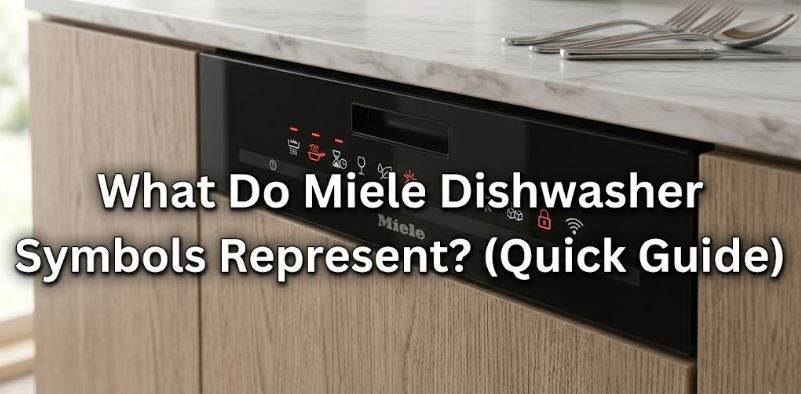
Opening the door of a Miele dishwasher for the first time, or switching to a newer model after years with an older one, can leave even experienced owners second-guessing what they’re looking at. The control panel is precise, the icons are compact, and some symbols are unique to Miele’s own technology. Understanding what each one means isn’t just useful — it directly affects how well you use the machine and how long it lasts.
This Miele dishwasher troubleshooting guide covers symbols across all current control panel layouts: what they look like, what they do, and how to respond to them correctly.
Why Miele Symbols Are Different From Other Dishwasher Brands
Miele designs its dishwashers to a higher level of engineering complexity than most consumer brands. More sophisticated technology means more symbols to communicate more information — from basic on/off functions through to real-time sensor data, water softener status, and AutoDos dispensing alerts.
Most symbols follow international appliance standards. Some — like the AutoDos PowerDisk icon and the IntenseZone indicator — are entirely Miele-specific. Knowing which category each symbol falls into helps you interpret unfamiliar icons confidently without reaching for the manual every time.
Miele Dishwasher Control Panel Symbols: Navigation and Operation
These are the symbols you interact with every time you run a cycle. They’re consistent across most current Miele models, from the G5000 series through to the G7000.
On/Off Symbol
Represented by the universal power icon — a circle with a vertical line at the top. Pressing it switches the machine on from standby or turns it off. On models with a Standby mode, the display dims after a few minutes of inactivity; pressing any button wakes it without switching off the current program.
Start/Stop Symbol
Usually labeled Start with a play-style arrow, or combined as Start/Stop. A single press begins the selected program. Holding it for 3–5 seconds cancels an active program. If the indicator light next to this button flashes, the machine is paused or waiting for input.
Program Selection Arrows
Left and right arrow buttons scroll through available wash programs on the display. On older rotary dial models, a knob performs the same function. On touchscreen-equipped models in the G7000 series, program selection appears as on-screen icons directly.
Timer / Delay Start Symbol
Shown as a clock face or hourglass icon. This symbol activates Delay Start, allowing you to schedule the cycle to begin up to 24 hours later. It’s particularly useful for off-peak electricity scheduling or for timing a cycle to finish when you arrive home.
OK and Back Buttons
OK confirms the currently displayed selection. Back (shown as a curved arrow pointing left) exits the current menu and returns to the previous screen. These two buttons together allow full navigation through the settings menu without a touchscreen.
Miele Dishwasher Wash Program Symbols
The programs available vary by model, but the following are standard across Miele’s current dishwasher range. Each program appears as a text label, an icon, or both — depending on whether the model has a full display or indicator lights only.
| Program Symbol | Display Text | Temperature | Best Used For |
|---|---|---|---|
| ECO | ECO | 50°C | Everyday loads — most energy efficient |
| Auto | Two circular arrows | Sensor-adjusted | Mixed everyday loads — auto-adjusts |
| QuickPowerWash | Lightning bolt / clock | 65°C | Full loads needing fast, thorough clean |
| QuickIntenseWash | QIW / clock + burst | 65°C | Heavily soiled loads in under 1 hour |
| Intensive | Pot/steam icon | 70°C | Pots, pans, and baked-on soils |
| Normal | Wave line | 55°C | Standard family loads |
| Glass | Wine glass | 40°C | Delicate glassware and crystal |
| Express | Running clock | 60°C | Lightly soiled loads, small quantities |
| SaniWash | Thermometer + shield | 75°C+ | Sanitizing and allergen reduction |
A note on the ECO program: Many owners choose a hotter program assuming it cleans better. ECO at 50°C is actually the most thoroughly tested program for energy and water efficiency. For normally soiled everyday dishes, it matches or exceeds the cleanliness of hotter programs while using significantly less electricity and water.
Miele Dishwasher Program Option Symbols
Program options modify the selected wash program. They appear as additional buttons or touchscreen icons alongside the main program selection.
IntenseZone Symbol
Shown as a divided rectangle — the lower half is highlighted or shaded. IntenseZone splits the dishwasher into two simultaneous cleaning zones. The lower basket runs at a higher intensity — up to 70°C — while the upper basket runs a gentler program simultaneously. This means a full load with delicate glasses above and heavily soiled pots below can be washed in a single cycle without compromise.
Express Symbol
Shown as a clock with an arrow. Combining Express with any main program shortens the cycle duration. The cleaning performance is maintained for lightly soiled loads, but it’s not recommended for heavily soiled items or full-capacity loads.
Short Symbol
Similar to Express on older models. It appears as a timer icon with a minus sign or abbreviated clock. The function is the same — it reduces cycle time when you need a quicker turnaround.
Delay Start / Timer Symbol
A clock face with a small arrow. Activating this option before pressing Start allows you to set a later start time. The machine calculates backward from the end time you set and begins the cycle at the right moment.
Miele Dishwasher Indicator Light Symbols
Indicator lights are some of the most commonly misunderstood Miele dishwasher symbols because they don’t always mean something is wrong. Here’s exactly what each one is communicating.
| Indicator Light Symbol | What It Looks Like | What It Means | Action Required |
|---|---|---|---|
| Salt | Stylized “S” or salt crystal | Dishwasher salt reservoir is low | Refill salt reservoir |
| Rinse Aid | Star or droplet shape | Rinse aid reservoir is low | Refill rinse aid dispenser |
| Intake/Drain | Tap + wave, or I/O | Water supply or drainage fault | Check water supply and filter |
| In-Operation | Solid light (green or white) | Program is running | None — normal operation |
| End of Program | Light turns off or display reads “End” | Cycle complete | Unload — start from bottom rack |
| Door Ajar | Lock or door outline | Door is not fully latched | Close and press door firmly |
The Salt Indicator
The salt symbol lights up when the internal water softener’s salt reservoir needs replenishing. It remains lit after refilling until the salt fully dissolves and the sensor resets — this can take one full cycle. No action is needed if the light stays on briefly after refilling.
The Rinse Aid Indicator
The rinse aid symbol activates when the rinse aid reservoir is running low. Rinse aid is not optional on a Miele — it directly affects drying performance and helps prevent water spots on glassware. Keeping it topped up is one of the most effective forms of routine maintenance.
The Intake/Drain Flashing Light
This is the one that causes the most anxiety. A flashing Intake/Drain indicator light does not always mean a serious fault. It can indicate a blocked filter, a closed water supply tap, or a temporary drainage issue — all of which are DIY-solvable in minutes.
If you see this light flashing, check the filter first and ensure the water supply tap is fully open before assuming a component failure. For a detailed breakdown of what fault codes accompany this light, our Miele dishwasher error code guide covers every code and its fix in full.
Miele Dishwasher AutoDos and PowerDisk Symbols
AutoDos is Miele’s automatic detergent dispensing system, available on G7000 series and select G6000 models. It uses a rotating PowerDisk cartridge to dispense the exact amount of detergent needed for each cycle automatically.
AutoDos Symbol
Shown as a circular disc icon with an arrow. When illuminated, it confirms AutoDos is active. If flashing, the PowerDisk is running low or empty.
PowerDisk Insert Symbol
Appears during setup or when a new disk needs to be inserted. It looks like a disc with a downward arrow indicating the insertion direction. The disk clicks into the AutoDos compartment and provides enough detergent for approximately 20 cycles.
AutoDos Off Symbol
A crossed-out disc. This appears when AutoDos has been deactivated in the settings menu, meaning you’re using the manual detergent dispenser instead. Models with AutoDos allow you to switch between automatic and manual dispensing at any time.
Miele Dishwasher Water Softener and Consumer Symbols
These symbols appear during initial setup or when you access the settings menu. They’re not active during normal operation but are important to configure correctly when installing the machine.
| Symbol | Function | Why It Matters |
|---|---|---|
| Water droplet with number | Water hardness setting | Calibrates the water softener to local conditions |
| Salt crystal + number | Rinse aid dosage level | Controls how much rinse aid dispenses per cycle |
| Thermometer | Temperature setting | Adjusts wash temperature for custom programs |
| Lock icon | Child lock | Disables all buttons to prevent accidental operation |
| Hourglass | Standby timer | Sets how long before display dims to save energy |
| Wi-Fi signal bars | Miele@home connectivity | Confirms connection to home network for remote control |
The water hardness setting is the most critical of these to configure correctly. Miele’s built-in water softener regenerates using dishwasher salt, and if the hardness is set incorrectly, the machine either wastes salt or allows limescale to build up — both of which affect long-term performance and can contribute to heating-related fault codes.
Miele-Recommended Products That Respond to Key Symbols
Three of the most common Miele symbols — salt, rinse aid, and DishClean maintenance — correspond directly to products you should keep stocked. All three are available as genuine Miele originals on Amazon.
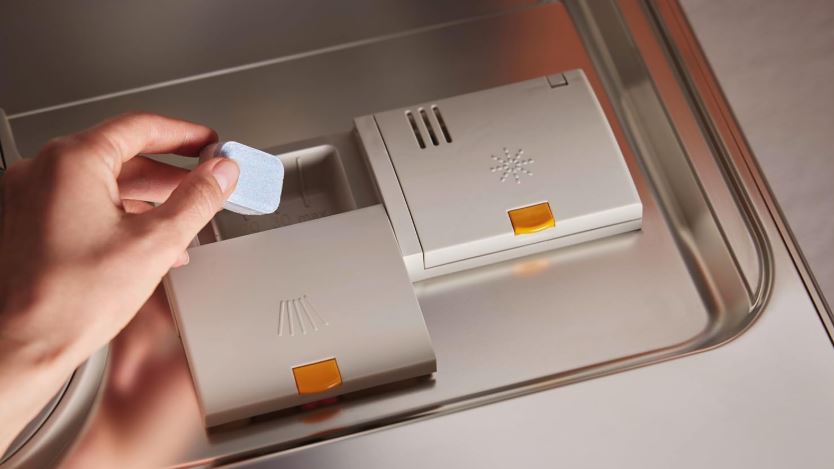
1. Miele Genuine UltraTabs All-in-One Dishwasher Tablets — 60 Count
If you’re not using the AutoDos PowerDisk system, UltraTabs are Miele’s preferred manual detergent choice. They dissolve within the first 2–3 minutes of any cycle, delivering detergent, rinse aid substitute, and limescale protection in a single tablet.
The water-soluble, biodegradable wrapping means you never unwrap them — drop one directly into the detergent dispenser. They work in any brand of dishwasher, but Miele specifically calibrates the QuickIntenseWash program to maximize results with UltraTabs.
- 60 tablets — approximately 2 months of daily use
- Dissolves within 2–3 minutes from cycle start for early cleaning action
- All-in-one formula: detergent, rinse aid function, and limescale protection
- Phosphate-free and wrapped in water-soluble, biodegradable film
- Works best with Miele’s QuickIntenseWash or QuickPowerWash programs
- Compatible with all dishwasher brands; optimized for Miele machines
Check current price and reviews on Amazon
2. Miele Original Dishwasher Rinse Aid — 17 oz
When the rinse aid indicator symbol lights up, this is what you reach for. Miele’s own formula is calibrated to work with the brand’s AutoSensor drying system and produces noticeably better glass clarity than most third-party alternatives.
The rinse aid symbol will stay on for one cycle after refilling while the sensor resets — that’s normal behavior, not a fault.
- 17 oz bottle — approximately 30+ refill cycles at the recommended dosage setting
- Glass protection formula reduces water spots and etching on delicate glassware
- Specifically formulated to work with Miele’s condensation and AutoOpen drying
- Reduces water tension for faster, streak-free drying across all dish types
- Adjustable dosing via the settings menu to suit your local water hardness
- Compatible with all Miele dishwasher models; suitable for all brands
Check current price and reviews on Amazon
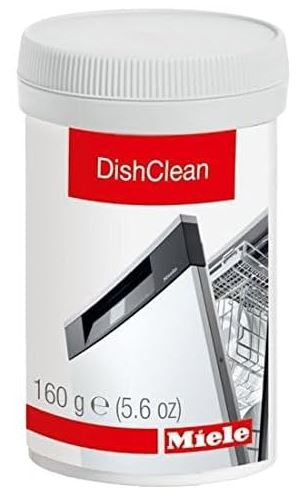
3. Miele DishClean Dishwasher Cleaner — 5.6 oz
No symbol triggers for DishClean because Miele doesn’t have a dedicated maintenance reminder built into the panel. That absence is exactly why many owners forget to use it. Running DishClean four to five times per year eliminates the limescale and grease buildup that accumulates silently inside the machine — around the heating element, inside the spray arms, and across the door seal — and contributes to fault codes that show up seemingly out of nowhere.
It’s the single most effective preventive maintenance step for any Miele dishwasher, and it takes less than two minutes to run.
- Formulated specifically for Miele dishwashers — safe for all internal components
- Removes limescale deposits, food residue buildup, and persistent odors
- 4–5 applications per 5.6 oz bottle — runs on any normal or hot program
- Maintains door seal elasticity, reducing the risk of F70 waterproof system triggers
- Suitable for use in any brand of dishwasher
- Miele recommends use alongside regular salt and rinse aid refills
Check current price and reviews on Amazon
Common Miele Dishwasher Symbol Misunderstandings — Cleared Up
A few Miele dishwasher symbols regularly generate confusion online. Here are the most common ones and what they actually mean.
“The salt light stays on after I refilled it.” This is normal. The salt indicator can remain lit for a full cycle after refilling while the dissolved salt disperses and the sensor resets. It will turn off on its own.
“The display is blank but I can hear button sounds.” The machine is in Standby mode. Pressing any button brings the display back. If the display stays blank and there are no sounds, check the power supply and circuit breaker.
“The lock symbol appeared and now no buttons work.” The Child Lock has been activated. On most models, you deactivate it by pressing and holding the designated button combination shown in your model’s manual — typically two buttons held simultaneously for 3 seconds.
“The intake/drain light is flashing and I see no water in the tub.” Check the water supply tap behind the machine first. This is the most common cause of the flashing intake light and takes 10 seconds to verify.
Frequently Asked Questions
What does the flashing light on a Miele dishwasher mean?
A flashing indicator light on a Miele dishwasher most often indicates either a consumable that needs refilling — salt or rinse aid — or an intake/drain fault. The Intake/Drain light flashes when the machine cannot complete a water intake or drainage step. Start by checking the filter, the water supply tap, and the drain hose before assuming a component fault.
What is the ECO program symbol on a Miele dishwasher?
The ECO program is labeled directly as “ECO” in capital letters on the control panel or display. It runs at 50°C and is Miele’s most energy-efficient wash program. The program uses less water and electricity than any other program and is suitable for normally soiled everyday dishes, glasses, and cutlery. It is not recommended for heavily soiled pots or items with baked-on food.
What does the AutoDos symbol mean?
The AutoDos symbol — shown as a circular disc icon — indicates the automatic detergent dispensing system is active. When it flashes, the PowerDisk cartridge is running low and needs replacement. AutoDos is available on G7000 series models and removes the need to manually add detergent before every cycle.
What does the IntenseZone symbol look like?
IntenseZone is typically shown as a rectangle split into two horizontal halves, with the bottom half shaded or highlighted. Activating it splits the dishwasher into two independent wash zones — high intensity in the lower basket for pots and pans, and a gentler program in the upper basket for glasses and delicates, running simultaneously.
Why does the salt symbol stay on even after I refill the reservoir?
This is standard Miele behavior. After refilling, the salt needs to dissolve and circulate through the water softener before the sensor registers the correct level. The indicator typically turns off after one complete wash cycle. If it remains lit after two or three cycles, check that the reservoir cap is secured tightly and that you used coarse-grain dishwasher salt — not table salt, which is too fine and can damage the softener.
Can I use the machine if the rinse aid symbol is on?
Yes — a low rinse aid warning does not prevent the dishwasher from running. However, drying performance will deteriorate noticeably once the rinse aid runs out completely, and without rinse aid, glassware is significantly more prone to water spots and etching over time. Refill as soon as the indicator lights up to maintain consistent results.
The Bottom Line
Miele dishwasher symbols are more logical than they first appear — once you understand the design language behind them. The control panel divides into three clear categories: navigation buttons you press, program icons you select, and status indicators that communicate what the machine needs or is doing.
The most actionable symbols are the salt and rinse aid indicators, which tell you exactly when to replenish each consumable. The most misunderstood is the Intake/Drain flashing light, which is usually a simple filter or supply issue. And the symbols that confuse new owners the most — AutoDos, IntenseZone, and Delay Start — are the ones that, once understood, make a Miele dishwasher genuinely smarter and more useful than most alternatives.
For more Miele appliance guides, error code explanations, and repair help, visit RepairMeYourself.com — your go-to resource for getting more life from every appliance in your home.

Hi, I’m Barlgan! I created Repair Me Yourself to empower homeowners to tackle appliance repairs with confidence. From decoding error codes to fixing cooling issues, I break down complex repairs into simple, actionable steps that save you time and money.