AEG oven symbols are drawn as a small oven with its heat sources marked. Lines at the top and bottom mean Conventional Cooking. A fan inside a ring is True Fan Cooking. A jagged line at the top is the grill, and a grill with a fan is Turbo Grilling.
The ones that trip you up are the lookalikes. A fan with a water drop beside it isn’t True Fan. And a snowflake means two different things, depending on what’s drawn with it.
AEG says its function names and symbols differ between models. So everything here is matched to AEG’s own symbols guide and one AEG manual, the BPK948330B, and I say where your oven may differ. My service calls were mostly Whirlpool, Samsung, LG, GE and Frigidaire, not AEG, so I work from AEG’s own manual here, the same as on any oven I don’t see every week.
Standard AEG oven symbols for everyday cooking
These are the symbols you’ll use most. In the BPK948330B manual, each one sits inside a small square that stands for the oven cavity. You read it by what’s drawn inside:
- Lines at the top and bottom: Conventional Cooking. Heat from above and below. You bake and roast on one shelf with it.
- Fan inside a ring: True Fan Cooking. For baking on up to three shelves at once and for drying food. The manual says to set it 20 to 40°C lower than you would for Conventional Cooking.
- A fan in brackets above a bottom line: Pizza Function. For pizza, strong browning and a crisp base. AEG’s guide says to use the bottom shelf and preheat the tray.
- A single line at the bottom: Bottom Heat. For cakes that need a crisp base, and for preserving.
- Jagged line at the top: Grill. Use it when you grill thin food or make toast.
- Jagged line above a fan: Turbo Grilling. For large joints and poultry on the bone on one shelf, and for gratins and browning.
- Jagged line above a snowflake: Frozen Foods. Makes oven chips, potato wedges and spring rolls crisp.
The 20-degree rule is the one you’ll need. Got a dial with no Conventional symbol at all? One Reddit owner photographed exactly that, and a reply read the dial clockwise and added this:
“No symbol here for conventional oven, so if there is no other buttons/knobs, the fan one is closest to conventional cooking (just lower the temperature by 20C/70F to account for the additional air circulation).” u/duperfastjellyfish on Reddit
That matches AEG’s own symbols guide, which says to set True Fan 20°C lower than Conventional.
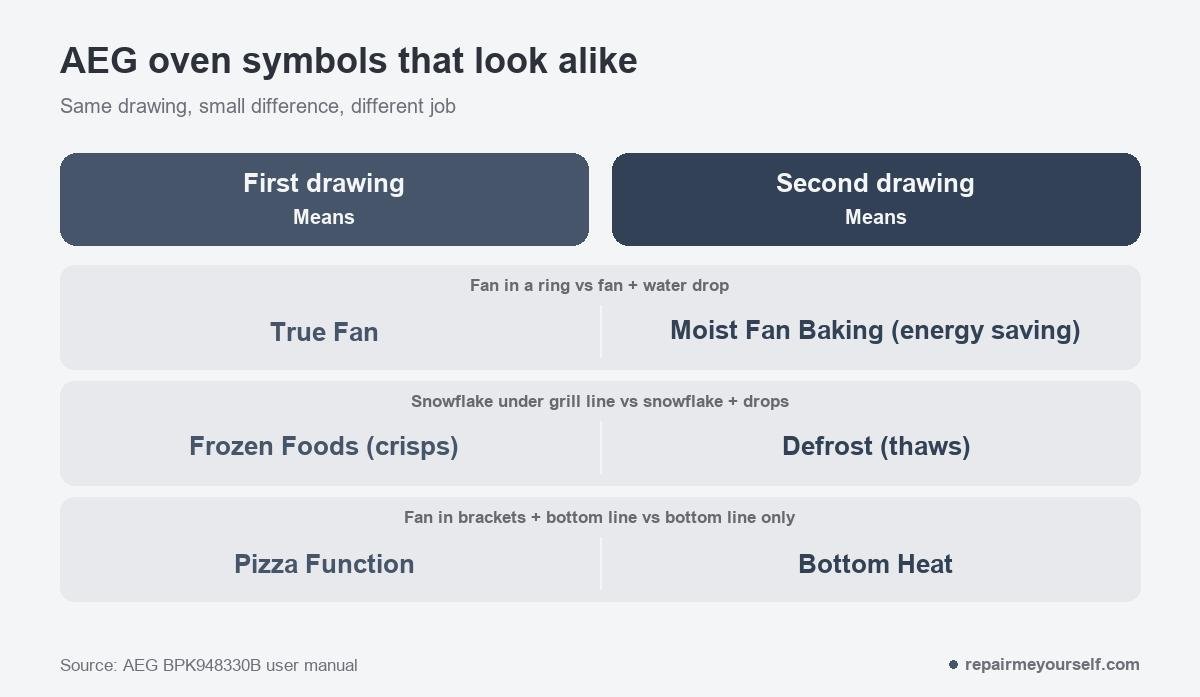
What is the AEG symbol with a fan and a water drop?
The AEG symbol with a fan and a water drop is Moist Fan Baking. It looks like True Fan with a droplet added. It does a different job.
The BPK948330B manual says it’s built to save energy. The oven uses residual heat and may cut the heating power, so the temperature inside can differ from the one you set. AEG adds that it’s there to meet EU energy-efficiency rules.
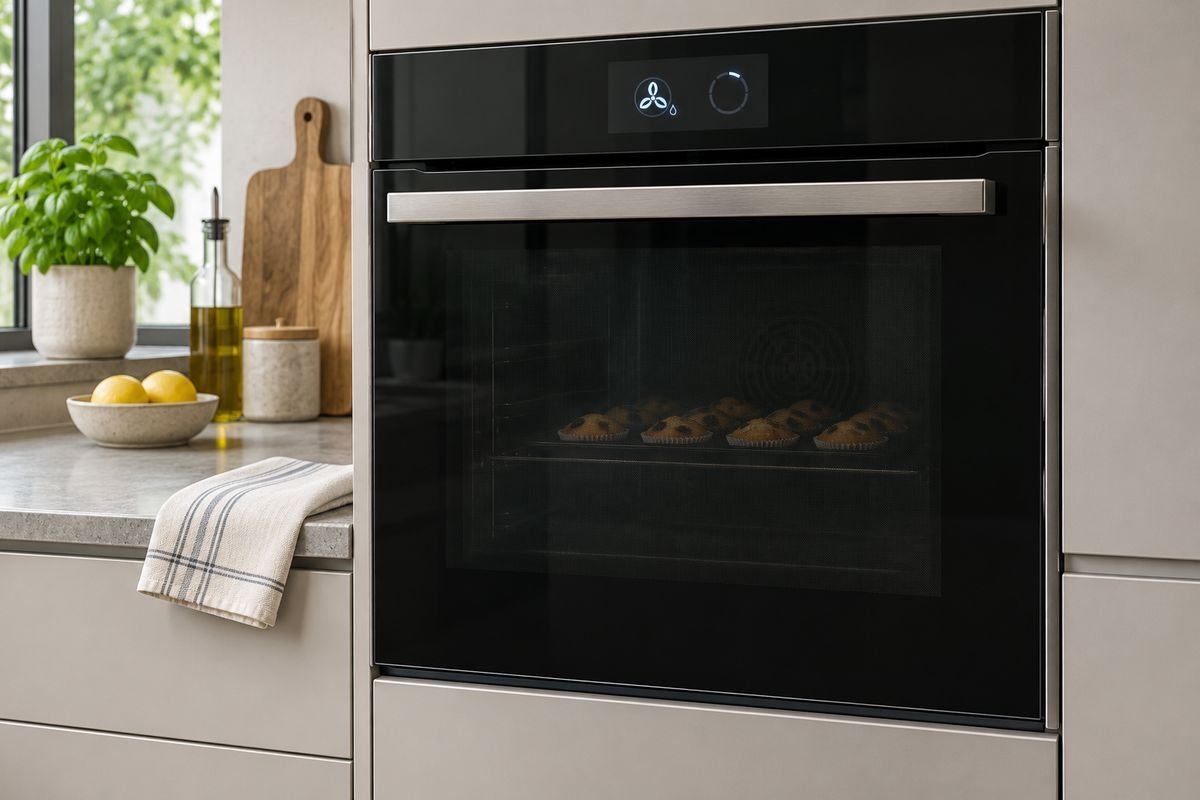
Two things about it will look like faults to you. They aren’t:
- The light goes out. On Moist Fan Baking, the lamp turns off automatically after 30 seconds.
- Opening the door interrupts it. AEG says to keep the door closed so the function isn’t interrupted.
AEG’s guide suggests it for cakes, quiche, cookies and sweet breads on one shelf. Need an exact temperature? Use True Fan.
SteamBake and the PlusSteam button
On an AEG SteamBake oven, you add steam with a button, not a symbol on the dial. AEG’s product sheet for the BES355010M says the PlusSteam button adds steam at the start of baking.
That steam keeps the dough surface moist, so bread gets a golden crust and stays soft inside. AEG’s symbols guide describes SteamBake, also sold as True Fan PLUS, as bread baking with bursts of steam.
Higher AEG steam ranges use names like Steamify and set the humidity for you. Those have their own pages in the manual, and AEG says names vary by model.
Special AEG oven symbols
Bigger AEG ovens add a second set of functions. Yours may have only some of them. Here’s how the BPK948330B draws them:
- Snowflake with drops underneath: Defrost. For thawing vegetables and fruit. The time depends on how much food there is and how big the pieces are. Don’t confuse it with the snowflake under a grill line, which cooks frozen food. AEG’s guide says to take food out of its packaging and use the middle shelf.
- A bowl with an arrow rising out of it: Dough Proving. Speeds up the rise of yeast dough and stops the surface drying out.
- Three wavy lines: Dehydrating. For drying sliced fruit, vegetables and mushrooms.
- Wavy lines above a dish: Au Gratin. For lasagna or potato gratin, and for browning.
- A down arrow beside °C: Slow Cooking. For tender roasts.
- A single wavy line above a bottom line: Keep Warm. Holds food at temperature.
- A heat line over a notched base: Plate Warming. For warming plates before you serve.
- A jar shape under a top line: Preserving. For preserving vegetables, like pickles.
- A loaf: Bread Baking. For bread and rolls with a crisp crust.
Why won’t my AEG oven heat with the right symbol?
Check the settings before you suspect a part. When the oven won’t turn on or heat up, the BPK948330B troubleshooting table lists these causes:
- The clock isn’t set. Set the time of day in the clock functions.
- The door isn’t closed properly. Shut it fully.
- The Child Lock is on. Turn it off in the menu’s options.
- A blown fuse or no power. If the fuse blows again, AEG says to call a qualified electrician.
A dark display isn’t a fault either. If you don’t touch the oven for 2 minutes, the BPK948330B display goes to standby.
Just ran a pyrolytic clean? The door stays locked until the oven cools. Don’t use the oven until the door lock symbol disappears from the display, AEG says.
AEG ovens also switch themselves off if you leave a function running and don’t touch anything. On the BPK948330B, that’s after 12.5 hours at 30 to 115°C, down to 3 hours at 250°C and above. It doesn’t apply to Light, Food Sensor, End Time or Slow Cooking.
AEG oven symbols: questions
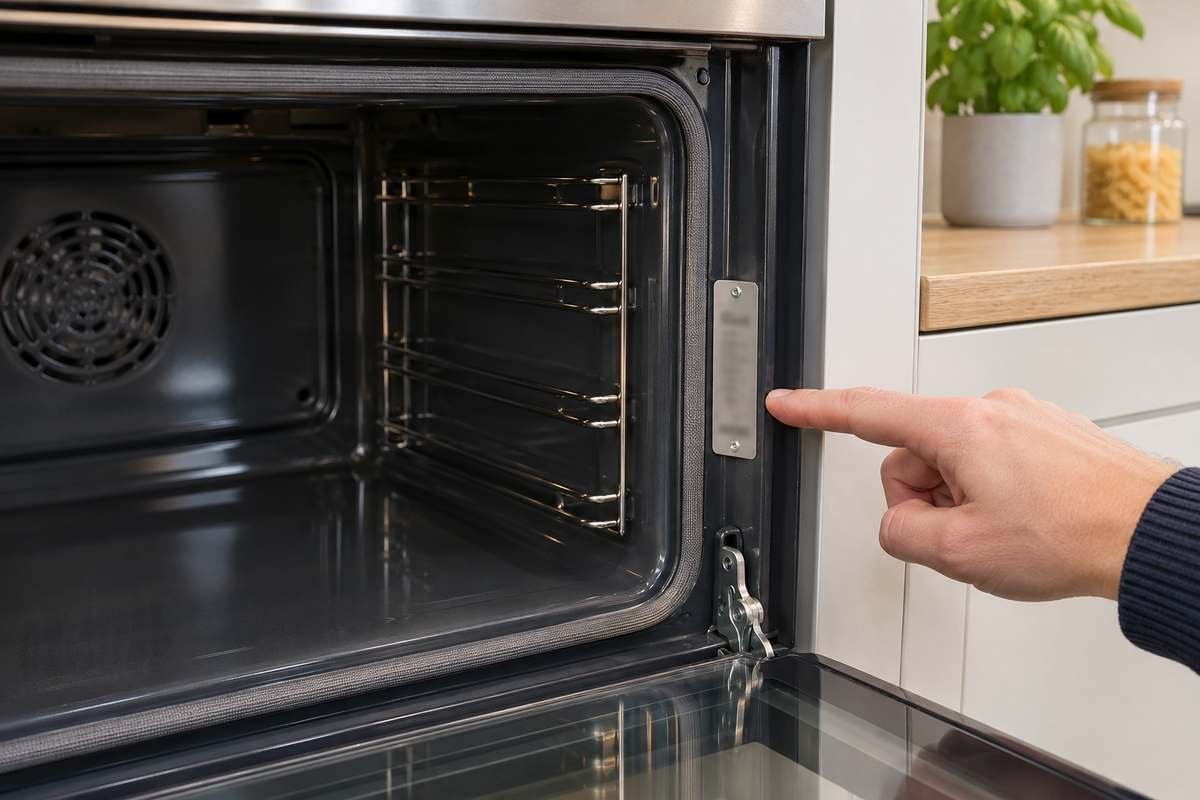
How do I find my AEG oven’s model number?
Open the door. You’ll find the rating plate on the front frame of the oven cavity. It shows the model, product number (PNC) and serial number. Use those to download your manual from AEG’s user manuals page.
Why does my AEG oven fan keep running after I turn it off?
That’s the cooling fan, and it’s normal. AEG says it can keep running after you switch off, until the oven cools down. It also runs faster during a pyrolytic clean.
Which AEG symbol should I use for cakes?
Use Conventional Cooking for one shelf. For more than one, you want True Fan at 20°C lower. AEG’s guide also suggests Moist Fan Baking for cakes on a single shelf, if you don’t mind the oven running its own energy-saving pattern.
If you’ve moved from another European oven, a lot of brands draw the same pictures. Our guides to Bosch oven symbols, Neff oven symbols and Lamona oven symbols cover where they differ.