The Samsung dryer HC code means the dryer is overheating, according to Samsung’s US support page. The most common cause is a clogged lint screen or exhaust vent. On electric models, Samsung adds that low voltage to the heater can trigger HC as well.
So clean your lint screen and the vent first. Is the drum cold rather than hot? Then your breaker and power supply come next.
On heat pump models, Samsung uses the same letters for a compressor problem. That changes what you’ll do.
What the Samsung dryer HC code means on your model
Samsung’s US error code page puts HC in its heating group with hE, HC4 and 1 HC, and says all four mean the dryer is overheating. That’s the meaning you’ll get on the vented electric and gas dryers sold in the US.
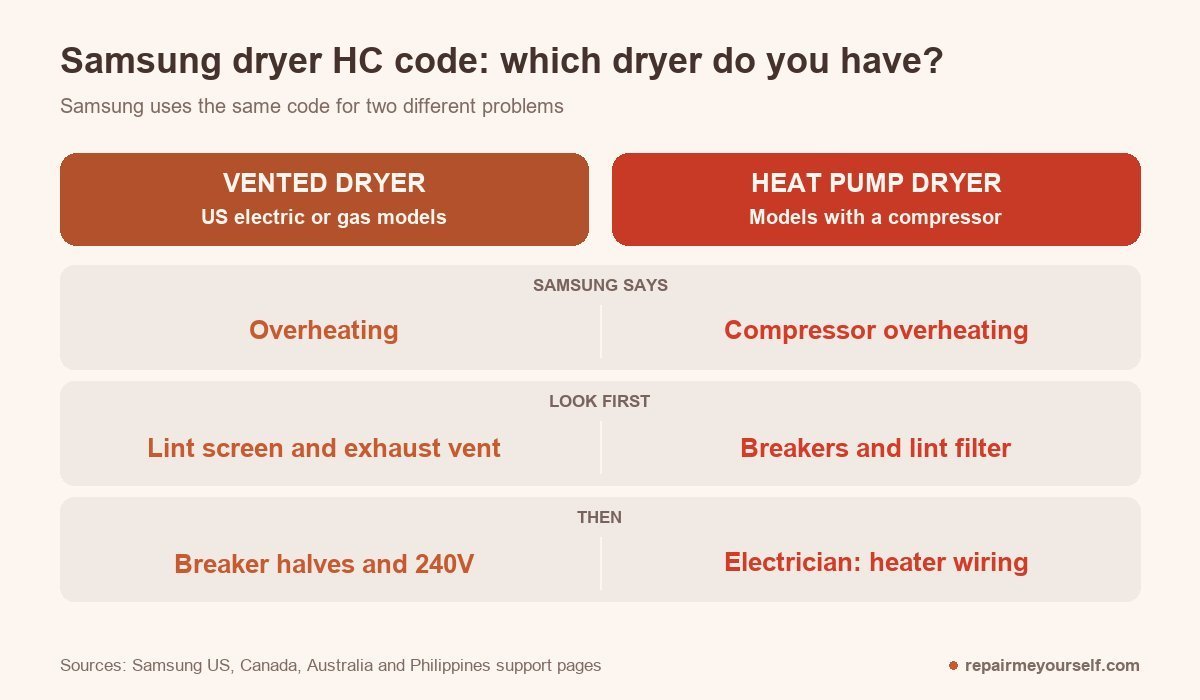
Samsung’s Australian information code page reads differently. It lists HC and HE as “compressor overheating / high temperature heating check.” Its Philippines page uses the same wording.
A compressor only exists on a heat pump dryer. If yours is one, those are the steps you’ll want.
Two lookalikes are worth ruling out. HC2 is a gas ignition error on Samsung’s US list. It isn’t an overheating code. And HC can also appear as the result of Samsung’s vent blockage check, which has its own steps further down.
Find the model number on the dryer’s rating label. I always read it before touching anything. It tells you whether you’ve got an electric, gas or heat pump machine.
Clear the airflow first
On a vented Samsung, HC is usually trapped heat. Hot air can’t leave your drum fast enough, so the dryer stops to protect itself.
Samsung’s first fix is cleaning. It costs you nothing. I’d pull the duct off the back of a dryer long before I’d pull a single panel.
- Unplug the dryer or switch off its breaker.
- Pull the lint screen and clear it. If dryer sheets have left a film on it, wash it.
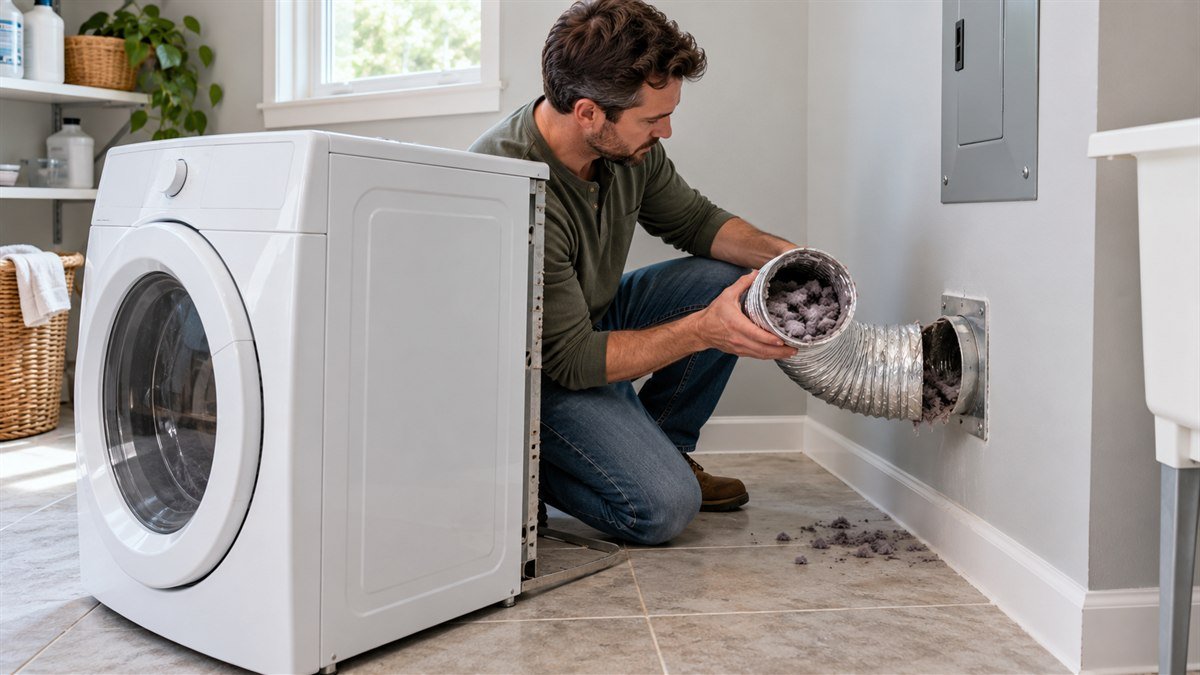
- Pull the dryer out and disconnect the duct from the back.
- Clean the duct along its full run to the outside hood.
- Reconnect it and make sure nothing is crushed behind the dryer.
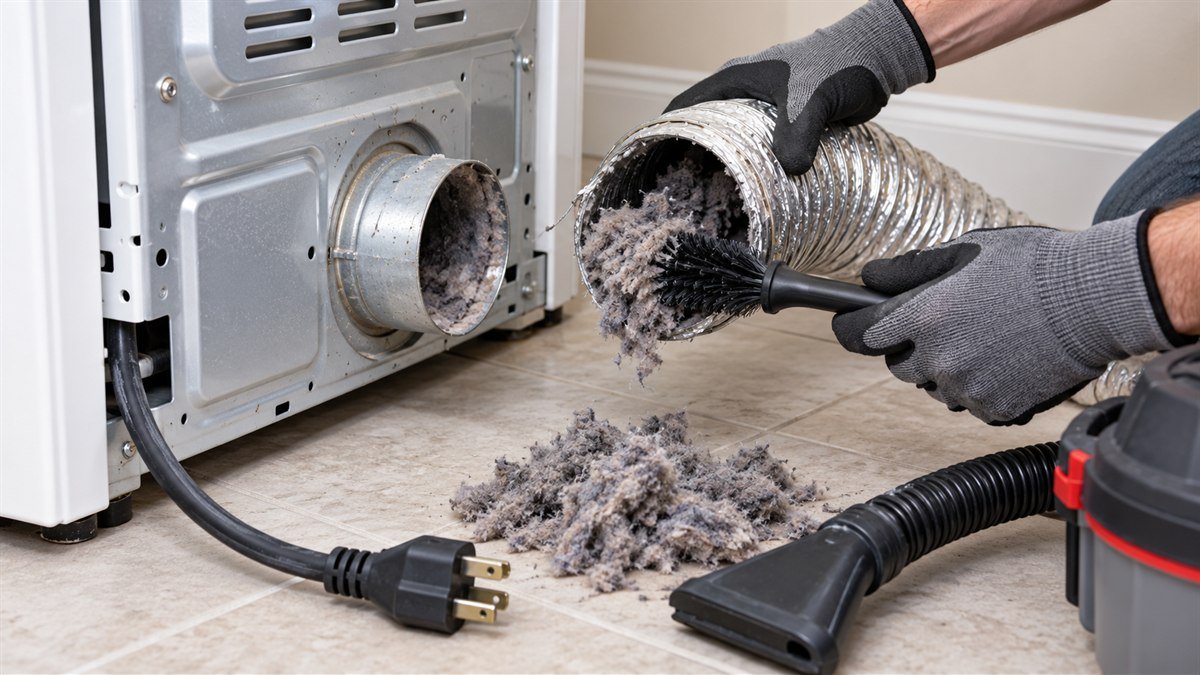
Samsung’s no-heat guide sets the rules for your duct run. It should be sealed with no gaps, not plastic or foil, and within the maximum length in your manual. Every 90-degree turn takes 6 feet off that maximum.
Samsung also wants the exhaust vent cleaned once or twice a year, even when nothing seems wrong.
On service calls, a long duct with too many bends was a regular find behind a dryer that kept overheating. Shortening it often did more than any part I could have sold.
A cold dryer with HC points to the power supply
This part is easy to miss. Samsung’s US and Canadian pages both say that on electric dryers, low voltage can cause the heater to fall short, and the dryer may still show HC. In that case you’ll open the door to a cool drum, not a hot one.
Start with the breaker. Samsung’s no-heat guide says an electric dryer runs on two circuits and only one may trip. When that happens the drum spins but the heater gets no power.
- Switch the dryer’s breaker off.
- Wait 30 seconds and switch it back on.
- Run Time Dry with Eco Dry off, and feel inside after 30 seconds.
Electric Samsung dryers need a 240V outlet. If your breaker’s fine and HC keeps coming back on a cold drum, Samsung’s advice is to have an electrician check the supply. The full cold-dryer path is in Samsung dryer not heating.
On a heat pump model, Samsung Australia’s steps start in the same place: check your circuit breakers and reset any that tripped. After that, it says the heating element wiring needs checking, and that this requires a licensed professional electrician.
HC after the vent blockage check
Many newer Samsung dryers can rate their own vent. With the drum cool and empty, you press Adjust Time Up and Dry Level together until “Ins” or “In” appears, then hold Start/Pause. Samsung lists other button pairs for some models.
If the result reads HC, Samsung’s guide calls it an abnormal temperature. Its steps are short:
- Make sure the power cord is fully in and the drum is empty, then run the check again.
- If HC repeats, clean the vent and check the duct run against the rules above.
- If HC still shows with a clean vent, Samsung says to request service.
Before you book that visit, there’s a quick airflow test. When an owner on r/appliancerepair posted a Samsung electric dryer that threw HC after about five minutes, even on Extra Low, with a new element and thermistor already fitted, one reply asked for this first:
“When you run the dryer with the vent disconnected, do you feel a strong flow of air coming out of the dryer, or is it weak?”
– r/appliancerepair, May 2026
Weak air points back to the duct or the dryer’s own air path. The same reply said that if the air is strong and gets uncomfortably hot after a few minutes, the heat relay on the control board could be stuck.
A JustAnswer repair thread shows another way that last step can play out.
The DVE45T6000W kept failing the vent check with the duct removed, then threw HC. The technician there traced it to the thermistor, then to the control board misreading it. That’s one case, but it’s the right order to suspect parts in.
Stop and call a pro if you have a gas dryer and the code is HC2, the breaker trips again after a reset, you smell burning, or HC returns with a clean vent and a confirmed 240V supply.
Samsung dryer HC questions
How do I reset the HC code?
Fix the airflow or power first, then reset. Samsung’s Philippines page says to unplug the dryer and wait at least 30 seconds before you plug it back in. On an electric dryer, switching the breaker off for 30 seconds does the same job and clears a tripped circuit at the same time.
What about HC on a heat pump dryer?
Samsung calls it compressor overheating. Dutch retailer Coolblue tells its customers to turn the dryer off for 20 minutes and restart. That’s a retailer’s advice, not Samsung’s, but it’s a sensible cool-down before you call anyone.
What about HC on a Samsung washer dryer?
It’s the same overheating, but the lint can’t be reached from the door. A r/repair post on a WD70T4046EW traced HC to the air duct beside the dryer fan, under the top panel. Several owners replied that theirs was the same:
“I opened it up and found that air duct completely stopped up with lint. I mean it was just packed with wet lint so absolutely no airflow was going through there.”
– r/repair, May 2026 reply
That job means unplugging the machine and taking the top off, so it’s one for a confident DIYer or a tech.
Can I keep using the dryer?
Not until you’ve cleared the lint screen and the vent. Samsung’s whole fix for HC starts with airflow, and running an overheating dryer again without it only brings the code back.
For every other Samsung code, see Samsung dryer error codes.
Treat HC as an airflow code first and a power code second. If it’s still coming back once both are clear, you’re at a part or a service call. Your tech sheet will tell you which.