A Samsung dryer not heating at all usually has a tripped breaker half, low voltage, a clogged vent or a failed heater behind it. If you feel some warmth but clothes stay damp, Samsung says service is almost never needed. The lint filter, Eco Dry or the vent is the cause.
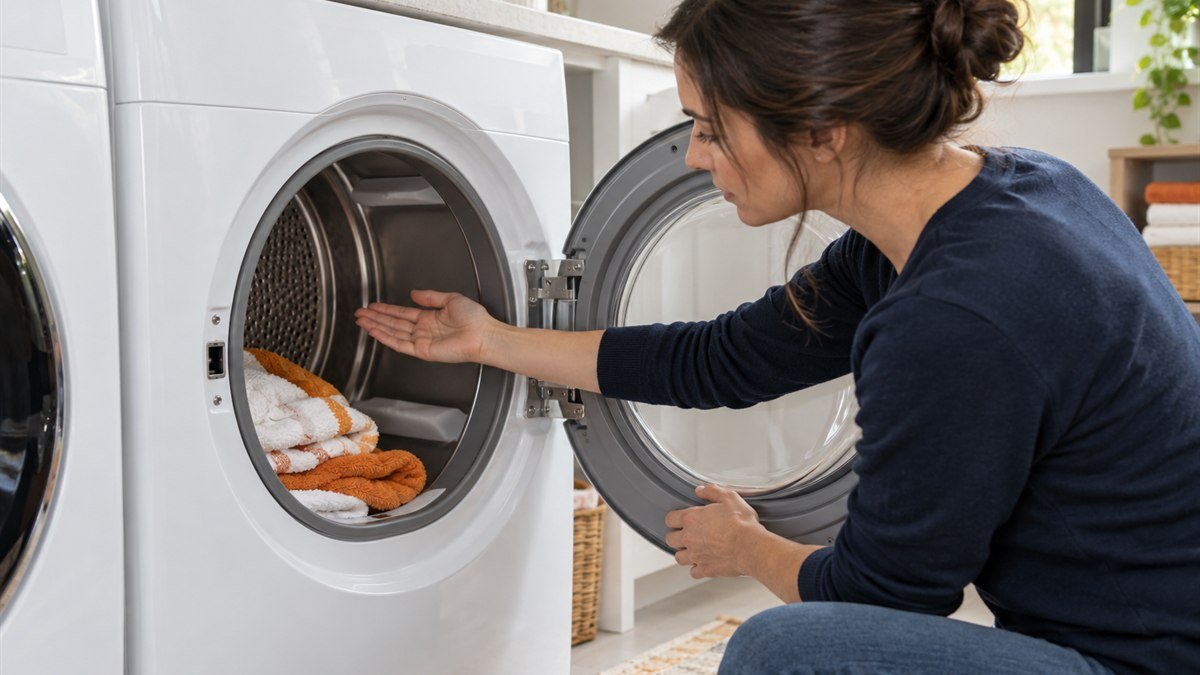
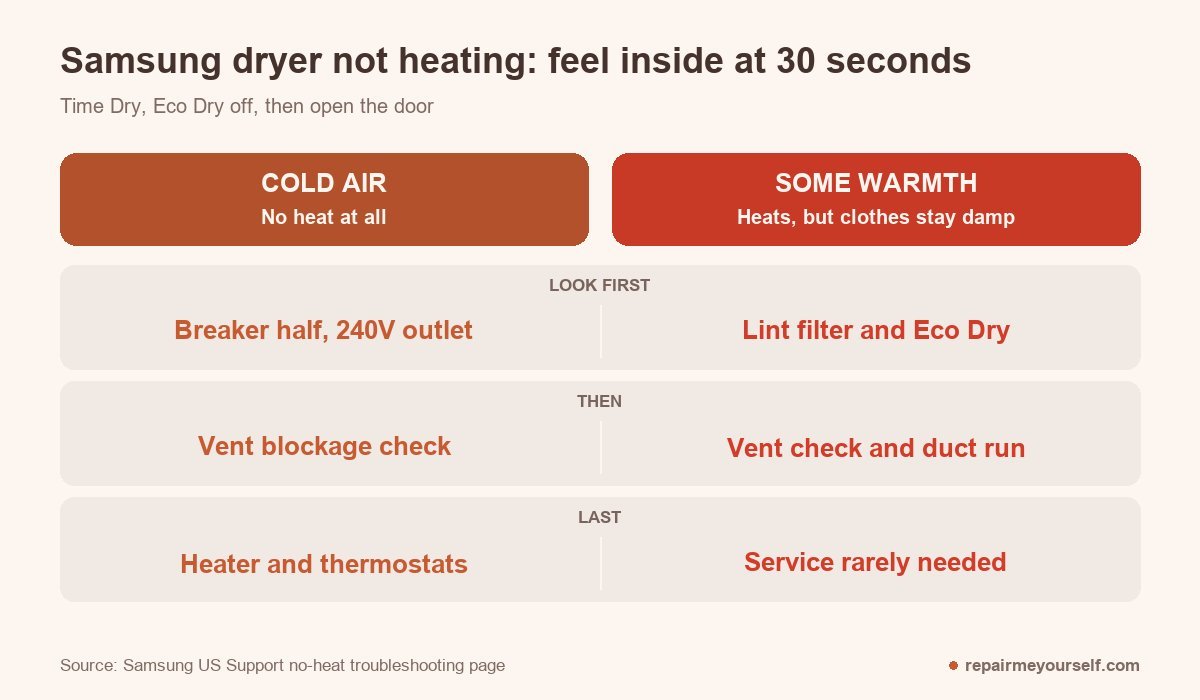
So the first job takes 30 seconds. Set Time Dry, turn Eco Dry off, start the dryer, then open the door and put your hand inside.
Cold air sends you down one path. Warm air sends you down the other. On service calls, mixing the two up is how people ended up buying a heating element for a dryer that only had a packed vent.
Is your Samsung dryer not heating at all, or just not hot enough?
Samsung’s no-heat troubleshooting page splits the problem with one move. Pick Time Dry, switch Eco Dry off and start the dryer. Wait 30 seconds. Then open the door and feel the air in the drum.
Cold air means your heater isn’t getting power or has failed. Any warmth at all means your heater works. In that case, Samsung says a service visit is almost never needed.
Why turn Eco Dry off first? Samsung says Eco Dry runs the start of a cycle without heat to save energy, and on some models it switches on by itself for Normal or Time Dry, in line with the federal dryer energy requirements Samsung cites for its newer models.
A new dryer blowing cool air in its first minutes may be doing exactly what it was built to do.
No heat at all: start at the breaker panel
If your drum was cold at 30 seconds, work from the outside in. The breaker and the power supply cost you nothing to look at, and Samsung lists them before any part you could buy.
Flip both halves of the breaker
An electric Samsung dryer runs on two circuits. Samsung notes that only one of them can trip. When that happens, the drum still spins but the heater gets no power.
It was one of the most common no-heat calls I went out on. Cost to fix: zero.
- Switch your dryer’s breaker off at the panel.
- Wait 30 seconds.
- Switch it back on.
- Repeat the 30-second heat check.
If the breaker trips again, leave it off and call an electrician. Resetting it over and over won’t fix whatever is pulling it.
Rule out the hookup
Has your dryer ever heated? If it hasn’t since the day it was installed, or the hookup was changed, Samsung says the installation is the likely cause.
Electric models need a 240V outlet. On low voltage, the panel lights up and the drum turns, but the heater doesn’t.
Samsung’s error code page adds that low voltage to the heater can also bring up an HC code, and it wants an electrician to look at the supply.
On a gas model, Samsung’s check is short: the gas line has to be connected and turned on. Past that point I don’t touch gas valves or igniters. That’s a job for a licensed pro.
Run Samsung’s vent blockage check
Most newer Samsung dryers can rate their own vent, so you don’t need to pull the duct off to find out.
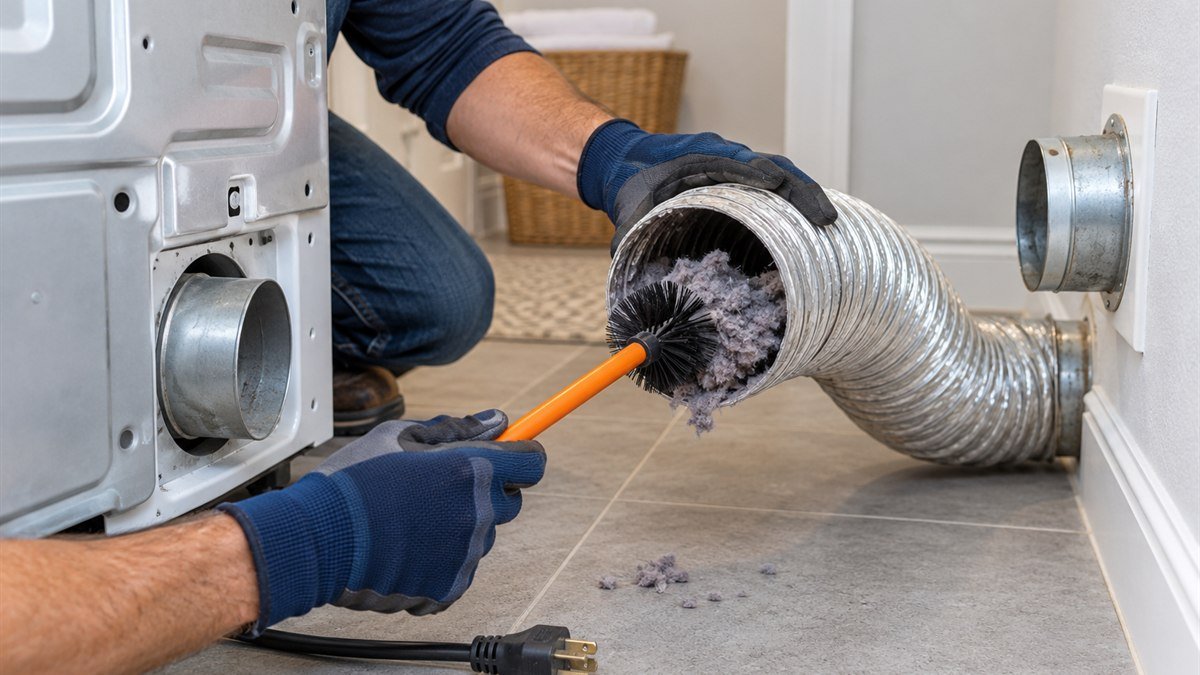
With the drum cool and empty, press Adjust Time Up and Dry Level together until “Ins” or “In” appears. If that pair doesn’t work, Samsung lists Cycle 1 with Wrinkle Prevent, or Air Fluff with Wrinkle Prevent.
Then hold Start/Pause and keep the door shut while it works. You get five minutes to read the result before the display clears.
- 0 or End: the vent is clear.
- CLg, Cg, C80 or C90: a clog. Samsung puts C80 at about 80% blocked and C90 at over 90%.
- Ct: the dryer is below 32°F or above 104°F. Let it sit at room temperature for an hour, then go again.
- HC: an abnormal temperature. Make sure the cord is in and the drum is empty, then repeat. If HC comes back with a clean vent, Samsung says to book service.
- 9C1: abnormal voltage. Push the plug fully in and try once more.
One case is worth knowing about. A DVE45T6000W owner on a JustAnswer repair thread kept getting C90 with the duct pulled off the back of the dryer. With no duct attached, the house vent can’t be the cause.
The technician there traced it to the thermistor, then to the control board misreading it.
Measure the heater and thermostats
If the breaker, the hookup and the vent all pass and the air is still cold, the fault sits in the heater circuit. Samsung’s guide says a heater failure usually means no heat at all, which is the symptom you have.
Before I open a dryer, I pull the tech sheet for that model. The numbers below come from Samsung’s DV45H series service manual. Your model’s sheet may list different values, so go by yours when you have it.
- Unplug the dryer. Samsung’s manual says to disconnect power before any of these readings.
- Reach the heater assembly and thermostats the way your model’s tech sheet shows.
- Set your multimeter to ohms and read across the heater terminals. A DV45H single heater reads about 10 Ω between pins 1 and 3. A dual heater reads about 13 Ω between pins 2 and 3, and about 34 Ω between pins 1 and 2.
- Read each thermostat. The manual wants under 1 Ω.
- An infinite (open) reading on the heater or a thermostat means that part has failed, and the manual says to replace it.
Then find out why it failed. Most of the blown thermal fuses I replaced on service calls had a clogged vent behind them. Swap the part without clearing the vent, and you’ll likely be back at a cold dryer.
Stop and call a pro if it’s a gas dryer, the breaker keeps tripping, you smell scorched wiring, or every reading is in range and the drum is still cold.
That last case sits past the heater, in the sensor or the control board, and a board is an expensive part to guess on.
Some heat, damp clothes: an airflow problem
If you felt warmth at 30 seconds, your heater works. The usual trouble is that hot, wet air can’t get out of your drum fast enough, so you get long cycles and damp towels.
- Lint filter: clean it before or after every load. Samsung lists it first because a clogged screen keeps the dryer from heating well.
- Eco Dry: turn it off for loads that need full heat. You’ll use more energy, but the cycle runs hotter.
- Exhaust vent: clean it once or twice a year, even when nothing seems wrong.
- Duct run: Samsung wants it sealed, not plastic or foil, and within the maximum length in your manual. Each 90-degree turn takes 6 feet off that maximum.
After any vent work, run the vent blockage check again until it reads 0 or End.
When the cycle ends too early
A cycle that stops after a few minutes and leaves you with wet clothes isn’t a heat fault. Samsung’s Sensor Dry cycles end when two curved metal bars inside the front of the drum read the load as dry.
Dryer sheet residue fools those bars. Wipe them with a soft cloth and a drop of dish soap.
Tiny loads fool them too, and Samsung’s minimum is about four regular bath towels.
If your Samsung shows a code instead, the Samsung dryer error codes list has the rest. For the same symptom on other brands, see dryer not heating.
Other questions about a Samsung dryer that won’t heat
Is there a reset button on a Samsung dryer?
Samsung’s no-heat page doesn’t mention one, so don’t go hunting for it. The reset you can do is the breaker: off for 30 seconds, then back on. That clears the case where one of the two circuits tripped.
Why is a brand-new Samsung dryer not heating?
Samsung’s guide gives two reasons.
Eco Dry may start the cycle with no heat. And if the dryer has never heated since installation, the hookup is the suspect: the 240V outlet and power cord on an electric model, or the gas supply on a gas one.
What if there’s no error code?
Samsung starts with the code list, then moves on for dryers that show none: the 30-second check, the breaker, then the vent check. A tripped circuit leaves the drum spinning, so a cold dryer can look like it’s running normally.
So it comes back to those first 30 seconds. Cold means breaker, power, vent, then the heater circuit, in that order. Warm means lint, Eco Dry and the vent, and you probably won’t need a technician at all.