
Your new Maytag dryer arrived with promises of commercial-grade performance, but the control panel looks like mission control at NASA. Hexagons, spirals, waves with numbers, and cryptic icons—none of which clearly state “dry my jeans” or “don’t shrink this sweater.”
Maytag markets itself on durability and power, but that means their symbol system differs from consumer-friendly brands. Their controls are designed for efficiency and performance rather than obvious labeling, leaving many owners guessing which settings actually protect their expensive clothing while delivering the thorough drying Maytag is known for.
Maytag dryer symbols are performance-oriented icons representing cycle types, drying intensity levels, moisture sensing options, steam functions, and commercial-grade features unique to Maytag’s heavy-duty design philosophy.
Key symbol categories include cycle selections (Bulky Items, Heavy Duty, Casual, Delicates), dryness level controls (More Dry, Normal, Less Dry, Damp Dry), temperature selections (High, Medium, Low, Air Fluff), specialty functions (Wrinkle Control, Refresh with Steam, Sanitize, Rapid Dry), and sensor options (Automatic Dry, Timed Dry).
This professional guide decodes every Maytag dryer symbol across their model lines, from basic Centennial top-controls to advanced Bravos XL and Commercial Technology front-controls. You’ll learn the difference between Maytag’s unique dryness level system and standard temperature controls, how to match symbols to commercial laundry standards, when to use PowerDry versus regular cycles, and which settings prevent the over-drying that damages fabrics.
Verified across Maytag models MEDC465HW, MED6230HW, MGDC465HW, and YMEDB765FW, this guide covers both electric and gas configurations with insights you won’t find in the basic user manual.
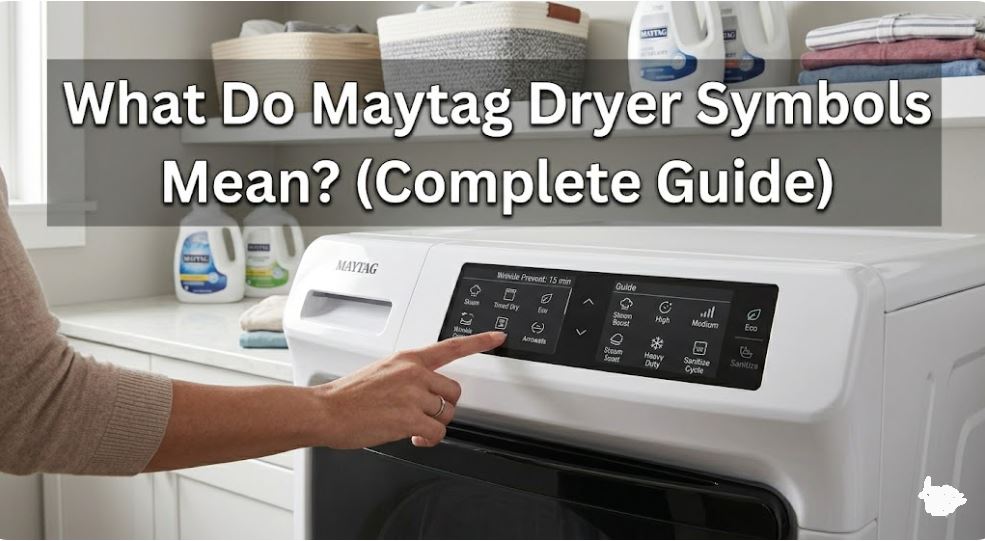
Maytag Dryer Symbols: Performance-Focused Quick Reference
Maytag organizes symbols around performance outcomes rather than just fabric types. This chart shows the most common symbols with their intended results and optimal applications.
Understanding Maytag’s performance-first approach helps you select settings that deliver commercial-quality results at home.
| Symbol/Setting | Performance Goal | Fabric Application | Cycle Duration | Key Advantage |
|---|---|---|---|---|
| Bulky Items | Maximum tumbling space | Comforters, sleeping bags, pillows | 60-90 minutes | Prevents bunching, ensures even drying |
| Heavy Duty | Maximum heat & time | Work clothes, towels, denim | 50-70 minutes | Commercial-grade stain and moisture removal |
| Casual/Permanent Press | Wrinkle prevention | Business attire, synthetics | 40-55 minutes | Cool-down phase prevents setting wrinkles |
| Delicates/Low Heat | Gentle heat protection | Lingerie, activewear, synthetics | 35-50 minutes | Prevents shrinkage and elastic damage |
| Rapid Dry/Quick Dry | Speed optimization | Small loads, single items | 15-25 minutes | High heat, fast tumbling for urgency |
| More Dry | Extended drying time | Thick fabrics, extra moisture removal | +15-20 minutes | Ensures no dampness in dense materials |
| Normal Dry | Standard sensor endpoint | Everyday loads | Standard duration | Balanced drying, prevents over-drying |
| Less Dry/Damp Dry | Early cycle stop | Items for ironing, air-dry finish | -10-15 minutes | Leaves slight moisture for wrinkle removal |
| Wrinkle Control | Extended tumbling | When you can’t remove immediately | Up to 150 minutes | Periodic rotation prevents wrinkle setting |
| Refresh with Steam | Steam cycle | Odor removal, worn-but-clean items | 10-20 minutes | Sanitizes without full wash |
| Sanitize | NSF-certified bacteria kill | Bedding, baby items, allergen removal | 50-65 minutes | Maintains 150°F+ for pathogen elimination |
| Air Fluff/No Heat | Room temperature tumbling | Heat-sensitive items, fluffing pillows | 20-30 minutes | Zero heat damage risk |
Note: Maytag Commercial Technology models include additional symbols for commercial laundromat-style timing and coin operation features.
Understanding Maytag Dryer Symbols: Performance-Based System Breakdown
Maytag’s symbol philosophy differs from other manufacturers by prioritizing outcomes over simple fabric categories. Let’s decode how this professional approach translates to better results.
Cycle Selection Symbols: Built for Durability
Maytag cycle symbols reflect their commercial heritage, designed for the demands of laundromats and heavy household use.
Bulky Items Cycle:
Represented by a large, puffy icon or oversized garment symbol. This cycle is engineered specifically for Maytag’s extra-large 7.0-7.4 cubic foot drums.
How it works differently:
- Reduces tumbling speed while increasing tumble reversal frequency
- Uses medium-high heat with extended time
- Monitors moisture in multiple drum zones, not just at sensors
Optimal uses:
- Queen/King comforters and duvets
- Sleeping bags and camping gear
- Multiple bath towels (6-8 large towels)
- Pet beds and oversized pillows
This cycle prevents the frustration of removing a “dry” comforter only to find the center still damp. The specialized tumbling pattern keeps large items from wrapping around themselves.
Heavy Duty Cycle:
Shows reinforced fabric or industrial-strength icon. This is Maytag’s signature cycle, derived from their commercial laundry equipment.
Performance characteristics:
- Maximum heat output (up to 160°F on gas models)
- Extended tumbling time (typically 60-70 minutes)
- Aggressive tumbling action for stubborn moisture
- Designed for the toughest drying challenges
When to deploy Heavy Duty:
- Mechanic’s work clothes with embedded grease
- Heavily soiled sports uniforms
- Beach towels after ocean use (salt-saturated fibers)
- Canvas work pants and denim overalls
Trade-off awareness: This cycle’s intensity can fade colors and wear fabrics faster. Reserve it for truly heavy-duty needs, not everyday clothing.
Casual/Permanent Press:
Displays dress shirt or wrinkle-free garment icon. Maytag’s version includes a longer cool-down phase than competitors.
The cycle uses medium heat (130-140°F) for the drying phase, then circulates room-temperature air for 10-15 minutes. This extended cool-down allows synthetic fibers to “relax” before stopping, significantly reducing wrinkles.
Delicates/Low Heat:
Features a feather, butterfly, or gentle wave symbol. Maytag’s delicate cycle runs cooler than many competitors—typically 115-120°F maximum.
Unique Maytag advantage: Their sensor technology is particularly accurate on delicate cycles, stopping within a 2-3% moisture range. This precision prevents the over-drying that shrinks delicate items even on “low” heat.
Rapid Dry/Quick Dry:
Clock symbol with motion lines or “RAPID” text. Uses maximum heat and increased tumbling speed to dry small loads in 15-25 minutes.
Best practices for Rapid Dry:
- Load no more than 3-4 pounds (1-2 dress shirts, or 3-4 t-shirts)
- Pre-spin items in washer on high speed for maximum water extraction
- Use only for urgent single-item or emergency clothing needs
- Never use for full loads—wastes energy and reduces effectiveness
Dryness Level Controls: Maytag’s Precision System
Unlike simple temperature controls, Maytag uses dryness level symbols that adjust cycle length and endpoint moisture sensing. This system delivers more consistent results.
| Dryness Level | Symbol | Remaining Moisture | Best Applications | Why Choose This |
|---|---|---|---|---|
| Extra Dry/More Dry | Three bars or “EXTRA” | 0-2% | Towels, jeans, heavy fabrics | Ensures no damp spots in thick materials |
| Normal Dry | Two bars or standard icon | 2-4% | Everyday mixed loads | Optimal balance, prevents over-drying |
| Less Dry | One bar or partial fill | 5-8% | Items for ironing, delicates | Leaves controlled moisture for finishing |
| Damp Dry | Droplet or “DAMP” | 10-15% | Dress shirts, line-dry preparation | Removes bulk water, preserves moisture for ironing |
How Maytag’s dryness sensing works: Moisture sensors (metal strips inside the drum) measure electrical conductivity as items tumble past. Wet fabric conducts electricity; dry fabric doesn’t. The control board compares these readings to target values for each dryness level.
More Dry applications: Essential for thick towels, gym shoes (if your model allows), and layered bedding. Maytag’s More Dry setting adds 15-20 minutes beyond Normal, ensuring interior layers dry completely.
Less Dry strategic uses: Perfect for dress shirts you’ll iron—removing 90% of moisture but leaving enough to make ironing effortless. Also ideal for air-dry items to reduce line-drying time by several hours.
Damp Dry specialty: Designed for commercial pressing operations, this setting stops when items are perfect for steam pressing or commercial finishing. Home users can leverage this for professional-quality ironing results.
Temperature Selection Symbols: Heat Intensity Controls
Temperature symbols work independently from dryness levels on most Maytag models, giving you dual control over drying process.
High Heat: Three flame icons or thermometer bars at maximum. Reaches 145-160°F depending on electric versus gas configuration.
Gas dryer advantage: Maytag gas models reach higher peak temperatures (155-160°F) than electric models (145-150°F), providing superior sanitization and faster drying for heavy loads.
Medium Heat: Two flame icons representing the most versatile setting. Maintains 125-135°F throughout the cycle.
This temperature range handles 80% of household drying needs without causing shrinkage or fading. Maytag’s medium heat is particularly effective due to their high-capacity blower systems that circulate more air volume than competitors.
Low Heat: Single flame icon keeping temperatures at 110-120°F. Significantly gentler than medium heat despite the small temperature difference.
Why the 15-degree difference matters: Fabric damage from heat follows an exponential curve, not linear. The jump from 120°F to 135°F causes 3-4x more fiber stress than the jump from 110°F to 120°F.
Air Fluff/No Heat: Crossed-out flame or snowflake symbol. Tumbles items with unheated air at room temperature.
Air Fluff specialties:
- Fluffing down jackets after washing (prevents clumping)
- Freshening clothes that smell but aren’t dirty
- Removing pet hair through tumbling action
- Cooling items after a heated cycle for immediate handling
Specialty Features and Advanced Symbols
Maytag’s premium models include commercial-inspired features represented by distinctive symbols.
Wrinkle Control/Wrinkle Prevent: Shield with wrinkles or “WC” icon. After the drying cycle completes, the drum rotates briefly every 5-10 minutes for up to 150 minutes.
How it differs from competitors: Maytag’s implementation uses a unique tumbling pattern—5-second rotations alternating direction. This prevents “memory” in fabrics better than single-direction tumbling.
Refresh with Steam: Rising steam symbol or “STEAM” text. Available on MEDC465HW and higher-end models.
Injects steam during the cycle to:
- Kill 99.96% of common bacteria (higher than non-steam cycles)
- Remove smoke, cooking odors, and musty smells
- Reduce wrinkles in clean but wrinkled items
- Sanitize without bleach or high heat damage
Energy impact: Steam cycles use 15-20% more energy but eliminate the need for re-washing lightly worn items, ultimately saving resources.
Sanitize Cycle: Medical cross or “NSF” certification symbol. Maintains temperatures above 150°F for the duration required by NSF Protocol P172.
NSF P172 compliance means:
- Reduces 99.9% of bacteria: E. coli, Staphylococcus aureus, Klebsiella pneumoniae
- Verified through third-party testing
- Meets healthcare and food service sanitation standards
Critical for:
- Cloth diapers and baby items
- Kitchen towels and aprons
- Bedding during illness outbreaks
- Pet bedding to control parasites and bacteria
PowerDry/Rapid Dry Boost: Lightning bolt or “POWER” symbol on select models. Increases heat output and blower speed simultaneously for maximum drying intensity.
Use sparingly—reduces fabric life by 20-30% over time but valuable for emergency clothing needs or extremely wet items.
Maytag Commercial Technology Symbols
Commercial Technology models include symbols from Maytag’s laundromat equipment line.
Coin Operation Indicators: Dollar sign or coin slot symbol. For home users who purchase commercial units, this indicates coin-op hardware is installed (can be disabled).
Ultra Fresh Vent System: Vent icon with motion arrows. Maytag’s proprietary ventilation design that increases airflow by 25% over standard configurations.
This symbol indicates your model includes the enhanced vent system—maintain it properly for optimal performance.
Reversible Door Swing: Door with arrows showing both directions. Indicates door hinge can be relocated for right or left swing.
Not a cycle setting, but an important feature symbol showing you can customize door swing during installation.
Matching Maytag Symbols to Garment Care Labels
Translating universal care symbols to Maytag’s performance-based system requires understanding the relationship between fabric requirements and drying outcomes.
Care label translation strategy:
One dot on care label = Maytag Delicates cycle + Low Heat + Less Dry dryness level Two dots on care label = Maytag Casual cycle + Medium Heat + Normal Dry Three dots on care label = Maytag Normal or Heavy Duty + High Heat + More Dry
Square with circle and line underneath = Use Casual/Permanent Press (the line indicates reduced agitation/tumbling)
Square with circle and two lines underneath = Use Delicates cycle (two lines = very gentle)
Maytag-specific advantage: Their dryness level controls let you fine-tune beyond what care labels specify. For expensive garments, select one level lower than the label suggests for added protection.
Also read: What Do Symbols on a GE Dryer Mean (Explained)
Common Maytag Dryer Symbol Questions
What’s the difference between Maytag’s dryness levels and temperature settings?
Dryness levels control when the cycle stops based on moisture content, while temperature settings control heat intensity during drying. These are independent controls on most Maytag models, giving you precise command over the drying process. For example, you can select “Low Heat” (gentle temperature) combined with “More Dry” (extended time) to thoroughly dry delicate items without heat damage—the cycle runs longer at lower temperature to achieve complete dryness.
Conversely, “High Heat” with “Less Dry” quickly removes bulk moisture at high temperature but stops early, perfect for items you’ll iron. This dual-control system is Maytag’s professional-grade approach, allowing customization that single-control dryers can’t match. Think of temperature as “how hard you’re pushing” and dryness level as “when you stop pushing”—combining them strategically produces optimal results for every fabric type and use case.
Why does my Maytag have both Normal and Heavy Duty cycles if they use the same heat?
While both cycles can use high heat, they differ significantly in tumbling patterns, cycle duration, and moisture removal aggressiveness. Normal cycle uses standard tumbling with moderate reversal frequency and runs 45-55 minutes for typical loads. Heavy Duty extends time to 60-70 minutes, increases tumbling reversal frequency by 40%, and continues heating longer to drive moisture from dense fabric cores.
The Heavy Duty cycle also employs what Maytag calls “PowerTumble” technology—brief periods of increased drum speed that shake water from fabric fibers more aggressively. This is particularly effective on work clothes with embedded dirt and grease that hold moisture.
Additionally, Heavy Duty cycles monitor multiple temperature points in the drum rather than just the exhaust, ensuring heat penetrates thick, layered loads completely. For everyday laundry, Normal cycle is sufficient and gentler on fabrics. Reserve Heavy Duty for genuinely challenging loads—beach towels, heavily soiled work clothes, or extremely thick items like bath mats and dog beds.
What does the Wrinkle Control symbol do differently than just leaving clothes in the dryer?
Wrinkle Control actively prevents wrinkle formation through periodic tumbling, while leaving clothes static in a stopped drum allows wrinkles to set permanently within 15-20 minutes. When the drying cycle ends, fabrics are hot and pliable—wrinkles form as they cool in whatever position they settle. Maytag’s Wrinkle Control rotates the drum for 5 seconds every 5-8 minutes, redistributing items before wrinkles can set.
The genius is in the tumbling pattern: alternating rotations ensure fabrics don’t develop “memory” in one position. Without this feature, removing clothes even 30 minutes after the cycle ends often requires ironing due to set wrinkles.
With Wrinkle Control active for up to 150 minutes, you can retrieve clothes 2+ hours later with minimal wrinkling. This feature is particularly valuable for permanent press items, dress shirts, and pants where wrinkles are highly visible. Note that Wrinkle Control uses no heat—just gentle tumbling—so it adds negligible energy cost while delivering significant convenience.
Are Maytag dryer symbols the same across their different model lines?
Core symbols (cycle types, temperature, dryness levels) remain consistent across Maytag’s Centennial, Bravos, and standard model lines manufactured since 2016. However, symbol presentation varies significantly—basic Centennial models use text labels with small icons, while premium Bravos XL and Commercial Technology models use icon-only interfaces with LED indicators.
Specialty feature symbols differ notably between model tiers. Steam Refresh, Sanitize, and PowerDry symbols only appear on mid-range to premium models (MEDC465HW and above). Commercial Technology models include unique symbols for laundromat features like coin operation and commercial timing that residential models lack.
The Advanced Moisture Sensing symbol (typically a droplet with waves) appears only on sensor-equipped models, not basic timed-dry-only units. Download your specific model’s user guide using the model number (located inside the door frame or on the back panel) for the most accurate symbol interpretation, as Maytag updates symbol designs with each major product refresh every 2-3 years.
When should I use Maytag’s Sanitize cycle versus regular High Heat?
Use Sanitize when you need verified pathogen elimination that meets NSF P172 healthcare standards, not just thorough drying. Regular High Heat reaches 145-150°F and kills many bacteria through heat exposure, but Sanitize maintains 150°F+ for the extended duration (typically 28-30 minutes) required for 99.9% bacterial reduction verification. This distinction matters for baby items, cloth diapers, and bedding during illness.
Sanitize cycles also include additional quality controls: the cycle will abort and display an error if temperature drops below the sanitization threshold, ensuring you’re notified if sanitization fails. Regular cycles have no such verification. The trade-off is energy consumption—Sanitize uses 30-40% more energy and takes 15-20 minutes longer than regular High Heat cycles. For everyday towels and normal laundry, High Heat is sufficient and more economical.
Reserve Sanitize for situations requiring medical-grade disinfection: post-illness bedding, kitchen items that contacted raw meat, baby items, or allergen removal from bedding for asthma sufferers. Pet bedding benefits significantly from Sanitize cycles to control parasites and bacteria that regular washing and drying don’t eliminate.
Also Read:
- What Do Maytag Washer Symbols Mean? (Guide)
- Why Your Maytag Dryer’s Start Button Isn’t Working (Fixed)
- How to Troubleshoot a Maytag Gas Dryer
Maximize Your Maytag Dryer Performance
Understanding Maytag dryer symbols and error codes unlocks the commercial-quality results their engineering delivers. Start with the dryness level system—this gives you precision control beyond what simple temperature settings provide. Combine dryness levels strategically with temperature controls to customize every load for optimal results without over-drying.
Focus on the three most impactful symbol combinations: Casual + Medium Heat + Normal Dry for everyday loads, Heavy Duty + High Heat + More Dry for challenging items, and Delicates + Low Heat + Less Dry for protecting investment pieces. These three combinations handle 90% of household drying while leveraging Maytag’s commercial heritage for superior performance.
Maytag’s specialty features—Wrinkle Control, Steam Refresh, Sanitize—aren’t gimmicks but practical tools derived from commercial laundry operations. Use them purposefully rather than defaulting to basic cycles. The Sanitize cycle’s NSF certification means something tangible for health-conscious households, while Wrinkle Control’s 150-minute window accommodates real-world schedules better than competitors’ shorter windows.
.

Hi, I’m Barlgan! I created Repair Me Yourself to empower homeowners to tackle appliance repairs with confidence. From decoding error codes to fixing cooling issues, I break down complex repairs into simple, actionable steps that save you time and money.