
Washer error codes appear at the worst possible moments—right before important events, on weekends when service calls cost double, or when your laundry pile has reached crisis levels. Without knowing what these codes mean, you’re stuck between attempting random fixes or paying diagnostic fees just to learn the problem.
Whirlpool washer error codes are diagnostic alerts that identify specific malfunctions in water flow, drainage, door locking, load balancing, or internal component failures. Common codes include water supply errors (F8 E1, LF), drainage failures (F9 E1, ND, DR), door lock malfunctions (F5 E2, LF, DL), unbalanced load issues (UL, DC), excessive suds detection (Sud, Sd), and motor or control board failures (F7 E1, F1 E2). Each code pinpoints the affected system, helping you troubleshoot effectively.
This diagnostic guide decodes every major Whirlpool washer error code with actionable troubleshooting steps you can perform before calling service. You’ll learn what each code means, the typical causes, repair cost expectations, and detailed diagnostic procedures that often resolve issues without professional help.
Compiled from technical service documentation for Whirlpool front-load and top-load models including WFW5620HW, WTW4816FW, WFW9620HC, and WTW7120HW, this guide provides the same diagnostic information technicians use—potentially saving you $100-$300 in unnecessary service calls.
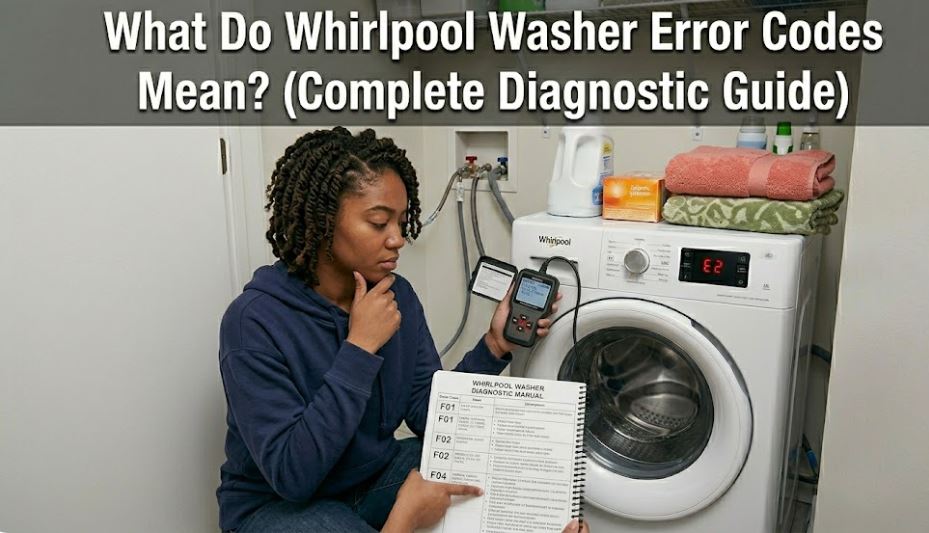
Whirlpool Washer Error Codes: Quick Diagnostic Reference
Use this chart to identify your error code, understand what system is affected, and determine the most likely cause. Severity ratings help you decide whether immediate action is needed or if the issue can wait.
Most washer error codes can be resolved with basic troubleshooting before requiring professional service.
| Error Code | System Affected | Severity | Primary Cause | Can You Fix It? |
|---|---|---|---|---|
| F8 E1 / LF | Water inlet | Medium | Low water pressure, clogged inlet screens | Yes – Check water supply |
| F9 E1 / ND / DR | Drain system | High | Clogged drain pump, kinked hose | Yes – Clear obstruction |
| Sud / Sd | Suds detection | Low | Too much detergent, wrong detergent type | Yes – Let it sit, reduce detergent |
| F5 E2 / LF / DL | Door lock | Medium | Door not closing, faulty latch | Check door, may need latch replacement |
| UL / DC | Load balance | Low | Unbalanced load distribution | Yes – Redistribute clothes |
| OL | Overload detection | Low | Too many items in washer | Yes – Remove some items |
| F7 E1 / F7 E5 | Motor/drive | High | Motor failure, drive system issue | Usually requires service |
| F1 E2 | Control board communication | Medium | Electronic malfunction | Try reset, may need service |
| HC | Hot/cold inlet reversed | Low | Hoses connected to wrong valves | Yes – Swap hose connections |
| LD | Long drain time | Medium | Partial drain blockage | Yes – Clean drain system |
| F0 E2 / F1 E1 | Stuck key/button | Low | Control panel button stuck | Yes – Clean control panel |
| rL / F34 | Items detected during clean cycle | Low | Clothes left in during self-clean | Yes – Remove items, restart |
Severity: Low (simple fix, no damage risk), Medium (moderate troubleshooting, potential water damage), High (component failure likely)
Understanding Whirlpool Washer Error Codes: System-by-System Diagnosis
Let’s break down each error code category with detailed troubleshooting procedures. Understanding the underlying system helps you fix problems faster and avoid repeat failures.
Water Supply and Inlet Error Codes
Water inlet errors prevent your washer from filling properly, causing cycles to stall or never start. These are among the most common washer errors.
F8 E1 / LF – Long Fill Error: The washer cannot fill with water within the expected timeframe (typically 8-10 minutes). The control board times how long it takes to reach the proper water level.
Four primary causes in order of likelihood:
- Low water pressure (40% of cases) – Home water pressure below 20 PSI
- Clogged inlet screens (35% of cases) – Sediment blocking water flow
- Closed or partially closed water valves (15% of cases) – Supply valves not fully open
- Failed water inlet valve (10% of cases) – Solenoid won’t open electrically
Step-by-step F8 E1 resolution:
- Turn off both hot and cold water supply valves behind the washer
- Disconnect both inlet hoses from the washer (not the wall)
- Remove the mesh screens from the inlet valve ports using needle-nose pliers
- Clean screens under running water, removing sediment and debris
- Check water pressure by turning on house supply – should spray forcefully
- Reinstall screens firmly, reconnect hoses, fully open both supply valves
- Run a rinse cycle to test
Prevention tip: Install whole-house water filters to prevent sediment accumulation. Replace inlet screens annually in hard water areas.
HC – Hot/Cold Reversed: The washer detects hot water entering the cold inlet or vice versa, affecting wash temperature accuracy.
Simple fix: Turn off water supply, swap the hot and cold hose connections at the back of the washer. Hot should connect to the left inlet, cold to the right (when facing the back of the machine).
This error commonly occurs after installation or when hoses are reconnected incorrectly following moves or repairs.
Drainage System Error Codes
Drain errors leave your clothes sitting in dirty water and can cause flooding if not addressed promptly. These codes require immediate attention.
F9 E1 / ND / DR – Drain Error/No Drain: The washer cannot pump water out within the allotted time (usually 6-8 minutes). Water remains in the tub after the wash cycle should have drained.
| Obstruction Location | Likelihood | Access Method | Typical Objects Found |
|---|---|---|---|
| Drain pump filter | 50% | Front access panel or inside drum | Coins, hair ties, buttons, small socks |
| Drain hose | 25% | Behind washer | Kinks, clamps, lint buildup |
| Standpipe/house drain | 15% | Utility room plumbing | Lint accumulation, soap scum |
| Drain pump impeller | 10% | Remove pump assembly | Hair wrapped around impeller |
Complete F9 E1 diagnostic procedure:
- Check drain hose – Disconnect from standpipe, look for kinks or blockages
- Access drain pump filter – On front-load models, open small door at bottom-left front
- Place towels – 1-2 gallons of water will drain when you open the filter
- Unscrew filter – Turn counterclockwise, pull out slowly
- Inspect for debris – Remove coins, bobby pins, small items
- Check pump impeller – Shine flashlight into opening, verify impeller spins freely
- Clean filter thoroughly – Rinse under water, remove all hair and lint
- Reinstall filter – Screw in clockwise until snug, close access door
- Test drain cycle – Run drain and spin cycle
Emergency water removal: If washer won’t drain and you need to remove clothes, use the drain pump filter method above or manually scoop water into buckets before opening the door fully.
LD – Long Drain: Similar to F9 E1 but indicates partial restriction rather than complete blockage. The washer drains slowly but eventually completes.
Address LD codes promptly—partial blockages become complete blockages, often at the worst possible time.
Door Lock and Latch Error Codes
Door lock errors prevent the washer from starting or cause mid-cycle stops. Front-load washers cannot operate with unsecured doors due to water volume.
F5 E2 / LF / DL – Door Lock Failure: The door lock mechanism cannot secure the door, or the control board doesn’t receive confirmation that the door is locked.
Troubleshooting sequence:
- Inspect door seal – Look for items (socks, small garments) preventing complete closure
- Clean strike plate – Wipe the door latch area with damp cloth to remove detergent buildup
- Listen for lock engagement – Close door firmly, listen for click sound
- Check door alignment – Door should sit flush against seal, no gaps visible
- Test door switch – Press where latch engages, feel for smooth operation
Common door lock issues:
- Soap scum buildup on latch mechanism (60% of cases) – Clean with vinegar solution
- Worn door strike (25% of cases) – Plastic strike wears, preventing full engagement
- Failed door lock assembly (15% of cases) – Electrical actuator malfunction
Cost expectations: Door lock assembly replacement costs $120-$200 including parts and labor. Door strike replacements run $40-$80 installed.
dLF – Door Lock Failure (won’t unlock): The opposite problem—door remains locked after cycle completion, trapping your clothes inside.
Emergency door release: Most Whirlpool front-load washers have a manual release cable or tab near the door lock. Pull this while maintaining slight outward pressure on the door to release the latch mechanically.
Load Balance and Weight Error Codes
Balance errors occur when the washer cannot distribute the load evenly for safe spinning at high speeds (800-1200 RPM).
UL / DC – Unbalanced Load/Detect/Cancel: The washer repeatedly attempts to redistribute the load but cannot achieve proper balance for the spin cycle.
What causes load imbalance:
- Single heavy item (bath mat, comforter) with light items
- All items bunched on one side of the drum
- Washer not level on floor (legs not properly adjusted)
- Worn suspension rods or springs (older washers)
Resolution steps:
- Open door and manually redistribute clothes evenly around drum
- Separate heavy items if you have a single large item with small items
- Ensure washer sits level – use carpenter’s level on top of machine
- Adjust leveling legs at bottom corners until perfectly level
- Restart spin cycle
Load composition rules: Mix large and small items in each load. Don’t wash a single heavy towel alone. Add 2-3 lighter items to balance heavy pieces.
OL – Overload Detected: Too much weight for the washer’s capacity, preventing proper agitation or spinning.
Remove 20-30% of items and wash in two separate loads. Overloading reduces cleaning effectiveness by 50% and stresses the drive motor and bearings.
Suds and Detergent Error Codes
Excessive suds interfere with proper washing, rinsing, and spinning while potentially damaging the pressure sensor.
Sud / Sd – Suds Detection: The washer’s pressure sensor detects excessive foam in the tub. The machine pauses automatically to allow suds to dissipate.
Three main causes:
- Too much detergent (70%) – Using traditional amounts in HE washers
- Non-HE detergent (20%) – Regular detergent creates 10x more suds
- Soft water over-sudsing (10%) – Soft water requires even less detergent
Immediate fix: Let the washer sit for 20-30 minutes without opening the door. Suds will naturally break down. The washer will automatically resume once suds level drops.
Long-term prevention:
- Use only HE (High Efficiency) detergent (View on Amazon)
- Use half the recommended amount as a starting point
- Reduce further if you have soft water
- Run monthly “clean washer” cycle with washer cleaner tablets
Why this matters: Excessive suds prevent proper rinsing, leaving detergent residue on clothes that causes skin irritation. The residue also feeds mold and mildew growth in the washer drum and door seal.
Motor and Drive System Error Codes
Motor errors indicate mechanical or electrical failures in components that drive drum rotation. These typically require professional diagnosis.
F7 E1 – Motor Speed Sensing Error: The motor cannot reach or maintain proper speed, or the control board cannot detect motor speed feedback.
Possible causes:
- Drive motor failure (most common on washers 7+ years old)
- Damaged motor control unit (MCU)
- Broken wiring connections to motor
- Failed tachometer sensor on motor
DIY diagnostic: Open washer and manually rotate the drum. It should turn smoothly with consistent resistance. Grinding, catching, or excessive resistance indicates bearing failure or motor issues.
F7 E5 – Motor Thermal Protection: The motor has overheated and triggered its thermal cutoff switch. Usually caused by overloading, unbalanced loads, or repeated use without cooldown periods.
Recovery: Unplug washer for 60 minutes to allow motor to cool completely. Plug back in and test with a small, balanced load. If F7 E5 returns immediately, the motor or MCU has failed.
Repair costs: Motor replacement runs $250-$400 installed. Motor control units cost $180-$350. For washers over 10 years old, replacement often makes more financial sense than motor repair.
Control Board and Electronic Error Codes
Electronic errors indicate communication failures, corrupted memory, or control board malfunctions.
F1 E2 / F1 E1 – Control Board Communication Error: The main control board cannot communicate properly with user interface or other electronic components.
Reset procedure:
- Unplug washer from wall outlet completely
- Wait 3-5 minutes (not just 60 seconds)
- Plug back in and attempt a test cycle
- If error returns immediately, control board replacement likely needed
F0 E2 – Stuck Key/Button: The control board detects a button on the control panel is continuously pressed (stuck).
Diagnosis: Press each button individually, feeling for buttons that don’t return properly or feel mushy. Clean around buttons with damp cloth to remove detergent residue that can cause sticking.
If all buttons feel normal but code persists, the control board’s touch sensor or membrane has failed internally.
Preventive Maintenance to Minimize Error Codes
Most Whirlpool washer error codes result from maintenance neglect rather than component defects. These practices reduce error occurrences by 60-75%.
After every wash:
- Leave door open 2-3 hours to dry drum and door seal
- Wipe door gasket on front-load models to remove moisture
- Check drain pump filter monthly on front-load washers
Monthly maintenance:
- Run “clean washer” cycle with washer cleaner or white vinegar
- Inspect inlet hoses for cracks, bulges, or leaks
- Clean detergent dispenser drawer thoroughly
- Verify washer remains level (vibration can shift leveling legs)
Every 3-6 months:
- Clean inlet screens from sediment buildup
- Inspect drain hose for kinks or restrictions
- Check behind washer for water leaks or dampness
- Test door lock mechanism for smooth operation
Annual professional service: Deep cleaning of internal components, bearing inspection, hose replacement if aging, complete diagnostic test of all systems ($120-$180).
Common Whirlpool Washer Error Code Questions
Why does my washer show F8 E1 even though water is flowing?
The F8 E1 (long fill) error triggers based on water pressure and flow rate, not just whether water is entering. If water pressure is below 20 PSI or the flow rate is too slow due to restricted inlet screens, the washer cannot fill to the proper level within the 8-10 minute timeout period.
Even if you see water entering the drum, severely restricted screens might only allow 0.5 gallons per minute when the washer needs 2+ gallons per minute to fill properly. The control board measures fill time and automatically generates F8 E1 when the timeout expires. Additionally, if one inlet valve (hot or cold) is completely blocked but the other works, the washer detects this imbalance and triggers the error. Clean both inlet screens thoroughly, ensure both supply valves are fully open, and verify adequate household water pressure by timing how long it takes to fill a 5-gallon bucket—should take less than 2 minutes.
Can I manually drain my washer when it shows F9 E1?
Yes, and you should drain it promptly to prevent water damage and access your clothes. For front-load washers, locate the drain pump filter access door at the bottom-front of the machine. Place towels and a shallow pan underneath as 1-2 gallons will spill out when you open the filter. Slowly unscrew the filter counterclockwise, allowing water to drain into your pan.
For top-load washers without front access, you can siphon water using a garden hose—place one end at the bottom of the tub, create suction on the other end, then place that end in a floor drain or bucket below the washer level. Alternatively, use the drain pump filter method if your model has one, or manually scoop water into buckets before opening the door. Once drained, address the underlying blockage (drain pump filter debris, kinked hose, clogged house drain) before running another cycle. Never force the door open on a front-load washer while full of water—you’ll flood your laundry room.
How do I know if I’m using too much detergent when I get Sud codes?
The Sud/Sd code definitively tells you there’s excessive suds, but you can prevent it by using the correct amount. For HE (High Efficiency) washers, use only 1-2 tablespoons of HE detergent for normal loads—about 1/4 to 1/3 of the cap line. Modern detergents are highly concentrated, and using the “full line” on the cap is almost always too much.
Visual indicators of excessive detergent include suds remaining visible after the rinse cycle, detergent residue on clothes after washing, a slimy feel on the door gasket, and musty odors in the washer despite regular cleaning. If you have soft water (common with water softeners), reduce detergent by another 25-50% since soft water creates more suds. Start with less detergent than you think you need—you can always add more if clothes aren’t getting clean. Proper detergent amount produces minimal visible suds while still cleaning effectively through surfactant chemistry rather than foam action.
What does it mean when multiple error codes appear in sequence?
Sequential error codes indicate either cascading failures or the control board attempting multiple diagnostic checks. For example, a washer showing F8 E1 followed by F9 E1 suggests a water inlet problem that prevented proper filling, followed by a drain detection issue. The initial error (F8 E1) should be addressed first as it likely caused the secondary error.
When you see multiple codes cycling rapidly or all at once, this typically indicates a control board malfunction or major electrical issue rather than multiple component failures. Perform a hard reset (unplug for 5 minutes) and see which code returns first—that’s your primary failure. However, some legitimate scenarios cause multiple codes: a failed door lock (F5 E2) prevents the washer from starting, which then triggers a communication error (F1 E2) when the control board can’t advance through its cycle steps. Always diagnose errors in the order they first appeared, as fixing the root cause often clears subsequent codes.
Should I repair or replace my washer based on the error code?
The decision depends on three factors: washer age, repair cost, and error code severity. For washers under 5 years old, repair almost always makes sense unless the cost exceeds 50% of replacement value. Simple fixes like cleaning drain pumps (F9 E1), replacing door locks (F5 E2), or clearing inlet screens (F8 E1) cost $0-$150 and are worthwhile at any age.
For washers 6-10 years old, calculate repair cost versus replacement. If the error indicates motor failure (F7 E1, $300-$400 repair) or control board replacement (F1 E2, $250-$400 repair), and your washer is 8+ years old, replacement provides better long-term value. New washing machines (View on Amazon) cost $500-$1000, include warranties, and offer better efficiency. For washers over 10 years old, only repair if the fix costs under $150—otherwise, replace. Exception: If you have a high-end Whirlpool model like the WFW9620HC that originally cost $1200+, extend the repair threshold to $400-$500 even at 10 years old.
Master Washer Diagnostics and Save on Service Calls
Understanding Whirlpool washer symbols and error codes transforms panic into purposeful troubleshooting. Most error codes point to simple issues—clogged filters, unbalanced loads, excess detergent—that you can resolve in 10-20 minutes without any service call. Even codes that require parts often need components you can replace yourself with basic tools and online tutorials.
The key is systematic diagnosis: reference the error code chart, identify the affected system, follow the troubleshooting sequence specific to that code. This methodical approach prevents random part replacement and wasted money on unnecessary repairs. Track which codes appear and how frequently—patterns reveal whether you’re dealing with maintenance issues or genuine component aging.
Keep this guide accessible, document error codes when they occur, and exhaust basic troubleshooting before calling service. The diagnostic fee alone ($100-$150) often exceeds the cost of fixing common errors yourself. For codes that truly require professional help, you’ll make informed decisions about repair versus replacement based on age, cost, and your washer’s overall condition.

Hi, I’m Barlgan! I created Repair Me Yourself to empower homeowners to tackle appliance repairs with confidence. From decoding error codes to fixing cooling issues, I break down complex repairs into simple, actionable steps that save you time and money.