
Your GE dryer control panel looks more like a smartphone interface than a simple appliance. Touch-screen displays, WiFi indicators, sensor graphics, steam symbols, and sanitize badges—but which combination actually dries your workout clothes without shrinking them, and which setting prevents your dress shirts from becoming a wrinkled mess?
GE positions their dryers as smart home appliances with advanced sensor technology and connectivity features that go beyond basic drying. This modern approach means their symbol system includes both traditional cycle icons and new-generation smart features that can confuse homeowners used to simpler dryers.
GE dryer symbols represent sensor-driven cycles, smart home connectivity features, precision drying levels, sanitization options, steam refresh capabilities, and advanced fabric care settings unique to GE’s technology ecosystem.
Primary symbol categories include cycle selections (Cottons, Delicates, Speed Dry, Towels), dryness level controls (Extra Dry, Dry, Damp Dry, More Time/Less Time), sensor options (Sensor Dry vs. Timed Dry), specialty features (Sanitize, Steam Refresh, Steam Dewrinkle, Extended Tumble), smart connectivity indicators (WiFi symbol, app control icons), and temperature settings with dual thermistor precision.
This comprehensive guide decodes every GE dryer symbol across their product lines, from basic 7.2 cu ft models to smart GE Profile and Café series with WiFi and voice control. You’ll learn the difference between GE’s Sensor Dry and Auto Dry, when to use Steam Dewrinkle versus Steam Refresh, how WiFi symbols indicate connectivity status, and which dryness level combinations prevent over-drying that damages expensive clothing.
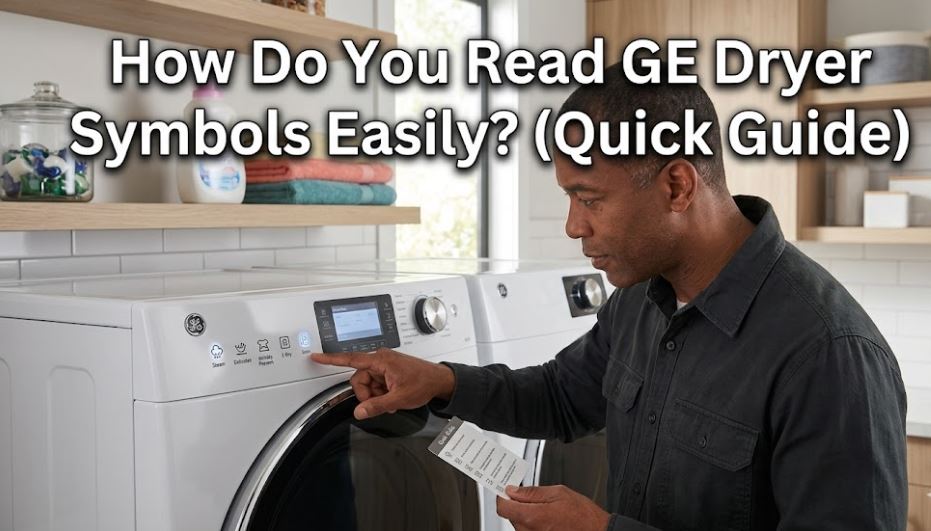
GE Dryer Symbols: Smart Technology Quick Reference
GE organizes symbols around sensor technology and smart features rather than just simple cycles. This reference shows symbols with their technology basis and optimal applications.
Understanding GE’s sensor-first approach helps you leverage their advanced drying technology effectively.
| Symbol/Setting | Technology Feature | Primary Function | Smart Integration | Cycle Duration | Best For |
|---|---|---|---|---|---|
| Sensor Dry | Dual thermistor moisture sensing | Automatic dryness detection | App notification when done | Varies by load | Most everyday loads, prevents over-drying |
| Cottons/Normal | Standard sensor cycle | Balanced drying for cotton fabrics | Basic cycle | 40-60 min | Everyday clothing, towels, sheets |
| Delicates | Low heat sensor monitoring | Gentle fabric protection | Optional remote start | 35-50 min | Lingerie, synthetics, activewear |
| Speed Dry | High heat, reduced time | Fast drying for small loads | Quick cycle notification | 20-30 min | 1-3 items, emergency needs |
| Towels/Heavy | Extended high heat | Thorough drying for thick items | None | 50-70 min | Bath towels, jeans, heavy fabrics |
| Sanitize | NSF P172 certified heating | Bacteria elimination (99.9%) | Sanitization complete alert | 60-80 min | Baby items, bedding, allergen removal |
| Steam Refresh | Steam injection system | Odor removal without washing | Remote activation possible | 15-25 min | Worn-but-clean clothes, deodorizing |
| Steam Dewrinkle | Post-dry steam treatment | Wrinkle reduction on dry items | Scheduled via app | 10-15 min | Items wrinkled from storage |
| Extended Tumble | Post-cycle periodic rotation | Prevents wrinkle setting | Can extend via app | Up to 150 min | When you can’t remove immediately |
| Extra Dry | Extended sensor endpoint | Maximum moisture removal | None | +15-20 min | Thick towels, bedding |
| Damp Dry | Early sensor cutoff | Leaves slight moisture | None | -10-15 min | Items for ironing |
| WiFi Connected | Smart home integration | Remote monitoring and control | Full app control | N/A | Convenience, scheduling |
Smart Integration: Whether the cycle/feature can be controlled or monitored through GE’s SmartHQ app
Understanding GE Dryer Symbols: Sensor Technology Deep Dive
GE’s approach to dryer symbols centers on their sensor technology and smart home integration. Let’s decode how these modern features translate to better drying results.
Sensor Dry Technology: GE’s Dual Thermistor System
GE’s Sensor Dry is more sophisticated than basic moisture sensing, using dual thermistors that monitor different aspects of the drying process.
How GE’s Sensor Dry works differently:
- Inlet thermistor: Monitors temperature of air entering the drum
- Exhaust thermistor: Tracks temperature of moist air leaving the drum
- Temperature differential: Calculates dryness based on temperature gap
- Moisture algorithm: Adjusts cycle time based on fabric type and load size
Sensor Dry advantages: GE’s dual-sensor system is more accurate than single-sensor competitors, stopping within 3-5% of target moisture level. This precision prevents the over-drying that causes shrinkage and fabric damage.
When Sensor Dry excels:
- Mixed fabric loads (cottons and synthetics together)
- Variable load sizes (small to full capacity)
- Energy efficiency (uses only needed drying time)
- Preventing shrinkage on sensitive items
Sensor Dry limitations: Very small loads (1-2 items) may not trigger sensors reliably. For single items or tiny loads, use Timed Dry instead.
Timed Dry alternative: Displays as a clock symbol. Bypasses sensors and runs for manually selected time (10-90 minutes). Use when sensors aren’t effective or when you know exact time needed.
Dryness Level Controls: Precision Moisture Targeting
Unlike simple time adjustments, GE’s dryness levels modify the sensor endpoint—the moisture percentage where the cycle stops.
| Dryness Level | Symbol | Target Moisture | Sensor Endpoint | When to Select |
|---|---|---|---|---|
| Extra Dry | Three bars or “EXTRA” | 0-2% remaining | Continues until nearly bone-dry | Thick towels, bedding, items prone to damp spots |
| Dry (Normal) | Two bars or standard | 2-4% remaining | Optimal for most fabrics | Everyday loads, prevents over-drying |
| Damp Dry | One bar or droplet | 8-12% remaining | Stops with controlled moisture | Dress shirts for ironing, air-dry preparation |
| More Time/Less Time | +/- symbols | Adjusts from Dry setting | ±10-15 minutes | Fine-tuning without changing level |
Extra Dry strategic use: Essential for items where dampness causes problems—towels developing musty smell, athletic shoes (if your model allows), or layered bedding where interior stays damp.
Damp Dry professional advantage: Leaves clothes at the perfect moisture level for steam ironing. Professional cleaners use this setting equivalent—you get the same results at home.
More Time/Less Time buttons: Add or subtract time in 1-minute increments on most GE models. Allows micro-adjustments without changing the fundamental dryness level setting.
GE Dryer Cycle Selection Symbols: Sensor-Optimized Programs
GE cycles combine sensor monitoring with cycle-specific temperature and tumble patterns.
Cottons/Normal Cycle: Represented by cotton ball or t-shirt icon. GE’s default sensor cycle using high heat and standard tumbling.
Cycle specifications:
- Temperature: 140-150°F maximum
- Tumble pattern: Standard forward/reverse rotation
- Sensor sensitivity: Calibrated for cotton fiber moisture
- Typical duration: 40-60 minutes for full load
Best for everyday laundry—the “set it and forget it” option that works for 70% of household drying.
Delicates Cycle: Shows as feather, butterfly, or flowing garment. Uses low heat (110-120°F) with gentler tumbling and more sensitive sensor calibration.
Why GE’s delicate sensor matters: The sensor algorithms adjust for synthetic fabrics that dry faster than cotton. Without this calibration, delicates would over-dry before sensors detected it.
Optimal delicate applications:
- Activewear and moisture-wicking fabrics
- Lingerie and undergarments
- Dress clothes labeled “tumble dry low”
- Anything with elastic or spandex
Speed Dry/Quick Dry: Clock with fast-forward symbol. Runs high heat at maximum intensity for 20-30 minutes.
Speed Dry trade-offs:
- Works only on very small loads (3-5 items maximum)
- Higher energy consumption per item
- More fabric wear from intense heat
- Not sensor-based—runs for fixed time
Use for genuine emergencies only—forgot to dry your interview outfit, need single item immediately, last-minute clothing crisis.
Towels/Heavy Duty: Thick fabric icon or layered material symbol. Extended high-heat cycle with sensor monitoring optimized for dense, absorbent materials.
This cycle runs 50-70 minutes because GE’s sensors detect when thick fabric interiors dry completely, not just surfaces. Prevents the frustration of “dry” towels that feel damp after 10 minutes on your body.
GE Dryer Steam Feature Symbols: GE’s Dual Steam Functions
GE offers two distinct steam features with different purposes—understanding the difference prevents misuse.
Steam Refresh: Rising steam waves or “STEAM REFRESH” text. Injects steam into a short tumble cycle (15-25 minutes) to remove odors from items that aren’t dirty.
How Steam Refresh works:
- Heats water to generate steam
- Injects steam into drum during tumbling
- Uses heat to evaporate steam and carry away odors
- Performs light sanitization (not NSF certified level)
Perfect for:
- Clothes worn briefly but not soiled (jacket worn to dinner)
- Items exposed to smoke or cooking odors
- Refreshing stored seasonal clothing
- Gym bags or shoes (check manual for shoe safety)
Steam Dewrinkle: Steam symbol with wrinkle icon or “DEWRINKLE” text. Applies steam to already-dry clothes to relax wrinkles without washing.
Steam Dewrinkle mechanics:
- Works on dry or slightly damp items only
- 10-15 minute cycle with steam injection
- Cool-down tumble at end to set fabrics
- Reduces but doesn’t eliminate all wrinkles
Best applications:
- Clothes wrinkled from suitcase packing
- Items stored folded that developed creases
- Reducing need to iron casual garments
- Quick freshening before wearing
Critical difference: Steam Refresh starts with unwashed items and deodorizes them. Steam Dewrinkle starts with clean, dry items and removes wrinkles. Using wrong feature wastes time and energy.
GE Dryer Sanitize Cycle Symbol: NSF-Certified Bacteria Elimination
Medical cross or “SANITIZE” badge with NSF certification mark. GE’s sanitize cycle meets NSF Protocol P172 for residential dryer sanitization.
NSF P172 requirements:
- Maintain temperature above 150°F for specific duration
- Achieve 99.9% reduction of specific bacteria
- Third-party verification of performance
- Consistent results across load types
What NSF certification means: Unlike marketing claims of “sanitizing,” GE’s NSF certification proves verified bacteria elimination in independent testing. This matters for health-conscious households.
Sanitize cycle applications:
- Cloth diapers and baby items
- Kitchen towels and aprons
- Bedding during illness outbreaks
- Pet bedding and toys (fabric only)
- Allergen reduction on bedding
Energy consideration: Sanitize uses 35-45% more energy than normal cycles. Reserve for genuine sanitization needs rather than everyday drying.
GE Dryer Smart Home Integration Symbols: WiFi and App Control
GE pioneered WiFi-connected dryers, and their symbols reflect this smart home emphasis.
WiFi Symbol: Standard WiFi icon showing connection status. Illuminated when dryer is connected to your home network and GE SmartHQ app.
WiFi symbol states:
- Solid: Connected and communicating
- Blinking: Attempting to connect
- Off: Not connected to network
SmartHQ app capabilities:
- Remote cycle start (load dryer, start from phone later)
- Cycle completion notifications
- Extended Tumble activation remotely
- Troubleshooting diagnostic codes
- Cycle history and energy usage tracking
Voice Control Indicator: May show as “Alexa” or “Google Assistant” symbol on compatible models. Indicates voice command capability when properly configured.
Voice command examples:
- “Alexa, start the dryer”
- “Hey Google, how much time is left on the dryer?”
- “Alexa, add 10 minutes to the dryer”
Smart features that actually matter: Remote notifications prevent clothes sitting in the dryer for hours (wrinkle prevention). Remote Extended Tumble activation means you can keep clothes fresh even when running late. These aren’t gimmicks—they solve real problems.
GE Dryer Temperature Selection Symbols: Precision Heat Control
GE uses temperature symbols differently than other brands, with specific heat ranges tied to sensor performance.
High Heat: Three flame icons or thermometer at maximum (140-150°F). Optimized for cotton and sturdy fabrics.
Medium Heat: Two flame icons (120-130°F). GE’s “everyday” setting that balances drying speed with fabric care.
Low Heat: One flame icon (100-115°F). Gentle enough for delicates while still providing heat-assisted drying.
No Heat/Air Fluff: Crossed-out flame or snowflake (room temperature). Tumbles without any heating element activation.
GE’s temperature precision: Dual thermostors maintain temperature within ±3°F of target, compared to ±8-10°F on basic dryers. This precision matters—fabrics begin damage at specific temperatures, and GE’s accuracy keeps you below damage thresholds.
Matching Dryer Symbols to Fabric Care Labels
Universal care symbols translate to specific GE dryer combinations for optimal results.
Care label translation guide:
One dot (low heat): Select GE Delicates cycle + Low Heat + Dry (not Extra Dry)
Two dots (medium heat): Select GE Cottons + Medium Heat + Dry
Three dots (high heat): Select GE Cottons/Towels + High Heat + Extra Dry
Square with circle and line underneath (permanent press): Use GE Cottons cycle + Medium Heat + Extended Tumble enabled
Square with circle and two lines (delicate): Use GE Delicates cycle + Low Heat + Damp Dry level
GE advantage: The dryness level controls let you fine-tune beyond basic care labels. For expensive items at the edge of safety, select one heat level lower than indicated and use Extra Dry to compensate with time instead of temperature.
Also Read:
FAQs
What’s the difference between GE’s Sensor Dry and Timed Dry settings?
Sensor Dry uses GE’s dual thermistor system to automatically detect when clothes reach your selected dryness level, stopping the cycle precisely when done. The dryer continuously monitors the temperature difference between incoming air and exhaust air—as clothes dry, this gap narrows, and when it reaches the target corresponding to your dryness level (Extra Dry, Dry, or Damp Dry), the cycle ends automatically. This prevents over-drying, saves energy by not running longer than necessary, and adapts to different load sizes automatically.
Timed Dry bypasses all sensors and runs for a manually selected duration (typically 10-90 minutes in 1-minute increments). You set the time, and the dryer runs that long regardless of whether clothes are dry, damp, or bone-dry. Use Timed Dry when Sensor Dry isn’t effective—very small loads (1-2 items) that don’t generate enough moisture for sensors to detect, when you know the exact time needed from experience, or when drying items that shouldn’t be fully dried (partially drying heavy items before air-drying). For 95% of loads, Sensor Dry delivers better results and uses less energy.
How do I know if my GE dryer’s WiFi connection is working properly?
The WiFi symbol on your control panel shows connection status through different states. A solid, illuminated WiFi icon means your dryer is successfully connected to your home network and communicating with GE’s cloud servers—you can control it through the SmartHQ app. A blinking WiFi icon indicates the dryer is attempting to connect but hasn’t established a stable connection—check that your router is within range and your WiFi password was entered correctly during setup.
If the WiFi symbol is completely off or dim, the dryer either isn’t connected to any network or the wireless module is disabled. To verify app functionality, open the GE SmartHQ app and check if your dryer appears with “Connected” status. If connected, you should see real-time cycle information when a load is running. If you’re having issues, try power cycling the dryer (unplug for 60 seconds), ensure your home WiFi is working on other devices, verify the dryer is within 30-40 feet of your router, and check that your SmartHQ app is updated to the latest version. GE’s dryers require 2.4GHz WiFi networks, not 5GHz, which some newer routers use by default.
When should I use Steam Refresh versus Steam Dewrinkle on my GE dryer?
Use Steam Refresh when clothes are clean but have developed odors from wearing, storage, or environmental exposure—this is for deodorizing and freshening without washing. The cycle injects steam into the drum while tumbling, using heat and moisture to neutralize odors from smoke, cooking, sweat, or mustiness. It’s perfect for items worn briefly (a blazer worn to one meeting), clothes that smell like restaurant food after dinner out, or seasonal items pulled from storage. Steam Refresh takes 15-25 minutes and works on unwashed garments that aren’t visibly soiled.
Use Steam Dewrinkle when clothes are already clean and dry but have wrinkles from being folded, packed in luggage, or stored compressed. This feature applies steam to relax fabric fibers and release creases without rewashing. It’s ideal for clothes wrinkled from suitcase packing, items that developed fold lines from drawer storage, or reducing ironing needs on casual garments. Steam Dewrinkle runs 10-15 minutes on dry items only. The key distinction: Steam Refresh = odor removal on unwashed items; Steam Dewrinkle = wrinkle reduction on clean, dry items. Using the wrong one wastes time—refreshing already-clean clothes or trying to dewrinkle dirty items doesn’t work.
Do GE’s dryness level settings actually make a difference or just add time?
GE’s dryness levels fundamentally change the moisture sensor endpoint, not just cycle duration. When you select Extra Dry versus Dry versus Damp Dry, you’re telling the dual thermistors what moisture percentage to target before stopping the cycle. Extra Dry runs until clothes reach 0-2% moisture (nearly bone-dry), Dry stops at 2-4% moisture (optimal for most fabrics), and Damp Dry ends at 8-12% moisture (controlled dampness for ironing). The cycle duration varies based on how long it takes to reach that moisture level—not predetermined time.
This sensor-based approach differs from basic dryers where “more dry” just means “run 15 minutes longer.” GE’s system monitors actual fabric moisture through temperature differentials between inlet and exhaust air. A thick load of towels on Dry setting might take 65 minutes to reach 2-4% moisture, while the same load on Extra Dry might take 80 minutes to reach 0-2% moisture—the difference isn’t a fixed 15 minutes but rather the additional time needed to remove that last 2-4% moisture. This precision prevents over-drying (which causes shrinkage and fabric damage) while ensuring adequate drying when you need it. The dryness levels are particularly valuable for expensive clothing where over-drying by even 5 minutes can cause damage.
Are GE dryer symbols standardized across all their model lines?
Core cycle symbols (Cottons, Delicates, Timed Dry) and basic functions (temperature, dryness levels) remain consistent across GE’s standard, GE Profile, and GE Café lines manufactured since 2018. However, premium features vary significantly between model tiers. Steam Refresh and Steam Dewrinkle symbols only appear on mid-range to premium models (typically 7.4+ cubic foot capacity dryers). WiFi connectivity symbols and smart home integration features are standard on Profile and Café lines but optional or absent on basic GE models.
The control interface design also differs—basic GE models use traditional dials and button panels with icon labels, while Profile and Café series feature digital touch screens with animated symbols and app-style interfaces. Some Café models include unique symbols for their premium features like UltraFresh Vent System or Dual Thermistor Display that don’t appear on other lines. For the most accurate symbol interpretation, download your specific model’s user guide using the model number located inside the dryer door or on the back panel. GE updates symbol designs with each major product refresh, so a 2024 Profile model may use slightly different iconography than a 2020 Profile model even though the functions are identical.
Looking to replace your GE dryer? Check out the best-selling clothes dryers on Amazon!
Maximize Your GE Dryer’s Smart Technology
Understanding GE dryer symbols unlocks the sensor technology and smart features their engineering delivers. Start with Sensor Dry as your default—this engages GE’s dual thermistor system and prevents the over-drying that damages clothes and wastes energy. Combine Sensor Dry with appropriate dryness levels (Extra Dry for towels, Dry for everyday items, Damp Dry for ironing) to get precision results.
Leverage the steam features strategically rather than treating them as optional extras. Steam Refresh solves the real problem of clothes that smell but aren’t dirty (saving water and detergent), while Steam Dewrinkle reduces ironing time significantly. These aren’t gimmicks—they’re practical solutions to common household needs when used correctly.
If your GE dryer includes WiFi connectivity, take ten minutes to set up the SmartHQ app. The remote notifications and Extended Tumble activation genuinely prevent wrinkled clothes from sitting in the dryer for hours. Smart features earn their value through convenience and preventing problems, not through complexity for its own sake. Understanding your GE dryer’s symbols and error codes transforms it from a basic appliance into a sophisticated fabric care system that protects your clothing investment while saving time and energy.

Hi, I’m Barlgan! I created Repair Me Yourself to empower homeowners to tackle appliance repairs with confidence. From decoding error codes to fixing cooling issues, I break down complex repairs into simple, actionable steps that save you time and money.