
Your Whirlpool Duet dryer isn’t working right, but the display only briefly flashes a code before returning to normal. You need access to the detailed diagnostic information hiding behind the standard interface, including temperature readings, sensor values, error history, and component test functions that reveal exactly what’s failing.
The Whirlpool Duet dryer diagnostic mode transforms your dryer into a sophisticated testing platform that shows real-time sensor data, lets you manually activate individual components, and stores the last 4-5 error codes with occurrence counts. Understanding how to navigate this hidden menu gives you technician-level troubleshooting power without the service call fee.
This comprehensive guide walks through every diagnostic function, interprets the codes and values displayed, and explains exactly what each test reveals about your dryer’s condition.
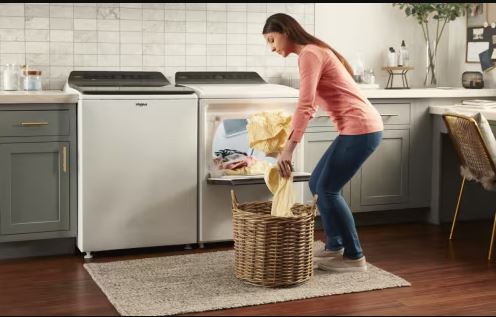
Whirlpool Duet Dryer Diagnostic Mode Overview
| Test Mode | Code Displayed | What It Does | When to Use It |
|---|---|---|---|
| Stored error codes | 01 or E1 | Shows last 4-5 errors with fault counts | First step in any diagnosis |
| Manual component test | 02 or E2 | Activate heating, motor, segments individually | Test specific components |
| Automatic diagnostic | 03 or E3 | Runs full automatic test sequence | Comprehensive system check |
| Sensor value display | 04 or E4 | Real-time temperature and moisture readings | Verify sensor accuracy |
| Error memory clear | 05 or E5 | Erase stored diagnostic codes | After completing repairs |
| Cycle information | 06 or E6 | Shows last cycle data and performance | Analyze drying efficiency |
Why the Whirlpool Duet Dryer Diagnostic Mode Matters
The Duet dryer monitors dozens of parameters during operation that never appear on the standard display. Temperature sensors constantly feed data to the control board, moisture sensors measure conductivity thousands of times per cycle, the motor controller tracks drum speed, and the control board compares all these values against expected ranges. When readings fall outside specifications, the board stores error codes in non-volatile memory.
Standard operation only shows current errors. Once you reset the dryer or the condition temporarily clears, the error disappears from view, but it remains in error history. Diagnostic mode reveals this hidden history, showing problems that occurred days or weeks ago, and this historical view identifies intermittent failures that standard troubleshooting misses.
Some Duet problems cause multiple error codes, and looking at just the current code misses the pattern. Diagnostic mode shows all recent codes together, so seeing F22 followed by F26 followed by F01 tells a different story than seeing just F01 alone. The pattern reveals cascading failures rather than isolated problems.
Sensor calibration drift creates subtle problems where the dryer works but doesn’t dry efficiently. Standard troubleshooting finds nothing obviously wrong, but diagnostic mode displays actual sensor values that you can compare to expected readings. A thermistor reading 45,000 ohms when it should read 50,000 ohms works well enough to prevent errors but poorly enough to cause inadequate drying.
Manual component testing isolates problems to specific parts. Wondering if the heating element works? Diagnostic mode activates it directly so you can see whether it heats without running a full cycle. This saves time and confirms repairs before reassembling panels.
How to Access Whirlpool Duet Dryer Diagnostic Mode
Entering diagnostic mode varies by model year and requires precise button timing.
Identify Your Model Year Range
The Duet series spans 2001-present with three distinct button sequence generations. Check your model number to determine which method applies, and the model number appears on a sticker inside the dryer door opening or on the rear panel.
First generation (2001-2009): Model numbers typically WGD9200T, WGD9400S, WGD9470W, WED9200S series. These use the “rapid four-press” method.
Second generation (2010-2016): Model numbers like WGD8500D, WED95HED, WGD88HEA series. These use the “any-three-plus-time” method.
Third generation (2017-present): Model numbers such as WGD6620H, WED7120H series. These use the “specific four-button” sequence.
If your model number doesn’t clearly fit these categories, try each method. No harm occurs from attempting the wrong sequence since the dryer simply won’t enter diagnostic mode.
First Generation (2001-2009) Whirlpool Duet Dryer
Ensure the dryer is plugged in but not running. The control panel should be lit and responsive, and you should stand directly in front of the controls for easy reach.
Press the following buttons in rapid succession: “More Time,” then “Less Time,” then “More Time,” then “Less Time.” Each button press must occur within 5 seconds of the previous press, and the entire sequence must complete within 20 seconds.
Successful entry displays “88” or “00” on the time display. Some models flash all LED indicators, and the dryer beeps once to confirm diagnostic mode activation.
If nothing happens, you pressed too slowly or waited too long between presses. Reset by pressing “Cancel” and try again with faster presses. This sequence takes practice since most people need 2-3 attempts initially.
Second Generation (2010-2016) Whirlpool Duet Dryer
This generation uses a more complex sequence involving simultaneous button presses. You’ll need both hands for this method.
Simultaneously press any three buttons on the control panel (excluding “Power” and “Start”). While holding these three buttons, press “More Time,” then release all buttons. Immediately repeat by pressing the same three buttons plus “More Time” again.
The display should show “tESt” or cycle through dashes. All indicator lights may flash simultaneously, confirming you’re now in diagnostic mode.
This sequence proves difficult because you must press four buttons at once, so use fingers from both hands. Common working combinations include “Steam” + “Wrinkle Prevent” + “Extra Dry” + “More Time,” or “Delicate” + “Normal” + “Heavy” + “More Time.”
If unsuccessful after three attempts, try different three-button combinations since some model variations respond to specific button sets.
Third Generation (2017+) Whirlpool Duet Dryer
Newer Duets use a specific four-button sequence that’s easier than second-generation models.
Press these buttons in order: “Steam,” “Delicate,” “Normal,” “Steam.” Each press should be deliberate with about 1 second per press and 1 second between presses. Total sequence takes approximately 6-8 seconds.
Success displays “tSt” or “diAg” on the screen. Indicator lights illuminate in sequence, and the control beeps to confirm entry.
This method has tighter timing than first-generation models. Press too fast or too slow and it fails, so aim for a steady rhythm: press-pause-press-pause-press-pause-press.
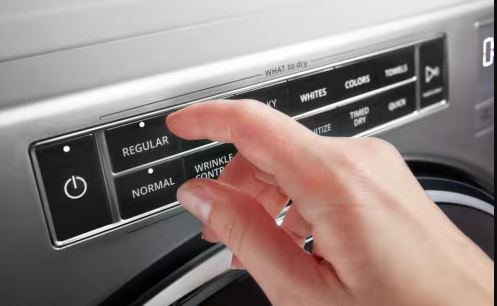
Troubleshooting Entry Failures
If diagnostic mode won’t activate after multiple attempts, verify basic conditions:
- Check that the dryer door is completely closed (some models require door closure for diagnostic entry)
- Ensure nothing is running by canceling any active cycle and waiting 10 seconds before attempting diagnostic entry
- Try unplugging the dryer for 60 seconds, then plug back in and immediately attempt diagnostic entry (some control boards need a fresh power-up to accept the sequence)
- Verify the control panel responds to normal button presses (if standard buttons don’t work, the control board or interface board has failed, and diagnostic mode won’t function with damaged controls)
Navigating Whirlpool Duet Dryer Diagnostic Test Modes
Once inside diagnostic mode, you access different tests by cycling through numbered modes.
Access Test Mode Menu
After successful diagnostic entry, the display shows “01” or “E1” indicating the first test mode. Press “More Time” to advance to the next mode (02, 03, etc.), and press “Less Time” to go back to previous modes.
Cycle through all available modes to see what your specific model offers. Most Duets provide 5-6 test modes, and the highest number varies by model year.
To activate a displayed test mode, press “Start.” The test runs and displays results, and you can press “Cancel” or “Pause” to stop the current test and return to mode selection.
Navigate Model-Specific Variations
Not all Duets use identical test mode numbering. Some display “E1, E2, E3” instead of “01, 02, 03,” but the function remains the same with only the display format differing.
Touch-screen Duets (rare luxury models) show diagnostic menus as text rather than codes. You’ll see “View Errors” instead of “01,” and navigation uses touch controls instead of physical buttons.
Duet Steam models include additional test modes for steam generator diagnosis that appear as modes 07 and 08 on steam-equipped units.
Interpreting Whirlpool Duet Dryer Diagnostic Codes
Diagnostic codes reveal specific component failures and system conditions.
Stored Error Code Display (Mode 01)
Activating test mode 01 displays the error code history. The screen shows each stored code for 2-3 seconds before advancing to the next, and codes cycle continuously until you press “Cancel.”
Write down every code as it appears since the sequence matters. Codes display in reverse chronological order (most recent first), and you’ll see each code followed by a count number showing how many times it occurred.
Example display sequence: “F22” (pause) “03” (pause) “F28” (pause) “01” (pause) “F01” (pause) “05.” Translation: F22 occurred 3 times, F28 occurred once, F01 occurred 5 times.
Common Error Codes and Meanings
Here are the commonest Whirlpool Duet dryer error codes and their meaning and quick troubleshooting:
F01 – Main control failure: EEPROM communication error where the control board can’t read/write memory. Usually requires board replacement and is caused by component failure or power surge damage.
F22 – Exhaust air temperature too high: Thermistor detected excessive temperature indicating restricted airflow. Clean entire vent system and test thermistor resistance (should be 50K ohms at 70°F).
F23 – Exhaust thermistor error: Thermistor reads outside possible range or has open/short circuit. Test thermistor continuity and resistance, and replace if out of specification.
F26 – Drive motor failure: Motor won’t reach target speed or control can’t detect rotation. Check door switch, belt tension, and motor windings. Verify motor pulley isn’t jammed.
F28 – Moisture sensor malfunction: Sensors show implausible readings or communication failure. Clean sensor strips thoroughly and test sensor resistance, which should change dramatically between dry and wet.
F29 – Door lock system error: Door won’t lock or unlock, or control can’t verify lock status. Test door lock assembly, check strike alignment, and inspect wiring harness.
F70 – Interface board communication: Control panel can’t communicate with main board. Check wire harness connections and may require interface board or main board replacement.
PF – Power failure: Informational code indicating power interruption during cycle. Not an error, just press any button to clear and restart.
L2 – Low line voltage: Control detected voltage below 207V. Check electrical connections and test voltage under load, which should maintain 220V minimum.
Analyze Error Code Patterns
Single isolated error codes point to specific component failures. F28 appearing once suggests moisture sensor problems that you should address for that specific component.
Multiple different codes indicate control board problems or cascading failures. F22 followed by F26 followed by F01 suggests overheating caused motor protection triggering, then control board failure from sustained high temperature.
High occurrence counts reveal chronic problems. F22 appearing 8 times means you’ve had repeated overheating episodes, and the problem might seem resolved temporarily but keeps returning. This pattern demands thorough vent system cleaning and possibly vent rerouting.
Codes appearing in specific sequences tell stories. PF followed immediately by F01 indicates power outage damaged the control board, where the outage itself didn’t cause F01 but the surge when power restored did.
Manual Component Testing (Mode 02)
Test mode 02 allows manual activation of individual dryer components for direct testing.
Activate Manual Test Mode
Select test mode 02 and press “Start.” The dryer enters manual test mode where you can activate specific components by pressing corresponding buttons.
The display shows dashes or “tSt” while in manual mode. Different buttons activate different components, and pressing a button activates the corresponding component for 5-10 seconds.
Test Heating Element
Press “High Heat” or “Normal” (varies by model). The heating element receives power, so wait 30-60 seconds and carefully touch the exhaust vent where you should feel warm air beginning to flow.
Don’t touch the element directly since it reaches 500°F+ when working. Feel the vent or watch for the characteristic glow through vent openings.
If no heat develops after 60 seconds, the element has failed, thermal components are blown, or the control board relay is bad. This test isolates whether the problem is mechanical (element) or electronic (control board).
Test Drive Motor
Press “Start” or “Extra Dry” to activate the motor. The drum should begin rotating at low speed, so listen for motor sounds since humming without rotation indicates motor or belt problems.
The motor runs as long as you hold the button (up to 60 seconds). Release and the motor stops, confirming the motor receives power and can start. If the motor won’t run during manual testing but the dryer has power, the motor or motor circuit has failed.
Watch for smooth acceleration where the motor should reach operating speed within 2-3 seconds. Slow acceleration or speed fluctuation suggests motor bearing wear or capacitor issues.
Test Display Segments
Press “Delicate” or “Timed Dry” to cycle through display segment testing. All LED segments illuminate in sequence, which verifies the display works correctly.
Look for dark segments or flickering since dead segments indicate display circuit problems or failing LEDs. This test distinguishes between control board failure and display failure when the screen shows incorrectly.
Test Door Lock
Press “Steam” or “Wrinkle Prevent” to manually engage the door lock. You should hear the lock click and the door handle should resist opening.
Press the button again to release the lock. The door should open freely after the unlock click, confirming the lock mechanism operates properly under electronic control.
If the lock engages but won’t release, the unlock solenoid has failed. If nothing happens, the lock assembly needs replacement or isn’t receiving power.
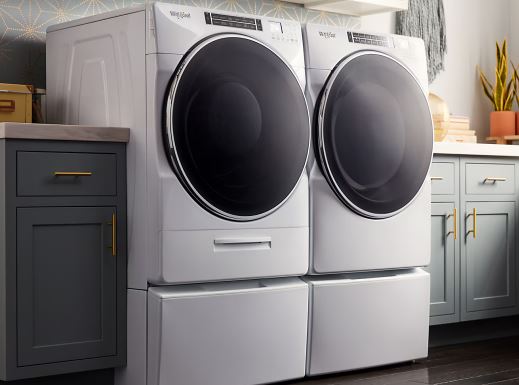
Automatic Diagnostic Cycle (Mode 03)
Test mode 03 runs a comprehensive automatic diagnostic that tests all components sequentially.
Start Automatic Testing
Select test mode 03 and press “Start.” The dryer begins an automated sequence testing each component, which takes 3-5 minutes to complete.
During automatic testing, the dryer:
- Locks the door
- Activates the heating element (30 seconds)
- Starts the motor and rotates the drum (60 seconds)
- Tests the blower at various speeds
- Cycles display segments
- Unlocks the door
Watch and listen throughout the sequence and note any component that fails to activate. The dryer beeps or displays an error code if it detects problems during automatic testing.
Interpret Automatic Test Results
Successful completion returns to mode selection menu with no errors displayed, confirming all components passed testing.
Error codes appearing during automatic testing identify failed components immediately. F26 during the motor start portion confirms motor problems, while F22 during heating indicates thermistor or airflow issues.
The automatic test only confirms components respond to control board commands and doesn’t test component effectiveness. A weak heating element might activate during testing but not produce adequate heat for drying, so manual testing and resistance measurements provide deeper diagnosis.
Real-Time Sensor Value Display (Mode 04)
Test mode 04 shows current sensor readings in real-time for verification and calibration checking.
Access Sensor Display
Select test mode 04 and press “Start.” The display alternates between different sensor values, updating every 2-3 seconds.
Sensor displays show:
- Temperature readings: Exhaust thermistor value in Fahrenheit or resistance
- Moisture sensor: Resistance between sensor strips in ohms or display code
- Voltage: Supply voltage to control board
- Motor speed: Current drum RPM
Write down all displayed values and compare them to expected ranges in your service manual or online repair resources.
Interpret Temperature Readings
The thermistor reading should approximately match room temperature when the dryer hasn’t run recently. A dryer sitting at 70°F should show 70-75°F on the thermistor reading.
Significant deviation (more than 10°F from actual room temperature) indicates thermistor drift or failure. Replace thermistors reading 20°F+ from actual temperature.
Some models display thermistor resistance instead of temperature. At 70°F, expect approximately 50,000 ohms (50K). The relationship is non-linear where resistance drops as temperature increases. At 120°F, resistance drops to about 18,000 ohms.
Check Moisture Sensor Values
With the drum empty and dry, moisture sensors should show very high resistance, typically displayed as “999,” dashes, or megaohm range. This indicates open circuit between sensors (no conductivity).
Touch both sensor strips simultaneously with wet fingers. Resistance should drop dramatically to 100-1000 ohms range, displayed as low numbers or “cLo.” This proves the sensors detect moisture.
If resistance doesn’t change between dry and wet tests, the sensors have failed or have heavy residue coating blocking conductivity. Clean thoroughly and retest, and if still no change, replace the sensor assembly.
Monitor Voltage Readings
Supply voltage should read 230-250V on the display. Lower readings indicate electrical problems, so check circuit breaker, outlet connections, and power cord terminal block.
Voltage fluctuating during display (dropping 10+ volts then recovering) reveals poor connections. Tighten all electrical connections immediately since loose connections create fire hazards.
Some models show two voltage readings: 240V for the main supply and 120V for the control board. Both must be within range for proper operation.
Verify Motor Speed
When the motor isn’t running, speed displays “000” or “off.” Start the motor manually (switch to mode 02) then return to mode 04, and the speed display should show 50-55 RPM for most Duet models.
Lower RPM indicates motor struggling, so check for belt tension issues, drum binding, or motor bearing wear. Higher RPM (above 60) suggests control board miscalculation or tachometer sensor problems.
Speed should hold steady since fluctuating RPM readings indicate electrical issues or failing motor bearings allowing speed variation under load.
Clearing Error Memory (Mode 05)
After completing repairs, clear stored error codes to monitor whether problems recur.
Erase Diagnostic Codes
Select test mode 05 and press “Start.” The display shows “cLr” or dashes briefly, then returns to test mode menu. All stored error codes are now erased.
Clearing codes doesn’t fix problems since it only erases the memory. Use this after confirming repairs resolved the underlying issues, and monitor for new codes appearing after clearing.
Some technicians clear codes before starting diagnosis to establish a clean baseline. After operating the dryer, re-enter diagnostics to see which codes appear fresh, which distinguishes old historical errors from current problems.
When Not to Clear Codes
Don’t clear error history until you’ve documented all codes and diagnosed all issues. Once cleared, that historical information disappears permanently.
Don’t clear codes hoping to “reset” the dryer into working. Error codes indicate real problems requiring actual repairs, and clearing codes without repairs makes them reappear immediately.
Keep codes visible if you’re requesting technical support or ordering parts. Support specialists need error code information to provide accurate guidance.
Advanced Whirlpool Duet Dryer Diagnostic Techniques
Expert-level diagnostic procedures extract maximum information from diagnostic mode.
Cross-Reference Multiple Test Modes
Compare manual component tests (mode 02) with sensor readings (mode 04). Activate the heating element in mode 02, then switch to mode 04 to watch temperature rise in real-time. This verifies both element function and thermistor accuracy.
Test motor speed by activating it manually, then check mode 04 for RPM reading. If motor sounds strong but RPM reads low, the speed sensor (tachometer) has failed rather than the motor itself.
Load Testing
Place a damp towel in the drum before running automatic diagnostic. This provides realistic load for motor and heating tests since components that pass no-load testing sometimes fail under realistic loads.
Monitor moisture sensor values (mode 04) with the damp towel touching the sensors. Values should show low resistance, and as the towel dries during testing, watch resistance increase. This mimics actual cycle operation.
Document Everything
Take photos of every diagnostic screen including error codes, sensor values, and test results. This documentation proves invaluable when ordering parts or requesting technical support.
Create a diagnostic log noting:
- Date and time of testing
- All error codes found with occurrence counts
- Sensor readings from mode 04
- Which manual tests passed/failed
- Any unusual observations
This log tracks problems over time and reveals patterns invisible in single diagnostic sessions.
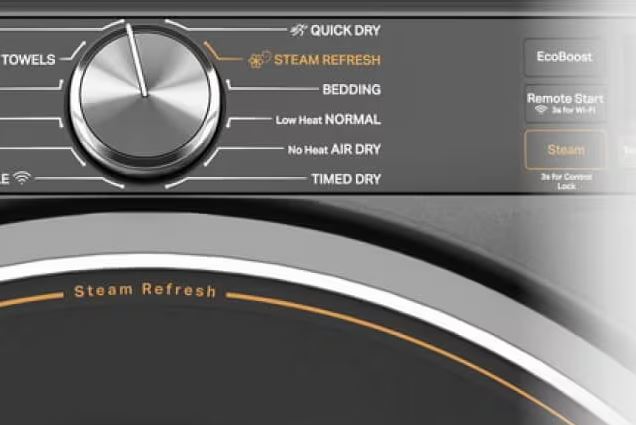
Troubleshooting Whirlpool Duet Dryer Diagnostic Mode Issues
Sometimes diagnostic mode itself doesn’t work properly, complicating troubleshooting.
Diagnostic Mode Won’t Enter
If the button sequence fails repeatedly:
- Verify you’re using the correct sequence for your model year by double-checking model number against the three generation categories
- Try all three sequences since model year boundaries aren’t precise (your 2009 model might use 2010-generation sequence)
- Test with a completely empty drum and closed door (some models require specific conditions for diagnostic entry)
- Perform a hard reset by unplugging for 5 minutes, plug back in, wait 30 seconds, then immediately try diagnostic entry
If no sequence works, the control board or interface board has failed. Diagnostic mode functionality depends on working control electronics.
Tests Don’t Activate Components
If manual testing (mode 02) shows commands but components don’t respond:
- The component itself has failed (heating element, motor, door lock, etc.)
- Wiring between control board and component is damaged (check wire harness continuity)
- Control board output circuits have failed (relays or triacs burned out)
- Thermal protection devices are open (check thermal fuses and high-limit thermostats)
The control board recognizes the test command but can’t deliver power to components. This narrows diagnosis to the power delivery chain rather than sensing or logic circuits.
Practical Diagnostic Workflows
Systematic diagnostic procedures prevent wasted time testing wrong components.
Initial Diagnosis Workflow
For any Duet problem, follow this sequence:
- Enter diagnostic mode and check error history (mode 01)
- Document all stored codes and occurrence counts
- Review sensor values (mode 04) and note any out-of-range readings
- Run automatic diagnostic (mode 03) to verify basic functionality
- Use manual testing (mode 02) to focus on suspected failed components
- Compare test results against expected values
- Exit diagnostic mode and test normal operation
This systematic approach takes 15-20 minutes and identifies most problems without disassembling anything.
Targeted Testing for Specific Symptoms
No heat complaints:
- Check error history for F22, F23 (thermistor/vent issues)
- Display sensor values and verify thermistor reads correctly
- Manual test heating element to confirm it activates
- Check actual resistance of element with multimeter
Won’t start issues:
- Check for F29 (door lock) in error history
- Manual test door lock to verify it clicks
- Check voltage display and confirm adequate power
- Test all safety switches (door, thermal fuses)
Incomplete drying:
- Check for F28 (moisture sensors) in history
- Display sensor values and test dry vs wet resistance
- Verify thermistor readings make sense
- Check for airflow restriction codes (F22)
Post-Repair Verification
After fixing any problem:
- Clear error memory (mode 05)
- Run automatic diagnostic (mode 03) to verify all systems functional
- Exit diagnostic mode and run normal test cycle
- Re-enter diagnostics and check error history (should be empty)
- Verify sensor values remain normal during and after test cycle
This confirms the repair succeeded and no new problems emerged during the fix.
Whirlpool Duet Dryer Diagnostic Mode Tips and Tricks
Expert techniques maximize diagnostic mode effectiveness.
Use Diagnostic Mode for Preventive Maintenance
Even when nothing’s broken, annual diagnostic checks reveal developing problems:
- Enter mode 01 quarterly and check error history (occasional codes that don’t cause failures warn of components approaching failure)
- Monitor sensor values (mode 04) seasonally and compare readings over time (gradually drifting values indicate component aging)
- Run automatic diagnostic (mode 03) after any electrical storms or power outages to verify no surge damage occurred
Combine Diagnostic Mode with Multimeter Testing
Diagnostic mode tells you what the control board sees, while a multimeter (View on Amazon) tells you actual electrical values. Compare them:
- Diagnostic mode shows thermistor temperature while multimeter measures actual thermistor resistance (differences reveal calibration drift)
- Diagnostic mode activates heating element while multimeter confirms voltage actually reaches element (this distinguishes control board problems from wiring problems)
Use diagnostic mode to activate components, then use multimeter to verify they receive correct voltage and current. This pinpoints exactly where power delivery fails.
Document Baseline Values
When your dryer works perfectly, enter diagnostic mode and record all sensor values. This baseline proves invaluable later:
- Compare future readings to baseline (deviations indicate component changes even if still within acceptable ranges)
- Baseline thermistor resistance at known temperature allows you to calculate expected resistance at other temperatures using thermistor curves
- Baseline moisture sensor values show how readings should look when working correctly
Frequently Asked Questions
What does it mean if diagnostic mode shows no error codes?
No stored codes means either the dryer hasn’t experienced detectable faults, or someone previously cleared error memory. Check sensor values in mode 04 even with no codes since some problems cause symptoms without triggering code storage. The dryer might be working poorly but not poorly enough to generate codes.
Can I damage the dryer by entering diagnostic mode?
No, diagnostic mode is completely safe. It’s a built-in testing system designed for technicians and doesn’t harm anything. Manual component tests run components the same way they operate during normal cycles. The only caution is don’t touch heating elements during testing as they get extremely hot.
How long do error codes stay in memory?
Error codes persist until manually cleared in mode 05 or until the control board loses power for extended periods (multiple days unplugged). They survive normal power cycles and resets, but very old codes (30+ errors back) may be overwritten as new codes fill memory.
Why do some error codes appear multiple times in history?
High occurrence counts indicate repeated failures of the same component or recurring conditions. F22 appearing 5 times means you’ve had 5 separate overheating episodes, probably from chronic vent restrictions. Address the underlying cause rather than just clearing codes.
What if my model year is between the generations listed?
Try each button sequence in order: first generation method, then second generation, then third generation. One will work since model year boundaries aren’t precise, and Whirlpool sometimes introduced new sequences mid-year. No harm comes from attempting wrong sequences since the dryer simply won’t respond.
Can diagnostic mode fix problems or only identify them?
Diagnostic mode only identifies problems through testing and sensor readings and can’t repair anything. However, clearing error codes (mode 05) after repairs helps verify fixes worked by establishing a clean slate for monitoring. Think of it as a diagnostic tool, not a repair tool.
Do I need special tools to use diagnostic mode effectively?
Diagnostic mode itself requires no tools, just the dryer and your fingers. However, a multimeter greatly enhances diagnostics by verifying actual component values versus what the control board reports. A pen and paper for noting codes and values is essential, and a camera phone for photographing diagnostic screens helps documentation.
Why does the display show numbers that don’t match error codes?
In sensor value mode (04), the display shows actual sensor readings like temperatures, resistances, and voltages. These are measurements, not error codes, and they look similar but serve different purposes. Error codes are alphanumeric (F22, F28) while sensor values are pure numbers (072 for 72°F, 235 for 235V).
Master Your Whirlpool Duet Dryer Diagnostic Capability
The Whirlpool Duet dryer diagnostic mode transforms mystery malfunctions into clear, actionable information. Master the model-specific entry sequences, understand what each test mode reveals, and document your findings systematically.
This hidden technician interface puts professional-level troubleshooting in your hands. Most Duet problems announce themselves through specific error codes and out-of-range sensor values visible only in diagnostic mode. Regular diagnostic checks catch developing problems before they cause complete failures.
Combine diagnostic mode testing with multimeter verification for comprehensive analysis that identifies failing components with certainty rather than guesswork. Your $150 service call fee just became 15 minutes of diagnostic mode investigation.

Hi, I’m Barlgan! I created Repair Me Yourself to empower homeowners to tackle appliance repairs with confidence. From decoding error codes to fixing cooling issues, I break down complex repairs into simple, actionable steps that save you time and money.