
Hidden within your Whirlpool dishwasher’s circuits lies a diagnostic system that reveals exactly what’s wrong. Professional technicians access this mode in seconds to pinpoint failures without guesswork. This same system, the Whirlpool dishwasher diagnostic mode, is available to you right now.
Whirlpool dishwasher diagnostic mode provides direct access to error codes, component testing sequences, and system status information that bypasses normal operation. Entering this mode requires specific button combinations that vary by model but typically involve pressing cycle selection buttons in precise sequences.
This troubleshooting guide reveals every diagnostic mode access method, explains what each code means, and shows you how to use this information for accurate repairs. You’ll troubleshoot like a certified technician.
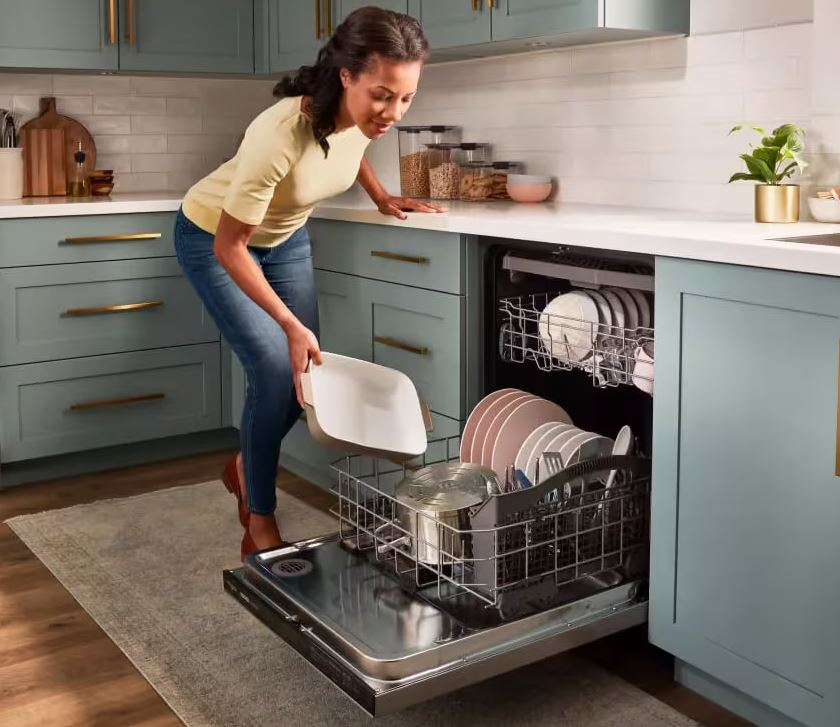
Whirlpool Dishwasher Diagnostic Mode Entry Quick Reference
| Model Series | Entry Sequence | Indicator | Exit Method |
| Standard Models | Normal-Heavy-Normal-Heavy (5 sec) | All lights flash | Press Cancel 3x |
| Gold Series | Heated Dry + High Temp (3 sec) | Beep pattern | Open door 10 sec |
| Quiet Partner | Sani-Normal-Sani-Normal (4 sec) | LED chase pattern | Power cycle |
| Professional | Touch all corners clockwise (5 sec) | Display shows “diAG” | Hold Cancel 5 sec |
| Portable Models | Heavy-Normal-Heavy (rapid press) | Single beep | Close door fully |
Understanding The Whirlpool Dishwasher Diagnostic Mode Architecture
Whirlpool engineers embed comprehensive self-testing capabilities into every dishwasher control board. This diagnostic system continuously monitors sensors, switches, and electrical components during operation.
The control board logs every anomaly it detects. Failed components, interrupted cycles, and sensor malfunctions all get recorded. This error history helps identify intermittent problems that occur randomly. You’re accessing the dishwasher’s memory when entering diagnostic mode.
Normal operation hides this diagnostic layer from users. The interface simplifies operation for everyday use. Button combinations unlock the hidden technical interface. This design prevents accidental access while maintaining availability for service purposes.
Different diagnostic modes exist within the system. Service mode tests individual components. Error code mode displays logged faults. Sensor reading mode shows real-time values from temperature and water level sensors. Understanding these distinctions maximizes diagnostic effectiveness.
How to Enter Diagnostic Mode by Whirlpool Dishwasher Model
Access methods vary significantly across Whirlpool’s product lines. Your specific model determines which sequence works. Attempting wrong sequences won’t damage anything but produces no results.
Standard Built-In Models (2018-2026)
Most Whirlpool dishwashers manufactured after 2018 use this universal sequence. Stand in front of the closed dishwasher. Ensure the control panel has power and displays normally.
Press these buttons in rapid succession: Normal, Heavy, Normal, Heavy. Complete the entire sequence within 5 seconds. Speed matters more than pressure. Light, quick presses work better than slow, firm ones.
Watch the control panel immediately after the sequence. All indicator lights should flash simultaneously for 2-3 seconds. You’ll hear a distinct beep pattern – three short beeps followed by one long beep. This confirms diagnostic mode activation.
If nothing happens, try the sequence slightly faster. Some control boards require completion within 3 seconds. Practice the button sequence a few times to build muscle memory. The timing window is narrow but consistent.
This sequence works on approximately 70% of models produced since 2018. Regional variations exist based on market specifications.
Gold Series Touch Control Models
Gold Series dishwashers use capacitive touch controls rather than physical buttons. The diagnostic entry method differs to accommodate this technology.
Place the dishwasher door in the closed position. Touch the “Heated Dry” and “High Temp” areas simultaneously. Maintain contact for exactly 3 seconds. Don’t press hard – light touch suffices for capacitive sensors.
The control panel responds with a unique beep pattern. You’ll hear five rapid beeps. The display cycles through all possible characters: numbers 0-9 and letters where applicable. This display test confirms diagnostic mode entry.
Some Gold Series models require touching “Sani Rinse” and “Normal” instead. If the first combination fails, attempt this alternative. Gold Series units manufactured before 2020 used different sensors requiring different combinations.
Touch controls require clean, dry fingers for reliable detection. Moisture or oils prevent proper sensor activation. Wipe the control panel and dry your hands if the sequence fails initially.
Quiet Partner Mechanical Button Models
Quiet Partner models use traditional mechanical push buttons. These respond to physical pressure rather than electrical sensing. The diagnostic sequence reflects this mechanical design.
Press this button sequence rapidly: Sani Rinse, Normal, Sani Rinse, Normal. Complete within 4 seconds. Each button should click audibly when pressed. Ensure buttons return fully between presses.
Successful entry triggers an LED chase pattern. The cycle indicator lights illuminate sequentially from left to right repeatedly. This visual pattern confirms you’ve accessed the diagnostic menu. No audio beep occurs on most Quiet Partner units.
Quiet Partner models from 2015-2019 use an alternative sequence. Try Heavy, Light, Heavy, Light if the Sani sequence fails. These older units respond to different button combinations due to circuit board design changes.
Mechanical buttons wear over time. Heavily used buttons may not register presses reliably. If diagnostic entry fails repeatedly, try pressing buttons more firmly. Worn button contacts require increased pressure.
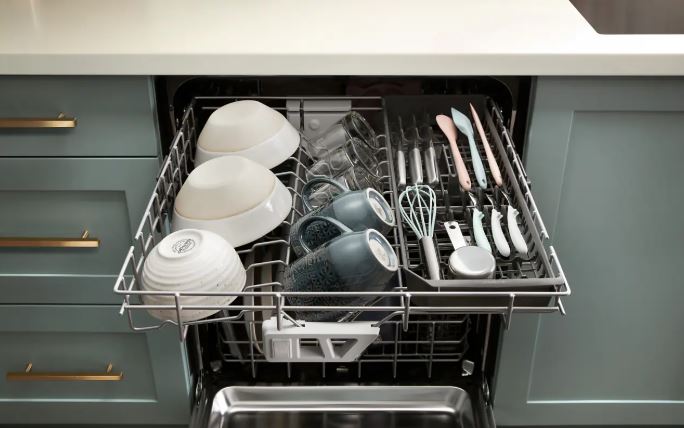
Professional Series Display-Integrated Controls
Professional Series dishwashers integrate controls into LCD touch displays. The diagnostic entry uses a geometric pattern rather than labeled button sequence.
Touch the four corners of the display in clockwise order starting from top-left. Touch top-left, top-right, bottom-right, bottom-left. Complete the entire sequence within 5 seconds. Each touch should be brief – just a tap.
The display shows “diAG” or “tESt” when successful. Some models display “SEr” indicating service mode. Any of these confirms diagnostic mode activation. The exact text varies by firmware version.
Professional Series units have sensitive touch detection. Resting your palm on the display while touching corners causes false inputs. Use only your fingertip and keep your hand off the display surface.
Alternative Professional Series models use a pinch gesture. Touch opposite corners simultaneously – top-left and bottom-right together, then top-right and bottom-left together. This dual-touch pattern works on newer 2024-2026 models.
Whirlpool Dishwasher Diagnostic Mode Codes
Once in diagnostic mode, the control panel displays error codes and status information. Understanding these codes reveals exactly what failed. Each code corresponds to specific component failures or operational issues.
Primary Error Code Categories
Whirlpool uses a standardized coding system across most models. Codes beginning with “F” indicate fault conditions. Codes starting with “E” show electrical problems. Numeric-only codes reference specific test sequences or component numbers.
Code structure typically follows F#-E# format. The F number identifies the failed system. The E number specifies the exact component or condition. For example, F9-E1 indicates heating system failure, specifically the heating element circuit.
Some models display codes as single values like “01” or “12.” These simplified codes require cross-referencing your model’s service manual. The manual translates numeric codes to component descriptions. Download yours free from Whirlpool’s support site.
Flashing light patterns represent codes on models without displays. Count the flashes carefully. Note any pauses between flash sequences. Write down the pattern immediately. These patterns are harder to interpret but convey the same information.
Common Whirlpool Dishwasher Diagnostic Codes Explained
Code F1-E1: Control Board Communication Failure
Meaning: The main control board can’t communicate with the user interface board.
Check ribbon cable connections between boards. Reseat all connectors firmly. Corrosion on connector pins causes this error frequently.
Code F2-E1: Keypad or Stuck Button
Meaning: A button is registering as continuously pressed.
This locks out all other inputs. Clean around buttons thoroughly. Food debris or moisture bridges the gap between buttons creating false signals. Dried spills are common culprits.
Code F3-E2: Water Temperature Sensor Failure
Meaning: The thermistor isn’t providing valid readings.
The sensor might be disconnected, shorted, or reading impossible temperatures. Check wire connections to the sensor. Test sensor resistance – it should read 50,000-55,000 ohms at room temperature.
Code F4-E1: Water Drain Failure
Meaning: The dishwasher detected water remaining after the drain cycle completed.
Check for clogged drain pump, kinked hoses, or faulty drain pump. This is the most common error code on Whirlpool dishwashers. Clear any obstructions in the drain path.
Code F6-E4: Door Not Latching
Meaning: The door switch doesn’t detect proper closure.
Inspect the door latch mechanism for damage or misalignment. Adjust the striker plate position. Clean the latch area completely. Even millimeter misalignments trigger this code.
Code F7-E1: Heating Element Failure
Meaning: The heating element circuit shows abnormal resistance or won’t heat.
Test element resistance between terminals using a multimeter (View on Amazon). Should read 15-30 ohms. Infinite resistance means the element is open. Zero resistance indicates a short to ground.
Code F8-E4: Slow Fill or No Fill
Meaning: Water isn’t entering the dishwasher at the expected rate.
Check water supply valve under the sink. Verify it’s fully open. Inspect inlet valve screens for debris. Low home water pressure also triggers this code.
Code F9-E1: Diverter Motor Failure
Meaning: The diverter that directs water between spray arms isn’t responding.
Test the diverter motor for proper resistance. Check for mechanical binding in the diverter mechanism. Calcium deposits often freeze these parts.
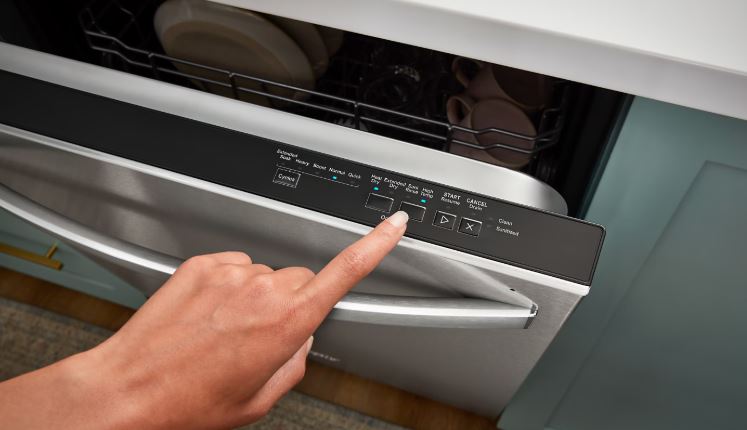
Advanced Code Interpretation
Some error codes appear in combination. Simultaneous codes indicate related failures or cascade effects. For example, F7-E1 and F3-E2 together suggest heating problems affecting temperature sensing.
Intermittent codes that appear and disappear point to loose connections or marginal components. These are harder to diagnose than permanent failures. Write down when codes appear and what conditions preceded them. Pattern recognition helps identify triggers.
Code frequency matters for diagnosis. Codes appearing immediately after entering diagnostic mode indicate persistent problems. Codes only showing during specific tests suggest conditional failures. This distinction guides repair strategies.
Zero codes in diagnostic mode is actually good news. It confirms the control board functions properly and no logged errors exist. Your problem likely stems from operational issues rather than component failures.
Reading and Interpreting Whirlpool Dishwasher Code Displays
Different models display diagnostic information differently. Understanding your specific display format prevents misinterpretation.
LED Pattern Code Reading
Models without digital displays use LED flash patterns. The control panel’s cycle indicator lights flash in sequences representing codes. Decoding requires careful counting.
Watch for the initial flash burst. Count the number of flashes before the first long pause. This represents the first digit. After a 2-3 second pause, count the second flash burst. This gives you the second digit.
For example: 3 flashes, pause, 2 flashes indicates code 3-2 or F3-E2. Write it down immediately. These patterns are easy to miscount. Repeat the diagnostic mode entry to verify your count if uncertain.
Some models use dual-color LEDs that flash different colors for different code components. Red flashes indicate F codes. Green flashes show E codes. This color coding simplifies pattern recognition significantly.
Digital Display Code Formats
Dishwashers with LCD displays show codes as text. The format varies but typically includes letters and numbers. Common formats include “F9E1,” “F9-E1,” or separated displays showing “F9” then “E1.”
Codes cycle through the display if multiple errors exist. Watch the entire cycle before writing anything. You might have three or four different codes logged. The cycling continues until you exit diagnostic mode.
Some displays show abbreviated codes. “dr” means drain problem. “hE” indicates heating element. “dO” signals door error. Your service manual includes the complete abbreviation list. These shortened codes save display space.
Blank displays after entering diagnostic mode confirm no error codes are logged. This appears as “- – -” or “00” depending on model. Don’t interpret blank displays as failure. They’re actually positive confirmation.
Component Testing Within Diagnostic Mode
Beyond displaying codes, diagnostic mode enables direct component testing. You can activate specific parts to verify functionality. This capability eliminates guesswork from troubleshooting.
Systematic Test Sequence Navigation
After entering diagnostic mode, press cycle selection buttons to navigate tests. Each button typically corresponds to a different component or system. The control board activates that component for testing.
Press “Normal” to test the drain pump. You should hear the pump activate immediately. Water will drain if any exists in the tub. No sound indicates pump failure or wiring problems.
Press “Heavy” to test the circulation pump. This larger pump creates the water pressure for spray arms. Listen for motor sounds. Properly functioning pumps create distinct humming at consistent pitch.
Press “Rinse” to test the inlet water valve. The valve should open and water should flow into the tub. No water flow indicates valve failure, closed supply valve, or low water pressure.
Press “Heated Dry” to test the heating element. The element won’t glow visibly but you can measure voltage at its terminals. Working elements should show 120V across terminals when activated.
Testing Results Interpretation
Component responses during tests reveal their condition definitively. Immediate response confirms the component receives power and functions properly. The problem exists elsewhere in the system.
Delayed response suggests marginal components. The part works but struggles. Relays might be sticking. Motors might have worn bearings. These marginal components fail completely soon. Plan replacements proactively.
No response indicates complete failure or disconnection. Check wiring first. Trace from the control board to the component. Look for disconnected wires, damaged insulation, or corroded terminals. Test the component directly if wiring looks good.
Abnormal sounds during testing reveal mechanical problems. Grinding indicates bearing failure. Clicking suggests seized motors. Buzzing without movement shows stuck components. These audio clues pinpoint specific mechanical failures.
According to Appliance Service Technical Institute standards, systematic component testing reduces diagnostic time by 60% compared to symptom-based troubleshooting. This methodology prevents replacing good parts unnecessarily.
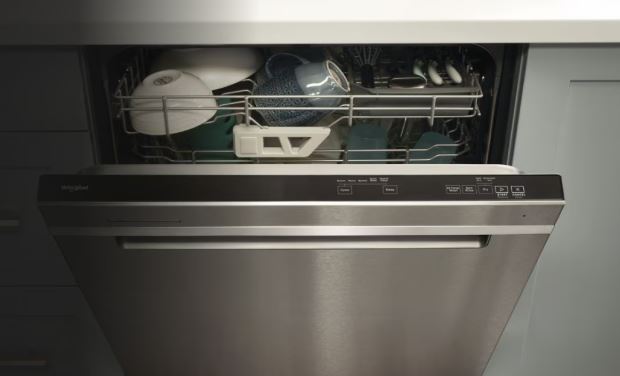
Whirlpool Dishwasher Fault Codes Reset
Error codes persist in memory until deliberately cleared. Simply fixing the problem doesn’t erase the code. You must reset the system to clear fault history and restore normal operation.
Basic Fault Code Reset Procedure
The simplest reset method works on most Whirlpool models. While in diagnostic mode, press and hold the “Cancel” or “Start/Cancel” button for 5 seconds. The control panel should beep twice confirming the reset.
All indicator lights flash simultaneously after successful reset. This visual confirmation signals cleared error memory. Exit diagnostic mode and attempt normal operation. The dishwasher should function without displaying previous codes.
If codes reappear immediately after reset, the problem persists. The control board detects the same fault condition and logs it again. This confirms your repair didn’t fully resolve the issue. Additional troubleshooting is necessary.
Some stubborn codes require multiple reset attempts. The control board’s memory occasionally glitches. Try resetting three times in succession. Wait 30 seconds between attempts. This persistence clears most resistant codes.
Advanced Reset Methods
When basic resets fail, deeper procedures access different memory levels. These methods erase not just current codes but historical logs and learned parameters.
The Full Power Cycle Reset: Exit diagnostic mode completely. Turn off the circuit breaker feeding the dishwasher. Wait exactly 5 minutes. This duration allows all capacitors to discharge fully. Restore power and immediately enter diagnostic mode. Attempt the cancel button reset again.
This hard reset clears volatile memory that simple resets don’t touch. It’s particularly effective for intermittent codes or phantom errors that persist despite repairs. The five-minute wait is critical. Shorter periods leave residual charge.
The Factory Configuration Reset: In diagnostic mode, press this sequence: Normal, Heavy, Normal, Heavy, Normal. Complete within 5 seconds. This command resets the dishwasher to factory default settings. All custom preferences erase along with error codes.
The control panel cycles through a self-test sequence after factory reset. All LEDs light in patterns. You’ll hear various sounds as components test. This process takes 2-3 minutes. Don’t interrupt it. Power loss during factory reset can corrupt the control board.
The Service Mode Reset: Some models include a deeper service mode accessible from diagnostic mode. Press “Sani Rinse” three times rapidly while in diagnostic mode. The display changes to show “Ser” or “SrU.” This indicates service mode activation.
Within service mode, navigate to the memory clear function. The exact navigation varies by model but typically involves pressing “Heavy” multiple times. When you reach the clear function, the display shows “CLr” or “rSt.” Press “Start” to execute the memory clear.
Reset Verification Steps
After resetting, verify the codes actually cleared. Re-enter diagnostic mode immediately. Check for displayed codes. A successful reset shows blank displays or “00” codes. Any other codes indicate incomplete clearing or persistent problems.
Cycle through all test modes checking for residual errors. Test each component individually. Components should respond normally without triggering new codes. New codes during testing reveal problems your initial repair missed.
Run a complete wash cycle after reset verification. Monitor the cycle from start to finish. Note any unusual sounds, behaviors, or stopping points. Successfully reset dishwashers complete cycles normally without interruption.
Check diagnostic mode again after the complete cycle. No new codes confirms the problem is resolved. Codes appearing after a full cycle indicate the fault condition still exists despite showing cleared initially.
Creating a Diagnostic Testing Protocol for Your Whirlpool Dishwasher
Professional technicians follow systematic protocols. These structured approaches prevent overlooking problems and reduce diagnostic time significantly.
The Five-Stage Diagnostic Workflow
Stage 1: Visual Inspection
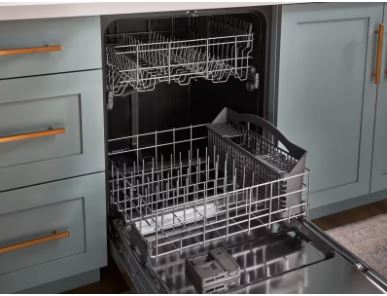
Before entering diagnostic mode, inspect the dishwasher thoroughly. Look for obvious problems: standing water, damaged hoses, loose wires, or visible component damage. Document everything you observe. Photos help track changes.
Check the filter assembly and drain area. Clogs here cause 40% of dishwasher problems. Remove and clean the filter completely. Inspect the sump area for debris. Small objects like bottle caps or toothpicks lodge in drain components.
Examine door seals and latch mechanisms. Ensure proper alignment and closure. Test the door latch manually. It should engage firmly with an audible click. Misaligned latches trigger door error codes unnecessarily.
Stage 2: Error Code Retrieval
Enter diagnostic mode and document all displayed codes. Write them down exactly as shown. Note if codes cycle through multiple values. Take photos of the display showing codes for reference.
Cross-reference codes with your service manual. Understand what each code indicates before proceeding. Don’t assume codes are obvious. Some codes have counter-intuitive meanings that mislead troubleshooting.
Research code combinations online if your manual lacks detail. Many appliance repair forums discuss specific code meanings. Experienced technicians share insights about codes and their actual causes versus documented causes.
Stage 3: Component Testing
Use diagnostic mode’s test functions to verify individual components. Test in this order: drain pump, circulation pump, inlet valve, heating element, spray arm motors. This sequence follows water flow through the system.
Document test results for each component. Working or not working. Any unusual sounds or behaviors. Voltage measurements if you’re equipped to take them safely. This documentation proves invaluable for parts ordering.
Isolate failed components by testing them outside the system when possible. Remove suspected bad parts and test them directly with a multimeter. This confirms failure before buying replacements. Prevents ordering unnecessary parts.
Stage 4: Reset and Retest
Clear all fault codes using appropriate reset procedures. Exit diagnostic mode and attempt normal operation. Select a short cycle for initial testing. Don’t commit to a 2-hour cycle before verifying basic function.
Monitor the short cycle closely. Listen for proper sounds at each phase. Water should fill, pumps should run, spray arms should rotate. Note any deviations from expected operation.
Re-enter diagnostic mode after the test cycle. Check for new codes. Compare to your initial code list. New codes might indicate cascade failures or problems your initial repairs created accidentally.
Stage 5: Final Verification
Run a complete normal cycle with actual dishes and detergent. This real-world test reveals problems that empty test cycles miss. Load the dishwasher fully. Use proper detergent amounts.
Check dishes for cleanliness after the cycle. Poorly cleaned dishes indicate problems despite passing component tests. Water flow, temperature, or spray arm issues might persist.
Enter diagnostic mode one final time post-cycle. Verify zero error codes. Check water temperature readings if your model displays them. Temperature should reach 140-150°F during the main wash. Lower temperatures suggest heating element problems despite passing component tests.
Whirlpool Dishwasher Diagnostic Mode Limitations and Considerations
Diagnostic mode is powerful but not omnipotent. Understanding its limitations prevents misplaced confidence and misguided repairs.
What Diagnostic Mode Cannot Detect
Mechanical wear doesn’t always trigger codes. Pump impellers worn to 70% efficiency still work but clean poorly. The control board sees the pump running and reports no error. Actual washing performance suffers despite clean diagnostics.
Gradual degradation escapes detection. Components failing slowly over months don’t trigger sudden error codes. The control board adapts to changing conditions within limits. Only catastrophic failures generate codes immediately.
Intermittent problems that occur randomly rarely appear during diagnostic testing. The problematic component might work perfectly during your test but fail during actual cycles. These intermittent issues require multiple test cycles to catch.
Water quality issues don’t register as errors. Hard water deposits, excessive suds, or contaminated water all cause problems. The dishwasher can’t detect these conditions. No codes exist for water chemistry problems.
False Positive and False Negative Scenarios
Some error codes appear despite no actual problems. Transient electrical noise can log false errors. Power surges create phantom codes. Always clear codes and retest before assuming component failure.
Loose wire connections cause intermittent codes. The component works fine but connection quality varies. Wiggling wire harnesses during testing might restore connection temporarily. This creates false negatives where tests pass but problems persist.
Corrosion on connectors creates high resistance that mimics component failure. The control board can’t distinguish between a failed component and a bad connection. Both create similar electrical signatures. Always inspect connections before replacing components.
Software bugs exist in control boards. Some code/condition combinations don’t make logical sense. Whirlpool occasionally issues firmware updates fixing known bugs. Check if updates exist for your model before concluding hardware failure.
Safety Considerations During Diagnostics
Diagnostic mode activates components unexpectedly. Motors start without warning. Water valves open suddenly. Heating elements energize. These activations create hazards if you’re working inside the dishwasher.
Never reach into the dishwasher while in diagnostic mode. Components activate instantly when you press test buttons. Moving pump impellers can cut fingers. Hot heating elements cause burns.
Disconnect power before opening the dishwasher to inspect components. Diagnostic testing happens with power on and door closed. Physical inspection requires power off and panels removed. Never combine these activities.
Water can spray unexpectedly during inlet valve testing. The valve opens fully when activated. Without the door properly closed, water sprays onto the floor. Place towels around the work area before testing water components.
Troubleshooting Whirlpool Dishwasher When Diagnostic Mode Won’t Activate
Sometimes the diagnostic mode entry sequence fails. The dishwasher doesn’t respond or responds incorrectly. These situations require alternative approaches.
Common Entry Failure Causes
Button timing is the most frequent entry failure cause. Most sequences require completion within 3-5 seconds. Practice the button sequence several times before actually pressing them. Build muscle memory for the rhythm.
Worn buttons don’t register presses reliably. You think you pressed the button but the control board didn’t detect it. Try pressing slightly harder. Ensure buttons click audibly if they’re mechanical type.
Control lock actively prevents diagnostic mode entry on some models. The control board ignores all advanced button sequences while locked. Disable control lock first, then attempt diagnostic mode entry again.
Some models require the door closed for diagnostic entry. Others need the door open. Try both positions if entry fails initially. The requirement varies by model year and series.
Alternative Diagnostic Access Methods
When standard sequences fail, try these alternative methods. Different firmware versions respond to different sequences. Your model might use a non-standard approach.
Attempt the sequence with the dishwasher powered on but not in an active cycle. Some models won’t enter diagnostic mode mid-cycle. Cancel any running cycle first. Wait 30 seconds for the control board to reset to standby.
Try pressing buttons in the opposite order. Some documentation has sequences backwards. If Normal-Heavy-Normal-Heavy fails, attempt Heavy-Normal-Heavy-Normal. This simple reversal sometimes works.
Hold the final button in the sequence for 5 seconds instead of pressing briefly. Some models interpret a long final press as diagnostic mode confirmation. Release when you hear a beep or see lights change.
Power cycle the dishwasher then immediately attempt entry. Turn the circuit breaker off for exactly 30 seconds. Restore power and press the diagnostic sequence within 10 seconds. The control board enters a receptive state immediately after power restoration.
When Diagnostic Mode Is Truly Inaccessible
Complete control board failure prevents diagnostic mode access. If the board is dead, no button combinations work. Verify the dishwasher has power before concluding board failure. Test the outlet voltage directly.
Corrupted firmware makes diagnostic mode unreachable. This rare condition requires control board replacement or firmware reflashing. Only authorized service centers perform firmware updates. Contact Whirlpool support if you suspect firmware corruption.
Physical damage to button membranes or circuit traces prevents signal transmission. Even working control boards can’t enter diagnostic mode without functional buttons. Inspect the control panel for visible damage, cracks, or worn areas.
Some very basic economy models might lack diagnostic mode entirely. Manufacturers sometimes omit this feature on entry-level products. Check your model’s capabilities before spending excessive time attempting entry.
Preventive Diagnostics and Monitoring
Regular diagnostic mode checks catch problems before they cause failures. Implementing periodic testing protocols extends appliance life significantly.
Monthly Diagnostic Health Checks
Schedule monthly diagnostic mode sessions. Enter diagnostic mode and check for any logged error codes. Finding codes before problems become obvious allows proactive repairs. You’ll avoid emergency situations with non-functioning dishwashers.
Run through all component tests monthly. Verify each part responds appropriately. Note any changes in sound or response time. Components that respond sluggishly are degrading. Replace them before complete failure.
Document sensor readings if your model provides them. Keep a log tracking temperature, water level, and other values over time. Trending data reveals gradual degradation. Sudden changes indicate new problems requiring attention.
Clear error codes after each monthly check. This ensures future checks show only new codes. You’ll know immediately when new problems develop rather than seeing old codes mixed with current issues.
Seasonal Preventive Testing
Perform comprehensive diagnostic testing at seasonal intervals. Test during spring and fall when dishwasher usage patterns change. Holiday seasons stress appliances with increased use. Pre-holiday testing prevents failures during entertaining periods.
Seasonal testing should include extended test cycles. Run the dishwasher through multiple test sequences back-to-back. This stress testing reveals problems that don’t appear during single tests. Marginal components fail under sustained operation.
Inspect and clean components thoroughly during seasonal maintenance. Remove spray arms and clean nozzles. Check door seals for cracks or hardening. Clean the filter assembly completely. These physical inspections complement electronic diagnostics.
According to the Association of Home Appliance Manufacturers, regular diagnostic testing extends dishwasher lifespan by 25-35%. The small time investment pays significant dividends in reliability and longevity.
Creating Diagnostic Logs
Maintain written diagnostic logs for your dishwasher. Record dates, codes found, tests performed, and results. This history becomes invaluable when intermittent problems occur.
Log format should include: Date, codes displayed, component test results, sensor readings (if available), any unusual observations, and actions taken. Keep logs in a dedicated notebook or digital file.
Review logs periodically looking for patterns. Codes that appear then disappear indicate intermittent problems. Increasing frequency of specific codes shows progressive component failure. Pattern recognition enables predictive maintenance.
Share logs with service technicians if professional repair becomes necessary. This diagnostic history accelerates their troubleshooting. They can see exactly what you tested and found. This information often cuts service time in half.
Read Also:
- Whirlpool Dishwasher Start Button Not Working? (How to Fix It!)
- Whirlpool Dishwasher Won’t Turn On? (Here’s How to Fix It!)
FAQs
How often should I check diagnostic codes on my dishwasher?
Check diagnostic codes monthly as part of preventive maintenance. This regular monitoring catches developing problems before they cause complete failures. Additionally, check codes immediately after any unusual behavior like stopping mid-cycle or poor cleaning performance. Error codes reveal the underlying cause faster than symptom-based troubleshooting. More frequent checking doesn’t provide additional benefit for normally operating dishwashers.
Will entering diagnostic mode void my warranty?
No, entering diagnostic mode doesn’t void Whirlpool warranties. This mode is intended for both professional technicians and informed consumers. However, attempting repairs based on diagnostic information might void warranty if done improperly. Simply accessing codes and testing components causes no warranty issues. Check your specific warranty terms before attempting any physical repairs.
Can diagnostic mode damage my dishwasher?
Diagnostic mode itself cannot damage your dishwasher when used properly. The mode activates components the same way normal cycles do. However, running certain tests without water present could damage pumps designed for wet operation. Follow testing protocols carefully. Never run circulation pump tests when the tub is empty. Heating element tests should be brief to prevent overheating.
What does it mean if no codes appear in diagnostic mode?
No displayed codes indicates no errors are logged in control board memory. This is actually positive confirmation the dishwasher hasn’t detected any component failures. If your dishwasher isn’t working properly despite showing no codes, the problem likely involves things the control board can’t detect: water quality, mechanical wear, or user operation issues. No codes doesn’t mean no problems exist.
Why do codes reappear after I reset them?
Codes reappearing immediately after reset confirm the underlying problem still exists. The control board continuously monitors all systems. When it detects the same fault condition, it logs the code again. Resetting codes only clears the memory – it doesn’t fix problems. You must repair the actual failed component before codes stay cleared permanently. Persistent codes point to incomplete repairs.
Can I use diagnostic mode on a dishwasher that won’t power on?
No, diagnostic mode requires a functioning control board with power. If your dishwasher is completely dead with no lights or sounds, fix the power supply issue first. Check circuit breakers, test outlet voltage, and verify the dishwasher’s internal power connections. Diagnostic mode only works when the control board operates at least partially. Complete power failure prevents accessing any diagnostic functions.
How long do error codes stay in memory?
Error codes remain in control board memory indefinitely until deliberately cleared or until power loss occurs. Some models retain codes even through power cycles using non-volatile memory. Others clear codes when power is removed for extended periods. Codes don’t automatically delete after the problem is fixed. You must manually clear them through reset procedures. This persistent memory helps diagnose intermittent problems.
Do all Whirlpool dishwashers have the same diagnostic codes?
No, diagnostic codes vary somewhat across model lines and manufacturing years. While core codes like heating failure or drain problems remain consistent, specific code numbers change. Always reference your exact model’s service manual for code definitions. Using codes from different models leads to misdiagnosis. Download the correct manual from Whirlpool’s support site using your complete model number.
Master Your Dishwasher’s Hidden Intelligence
Diagnostic mode transforms your dishwasher from a mysterious appliance into an open book. You now access the same information professional technicians use. No more guessing about what’s wrong.
The button combinations unlocking this system are now at your fingertips. Error codes no longer intimidate you. Component testing capabilities give you confidence in your troubleshooting.
Start with simple monthly checks. Enter diagnostic mode, note any codes, run basic component tests. This five-minute routine prevents expensive emergency repairs. Early detection saves hundreds in repair costs.
Progress to comprehensive testing when problems occur. Follow the five-stage protocol outlined in this guide. Document everything you find. Make informed decisions about repairs versus replacement.
Remember that diagnostic mode is a tool, not a magic solution. It reveals problems but doesn’t fix them. Combine diagnostic information with proper repairs. Clear codes only after confirming the underlying issue is resolved.
Your Whirlpool dishwasher speaks clearly now. You understand its language. Those cryptic flashing lights and beeping patterns make perfect sense. Welcome to the world of informed appliance ownership.

Hi, I’m Barlgan! I created Repair Me Yourself to empower homeowners to tackle appliance repairs with confidence. From decoding error codes to fixing cooling issues, I break down complex repairs into simple, actionable steps that save you time and money.