
Your Samsung washing machine just stopped mid-wash and started flashing letters at you like it’s trying to send morse code? You’ve got a drum full of soaking wet clothes, maybe you’re already running late, and now your washer is speaking a language that wasn’t covered in the user manual you probably never read anyway.
Here’s what you need to know: Samsung washing machine error codes are actually built-in troubleshooting assistants that tell you exactly what’s wrong. Instead of just dying silently and leaving you guessing, your washer is diagnosing itself and giving you a head start on fixing the problem.
Most codes point to issues you can resolve yourself in 10-20 minutes without calling a technician or spending a dime. This guide walks through every major Samsung washing machine error code you’re likely to see, organized by what system is having problems. You’ll learn what each code means in plain language, get clear troubleshooting steps, and understand when you can DIY versus when it’s time to call for help.
Samsung washing machine symbols and error codes exist to save you money on service calls by pointing you directly to the problem, and once you understand the system, you’ll handle most issues faster than you could schedule a repair appointment.
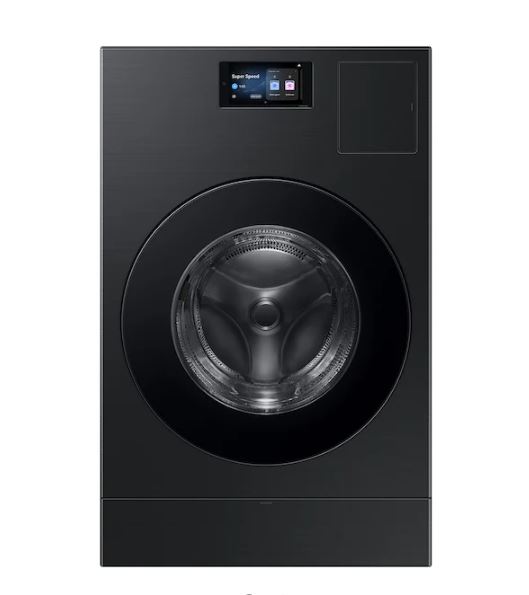
How Samsung Washing Machine Error Codes Communicate Problems
Your Samsung washer monitors dozens of functions every second through sensors that track water levels, temperature, drum speed, door locks, and drainage. When any sensor detects something wrong, it displays a specific code and stops the cycle to prevent damage. Think of it as your washer’s check engine light, except it actually tells you what’s wrong instead of just creating anxiety.
Reading Error Codes on Different Samsung Washer Models
The location and style of error code displays varies depending on your washer model. Front-load Samsung washers typically show codes on a digital display panel at the top of the machine, right above the door. These displays show the full code clearly, like “4E” or “UE,” making them easy to read and reference.
Top-load Samsung washers might have digital displays on the control panel at the back of the lid, or they might use LED indicator lights that blink in patterns. Older top-load models without digital displays communicate errors through specific combinations of blinking lights. You’ll need your model’s documentation to decode which blinking pattern corresponds to which error, though the most common codes use standardized patterns across models.
Some basic Samsung washer models use simple LED indicators where different combinations of lights represent different errors. For example, three lights blinking simultaneously might indicate a drainage problem, while two specific lights alternating could signal a door lock issue. Check the label inside your washer door or the quick reference guide that came with your machine for your model’s specific pattern key.
The Universal Reset Process for Samsung Washers
About 30% of error codes clear with a simple reset procedure because they result from temporary glitches like power fluctuations, static electricity buildup, or momentary sensor confusion rather than actual mechanical problems. Always try this before diving into complex troubleshooting:
Unplug your washing machine completely from the wall outlet. If your outlet is difficult to reach behind the washer, you can turn off the dedicated circuit breaker instead. The key is cutting all power to the machine, not just pressing the power button on the control panel.
Wait a full 60 to 120 seconds. This allows the capacitors inside the control board to fully discharge and clears the temporary memory. During this wait, the control system resets to its default state.
While power is disconnected, do a quick visual check. Look for obvious problems like items jammed in the door, kinked hoses, or water pooled around the base. These few seconds of inspection can sometimes reveal simple fixes.
Restore power by plugging back in or switching the breaker back on. Wait about 10 seconds for the control board to initialize, then start a quick rinse and spin cycle with no clothes to test whether the error code returns.
If the code disappears and stays gone, you experienced a temporary glitch that the reset resolved. If it comes back immediately or after one wash cycle, you have a real problem that needs diagnosis and repair.
Error Code Severity Quick Reference
| Error Code | Severity | Typical Cause | DIY Possible? | Urgency |
|---|---|---|---|---|
| dE, dC | Low | Door latch | Yes | Low |
| 4E, 4C | Low | Water supply | Yes | Medium |
| 5E, 5C | Medium | Drainage | Yes | Medium |
| UE, Ub | Low | Unbalanced load | Yes | Low |
| LE, LC | High | Motor/leak | Maybe | High |
| OE, OF | Medium | Overflow | Yes | High |
Samsung Washer Door and Lock Error Codes (dE, dE1, dE2, dC, dL)
Door-related errors are the most common codes on Samsung front-load washers because the door lock mechanism activates every single cycle. These codes range from simple user fixes to lock assembly replacements, but the good news is that most door errors resolve without any parts or tools.
What Causes Samsung Washer dE Door Lock Errors?
The dE code means your washer cannot detect that the door is properly closed and locked. Samsung front-load washers have a safety interlock system that prevents the washer from operating if the door isn’t securely latched. This protects you from water spilling out during the cycle and prevents anyone from opening the door while the drum is spinning at high speeds.
The most common cause is simply that the door wasn’t pushed firmly enough to engage the latch mechanism. Front-load washer doors need a solid push to click into the locked position. If you closed it gently or if something is preventing full closure, you’ll get a dE code.
Fix
Check the door seal for trapped items. Clothing, especially socks or small items, can get tucked into the rubber gasket around the door opening. Even a small piece of fabric caught in the seal prevents the door from closing flush against the frame, which keeps the lock from engaging. Run your hand completely around the door seal, pulling back the folds to check for hidden items.
Inspect the door latch mechanism on the door itself. This is usually a plastic hook or tab that protrudes from the door and catches into the lock assembly on the washer frame. Look for cracks, breaks, or unusual wear on this piece. Try manually moving it with your finger to ensure it springs back into position smoothly.
Examine the strike plate (the part the latch hooks into) on the washer frame. Over time or if the washer has been bumped, this plate can shift slightly out of alignment. When you close the door, watch where the latch meets the strike. They should align perfectly. If the latch is hitting above, below, or to the side of the strike opening, you have an alignment issue.
Test the door closure by opening and firmly closing it again, listening for the distinctive click that indicates the latch engaged. If you hear the click but still get the dE code, the problem is electrical rather than mechanical.
Understanding dE1 and dE2 Lock Switch Malfunctions
The dE1 and dE2 codes indicate electrical problems with the door lock assembly rather than simple mechanical closure issues. While dE usually means “door isn’t closed,” dE1 and dE2 mean “door appears closed but the lock switch isn’t working properly.”
Inside the door lock assembly is a small electrical switch that closes when the door latch engages. This switch sends a signal to the control board confirming the door is locked. If this switch fails, has dirty contacts, or has loose wiring, you get dE1 or dE2 codes even though the door is physically closed.
The door lock assembly is located on the washer frame where the door latch hooks in. On most Samsung front-loaders, you access it by opening the door and removing a few screws from the front panel. The lock assembly has a wire harness connected to it, usually with a plastic clip connector.
Before replacing anything, try the reset procedure. Electrical contacts can get dirty or develop temporary resistance from moisture, and a power cycle sometimes clears these issues. If the code persists after reset, you’re likely looking at lock assembly replacement.
Testing the door lock requires a multimeter (View on Amazon) set to continuity mode. With the washer unplugged, disconnect the wire harness from the lock assembly and test continuity across the switch terminals while manually actuating the lock mechanism. It should show continuity when locked and no continuity when unlocked. If it fails this test or shows intermittent behavior, replace the assembly.
Door lock assemblies for Samsung washers cost between $40 and $80 depending on your model. Replacement is moderately easy if you’re comfortable with basic tools. You’ll remove the old assembly’s mounting screws, disconnect the wires (take a photo first), install the new assembly in the same position, reconnect the wires, and test operation.
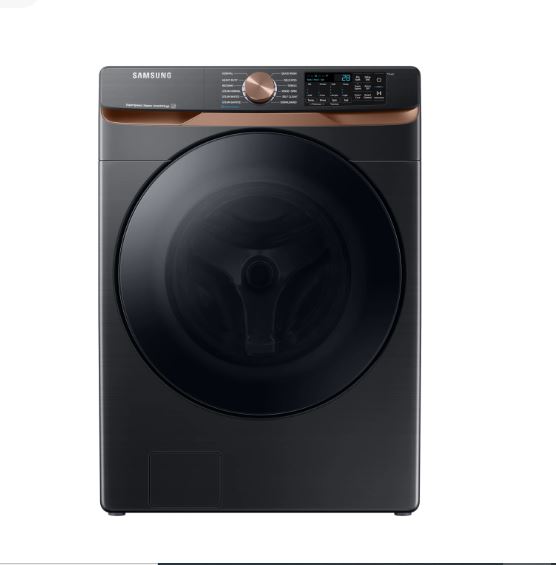
Samsung Washing Machine dC and dL Error Code Solutions
The dC code indicates a communication error between the control board and the door lock system. Instead of the lock itself failing, the control board is saying “I’m trying to talk to the door lock, but it’s not responding correctly.” This can result from loose wiring, connector corrosion, or control board issues.
Start with the reset procedure since communication errors often resolve with a power cycle. If the code returns, you’ll need to check the wiring harness between the door lock and the control board. Look for loose connectors, damaged wires, or corrosion on connection points.
The dL code is interesting because it sometimes appears due to user confusion rather than actual malfunction. On Samsung washers with a child lock feature, activating child lock displays “CL” or “dL” on the screen and prevents the door from opening even after a cycle completes. This is intentional, not an error.
To disable child lock, press and hold the specific button combination for your model (commonly the Temp and Rinse buttons simultaneously for 3 seconds, but check your manual). You’ll hear a beep and the code will disappear. If you weren’t aware child lock was active, this seems like a mysterious error when it’s actually a feature working as designed.
Quick Door Error Fixes Before Calling Service:
- Run the washer empty on a rinse and spin cycle, which sometimes resets the door lock mechanism
- Check that the door striker (the part that catches the latch) is properly aligned on the washer frame
- Clean the door lock area with a damp cloth to remove detergent buildup that can interfere with the mechanism
- Verify nothing is blocking the door from closing completely flush against the frame
- Disable child lock if you have accidentally activated it (check for CL or dL codes)
Water Supply Error Codes on Samsung Washers (4E, 4C, E1, 14E)
Water supply errors indicate your washer cannot get enough water to complete the cycle. These are usually simple fixes related to your home’s water supply rather than washer malfunctions, which makes them among the easiest codes to resolve yourself.
Troubleshooting Samsung Washer 4E and 4C Water Inlet Errors
The 4E and 4C codes both mean insufficient water is entering the washer. The difference is subtle: 4E typically indicates water is flowing but too slowly, while 4C means no water is detected at all. From a troubleshooting perspective, you address them the same way by checking the water supply chain.
Fix
Start at the source with the water supply valves behind your washer. Most homes have two valves, one for hot water and one for cold. These should be fully open (turned counterclockwise as far as they’ll go).
Check the inlet hoses connecting your water supply valves to the back of the washer. These hoses should have smooth curves without sharp kinks or bends that restrict water flow. A kinked hose can reduce water flow by 80% or more. Straighten any kinks and ensure the hoses have gentle bends.
Inspect the inlet filters (also called screens) inside the hose connections at the back of the washer. Over time they clog with mineral deposits, rust particles, and sediment, reducing water flow to a trickle.
To clean the inlet filters, turn off the water supply valves and disconnect the inlet hoses from the back of the washer (have a towel ready for drips). Rinse them under running water while brushing with an old toothbrush to remove all debris. If the screens are extremely clogged or damaged, you can buy replacements at any hardware store for a few dollars.
Check your home’s water pressure if cleaning filters and straightening hoses doesn’t resolve the code. Samsung washers require a minimum of 20 PSI (pounds per square inch) of water pressure to operate properly. Low water pressure in your entire home will trigger 4E codes. You can test water pressure with a pressure gauge (View on Amazon) that screws onto an outdoor faucet.
If your home has consistently low water pressure below 20 PSI, you’ll need to address this at the source, which might mean calling a plumber to investigate issues with your main water supply, pressure regulator, or well pump.
Resolving E1 Water Temperature Detection Problems
The E1 code indicates your washer cannot detect proper water temperature. This happens when the temperature sensor inside the washer malfunctions or when there’s a problem with how your hot and cold water supplies are connected.
Start by verifying your hot and cold water hoses are connected to the correct valves. It sounds basic, but reversed connections are common, especially after appliance delivery or if someone has worked on your plumbing. The hot water hose should connect to the hot valve (usually marked with red) and cold to cold (usually marked with blue).
Test your water heater if the E1 code appears primarily when selecting warm or hot wash cycles. Run hot water at a sink for a minute and verify it actually gets hot. If your water heater has failed or is set to a very low temperature, your washer will detect this as a temperature error.
For gas water heaters, remember that it takes several minutes to reheat after the tank has been depleted. If someone just took a long shower before you started laundry, your washer might be getting cold water when it expects hot, triggering the E1 code. Wait 15-20 minutes for the water heater to recover and try again.
If water supply and temperature are correct but the E1 code persists, the temperature sensor (thermistor) inside your washer may have failed. This sensor is a small probe that measures incoming water temperature. Replacement requires accessing internal components and typically costs $30-$70 for parts plus labor if you hire a technician.
Samsung Washer 14E Error Code for Hot Water Issues
The 14E code specifically indicates a hot water supply problem rather than a general water supply issue. This code appears when the washer expects hot water for a selected cycle but doesn’t receive any.
Check that your hot water supply valve is fully open. Verify that your hot water hose isn’t kinked, disconnected, or damaged. Test hot water flow at a nearby sink to confirm your water heater is functioning.
For electric water heaters, verify the circuit breaker hasn’t tripped. For gas water heaters, ensure the pilot light is lit and the gas valve is open. These issues can cause complete hot water failure that triggers 14E codes.
In some cases, 14E codes appear because the hot water inlet valve on the washer itself has failed in the closed position. This valve is electrically controlled and opens when the washer needs hot water. If it fails closed, no hot water can enter even with perfect supply from your home. Testing and replacing inlet valves requires some technical knowledge and costs $40-$80 for the part.
Water Supply Error Troubleshooting Matrix
| Code | Water Issue | Check These | Fix Time | Cost |
|---|---|---|---|---|
| 4E | Insufficient water | Valves, hoses, filters | 10-15 min | $0 |
| 4C | No water detected | Supply shut off | 5 min | $0 |
| E1 | Temperature problem | Hot/cold hookup | 10 min | $0-$60 |
| 14E | No hot water | Water heater, valve | 15 min | $0 |
Drainage Error Codes for Samsung Washing Machines (5E, 5C, SE, E2, ND)
Drainage codes appear when your washer cannot pump water out properly. These are critical because standing water in your washer can lead to mold, odors, and mechanical damage if not addressed. Fortunately, drainage issues are usually caused by simple blockages you can clear yourself.
How to Fix Samsung Washer 5E and 5C Drain Errors
The 5E and 5C codes both indicate drainage problems. Your washer filled with water and completed the wash cycle, but when it tried to pump water out, something prevented proper drainage. The control board detected that water remained in the drum longer than expected and displayed the error.
The drain system on Samsung washers consists of the drain pump (which pushes water out), the drain hose (which carries water to your home’s drainage), and a drain pump filter (which catches debris before it can damage the pump). Problems anywhere in this chain trigger drainage codes.
Fix
Start with the drain pump filter, which is your first and most common trouble spot. This filter is specifically designed to catch coins, lint, hair, small items from pockets, and other debris. It’s located behind a small access panel at the bottom front of your washer, usually on the right side.
Open the access panel by pulling it straight out or releasing the clips, depending on your model. You’ll see a round cap or twist handle for the drain filter. Before opening it, grab several towels and a shallow pan because you’re about to release any water still trapped in the washer.
Place the pan under the filter area and slowly turn the filter cap counterclockwise. Water will start flowing out. If there’s a lot of water, you may need to repeatedly drain into the pan, close the filter, empty the pan, and continue. Once water flow stops, fully remove the filter.
Clean the filter thoroughly under running water. Check for coins, bobby pins, buttons, lint accumulation, and any other debris. Look inside the filter cavity with a flashlight and remove any visible debris.
Reinstall the filter by inserting it and turning clockwise until snug. Don’t overtighten or you’ll strip the threads. Close the access panel and run a rinse and spin cycle to test drainage.
If the filter was clean or cleaning it didn’t resolve the code, check your drain hose. This hose runs from the back of your washer to your home’s standpipe, laundry sink, or direct drain connection. Pull the washer away from the wall for access.
Disconnect the drain hose from the standpipe and check for clogs by running water through it. A straightened wire coat hanger can help dislodge blockages inside the hose. Make sure the hose isn’t kinked or crushed.
What else?
Check the height and installation of your drain hose. Samsung washers require that the drain hose end be positioned between 18 and 96 inches above the floor. If it’s installed higher than 96 inches, the pump cannot push water up that far and you’ll get drainage errors. The hose should also be inserted no more than 6 inches into the standpipe to prevent siphoning issues.
Listen to the drain pump during a drain cycle. You should hear a steady humming sound as the pump operates. If you hear nothing, the pump has failed electrically. If you hear clicking, grinding, or labored sounds, the pump is trying to work but is mechanically blocked or damaged.
Samsung Washer SE Error Code Diagnosis
The SE code indicates a drain pump electrical failure rather than a simple blockage. This is the difference between 5E (something is blocking drainage) and SE (the pump itself has failed).
The drain pump is an electric motor with an impeller that pushes water through the drain system. Over years of use, these pumps can fail from bearing wear, electrical winding failure, or damage from foreign objects that made it past the filter.
Testing the pump requires accessing it, which means removing the front or rear panel of your washer depending on the model. With the washer unplugged, you can test the pump motor for continuity with a multimeter. A functioning pump should show some resistance (typically 5-10 ohms), while a failed pump shows infinite resistance (open circuit) or near-zero resistance (short circuit).
Replacing a drain pump is moderately difficult but manageable for DIYers comfortable with appliance repair. The drain pump (View on Amazon) costs between $50 and $100 depending on your washer model. You’ll need to drain the washer, access the pump, disconnect hoses and wiring, remove the old pump, install the new one, and reassemble everything.
For those not comfortable with this level of repair, professional service to replace a drain pump typically costs $150-$250 including parts and labor.
Understanding E2 and ND No Drain Variations
The E2 and ND (No Drain) codes are variations that indicate similar drainage problems with slightly different triggers. They point you toward the same troubleshooting steps: checking the filter, hose, and pump.
Pay particular attention to drain hose installation with these codes. The hose must have a high loop (where it rises up near the back of the washer before going down to the drain) to prevent siphoning. Without this loop, water can drain from the washer continuously, causing the washer to think it cannot fill or drain properly.
The standpipe (the vertical pipe your drain hose inserts into) should be at least 18 inches high and have adequate venting. A partially clogged standpipe can prevent proper drainage even when your washer’s drain system is working perfectly. If water backs up into your laundry sink when the washer drains, your home’s drainage system needs attention.
Preventing Drain Error Codes:
- Check all pockets before washing to remove coins, bobby pins, paper clips, and small items that clog filters
- Use mesh laundry bags for delicates, bras, and items with small removable parts
- Clean the drain pump filter monthly rather than waiting for codes to appear
- Ensure the drain hose has no kinks, is properly installed at the correct height, and has a high loop
- Never exceed your washer’s maximum load capacity, which can strain the drain pump
Load Balance and Vibration Error Codes (UE, Ub, E4, 1 Ub)
Balance errors occur when your washer detects uneven weight distribution that could damage the drum bearings or suspension system during high-speed spinning. These are protective shutdowns that prevent mechanical failure, and they’re almost always caused by how you loaded the washer rather than any washer malfunction.
What Samsung Washer UE Error Code Means
The UE code stands for “Unbalanced Error” and appears when the washer cannot evenly distribute the load for the spin cycle. Modern washers spin at extremely high speeds (often 1000-1400 RPM) to extract water from clothes. At these speeds, even small imbalances create tremendous centrifugal forces that can damage bearings, suspension springs, and the drum itself.
Your washer has sensors that detect how smoothly the drum is rotating. Before entering the high-speed spin cycle, it does a test spin at lower speed. If it detects significant imbalance, it stops and attempts to redistribute the load by adding water and tumbling briefly, then draining and trying again. After several unsuccessful attempts, it gives up and displays the UE code.
The immediate fix is simple: open the washer, manually redistribute the clothes, and restart the spin cycle. Look for clumping where heavy wet items have bunched together on one side of the drum. Spread clothes evenly around the drum’s circumference before restarting.
Common causes of UE errors include washing a single heavy item like a bathrobe or comforter by itself, mixing very heavy items (like towels) with very light items (like t-shirts), and overloading the washer so clothes cannot move freely to distribute themselves.
Avoid washing single bulky items alone. If you need to wash one heavy comforter or bath mat, add several towels to help balance the load. The extra items give the washer something to distribute around the drum for better balance.
Samsung Washer Ub Error Code for Severe Imbalance
The Ub code is an escalation of UE, indicating a severely unbalanced condition that the washer cannot correct through its automatic rebalancing attempts. This appears when the imbalance is so extreme that even multiple rebalancing cycles couldn’t fix it.
When you see Ub, the washer has essentially given up trying to balance the load automatically and needs you to intervene. The process is the same as UE: redistribute clothes manually and restart. However, Ub appearing frequently suggests you need to change your loading habits.
The washer’s automatic rebalancing works by adding water to loosen the clothes, tumbling briefly, draining, and attempting to spin again. It will try this 3-4 times before displaying Ub. Each rebalancing attempt adds time and water consumption to your cycle, so it’s better to load properly from the start.
Follow load size guidelines for your washer’s capacity. Capacity is usually listed in pounds or cubic feet. A common mistake is stuffing the drum completely full because it fits, but washers need space for clothes to move and redistribute during the cycle. Fill the drum about 3/4 full maximum, leaving room at the top.
Mix fabric weights appropriately. Don’t wash one pair of jeans with five t-shirts. The heavy jeans will consistently end up on one side while the light shirts cluster on the other, creating persistent imbalance. Wash similar items together.
E4 and 1 Ub Vibration Error Troubleshooting
The E4 and 1 Ub codes indicate excessive vibration beyond normal operation. This differs from simple load imbalance because it can occur even with properly balanced loads if the washer itself isn’t properly installed or leveled.
Check that your washer is level from front to back and side to side. Use a bubble level placed on top of the washer. Most Samsung washers have adjustable feet that you turn to raise or lower each corner. The washer should be level in all directions and stable without rocking when you push on the corners.
Leveling is critical because an unlevel washer allows the drum to favor one side during spinning, which creates vibration and can trigger balance sensors even when the load is fine. Take the time to level your washer properly using the adjustable feet.
Verify that shipping bolts have been removed if your washer is relatively new. Shipping bolts are long metal rods installed at the factory to prevent the drum from moving during transport. They must be removed before using the washer. If left in place, they create terrible vibration and noise because the drum cannot move on its suspension as designed. Check the back of your washer for 3-4 bolt holes where shipping bolts would have been.
Assess the floor under your washer. Washers need solid, stable flooring. Wood floors that flex, especially second-floor installations, can amplify vibration. If your washer sits on a floor that bounces when you walk on it, the floor movement contributes to vibration codes.
Anti-vibration pads (View on Amazon) placed under the washer feet can help absorb vibration, especially on less-than-ideal floors. These rubber pads, which cost $10-$30 for a set, can significantly reduce vibration transmission to the floor. They’re particularly helpful for installations on upper floors or washers on wooden floors.
Motor and Drum Error Codes on Samsung Washers (3E, 3C, EA, bE, LE, LC)
Motor-related codes indicate serious mechanical problems that usually require professional repair. Understanding these codes helps you assess whether repair makes financial sense or if replacement is smarter, especially for older washers.
Samsung Washing Machine 3E Motor Tachometer Errors
The 3E code signals a motor tachometer malfunction. The tachometer is a sensor that monitors how fast your washer’s motor is spinning and reports this information to the control board. The control board uses this feedback to precisely control motor speed for different cycle phases.
When the control board commands the motor to spin at a specific speed but the tachometer reports something completely different or reports nothing at all, the control board displays 3E and shuts down. This prevents potential damage from a motor running at uncontrolled speeds.
Before the 3E code appears, you typically notice symptoms. The drum might rotate erratically, speeding up and slowing down without pattern during cycles. You might hear unusual grinding or squealing sounds from the motor area. The washer might stop randomly mid-cycle, then restart on its own after sitting.
The 3E code can result from actual tachometer sensor failure, damaged wiring between the tachometer and control board, or motor bearing problems that prevent the motor from spinning at proper speeds. In some cases, it’s a loose connection rather than component failure.
This is not a DIY diagnosis for most people. The tachometer is integrated into the motor assembly, and accessing it requires significant disassembly. You need to remove panels, disconnect multiple wire harnesses, and often remove the drum to reach the motor.
Professional diagnosis and repair for 3E codes typically costs $250-$400 depending on whether the issue is the tachometer sensor, the motor, or wiring. On a washer that’s 7-10 years old, this repair cost pushes into territory where you need to seriously consider whether repair makes sense versus putting that money toward a new washer.
Understanding 3C and EA Motor System Failures
The 3C code is similar to 3E but more specifically indicates a Hall sensor failure. Hall sensors use magnetic fields to detect motor rotation and are a variation on traditional tachometer sensors. The EA code points to communication failures between the motor control system and the main control board.
From a practical standpoint, all three codes (3E, 3C, EA) indicate motor system failures that require professional diagnosis. The control board cannot properly manage drum rotation, making the washer unsafe to operate.
Age plays a huge role in repair decisions for motor codes. Samsung washers typically last 10-13 years with proper care. If your washer is showing motor errors and it’s already 9-11 years old, spending $350 on motor repairs might buy you only another 2-3 years. That’s not terrible value, but you’re investing significant money in an aging machine that could develop other expensive problems soon.
Conversely, if your 3-year-old washer shows motor codes, repair makes clear sense because you should get many more years after fixing the problem. Check your warranty documentation because Samsung washers often include 1-year comprehensive coverage plus 3-5 year parts-only warranties on major components like motors. A motor failure in year 2 or 3 might be covered under parts warranty, leaving you to pay only labor costs.
Samsung Washer LE and LC Leak Detection Codes
The LE and LC codes indicate your washer has detected water leaking from the drum area. Samsung washers have leak sensors in the base pan that trigger these codes when water accumulates where it shouldn’t be.
These codes serve dual purposes. Sometimes they indicate actual leaks that need repair. Other times they’re false alarms triggered by suds overflow or condensation.
For actual leaks, start by identifying the source. The most common leak points are the door seal (the rubber gasket around the door opening), hose connections at the back of the washer, the detergent drawer area, and internal hoses that can develop cracks or loose connections over time.
Inspect the door seal carefully for tears, cracks, or damage. Run your hand completely around the seal, checking both the outer edge where it attaches to the washer and the inner fold that makes contact with the door. Small tears often appear at the bottom of the seal where water pools.
Check all external hose connections at the back of the washer. Tighten any loose connections and look for signs of water dripping from connection points. If you find wet areas, determine whether water is actively dripping or if it’s residue from a previous leak.
Examine the detergent drawer by removing it completely and looking into the cavity. Water can leak from this area if the drawer is damaged, if you’re using too much detergent, or if suds have caused overflow.
False LE/LC alarms happen when excessive suds from using regular detergent instead of HE detergent cause foam to overflow the drum. This foam drips into the base pan and triggers leak sensors even though there’s no actual leak. If you see lots of suds in your washer, switch to HE detergent and run several rinse cycles to clear the excess.
bE Belt Error Code Solutions
The bE code indicates your washer’s belt sensor isn’t detecting proper belt movement. The drive belt connects the motor to the drum, and when it breaks or slips off, the motor runs but the drum doesn’t rotate.
Top-load and front-load washers use different belt configurations. Some Samsung washers use direct-drive systems without belts at all, so not all models can display bE codes.
Warning signs of belt failure include the motor running (you hear it humming) but the drum not moving at all, a burning rubber smell during operation, or visible belt damage if you can see it through openings in the cabinet.
Replacing a washer belt is technically a DIY job if you’re mechanically skilled, but it’s challenging. You need to disassemble significant portions of the washer to access the belt routing. The belt itself is inexpensive, usually $15-$30, but the labor is substantial.
Belt routing must be exactly correct. Washers use specific paths around pulleys and idler wheels, and incorrect routing causes premature belt wear or damage to other components. If you attempt DIY belt replacement, take detailed photos of the original belt routing before removing anything.
Professional belt replacement costs $120-$200 including parts and labor, which for many people is worth paying rather than spending several hours on a complex repair that could result in mistakes.
When Motor Codes Mean Replacement Makes Sense:
- Your washer is 10+ years old and showing signs of declining performance
- Estimated repair cost exceeds 60% of what a comparable new washer would cost
- You’re experiencing multiple system failures within a short timeframe
- New high-efficiency models would save $50-100 annually on water and energy costs
- Parts availability for your older model is limited or expensive
Temperature and Heating Error Codes (HE, HE1, HE2, HC, tE, EC)
Temperature codes appear on washers with internal water heaters or when temperature sensors malfunction. Not all Samsung washers heat water internally, so some models never display these codes. Front-load washers are more likely to have heating elements than top-load models.
Samsung Washer HE Error Code for Heating Problems
The HE code indicates problems with the water heating system. Some Samsung front-load washers have built-in heating elements that raise water temperature to the selected level, similar to how dishwashers heat water. This allows for more precise temperature control and enables sanitize cycles that heat water above what most home water heaters provide.
If your washer has a heating element and displays HE codes, the water is not reaching the set temperature within the expected timeframe. This can result from a failed heating element, a bad thermostat that controls heating, or electrical issues preventing power from reaching the heating element.
Testing a heating element requires a multimeter. With the washer unplugged and the element accessed (which requires disassembly), test for continuity across the element terminals. A functioning element shows resistance (typically 15-30 ohms depending on wattage), while a failed element shows infinite resistance.
Also test from each element terminal to the ground (the metal frame). This should show infinite resistance. If you get continuity to ground, the element is shorted and must be replaced.
Heating element replacement is moderately difficult because you need to access the element, which is usually located at the bottom of the wash drum and requires removing panels and potentially the drum itself depending on your model. Elements cost $50-$100, and professional replacement runs $150-$250 total.
HE1 and HE2 Temperature Sensor Malfunctions
The HE1 and HE2 codes specifically indicate temperature sensor failures rather than heating element problems. The temperature sensor (thermistor) is a probe that measures water temperature and reports it to the control board.
Thermistors work on the principle that their electrical resistance changes with temperature. The control board sends a small current through the sensor and measures the resistance to determine temperature. If the sensor fails, provides readings out of expected range, or has damaged wiring, you get HE1 or HE2 codes.
Testing a thermistor requires a multimeter and knowledge of expected resistance values at different temperatures. For most Samsung washer thermistors, resistance at room temperature (around 68°F) should be approximately 50,000 ohms. As temperature increases, resistance decreases predictably.
If your thermistor tests out of range or shows no response to temperature changes, replace it. Thermistors are relatively inexpensive ($30-$70) and usually easier to access than heating elements.
Understanding tE and EC Temperature Communication Errors
The tE and EC codes indicate communication problems between the temperature control system and the main control board. Rather than sensor failure, these codes suggest wiring issues or control board problems.
Start with the reset procedure since communication errors sometimes clear with power cycling. If codes persist, you’re looking at checking wire harness connections between the sensor, heating element, and control board.
When multiple components need replacement or when control board replacement becomes necessary for persistent tE or EC codes, you need to evaluate total repair cost against washer value. Control boards cost $150-$300 for parts alone, plus labor. Combined with other heating system repairs, total costs can exceed $400-$500, at which point replacement becomes financially sensible for older washers.
Water Level and Pressure Error Codes (1E, 1C, IE, E7, LC)
Water level sensors use air pressure to determine how much water is in the drum. These sensors can malfunction from detergent residue, clogs in the pressure tube, or actual sensor failure. Pressure sensor errors often manifest as the washer overfilling, underfilling, or not detecting water levels accurately.
Samsung Washing Machine 1E Water Level Sensor Errors
The 1E code indicates a water level sensor malfunction. Your washer uses a pressure sensor system rather than a simple float. As water fills the drum, it creates air pressure in a sealed tube that connects to a pressure sensor. The sensor detects pressure changes and converts them to water level readings.
This system works well but has failure points. The pressure tube (a small air hose) can become clogged with detergent residue, lint, or mold. The pressure sensor itself can fail. Connections can come loose. Any of these issues trigger 1E codes.
Cleaning the pressure sensor system requires accessing internal components. The pressure tube is usually a clear or white hose about 1/4 inch in diameter that runs from a fitting on the outer drum tub to the pressure sensor (typically located near the top of the washer).
Disconnect the tube at both ends and blow through it to ensure clear passage. If it’s clogged, soak it in warm water with white vinegar to dissolve detergent buildup, then flush it thoroughly. Replace the tube if it’s damaged or too clogged to clean.
The pressure sensor itself is a small plastic component with the air tube connected to one port and electrical wires connected to terminals. Testing it requires a multimeter and the ability to create air pressure changes while measuring electrical output. For most DIYers, if cleaning the tube doesn’t resolve 1E codes, it’s time to call a technician.
False 1E codes sometimes result from using too much detergent, especially non-HE detergent in HE washers. Excessive suds can block the pressure system and create false readings. If you’ve been using regular detergent or too much HE detergent, run several rinse cycles to clear suds, switch to proper HE detergent in correct amounts, and see if the code resolves.
Fixing 1C and IE Pressure Switch Problems
The 1C and IE codes are variations indicating pressure switch failures rather than pressure tube blockages. The pressure switch (another term for the pressure sensor) converts air pressure into electrical signals the control board can read.
Pressure switches can fail electronically or mechanically. Electronic failure means the internal components that generate electrical signals have degraded. Mechanical failure means the diaphragm that responds to air pressure has ruptured or stuck.
Testing pressure switches requires creating controlled air pressure while measuring electrical output. For practical purposes, if you’ve verified the pressure tube is clear and the code persists, replace the pressure switch. These switches cost $40-$80 and are usually accessible without major disassembly.
E7 Water Level Detection Failures
The E7 code indicates the washer cannot detect water level changes at all or detects levels that don’t make sense given the fill/drain commands. This can mean overfill situations where water continues entering beyond safe levels, or underfill where the washer thinks it’s full when it’s nearly empty.
For overfill scenarios, the primary suspect is a water inlet valve stuck open. These valves are electrically controlled and should close when not receiving power. If a valve fails in the open position, water continuously enters even when the control board commands it to stop.
Testing involves observing whether water continues entering the washer even when no cycle is running. With the washer idle and plugged in, watch and listen for water flow. There should be none. If water trickles in continuously, you have a stuck inlet valve that needs replacement.
Underfill scenarios often result from pressure sensor calibration issues or control board problems. These require technical diagnosis because the problem is how the control board interprets sensor signals rather than obvious mechanical failures.
Control Panel and Electronics Error Codes (9E, 9C, bC, AC, dC)
Electronic errors indicate problems with the washer’s control systems or communication between electronic components. These errors range from simple button malfunctions to expensive control board failures that require professional repair.
Samsung Washer 9E Power and Voltage Errors
The 9E code indicates power supply problems. Your washer detected that the voltage it’s receiving from your home’s electrical system is outside acceptable range. This can mean low voltage, voltage fluctuations, or in some cases, problems with the washer’s internal power supply components.
Start by checking your home’s electrical system. Verify the circuit breaker for the washer hasn’t tripped. Even if it hasn’t fully tripped to the OFF position, breakers can develop problems that cause voltage drops without obvious tripping.
Test the outlet voltage if you have a multimeter and know how to use it safely. Standard washers in North America should receive 120V at the outlet. Readings significantly below 110V or above 130V indicate electrical supply problems.
Low voltage can result from loose connections at the outlet, undersized wiring for the circuit, or problems at your main electrical panel. These are issues for a licensed electrician, not appliance repair.
If your home’s electrical supply tests normal but 9E codes persist, the problem might be the washer’s internal power supply or control board. This requires professional diagnosis because you’re dealing with internal electronics.
Temporary 9E codes that clear with a reset often result from power fluctuations during storms or when large appliances in your home cycle on and off. If you experience frequent power fluctuations, consider having an electrician evaluate your electrical system.
Understanding 9C and bC Communication Failures
The 9C and bC codes indicate communication breakdowns between components inside your washer. Modern washers have multiple circuit boards and modules that constantly exchange data. The main control board talks to the motor control board, which talks to various sensors, which report back to the main board in a continuous conversation.
When this communication fails, you get 9C or bC codes. Causes include loose wire harness connections inside the washer, corrosion on connectors from moisture exposure, or actual component failure.
Troubleshooting requires accessing the control board area and systematically checking wire harness connections. Look for connectors that aren’t fully seated, corrosion on metal contacts, or damaged wires. Connectors can work loose over time from the vibration of normal washer operation.
If all connections look good and codes persist after a reset, you’re likely facing control board replacement. This is expensive because the control board is the washer’s brain and costs $200-$350 for parts depending on your model. Professional installation brings total costs to $300-$500.
For washers approaching 10 years old, control board replacement costs often exceed the value of repair. This is a common point where replacement makes more financial sense than repair.
AC and dC Control Error Troubleshooting
The AC code indicates control panel button malfunctions. This can mean stuck buttons, moisture infiltration into the button interface, or failure of the membrane switch panel that detects button presses.
Test by pressing each button individually and observing whether the washer responds appropriately. A stuck button might constantly register as pressed even when you’re not touching it. Moisture in the button panel can cause erratic behavior where buttons don’t respond or respond to touches on nearby buttons.
The control panel connects to the main control board via a ribbon cable (a flat flexible cable with multiple conductors). This cable can develop cracks or loose connections that cause AC codes. Accessing and reseating this cable sometimes resolves the issue.
The dC code appearing in this context (different from the door-related dC mentioned earlier) indicates general control system failures. These typically require professional diagnosis to isolate whether the problem is the control panel, control board, or wiring.
Overflow and Water Safety Error Codes (OE, OF, E3, FL)
Overflow codes are critical safety features that prevent water damage to your home. When these codes appear, your washer has detected water levels that exceed safe limits and has shut down to prevent flooding.
Samsung Washer OE Overflow Error Response
The OE code means your washer detected water overflow or water levels rising beyond safe limits. This is a serious code that requires immediate response to prevent water damage.
When OE appears, the washer should automatically stop filling and attempt to drain. However, don’t assume this worked perfectly. Take immediate action by turning off the water supply valves behind your washer to prevent additional water from entering if there’s a malfunction.
Check what’s actually happening with the water. Is there visible overflow? Is water spilling from the detergent drawer? Or is water pooling on the floor? Your observations help diagnose the cause.
The most common cause of genuine overflow is a water inlet valve stuck open. These electrically controlled valves should close when power is removed, but if they fail in the open position, water continues entering regardless of control board commands.
Test for stuck inlet valves by turning off the washer and unplugging it. Water should stop entering immediately. If water continues trickling in even with power disconnected, you have a mechanically stuck inlet valve that needs replacement.
Excessive suds can also trigger overflow sensors even without actual water overflow. If you see masses of foam, you’re using too much detergent or the wrong type. Run several rinse/drain cycles to clear suds, then switch to proper HE detergent in correct amounts.
OF and E3 Overfill Error Code Fixes
The OF and E3 codes are variations of overflow detection with slightly different sensor triggers. They point to the same basic problems: water entering when it shouldn’t or water level sensors reporting impossible readings.
For persistent overflow codes after you’ve verified no actual overflow is occurring, suspect pressure sensor problems. A failed pressure sensor might report full when the washer is empty or vice versa, causing the control board to make incorrect fill/drain decisions.
Water pressure regulators in homes with very high water pressure can sometimes cause rapid fill that the washer interprets as overflow. If your home has water pressure above 80 PSI, consider having a pressure regulator installed on your main water line.
Control board relay failures can cause overflow codes when the relay that controls inlet valve power fails in the closed position. This keeps sending power to the inlet valve continuously. These failures require control board replacement.
FL Flood Sensor Activation
The FL code indicates the flood sensor in the base pan has detected water. Some Samsung washer models have a moisture sensor in the bottom base pan that triggers when water accumulates where it shouldn’t be.
This is different from overflow because it detects leaks rather than water level in the drum. When FL appears, you have water leaking from somewhere in the washer and collecting in the base pan.
Find the leak source quickly to prevent water damage. Common leak points include the door seal, hose connections, the detergent drawer area, and internal pump or hose failures.
Tilt the washer slightly backward (with help, these machines are heavy) to allow water in the base pan to drain out the back, which might clear the FL code temporarily. However, you must find and fix the leak source or the code will return.
Suds and Detergent Error Codes (Sd, 5d, SUdS)
Modern high-efficiency Samsung washers require HE (high-efficiency) detergent because they use less water than traditional washers. Regular detergent creates excessive suds that confuse sensors and prevent proper operation, triggering these specific codes.
What Samsung Washer Sd and 5d Suds Errors Mean
The Sd and 5d codes both indicate excessive suds detected in the washer. These codes can look confusing because “Sd” and “5d” appear similar on LED displays, but they mean the same thing.
When your washer detects too many suds, it cannot properly sense water levels, agitate clothes effectively, or drain completely. Suds create foam that triggers water level sensors into thinking the washer is full when it’s not. They prevent proper tumbling action because clothes float in foam instead of moving through water. They cause drainage problems because foam is harder to pump out than plain water.
The washer responds to suds detection by pausing the cycle and waiting for suds to dissipate. You might see the timer stop counting down while the washer sits idle. It’s literally waiting for suds to settle before continuing. In severe cases, it will run additional rinse cycles to dilute and remove suds.
The primary cause is using regular detergent instead of HE detergent in an HE washer. Regular detergent formulations create many suds, which is fine in traditional washers that use 30-40 gallons of water per load. But HE washers use as little as 10-15 gallons per load. That same amount of regular detergent in much less water creates a suds explosion.
Even with HE detergent, using too much causes suds codes. The measuring cap on detergent bottles often has multiple fill lines, and many people use the highest line regardless of load size. For HE washers with normal soil, you typically need only 1-2 tablespoons of HE detergent for a full load.
Fixing SUdS Error and Preventing Recurrence
When you get suds codes, the immediate fix is running additional rinse cycles to dilute and remove the excess suds. Select the extra rinse option or manually run 2-3 rinse/spin cycles until the water comes out clear without foam.
Switch to HE detergent formulated specifically for high-efficiency washers. These detergents are marked “HE” on the bottle and produce fewer suds while still cleaning effectively. Never use regular detergent in an HE washer, even in small amounts.
Use the correct amount of HE detergent based on load size and soil level. More detergent does not mean cleaner clothes. In fact, excess detergent leaves residue on clothes and buildup inside your washer.
If you have a water softener or naturally soft water, you need even less detergent than normal because detergents work more efficiently in soft water. Start with half the recommended amount and adjust based on cleaning results.
Clean the detergent drawer monthly by removing it and washing in warm water. Detergent residue accumulates in the drawer and dispenser cavity, and old buildup can dissolve during cycles and create suds even when you’re using the correct detergent amount.
Run a cleaning cycle monthly using a washer cleaning tablet or powder, or run a hot cycle with white vinegar to remove detergent buildup from the drum and internal components.
Detergent Usage Guidelines by Load Size
| Load Size | HE Liquid Detergent | HE Powder Detergent | Regular Detergent |
|---|---|---|---|
| Small | 1 tablespoon | 1 tablespoon | Never use |
| Medium | 1.5 tablespoons | 1.5 tablespoons | Never use |
| Large | 2 tablespoons | 2 tablespoons | Never use |
| Extra Large | 2.5 tablespoons | 2.5 tablespoons | Never use |
Step-by-Step Samsung Washer Error Code Troubleshooting
Following a systematic approach to Samsung washing machine error codes saves time and money by eliminating simple causes before assuming expensive component failures. This methodology works for 80% of error situations and gives you a clear path from problem to solution.
The Universal Samsung Washer Reset Procedure
The reset procedure clears temporary errors and should always be your first troubleshooting step. It takes two minutes and costs nothing, yet resolves a surprising number of codes.
Unplug your washing machine from the wall outlet. Locate the outlet behind the washer and physically disconnect the power cord. If your outlet is inaccessible, turn off the dedicated circuit breaker for the washer at your main electrical panel.
Wait a minimum of 60 seconds, though 120 seconds is better. This waiting period allows capacitors inside the control board to fully discharge. The control board holds electrical charge in capacitors even when unplugged, and complete discharge is necessary for a true reset.
During the waiting period, perform quick visual checks. Open the washer door and look inside for anything unusual. Check that the drum is empty except for clothes you’re washing. Make sure nothing is jammed around the door seal. Look behind the washer if accessible and verify water hoses are connected and not kinked.
Restore power by plugging back in or switching the breaker back on. Wait about 10 seconds for the control board to boot up and initialize. You might see the display light up and run through a brief self-check sequence.
What else?
Run a test cycle to verify the error cleared. Use a short rinse and spin cycle with no clothes. This tests basic washer functions without wasting time on a full cycle. Watch to see if the error code reappears immediately, appears partway through the test cycle, or doesn’t appear at all.
If the code disappears completely and the test cycle runs normally, you had a temporary glitch that the reset resolved. Monitor the next few loads to ensure it doesn’t return. If the code comes back during the test cycle or on the next regular load, you have a real problem requiring diagnosis.
Basic Maintenance Checks That Prevent Error Codes
Most error codes result from simple maintenance neglect rather than actual component failures. Establishing a basic maintenance routine eliminates the majority of error codes before they occur.
Monthly tasks take about 20 minutes total and include cleaning the drum and door seal, removing and washing the detergent drawer, inspecting and cleaning the drain filter, and checking water inlet filters.
Clean the drum and door seal by wiping down with a damp cloth after the last load of the day. Pay attention to the door seal folds where moisture, lint, and residue accumulate. This simple wipe-down prevents mold growth and keeps the door seal supple.
Remove the detergent drawer completely (there’s usually a release button you press while pulling) and wash it in warm soapy water. Scrub all compartments to remove detergent and fabric softener residue. Rinse thoroughly and let dry before reinstalling. While the drawer is out, wipe down the cavity it sits in.
Clean the drain filter as described earlier in the drainage error section. This should be monthly maintenance, not just something you do when error codes appear.
Check water inlet filters by unscrewing the inlet hoses from the back of the washer and inspecting the mesh screens inside each inlet port. Rinse under running water if you see any sediment.
Quarterly deep cleaning involves running a complete cleaning cycle using a washer cleaning product or white vinegar, inspecting all hoses for wear or damage, rechecking that the washer is level, and testing the door seal integrity.
More
Run a tub clean or self-clean cycle monthly (your washer might have this as a specific cycle setting). These cycles run hot water through the empty washer to dissolve buildup. If your washer lacks this cycle, run the hottest regular cycle empty with 2 cups of white vinegar.
Inspect inlet and drain hoses quarterly for bulges, cracks, or damage. Hoses typically last 5-7 years before needing replacement. Catching damage early prevents floods and error codes.
Verify the washer remains level by placing a bubble level on top and checking all four corners. Washers can shift over time from vibration. Releveling takes just a few minutes with the adjustable feet.
Load best practices matter as much as maintenance. Proper loading prevents the majority of balance errors, reduces wear on mechanical components, and ensures effective cleaning.
Fill the drum about 3/4 full maximum. Overstuffing prevents proper agitation and creates balance problems. Clothes need space to move through water for effective cleaning.
Distribute weight evenly when loading. Don’t bunch all heavy items on one side. Alternate placing heavy and light items as you load to help the washer balance naturally.
Use correct detergent type and amount as covered in the suds error section. This single factor affects multiple error codes including suds detection, drainage, and water level sensing.
Avoid washing single heavy items alone. Add several towels to balance the load when washing comforters, bath mats, or other bulky items.
Check pockets before loading. Coins, pens, tissues, and small items cause drainage problems, damage pumps, and create mysterious noises that worry users into thinking they have serious mechanical problems.
When to DIY vs. Call Professional Service
Some repairs are straightforward DIY projects while others require professional expertise. Knowing which is which saves time, money, and frustration.
Assess your skill level honestly. If you’ve never worked on appliances, start with simple fixes like cleaning filters and checking hoses. Don’t start your appliance repair education by attempting to replace a motor or control board.
Consider safety factors. Anything involving electrical testing beyond simple multimeter checks should go to professionals. Water and electricity together create shock hazards. Gas line work on gas dryers (not relevant for washers) should always be professional.
Check warranty status before attempting any DIY repair. Opening panels or replacing parts yourself can void warranty coverage. If your washer is still under any warranty period, use authorized service to preserve coverage.
Analyze cost versus benefit. If a repair requires $100 in parts plus specialized tools you’ll never use again, and professional service costs $180 total, the professional route makes sense. Your time has value too.
For finding qualified technicians, start with Samsung’s authorized service provider network. Search Samsung’s website for authorized service in your area by entering your zip code. Authorized providers have factory training, access to genuine parts, and their work won’t void warranties.
Independent appliance repair companies can also be excellent. Verify they’re licensed, insured, and experienced specifically with Samsung washers. Read reviews and ask for references.
Tools Needed for Basic Samsung Washer Repairs:
- Screwdrivers in Phillips and flathead varieties for removing panels and accessing components
- Adjustable wrench for loosening and tightening hose connections
- Needle-nose pliers for removing hose clamps and pulling out debris
- Multimeter for electrical testing if you’re comfortable with electrical work (optional but useful)
- Flashlight or headlamp for seeing into dark areas inside the cabinet
- Bucket for catching water when removing filters or disconnecting hoses
- Towels for inevitable spills during filter cleaning and hose work
Preventing Samsung Washing Machine Error Codes
Most error codes result from simple maintenance oversights rather than mechanical failures. A consistent maintenance routine eliminates 70% of common codes and extends washer lifespan significantly, making prevention vastly more efficient than repeatedly diagnosing and fixing problems.
Weekly Samsung Washer Care Routine
Weekly tasks take almost no time but make substantial differences in preventing error codes and maintaining washer performance.
Leave the washer door ajar between uses. This single habit prevents the majority of mold and odor problems in front-load washers. Closing the door after use traps moisture inside, creating perfect conditions for mold growth on the door seal and inside the drum. Leaving it open allows air circulation and drying.
Wipe the door seal after your last load of the day. Use a dry cloth to wipe around the rubber gasket, getting into the folds where water pools. This removes moisture before it can support mold growth and extends door seal life.
Do a quick visual inspection for anything left in the drum. Items left in the washer between uses can cause odors or get damaged. Check the drum is empty before closing up for the night.
Look around the base of the washer for any signs of water leaking. Catching small leaks early prevents water damage and expensive repairs later.
Monthly Deep Maintenance Tasks
Monthly maintenance takes about 30 minutes and addresses areas that accumulate residue and debris over time.
Clean the drain pump filter completely as detailed in the drainage error section. This single task prevents the majority of drainage errors. Set a recurring reminder on your phone for the same day each month.
Wash the detergent drawer thoroughly by removing it completely and scrubbing all compartments with warm soapy water and an old toothbrush. Rinse thoroughly before reinstalling. Clean the cavity the drawer sits in with a damp cloth.
Run a self-clean or tub clean cycle. Use a commercial washer cleaning product or run the hottest cycle empty with 2 cups of white vinegar in the drum. This dissolves detergent and mineral buildup inside the washer.
Inspect water supply hoses for any signs of bulging, cracking, or damage. Feel along the entire length of each hose. Replace any hose showing damage immediately rather than waiting for it to fail and flood your laundry room.
Recheck that your washer remains level using a bubble level placed on top. Test all four corners. Washers can shift from vibration over time, and an unlevel washer causes balance errors and excessive wear.
Load Best Practices That Prevent Errors
How you load and operate your washer daily has more impact on error codes than any maintenance routine. Proper habits prevent problems before they start.
Size loads appropriately by filling the drum about 3/4 full. Measure this visually by looking into the drum after loading. You should see the top 1/4 of the drum empty. Overstuffing is the single biggest cause of balance errors and poor cleaning.
Distribute weight evenly around the drum as you load. Don’t drop all heavy items on one side. Alternate heavy and light items to create natural balance.
Use correct detergent type, amount, and placement. HE washers require HE detergent in amounts much smaller than you probably think. Follow the guidelines in the suds error section. Place detergent in the dispenser drawer, not directly on clothes.
Avoid washing single heavy items without balancing items. A lone bath mat or comforter will create balance errors. Add several towels to provide balancing mass.
Empty all pockets before loading. Check every pocket of every item for coins, tissues, pens, and small objects. This prevents damage to pumps, clogs in filters, and mysterious rattling sounds.
Select appropriate cycles for the load. Don’t use heavy-duty cycles for delicate items or delicate cycles for heavily soiled work clothes. Using the wrong cycle creates stress on components and can trigger errors.
Warning Signs Your Washer Needs Attention:
- Cycles taking noticeably longer than when the washer was new
- Clothes not getting completely clean even with proper detergent and loading
- Unusual noises at any point in the cycle including grinding, squealing, or thumping
- Water pooling around the base of the washer after cycles
- Musty odors even after running cleaning cycles
- Excessive vibration during spin cycles that shakes the floor or nearby items
- Error codes appearing intermittently without obvious patterns
Samsung Washing Machine Error Code FAQs
How do I reset error codes on my Samsung washing machine?
Resetting error codes requires the complete power disconnect procedure outlined earlier: unplug the washer for 60-120 seconds, then restore power and run a test cycle. This clears temporary glitches and allows the control board to reinitialize all systems.
However, understanding the difference between clearing a code and fixing a problem is critical. The reset procedure clears the code from the display, but if the underlying problem still exists, the code will return immediately or after one cycle. Clearing a code is diagnostic, not a fix.
For codes that clear and stay gone, you had a temporary issue like a power fluctuation or sensor glitch. The reset resolved it completely. For codes that return after reset, you have an actual problem requiring diagnosis and repair. Repeatedly resetting without addressing the cause wastes time and can allow small problems to become expensive failures.
Some codes clear automatically once you fix the underlying issue. Door errors disappear when you properly close the door. Water supply errors vanish when you open the supply valves. These codes are informational and don’t require manual reset beyond fixing what triggered them.
Never attempt to bypass error codes by entering service modes or using technician codes found online. These codes exist for safety and protection. Bypassing them can result in water damage, mechanical failure, or even fire hazards.
What is the most common Samsung washer error code?
Door errors (dE, dE1, dE2) are by far the most common, accounting for roughly 35-40% of all error codes users encounter. This makes perfect sense because the door latch mechanism activates every single cycle and experiences constant wear.
The good news is that 90% of door errors resolve with simple fixes: properly closing the door, removing items caught in the door seal, cleaning the latch area, or minor alignment adjustments. Very few door errors actually require parts replacement.
Water supply errors (4E, 4C) come in second at about 20-25% of codes. These almost always result from closed supply valves, kinked hoses, or clogged inlet filters rather than washer malfunctions. They’re highly preventable through basic checks before calling for service.
Drainage errors (5E, 5C) represent about 15-20% of codes and result from clogged filters, blocked drain hoses, or improper drain hose installation. Regular filter cleaning prevents the majority of these.
Balance errors (UE, Ub) account for roughly 10-15% of codes and result from improper loading rather than mechanical problems. Learning proper loading technique eliminates these completely.
Understanding this frequency distribution helps you prioritize preventive maintenance. Focusing on door latch care, water supply maintenance, and regular filter cleaning prevents 70-80% of all error codes you’re likely to encounter.
Can I run my Samsung washer if it shows an error code?
Whether you can run your washer with an error code depends entirely on which code is displayed and what’s causing it. Some codes are advisory warnings that allow continued operation with limitations, while others are critical shutdowns that prevent all operation for safety.
Door errors (dE, dE1, dE2) prevent all operation because running with an improperly secured door is dangerous. The drum spins at high speeds, and an open or unlocked door could allow water to spill out or someone to reach inside during operation. Fix door issues before attempting to use the washer.
Water supply errors (4E, 4C) prevent filling but might allow you to manually add water for testing purposes in some situations. However, this isn’t recommended for normal use. Fix the water supply issue properly.
Drainage errors (5E, 5C) typically allow the wash cycle to complete but prevent proper draining and spinning. You might be able to wash clothes, but they’ll come out soaking wet. The washer might also leave standing water that can cause mold and odors. Address drainage problems before continuing use.
Balance errors (UE, Ub) stop the spin cycle to prevent damage but don’t prevent you from starting a new cycle. Redistribute the load and try again.
Motor errors (3E, 3C, EA) usually prevent all operation because the control board cannot safely manage drum rotation without proper motor feedback. Don’t attempt to force operation with motor codes.
Electrical errors (9E, 9C) typically shut down operation due to safety concerns about power supply or control system problems. Resolve electrical issues before use.
The safest approach: any error code means stop using the washer until you’ve diagnosed and resolved the issue, even if the washer still technically operates. The temporary inconvenience of diagnosing problems prevents expensive damage from operating a malfunctioning appliance.
Why does my Samsung washing machine keep showing the same error code after reset?
A persistent error code after reset confirms you have an actual problem requiring repair rather than a temporary glitch. The reset procedure clears the control board’s memory and allows it to re-evaluate all systems with fresh sensors readings. If it immediately detects the same problem again, that’s confirmation of real failure.
Common reasons for persistent codes include failed sensors that continuously report problems, actual mechanical failures like broken belts or burned-out motors, electrical faults that don’t resolve with power cycling, and physical obstructions or blockages that won’t clear without manual intervention.
Your diagnostic approach should eliminate external causes first before assuming internal component failure. For heating codes, thoroughly clean your entire vent system. For door codes, carefully inspect the complete latch mechanism. And for water supply codes, verify your home’s supply valves and water pressure. For drainage codes, clean the filter and check the drain hose.
If external factors check out perfectly but the code returns immediately after reset, you have internal component failure. This is where you decide between DIY diagnosis with proper testing equipment or calling a professional who can systematically test each system.
Document the pattern if the code is intermittent rather than constant. Note when it appears (beginning of cycle, after running for a while, only on certain settings) and what conditions seem to trigger it. Does it only happen on hot water cycles? Only on high-speed spins? Only with full loads? This pattern information is extremely valuable for diagnosis and should be shared with any technician you hire.
Some codes persist because multiple problems exist. For example, you might have both a clogged drain filter and a failing drain pump. Cleaning the filter improves drainage but doesn’t completely resolve the issue. Systematic troubleshooting that addresses one problem at a time reveals these multiple failure situations.
How much does it cost to fix common Samsung washer error codes?
Repair costs vary dramatically based on which error code you’re addressing and whether you DIY or hire a professional. Understanding typical costs helps you make informed repair-versus-replace decisions.
Door errors (dE, dE1, dE2) cost almost nothing for DIY if the issue is simply cleaning or adjustment. Door latch assembly replacement costs $40-$80 for parts if you DIY, or $120-$180 for professional service including the service call.
Water supply errors (4E, 4C, E1) are typically free DIY fixes involving opening valves, straightening hoses, or cleaning filters. If you need to replace inlet valves, parts cost $40-$60 for DIY or $150-$200 professionally.
Drainage errors (5E, 5C, SE) cost nothing for filter cleaning. If you need drain pump replacement, parts run $50-$100 for DIY or $180-$280 for professional service.
Balance errors (UE, Ub) cost nothing as they’re loading technique issues. If balance errors persist despite proper loading and leveling, you might have suspension or bearing problems costing $200-$400 to repair professionally.
Motor system repairs (3E, 3C, EA, bE) are expensive. Motor assemblies cost $150-$300 for parts, with professional installation bringing totals to $350-$500. Belt replacement is cheaper at $15-$30 DIY or $120-$200 professionally.
Temperature sensor replacement (HE1, HE2) costs $30-$70 for parts DIY or $150-$250 professionally. Heating element replacement runs $50-$100 DIY or $200-$300 professionally.
Control board replacement (9C, bC, AC) is expensive at $200-$350 for parts alone, with professional replacement costing $350-$550 total.
When deciding whether repair makes financial sense, compare repair cost to replacement cost. New mid-range Samsung washers cost $500-$900. If you’re facing a $400 repair on an 8-year-old washer, replacement often makes better financial sense. The same $400 repair on a 3-year-old washer is usually worth doing because you’ll get many more years of service.
Are Samsung washing machine error codes covered under warranty?
Samsung washing machine warranty coverage depends on when you purchased the washer and what component is failing. Understanding your warranty helps you avoid paying for repairs that should be free.
Standard Samsung washer warranties include 1 year comprehensive coverage on all parts and labor from the purchase date, plus 3-5 years parts-only coverage on major components depending on your specific model. Some models include longer coverage on direct-drive motors or other specific systems.
Warranty coverage excludes damage from improper installation, maintenance neglect, normal wear items, and failures resulting from using the washer improperly. Error codes themselves aren’t covered or not covered; it’s the underlying failures they indicate.
A motor failure (3E code) occurring in year 2 would have parts covered under extended warranty, but you’d pay labor costs. The same failure in year 1 would be completely free under comprehensive coverage.
To file a warranty claim, contact Samsung customer service with your model number and serial number (both located on a label inside the door opening or on the back of the washer). They’ll verify your coverage dates and direct you to an authorized service provider in your area.
Only repairs performed by Samsung-authorized technicians maintain your warranty validity. DIY repairs or using unauthorized service providers can void remaining coverage. If your washer is under any warranty period, always use authorized service even for issues you could theoretically fix yourself.
Extended warranty programs offered by retailers cost $100-$200 at purchase and extend coverage beyond Samsung’s standard warranty. Evaluate these based on your typical appliance lifespan expectations and whether the washer is in a high-use situation (large family, daily use) or low-use situation (one or two people, occasional use).
Do Samsung top-load and front-load washers show different error codes?
Samsung top-load and front-load washers share many common error codes but also have model-specific codes related to their different mechanical configurations.
Both washer types display water supply codes (4E, 4C), drainage codes (5E, 5C), and balance codes (UE, Ub) because these systems work similarly regardless of washer configuration.
Front-load washers have door lock codes (dE, dE1, dE2, dL) that top-load washers don’t display because top-loaders use lid switches instead of door locks. Top-loaders might show lid lock errors with different code designations.
Some Samsung front-load washers have internal water heaters and display temperature/heating codes (HE, HE1, HE2) that most top-load models never show because they don’t heat water internally.
Certain codes appear only on specific model lines. For example, combination washer/dryer units have codes related to the drying function that standalone washers never display.
Always reference your specific model’s documentation when diagnosing error codes. The owner’s manual includes a complete list of possible codes for your exact model. You can download manuals from Samsung’s support website if you don’t have the physical copy.
Generic troubleshooting principles apply across all Samsung washer types: check simple external causes first, perform the reset procedure, inspect for obvious problems, and only assume component failure after eliminating simple fixes.
Can using the wrong detergent cause Samsung washer error codes?
Yes, using the wrong detergent is one of the most common causes of multiple error codes, particularly suds errors (Sd, 5d), drainage problems (5E), and water level detection issues (1E).
High-efficiency (HE) Samsung washers absolutely require HE detergent. This isn’t a marketing ploy; it’s a technical requirement based on how the washers operate. HE washers use significantly less water than traditional washers (10-15 gallons versus 30-40 gallons per load).
Regular detergent formulations produce abundant suds, which works fine in 40 gallons of water where the suds are diluted. In only 12 gallons of water, that same amount of regular detergent creates an explosion of foam that causes multiple problems.
Excessive suds trigger suds detection codes directly. They also cause drainage problems because foam is harder to pump out than water. They also interfere with water level sensors by creating false pressure readings. Plus, they prevent proper agitation and rinsing because clothes float in foam instead of moving through water.
Using regular detergent even occasionally causes residue buildup inside your washer. This residue dissolves during subsequent washes and creates suds even when you switch to HE detergent, leading to mysterious error codes weeks after you stopped using regular detergent.
HE detergent is formulated to produce minimal suds while cleaning effectively. The molecules are different, designed to work in low-water environments. HE detergent costs roughly the same per load as regular detergent because you use much less per load.
If you’ve been using regular detergent, switch immediately to HE detergent and run several hot water cleaning cycles with white vinegar to remove residue buildup. This clears residue from your washer and prevents suds codes from old buildup.
Proper detergent selection and usage prevents roughly 15-20% of all error codes, making it one of the highest-impact changes you can make for error-free operation.
Also Read:
Conclusion
Samsung washing machine error codes transform from cryptic frustrations into useful diagnostic tools once you understand the system your washer uses to communicate problems. Most codes point to simple fixes you can handle in 20 minutes or less without spending money on parts or service calls.
Door errors usually need nothing more than properly closing the door or removing trapped items. Water supply codes direct you to open valves or clean inlet filters. Drainage codes tell you to clean the filter that’s designed to catch debris. Balance codes remind you to distribute loads properly.
Understanding Samsung washing machine error codes turns frustrating interruptions into manageable troubleshooting tasks with clear solutions.
The systematic approach outlined here works for the vast majority of situations: start with the reset procedure to eliminate temporary glitches, check simple external causes before assuming component failure, perform basic maintenance that prevents most codes, and recognize when professional help makes sense for complex repairs.
Whether facing a simple 4E water supply error or more complex motor codes, you now have a methodical framework to Samsung washing machine error codes that moves you from problem identification to solution efficiently. The diagnostic tables, troubleshooting procedures, and maintenance routines give you everything needed to minimize error codes and maximize your washer’s performance.

Hi, I’m Barlgan! I created Repair Me Yourself to empower homeowners to tackle appliance repairs with confidence. From decoding error codes to fixing cooling issues, I break down complex repairs into simple, actionable steps that save you time and money.