
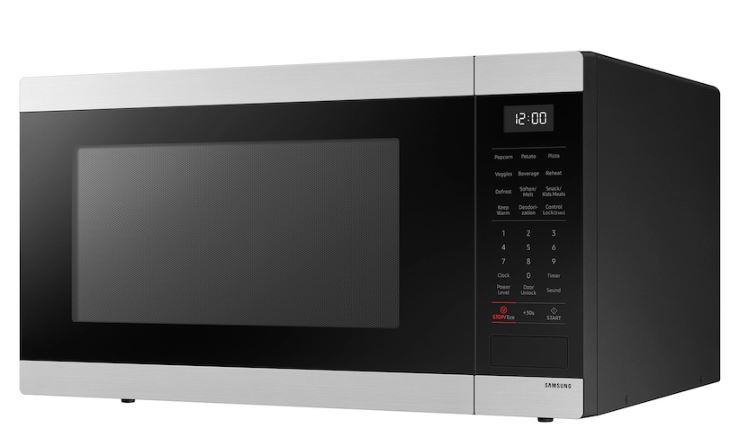
Your Samsung microwave’s touchpad suddenly refuses commands, displays cryptic error symbols, or registers phantom touches you never made. Samsung’s advanced touchpad technology combines sophisticated sensors with integrated displays, creating unique failure modes that differ substantially from traditional microwaves.
A Samsung microwave touchpad may not be working due to moisture infiltration, ceramic capacitor degradation in sensor circuits, humidity sensor conflicts, SmartThings app interference, or control board communication errors. These sophisticated systems display specific error symbols that indicate exact failure types, making diagnosis more precise than conventional microwave troubleshooting when properly interpreted.
From the budget-friendly countertop models to premium chef collection units, Samsung touchpads use specialized components requiring brand-specific troubleshooting. This definitive guide decodes every Samsung touchpad issue, explains mysterious display symbols, provides accurate repair cost estimates, and reveals proven solutions that restore full functionality.
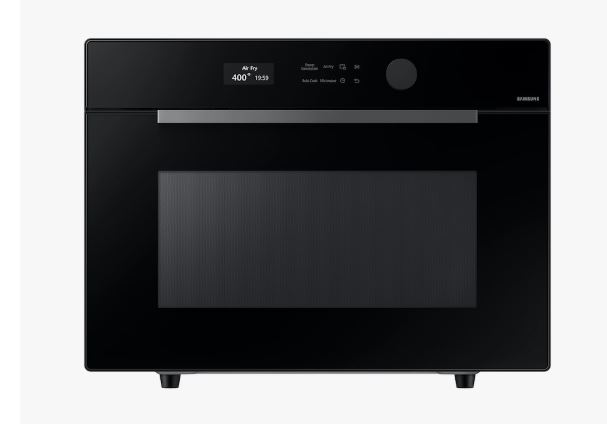
Samsung Microwave Touchpad Not Working – Quick Diagnostic
| Symptom Pattern | Error Symbol | Root Cause | Repair Approach | Cost Range |
| No buttons respond | None visible | Control board power | Professional diagnosis | $280-$450 |
| Single button dead | None | Individual sensor failure | Touchpad replacement | $120-$200 |
| Random ghost touches | “SE” or “5E” | Moisture contamination | Dry and seal repair | $80-$180 |
| Display garbled | Multiple symbols | Ribbon cable fault | Reseat connection | $0-$60 |
| Works only when warm | None | Solder joint cracks | Professional reflow | $150-$280 |
| All lights but no function | Lock icon | Control lock active | User reset | $0 |
| Delayed response | None | Sensor degradation | Touchpad replacement | $120-$200 |
Understanding Samsung Microwave’s Touch Technology
Samsung pioneered capacitive touchpads in microwaves during the mid-2010s. Their systems detect electrical field changes from finger proximity rather than requiring physical pressure.
The ME21M706 series introduced ceramic humidity sensors integrated with touchpad controls. When sensors malfunction, they disable touchpad operation as a safety measure.
Samsung’s SmartThings connectivity adds software layers that traditional microwaves lack. App commands sometimes override manual touchpad inputs, creating confusing behavior.
Display symbols communicate specific error conditions. Samsung uses a proprietary symbol language that differs significantly from competitors.
Decoding Samsung Microwave Display Symbols
Samsung microwaves display symbols that indicate specific error conditions affecting touchpad operation. Understanding these symbols accelerates diagnosis dramatically.
The “SE” or “5E” symbol indicates sensor errors. Humidity sensors or temperature probes have failed or received impossible readings.
“C-10” through “C-21” symbols represent communication failures between touchpad and main board. Ribbon cable issues typically cause these codes.
A lock icon means control lock is active. This deliberately disables touchpad functions to prevent accidental activation.
“E-11” indicates touchpad detection failure. The control board can’t communicate with the touchpad assembly at all.
“E-13” points to button circuit failure. Specific buttons have developed open or short circuit conditions.
Symbol Interpretation Guide
| Symbol | Meaning | Touchpad Impact | Immediate Action |
| SE / 5E | Sensor error | May disable all functions | Check humidity sensor |
| C-10 | Communication error | Intermittent response | Reseat ribbon cable |
| C-21 | Severe comm failure | Complete touchpad loss | Replace cable or board |
| Lock icon | Control lock active | All buttons disabled | Press unlock sequence |
| E-11 | Touchpad not detected | Total failure | Check connections |
| E-13 | Button circuit open | Specific buttons fail | Replace touchpad |
| E-41 | Oven sensor fault | May affect touchpad | Professional diagnosis |
13 Reasons Samsung Microwave Touchpad Not Working
Below are thirteen possible explanations for your non-responsive Samsung microwave touchpad and what to do in each case:
1. Ceramic Humidity Sensor Malfunction
Samsung’s Sensor Cook technology relies on ceramic humidity sensors. When these fail, touchpads often disable completely as a safety measure.
The sensor measures moisture content during cooking. False readings convince the control board that dangerous conditions exist.
Sensor failures manifest as “SE” or “5E” error codes. The touchpad may be perfectly functional but disabled by sensor safety protocols.
Disconnecting the humidity sensor sometimes restores touchpad function. This eliminates Sensor Cook features but enables manual operation.
Professional sensor replacement costs $80-$150 including labor. The sensor itself costs only $20-$40.
2. Capacitive Sensor Array Degradation
Samsung touchpads use arrays of tiny capacitive sensors beneath the glass overlay. Each button has multiple sensor points.
Humidity, heat cycling, and voltage irregularities degrade sensor sensitivity over time. Buttons require progressively firmer touches before responding.
The ME21R7051 and MS14K6000 series show accelerated sensor degradation. Manufacturing quality control issues affected 2017-2019 production runs.
Individual sensor failures create dead spots on the touchpad. Adjacent buttons may work perfectly while one remains completely unresponsive.
Complete touchpad replacement is the only solution. Sensors are integrated into circuit boards and can’t be individually replaced.
3. SmartThings App Conflict
Samsung’s Wi-Fi-enabled models integrate with SmartThings home automation. App commands sometimes lock out manual touchpad control.
The microwave prioritizes remote commands over local inputs. If the app sends conflicting instructions, touchpad presses are ignored.
Disconnect the microwave from Wi-Fi completely. Many users report touchpad functionality returns immediately after disconnecting smart features.
Uninstall the SmartThings app from your phone temporarily. Test if touchpad operation improves without active app connections.
Samsung’s firmware updates occasionally fix app conflicts. Check for available updates through the SmartThings app settings.
4. Moisture Penetration Through Vents
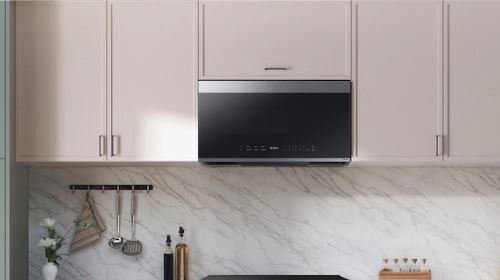
Samsung over-the-range models position touchpads near exhaust vents. Steam from stovetop cooking attacks touchpad assemblies directly.
The ME21M706BA and ME19R7041 series have documented moisture infiltration issues. Vent placement allows steam to condense on circuit boards.
Visible condensation inside the touchpad cover indicates severe moisture problems. This requires immediate disassembly and drying.
Silica gel packets placed in the control cavity during reassembly absorb residual moisture. This prevents repeat failures.
Consider switching from recirculating to external venting. This modification reduces internal humidity dramatically.
5. Control Board Voltage Regulator Failure
Samsung control boards include dedicated voltage regulators for touchpad power. These components fail independently from main board functions.
The display may function perfectly while touchpad sensors receive no power. This creates confusing partial failure symptoms.
Testing requires measuring DC voltage at touchpad connector pins. Expected readings are 3.3-5V depending on model.
Voltage regulator replacement requires board-level soldering skills. Some electronics repair specialists offer this service for $120-$180.
Complete control board replacement costs $280-$450. This makes economic sense only for premium or built-in models.
6. Overlay Glass Cracking
Samsung uses tempered glass overlays on premium models. Microscopic cracks disrupt capacitive sensing fields.
Impact damage from dropped objects creates invisible stress fractures. These cracks propagate slowly over weeks.
Shine a bright light at various angles across the touchpad. Stress fractures appear as rainbow-like patterns.
Cracked overlays require complete touchpad assembly replacement. The glass integrates with sensor circuits beneath.
Handle touchpads carefully during cleaning. Avoid pressing down while wiping—use light sweeping motions only.
7. Ribbon Cable Solder Joint Failure
The ribbon cable connecting touchpad to control board has solder joints at both ends. These joints crack from thermal cycling.
Symptoms include intermittent touchpad operation. Buttons work sometimes but fail after the microwave warms up.
Gently wiggling the ribbon cable while attempting button presses reveals loose connections. Temporary function indicates solder joint issues.
Professional reflow soldering repairs cracked joints for $80-$150. This requires specialized equipment and expertise.
Ribbon cable replacement costs $25-$45 for parts. Installation takes 30-45 minutes for experienced technicians.
8. ESD Damage from Static Electricity
Winter dry conditions generate static electricity that destroys sensitive touchpad circuits. A single discharge can permanently damage sensors.
Sudden complete touchpad failure with no warning suggests ESD damage. The unit worked perfectly until one static shock.
Samsung’s capacitive sensors operate at extremely low voltages. They’re particularly vulnerable compared to mechanical button switches.
Prevention includes humidifying your kitchen during winter. Maintain 40-50% relative humidity to reduce static buildup.
Ground yourself before touching the touchpad. Touch a metal appliance part or faucet first.
9. LED Backlight Driver Circuit Failure
Samsung touchpads include white LED backlighting. The driver circuit that powers these LEDs can fail independently.
When LED drivers fail, the control board may interpret this as touchpad failure. The microwave disables touchpad functions entirely.
The display remains visible but buttons don’t respond. This specific combination indicates LED driver issues.
LED driver replacement requires board-level diagnosis. Some independent repair shops specialize in this component-level work.
Complete touchpad assembly replacement solves LED driver failures definitively. This costs more but ensures long-term reliability.
10. Cooking Grease Film Accumulation
Airborne cooking grease creates thin films on touchpad surfaces. This invisible layer blocks capacitive sensing fields.
Samsung’s glass touchpads show this issue more dramatically than traditional plastic overlays. The smooth surface allows grease to spread uniformly.
Clean with glass cleaner specifically formulated for electronics. Automotive glass cleaner works excellently without leaving residue.
Microfiber cloths remove grease without scratching. Paper towels leave micro-scratches that accumulate grease faster.
Weekly cleaning prevents grease buildup. Once established, grease films require repeated cleaning sessions to remove completely.
11. Temperature Sensor Cross-Circuit Interference
Samsung microwaves use multiple temperature sensors. Faulty sensors create electrical noise that interferes with touchpad circuits.
The oven sensor (even in microwave-only models) can corrupt touchpad signals. These circuits share common ground paths.
“E-41” error codes indicate oven sensor problems. These sensors affect touchpad operation despite seeming unrelated.
Disconnecting suspect sensors temporarily isolates the issue. If touchpad function returns, sensor replacement is necessary.
Professional diagnosis identifies which sensors affect touchpad operation. Multiple sensor failures require systematic testing.
12. Firmware Corruption
Samsung’s software-controlled touchpads occasionally experience firmware corruption. This creates bizarre behavior patterns.
Buttons may register wrong functions. The Start button opens the Settings menu, or Clock button activates cooking.
Power cycling sometimes resets corrupted firmware temporarily. Permanent fixes require firmware reflashing by authorized service.
Samsung released firmware updates for several models addressing touchpad issues. The ME21M706BA received updates in 2020-2021.
Contact Samsung support to verify if firmware updates apply to your model. Some updates install through service mode access.
13. Manufacturing Solder Defects
Some Samsung production batches had cold solder joints on touchpad connectors. These defects manifest within the first 2 years.
Intermittent operation from day one suggests manufacturing defects. Normal wear patterns develop gradually, not immediately.
Samsung issued service bulletins for affected models. The ME21R7051 series from 2018-2019 had documented issues.
Contact Samsung customer service with your serial number. They verify if your unit qualifies for extended repair coverage.
Manufacturing defects within the first year are definitely warranty-covered. Document the failure timeline for warranty claims.
Samsung Microwave Touchpad Replacement
Touchpad replacement on Samsung models ranges from straightforward to complex depending on the specific series and installation type.
Samsung sells complete touchpad assemblies including overlay, sensors, LED backlighting, and mounting hardware. Partial component replacement isn’t feasible.
Parts cost $90-$220 depending on model sophistication. The premium Chef Collection touchpads exceed $200 due to integrated features.
Replacement requires moderate technical skills. No high-voltage exposure occurs during touchpad work.
Tools Required for Replacement
Phillips screwdrivers (View on Amazon) remove control panel screws. Samsung uses consistent screw types across most models.
Plastic trim removal tools separate panels without scratching finishes. Metal tools damage Samsung’s glossy surfaces.
90% isopropyl alcohol cleans connector contacts. This removes oxidation and ensures reliable connections.
Anti-static wrist strap prevents ESD damage during handling. Samsung’s capacitive touchpads are especially vulnerable.
Bright LED flashlight illuminates small connector details. Phone flashlights work adequately.
Touchpad Removal Process
Disconnect power by unplugging the unit completely. Wait 2 minutes for capacitor discharge.
Remove screws securing the control panel cover. Samsung typically uses 6-8 screws depending on model.
Photograph ribbon cable routing before disconnection. These cables must follow specific paths.
Lift the ribbon cable locking tab gently. These clips break easily if forced.
Remove mounting screws holding the touchpad assembly. Note any shims or spacers for proper reassembly.
Clean the mounting surface thoroughly. Remove old adhesive residue with isopropyl alcohol.
New Touchpad Installation
Position the new touchpad exactly matching the old unit’s orientation. Alignment is critical for proper button registration.
Secure with mounting screws tightened to just snug. Over-tightening cracks delicate circuit boards.
Route the ribbon cable following original paths. Incorrect routing creates stress that damages cables.
Insert the ribbon cable connector completely. Listen for a click indicating proper seating.
Lock the cable retention tab. This critical step prevents disconnection from vibration.
Replace the control panel cover. Verify no gaps that might allow moisture entry.
Restore power and test every button systematically. Check that displayed functions match button labels.
Common Installation Errors
Forgetting to remove protective film from new touchpads. The blue plastic covering must be peeled off.
Incorrect button overlay alignment. Compare carefully against the original before securing.
Forcing ribbon cables into connectors. Proper alignment requires minimal insertion force.
Mixing up mounting screws of different lengths. Samsung uses varied screw lengths in specific positions.
Testing before routing ribbon cables properly. Cables must follow designed paths for long-term reliability.
Samsung Microwave Touch Panel Repair Cost
Understanding repair costs helps make informed decisions about repair versus replacement.
Professional Samsung touchpad repair costs vary by service provider type and model complexity.
Cost Breakdown by Service Provider
| Provider Type | Diagnostic Fee | Touchpad Part | Labor Cost | Total Range |
| Samsung authorized | $95-$150 | $120-$220 | $100-$150 | $315-$520 |
| Independent appliance | $75-$125 | $90-$180 | $80-$120 | $245-$425 |
| Electronics specialist | $50-$100 | Varies | $60-$100 | $200-$380 |
| Mobile repair service | $85-$140 | $100-$200 | $90-$140 | $275-$480 |
| DIY | None | $90-$220 | None | $90-$220 |
Model-Specific Cost Variations
Countertop Samsung models have the most affordable touchpad repairs. Simple designs reduce both parts and labor costs.
Over-the-range installations add $50-$100 to labor costs. Access difficulty increases service time.
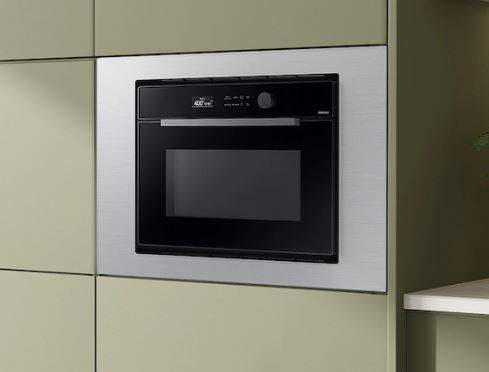
Built-in models cost most to repair due to surrounding cabinetry. Removal and reinstallation add complexity.
Chef Collection and premium series use expensive touchpads. Parts alone exceed $200 for these integrated systems.
Combination microwave-convection units have the highest repair costs. Complex wiring and dual control systems increase labor time.
Geographic Price Variations
Major metropolitan areas charge 20-30% more than rural locations. Higher cost of living affects service rates.
Coastal markets (LA, NYC, Miami) have the highest repair costs. Expect premium pricing in these regions.
Midwest and Southern markets offer more competitive pricing. Same repairs cost significantly less than coastal areas.
Remote locations may incur travel charges. Factor in service call fees for distant technicians.
Online remote diagnosis services reduce costs. Some issues resolve through video-guided troubleshooting.
When Repair Makes Economic Sense
| Microwave Value | Age | Repair Cost | Decision |
| Under $300 | Any | Over $150 | Replace |
| $300-$600 | Under 4 years | Under $250 | Repair |
| $600-$1000 | Under 6 years | Under $400 | Repair |
| Over $1000 | Under 8 years | Under $600 | Repair |
| Built-in any price | Under 7 years | Under $700 | Repair (install costs) |
Model-Specific Samsung Touchpad Issues
Different Samsung series have documented touchpad characteristics.
ME21M706BA Over-the-Range
This popular 2.1 cubic foot model has widespread touchpad reliability issues. The humidity sensor fails and disables touchpad operation.
Production units from 2017-2019 show highest failure rates. Samsung acknowledged issues through service bulletins.
The touchpad assembly costs $145-$180 for genuine parts. Aftermarket options available for $90-$130.
Moisture from stovetop cooking accelerates failures. External venting dramatically improves longevity.
This model qualifies for extended warranty consideration. Samsung customer service sometimes offers goodwill repairs.
MS14K6000AS Countertop
This compact countertop model uses simplified touchpad technology. Failures are less common but still occur.
The glass overlay on this model is particularly susceptible to static damage. Winter operation shows higher failure rates.
Replacement touchpads cost $110-$150. The simpler design reduces replacement complexity.
DIY replacement is more feasible on this countertop model. Accessibility is significantly better than built-in units.
Parts availability is excellent through multiple suppliers. This model’s popularity ensures continued parts production.
ME19R7041FS Over-the-Range
This 1.9 cubic foot sensor cooking model integrates advanced features. Touchpad complexity increases failure potential.
The sensor cook feature conflicts with touchpad operation when sensors fail. Disabling sensors restores basic function.
Control board issues are more common on this series. Boards cost $320-$450 for replacement.
The LED backlighting on this model experiences higher failure rates. Driver circuits overheat in tight installations.
Consider upgrading to newer models if repair costs exceed $400. Improved reliability justifies replacement.
NQ70M6650DS Built-In Combination
This premium combination microwave-convection unit has the most sophisticated touchpad. Integration with dual cooking systems complicates diagnosis.
Touchpad assemblies cost $220-$280 due to integrated convection controls. This represents the highest parts cost.
Firmware updates specifically address touchpad responsiveness. Samsung released multiple updates for this series.
Professional diagnosis is essential for combination units. Overlapping control systems require specialized knowledge.
Extended warranty makes strong economic sense. Single touchpad repairs approach $500 total cost.
Warranty Coverage for Samsung Touchpads
Understanding warranty terms prevents unnecessary expenses.
Standard Samsung Warranty
One-year full parts and labor coverage applies to all Samsung microwaves. This includes touchpad assembly failures.
Magnetron coverage extends to 5 years parts-only. Touchpad coverage doesn’t receive this extended protection.
Cosmetic damage and user-caused failures are excluded. Moisture damage from improper installation typically isn’t covered.
Warranty claims require proof of purchase with date. Register your microwave within 30 days online.
Authorized service centers must perform warranty repairs. DIY attempts or unauthorized service void coverage.
Extended Warranty Considerations
Samsung offers extended service plans through authorized retailers. Plans add 2-4 years coverage for $120-$280.
Extended plans may exclude touchpads as “wear components.” Read the complete terms before purchasing.
Third-party warranty companies offer competitive pricing. Asurion and SquareTrade provide microwave coverage.
Credit card purchase protection extends manufacturer warranties. Many cards add 1 year automatically.
For premium built-in models, extended coverage often pays for itself. Single repair costs exceed warranty premiums.
Service Bulletin Coverage
Samsung issues service bulletins for widespread defects. Some bulletins extend repair coverage beyond standard warranty.
The ME21M706BA series has bulletins addressing touchpad issues. Affected units may qualify for free repairs.
Contact Samsung customer service with your complete serial number. They verify bulletin applicability.
Document all touchpad problems thoroughly. Detailed records support warranty extension requests.
Social media pressure sometimes motivates goodwill repairs. Polite public requests occasionally receive positive responses.
Preventive Maintenance for Samsung Microwave Touchpads
These practices extend touchpad longevity significantly.
Daily Care Practices
Dry hands completely before touching controls. Moisture on fingers transfers to sensitive capacitive sensors.
Use only flat fingertip pressure on buttons. Fingernails concentrate force that damages sensor layers.
Wipe spills immediately with dry cloth. Standing moisture penetrates overlay seams.
Avoid pressing buttons with utensils or objects. These create stress concentrations that crack circuits.
Keep kitchen towels away from the microwave. Moisture-laden textiles increase local humidity.
Weekly Cleaning Protocol
Clean touchpad with electronics-specific glass cleaner. Spray cleaner on cloth, never directly on touchpad.
Wipe in straight lines rather than circles. Circular motions push moisture into button gaps.
Dry thoroughly with microfiber cloth. Any residual moisture interferes with capacitive sensing.
Inspect for loose overlay edges or lifting. Early detection prevents moisture infiltration.
Test all buttons systematically. Identify degrading responsiveness before complete failure.
Environmental Controls
Maintain kitchen humidity below 55%. Dehumidifiers protect all electronics simultaneously.
Improve ventilation during stovetop cooking. Use range hood or open windows to reduce steam.
Position countertop models away from sinks and dishwashers. These appliances generate moisture continuously.
For over-the-range models, upgrade to external venting. This modification eliminates most moisture problems.
Use anti-static spray (View on Amazon) on surrounding surfaces during winter. This reduces static electricity buildup.
Advanced Troubleshooting Techniques
These procedures identify specific failure types.
Sensor Bypass Testing
Disconnect the humidity sensor connector. Attempt touchpad operation with sensor disconnected.
If touchpad functionality returns, the sensor is faulty. Replace the sensor rather than the touchpad.
This diagnostic step saves $50-$100 in parts costs. Sensors cost significantly less than complete touchpads.
Document which features stop working without the sensor. You’ll lose Sensor Cook capability.
Some users prefer operating without sensors indefinitely. Manual time entry provides adequate cooking control.
Voltage Testing at Connectors
Measure DC voltage at touchpad ribbon cable connector. Use a multimeter (View on Amazon) set to 0-20V DC range.
Expected readings are 3.3V or 5V depending on model. Consult service manual for specifications.
Zero voltage indicates control board power supply failure. The touchpad itself may be functional.
Intermittent voltage suggests connection problems. Reseat connectors and retest.
Professional diagnosis is required for control board repairs. Voltage testing simply identifies the problem location.
SmartThings Interference Testing
Factory reset the SmartThings connection. Delete the microwave from your SmartThings app.
Disable Wi-Fi on the microwave completely. Access hidden menus to turn off wireless entirely.
Test touchpad operation for 24 hours without connectivity. Improvement indicates app interference.
Reinstall SmartThings connection with updated firmware. Sometimes fresh pairing resolves conflicts.
Consider operating without smart features permanently. Many users prefer reliability over convenience.
Comparison: Samsung vs. Other Brands
Understanding differences helps when considering replacement.
| Feature | Samsung | KitchenAid | LG | Whirlpool |
| Touchpad technology | Capacitive glass | Mixed types | Capacitive | Membrane |
| Repair cost | $245-$520 | $200-$450 | $220-$480 | $180-$400 |
| Parts availability | Excellent | Excellent | Good | Excellent |
| DIY difficulty | Moderate | Moderate | Moderate-High | Low-Moderate |
| Failure rate | Moderate-High | Low-Moderate | Moderate | Low |
| Smart features | Extensive | Limited | Moderate | Limited |
Frequently Asked Questions
Why is my Samsung microwave touchpad not responding?
Samsung touchpad failures typically stem from moisture infiltration, humidity sensor malfunctions, capacitive sensor degradation, or SmartThings app conflicts. Check for “SE” or “5E” error codes indicating sensor problems. Verify control lock isn’t activated by checking for a lock icon on the display. Try unplugging for 5 minutes to reset control board memory.
How much does Samsung touchpad replacement cost?
Professional Samsung touchpad replacement costs $245-$520 including parts and labor. The touchpad assembly alone costs $90-$220 depending on model complexity. DIY replacement saves $100-$180 in labor if you’re comfortable with electronics disassembly. Built-in models cost $50-$100 more due to access difficulty. Premium Chef Collection touchpads exceed $500 total repair cost.
Can I replace my Samsung microwave touchpad myself?
Yes, Samsung touchpad replacement is feasible for moderately experienced DIYers. The process requires removing the control panel cover, disconnecting ribbon cables, and installing the new assembly. No high-voltage work is involved, making this safer than magnetron repairs. Parts cost $90-$220 and installation takes 1-2 hours with proper tools.
What do Samsung microwave error symbols mean?
Samsung uses specific symbols to indicate touchpad issues. “SE” or “5E” means sensor error affecting touchpad operation. “C-10” indicates communication problems between touchpad and control board. “E-11” shows touchpad detection failure. “E-13” points to button circuit problems. A lock icon simply means control lock is activated and buttons are intentionally disabled.
Why does my Samsung microwave touchpad work intermittently?
Intermittent Samsung touchpad operation indicates cracked solder joints, loose ribbon cable connections, or degrading capacitive sensors. Thermal expansion from heating cycles temporarily restores connection in cracked joints. Test by gently wiggling ribbon cables while attempting button presses. If function changes, connection problems exist. Professional reflow soldering repairs cracked joints for $150-$280.
Is Samsung microwave touchpad failure covered by warranty?
Standard Samsung warranty covers touchpad failures for 1 year from purchase. Extended warranties vary—some exclude touchpads as wear items. Manufacturing defects within 2 years sometimes qualify for extended coverage through service bulletins. User-caused damage from moisture or static electricity isn’t covered. Warranty repairs require authorized service centers—DIY attempts void coverage.
Read Also: Whirlpool Microwave Display Not Working? How to Fix it!
Restore Your Samsung Microwave’s Touch Control
Samsung microwave touchpad problems range from simple control lock confusion to complex sensor array failures requiring complete replacement. Understanding Samsung’s unique capacitive technology, humidity sensor integration, and SmartThings connectivity guides effective troubleshooting. Most issues stem from moisture exposure, sensor malfunctions, or app conflicts that systematic diagnosis quickly identifies.
Whether attempting DIY touchpad replacement or hiring professional service, choosing genuine Samsung parts ensures proper integration with sophisticated control systems. The repair-versus-replace decision depends on your microwave’s age, model value, and installation type. With proper environmental control and maintenance, Samsung touchpad longevity extends significantly beyond typical failure timelines.

Hi, I’m Barlgan! I created Repair Me Yourself to empower homeowners to tackle appliance repairs with confidence. From decoding error codes to fixing cooling issues, I break down complex repairs into simple, actionable steps that save you time and money.