
Samsung refrigerators are known for their sleek designs and innovative features. Unfortunately, they’re also notorious for ice maker problems that frustrate thousands of owners every year.
The most common Samsung ice maker problems include the ice maker freezing up, not producing ice, making small or hollow cubes, and producing excessive noise. Most of these issues can be fixed at home without professional help through simple troubleshooting steps like resetting the ice maker, checking water pressure, replacing filters, or defrosting frozen components.
If your Samsung ice maker has stopped working, you’re not alone. The good news is that many Samsung ice maker problems have straightforward solutions you can implement yourself. This guide walks you through every common issue, from simple fixes to more complex repairs.
Whether your ice maker is frozen solid, making strange noises, or simply refusing to produce ice, you’ll find practical solutions that work.
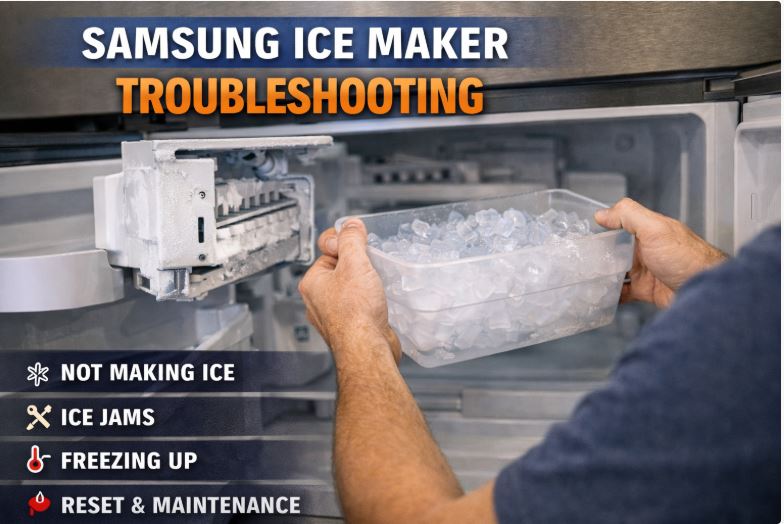
Quick Reference: Common Samsung Ice Maker Problems
| Problem | Most Likely Cause | Quick Fix | Difficulty |
|---|---|---|---|
| No ice production | Ice maker off or water supply issue | Check power and water line | Easy |
| Ice maker frozen solid | Water leak into ice maker | Defrost and check drain | Medium |
| Small or hollow cubes | Low water pressure or clogged filter | Replace filter, check pressure | Easy |
| Ice tastes bad | Old water filter | Replace filter | Easy |
| Overproducing ice | Faulty ice level sensor | Reset ice maker | Easy |
| Making loud noise | Motor or fan issue | Inspect components | Medium |
| Ice not dispensing | Jammed dispenser or frozen chute | Clear blockage | Easy |
| Leaking water | Cracked water line or bad valve | Inspect and replace parts | Medium |
Understanding Samsung Ice Maker Design (And Why They Have Problems)
Samsung ice makers have a reputation for problems that goes beyond normal appliance wear and tear. Understanding why helps you troubleshoot more effectively.
Samsung’s Ice Maker Engineering
Samsung uses a unique ice maker design that differs from traditional brands like Whirlpool or GE. Many Samsung models feature an ice maker assembly that sits inside the freezer compartment rather than being built into the door.
This design choice creates specific vulnerabilities. The ice maker assembly is more exposed to temperature fluctuations when you open the freezer door.
French door models are particularly problematic. The dual door design means more warm air enters the freezer with each opening.
Samsung’s ice maker also uses a different water delivery system. Water travels through narrow tubes that freeze easily if temperatures aren’t perfectly maintained.
The Class Action Lawsuit Context
In 2017, Samsung faced a class action lawsuit over widespread ice maker failures. Thousands of owners reported the same problems, particularly ice makers freezing up completely.
The lawsuit covered French door refrigerator models sold between 2013 and 2017. Models like the RF28HMEDBSR and similar RF series were most affected.
Samsung settled the lawsuit and offered extended warranties on ice maker components for affected models. They also redesigned certain elements in newer models to reduce failure rates.
If you own a Samsung refrigerator from this era, your ice maker problems may be covered under extended warranty. Check your model number against the settlement details.
Common Model Variations
Samsung makes several types of ice makers across their refrigerator lineup. The troubleshooting approach varies slightly depending on your model.
Built-in ice makers sit inside the freezer compartment. These are found on most French door and some side-by-side models.
In-door ice makers with dispensers integrate into the refrigerator door. These use an auger mechanism to deliver ice.
French door models tend to have more problems than side-by-side models. The extra door openings and different airflow patterns create more issues.
Newer models (post-2017) incorporate design improvements. However, they still experience many of the same problems as older units.
Samsung Ice Maker Not Making Ice (Most Common Problem)
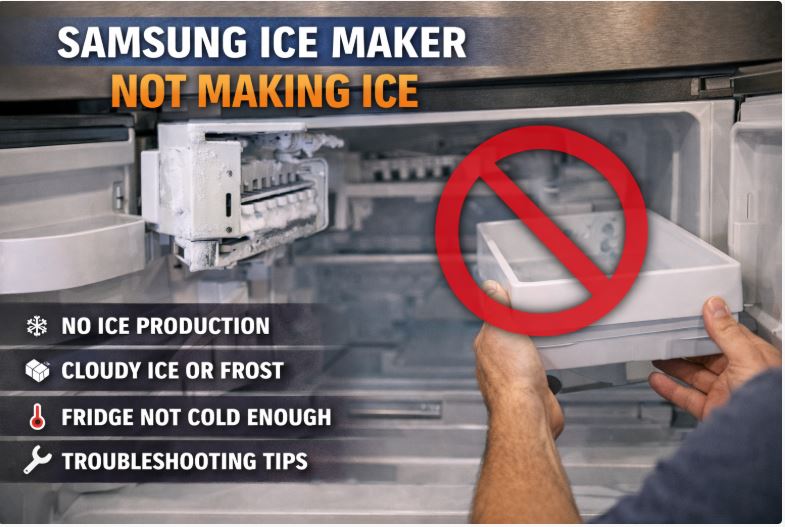
When your Samsung ice maker stops producing ice entirely, start with the simplest explanations before moving to complex repairs.
Check the Basics First
Before you do anything else, verify the ice maker is actually turned on. This sounds obvious, but it’s the most common oversight.
Look for the ice maker ON/OFF switch. On most Samsung models, this is a small switch on the ice maker assembly itself or a button on the control panel.
Some models have a physical arm that raises and lowers. The arm must be in the down position for ice production.
Check your control panel for an “Ice Off” indicator. If it’s lit, press the ice maker button to turn it back on.
Verify the child lock isn’t engaged. Child lock can disable ice and water dispensing on many Samsung models.
Water Supply Issues
No water means no ice. Your ice maker needs a steady water supply to function.
Locate the water shut-off valve behind or beneath your refrigerator. Make sure it’s fully open, not just partially.
Inspect the water line for kinks or damage. A bent copper or plastic water line restricts water flow.
Check for frozen water lines. If the line feels cold and no water flows, it may be frozen inside.
Samsung ice makers require at least 20 PSI of water pressure. Low pressure from your home’s water supply prevents proper filling.
Test water pressure by dispensing water from the door dispenser. A weak stream indicates low pressure.
The water inlet valve may be clogged or failed. This valve controls water flow into the refrigerator and requires adequate pressure to open.
Temperature Problems
Your freezer must maintain proper temperature for ice production. Samsung ice makers work best when the freezer stays between 0°F and 5°F.
A freezer that’s too warm won’t freeze water into ice cubes. Check the temperature setting on your control panel.
Use a freezer thermometer (View on Amazon) to verify actual temperature. Built-in displays aren’t always accurate.
Worn door seals let warm air in, raising freezer temperature. Inspect the gaskets around freezer doors for gaps or cracks.
Frequent door openings prevent the freezer from maintaining proper temperature. Limit how often you open the freezer door.
Ice Maker Assembly Issues
If water supply and temperature are correct, the problem lies within the ice maker assembly itself.
A frozen ice maker is the single most common problem. Ice buildup inside the ice maker housing prevents it from cycling.
The ice maker motor may have failed. You’ll hear clicking or grinding sounds when this happens.
Broken components within the ice maker assembly require replacement. The ejector arm, water fill cup, or thermostat can break.
When multiple components fail, replacing the entire ice maker assembly costs less than fixing individual parts.
Samsung Ice Maker Frozen Solid
A frozen ice maker is frustrating because it seems counterintuitive. The freezer is supposed to freeze things, but not the ice maker itself.
Why Samsung Ice Makers Freeze Up
Samsung’s ice maker design creates conditions that allow water to leak into the wrong places. This water then freezes, blocking the ice maker mechanism.
Water enters the ice maker through a fill tube. If too much water flows in, excess water spills over and freezes where it shouldn’t.
Poor drainage compounds the problem. Water that should drain away instead pools and freezes.
The defrost system may not be working properly. Every refrigerator has a defrost cycle to prevent ice buildup, but when it fails, ice accumulates.
High humidity in your home increases frost formation. This is especially common in summer months or humid climates.
How to Defrost Your Samsung Ice Maker (Step-by-Step)
Defrosting a frozen ice maker requires patience but isn’t difficult. Here’s the safest, most effective method.
Step 1: Turn off the ice maker using the switch or control panel. This prevents it from trying to cycle while you work.
Step 2: Remove the ice bucket completely. Empty any ice and set the bucket aside.
Step 3: Remove the ice maker cover if your model has one. Some Samsung models have a plastic cover that snaps off.
Step 4: Use a hair dryer on low heat setting to melt ice buildup. Hold it at least 6 inches away to avoid melting plastic components.
Step 5: Never use sharp objects to chip away ice. You’ll damage the ice maker and potentially puncture water lines.
Step 6: Check drain holes at the bottom of the ice maker area. Clear any ice blocking drainage.
Step 7: Dry everything thoroughly with towels before reassembling.
Step 8: Reset the ice maker before turning it back on. Wait 24 hours before expecting ice production.
Preventing Ice Maker Freeze-Ups
Once you’ve defrosted your ice maker, take steps to prevent the problem from recurring.
Check door seals monthly. Gaps in the seal let humid air in, which freezes inside the freezer.
Maintain proper freezer temperature at 0°F to 5°F. Too cold or too warm both contribute to frost problems.
Don’t overfill the water reservoir. Some ice makers allow you to adjust fill levels.
Empty the ice bucket regularly. Old ice can cause humidity problems.
When Freezing Indicates a Bigger Problem
Sometimes a frozen ice maker signals a more serious issue that requires professional attention.
If your ice maker freezes up repeatedly after defrosting, the defrost heater may have failed. This component melts frost during defrost cycles.
A faulty defrost thermostat prevents the defrost heater from activating. Both parts work together and both can fail.
Permanently clogged drain lines mean water has nowhere to go except into your ice maker. This requires disassembly to fix properly.
If you’ve defrosted your ice maker three times and it keeps freezing, call a professional. You’re dealing with a systemic problem.
Samsung Ice Maker Producing Small, Hollow, or Misshapen Ice Cubes
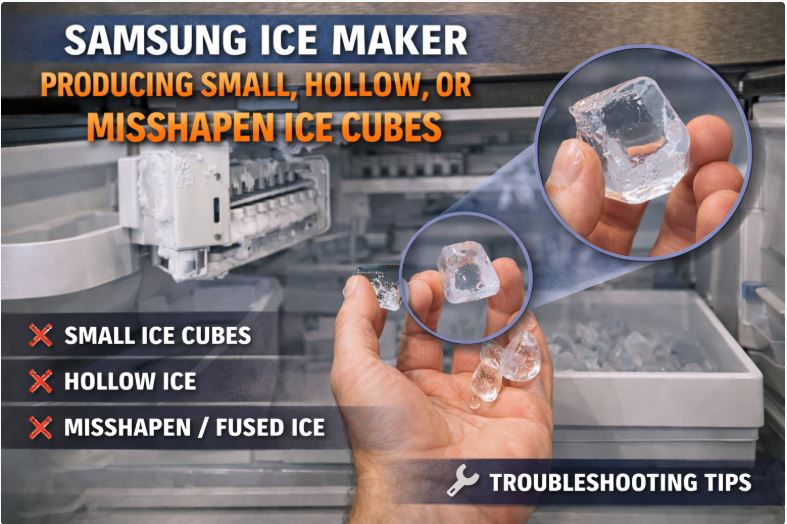
When your Samsung ice maker produces ice but the cubes are wrong, you’re dealing with a water delivery problem.
Low Water Pressure Causes
Small, hollow, or misshapen cubes indicate insufficient water reaching the ice maker mold.
Municipal water pressure varies by location and time of day. Low pressure from the city supply affects ice cube size.
Your home’s plumbing can restrict pressure. Old pipes, too many fixtures running simultaneously, or pressure regulators limit flow.
The water line to your refrigerator may be too narrow. A 1/4-inch line provides minimal flow.
Partially blocked components restrict water even with good house pressure. Check each point where water could be restricted.
Water Filter Problems
A clogged water filter is the most common cause of small ice cubes. Samsung recommends replacing the filter every six months.
Old filters become clogged with sediment and minerals. This restricts water flow to the ice maker.
Samsung water filters are located inside the refrigerator compartment on most models. Look in the upper right corner or bottom grille.
Generic aftermarket filters (View on Amazon) vary in quality and come in different types to match different Samsung refrigerators and freezers.
If you haven’t changed your filter in over six months, replace it first before troubleshooting further.
Fill Tube Issues
The fill tube delivers water from the water valve to the ice maker mold. Problems here affect ice cube quality.
A partially frozen fill tube restricts water flow. This happens when the freezer runs too cold.
Misaligned fill tubes don’t deliver water to the correct spot. This creates uneven ice cubes.
Inspect the fill tube for ice buildup. Gently warm it with your hand to check for blockage.
Ice Maker Fill Level Adjustment
Some Samsung ice makers allow fill level adjustment, though this isn’t common on all models.
The ice maker has a water level sensor that determines how much water enters. This sensor can be adjusted on some models.
Increasing fill level creates larger ice cubes. Decreasing it prevents overflow and freezing issues.
Check your specific model’s manual for adjustment procedures. Not all Samsung ice makers have this feature.
Test ice production for 24 hours after any adjustment. One or two cycles aren’t enough to judge success.
Samsung Ice Maker Making Noise
Ice makers naturally make some noise during normal operation. Knowing the difference between normal and problematic sounds helps you decide if action is needed.
Normal vs. Abnormal Sounds
Every Samsung ice maker makes operational sounds. These are normal and don’t indicate problems.
Water filling the ice maker sounds like trickling or running water. This lasts 5-10 seconds during each cycle.
Ice cubes dropping into the bin creates thumping or crashing sounds. This can be surprisingly loud, especially at night.
The motor humming during harvest cycle is normal. This happens when the ice maker ejects cubes.
Abnormal sounds indicate mechanical problems. Grinding, screeching, buzzing, or constant clicking need attention.
Common Noise Sources
When your Samsung ice maker makes concerning noises, these are the usual culprits.
The ice maker motor makes grinding sounds when it’s failing or something is jamming the mechanism.
Fan motors in the freezer can create buzzing or humming sounds. This isn’t the ice maker itself but affects freezer performance.
The auger motor (on in-door ice makers) can grind or squeal when ice jams the mechanism.
Water hammer causes loud banging when the water valve closes quickly. This happens in your home’s plumbing, not the refrigerator.
Cracking sounds might be ice cubes settling or frost expanding. This is usually normal unless extremely loud.
How to Diagnose Noise Sources
Identifying exactly where noise comes from helps target your repair efforts.
Open the freezer and listen carefully while the ice maker operates. You may need to wait for a cycle to start.
Have someone operate the ice dispenser while you listen from inside the freezer compartment.
Feel for vibrations while sounds occur. Vibrating components often indicate mechanical issues.
Record sounds with your phone if possible. This helps when consulting repair forums or technicians.
Note when sounds occur. Sounds during specific parts of the cycle point to specific components.
Ice Tastes Bad or Smells Strange
Bad-tasting ice ruins drinks and indicates water quality or refrigerator cleanliness issues.
Water Filter Issues
The water filter affects ice taste more than any other single factor.
Old filters stop effectively removing contaminants. Taste and odor return after about six months.
Some Samsung owners never install a water filter, using the bypass plug instead. This means no filtration at all.
Genuine Samsung filters cost more but meet exact specifications. Generic filters vary widely in quality.
To replace your Samsung water filter, locate it inside the refrigerator, twist counterclockwise to remove, and install a new one by twisting clockwise.
After installing a new filter, flush 2-3 gallons of water through the system before making ice.
Water Line Contamination
New refrigerators often produce bad-tasting ice for the first few batches. This is normal.
The water line and ice maker contain manufacturing residues. These flush out after several cycles.
Run several batches of ice and discard them. Typically 3-4 full ice bucket loads clear the system.
If taste persists after flushing, your home’s water quality may be the issue. Consider a whole-house water filter.
Old Ice in Bin
Ice absorbs odors from the freezer over time. What starts as fresh ice becomes stale.
Freezer burn on food packages releases odors. These odors permeate the air and absorb into ice cubes.
Empty your ice bucket every few weeks. Wash it with warm soapy water and dry thoroughly.
Don’t store strong-smelling foods near the ice maker. Onions, garlic, and fish are common culprits.
Food Contamination in Freezer
Proper food storage prevents odors from affecting ice quality.
Wrap all freezer foods tightly in airtight containers or heavy-duty freezer bags. Exposed food releases odors.
Check for old or forgotten items in your freezer. Freezer-burned food smells bad and affects ice.
Place an open box of baking soda in your freezer. Replace it every three months to absorb odors.
Clean your freezer interior every few months. Wipe down surfaces with a baking soda solution.
Samsung Ice Maker Overproducing Ice or Won’t Stop
An ice maker that won’t stop making ice seems like a nice problem until your ice bin overflows.
Ice Level Sensor Problems
Samsung ice makers use a sensor to detect when the ice bucket is full. When this sensor fails, the ice maker keeps running.
The sensor is usually an infrared beam or physical arm. Blockage or damage prevents it from working correctly.
Clean the sensor area carefully. Ice buildup or frost can block the sensor.
The sensor can become misaligned from removing and replacing the ice bucket. Ensure the bucket seats properly.
Complete sensor failure requires replacement. This is often part of the entire ice maker assembly.
Control Board Issues
The electronic control board tells the ice maker when to start and stop. Problems here cause erratic behavior.
Power surges can damage control boards. Use a surge protector for your refrigerator.
Moisture infiltration corrodes electronic components over time. This is more common in humid climates.
Control board repairs require technical expertise. Most people replace the board rather than repair it.
Ice Maker Stuck in Production Mode
Sometimes the ice maker’s internal timer or cycle gets stuck, causing continuous production.
Resetting the ice maker often fixes this. Turn it off for several hours, then turn it back on.
If simple reset doesn’t work, perform a hard reset using the test button method.
Unplug the refrigerator for 5 minutes to clear the control board. This forces a complete system restart.
Error Codes and Display Messages
Samsung refrigerators with digital displays show error codes that help diagnose problems.
| Error Code | Meaning | Solution |
|---|---|---|
| Ice Off | Ice maker disabled | Press Ice Maker button to enable |
| 88 88 | Demo mode active | Exit demo mode (press and hold buttons) |
| Blinking Ice On | Water supply issue | Check water line and valve |
| 5E | Ice maker error | Reset ice maker |
| 39 C/39 E | Ice pipe frozen | Defrost ice maker |
How to Read Samsung Error Codes
Error codes appear on the control panel display. Some models use numbers, others use letters.
Codes may flash or display continuously. Note the exact code and pattern.
Your user manual contains a complete error code list specific to your model. Download it from Samsung’s website if you don’t have the paper version.
Some errors clear automatically once you fix the problem. Others require manual clearing.
Resetting Error Codes
Most Samsung error codes clear when you address the underlying problem and reset the ice maker.
Press and hold the ice maker button for 3-5 seconds. This clears many error codes.
Turn off the ice maker, wait 30 seconds, and turn it back on. This soft reset clears temporary errors.
Unplug the refrigerator for 5 minutes for a hard reset. This should only be done when other methods fail.
If error codes return immediately after resetting your Samsung unit, you have an unresolved hardware problem that needs professional diagnosis.
DIY Troubleshooting Steps (Complete Checklist)
Use this systematic approach to diagnose and fix your Samsung ice maker problems. Work through each section in order.
Step 1: Basic Checks (5 minutes)
Start with the simplest possible causes before moving to complex troubleshooting.
- [ ] Verify ice maker switch is in ON position
- [ ] Check that ice bucket is properly installed and seated
- [ ] Confirm freezer temperature is between 0°F and 5°F
- [ ] Ensure water supply valve behind refrigerator is fully open
- [ ] Verify child lock is not engaged
- [ ] Check control panel for error messages
Step 2: Water Supply Tests (10 minutes)
Water delivery problems cause most ice maker failures. Test the water system thoroughly.
- [ ] Inspect water line for kinks or damage
- [ ] Test water pressure at door dispenser (should be strong stream)
- [ ] Check water inlet valve for visible damage or freezing
- [ ] Look for water leaks around connections
- [ ] Verify water filter is less than 6 months old
- [ ] Test water dispenser to confirm water flows
Step 3: Ice Maker Inspection (15 minutes)
Examine the ice maker assembly itself for visible problems.
- [ ] Remove ice bucket and check for ice buildup
- [ ] Look for frost or ice blocking ice maker mechanism
- [ ] Test ice maker arm movement (should move freely)
- [ ] Check for broken or damaged components
- [ ] Inspect fill cup for cracks or damage
- [ ] Look for water pooling around ice maker
Step 4: Filter and Water Quality (10 minutes)
Water quality directly affects ice production and quality.
- [ ] Note the date of your last filter change
- [ ] Replace filter if over 6 months old
- [ ] Flush 2-3 gallons through system after filter change
- [ ] Examine ice cubes for size, shape, and clarity
- [ ] Taste ice for off-flavors
- [ ] Check water dispenser taste separately from ice
How to Reset Your Samsung Ice Maker
Resetting your Samsung ice maker solves many electronic glitches and sensor issues. The exact method depends on your model.
Soft Reset Method
The simplest reset method works on all Samsung ice makers and should be tried first.
Turn off the ice maker using the control panel button or physical switch. Wait at least 10 seconds.
Turn the ice maker back on. The system will reinitialize.
Wait 24 hours for a complete ice making cycle. One cycle isn’t enough to judge if the reset worked.
This soft reset clears minor electronic glitches and sensor errors. It doesn’t fix hardware problems.
Hard Reset Using Test Button
Most Samsung ice makers have a test button that forces a cycle and resets the system. Location varies by model.
Open the freezer and remove the ice bucket. Look for a rectangular button on the ice maker assembly.
Press and hold the test button for 3-5 seconds. Some models require holding for 10 seconds.
You’ll hear the ice maker run through its cycle. This takes about 5 minutes.
The ice maker will attempt to harvest ice even if none is present. This is normal during a test cycle.
Perform the test button reset only once. Multiple resets in a row can damage the motor.
Full System Reset
When soft and hard resets fail, a complete system reset forces all electronics to reinitialize.
Unplug your refrigerator from the wall outlet. If you can’t reach the plug, turn off the circuit breaker.
Wait at least 5 minutes. This allows capacitors to fully discharge.
Plug the refrigerator back in or restore power. The control panel will reboot.
Reinitialize the ice maker by turning it off, then on again. Set your preferences fresh.
Full system resets should be used sparingly. If you need to do this repeatedly, you have a hardware failure.
Reset Didn’t Work – What Next?
If resetting doesn’t fix your ice maker, you’re dealing with a hardware failure rather than an electronic glitch.
Try resetting twice, 24 hours apart. Sometimes the first reset doesn’t take.
Persistent problems after multiple resets mean broken components. The ice maker assembly, water valve, or control board has failed.
At this point, you need to decide between DIY part replacement or professional repair. Consider the age of your refrigerator and repair costs.
Replacing Samsung Ice Maker Parts
When troubleshooting reveals failed components, replacement is often more cost-effective than repair.
Ice Maker Assembly Replacement
Replacing the entire ice maker assembly is usually easier and cheaper than fixing individual components.
When to replace: If the motor won’t run, components are cracked, or you’ve had multiple failures.
Part numbers: Samsung uses different assemblies by model. Common part numbers include DA97-13718A, DA97-15217A, and DA97-08059A. Verify yours matches.
Cost: OEM Samsung ice makers cost $80-$150. Aftermarket versions run $40-$80 but vary in quality.
Difficulty level: Moderate. Most DIYers can handle this with basic tools.
Tools needed: Phillips screwdriver, flat-head screwdriver, towel for water cleanup.
Installation steps:
Turn off ice maker and unplug refrigerator for safety.
Remove the ice bucket and any covers over the ice maker.
Locate the wire harness connecting the ice maker. Press the tab and pull to disconnect.
Remove the mounting screws (usually 2-3) holding the ice maker in place.
Pull the ice maker forward and down to remove it.
Position the new ice maker in place and secure with mounting screws.
Connect the wire harness until it clicks.
Turn power back on and turn on the ice maker.
Wait 24 hours for first ice production.
Water Inlet Valve Replacement
The water inlet valve controls water flow into your refrigerator. When it fails, no water reaches the ice maker or dispenser.
Signs of failure: No water flow, weak water pressure, leaking behind refrigerator.
Location: Behind the refrigerator, usually at the bottom rear where the water line connects.
Tools needed: Adjustable wrench, bucket, towels, Phillips screwdriver.
Installation steps:
Turn off water supply valve behind refrigerator.
Unplug refrigerator for safety.
Pull refrigerator away from wall to access the back.
Place a bucket under the valve area to catch water.
Disconnect water lines from the valve (expect water spillage).
Remove mounting screws holding valve to refrigerator frame.
Disconnect electrical connector from valve.
Install new valve in reverse order, ensuring tight connections.
Turn water back on and check for leaks.
Ice Bucket and Auger Replacement
Cracked ice buckets or broken auger motors affect ice storage and dispensing.
Signs of failure: Ice falls behind bucket, dispenser doesn’t work, grinding noises.
Cost: Ice buckets cost $30-$80. Auger motors cost $50-$120.
Difficulty level: Easy to moderate depending on model.
These are straightforward replacements. Remove the old bucket, disconnect any electrical connections, and install the new one.
Where to Buy Samsung Parts
Finding quality parts at good prices makes a difference in repair success.
OEM Samsung parts offer guaranteed compatibility and quality. Buy from Samsung Parts Direct, authorized dealers, or appliance parts stores.
Aftermarket parts cost less but quality varies dramatically. Read reviews carefully before buying.
Reputable suppliers: Amazon, RepairClinic, AppliancePartsPros, PartSelect, and eReplacementParts carry quality parts.
Warranty considerations: OEM parts often include warranties. Aftermarket parts may not.
Check your refrigerator’s existing warranty before buying parts. Some repairs void warranty coverage.
Preventive Maintenance to Avoid Ice Maker Problems
Regular maintenance prevents most Samsung ice maker problems. These simple tasks save money and frustration.
Monthly Tasks
Perform these quick checks every month to catch problems early.
Empty and clean the ice bucket with warm soapy water. Let it dry completely before reinstalling.
Check for visible ice buildup around the ice maker. Minor frost is normal, but thick ice needs attention.
Verify the water filter date. Mark your calendar when you install a new filter.
Inspect door seals by running your hand around closed doors. You shouldn’t feel air leaks.
Every 6 Months
These maintenance tasks keep your ice maker running optimally.
Replace the water filter on schedule. Don’t wait for taste problems to develop.
Deep clean the ice maker area. Remove the ice bucket and wipe down all surfaces.
Check water pressure at the dispenser. Decreasing pressure indicates developing problems.
Inspect the water line behind the refrigerator for damage, kinks, or wear.
Annually
Once a year, perform comprehensive refrigerator maintenance.
Clean condenser coils behind or beneath the refrigerator. Dirty coils affect overall cooling.
Check all door seals and gaskets carefully. Replace any that show wear.
Vacuum the freezer drain hole to prevent clogs that cause ice buildup.
Consider a professional inspection if your refrigerator is over 5 years old. Catching small problems prevents major failures.
When to Call a Professional vs. DIY
Knowing your limits saves time and prevents making problems worse.
DIY-Friendly Problems
These issues are safe and straightforward for most homeowners to handle.
Water filter replacement requires no special skills or tools. Anyone can do this.
Basic resets and troubleshooting carry no risk. You can’t break anything by trying these steps.
Ice bucket cleaning and minor ice removal are simple maintenance tasks.
Replacing the entire ice maker assembly is moderately difficult but doable with instructions.
Call a Professional
These problems require expertise, special tools, or involve safety risks.
Refrigerant issues can’t be DIY repaired. Working with refrigerant requires EPA certification.
Compressor problems affect the entire refrigerator. This is expensive, complex work.
Electrical issues beyond simple wire harness connections should be left to pros. Risk of shock or fire.
Repeated failures after DIY attempts indicate complex problems that need professional diagnosis.
Cost Considerations
Weigh repair costs against refrigerator age and replacement cost.
Basic repairs (filter, ice maker assembly): $50-$200 DIY, $150-$300 professional.
Major repairs (compressor, sealed system): $300-$800+, often not worth it on older units.
Average refrigerator lifespan is 10-15 years. Expensive repairs on 10+ year old units rarely make sense.
Extended warranties may cover ice maker repairs. Check your warranty status before paying for repairs.
Samsung Ice Maker Problems by Model
Different Samsung refrigerator models have model-specific issues and solutions.
French Door Models (Most Problematic)
Samsung French door refrigerators, especially the RF series, have the highest rate of ice maker problems.
Models RF28HMEDBSR, RF263BEAESR, and similar RF models were covered by the 2017 class action lawsuit.
These models suffer from poor drainage design. Water accumulates and freezes in the wrong places.
The ice maker assembly sits in a position that makes it vulnerable to frost buildup.
If you own a French door model from 2013-2017, consider the ice maker assembly a wear item that may need periodic replacement.
Side-by-Side Models
Samsung side-by-side refrigerators (RS series) have fewer ice maker problems than French door models.
The different freezer configuration allows better air circulation. This reduces frost buildup.
In-door ice makers on side-by-side models can develop auger motor problems. The motor that pushes ice out can fail.
These models generally follow standard troubleshooting procedures with good success rates.
Family Hub and Smart Models
Samsung’s high-end Family Hub refrigerators add app connectivity and smart features.
The ice maker hardware is similar to other Samsung models. Software adds new potential problems.
App-related issues can affect ice maker control. Connectivity problems may prevent app-based controls from working.
These models include smart diagnostics features. The Family Hub app can run diagnostics and suggest solutions.
Software glitches may require app updates or smart system resets separate from ice maker resets.
Older vs. Newer Models
Samsung made design changes after the 2017 lawsuit. Newer models have some improvements.
Pre-2017 models are more prone to freezing problems. The drainage design was fundamentally flawed.
Post-2017 models show lower failure rates but still experience many of the same issues.
Ice maker replacement parts improved in newer production runs. Updated assemblies work better even in older refrigerators.
Model-specific problems require checking forums and owner reports for your exact model number.
Frequently Asked Questions
Why is my Samsung ice maker not working?
The most common reasons are the ice maker being turned off, frozen water lines, low water pressure, or a frozen ice maker assembly. Start by verifying the ice maker is turned on and the water supply valve is open, then check your freezer temperature is between 0-5°F. If these basics check out, you likely have a frozen fill tube or failed water inlet valve that needs attention.
How do I reset my Samsung ice maker?
Press and hold the ice maker button on your control panel for 3-5 seconds, or use the test button on the ice maker assembly by holding it for 5-10 seconds until you hear it cycle. For a complete reset, turn off the ice maker, wait 10 seconds, then turn it back on, allowing 24 hours for ice production to resume. If problems persist, unplug the refrigerator for 5 minutes to perform a full system reset.
Why does my Samsung ice maker freeze up?
Samsung ice makers freeze up due to excess water leaking into the ice maker housing, poor drainage, humid air entering the freezer, or a failing defrost system. The design allows water to escape the mold area and freeze in places that block the mechanism. To fix this, defrost the ice maker completely using a hair dryer, check that drain holes are clear, and ensure door seals are in good condition to prevent humid air entry.
How often should I replace my Samsung water filter?
Replace your Samsung water filter every 6 months regardless of water usage. Old filters become clogged with sediment and minerals, reducing water flow to the ice maker and causing small or hollow ice cubes. Most Samsung refrigerators have a filter indicator light that illuminates when replacement is due, but don’t wait for the light if you’ve reached the 6-month mark.
Can I use a generic water filter in my Samsung fridge?
Yes, you can use a generic water filter, but quality varies significantly between brands. Generic filters cost less but may not filter as effectively or last as long as OEM Samsung filters. Some generic filters don’t meet the flow rate specifications and can cause small ice cubes even when new, so choose reputable brands with good reviews from other Samsung owners.
Why is my Samsung ice maker making hollow cubes?
Hollow ice cubes indicate insufficient water reaching the ice maker mold, usually caused by a clogged water filter, low water pressure, or a partially frozen fill tube. Replace your water filter first if it’s over 6 months old, then check that your home water pressure is at least 20 PSI. If the problem persists, the water inlet valve may be partially blocked or failing.
How do I turn off my Samsung ice maker?
Most Samsung models have an ice maker button on the control panel – press it once to toggle between on and off. Some older models have a physical switch on the ice maker assembly itself that you flip up to turn off. If your model has an ice maker arm, raise it to the up position to stop ice production.
Why is my Samsung ice maker so loud?
Normal ice maker sounds include water filling, ice dropping into the bin, and motor humming during harvest cycles. Abnormal grinding, screeching, or constant clicking indicates mechanical problems like a failing motor, jammed mechanism, or broken gears. If noise is accompanied by no ice production or poor ice quality, the ice maker assembly likely needs replacement.
How long does it take for Samsung ice maker to make ice?
A Samsung ice maker takes approximately 90 minutes to 2 hours to complete one cycle and produce a batch of ice cubes. After turning on a new ice maker or resetting it, allow 24 hours for the first full batch of ice to accumulate in the bin. Temperature, water pressure, and filter condition all affect ice production speed.
Is there a recall on Samsung ice makers?
Samsung settled a class action lawsuit in 2017 regarding ice maker problems in French door models sold between 2013-2017, but this was not an official recall. The settlement provided extended warranty coverage for affected models’ ice makers. If you own an RF-series Samsung refrigerator from this period, check if your model qualifies for extended warranty coverage on ice maker components.
How much does it cost to replace a Samsung ice maker?
A Samsung ice maker assembly costs $80-$150 for OEM parts or $40-$80 for quality aftermarket parts. Professional installation adds $150-$250 in labor costs. Total professional replacement typically runs $230-$400. DIY replacement costs just the part price plus about an hour of your time, making it one of the more cost-effective DIY appliance repairs.
Can I fix my Samsung ice maker myself?
Most Samsung ice maker problems can be fixed with DIY troubleshooting and basic tools. Simple fixes like replacing filters, defrosting frozen components, checking water supply, and resetting the ice maker require no special skills. Replacing the ice maker assembly is moderately difficult but achievable for most homeowners. Only refrigerant issues, compressor problems, or complex electrical faults require professional help.
Real User Experiences and Solutions
Learning from other Samsung owners helps identify patterns and solutions that work in real-world conditions.
Many Samsung owners report the “defrost and reset” method provides temporary relief from freezing issues. However, most experience repeat freezing within weeks or months.
Forum users consistently recommend replacing the entire ice maker assembly rather than attempting to repair individual components. The assembly is relatively inexpensive and saves troubleshooting time.
Several owners discovered their French door models work better when they limit freezer door openings. Reducing warm air infiltration significantly decreases freezing problems.
The Samsung Members app has proven useful for smart model owners. The app’s diagnostics feature identifies problems that aren’t obvious through manual troubleshooting.
Some users have success keeping freezer temperature slightly warmer (around 5°F instead of 0°F). This prevents ice buildup while still keeping food frozen.
Community-discovered fixes include using a small fan to improve air circulation around the ice maker. This prevents cold spots where frost accumulates.
Conclusion
Samsung ice maker problems are frustratingly common, but most have straightforward solutions you can implement yourself. Whether you’re dealing with a frozen ice maker, poor ice production, or quality issues, systematic troubleshooting usually identifies the cause.
Start with the simplest solutions first. Check that your ice maker is turned on, verify water supply, and replace old filters before moving to complex repairs.
Regular maintenance prevents most problems. Replace your water filter every six months, keep door seals in good condition, and maintain proper freezer temperature.
For French door models from 2013-2017, understand that ice maker problems may recur due to design flaws. Consider the ice maker a maintenance item that may need periodic replacement.
When DIY fixes don’t work after multiple attempts, professional diagnosis may reveal problems with the defrost system, sealed system, or other components beyond ice maker scope.
Remember that refrigerators have finite lifespans. If your Samsung is over 10 years old and needs expensive repairs, replacement might make more financial sense than repair.
Most Samsung ice maker problems cost under $200 to fix yourself. This makes DIY repair worthwhile for refrigerators under 8-10 years old.
Don’t let ice maker frustration ruin your Samsung refrigerator experience. With the right approach and a bit of patience, you can restore ice production and enjoy cold drinks again.

Hi, I’m Barlgan! I created Repair Me Yourself to empower homeowners to tackle appliance repairs with confidence. From decoding error codes to fixing cooling issues, I break down complex repairs into simple, actionable steps that save you time and money.