
So your Samsung dryer just stopped mid-cycle and is flashing some cryptic code at you? You’re standing there with a basket of damp clothes, and this machine is speaking a language you never learned in appliance school. Maybe it’s a simple “dE” blinking at you, or perhaps something more ominous like “3E” that sounds like it came from a sci-fi movie.
Understanding Samsung dryer error codes doesn’t require much. Most of these codes are actually trying to help you fix a simple problem before it becomes expensive. Your dryer has built-in sensors monitoring everything from door latches to motor speeds, and when something’s off, it tells you exactly what’s wrong—if you know how to translate the message.
This guide breaks down every major Samsung dryer error code you’re likely to encounter, from the quick 5-minute fixes to the “yeah, you need to call someone” situations. You’ll learn what each code means, get step-by-step troubleshooting procedures, and understand when DIY makes sense versus when it’s time to bring in a pro. S
Whether you’re dealing with a door that won’t latch, a dryer that won’t heat, or mysterious electrical issues, we’ve organized everything by problem type so you can jump straight to your specific issue. Let’s decode what your dryer is trying to tell you.
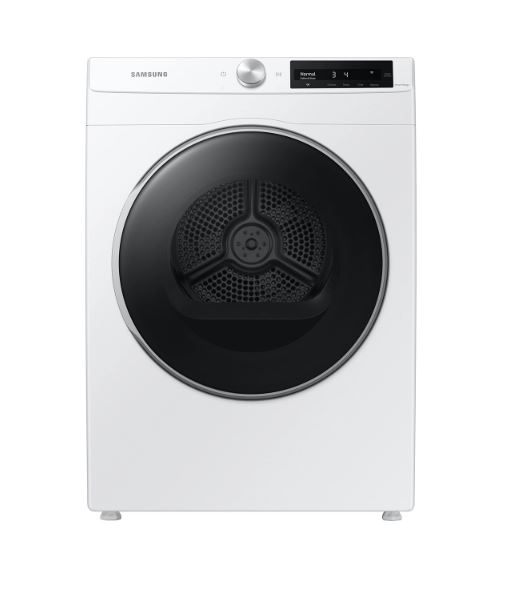
Understanding How Samsung Dryer Error Codes Work
Before we dive into specific codes, let’s demystify what’s actually happening when your Samsung dryer starts flashing symbols and numbers at you. Think of these codes as your dryer’s way of texting you about what’s wrong—once you know the language, they’re incredibly helpful.
Why Your Samsung Dryer Displays Error Codes
Your Samsung dryer has sensors monitoring critical systems throughout every cycle. There’s a temperature probe checking that things aren’t getting dangerously hot, a door latch sensor ensuring clothes stay inside during the tumble, a motor tachometer tracking rotation speed, and various other monitoring points depending on your model.
When any sensor detects something outside normal operating parameters, it triggers the control board to display a specific code and usually stops the cycle. This isn’t the dryer being dramatic—it’s preventing damage to your clothes, the machine itself, or worse, preventing potential fire hazards. A dryer that overheats because of a blocked vent can ignite lint buildup, which is why temperature codes immediately shut things down.
Some codes are warnings that let you finish a cycle with reduced functionality, while others are hard stops. The difference matters because it tells you how urgent the problem is.
How to Read and Reset Samsung Dryer Error Codes
Error codes appear on your dryer’s display panel, though the exact location varies by model. Older Samsung dryers might show simple two-character codes on a basic LED display, while newer models use full digital screens that can show more detailed information. The codes themselves are standardized across most Samsung dryer models from the past decade.
The universal reset procedure works for about 40% of error codes, especially those triggered by temporary glitches:
- Completely unplug your dryer from the wall outlet (don’t just turn it off—physically disconnect it)
- Wait a full 60-120 seconds to allow capacitors to discharge and the control board to reset
- While waiting, check for obvious issues like items jammed in the door or lint screen problems
- Plug the dryer back in and run a test cycle
- Watch to see if the same code reappears immediately or after running
If the code disappears and doesn’t come back, you likely experienced a temporary sensor glitch or power fluctuation. If it returns immediately or within one cycle, you have an actual problem that needs addressing.
Quick Reference – Error Code Severity Levels
| Error Code | Severity Level | Can You DIY? | Typical Repair Time |
|---|---|---|---|
| dE, dE2 | Low | Yes | 5-10 minutes |
| tS, t5 | Low-Medium | Yes | 10-15 minutes |
| hE, HE2 | Medium | Maybe | 30-60 minutes |
| 3E, 3C | High | No | 1-2 hours (pro) |
| 9E1, 9E2 | High | No | 2-4 hours (pro) |
Common Samsung Dryer Door and Latch Error Codes (dE, dE2, dC)
Door-related errors are hands-down the most common Samsung dryer error codes you’ll encounter—and fortunately, they’re usually the easiest to fix. These codes appear when your dryer’s door isn’t closing properly or the latch mechanism isn’t engaging correctly. Before you panic and call for service, there’s about an 80% chance you can handle this yourself in under ten minutes.
What Does dE Error Code Mean on Samsung Dryer?
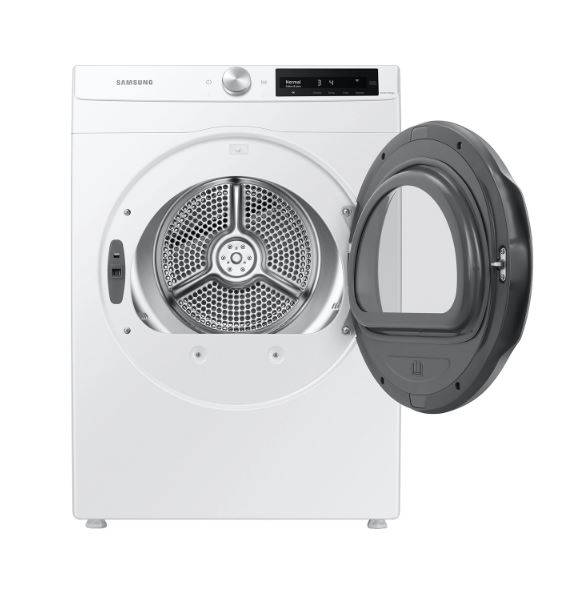
The dE code means your dryer detects that the door isn’t properly closed or the door latch isn’t engaging. This is a safety feature—Samsung dryers won’t run with an open door because tumbling clothes could spill out or someone could reach inside while the drum is spinning.
Common causes include clothing caught in the door seal, a misaligned door that doesn’t meet the strike plate correctly, a worn-out door latch assembly, or simply not pushing the door firmly enough to engage the latch. Sometimes lint buildup around the door area prevents a complete seal.
Start with the obvious: open and firmly close the door again. Listen for the distinct “click” that indicates the latch engaged. If you heard the click but still get the dE code, something else is preventing proper door detection.
Inspect the door seal (the rubber gasket around the opening) for any items tucked into the folds. Check that nothing is preventing the door from closing flush against the frame—even a sock jammed in the wrong spot can trigger this code. Look at the door latch itself, which is usually a plastic hook mechanism on the door that catches into a strike plate on the dryer frame. Make sure it’s not cracked, broken, or loose.
Test the latch by manually pressing it while the door is open. It should click smoothly and spring back when released. If it’s sticky, spray a tiny amount of silicone lubricant (not WD-40, which attracts lint) on the mechanism. If the latch is visibly damaged, you’ll need to replace the door latch assembly, which costs $25-$50 and requires just a screwdriver to swap out.
Check the strike plate alignment by looking at where the latch hook meets the strike when you close the door. If the dryer has been moved recently or if the door has been slammed repeatedly over years of use, the strike plate can shift slightly. Most Samsung models have adjustable strike plates secured with two screws—you can loosen them and shift the plate up, down, or side-to-side by a few millimeters to achieve better alignment.
How to Fix Samsung Dryer dE2 Error Code
The dE2 code is a variation that indicates an electrical problem with the door switch rather than a mechanical latch issue. While dE usually means “door won’t close properly,” dE2 typically means “door appears closed but the switch isn’t registering it electrically.”
This happens when the door switch itself has failed, when there’s a wiring problem between the switch and control board, or when the switch contacts are dirty or corroded. Unlike the simple latch fixes for dE, dE2 often requires replacing the actual door switch assembly.
The door switch is usually located near the door latch and has two wires connected to it. Before replacing anything, try the reset procedure first—sometimes moisture or temporary electrical interference causes false dE2 codes. If the reset doesn’t work, you’ll need to access the switch, which typically requires removing a few screws from the front panel.
Testing the switch requires a multimeter set to continuity mode. With the dryer unplugged, disconnect the wires from the switch and test continuity while manually pressing the switch button. It should show continuity when pressed and no continuity when released. If it fails this test, replace the switch assembly (usually $15-$35 for the part).
When replacing the door switch, take a photo of the wire connections before disconnecting anything. The wires are usually push-on connectors that you can swap to the new switch in seconds, but mixing up the wiring can cause other error codes.
Resolving dC Error Code Issues
The dC code is less common and indicates a communication error between the control board and the door sensor system. Think of it as the control board saying “I’m trying to talk to the door sensor, but it’s not responding correctly.”
This can result from a loose wire connection somewhere in the door sensor circuit, a control board glitch, or actual sensor failure. Start with the reset procedure since communication errors often resolve with a power cycle. If the code persists, you’re looking at checking wire connections, which requires accessing the control panel.
For most users, persistent dC codes after a reset mean it’s time to call a technician, especially if your dryer is still under warranty. The diagnostic process involves checking multiple connection points and potentially replacing either the sensor assembly or the control board itself.
Tools You’ll Need for Door Error Repairs:
- Flashlight for inspecting the latch mechanism and door seal
- Phillips head screwdriver for removing panels and adjusting strike plates
- Replacement latch assembly if the original is damaged (model-specific, around $25-$50)
- Cleaning cloth and mild detergent for removing lint buildup around door areas
- Multimeter (View on Amazon) for testing door switches (only if you’re comfortable with electrical testing)
- Silicone-based lubricant spray (View on Amazon) for sticky latch mechanisms
Samsung Dryer Temperature and Heating Error Codes (tS, t5, hE, HE2)
Temperature-related Samsung dryer error codes protect your clothes and your home from potential fire hazards. When these codes appear, your dryer is telling you something’s wrong with how it’s heating or monitoring temperature—and you should listen. These aren’t minor inconveniences; they’re safety warnings about systems that involve high heat and potential combustion.
Troubleshooting Samsung Dryer tS and t5 Temperature Sensor Errors
The tS and t5 codes both indicate problems with the temperature sensors that monitor heat inside your dryer drum. Modern Samsung dryers have multiple temperature sensors—one on the heating element housing and another on the exhaust duct—that constantly feed data to the control board to prevent overheating.
When the control board detects that a sensor is giving readings outside the expected range or no reading at all, it triggers these codes and shuts down the heating function. Your dryer might still tumble, but it won’t produce any heat, leaving you with damp clothes at the end of a cycle.
The tS code typically indicates a sensor that’s providing inconsistent readings or has failed completely. The t5 code usually means a short circuit in the sensor wiring, often caused by moisture infiltration or a wire that’s rubbed through its insulation and is touching metal.
Temperature sensors are located near the heating element assembly, which you access by removing the dryer’s front or rear panel depending on your model. Before you start taking things apart, try the reset procedure—about 30% of temperature sensor codes are actually temporary glitches that clear with a power cycle.
If the code persists, you’ll need to locate and inspect the sensors. They look like small metal probes with two wires attached. Check for obvious damage like melted plastic, burned wires, or corrosion on the connections. Lint accumulation around the sensors can also cause false readings, so carefully vacuum the area.
For those comfortable with a multimeter, you can test sensor resistance. Most Samsung temperature sensors should read between 50,000-60,000 ohms at room temperature (around 70°F). If you get a reading of infinity (open circuit) or near zero (short circuit), the sensor has failed and needs replacement.
Samsung Dryer hE Error Code: Overheating Issues Explained
The hE code creates confusion because it can indicate two opposite problems: your dryer isn’t heating at all, or it’s heating too much. The “E” stands for “error” and the “h” for “heating,” but context determines which scenario you’re facing.
If your clothes come out cold and damp, the hE code means the heating element isn’t working. If your clothes come out scorching hot, the dryer shuts down mid-cycle, or you smell something burning, the code indicates dangerous overheating that triggered safety shutdown.
In the overheating scenario, the number one cause—responsible for about 70% of cases—is a blocked exhaust vent. When your dryer can’t exhaust hot, moist air properly, heat builds up inside the drum to dangerous levels. The high-limit thermostat detects this and kills power to the heating element while displaying the hE code.
Check your exhaust vent system immediately if you get an hE code with overheating symptoms. Start at the dryer’s exhaust port on the back and trace the vent line to where it exits your home. Look for kinks in flexible vent hose, lint buildup inside the vent line, or blockages at the exterior vent cap (bird nests are surprisingly common).
Pull the dryer away from the wall and disconnect the vent hose. Look inside both the dryer’s exhaust port and the wall vent—you should see clear passage. If you see dense lint accumulation, you need to clean the entire vent system. A vent cleaning brush kit costs about $20-$30 at any hardware store and can prevent most hE codes.
For the “not heating” version of hE codes, you’re likely dealing with a failed heating element, a blown thermal fuse, or a bad thermostat. These repairs get more complex because you need to test multiple components with a multimeter to isolate which one failed.
The heating element itself is a coiled wire assembly that gets extremely hot when electricity flows through it. Over years of use, these elements can develop breaks in the wire. Testing requires a multimeter set to continuity—a functioning element should show continuity, while a broken one shows infinite resistance.
Thermal fuses are one-time safety devices that permanently blow if the dryer overheats severely. They’re designed to prevent fires by cutting power to the heating circuit. If your thermal fuse is blown (no continuity when tested), you must identify and fix whatever caused the overheating before simply replacing the fuse, or it will blow again immediately.
How to Fix Samsung Dryer HE2 Error Code
The HE2 code is a more specific variant indicating the dryer detected extremely high temperatures that pose an immediate fire risk. This is a hard shutdown code—your dryer will not run at all until you resolve the issue, and it shouldn’t be ignored or reset without addressing the root cause.
HE2 codes almost always result from severely restricted airflow combined with a stuck-closed heating element relay. This creates a dangerous feedback loop where heat can’t escape, temperatures skyrocket, and the heating element continues receiving power even when it shouldn’t.
Start by thoroughly cleaning your entire exhaust system as described above. But for HE2 codes, you also need to check the heating element housing itself for lint accumulation. Over years of use, lint works its way into areas it shouldn’t be, creating insulation around hot components that prevents proper heat dissipation.
Access the heating element chamber (location varies by model but is usually behind the front or rear panel) and carefully vacuum out any lint. Pay special attention to the high-limit thermostat, which is a small disc-shaped component attached to the heating element housing. If this thermostat is buried in lint, it can’t accurately sense temperature.
If cleaning doesn’t resolve HE2 codes, you likely have a failed thermostat that’s not cutting power to the heating element when it should. These thermostats are relatively inexpensive ($15-$30) but require some disassembly to access and replace.
Professional repair for heating system problems typically costs $150-$300 depending on which components need replacement and your location. Consider the age of your dryer when making repair decisions—if your machine is over 10 years old and needs a $250 heating system repair, you might be better off putting that money toward a new, more efficient model.
Temperature Error Codes Comparison
| Code | Temperature Issue | Primary Cause | DIY Success Rate | Professional Cost |
|---|---|---|---|---|
| tS | Sensor malfunction | Sensor failure | 60% | $120-$200 |
| t5 | Sensor short circuit | Wiring/moisture | 40% | $150-$250 |
| hE | Not heating properly | Blocked vent | 80% | $100-$200 |
| HE2 | Overheating | Element/thermostat | 50% | $200-$300 |
Samsung Dryer Motor and Drum Error Codes (3E, 3C, EA, bE)
Motor-related error codes are where things get serious. These Samsung dryer error codes indicate mechanical failures that typically require professional intervention—but understanding what’s happening can help you make informed decisions about repair versus replacement. When you start seeing motor codes, you’re often looking at significant repair bills that might not make sense for older dryers.
What Causes Samsung Dryer 3E Error Code?
The 3E code indicates a motor tachometer malfunction. The tachometer is a sensor that monitors how fast your dryer drum is spinning and communicates this information to the control board. If the control board tells the motor to spin at a certain RPM but the tachometer reports something completely different—or reports nothing at all—you get a 3E code.
This can mean the tachometer sensor itself has failed, the sensor wiring is damaged, or there’s an actual problem with the motor preventing it from spinning at the correct speed. Sometimes the issue is simply a loose connection between the tachometer and the control board, but more often it’s actual component failure.
Before the 3E code appears, you’ll usually notice warning signs. The drum might rotate inconsistently, speeding up and slowing down erratically during a cycle. You might hear unusual grinding or squealing noises coming from the motor area. The dryer might stop randomly mid-cycle, then start again after sitting for a while.
Testing a tachometer requires specialized tools and knowledge of motor systems. The tachometer is integrated into the motor assembly on most Samsung dryers, so accessing it means removing panels, disconnecting multiple wire harnesses, and potentially removing the entire drum to get to the motor.
This isn’t a DIY repair for most people. The motor assembly costs $150-$300 depending on your model, and installation requires mechanical skills. Professional repair runs $250-$450 total. On a dryer that’s 7-10 years old, this repair cost pushes you into the territory where replacement might make more financial sense.
Understanding 3C and EA Motor Error Variations
The 3C code is related to 3E but more specifically indicates a Hall sensor failure. Hall sensors use magnetic fields to detect motor rotation and are slightly different from traditional tachometers. The EA code generally points to communication failures between the motor control system and the main control board.
The practical difference for you is minimal—all three codes (3E, 3C, EA) indicate motor system failures requiring professional diagnosis. The control board can’t properly manage drum rotation, which makes the dryer unsafe to operate.
One factor worth considering is your dryer’s age. Samsung dryers typically last 10-13 years with proper maintenance. If your dryer is showing motor error codes and it’s already 8-10 years old, you need to think about total cost of ownership. A $400 motor repair on a 9-year-old dryer might buy you another 2-3 years, but you’d be spending that money on an aging machine that could develop other expensive problems soon.
On the other hand, if your dryer is only 3-4 years old and shows motor codes, repair makes more sense because you should get many more years of service after fixing the problem. Many Samsung dryers come with 1-year parts and labor warranties plus 3-5 year parts-only warranties on major components like motors—check your documentation before paying for repairs that might be covered.
Samsung Dryer bE Error Code: Belt and Drive System Problems
The bE code indicates your dryer’s belt sensor isn’t detecting proper belt movement. The drive belt is a long rubber band that wraps around the drum and connects to the motor pulley. When the motor runs, it turns the pulley, which turns the belt, which rotates the drum. If this belt breaks or slips off, your motor runs but the drum doesn’t turn.
Warning signs of belt failure include a drum that won’t turn even though you can hear the motor running, a burning rubber smell during operation, visible belt damage if you peek through the door opening, or excessive thumping sounds as the drum tries unsuccessfully to rotate.
Replacing a dryer belt is technically a DIY job if you’re mechanically inclined, but it’s one of the more challenging repairs because it requires almost complete disassembly. You have to remove the top panel, front panel, and often disconnect the drum entirely to access the belt routing around the drum and motor pulley.
The belt itself is inexpensive—usually $15-$30—but the labor is substantial. Professional replacement costs $120-$200. If you decide to DIY, you absolutely must get the belt routing correct. Samsung dryers use specific belt paths around idler pulleys and tension systems, and incorrect routing can cause premature belt failure or damage to other components.
When Motor Error Codes Mean It’s Time for a New Dryer:
- Your dryer is 10+ years old and showing motor failure symptoms
- Estimated repair cost exceeds 50% of what a comparable new dryer would cost
- You’re experiencing multiple system failures simultaneously (motor issues plus heating problems, for example)
- New energy-efficient models would save you $50-100 annually on utility bills, offsetting replacement cost over the machine’s lifespan
- The dryer has needed multiple repairs in the past two years, indicating declining overall reliability
Samsung Dryer Power and Electrical Error Codes (9E1, 9E2, 9C1, FC, FE)
Electrical error codes are your Samsung dryer’s alarm system for power supply problems. These codes range from simple fixes like a tripped breaker to serious issues requiring an electrician—not just an appliance repair technician. Electrical problems can damage your dryer’s control board and other components, so don’t ignore these codes.
Decoding Samsung Dryer 9E1 and 9E2 Power Supply Errors
The 9E1 and 9E2 codes indicate voltage problems with your home’s electrical supply to the dryer. Samsung dryers require consistent voltage within a specific range to operate safely. 9E1 typically means low voltage (less than the required 120V for electric dryers or insufficient gas supply voltage), while 9E2 indicates high voltage or power surges.
These aren’t dryer problems—they’re house electrical system problems. Your dryer is just the messenger telling you something is wrong with the power it’s receiving.
Start by checking your circuit breaker panel. Dryers require dedicated circuits (a circuit that serves only the dryer, not shared with other appliances) because they draw substantial power. Look for a tripped breaker in the panel—it will be in a middle position between ON and OFF, or fully OFF. Reset it by switching it completely OFF, then back ON.
If the breaker trips again immediately or within one cycle, you have a serious electrical problem. This could be a short circuit in your dryer, damaged wiring in your walls, or an undersized breaker for the load. Do not keep resetting a breaker that trips repeatedly—this is a fire hazard. Call an electrician.
For voltage testing, you need a multimeter and basic electrical knowledge. Test the outlet voltage with the dryer unplugged. Standard electric dryers require 240V (two 120V legs) at the outlet. If you’re reading significantly less—like 180V or 200V—you have a power supply problem that needs professional electrical repair.
How to Fix Samsung Dryer FC Error Code (Frequency Error)
The FC code indicates power frequency problems. In North America, electrical power alternates at 60 Hz (60 cycles per second). Your dryer’s motor and control systems are designed for this specific frequency. When the FC code appears, the dryer is detecting frequency variations that could damage components or cause erratic operation.
Frequency errors can result from problems with your utility company’s power supply, issues with backup generators if you’re using one, or damaged power conditioning equipment. They can also indicate a failing dryer control board that’s misinterpreting normal power as abnormal.
The simple reset procedure resolves FC codes about 60% of the time:
- Unplug the dryer completely for a full 2 minutes
- While it’s unplugged, go to your circuit breaker panel and verify the dryer circuit breaker is firmly in the ON position
- Check the outlet where the dryer plugs in—look for any signs of burning, discoloration, or damage
- Plug the dryer back in and run a test cycle
If the FC code clears and doesn’t return, you experienced a temporary power anomaly. If it returns immediately or persists, you need professional diagnosis to determine if the problem is your home electrical system or the dryer’s control board.
For homes experiencing frequent power fluctuations, consider installing a surge protector rated for major appliances. These aren’t the small power strips you use for electronics. They’re whole-appliance surge protectors that install between your outlet and the dryer, typically costing $50-$100. They can prevent expensive control board damage from power surges.
Resolving FE Communication Error Codes
The FE code indicates internal communication failures between components inside your dryer. Modern dryers have multiple circuit boards and control modules that communicate with each other constantly. The main control board talks to the motor control board, which talks to sensors, which report back to the main board—it’s a continuous conversation that coordinates all dryer functions.
When this communication breaks down, you get an FE code. This can result from loose wire connections inside the dryer, moisture infiltration into connection points, power surges that damaged circuit boards, or actual component failure.
FE codes require internal inspection of wire harnesses and connections. You’ll need to access the control board area (usually behind the control panel on top of the dryer) and systematically check that all wire connectors are fully seated. Connectors can work loose over time from vibration during dryer operation.
Look for signs of moisture or corrosion on circuit boards and connectors. If your laundry room has high humidity or if you’ve had any water leaks near the dryer, moisture can create communication problems. Carefully dry any affected areas and ensure the laundry room has adequate ventilation.
If all connections look good and the code persists after a reset, you’re likely looking at control board replacement, which costs $150-$300 for parts plus labor. This is another repair where the age of your dryer factors heavily into the repair-versus-replace decision.
Samsung Dryer Moisture and Water Error Codes (OE, dF, HC)
If you have a combo washer/dryer unit or a heat pump dryer, you’ll encounter moisture-related error codes that standard dryers never display. These codes deal with water drainage, humidity detection, and condensation systems that don’t exist in traditional vented dryers.
Samsung Dryer OE Error Code for Combo Units
The OE code appears on combination washer/dryer units and indicates an overflow or drainage error. After washing clothes, the combo unit needs to drain water before switching to dry mode. If water doesn’t drain properly, the OE code prevents the drying cycle from starting because wet conditions could damage dryer components.
Check the drain hose first. Combo units pump water out through a drain hose that typically connects to a standpipe, laundry sink, or direct drain connection. Ensure this hose isn’t kinked, clogged, or positioned higher than the unit’s pump can effectively push water (most combo unit pumps can raise water about 96 inches maximum).
Remove and clean the drain pump filter. Combo units have accessible filters that catch lint, coins, and small objects before they can damage the pump. These filters should be cleaned monthly but often get forgotten. The filter location varies by model but is usually behind a small access panel near the bottom front of the unit.
Unscrew the filter (have a shallow pan ready to catch water) and rinse it thoroughly. While the filter is out, shine a flashlight into the opening and check for obstructions in the pump housing. Small items like socks sometimes bypass the filter and jam the pump impeller.
Test the drain pump by running a spin cycle and listening for the pump to activate. You should hear it humming and pushing water out. If you hear clicking, grinding, or no sound at all, the pump has likely failed and needs replacement ($80-$150 for parts, plus labor).
Samsung combo units are notably different from washing machines, even though OE codes appear in both. The drainage system operates at different times in the cycle, and the tolerances are tighter because any remaining water can cause problems when the unit switches to heating mode for drying.
Also Read: Samsung Washing Machine Error Codes (Explained)
Understanding dF Filter Error Messages
The dF code indicates a problem with your lint filter sensor system. Some newer Samsung dryers have sensors that detect when the lint filter is clogged beyond acceptable levels or when it’s missing entirely. This is a safety feature since restricted airflow from a clogged filter is a fire hazard.
Clean your lint filter thoroughly—not just wiping the surface lint away, but actually washing it with warm soapy water and a soft brush. Dryer sheets and fabric softeners leave a waxy residue on the mesh that restricts airflow even when the filter looks clean. This residue is invisible but blocks air passage.
After washing the filter, hold it up to light. You should see light passing through the entire mesh surface. If sections appear cloudy or opaque, that’s residue buildup. Continue washing until you can see through the entire filter clearly.
If cleaning doesn’t resolve the dF code, the filter sensor itself might have failed. This sensor is typically a simple pressure switch that detects airflow restriction. Replacement requires accessing the filter housing area and swapping the sensor ($30-$60 for parts).
HC Error Code: High Current Detection
The HC code indicates your dryer is drawing more electrical current than it should. This is a protective shutdown code because excessive current draw can overheat wiring, trip breakers, or damage the control board.
High current draw typically results from a shorted component—usually the heating element or motor. When insulation breaks down on these high-power components, they can draw far more current than designed, creating a dangerous situation.
This is not a DIY diagnostic unless you have electrical training and proper testing equipment. Identifying which component is drawing excessive current requires measuring current flow to individual systems, which means accessing internal wiring with the dryer powered on—a dangerous situation for untrained individuals.
If you see an HC code, unplug the dryer and call a qualified technician. Don’t attempt to reset and continue using a dryer showing this code, as it indicates a potentially dangerous electrical fault.
Step-by-Step Samsung Dryer Error Code Troubleshooting Process
Now that you understand what each code means, let’s walk through a systematic approach to diagnosing and fixing Samsung dryer error codes.
The Universal Samsung Dryer Reset Procedure
The reset procedure works for temporary glitches, power fluctuation effects, and control board confusion. It won’t fix mechanical failures or actual component problems, but it eliminates false positives before you start spending money on repairs:
- Power down completely by unplugging the dryer from the wall outlet (or turning off the circuit breaker if the outlet is hard to reach behind the dryer). Don’t just press the power button—physically cut power to the machine.
- Wait a full 60-120 seconds. This allows capacitors to fully discharge and the control board’s memory to clear. During this time, the control board resets to factory default states.
- While power is disconnected, perform visual checks for obvious issues. Look at the door latch, check the lint filter, make sure nothing is jammed in the drum, verify the exhaust vent hose is connected properly.
- Restore power by plugging back in or switching the breaker back on. Don’t press any buttons yet—just restore power and wait 10 seconds for the control board to initialize.
- Run a test cycle using a small load of dry towels. Choose a normal dry cycle and observe whether the error code reappears immediately, appears partway through the cycle, or doesn’t appear at all.
If the code clears completely and your dryer runs normally through an entire cycle, you experienced a temporary glitch. Monitor for the next few loads to ensure it doesn’t return. If the code reappears during the test cycle, you have a real problem that needs diagnosis.
For intermittent codes that appear sometimes but not always, note the pattern. Does it only happen on certain cycles (like high heat vs. low heat)? Does it occur after the dryer has been running for a while, or right at startup? This information helps narrow down the problem and is valuable information if you need to call a technician.
Diagnostic Approach
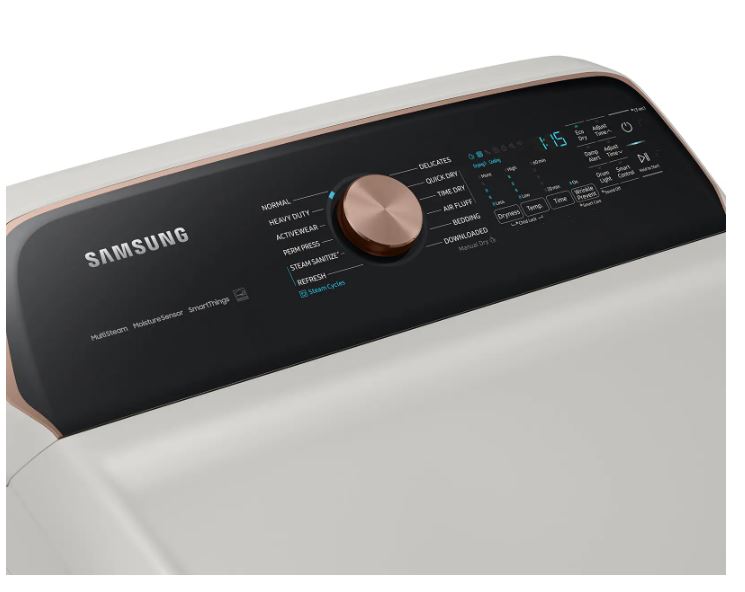
Some Samsung dryer models have a diagnostic mode you can enter by pressing specific button combinations. Common sequences include holding “Temperature” and “Signal” simultaneously, or pressing “Drying Level” and “Time” together for 3 seconds. Diagnostic mode displays sensor readings and can show you exactly which sensor is triggering a code. Check your owner’s manual for your specific model’s diagnostic mode entry sequence.
Safety Checks Before Attempting DIY Repairs
Before you start taking panels off your dryer and poking around inside, understand the safety risks and establish proper precautions:
Always disconnect power completely before opening any panels or touching any components. Dryers operate on 240V circuits (for electric models), which can be lethal. Even with the dryer “off,” capacitors can hold dangerous charges. Unplugging ensures no power can reach you.
For gas dryers, locate the gas shutoff valve (usually behind or beside the dryer) and turn it to the OFF position before starting any repair work. Gas leaks can lead to explosions, so never skip this step. If you smell gas at any point, stop work immediately, ventilate the area, and call your gas company.
Ensure proper ventilation in your work area, especially when working on gas dryers or when you might disturb dust and lint accumulation. A dust mask prevents inhaling lint particles that have been accumulating for years in hidden areas of your dryer.
Have proper lighting so you can see what you’re doing. A headlamp or clip-on work light is invaluable when working in tight spaces behind panels where room lighting doesn’t reach.
Know when to stop. If you encounter a repair step that makes you uncomfortable, that requires tools you don’t have, or that involves electrical work beyond your skill level, stop and call a professional. There’s no shame in recognizing your limits—it’s actually the smart decision that prevents injury and further damage.
When Samsung Dryer Error Codes Require Professional Help
Some repairs are simply beyond the reasonable scope of DIY work, even for fairly handy people. Recognizing when you need professional help saves time, money, and potential injury:
Consider your skill level honestly. If you’ve never worked with electrical systems, don’t start learning on your dryer. If you’ve never disassembled an appliance, motor replacement isn’t the place to begin. Simple repairs like cleaning vents or replacing door latches are good DIY projects. Complex electrical diagnostics and motor system work should go to professionals.
Check your warranty status before attempting any DIY repair. Samsung dryers typically come with a 1-year comprehensive warranty covering parts and labor, plus extended warranties on major components. Opening panels or replacing parts yourself can void coverage, costing you thousands if something goes wrong later. If you’re still under warranty, let the manufacturer handle repairs.
Perform a cost-benefit analysis. If a repair requires $150 in parts and special tools you’ll never use again, plus 4-6 hours of your time learning and performing the repair, versus a technician charging $200 to do it in 90 minutes with warranty on the work, the professional service becomes more attractive.
Understand the safety risks specific to your repair. Anything involving gas lines, 240V electrical work, or heavy component removal (like drum extraction) carries serious injury risk. Professionals have insurance, proper tools, and training for dangerous work.
The Professional Approach
For finding qualified Samsung repair technicians, start with Samsung’s authorized service provider network. You can find local authorized servicers through Samsung’s website by entering your zip code. Authorized servicers have factory training, access to OEM parts, and their work won’t void any existing warranties. Independent appliance repair companies can also be excellent, but verify they’re licensed, insured, and experienced specifically with Samsung dryers.
Questions to ask before hiring a repair technician:
- Are you authorized by Samsung to perform warranty work (if applicable)?
- What’s your diagnostic fee, and does it apply toward repair cost if I proceed?
- Do you guarantee your work, and for how long?
- Will you use OEM Samsung parts or aftermarket equivalents?
- Can you provide a written estimate before starting work?
- What’s your typical turnaround time for this type of repair?
DIY vs. Professional Repair Decision Guide
| Error Type | DIY Difficulty | Time Required | Tools Needed | Risk Level | Recommendation |
|---|---|---|---|---|---|
| Door errors | Easy | 15-30 min | Screwdriver | Low | DIY friendly |
| Vent cleaning | Easy | 30-60 min | Vent brush | Low | Always DIY first |
| Temperature sensor | Moderate | 45-90 min | Multimeter, screwdriver | Medium | DIY if comfortable |
| Motor issues | Hard | 2-4 hours | Specialized tools | High | Call professional |
| Electrical errors | Hard | Varies | Electrical testing | Very High | Call electrician |
Preventing Samsung Dryer Error Codes Through Regular Maintenance
The best way to deal with Samsung dryer error codes is to prevent them from appearing in the first place. A simple maintenance routine can eliminate 60-70% of common error codes and extend your dryer’s lifespan by years. Most dryer failures result from neglect of basic maintenance tasks that take minimal time and effort.
Monthly Samsung Dryer Maintenance Checklist
Establish a monthly routine that takes 20-30 minutes total. Schedule it for the same day each month so it becomes automatic—many people tie it to the first of the month or their monthly bills reminder.
Clean the lint screen thoroughly, not just wiping surface lint. Remove the screen and wash it in warm soapy water with a soft brush, paying attention to the mesh. Rinse completely and allow it to air dry for 30 minutes before reinstalling. This removes invisible fabric softener and dryer sheet residue that restricts airflow even when the screen looks clean.
Clean the moisture sensors inside your dryer drum. These are usually two metal strips on the inside of the drum near the lint filter opening. They sense moisture levels in your clothes to automatically end cycles when laundry is dry. Wipe them with a cloth dampened with rubbing alcohol.
Inspect the door seal for damage or debris. The rubber gasket around the door opening can develop tears, lose flexibility, or trap lint and small items in its folds. Run your hand around the entire seal, checking for rough spots, cracks, or anything that would prevent an airtight seal when the door closes.
More
Check the exterior vent cap outside your home. Make sure the flapper opens and closes freely, that no birds or small animals have built nests inside, and that lint isn’t accumulating around the opening. The vent cap should allow smooth airflow when the dryer is running but close to prevent outside air and pests from entering when the dryer is off.
Wipe down the drum interior with a damp cloth. This removes residue buildup that can transfer to future loads and also gives you an opportunity to check for any sharp edges or damage inside the drum that could snag clothing.
Vacuum around and behind the dryer if accessible. Lint escapes from the dryer and accumulates in surrounding areas, creating a fire hazard over time. If you can safely pull your dryer away from the wall, vacuum the floor, wall, and back of the dryer itself.
Quarterly Deep Vent Cleaning to Prevent Error Codes
Every three months, perform a thorough cleaning of your entire dryer vent system. This is the single most important maintenance task for preventing heating-related error codes and reducing fire risk. The U.S. Fire Administration reports that failure to clean dryer vents is the leading cause of dryer fires, responsible for an estimated 2,900 residential fires annually causing $35 million in property damage.
Disconnect your dryer from power and pull it away from the wall. For gas dryers, also shut off the gas supply valve. You need enough space to access the back of the dryer and the wall vent connection.
Disconnect the vent hose from both the dryer exhaust port and the wall vent. Most vent hoses attach with metal clamps that you loosen with a screwdriver. Inspect the hose itself for damage, kinks, or excessive lint buildup. If the hose is crushed, kinked, or made of white vinyl or thin foil (both are fire hazards and against code in most areas), replace it with rigid metal duct or heavy-duty aluminum flex duct.
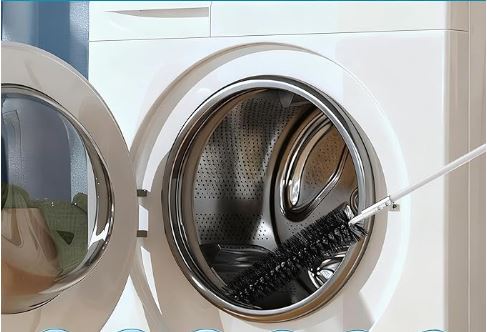
Use a dryer vent cleaning brush (View on Amazon) to clean the vent line that runs through your walls. These brushes have long, flexible handles that extend 10-20 feet and attach to a power drill. Feed the brush into the wall vent opening and spin it while slowly pushing it through the entire length of the vent to the exterior. Pull it back out and you’ll bring accumulated lint with it.
Clean the dryer’s exhaust port where the vent hose connects. This area often accumulates dense lint that restricts airflow. Use a vacuum with a crevice attachment to remove all lint from this area.
Go outside and clean the exterior vent cap. Remove the cap if possible (usually held by a couple of screws) and clean it thoroughly. Check that the flapper moves freely. While the cap is off, use the vent brush from outside to clean the last section of vent line.
Reassemble everything, making sure the vent hose isn’t crushed or kinked when you push the dryer back into position. The vent hose should have gentle curves, not sharp 90-degree bends that restrict airflow. Leave 3-4 inches of space between the dryer and the wall to prevent crushing the vent hose.
For homes with particularly long vent runs (over 25 feet) or multiple elbows in the vent system, consider hiring professional vent cleaning services. They have specialized equipment including high-powered vacuums and rotating brush systems that clean more thoroughly than DIY methods. Professional cleaning costs $100-$200 but provides superior results for complex vent systems.
Annual Professional Inspection Benefits
Even with diligent DIY maintenance, an annual professional inspection provides value through checks and tests that homeowners can’t easily perform:
Technicians can test internal components before they fail, catching developing problems when they’re still minor. They test heating elements, thermostats, sensors, and motors to identify parts showing early wear that could fail soon.
Professional inspections include belt and drum bearing checks that require partial disassembly. These components wear gradually over years, and replacing them proactively (when a tech is already there for other work) is far cheaper than emergency repairs when they fail completely.
Electrical connection inspections verify that the power supply to your dryer meets code requirements and that internal wiring hasn’t loosened from vibration. Loose connections create heat and fire risk.
Many manufacturers require annual professional inspections to maintain extended warranty coverage. Check your warranty documentation—some extended warranties become void if you can’t provide proof of annual professional maintenance.
The cost of annual inspection is usually $75-$150 depending on your location. Weigh this against potential savings from catching small problems before they become expensive failures, plus the peace of mind that a professional has verified your dryer is safe and operating efficiently.
Warning Signs Your Samsung Dryer Needs Attention (Before Error Codes Appear):
- Clothes taking noticeably longer to dry than when the dryer was new, even after cleaning the lint filter
- Excessive heat in the laundry room or on the dryer exterior during operation, hot enough to be uncomfortable to touch
- Unusual noises like squeaking, grinding, or thumping that persist throughout the cycle
- Burning smell during operation, even faint odors that come and go
- Visible moisture or condensation around the dryer drum or door seal after a cycle completes
- Lint accumulation around the door seal or visible lint escaping from areas other than the lint trap
- Clothes coming out with more wrinkles than normal, indicating they’re tumbling but not drying efficiently
- The dryer stopping randomly mid-cycle, then restarting on its own after a few minutes
Samsung Dryer Error Code FAQs
How do I clear error codes on my Samsung dryer?
Clearing error codes depends on whether the code indicates a temporary glitch or an actual problem that needs fixing. For temporary glitches, the universal reset procedure works: completely unplug your dryer for 60-120 seconds, then plug it back in and run a test cycle. This clears about 40% of error codes that resulted from power fluctuations, static electricity, or temporary sensor anomalies.
However, clearing a code doesn’t fix underlying problems. If the same code reappears immediately or returns after one cycle, you have a real issue that needs diagnosis and repair. Repeatedly clearing codes without addressing the root cause can damage your dryer further or create safety hazards.
Some codes like door errors (dE) clear automatically once you fix the problem—properly closing the door, for example. Others like motor failure codes (3E) won’t clear without actual component replacement because the control board continuously monitors those systems.
Never try to “trick” your dryer by entering diagnostic modes or using service codes to bypass error messages. These codes exist for safety reasons, and bypassing them can lead to fires, component damage, or injury.
What is the most common Samsung dryer error code?
The dE (door error) code is by far the most common Samsung dryer error code, accounting for an estimated 35-40% of all error codes users encounter. This makes sense because the door latch system gets used every single time you run the dryer, subjecting it to more wear than any other component except the drum bearings.
Most dE codes result from simple issues: clothing caught in the door seal preventing proper closure, the door not being firmly pushed shut to engage the latch, or minor latch misalignment that develops over time. About 90% of door errors can be fixed in under 10 minutes without any parts or tools.
The second most common code is hE (heating error), representing approximately 25-30% of error codes. The majority of hE codes result from blocked exhaust vents rather than actual dryer malfunctions. This is why regular vent cleaning is so critical—it prevents the most common non-door-related error code.
Temperature sensor codes (tS, t5) come in third at around 10-15% of errors, followed by various electrical and motor codes making up the remaining percentage. Understanding this frequency distribution helps you prioritize preventive maintenance—focusing on door latch care and vent cleaning prevents about 60-70% of all error codes.
Can I use my Samsung dryer if it shows an error code?
It depends entirely on which code is displayed and what’s causing it. Some codes are advisory warnings that allow continued operation with reduced functionality, while others are critical shutdowns that prevent the dryer from running at all for safety reasons.
Door error codes (dE, dE2, dC) will not allow the dryer to operate because running with an open or improperly latched door is dangerous. The drum spins at high speeds, and objects or hands could enter during operation. Fix the door issue before attempting to use the dryer.
Temperature error codes (hE, HE2) typically shut down heating functions but may still allow the drum to tumble. You might be able to run an air-fluff or no-heat cycle to finish a load, but you won’t get actual drying. Never try to bypass overheating shutdowns—they prevent fires.
Motor error codes (3E, 3C, EA) usually prevent all operation because the control board can’t safely manage drum rotation without proper feedback from motor sensors. Attempting to force operation with motor codes can damage the motor, control board, or both.
Electrical error codes (9E1, 9E2, FC, FE) typically cause immediate shutdown because they indicate potentially dangerous electrical conditions. Never continue using a dryer showing electrical error codes until you’ve identified and corrected the power supply issue.
The safest approach: any error code means stop using the dryer until you’ve diagnosed and resolved the issue. The few minutes saved by trying to finish a load isn’t worth the risk of fire, electrical shock, or expensive component damage from operating a malfunctioning appliance.
How much does it cost to fix a Samsung dryer error code?
Repair costs vary dramatically depending on which error code you’re addressing and whether you DIY or hire a professional. Here’s a realistic cost breakdown:
Door errors (dE, dE2): DIY costs $0-$50 for a replacement latch assembly if needed. Professional repair runs $80-$150 including the service call and parts. These are the cheapest repairs.
Vent cleaning for heating errors (hE): DIY costs $20-$40 for a vent brush kit if you don’t own one. Professional vent cleaning costs $100-$200. If the heating element itself needs replacement, parts cost $30-$60 for DIY or $150-$250 for professional service.
Temperature sensor replacement (tS, t5): Parts cost $20-$40, total DIY cost under $50. Professional replacement runs $120-$200.
Motor system repairs (3E, 3C, EA): Motor assemblies cost $150-$300 for parts. Professional installation brings total cost to $300-$500. Belt replacements are cheaper at $15-$30 for DIY or $120-$200 professionally.
Electrical repairs (9E1, 9E2, FC, FE): Control board replacement costs $150-$300 for parts, $250-$450 professionally. If the issue is your home’s electrical system rather than the dryer, electrician costs run $100-$300 depending on the required work.
When deciding whether a repair makes financial sense, consider the replacement cost of a comparable new dryer ($400-$800 for mid-range models). Generally, if repair costs exceed 50% of replacement cost and your dryer is over 8 years old, replacement is the smarter financial decision. For newer dryers under 5 years old, repairs almost always make sense even for expensive issues because you’ll likely get many more years of service.
Why does my Samsung dryer keep showing the same error code after reset?
A persistent error code after reset means you have an actual problem, not a temporary glitch. The reset procedure clears the control board’s memory and allows it to re-evaluate all systems. If it immediately detects the same problem, that’s confirmation that something needs repair.
Common reasons for persistent codes include failed sensors that continuously report problems, actual mechanical failures like broken belts or burned-out heating elements, electrical faults that don’t resolve with power cycling, or obstructions and blockages that won’t clear without physical intervention.
The diagnostic approach for persistent codes starts with eliminating obvious external causes. For heating codes, thoroughly clean your entire vent system before assuming component failure. For door codes, carefully inspect the entire latch mechanism and door seal. And for electrical codes, verify your outlet voltage and circuit breaker.
If external factors check out but the code persists, you’re looking at internal component failure. This is where you decide between DIY diagnosis with a multimeter and component testing or calling a professional technician who can systematically test each system.
Document the pattern if the code is intermittent rather than constant. Note when it appears (beginning of cycle, after running for a while, only on certain settings) and what conditions seem to trigger it. This information is valuable for diagnosis and should be shared with any technician you hire.
Are Samsung dryer error codes covered under warranty?
Samsung dryer warranty coverage depends on when you purchased the dryer and what specifically is failing. Standard Samsung dryer warranties include:
- 1 year comprehensive coverage on all parts and labor from the purchase date
- 3-5 years parts-only coverage on major components (motor, drum, heating element) depending on your specific model
- Warranty coverage typically excludes damage from improper installation, normal wear items, or failures resulting from lack of maintenance
Error codes themselves aren’t covered or not covered—it’s the underlying component failures they indicate. A motor failure (3E code) occurring in year 2 would have parts covered under extended warranty, but you’d pay labor costs. The same failure in year 1 would be completely free.
To file a warranty claim, contact Samsung customer service with your model number and serial number (located on a label inside the door opening or on the back panel). They’ll verify your coverage dates and direct you to an authorized service provider in your area. Only repairs performed by Samsung-authorized technicians maintain your warranty validity.
Some retailers offer extended warranty programs beyond Samsung’s coverage. These typically cost $100-$200 at purchase and can provide value if you keep appliances for 8-10+ years. Evaluate extended warranties based on your typical appliance usage patterns and how long you plan to keep the dryer.
Important: DIY repairs can void warranty coverage. If your dryer is still under any warranty period, always use authorized service rather than attempting repairs yourself, even for simple fixes. The money saved on a $50 DIY repair isn’t worth voiding coverage that could save you $500 on a future major failure.
How long do Samsung dryers typically last before showing error codes?
With proper maintenance, Samsung dryers average 10-13 years of service before major component failures become common. However, error codes can appear at any point in a dryer’s life depending on usage patterns, maintenance quality, and installation correctness.
New dryers (0-2 years) most commonly show error codes from installation issues, manufacturing defects, or user error. Door errors from improper loading, vent errors from incorrectly installed exhaust systems, or electrical codes from inadequate power supply are typical. Manufacturing defects usually appear within the first year and should be covered under warranty.
Mid-life dryers (3-7 years) typically show error codes from normal wear on components like door latches, sensors, and belts. Heating errors become common if vent cleaning has been neglected. These are usually straightforward repairs with moderate costs.
Aging dryers (8-13 years) begin showing error codes from multiple system degradation. Sensors fail, motors develop bearing wear, control boards experience component aging, and heating elements burn out. At this life stage, you often face repair-or-replace decisions as repair costs approach replacement value.
Extending dryer lifespan comes down to three factors: regular vent cleaning (prevents 60% of heating system failures), proper loading (prevents bearing and belt wear from overloading), and prompt repairs of small issues before they cascade into major failures.
Geography affects lifespan too. Dryers in humid climates experience more moisture-related sensor problems. Homes with hard water see more mineral buildup affecting steam functions. Areas with frequent power fluctuations show more electrical error codes from voltage stress on control boards.
Can power surges cause Samsung dryer error codes?
Yes, power surges are a common cause of Samsung dryer error codes, particularly electrical and communication codes like FC, FE, 9E1, and 9E2. Modern dryers contain sensitive electronic control boards with microprocessors that can be damaged or temporarily disrupted by voltage spikes.
Minor power fluctuations might cause temporary error codes that clear with a reset. The dryer’s control board essentially gets confused by the voltage anomaly, interprets it as a problem, and throws a code. Resetting allows the board to reinitialize and often clears these false errors.
Major power surges from lightning strikes, utility company issues, or large appliances cycling on/off can permanently damage control boards, requiring replacement. Control board damage often appears as communication errors where the board can’t properly coordinate with sensors and other components.
To protect against surge damage, consider installing a whole-appliance surge protector between your dryer outlet and the dryer plug. These specialized suppressors are different from standard power strips—they’re rated for the high current draw of major appliances (typically 240V, 30-amp capacity). Quality appliance surge protectors cost $50-$150 but can prevent a $300 control board replacement.
Some homes benefit from whole-house surge protection installed at the electrical panel. This protects all appliances and electronics simultaneously and costs $200-$500 installed by an electrician. It’s worth considering if you live in an area with frequent electrical storms or unstable power supply.
Document surge events if they occur. If your dryer suddenly displays error codes immediately after a thunderstorm or power outage, that information helps technicians diagnose surge damage. Some homeowners insurance policies cover appliance damage from power surges, making documentation valuable for potential claims.
Aso Read: Samsung Washing Machine Symbols and Meanings
Conclusion
Samsung dryer error codes transform from frustrating mysteries into helpful diagnostic tools once you understand what your dryer is trying to communicate. Most codes point to problems you can either fix yourself with basic tools and some time, or at minimum understand well enough to make informed decisions about professional repair.
The door error codes you’ll encounter most frequently—dE, dE2, and related variants—rarely require anything more than cleaning, alignment adjustments, or inexpensive latch replacements. Heating and temperature codes usually direct you toward vent cleaning, which prevents not just error codes but potential fire hazards. Even the more serious motor and electrical codes serve valuable purposes by shutting down your dryer before minor issues cascade into expensive catastrophes.
Most Samsung dryer error codes are surprisingly manageable when you understand what your appliance is trying to tell you. Whether you’re dealing with a simple dE error that clears by properly closing the door or a more complex temperature sensor failure requiring component replacement, the framework in this guide gives you a starting point.
The key to living peacefully with any Samsung dryer error codes is preventive maintenance. Monthly lint filter cleaning, quarterly vent system cleaning, and annual professional inspections eliminate the majority of error codes before they occur. The 30 minutes monthly you invest in maintenance prevents hours of troubleshooting and potentially hundreds in repair costs.
The next time your Samsung dryer error codes flash at you, take a breath, check this guide for your specific code, and tackle the problem methodically. Y

Hi, I’m Barlgan! I created Repair Me Yourself to empower homeowners to tackle appliance repairs with confidence. From decoding error codes to fixing cooling issues, I break down complex repairs into simple, actionable steps that save you time and money.