
If you’ve ever stood in front of your Samsung dryer, staring at a blinking light or mysterious icon and wondering what on earth it’s trying to tell you, you’re not alone. Samsung dryers use a variety of symbols, lights, and error codes to communicate everything from normal cycle operations to serious malfunctions.
The problem? Unless you’ve got your user manual memorized (and let’s be honest, who does?), these symbols can feel like you’re trying to decode hieroglyphics.
Understanding what these symbols mean isn’t just about satisfying your curiosity. It can save you time, money, and the frustration of calling a repair technician for something you could fix yourself in five minutes.
Whether you’re dealing with a flashing shirt symbol, mysterious blinking lights, or an error code you’ve never seen before, this guide will walk you through everything you need to know about Samsung dryer display symbols in 2026.
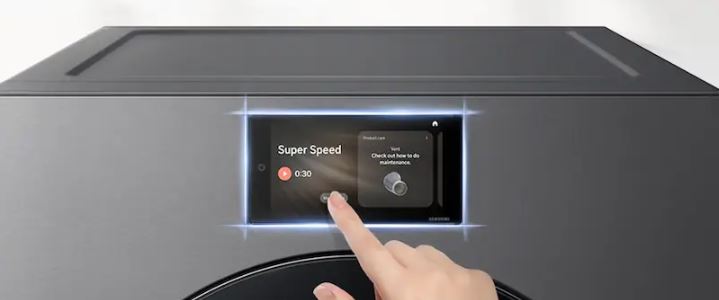
What Are the Icons on a Samsung Dryer? Understanding Your Control Panel
Samsung dryers use a comprehensive system of icons and symbols to help you select cycles, monitor progress, and identify issues. These symbols fall into several categories, and once you understand the system, operating your dryer becomes much more intuitive.
Samsung Dryer Symbol Categories: What Each Type Means
Your Samsung dryer’s control panel displays different types of symbols depending on what you’re doing.
Cycle selection symbols show you which drying program you’ve chosen. These include things like normal dry, delicates, or heavy duty.
Drying level indicators tell you how dry you want your clothes. Options typically range from damp dry to very dry.
Temperature settings symbols display whether you’re using high heat, medium heat, low heat, or no heat at all. These help you protect delicate fabrics while ensuring heavier items get thoroughly dried.
Beyond the basics, Samsung dryers also include special feature symbols. Wrinkle Prevent tumbles clothes periodically after the cycle ends to keep them from settling into creases. Steam Sanitize kills bacteria and allergens using steam heat.
Eco Dry runs an energy-saving mode that uses less power, while Sensor Dry uses moisture sensors to determine when clothes are done rather than running on a fixed timer.
Complete Samsung Dryer Cycle Symbols Breakdown
Here’s a comprehensive look at the most common cycle symbols you’ll encounter:
| Symbol Description | What It Means | When to Use It |
|---|---|---|
| Circular arrow or shirt icon | Normal Dry cycle | Everyday loads of cotton, linens, and mixed fabrics |
| Feather or delicate fabric | Delicates/Low Heat | Lingerie, activewear, anything that might shrink |
| Heavy fabric or jeans icon | Heavy Duty | Thick towels, bedding, jeans, work clothes |
| Clock with reduced time | Quick Dry | Small loads or items that are already mostly dry |
| Wind symbol (no flames) | Air Fluff/No Heat | Fluffing pillows, refreshing clothes, drying plastics |
| Droplet with levels | Sensor Dry levels | Let the dryer determine dryness automatically |
| Clock icon | Timed Dry | Manual time selection when you want control |
Understanding Normal Dry and Delicates
The Normal Dry cycle is your go-to for most loads. It uses medium-to-high heat and runs until the moisture sensors detect your clothes are dry. This cycle works perfectly for everyday items like t-shirts, jeans, towels, and bed sheets.
The Delicates cycle uses low heat and gentle tumbling to protect fragile items. Use this for lingerie, workout clothes, anything with elastic, and garments labeled “tumble dry low.” The reduced heat prevents shrinkage and fabric damage.
Heavy Duty and Quick Dry Options
For heavy items like comforters or thick bath towels, the Heavy Duty cycle provides extended drying time with higher heat. It’s designed to handle the extra moisture in dense fabrics that would stay damp with a normal cycle.
The Quick Dry option is perfect for those times when you need a small load done fast. It’s not energy-efficient for large loads, but it’s a lifesaver when you forgot to dry your kid’s soccer uniform before the game. Only use this for small loads or items that are already partially dry.
Air Fluff and Specialty Cycles
Air Fluff or No Heat cycles tumble clothes without any heat. This is ideal for refreshing items that just need wrinkles shaken out. It also works great for drying items that can’t handle heat, like certain shoes, plastic shower curtains, or stuffed animals.
Essential Control Panel Symbols You Need to Know
Beyond cycle selection, your Samsung dryer has several important control and status symbols.
Start/Pause and Power Controls
The Start/Pause button is usually marked with a play/pause icon or simply the word “Start.” When your dryer is running, this button will pause the cycle. Press it again to resume drying where you left off.
Child Lock Feature
The Child Lock symbol typically shows as a padlock or smiley face with a lock. This prevents kids from changing settings or starting the dryer mid-cycle. To activate or deactivate it, you usually press and hold a specific button combination (often the temperature and time buttons simultaneously) for about three seconds.
Additional Status Indicators
The Delay Start feature lets you set the dryer to begin at a later time. This is great for taking advantage of off-peak electricity rates if your utility company offers time-of-use pricing.
The Drum Light indicator tells you when the interior light is on. The Filter Check light reminds you when it’s time to clean your lint filter. Though honestly, you should be doing that before every load anyway.
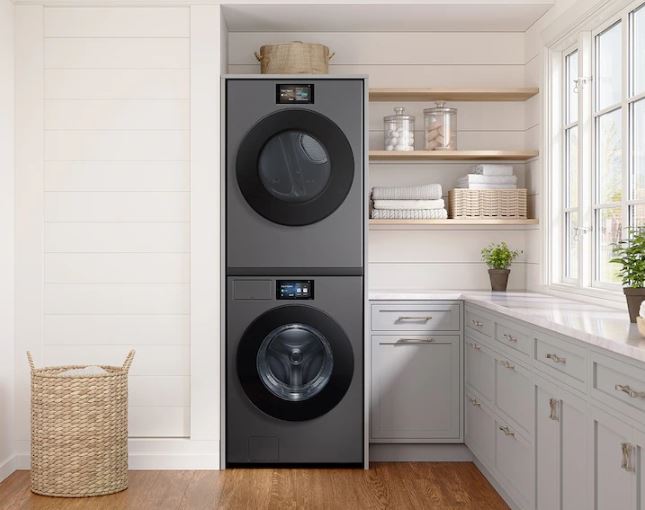
Samsung Dryer Error Symbols: What They Mean & How to Fix Them
When something goes wrong with your Samsung dryer, it communicates the problem through error codes displayed on the control panel. These codes are your dryer’s way of telling you exactly what’s malfunctioning. Understanding them helps you troubleshoot effectively and know when you can fix it yourself versus when to call a technician.
Most Common Samsung Dryer Error Codes Explained
| Error Code | What It Means | Most Common Cause | Quick Fix |
|---|---|---|---|
| dE or dE2 | Door Error | Door not fully closed or latch broken | Check door seal, remove obstructions, ensure proper closing |
| tE or tE3 | Temperature Sensor Error | Faulty thermistor | May require professional sensor replacement |
| FE | Frequency Error | Inconsistent power supply | Check electrical connection, verify outlet voltage |
| HC or hE | Heating Error | High current detected in heating element | Unplug dryer, let cool, check for blockages |
| OE | Overheating Error | Restricted airflow or thermostat issue | Clean vent system thoroughly, check exhaust |
| tS | Temperature Sensor Short | Sensor wiring problem | Professional diagnosis usually needed |
| t5 | Thermal Fuse Issue | Fuse blown due to overheating | Replace thermal fuse (often DIY-able) |
dE/dE2: Door Error and Why Your Dryer Won’t Start
This is probably the most common error you’ll encounter. The dE error means your dryer thinks the door isn’t properly closed, even if it looks shut to you.
Why Door Errors Happen
Samsung dryers have a door latch switch that must engage completely before the dryer will run. It’s a safety feature to prevent the drum from spinning with the door open. The switch is surprisingly sensitive, so even a tiny obstruction can trigger the error.
Common Causes of Door Latch Problems
Something might be caught in the door seal. Check for socks or fabric bunched up in the rubber gasket around the door opening.
The door latch itself might be worn out or broken. If the plastic latch doesn’t click into place anymore, it won’t signal the dryer that it’s safe to start.
Lint and debris can build up in the latch mechanism. This prevents it from engaging fully even when the door appears closed.
How to Fix Door Errors
Try opening and firmly closing the door a few times. Sometimes the latch just needs to seat properly.
Inspect the latch for damage or debris. The latch mechanism is usually accessible without tools, making it easy to clean.
If the plastic latch piece on the door is cracked or the spring mechanism feels loose, you’ll need a replacement latch. These are inexpensive and available online with straightforward installation instructions.
tE/tE3: Temperature Sensor Malfunction Warning
The tE error indicates that your dryer’s thermistor is sending readings that are out of the normal range or not communicating at all. This sensor tells the dryer how hot the air inside the drum is, which is crucial for proper drying and preventing overheating.
What Causes Temperature Sensor Errors
This error usually means the sensor itself has failed. The thermistor is an electronic component that can wear out over time, especially in dryers that see heavy use.
Sometimes it’s just a wiring connection that’s come loose. The vibration from the drum spinning can occasionally shake a wire connector loose.
Fixing Temperature Sensor Issues
You can try unplugging the dryer for 5-10 minutes to reset the control board. This sometimes clears the error if it was just a temporary communication glitch.
If the error returns immediately after resetting, you’re probably looking at a sensor replacement. The good news is that thermistors are relatively inexpensive parts, typically $20-40.
Accessing them usually requires removing the dryer’s front or rear panel. If you’re handy with basic tools, this is doable as a DIY project. Otherwise, a technician can handle it quickly.
FE: Power Frequency Error
The FE code appears when your dryer detects that the electrical frequency coming from your home’s power supply is inconsistent or incorrect. In the U.S., the standard is 60Hz. If your dryer senses significant deviation from this, it throws the FE error to protect its electronic components.
Understanding Power-Related Errors
This error is less about your dryer being broken and more about the power it’s receiving. Voltage fluctuations during storms can trigger it. Issues with your circuit breaker or problems with your home’s electrical panel can also cause this error.
Troubleshooting Power Issues
First, check that your dryer is plugged directly into the wall outlet. Extension cords and power strips can cause voltage drops that trigger this error.
Try unplugging the dryer for a few minutes, then plug it back in. This gives the electrical system time to stabilize.
If the error persists, you might need an electrician to check your home’s electrical supply. The problem could be with your panel, not the dryer itself.
HC/hE: Heating Error and High Current Detection
The HC or hE error means the dryer has detected unusually high electrical current flowing through the heating element. This is a protective shutoff to prevent damage or fire hazards.
What Triggers Heating Errors
The heating element may be drawing more power than it should. This happens if it’s partially shorted or if internal wiring has degraded.
Problems with the heating element relay on the control board can also cause this. The relay controls power to the heating element, and if it malfunctions, it can send too much current.
Resolving High Current Errors
Before calling for service, unplug your dryer and let it sit for at least 30 minutes to cool completely. Overheating can trigger false high current readings.
Check your lint filter and exhaust vent for blockages. Restricted airflow can cause the heating element to work harder than normal, potentially triggering this error.
If the error returns after clearing blockages and resetting, the heating element or control board likely needs replacement. This is generally a job for a professional unless you’re experienced with appliance repair.
OE: Overheating Error and Safety Shutdown
When your Samsung dryer displays OE, it means the high-limit thermostat has been triggered because the dryer got too hot. This is a critical safety feature designed to prevent fires. The dryer will shut down immediately when this happens.
Why Dryers Overheat
The most common cause is a clogged vent system. When hot, moist air can’t escape properly, it builds up inside the drum and causes overheating.
Check your exterior vent opening. If you can’t feel strong airflow when the dryer is running, you have a blockage somewhere.
The blockage might be in the vent hose itself, the ductwork running through your walls, or the exterior vent flap. Sometimes the vent hose has simply become kinked or crushed behind the dryer.
Fixing Overheating Issues
Clean the entire vent path thoroughly. Start at the dryer, work through the exhaust hose, and check all the way to the exterior opening.
Make sure the exterior vent flap opens freely when the dryer runs. Birds sometimes nest in vent openings, creating dangerous blockages.
If you’ve cleaned everything and still get OE errors, the high-limit thermostat itself might be faulty. This component can fail and trigger false overheating warnings even when temperatures are normal.
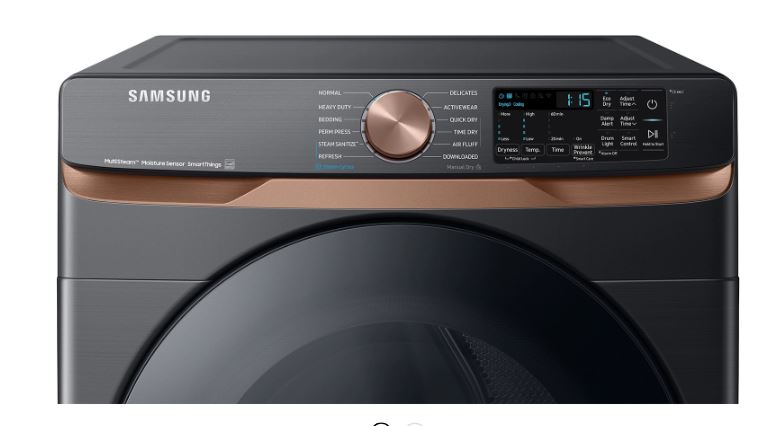
tS: Temperature Sensor Short Circuit
The tS error is similar to tE but specifically indicates a short circuit in the temperature sensor wiring. This means electricity is flowing where it shouldn’t be, usually due to damaged insulation on the sensor wires.
Understanding Wiring Short Circuits
A wiring harness might be rubbing against a sharp edge somewhere inside the dryer. Over time, the vibration causes the insulation to wear through, creating a short.
Rodents occasionally get into dryers and chew on wiring. If you’ve had mice or rats in your home, this could be the culprit.
When to Call for Help
This error almost always requires opening up the dryer to inspect the wiring visually. If you’re comfortable doing that, look for any wires with damaged insulation, especially near moving parts or sharp metal edges.
If you’re not handy with appliances, this is a good time to call a technician. Wiring issues can be tricky to diagnose without experience, and working inside the dryer involves exposure to electrical components.
t5: Thermal Fuse Problem
The t5 error indicates that your dryer’s thermal fuse has blown. This fuse is a one-time safety device designed to cut power to the heating element if the dryer overheats dangerously. Once it blows, it must be replaced. It won’t reset on its own.
Why Thermal Fuses Blow
Thermal fuses blow for a reason, usually prolonged overheating caused by restricted airflow. The fuse is typically rated to blow at around 280-320°F, which is much hotter than normal operating temperature.
If your dryer reached temperatures high enough to blow the fuse, something was seriously wrong with airflow. This is why you can’t just replace the fuse without addressing the underlying cause.
Replacing a Blown Thermal Fuse
Before you replace the fuse, clean your lint filter, vent hose, and exhaust duct completely. Make sure your vent run isn’t too long or doesn’t have too many bends. Building codes typically limit dryer vents to 25 feet of straight run, with reductions for each elbow.
Once you’ve eliminated the airflow restriction, you can replace the thermal fuse. You can find replacement fuses online for $10-20. Installation typically just requires unplugging two wire connectors and removing a couple of screws.
This is actually a fairly straightforward DIY repair on most Samsung models. The fuse is usually located on the blower housing or heating element housing, accessible by removing a panel.
Maintenance Warning Symbols: Filter and Vent Alerts
Beyond error codes, Samsung dryers display maintenance reminders to help you keep the appliance running efficiently.
Clean Filter Indicator
The Clean Filter indicator usually shows as a mesh or screen icon. It lights up after every cycle on most 2026 models as a reminder to remove lint from the filter.
Even if you forget, the dryer will still run. But efficiency drops dramatically with a clogged filter. Your clothes take longer to dry, you waste energy, and you increase fire risk significantly.
Check Vent Warning
Some newer Samsung dryers include a Check Vent indicator that monitors airflow. It alerts you when it detects reduced exhaust performance.
This is an incredibly useful feature that can alert you to vent blockages before they cause overheating errors. When this light comes on, it’s time to inspect and clean your entire vent system from the dryer to the exterior opening.
What Do the Blinking Lights on My Samsung Dryer Mean?
Blinking lights on your Samsung dryer can mean different things depending on which lights are blinking, how fast they’re blinking, and whether the dryer is running or stopped. Understanding these patterns helps you distinguish between normal operation and actual problems.
How to Tell Normal Blinking from Error Blinking on Samsung Dryers
During normal operation, you’ll see certain lights blink in regular patterns.
Normal Operational Blinking
When a cycle is running, the Drying indicator might blink slowly to show the dryer is actively working. This is completely normal and nothing to worry about.
When the cycle ends, the End/Done light often blinks along with a chime to get your attention. This is just the dryer saying “hey, your clothes are dry, come get them before they wrinkle.”
Error Blinking Patterns
Error blinking looks noticeably different from normal status blinking. Error-related blinking is typically faster, more erratic, or involves multiple lights flashing in unusual patterns.
If several cycle lights are blinking simultaneously, that’s usually not normal. If lights are flashing rapidly in a way you’ve never seen before, that’s the dryer screaming for attention about a problem.
The key difference is context. Normal blinking happens during expected times, like during a cycle, at the end, or during cool-down. Error blinking interrupts what should be happening or occurs when the dryer should be idle.
Samsung Dryer Blinking Light Troubleshooting Guide
| Blinking Pattern | What It Usually Means | What to Check |
|---|---|---|
| Single cycle light blinking slowly | Cycle in progress (normal) | Nothing, this is normal operation |
| End/Done light blinking with chimes | Cycle complete, remove clothes | This is just a reminder, press any button to silence |
| Multiple lights blinking rapidly | Control panel error or system fault | Try power cycling the dryer |
| All lights blinking in sequence | Self-diagnostic mode activated | You may have accidentally entered diagnostic mode |
| Child lock icon blinking | Child lock is engaged | Press and hold unlock button combination |
| Temperature light blinking | Temperature selection issue | Reselect temperature setting |
Single Light Blinking: Normal Operation
If just one indicator light is blinking and the dryer seems to be working fine otherwise, this is usually normal.
The Drying indicator blinks during operation on most Samsung models. The Wrinkle Prevent light blinks when that feature is active and periodically tumbling your clothes. The Cooling indicator blinks during the cool-down phase at the end of a cycle.
However, if a single cycle button (like Normal Dry or Delicates) is blinking and the dryer won’t start, that’s different. This usually indicates the dryer is waiting for you to press Start, or there’s a door issue preventing the cycle from beginning.
Multiple Lights Blinking: Error Patterns
When you see multiple indicator lights blinking in a specific sequence or pattern, your dryer is usually communicating an error code.
Different blinking patterns correspond to different errors, though this varies by model year. On 2026 Samsung dryers, this is less common because most models now have digital displays that show alphanumeric error codes.
If you have a model with just indicator lights, you’ll need to consult your specific model’s manual to decode the blinking pattern. The manual will have a chart showing what each pattern means.
All Lights Blinking: Critical Issues or Diagnostic Mode
If every single light on your control panel is blinking at once, you’ve got one of two situations.
You may have accidentally activated the dryer’s diagnostic mode. This happens by pressing a specific button combination, usually three buttons held simultaneously for several seconds.
To exit diagnostic mode on most Samsung dryers, simply turn the dryer off or press the Power button. The lights should return to normal.
If the lights continue blinking after a power cycle and you didn’t intentionally enter diagnostic mode, there may be a serious control board issue. This typically requires professional service, as control board replacement involves working with the dryer’s electronics.
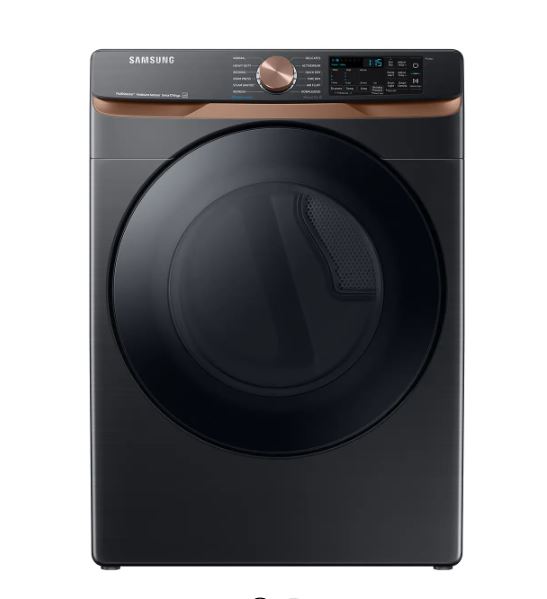
Common Samsung Dryer Blinking Light Scenarios
Cooling Down Phase Blinking
At the end of most cycles, Samsung dryers enter a cool-down phase where the drum continues tumbling but the heat turns off. This helps prevent wrinkles and makes clothes safe to handle immediately.
During this phase, you’ll typically see the Cool Down indicator blinking. This lasts anywhere from 5-15 minutes depending on what cycle you used and how hot the dryer got. This is completely normal. Just let it finish.
Wrinkle Prevent Cycle Blinking
If you’ve selected Wrinkle Prevent (sometimes called Wrinkle Care), the corresponding indicator will blink whenever the dryer is tumbling clothes.
Wrinkle Prevent works by briefly tumbling the load every few minutes for up to 3 hours after the drying cycle ends. Each time it tumbles, the indicator blinks. This prevents your clothes from sitting in a stationary pile getting wrinkled while you’re busy doing other things.
End-of-Cycle Signal Lights
When your drying cycle completes, most Samsung dryers will blink the End or Done light and play a series of chimes.
This blinking will continue until you open the door or press a button. It’s a persistent reminder to remove your clothes promptly.
On newer 2026 models, you can usually adjust the volume of the chime or turn it off entirely in the settings. You’ll still get the blinking light even with the sound off.
Child Lock Engaged Indicator
When Child Lock is active, the lock icon will typically blink anytime you try to press a button. This indicates that controls are locked and won’t respond to inputs.
To deactivate Child Lock, you need to press and hold the designated button combination. This is commonly the Temp and Time buttons together, held for about 3 seconds.
Once deactivated, the blinking stops and controls function normally again. Check your model’s manual for the exact button combination, as it varies.
Samsung Dryer Shirt Symbol Flashing: Causes & Quick Fixes
One of the most frequently asked questions about Samsung dryer symbols involves the shirt or normal cycle icon flashing unexpectedly. This specific symptom has a few common causes, and understanding what your dryer is trying to tell you can save you a service call.
What Does the Samsung Dryer Shirt Symbol Mean?
The shirt icon on your Samsung dryer represents the Normal Dry cycle. It’s the most commonly used cycle for everyday loads like t-shirts, towels, sheets, and mixed fabrics.
Under normal circumstances, when you select Normal Dry, this icon should light up solid while the cycle runs. You might see it blink briefly when you first press the cycle selection button, but once you hit Start, it should remain steadily lit.
When this symbol starts flashing unexpectedly, especially if the dryer won’t start or stops mid-cycle, it’s an alert. The dryer is telling you that something is preventing the Normal cycle from running properly.
Why Is My Samsung Dryer Shirt Symbol Flashing?
Door Latch Issues Causing Shirt Symbol to Flash
The most common reason for the shirt symbol to flash is a door latch problem. Samsung dryers have a safety interlock that prevents operation if the door isn’t securely closed.
If the latch mechanism isn’t engaging fully, the dryer knows it’s unsafe to start tumbling. So it flashes the cycle symbol to alert you rather than starting the cycle.
This can happen if something is caught in the door seal. Even a tiny piece of fabric wedged in the rubber gasket can prevent the door from closing that last fraction of an inch needed to engage the latch.
It can also occur if the door latch itself is worn, broken, or dirty with lint buildup. Any of these conditions prevent smooth operation and proper engagement.
Temperature-Related Flashing Problems
Sometimes the shirt symbol flashes in conjunction with temperature sensor issues.
If the dryer’s control board can’t get a proper reading from the thermistor, it may refuse to start the Normal cycle. The Normal cycle relies on sensor dry technology, which needs working temperature sensors.
This is less common than door issues but does happen. It’s especially likely on dryers that are a few years old and have seen heavy use.
Moisture Sensor Malfunction Indicators
The Normal Dry cycle uses moisture sensors inside the drum to determine when clothes are dry. These are usually two metal strips mounted on the front or back of the drum opening.
If these sensors get coated with fabric softener residue or mineral deposits from hard water, they can’t accurately detect moisture. The buildup acts as an insulator, blocking the sensors from sensing the electrical conductivity of wet fabric.
When the control board can’t communicate with the moisture sensors properly, it may flash the cycle symbol. This indicates it can’t run sensor dry mode reliably.
How to Fix Samsung Dryer Shirt Symbol Flashing: Step-by-Step
Step 1: Verify Door Is Completely Closed and Latched
Open the door all the way, then close it firmly. You should hear and feel a distinct click when the latch engages.
If you don’t hear a click, the latch isn’t catching properly. Try closing it a few more times with varying amounts of force.
Sometimes a slightly firmer pull is needed, especially if the door seal has swelled slightly from humidity. Other times, a gentler close works better if you’ve been slamming it.
Step 2: Inspect Door Latch Mechanism for Damage
Look closely at the door latch. This is the plastic piece on the door that sticks out and clicks into place.
Also examine the catch mechanism it fits into. This is inside the door frame on the dryer body.
Make sure neither piece is cracked, broken, or excessively worn. Check for lint buildup around the latch area and clean it out with a dry cloth or soft brush.
On 2026 models, the latch mechanism is often white or black plastic. If it’s cracked or if the spring mechanism feels loose, you need a replacement. Replacement latches (View on Amazon) are inexpensive and available online with model-specific installation videos.
Step 3: Reset the Dryer Using the Power Cycle Method
Unplug your dryer from the wall outlet. If it’s hardwired, flip its circuit breaker to the OFF position.
Wait a full 2-3 minutes. This isn’t just to “turn it off and on again.” This waiting period allows capacitors in the control board to fully discharge, which truly resets the electronics.
Restore power and try starting a cycle. This simple reset clears many temporary electronic glitches that can cause symbol flashing.
Step 4: Check for Overloading Issues
An overloaded drum can sometimes prevent the door from closing properly. The extra bulk of too many clothes can put pressure on the door, preventing the latch from seating correctly.
Remove about half the clothes and try again. As a rule, your dryer drum should be no more than about 3/4 full for optimal drying.
Overloading also strains the latch mechanism over time. Consistently jamming too many clothes in the dryer can wear out the latch prematurely.
Step 5: Examine and Clean Moisture Sensors
Open the dryer door and look along the inside of the drum opening. You’ll see two metal strips that look like small rectangular pieces of metal, usually stainless steel. These are the moisture sensors.
If they’re coated with a waxy film (from fabric softener sheets) or white residue (mineral deposits), they need cleaning. Use a cloth dampened with rubbing alcohol to clean them thoroughly.
Let them dry completely before trying to run a cycle. Clean these sensors every few months for best performance. This prevents sensor-related errors and ensures accurate drying times.
Step 6: When to Call for Professional Service
If you’ve tried all the above steps and the shirt symbol continues flashing, you likely have a failed component.
This could be the door latch switch (the electrical component that tells the control board the door is closed). It could be a faulty control board. Or it might be a defective moisture sensor that cleaning can’t fix.
If your dryer is still under warranty, contact Samsung support. They’ll arrange for authorized service at no cost to you.
If you’re out of warranty, a local appliance repair technician can diagnose and fix the issue. Expect to pay $150-300 depending on which part needs replacing and labor rates in your area.
Samsung Dryer Display Symbols Meaning Troubleshooting: General Tips
How to Reset Samsung Dryer Error Symbols
The first troubleshooting step for almost any Samsung dryer symbol or error issue should be a proper reset. Many error codes and flashing symbols are caused by temporary electronic glitches rather than actual hardware failures.
The Proper Power Cycle Method
Don’t just press the power button. That doesn’t fully reset the control board.
Instead, unplug the dryer from the wall outlet completely. If your dryer is hardwired (connected directly to your home’s electrical system rather than using a plug), go to your electrical panel and flip the circuit breaker for the dryer to the OFF position.
Leave it disconnected for at least 2-5 minutes. This waiting period is crucial because it allows all electrical charge to drain from the control board’s capacitors.
After waiting, restore power and try running a cycle. You’ll be surprised how often this simple step resolves seemingly complex problems.
Accessing Diagnostic Mode
Many Samsung dryers have a built-in diagnostic mode that can help identify problems. To enter this mode on most 2026 models, press and hold three buttons simultaneously.
The button combination is often the Temperature, Time, and Dry Level buttons. Hold them for about 3-5 seconds.
The display will usually show “tE” or a series of codes when you successfully enter diagnostic mode. You can then select different diagnostic tests by pressing cycle buttons.
This mode is primarily useful for technicians. But it can help you identify which sensor or component is failing. Consult your specific model’s service manual for exact button combinations, as these vary by model and year.
Clearing Persistent Error Codes
Some errors won’t clear with a simple reset because they indicate real problems that need to be fixed.
For example, a dE error caused by a broken door latch won’t go away until you actually repair or replace the latch. The error will return immediately because the underlying problem still exists.
However, after you’ve fixed the underlying problem, you may need to clear the code from memory. This usually happens automatically after a successful cycle completion.
You can also clear codes by entering diagnostic mode and exiting it. Or perform the power cycle reset procedure after making the repair.
Preventive Maintenance to Avoid Symbol Errors
The best way to deal with Samsung dryer errors is to prevent them in the first place. A well-maintained dryer rarely throws error codes and will last years longer than a neglected one.
Weekly Filter Cleaning Schedule
Clean your lint filter before every single load. No exceptions.
This takes 5 seconds and prevents probably 80% of dryer problems. A clogged lint filter restricts airflow, causes overheating, makes clothes take forever to dry, wastes energy, and creates a serious fire hazard.
Make it a non-negotiable habit. Before you start a load, pull out the filter, remove the lint, and put it back.
Once a month, wash the filter with warm soapy water. This removes fabric softener residue that regular lint removal won’t get. Dry it completely before reinstalling.
Monthly Vent Inspection and Cleaning
At least once a month, go outside and check your dryer’s exterior vent opening while the dryer is running. You should feel strong, warm airflow coming out.
If it’s weak or barely noticeable, you have a blockage somewhere. Pull the dryer away from the wall and disconnect the vent hose.
Look inside the hose. If you see lint buildup, clean it out thoroughly. Run a dryer vent cleaning brush (View on Amazon) through the entire vent path if you can.
If your vent run is long or has multiple bends, consider hiring a professional vent cleaning service once a year. They have specialized tools to clean the entire duct system properly.
Clogged vents are the number one cause of dryer fires and efficiency problems. This maintenance task is critical for safety.
Quarterly Moisture Sensor Maintenance
Every few months, clean those moisture sensors inside the drum with rubbing alcohol. This prevents sensor-related errors and ensures your clothes dry properly every time.
While you’re at it, wipe down the inside of the drum with a damp cloth. This removes any residue buildup from fabric softeners or detergents.
Pay special attention to the area around the lint filter opening. Lint can accumulate here and eventually work its way into the blower housing.
Annual Door Seal Checks
Once a year, inspect the rubber door seal for cracks, tears, or areas where it’s pulling away from the drum.
A damaged seal lets hot air escape. This reduces efficiency and can eventually lead to moisture problems around the dryer.
Replacement seals are relatively inexpensive if you catch damage early. They’re much cheaper than dealing with mold or water damage from escaped moisture.
When Samsung Dryer Symbols Indicate Professional Help Needed
Persistent Error Codes After Troubleshooting
If you’ve done all the basic troubleshooting and the same error code keeps coming back, it’s time to call a pro.
You’ve power cycled the dryer. You’ve checked for obvious problems. And you’ve cleaned filters and vents. The error still appears.
This usually means a component has actually failed and needs replacement. Some repairs are beyond typical DIY capability and require professional tools or expertise.
Mechanical Issues Beyond DIY Fixes
Some repairs are straightforward for a handy person. Replacing a thermal fuse, cleaning sensors, or swapping out a door latch are all doable DIY projects with basic tools and online tutorials.
But other repairs really do require professional knowledge and tools. Anything involving the drum belt, drive motor, control board replacement, or gas valve (on gas dryers) is generally best left to qualified technicians.
Working inside a dryer involves dealing with 240-volt electricity for electric dryers. Gas dryers involve natural gas or propane lines. Both can be dangerous if you don’t know what you’re doing.
If you’re not confident in your ability to safely complete a repair, calling a technician is the smart choice. The service call fee is worth avoiding injury or making the problem worse.
Warranty Considerations
If your Samsung dryer is still under warranty, attempting DIY repairs might void that coverage.
Most Samsung dryers come with a 1-year full warranty. There’s often longer coverage on certain parts like the drum and motor, sometimes up to 10 years.
Check your warranty status before breaking out the screwdrivers. You can verify this on Samsung’s website using your model and serial number.
Samsung’s warranty typically covers parts and labor for manufacturer defects. So take advantage of it if you’re eligible. Even if you’re just outside warranty, calling Samsung support might get you discounted service or parts as a goodwill gesture.
Frequently Asked Questions About Samsung Dryer Symbols
How do I read Samsung dryer symbols?
Samsung dryer symbols are located on and around the control panel, with each icon representing different cycles, settings, or status indicators. Cycle symbols like the shirt icon for Normal or feather for Delicates are usually along the cycle selector dial or buttons, while status symbols like Check Filter or Door Lock appear as separate indicators. Your user manual will have a complete symbol key specific to your model, but most Samsung symbols are relatively intuitive once you understand the basic categories.
What does the filter symbol mean on my Samsung dryer?
The filter symbol, typically shown as a mesh or screen icon, is a reminder to clean your lint filter before every load. On most 2026 Samsung dryers, this light illuminates after every cycle as a standard reminder, not necessarily because there’s a problem. However, on some newer models with airflow sensors, the light may come on specifically when the dryer detects restricted airflow due to a clogged filter or vent system that needs attention.
Why do Samsung dryer symbols keep flashing after I reset it?
If symbols continue flashing even after a proper power cycle reset, it means the dryer is detecting an actual problem that hasn’t been resolved yet. The reset cleared the symptom temporarily but not the underlying cause, such as a door latch that’s still not engaging properly, a genuinely failed sensor component, or a vent system that remains blocked. Go through systematic troubleshooting by checking the door latch and seal, cleaning all vents thoroughly, inspecting moisture sensors, and if flashing persists after addressing these common issues, you likely have a failed part requiring professional diagnosis.
What does the wrench symbol mean on a Samsung dryer?
The wrench symbol is a service reminder indicator, sometimes called the “Call for Service” light, that alerts you when your dryer has detected a recurring issue or the control board has logged multiple errors suggesting professional service is needed. This can appear after repeated overheating events, multiple door latch errors, or other patterns indicating a developing problem. While the dryer may still function with the wrench symbol showing, it’s telling you to get it checked out before a small problem becomes a major failure.
How do I clear error symbols on my Samsung dryer?
To clear error symbols, first unplug the dryer or turn off its circuit breaker for 2-5 minutes to perform a complete reset that clears temporary electronic glitches. However, if the error represents a real problem like a dE door error when your door latch is broken, the code will return immediately because the issue still exists. You must fix the actual problem first by repairing the latch, cleaning the vent, replacing the failed sensor, or addressing whatever caused the error, then the code will clear on its own once the dryer detects the issue is resolved.
What’s the difference between blinking and solid symbols on Samsung dryers?
A solid, steadily lit symbol indicates a selected setting or active status, such as when you choose the Normal Dry cycle and the shirt symbol lights up solid to confirm your selection. Blinking symbols generally indicate one of three things: a warning or error needing attention, a reminder or end-of-cycle notification, or an active process like Wrinkle Prevent periodically tumbling clothes. The context and blinking speed matter, with normal operational blinking being slow and rhythmic while error blinking tends to be faster, irregular, or involves multiple lights flashing in unusual patterns.
Can I still use my Samsung dryer if error symbols appear?
It depends entirely on which error is showing, as some errors are informational and won’t prevent operation like the Check Filter light, while other errors are safety-related and will completely prevent the dryer from starting or shut it down mid-cycle for protection. Door errors (dE), overheating errors (OE), and heating element errors (HC) typically lock out operation until resolved, while temperature sensor errors (tE) might let the dryer run but without heat. Never ignore overheating errors as these exist specifically to prevent fires, and if you’re getting an error you don’t understand, it’s safest to stop using the dryer and troubleshoot the issue before running another cycle.
Where can I find a complete Samsung dryer symbol chart for my model?
The most comprehensive symbol chart for your specific dryer model is in the user manual that came with your appliance, and if you’ve lost the physical manual, you can download a PDF version directly from Samsung’s support website at samsung.com/us/support by entering your model number. Your dryer’s model number is usually on a sticker inside the door opening or on the back of the dryer, and once you enter it on Samsung’s site, you’ll find the manual in the downloads section with detailed diagrams showing every symbol, what it means, and when it appears.
Also Read:
Conclusion
Understanding your Samsung dryer’s display symbols, icons, and error codes transforms you from a confused bystander into someone who can diagnose and often fix problems yourself. Whether you’re dealing with a flashing shirt symbol, mysterious blinking lights, or an error code you’ve never seen before, you now have the knowledge to decode what your dryer is trying to tell you.
Most blinking lights and symbols are either normal operational indicators or simple problems with straightforward fixes. Clean your lint filter religiously, maintain your vent system, and pay attention when new symbols appear. Your dryer is communicating valuable information that can prevent small issues from becoming expensive repairs.
Many issues that seem complicated and would cost $150 or more for a service call can be resolved in minutes with basic troubleshooting. Keep this guide bookmarked for future reference, and don’t hesitate to consult your specific model’s user manual for detailed information about symbols unique to your dryer. With proper maintenance and a little knowledge about what those symbols mean, your Samsung dryer should give you years of reliable, trouble-free service.

Hi, I’m Barlgan! I created Repair Me Yourself to empower homeowners to tackle appliance repairs with confidence. From decoding error codes to fixing cooling issues, I break down complex repairs into simple, actionable steps that save you time and money.