
Your Samsung refrigerator is flashing error codes, refusing to respond to buttons, or simply acting strange. Before you call for expensive repairs, a simple reset might solve the problem in minutes.
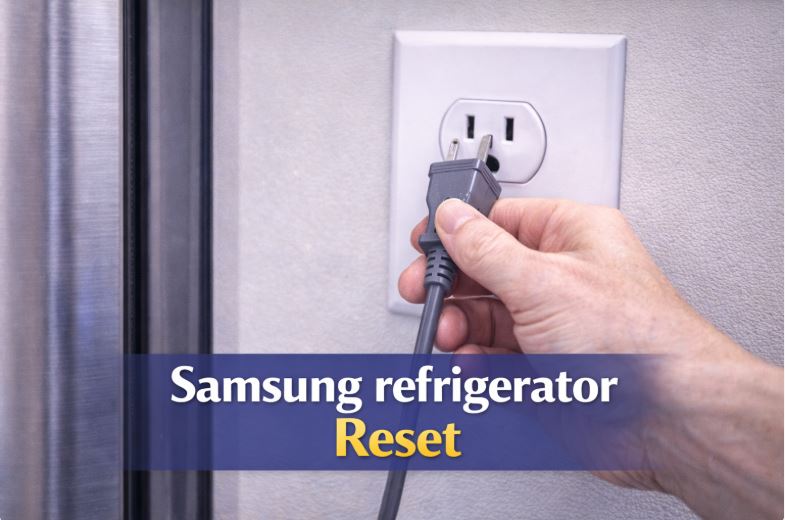
To reset a Samsung fridge, unplug it from the power outlet for 5 minutes, then plug it back in. This hard reset clears all electronic systems and fixes most temporary glitches. For minor issues, press and hold the “Energy Saver” and “Fridge” buttons simultaneously for 3-5 seconds to perform a soft reset without unplugging.
Resetting your Samsung refrigerator is like restarting your computer when it freezes. It clears temporary errors, reinitializes systems, and often fixes problems without any repair needed.
This troubleshooting guide covers five different reset methods for Samsung refrigerators. You’ll learn exactly when to use each method and what to do if the reset doesn’t work.
Samsung Fridge Reset Methods Quick Reference
| Reset Type | When to Use | Time Required | Difficulty |
|---|---|---|---|
| Soft reset (control panel) | Error codes, minor glitches | 2 minutes | Very Easy |
| Hard reset (unplug) | System freezes, major issues | 10 minutes | Easy |
| Ice maker reset | Ice production problems only | 5 minutes | Easy |
| Control panel reset | Display issues, unresponsive buttons | 3 minutes | Easy |
| Demo mode exit | Cooling disabled but display works | 2 minutes | Easy |
When to Reset Your Samsung Refrigerator
Understanding when a reset helps versus when you need actual repairs saves time and prevents unnecessary troubleshooting.
Problems a Reset Can Fix
- Error codes appearing on your display often clear with a simple reset. The control system registers a temporary fault that doesn’t indicate actual hardware failure.
- A refrigerator not responding to button presses usually has a frozen control panel. Resetting restarts the interface software.
- Display frozen or showing incorrect information indicates the control board needs reinitializing. This happens after power fluctuations or software glitches.
- Temperature readings that seem wrong may be caused by sensor communication errors rather than actual sensor failure. A reset re-establishes proper communication.
- Ice maker stopped working suddenly often responds to reset if no mechanical failure occurred. Electronic ice maker controls can glitch and stop the cycle.
- After power outages, refrigerators sometimes need manual resetting to resume normal operation. The sudden power loss can leave systems in an indeterminate state.
- Control panel acting erratically with buttons doing wrong things or settings changing randomly indicates software confusion that a reset fixes.
Problems a Reset Won’t Fix
- Physical component failures like a broken compressor, failed fan motor, or burnt-out defrost heater require actual repair or replacement. No reset can fix hardware that’s physically broken.
- Refrigerant leaks cause cooling loss that no electronic reset can address. This requires professional repair with EPA-certified technicians.
- Broken door seals letting warm air in won’t be fixed by resetting electronics. You need new gaskets installed.
- Mechanical ice maker failures where parts are broken, cracked, or jammed require replacement parts, not resets.
- Actual cooling system problems like failed compressors or blocked airflow need physical repairs. The reset might make error codes disappear temporarily, but cooling problems will return.
- If reset is needed repeatedly (daily or weekly), you have an underlying hardware problem. Stop resetting and diagnose the actual fault.
Samsung Fridge Reset Method 1: Soft Reset Using the Control Panel
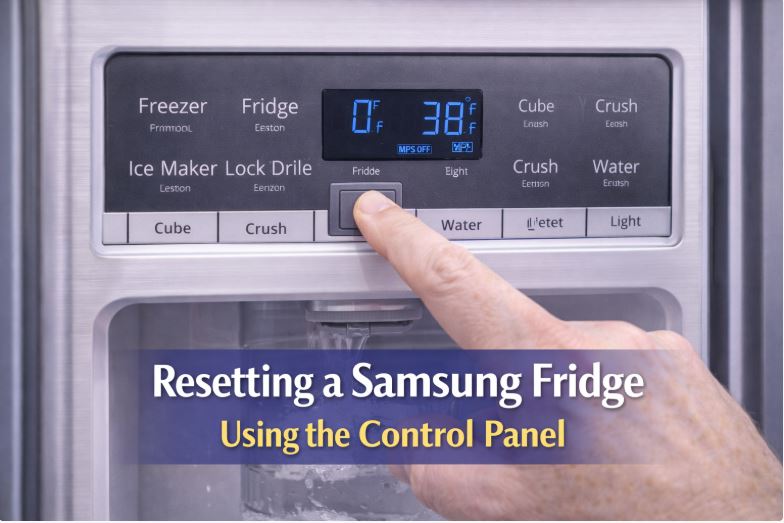
The quickest reset method works for minor glitches without unplugging your refrigerator or affecting food storage.
Step-by-Step Process
- Locate the “Energy Saver” and “Fridge” buttons on your Samsung’s control panel. These are usually on the front display.
- Press and hold both buttons simultaneously for 3-5 seconds. Don’t release them too quickly.
- Watch for the display to go completely dark. This indicates the reset has started.
- Release the buttons once the display goes dark. If nothing happens after 5 seconds, try holding longer or use different button combinations for your model.
- Wait 10 seconds for the system to reboot. The display will light up again and show default settings.
- Your refrigerator should now respond normally to commands. Test buttons to verify the control panel works properly.
What This Reset Does
A soft reset clears minor software glitches without affecting your food. The refrigerator stays cold throughout the process.
Temperature settings usually reset to factory defaults. You’ll need to adjust them back to your preferences.
Some error codes clear immediately. Others indicate actual problems that persist after reset.
The control panel reinitializes, restoring normal button response and display function.
Model Variations
French door models typically use “Energy Saver” and “Fridge” or “Power Freeze” and “Fridge” button combinations. Hold for 3-8 seconds depending on the specific model.
Side-by-side models may use “Ice Type” and “Child Lock” buttons simultaneously. Some require “Lighting” and “Freezer” buttons held together.
Top freezer models with simpler displays might not have a soft reset option. These models usually require hard reset by unplugging.
Check your user manual for your specific model’s button combination. Samsung uses different combinations across their refrigerator lineup.
Samsung Fridge Reset Method 2: Hard Reset by Unplugging
The most thorough reset method completely powers down all systems and forces a fresh start.
Why This Works
Unplugging removes all power from electronic components. Capacitors discharge completely, clearing all temporary memory.
The control board loses power and resets to factory programming. All learned settings and temporary errors disappear.
When you restore power, every system initializes fresh. This is equivalent to a clean computer reboot.
This method works when soft resets fail because it’s more complete. No power means total system reset.
Step-by-Step Instructions
- Remove food from your refrigerator or transfer perishables to coolers with ice. This protects food during the reset period.
- Pull the refrigerator away from the wall to access the power cord. You may need help as refrigerators are heavy.
- Unplug the power cord from the wall outlet. Don’t just turn off a switch; actually disconnect the plug.
- Wait a full 5 minutes minimum. This allows capacitors to fully discharge. Ten minutes is even better for thorough reset.
- Plug the refrigerator back into the outlet. Make sure the connection is secure.
- Push the refrigerator back into position. Ensure the power cord isn’t kinked or pinched.
- Wait 24 hours for cooling to fully stabilize. The first few hours will show temperature fluctuations as the system re-establishes normal operation.
- Reset your temperature preferences to your desired settings. The refrigerator will be at factory defaults.
When to Use Hard Reset
Use hard reset when soft reset doesn’t work. If the control panel reset didn’t solve the problem, a complete power cycle often will.
Multiple error codes appearing simultaneously usually require hard reset. The control system is confused and needs complete reinitialization.
Complete system unresponsiveness where no buttons work and the display is dark may indicate a frozen control board. Hard reset is your only option.
After power surges, even if the refrigerator seems to work, a hard reset ensures no corrupted data remains in the system.
Before calling repair service, try a hard reset. This solves many problems that seem serious but are actually electronic glitches.
Important Considerations
Food safety during reset depends on how long power is off. Five to ten minutes won’t warm food significantly if doors stay closed.
Use coolers for highly perishable items if you’re concerned. Ice or ice packs keep food cold during the reset period.
You must wait the full 5 minutes. Plugging back in sooner doesn’t allow complete capacitor discharge, making the reset less effective.
Normal cooling takes 24 hours to resume fully. Don’t judge success after just 2 hours. Temperature stabilization is gradual.
Samsung Fridge Reset Method 3: Resetting Samsung Ice Maker
When ice production stops but the refrigerator otherwise works fine, reset just the ice maker.
Locating the Ice Maker Reset Button
The reset button is on the ice maker assembly inside your freezer. Remove the ice bucket to see it.
Look for a small rectangular button, usually blue or red. It’s typically on the front of the ice maker assembly.
Some Samsung models have the button on the side of the ice maker. Check both the front face and left side.
On models without a visible reset button, the test function serves as reset. This button may be recessed and require a paperclip to press.
Ice Maker Reset Process
- Pull out the ice bucket completely. Set it aside in your sink or on a towel.
- Locate the test/reset button on the ice maker assembly. It should be clearly visible once the bucket is removed.
- Press and hold the button for 3-5 seconds. You may hear a chime or beep indicating reset has started.
- The ice maker will run through a test cycle. This takes 5-10 minutes and makes various sounds as it cycles through ice production steps.
- Don’t interrupt the test cycle. Let it complete fully even if it seems loud or takes longer than expected.
- Replace the ice bucket once the test cycle finishes. Make sure it seats properly.
- Wait 24 hours for normal ice production to resume. The first batch may not be full-size cubes.
What to Expect
During the test cycle, you’ll hear water flowing, motor sounds, and mechanical movements. This is normal as the ice maker goes through its full production sequence.
The test cycle typically takes 5-10 minutes from start to finish. Don’t worry if it seems to take longer on some models.
Ice production resumes within 24 hours if the reset was successful. The ice maker needs time to freeze the first batch of cubes.
If reset doesn’t work and ice still doesn’t produce, you have a mechanical problem or water supply issue rather than an electronic glitch.
Alternative Ice Maker Reset (No Button)
Some Samsung models control ice maker reset through the display panel. Look for “Ice Maker” or “Ice Off” buttons.
Press the ice maker button to turn it off. Wait 10 seconds.
Press again to turn it back on. This serves as a soft reset for models without physical reset buttons.
For models with touch screens, navigate to ice maker settings in the menu. Toggle the ice maker off and on.
Samsung Fridge Reset Method 4: Exiting Demo Mode
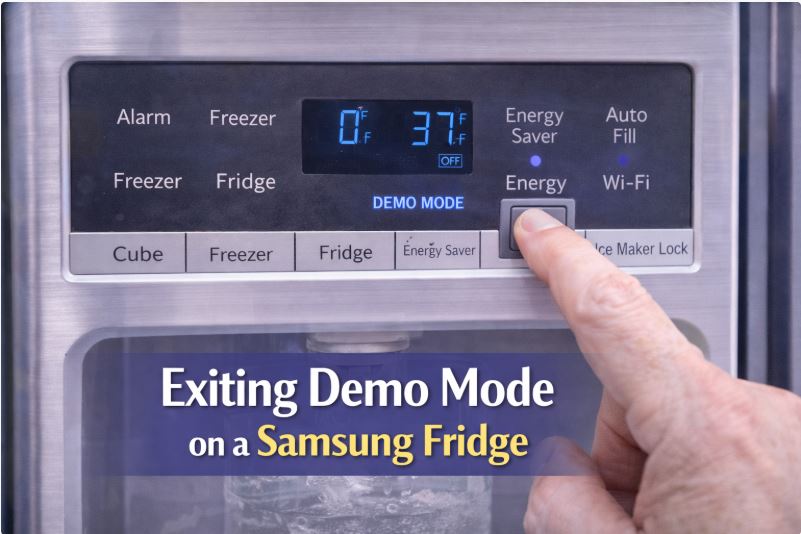
Demo mode keeps displays and lights working but disables all cooling. This often gets activated accidentally.
How Demo Mode Gets Activated
Pressing the wrong button combination accidentally activates demo mode. This happens during cleaning when you press multiple buttons.
During delivery, stores sometimes put refrigerators in demo mode. Occasionally this doesn’t get deactivated before delivery to your home.
Children playing with the control panel can accidentally enter demo mode. The button combination is easy to trigger unintentionally.
Signs You’re in Demo Mode
- Your display works perfectly and responds to buttons. Everything seems normal from the control panel perspective.
- No cooling occurs in either the refrigerator or freezer. Compressor doesn’t run and temperature rises.
- “O FF” or “OF OF” appears on the temperature display. This is Samsung’s indicator for demo mode.
- Lights turn on when you open doors, but no cold air comes out. The appearance is normal but function is disabled.
- Food begins warming over several hours. This is the clearest sign that demo mode is active.
Exiting Demo Mode by Model
For most Samsung French door refrigerators, press and hold “Energy Saver” and “Fridge” buttons simultaneously for 3 seconds.
Some models require “Power Freeze” and “Fridge” buttons held together for 5 seconds instead.
Watch the display go dark briefly, then restart. This indicates successful exit from demo mode.
For side-by-side models, try “Freezer” and “Lighting” buttons held for 8 seconds. Button combinations vary by model year.
On older Samsung refrigerators, press “Energy Saver” and “Freezer” together for 3-5 seconds.
If your model has a different combination, check the user manual. Samsung uses various combinations across their product line.
Confirming Demo Mode is Off
Listen carefully for the compressor starting. You should hear a humming sound from the back or bottom of the refrigerator within a few minutes.
Feel for cold air inside the freezer. It won’t be cold immediately, but airflow should start.
Watch for cooling indicator lights on the display panel. These activate when the refrigerator begins cooling cycles.
Temperature display should show actual temperatures, not “O FF” or “OF OF” messages.
Samsung Fridge Reset Method 5: Control Panel Reset
When buttons stop responding or the display glitches, reset just the control panel without affecting cooling.
When to Use This
- Buttons not responding to presses indicates the control panel firmware has frozen. A reset restarts just this component.
- Display showing incorrect information, like wrong temperatures or garbled text, means the display driver needs reinitializing.
- Can’t change settings despite pressing buttons multiple times. The control panel accepts input but doesn’t process it correctly.
- Display flickering or glitching with partial text or random characters showing indicates control panel problems.
Reset Process
The control panel reset uses the same button combinations as soft reset.
- Press and hold “Energy Saver” and “Fridge” buttons for 3-5 seconds.
- Wait for the display to go completely dark. This indicates the control panel is resetting.
- The display will reboot and show default screens. Test all buttons to verify normal response.
- Re-enter your temperature preferences and any custom settings you had configured.
Resetting Specific Samsung Refrigerator Models
Different Samsung refrigerator types have variations in reset procedures. Here’s what you need to know for your specific model.
French Door Refrigerators
Common models like RF28, RF23, RF26, and RF22 series use similar reset procedures. Most respond to “Energy Saver” and “Fridge” button combination.
Control panels are usually on the front between the doors or on the left door. Look for LED displays with multiple buttons.
These models sometimes require longer button holds, up to 8 seconds. If 3 seconds doesn’t work, try holding longer.
French door models benefit most from ice maker reset as this is where ice maker problems occur most frequently.
Side-by-Side Refrigerators
RS series models have different button layouts. Reset combinations often use “Ice Type” and “Child Lock” buttons.
Control panels sit on the left door typically. Some older models have controls inside the refrigerator compartment.
These models may show “88 88” on the display during reset. This is normal and indicates the system is rebooting.
Side-by-side models rarely have demo mode issues compared to French door models.
Top and Bottom Freezer Models
Simpler models with basic digital displays may not have soft reset capability. Hard reset by unplugging is often the only option.
Control panels on these models are usually basic with just temperature adjustment buttons. No complex button combinations exist.
These models are generally more reliable and need resetting less often. Simpler electronics mean fewer software glitches.
When these models need resetting, unplugging for 5 minutes almost always works.
Family Hub Models
Smart refrigerators with large touchscreens have additional reset options. The screen itself can be rebooted separately from the refrigerator.
For screen issues, press and hold the power button on the screen for 10 seconds to force restart.
Wi-Fi connectivity problems require network settings reset through the screen menu. Navigate to Settings > Connection > Reset Network.
Full refrigerator reset follows the same procedures as other Samsung models. The smart screen is separate from cooling system controls.
App-related problems may require signing out and back in through the Samsung SmartThings app. Screen resets don’t fix app connectivity issues.
What to Do After Resetting Your Samsung Refrigerator
Proper post-reset procedures ensure your Samsung refrigerator returns to full function and help you verify the reset worked.
Immediate Checks (First Hour)
Verify the display responds to button presses. Try changing temperature settings and watch for display response.
Listen for the compressor running. Place your hand on the back or side of the refrigerator to feel vibration indicating compressor operation.
Check that cooling has started by feeling inside both compartments. They won’t be cold yet, but you should feel airflow.
Ensure no error codes appear on the display. Some codes clear immediately after reset, others persist if hardware problems exist.
First 24 Hours
Monitor temperature readings on the display. They should gradually decrease toward set points.
Adjust temperature settings to your preferences. Factory defaults are usually 38°F for fridge and 0°F for freezer.
Check that the ice maker begins its cycle. You may hear water filling and the motor running.
Verify all functions work correctly, including water dispenser, ice dispenser, and door sensors.
Temperature Settings
Set your refrigerator to 37-38°F for optimal food preservation. This temperature keeps food safe while preventing freezing.
Set your freezer to 0-5°F. Zero degrees maintains food quality for maximum storage time.
Allow a full 24 hours for temperatures to stabilize. Initial readings will fluctuate as the system re-establishes balance.
Use a refrigerator thermometer (View on Amazon) to verify actual temperatures. Built-in displays aren’t always accurate immediately after reset.
Troubleshooting Failed Resets
When reset doesn’t solve your problem, these troubleshooting steps help identify what’s actually wrong.
If Error Code Returns Immediately
Error codes that reappear within minutes of reset indicate actual hardware problems, not electronic glitches.
Specific error codes have meanings. Write down the exact code and look it up in your Samsung manual or online.
Common persistent codes include “1E” or “SE” (ice maker sensor), “5E” (refrigerator defrost sensor), and “RD” (refrigerator door sensor).
When codes return immediately, stop resetting and diagnose the actual component failure. A reset isn’t going to fix hardware.
If Cooling Doesn’t Resume
Wait the full 24 hours before concluding the reset failed. Temperature stabilization is gradual, not immediate.
Check that you actually exited demo mode if that was the issue. Listen for compressor running to confirm.
Verify the circuit breaker didn’t trip during the reset process. Check your electrical panel.
If 24 hours pass with no cooling, you have an actual cooling system problem. The reset didn’t address the root cause.
If Reset Works Temporarily
Temporary fixes that last days or weeks indicate intermittent component failure. Something works when cold but fails when warm, or vice versa.
This pattern needs professional diagnosis. An intermittent problem requires testing when it’s actually failing.
Don’t keep resetting repeatedly. You’re masking symptoms of a real problem that will eventually become permanent failure.
Document when failures occur, how often you need to reset, and any patterns you notice. This information helps technicians diagnose the problem.
When Multiple Resets Are Needed
If you’re resetting daily, weekly, or even monthly, stop. You have an underlying problem that reset can’t fix.
Frequent reset needs indicate failing control board, loose connections, or damaged wiring. These require actual repair.
Continuing to reset delays proper diagnosis and repair. The underlying problem will worsen over time.
Call for professional service when resets become routine. The technician needs to find what’s causing the repeated failures.
Preventing the Need for Resets
Proper maintenance and usage reduce how often your Samsung refrigerator needs resetting.
Regular Maintenance
Keep control panels clean and dry. Moisture and dirt can cause button malfunctions and display issues.
Use a surge protector for your refrigerator. Power fluctuations damage electronics and cause glitches requiring reset.
Ensure proper ventilation around your refrigerator. Overheating stresses electronic components and causes failures.
For Family Hub models, keep software updated through the screen settings menu. Updates fix bugs that cause glitches.
Usage Tips
Don’t press multiple buttons rapidly or hold random buttons. This can accidentally trigger demo mode or other special functions.
Keep the control panel area dry. Wipe up spills immediately to prevent moisture infiltration.
Use child lock features to prevent kids from accidentally changing settings or entering demo mode.
During storms, unplug your refrigerator if possible. This prevents power surge damage when power returns.
Frequently Asked Questions
How do I reset my Samsung refrigerator?
The easiest method is unplugging your Samsung fridge for 5 minutes, then plugging it back in for a complete system reset. For a quicker soft reset without unplugging, press and hold the “Energy Saver” and “Fridge” buttons simultaneously for 3-5 seconds until the display goes dark. Both methods clear electronic glitches and restart the control system.
How long should I unplug my Samsung fridge to reset it?
Unplug your Samsung refrigerator for a minimum of 5 minutes to achieve a proper reset. This allows all capacitors to fully discharge and clears the control board memory completely. Ten minutes is even better if you want to be thorough, but 5 minutes is sufficient for most reset needs.
Will resetting my Samsung fridge delete settings?
Yes, resetting returns your Samsung refrigerator to factory default settings. You’ll need to re-enter your preferred temperature settings for both the refrigerator and freezer compartments. However, it won’t affect any warranty registration or lose your purchase information.
How do I reset my Samsung fridge after a power outage?
After a power outage, most Samsung refrigerators resume normal operation automatically when power returns. If yours doesn’t start cooling properly, unplug it for 5 minutes and plug it back in. This clears any corrupted data from the sudden power loss and forces a clean restart.
Why does my Samsung fridge need to be reset so often?
If you’re resetting your Samsung refrigerator frequently (daily, weekly, or even monthly), you have an underlying hardware problem rather than simple electronic glitches. Common causes include failing control board, loose electrical connections, or damaged wiring. Frequent resets indicate it’s time to call a professional technician rather than continuing to reset.
How do I reset the temperature on my Samsung refrigerator?
Press the “Fridge” or “Freezer” buttons on your control panel to adjust temperatures. For the refrigerator, set it between 37-38°F, and for the freezer, set it between 0-5°F. If the display is unresponsive, perform a soft reset by holding “Energy Saver” and “Fridge” together for 3-5 seconds, then adjust settings.
Can resetting damage my Samsung refrigerator?
No, resetting cannot damage your Samsung refrigerator. Both soft reset and hard reset (unplugging) are safe procedures that simply restart electronic systems. Samsung designs these systems to handle resets without any risk to components.
How do I know if the reset worked?
You’ll know the reset worked if error codes clear, the display responds to buttons, the compressor starts running within a few minutes, and cooling gradually resumes over 24 hours. If problems persist after reset or return immediately, you have a hardware issue rather than an electronic glitch.
What’s the difference between soft reset and hard reset?
A soft reset uses button combinations to restart the control panel without unplugging the refrigerator, taking about 2 minutes and maintaining cooling throughout. A hard reset requires unplugging for 5+ minutes, completely powers down all systems, and is more thorough but requires 24 hours for cooling to fully resume.
Do I lose my warranty if I reset my refrigerator?
No, resetting your Samsung refrigerator does not void or affect your warranty in any way. Samsung expects owners to perform basic troubleshooting including resets. Only unauthorized repairs or modifications can affect warranty coverage.
When to Call Professional Help
Knowing when DIY reset isn’t enough saves time and prevents further problems.
Signs You Need a Technician
- Reset needed daily or weekly indicates component failure requiring professional diagnosis and repair.
- Error codes that persist after multiple reset attempts mean actual hardware problems, not electronic glitches.
- No cooling even after successful reset means your cooling system has physical problems beyond what reset can address.
- Physical damage like cracked panels, burnt smells, or visible damage requires professional assessment.
- Compressor problems indicated by clicking sounds or complete silence need expert diagnosis and often expensive repair.
What to Tell the Technician
Describe exactly what problem you experienced before resetting. Specific symptoms help diagnosis.
Explain what reset methods you tried and how many times. This eliminates basic troubleshooting.
Note how often resets are needed if it’s recurring. Frequency indicates intermittent failures.
Write down any error codes that appeared before or after reset. Codes pinpoint specific system problems.
Have your model and serial number ready. The technician needs this to order parts or check service bulletins.
Cost Considerations
Service call diagnosis fees typically range $100-$200. This covers the visit and diagnostic time.
Common repairs after failed resets include control board replacement costing $200-$400, thermistor replacement at $150-$250, or ice maker assembly replacement at $200-$350.
Consider your refrigerator’s age against repair costs. On units over 10 years old, expensive repairs often aren’t worthwhile. It makes better sense to get a new refrigerator (View on Amazon) in such a case.
Conclusion
Most Samsung refrigerator problems that require reset are simple electronic glitches that fix in minutes. Start with a soft reset using button combinations, then progress to hard reset by unplugging if needed.
The vast majority of resets take under 10 minutes of your time. Unplugging requires 5 minutes of waiting, while button resets work in seconds.
Remember that resets fix electronic issues, not mechanical problems. A reset won’t fix a broken compressor, failed fan, or refrigerant leak.
If you need to reset frequently, stop and call for professional diagnosis. Repeated resets mask underlying problems that need actual repair.
Most Samsung refrigerators work reliably for years without needing reset. Occasional reset after power outage or random glitch is normal.
Try reset before calling for expensive service. You’ll solve many problems yourself and save service call fees.
For other Samsung refrigerator problems, proper troubleshooting identifies whether simple fixes or professional repair is needed. A well-maintained Samsung refrigerator should rarely need resetting.

Hi, I’m Barlgan! I created Repair Me Yourself to empower homeowners to tackle appliance repairs with confidence. From decoding error codes to fixing cooling issues, I break down complex repairs into simple, actionable steps that save you time and money.