
Your microwave’s display glows brightly, the clock keeps perfect time, and interior lights illuminate when you open the door. Everything seems fine until you try to actually cook something—and nothing happens. A microwave with power that won’t operate represents a unique diagnostic challenge because the obvious culprits aren’t at fault.
When your microwave is not working but has power, the issue typically involves blown thermal fuses, defective door switches, tripped thermal cutoffs, control lock activation, or failed magnetron protection circuits. These safety mechanisms interrupt operation while keeping display power active, creating the illusion that “only some things work” when actually critical cooking systems are disabled.
This comprehensive troubleshooting guide reveals the hidden safety systems, blown fuses, and component failures that prevent operation despite having electricity flowing to the unit.
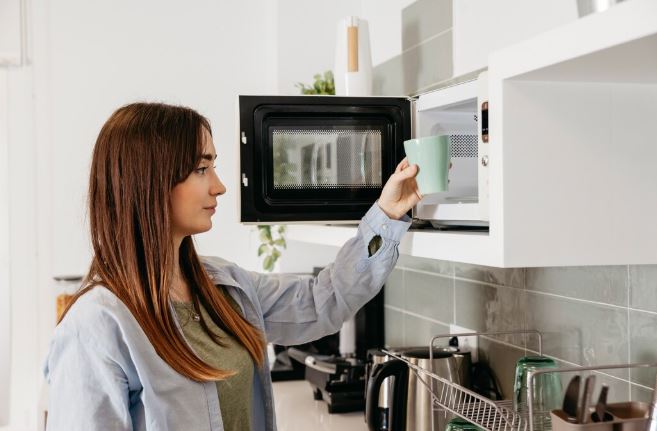
Quick Diagnosis Chart for a Microwave Not Working But Has Power
| What Works | What Doesn’t | Problem Location | Repair Difficulty |
| Display, clock, light | No heating or turntable | Thermal fuse blown | Moderate |
| Everything except start | Nothing happens | Door switch failure | Easy to moderate |
| Display only | All cooking functions | Main control board | Professional |
| Partial button response | Start/heating disabled | Control lock active | Easy (user error) |
| Light and fan | Magnetron and turntable | High-voltage fuse | Moderate |
| Clock maintains time | All operations | Line fuse blown | Easy to moderate |
Understanding Microwave Power Systems
Microwaves use multiple power circuits that operate independently. The display and clock run on low-voltage DC power, while cooking functions require high-voltage AC systems.
This dual-circuit design means one system can fail completely while the other functions normally. It’s why you see a working display but experience zero cooking capability.
Safety interlocks create intentional failure points that protect users from dangerous conditions. Blown fuses and tripped cutoffs disable cooking without affecting displays or controls.
The architecture prioritizes user safety over convenience. When doubt exists about safe operation, systems default to disabled status while maintaining enough function to communicate problems.
What to Do When Microwave Suddenly Stops Working But has Power
Sudden microwave failure with power present follows a predictable diagnostic sequence. Start with the simplest explanations before disassembling anything.
Immediate First Steps
Check whether the control lock is activated. This feature disables all cooking functions while keeping the display active. Look for a lock icon or “LOC” message.
Verify the door closes completely with a firm click. Worn hinges or latch misalignment prevent door switches from engaging properly.
Unplug the microwave for 3 minutes minimum. This hard reset clears control board glitches that occasionally disable operations.
Test the outlet with another appliance. Partial power delivery can cause confusing symptoms where displays work but motors don’t.
Quick Checklist Before Calling Service
| Check Item | How to Test | What It Indicates | Next Action |
| Control lock symbol | Check display panel | Feature is active | Press unlock sequence |
| Door latch clicking | Listen while closing | Switch engagement | Adjust or replace latch |
| Circuit breaker | Check panel status | Partial power loss | Reset or replace breaker |
| Outlet voltage | Use multimeter | Low voltage supply | Call electrician |
| Error codes | Read display messages | Specific failure | Consult manual |
| Recent power outage | Check appliances | Surge damage | Professional diagnosis |
When to Attempt DIY vs. Professional Microwave Service
Blown line fuses and control lock issues are safe for DIY troubleshooting. These involve low voltage and straightforward procedures.
Thermal fuse replacement requires cabinet disassembly but no high-voltage work. Moderately skilled DIYers can complete this repair safely.
Door switch replacement sits at the edge of DIY capability. It requires basic electrical knowledge and proper testing equipment.
Any issue involving the magnetron, capacitor, or high-voltage systems demands professional service. These components store lethal charges that persist after unplugging.
Why is My Microwave Not Working But Has Power?
Below are 12 reasons a microwave won’t work despite having power:
1. Blown Thermal Fuse
The thermal fuse is a one-time safety device that permanently opens when temperatures exceed safe limits. It’s located near the magnetron or exhaust pathway.
This component costs only $5-$10 but requires complete cabinet removal to access. Its location makes replacement labor-intensive.
Thermal fuses blow when ventilation is blocked or the magnetron overheats. Simply replacing the fuse without addressing root causes guarantees repeat failures.
Check exhaust vents, grease filters, and clearance around the unit. Inadequate airflow is the primary cause of thermal fuse activation.
Testing requires a multimeter (View on Amazon) set to continuity mode. A blown fuse shows infinite resistance (no beep) when probed.
2. Defective Door Interlock Switches
Microwaves use three door switches in series as safety interlocks. All three must close before cooking functions activate.
One failed switch disables the entire cooking system while display functions continue normally. This creates the exact symptom you’re experiencing.
Door switches are electromechanical components rated for 100,000+ operations. They typically fail between years 6-10 of regular use.
Replacement switches cost $8-$15 each. Smart technicians replace all three simultaneously to prevent callback issues.
Testing individual switches requires careful multimeter work. Press each switch manually while measuring continuity to identify failures.
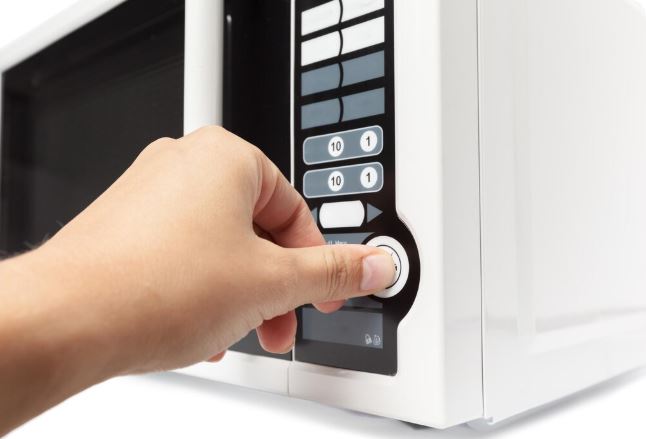
3. Tripped Thermal Cutoff
Unlike thermal fuses, thermal cutoffs are resettable devices. They open circuits when overheating occurs but close again after cooling.
Thermal cutoffs sometimes stick in the open position after tripping. This creates a permanent failure requiring component replacement.
These devices protect against fires by monitoring critical hot spots. When ambient temperature exceeds design limits, they interrupt power instantly.
Cooling the microwave for 2-3 hours sometimes allows stuck cutoffs to reset. This diagnostic step costs nothing and occasionally succeeds.
Professional testing identifies cutoff location and condition. Replacement costs $40-$80 including labor.
4. Blown Line Fuse
The line fuse (also called main fuse) protects against power surges. It’s typically a glass tube or ceramic component rated for 15-20 amps.
This fuse blows during electrical storms, power surges, or internal short circuits. Once blown, it must be replaced—these fuses don’t reset.
Line fuse replacement is among the easiest microwave repairs. It’s accessible near the power cord connection without extensive disassembly.
Always identify why the fuse blew before replacing it. Installing a new fuse without fixing the underlying problem wastes time and money.
Replacement fuses cost $3-$8 at hardware stores. Ensure exact amperage and voltage ratings match the original.
5. Failed Main Control Board
The main control board orchestrates all microwave functions. When it fails, symptoms vary widely depending on which circuits are affected.
Partial board failures allow displays to function while disabling cooking circuits. This matches your “has power but doesn’t work” symptom perfectly.
Control boards fail from power surges, component aging, or manufacturing defects. Visual inspection sometimes reveals burnt components or bulging capacitors.
Replacement boards cost $120-$280 depending on model complexity. This repair only makes economic sense for premium or built-in units.
Some electronics repair specialists can diagnose and fix board-level failures. Component-level repair costs less than board replacement when successful.
6. Magnetron Thermal Protector Open
The magnetron has its own dedicated thermal protector that prevents overheating damage. When this device opens, the magnetron won’t receive power.
Unlike thermal fuses, magnetron protectors usually reset after cooling. If your microwave works when cold but fails after use, this is likely the cause.
Repeated thermal protector activation indicates inadequate cooling. Clean the magnetron cooling fins and verify fan operation.
Magnetron replacement becomes necessary when the protector opens repeatedly. The component is failing and poses fire risks.
Professional diagnosis costs $75-$100. Magnetron replacement with labor totals $200-$350 depending on the model.
7. Control Lock Engaged
This isn’t a failure—it’s a misunderstood feature. Control lock disables all buttons except the unlock sequence to prevent accidental operation.
Every manufacturer uses different unlock procedures. Common methods include holding “Cancel” for 3 seconds or pressing “Stop” three times rapidly.
Check your user manual for the specific unlock sequence. This information is also usually available on the manufacturer’s website.
If you can’t find the manual, search online for “[your model number] control lock.” This free solution saves unnecessary service calls.
No repair costs apply to control lock situations. It’s purely user education once you understand the feature.
8. Blown High-Voltage Fuse
Some microwaves have a secondary fuse protecting high-voltage circuits. This component is separate from the line fuse and thermal fuse.
High-voltage fuse failure allows low-power functions (display, light) to work while disabling the magnetron and turntable motor.
This fuse typically blows when the magnetron, diode, or capacitor shorts. Simply replacing it without fixing the primary failure accomplishes nothing.
Professional diagnosis identifies both the blown fuse and the component that caused it to blow. Expect repair costs of $150-$300.
High-voltage fuses are not standardized across brands. Order exact replacement parts using complete model numbers.
9. Faulty Turntable Motor
If the display works but the turntable doesn’t rotate, the motor has likely failed. This prevents the microwave from starting as a safety measure.
Many microwaves won’t initiate cooking cycles without detecting turntable rotation. The control system interprets a stationary plate as a mechanical failure.
Turntable motors cost $25-$50 and are relatively easy to replace. They’re typically held by two screws underneath the cooking cavity.
Test by manually spinning the turntable. It should rotate freely with slight resistance. Grinding or stiffness indicates motor or coupling failure.
Sometimes the motor works but the coupling (plastic coupler) is stripped. This $5 part breaks before the motor to prevent overload damage.
10. Defective Cooling Fan
The cooling fan isn’t just for ventilation—it’s a safety component. Some microwaves won’t operate without confirmed airflow over critical components.
A failed fan motor prevents startup even though the display functions normally. The control system detects missing fan RPM signals.
Listen for fan noise when the microwave should be operating. Silent operation (except for turntable) indicates fan motor failure.
Cooling fans cost $30-$60 depending on the model. Replacement requires partial disassembly but no high-voltage exposure.
Blocked fan blades sometimes cause this failure mode. Remove the cover and check for debris binding the fan.
11. Corrupted Control Software
Modern digital microwaves run embedded software that occasionally corrupts. This creates bizarre failure modes including complete operation failure with working displays.
Factory resets clear software corruption and restores default operation. Access this feature through hidden button combinations in service mode.
Each manufacturer uses unique reset procedures. Samsung typically uses “Off” + “6”, LG uses “Stop” + “Start” held simultaneously.
If standard reset procedures fail, the control board’s firmware may need reflashing. This specialized service costs $100-$150 at authorized centers.
Software issues don’t indicate hardware failure. They’re frustrating but usually resolve without parts replacement.
12. Power Supply Voltage Issues
Inadequate voltage delivery creates symptoms where low-power functions work but high-draw components don’t. The display needs 1-2 amps while the magnetron demands 10-15 amps.
Loose outlet connections, old wiring, or shared circuits cause voltage drops under load. The microwave detects insufficient power and refuses to operate.
Test voltage at the outlet with a multimeter during attempted operation. It should maintain 115-120 volts under full load.
Voltage issues require electrician intervention. Tightening connections or installing dedicated circuits costs $150-$400 depending on work complexity.
Some homes have aluminum wiring that loosens over time. This creates dangerous heat buildup and intermittent power delivery.
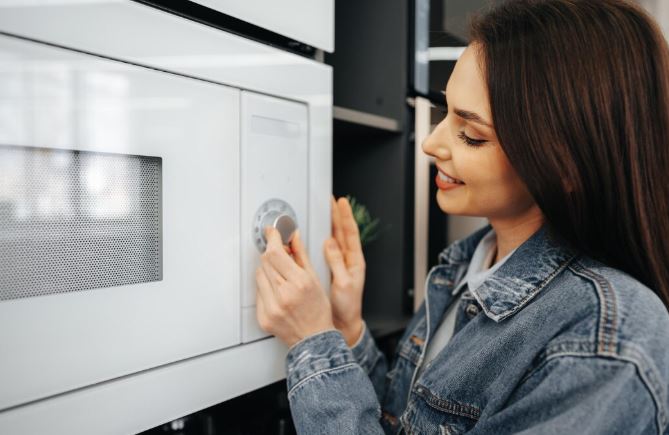
LG Microwave Not Working But Has Power
LG’s SmartThinQ connected models experience unique failure modes related to Wi-Fi connectivity and software integration. The microwave maintains display function but refuses cooking operations.
Model LMHM2237BD from 2019-2021 has documented control board issues. The board maintains clock and display functions while cooking circuits fail intermittently.
LG uses an inverter power system rather than traditional transformers. When inverter boards fail, you get display power without magnetron operation.
The inverter board failure rate increases significantly after 5 years. This premium component costs $180-$250 for replacement parts alone.
LG’s diagnostic mode provides valuable error codes. Press and hold “Stop/Clear” for 5 seconds, then enter “1-2-3-4-5” to access diagnostics.
Common error codes include “E11” (thermal sensor failure) and “E21” (door switch problem). These specific codes guide technicians toward root causes.
LG-Specific Troubleshooting Steps
Disconnect the microwave from Wi-Fi networks completely. Some LG models develop software conflicts that disable operations while maintaining displays.
The SmartThinQ app sometimes sends commands that lock out manual operation. Uninstalling the app and resetting the microwave resolves this issue.
LG’s EasyClean interior coating can interfere with humidity sensors. Excessive cleaning product residue creates false sensor readings that prevent startup.
Replace the charcoal filter every 6 months on LG over-the-range models. Clogged filters trigger thermal protection systems that disable cooking functions.
LG customer support at 1-800-243-0000 provides excellent technical assistance. They often identify model-specific issues that local technicians miss.
Samsung Microwave Not Working But Has Power
Samsung models with ceramic enamel interiors show higher thermal fuse failure rates. The reflective coating concentrates heat in specific areas, triggering safety cutoffs.
The ME21R7051SS and MS14K6000AS series have widespread door switch problems. Plastic latch components wear faster than industry averages.
Samsung’s “Sensor Cook” feature malfunctions and prevents manual operation. The microwave waits for humidity sensor feedback that never comes.
Disable sensor cooking by selecting manual time entry. This workaround often restores basic functionality while awaiting proper repairs.
Samsung control boards have capacitor issues that cause partial failures. The display circuit works but cooking function circuits fail independently.
| Samsung Model Series | Common Failure | Symptom Pattern | Average Repair Cost |
| ME21R (2017-2019) | Door switch wear | Intermittent operation | $80-$140 |
| MS14K (2018-2020) | Thermal fuse sensitivity | Complete shutdown | $120-$180 |
| MC17J (2019-2021) | Control board capacitors | Display only | $200-$280 |
| MS19M (2020-2022) | Humidity sensor fault | Sensor cook only | $90-$150 |
Samsung Reset Procedures
Samsung microwaves have multiple reset levels. Start with the softest reset and progress if problems persist.
Soft reset: Unplug for 1 minute, then restore power. This clears temporary memory without affecting stored settings.
Medium reset: Press “Options” then “0” for 3 seconds. This resets cooking settings while maintaining clock time.
Factory reset: Press and hold “Stop/Clear” for 10 seconds until the display flashes. This erases all customization.
Hidden diagnostic mode: Press “0-0-0” then “Start” within 2 seconds. This reveals error codes and component status.
Samsung’s magnetrons carry 10-year limited warranties on select models purchased after 2019. Verify warranty status before paying for magnetron replacement.
Sharp Microwave Not Working But Has Power
Sharp pioneered microwave technology but uses older designs prone to specific failures. Their microwaves often have accessible fuses that blow frequently.
The R-21LCFS and SMC1132CS models have line fuses positioned near the power cord entry. These blow during minor power fluctuations.
Sharp uses traditional transformer-based power systems. These are more reliable than inverter designs but create specific failure patterns.
When Sharp transformers fail, you get a display function without any cooking capability. The secondary winding opens while primary circuits remain functional.
Sharp’s door switches have stronger springs than competitors. This design choice increases reliability but makes switch activation harder.
Sharp Carousel System Issues
Sharp’s Carousel turntable system has a unique motor mounting design. The motor sits above the cooking cavity rather than below.
This top-mounted configuration accumulates grease and moisture. Contamination causes motor bearing failure that prevents operation startup.
Remove the turntable, coupler, and bottom plate for thorough cleaning. Wipe the motor shaft with degreaser to restore smooth rotation.
Sharp carousel motors are model-specific and expensive. Replacement parts cost $45-$70 plus installation labor.
The carousel guide roller bearings wear out after 7-10 years. When they fail, the microwave detects rotation problems and refuses to start.
Sharp’s Unique Fuse Configuration
Sharp microwaves often have three separate fuses: line fuse, thermal fuse, and monitor fuse. All three must be intact for operation.
The monitor fuse is Sharp’s unique safety feature. It protects against door switch failures that could allow radiation leakage.
When the monitor fuse blows, the microwave is completely disabled until professional service. This indicates serious door switch problems requiring immediate attention.
Never bypass monitor fuses. They prevent radiation exposure that causes cataracts, burns, and cellular damage.
Sharp provides excellent technical documentation. Visit their support website and enter your model number for detailed diagrams and part locations.
Whirlpool Microwave Not Working But Has Power
Whirlpool microwaves share components with Maytag and KitchenAid microwave brands. Troubleshooting applies across these related manufacturers.
The WMH31017HZ over-the-range model has documented thermal fuse problems. The fuse location near the exhaust path causes premature failures.
Whirlpool door switches use standard configurations that simplify replacement. Parts availability is excellent through multiple supplier channels.
The control lock feature on Whirlpool models is easily accidentally activated. Press and hold “Stop/Cancel” for 3 seconds to unlock.
Whirlpool’s convetion combination microwaves have complex control systems. Failures often affect microwave functions while leaving convection operation intact.
Whirlpool Diagnostic Mode Access
Accessing diagnostic mode can help you identify hidden Whirlpool microwave problems. Enter diagnostic mode by pressing “1” followed by “Start” within 2 seconds. The display shows a test pattern.
Press numbered buttons to test specific functions. “2” tests the turntable motor, “3” tests the magnetron, “4” tests the cooling fan.
Error codes appear as alphanumeric combinations. “F1” indicates control board issues, “F2” points to thermal sensor problems.
Document error codes before calling service. This information saves diagnostic time and reduces service call costs.
Exit diagnostic mode by pressing “Stop/Cancel” or unplugging the unit. Normal operation resumes after exiting.
Common Whirlpool-Specific Issues
Whirlpool’s hood light switches sometimes interfere with cooking operations. A failed light switch can prevent the microwave from starting.
The grease filter sensor reminds users to clean filters. When this sensor malfunctions, it can disable operations despite displays working normally.
Replace grease filters every 3-4 months on over-the-range Whirlpool models. Reset the filter indicator by pressing and holding “Light” for 5 seconds.
Whirlpool convection microwaves have separate heating elements. Element failures prevent convection but leave microwave function intact—or vice versa.
Technical support at 1-866-698-2538 provides excellent troubleshooting guidance. They access service bulletins that identify model-specific problem patterns.

Kenmore Microwave Not Working But Has Power
Kenmore is a Sears brand that sources from various manufacturers. Your Kenmore microwave is actually made by LG, Samsung, Whirlpool, or others.
Identify the actual manufacturer using your model number. Kenmore numbers beginning with “790” are made by Whirlpool, “665” indicates Whirlpool, “795” means LG.
Apply troubleshooting specific to the actual manufacturer. This dramatically improves diagnostic accuracy and parts availability.
Kenmore model 790.80343310 (made by Whirlpool) has high thermal fuse failure rates. The fuse is located behind the control panel.
Kenmore’s warranty service went through significant changes after Sears bankruptcy. Extended warranties purchased before 2018 may have limited support.
Decoding Kenmore Model Numbers
The third digit after the decimal point indicates the manufacturer. “0” means Whirlpool, “7” indicates LG, “9” means Sharp.
Search for parts using both the Kenmore model number and the manufacturer’s equivalent number. This expands supplier options.
Some Kenmore-specific parts have direct cross-references to manufacturer parts. Online parts sites provide cross-reference lookup tools.
Service manuals for Kenmore models are often manufacturer manuals with Kenmore branding. Download the actual manufacturer’s documentation for better information.
Independent repair shops prefer manufacturer part numbers over Kenmore numbers. Providing both ensures faster parts ordering and reduced wait times.
Kenmore Control Board Peculiarities
Some Kenmore models use custom control board firmware despite having standard manufacturer hardware. This creates unique failure modes.
The control board may display Kenmore-specific error codes not found in manufacturer documentation. Contact Kenmore support for code interpretation.
Replacement boards must match exactly—manufacturer boards may use different firmware. Order using complete Kenmore model numbers.
Kenmore parts support continues through AppliancePartsPros and other third-party suppliers. Sears Parts Direct still maintains some Kenmore inventory.
Consider upgrading to a new microwave if your Kenmore is over 10 years old. Parts availability decreases yearly for discontinued models.
Professional Diagnostic Procedures
Technicians use systematic testing sequences that quickly identify failures.
Multimeter Testing Sequence
A multimeter (View on Amazon) tests the line voltage at the power cord connection. It should read 115-120 VAC steady during operation attempts.
Check continuity across each fuse individually. Infinite resistance (no beep) indicates blown fuses requiring replacement.
Measure door switch continuity with the door closed. All three switches should show zero resistance when properly engaged.
Test thermal cutoff devices after cooling completely. Some reset thermally and test good when cold despite failing when hot.
Advanced testing includes magnetron resistance, capacitor capacitance, and transformer winding continuity. These measurements require specialized knowledge.
Component Isolation Testing
Disconnect components individually while testing. This identifies which part causes system-wide failures.
Unplug the magnetron connector and attempt startup. If other functions resume, the magnetron or its circuits are faulty.
Disconnect the turntable motor and retry. Eliminated motor shorts that trigger protective shutdowns.
Remove ribbon cables one at a time. Control panel issues sometimes disable entire systems through signal interference.
Professional isolation testing prevents parts replacement guesswork. It identifies root causes rather than treating symptoms.
Cost Analysis: Repair vs. Replace
| Microwave Type | Repair Cost Range | Replacement Cost | Repair Makes Sense If |
| Countertop standard | $100-$200 | $80-$150 | Unit under 3 years |
| Countertop premium | $150-$250 | $200-$400 | Under 5 years |
| Over-the-range basic | $150-$300 | $300-$500 + install | Under 6 years |
| Over-the-range premium | $200-$400 | $600-$1200 + install | Under 8 years |
| Built-in standard | $200-$350 | $800-$1500 + install | Under 8 years |
| Built-in premium | $250-$500 | $1500-$3000 + install | Under 10 years |
Needs to replace your microwave? Check out the best over-the-range microwave ovens on Amazon!
Microwave Maintenance That Prevents Power Issues
Regular care prevents many sudden failure scenarios.
Monthly Inspection Checklist
Check door alignment and latch engagement. Tighten hinge screws if the door sags or feels loose.
Clean the door seal with mild detergent. Damaged or dirty seals prevent proper door switch activation.
Test all control buttons for responsiveness. Sticky or unresponsive buttons indicate developing problems.
Verify turntable rotation is smooth and centered. Wobbly or stuck rotation stresses motors and triggers safety shutdowns.
Listen for unusual sounds during operation. New noises often precede component failures by weeks.
Ventilation and Airflow
Clean grease filters monthly on over-the-range models. Clogged filters cause overheating that blows thermal fuses.
Check external vent connections annually. Disconnected or crushed vent ducts trap heat inside the cabinet.
Ensure 4-inch minimum clearance on all vented sides. Blocked vents are the leading cause of thermal protection activation.
Vacuum behind and beneath built-in microwaves yearly. Dust accumulation on cooling components reduces heat dissipation efficiency.
Electrical Protection
Install a quality surge protector rated for appliances. Cheap power strips don’t provide adequate protection.
Consider whole-house surge protection at the electrical panel. This protects all appliances from power line spikes.
Have your home’s electrical system inspected if you experience frequent fuse failures. Loose connections cause voltage fluctuations.
Replace surge protectors every 3-5 years. Their protection components degrade from absorbing surges over time.
Emergency Workarounds While Awaiting Microwave Repair
These temporary solutions help when you need your microwave before repairs are possible.
The Door Press Technique
If door switches are marginal, pressing firmly on the door while starting sometimes works. This isn’t a solution—just an emergency measure.
Apply pressure near the latch area rather than on the door center. This helps engage worn switches.
Never tape or wedge the door closed. This defeats safety interlocks and creates radiation leakage hazards.
Use this technique sparingly. Forcing worn switches accelerates damage and may cause complete failure.
Control Lock Troubleshooting
Try every button combination mentioned in your manual. Some models require precise timing.
Search YouTube for “[your model] control lock unlock.” Video demonstrations often clarify confusing manual instructions.
If unlock sequences fail, unplug the microwave overnight. Some control locks reset after extended power loss.
Contact manufacturer support for override procedures. Technicians sometimes have unpublished reset codes.
Thermal Protection Cooldown
If the microwave works when cold but fails when warm, allow 2-3 hour cooling periods between uses.
Improve ventilation by removing nearby items and cleaning all filters. Better airflow extends operation time before thermal shutdown.
This indicates thermal cutoff or protector issues requiring professional repair. Don’t ignore the symptom—it indicates overheating.
Continued operation despite thermal warnings risks fire hazards. Schedule repairs promptly rather than relying on cooldown workarounds.
Also Read: Symptoms of a Bad Microwave Diode
Frequently Asked Questions
Why does my microwave display work but nothing else does?
The display operates on low-voltage circuits separate from cooking functions. When thermal fuses blow, door switches fail, or control boards partially malfunction, displays continue working while high-power cooking circuits shut down. This is intentional design—displays help communicate problems to users even when cooking is disabled.
Can a microwave have power but a blown fuse?
Yes, microwaves contain multiple fuses protecting different circuits. The line fuse may be intact (providing display power) while thermal fuses or high-voltage fuses are blown (disabling cooking). Each fuse protects specific components, so partial fuse failure creates exactly this symptom.
How do I know if my microwave door switch is bad?
Test by listening for three distinct clicks when closing the door firmly. Missing clicks indicate switch problems. If the microwave works when you press hard on the door but not otherwise, switches are marginal. Professional testing measures continuity across each switch—failed switches show infinite resistance.
Will unplugging my microwave fix it?
Unplugging for 3-5 minutes resets control boards and clears software glitches, resolving approximately 15% of “has power but won’t work” issues. This free troubleshooting step should always be your first attempt. If problems return after successful resets, hardware failure is likely.
Why did my microwave suddenly stop working after a power outage?
Power surges during outages blow fuses, damage control boards, or trip thermal protection devices. Surge-damaged components may appear fine but fail under load. Always check line fuses first—they’re designed to sacrifice themselves protecting expensive components.
Is it worth fixing a microwave that has power but won’t start?
For over-the-range and built-in models, yes—installation costs make repair economical. For countertop units over 5 years old, repairs costing more than $150 rarely make financial sense. Compare repair estimates against new units with improved features and efficiency.
Restore Your Microwave’s Functionality
A microwave with power that refuses to work isn’t necessarily broken beyond repair. Most cases involve safety mechanisms doing their job—blown fuses, thermal cutoffs, or door switch failures that prevent unsafe operation. This guide’s brand-specific troubleshooting helps you identify whether your issue needs simple resets, accessible fuse replacement, or professional component-level repair.
Understanding the difference between display power and cooking power is crucial. These independent systems fail separately, creating confusing symptoms. Armed with this knowledge, you can make informed decisions about DIY fixes versus professional service, and understand when replacement makes more sense than repair.

Hi, I’m Barlgan! I created Repair Me Yourself to empower homeowners to tackle appliance repairs with confidence. From decoding error codes to fixing cooling issues, I break down complex repairs into simple, actionable steps that save you time and money.