
Your Maytag Centennial flashes cryptic letter-number combinations transforming from reliable appliance into mysterious puzzle box. These alphanumeric codes—F1E1, LD, or Sud appearing across your display—represent your washer’s attempt at communication, translating internal sensor readings and diagnostic observations into human-readable alerts.
Yet without proper interpretation, these error codes create more confusion than clarity, leaving you uncertain whether you’re facing simple user corrections, straightforward component replacements, or complex repairs requiring professional intervention.
Understanding this diagnostic language transforms frustration into actionable intelligence, revealing exactly which system malfunctioned, what conditions triggered the alert, and most importantly, which specific corrective steps restore normal operation without guesswork or unnecessary expense.
Maytag Centennial washer error codes are alphanumeric fault indicators displayed on the control panel communicating specific detected problems. Codes combine a letter indicating the general system affected (F=failure, L=lid, S=suds) with numbers specifying exact conditions (E1=control error, D=door/lid). Common codes include F1E1 for control board issues, LD for lid problems, Sud for excessive suds, F7E1 for motor malfunctions, and F8E1 for water flow failures, each requiring distinct diagnostic and repair approaches based on the indicated failure type.
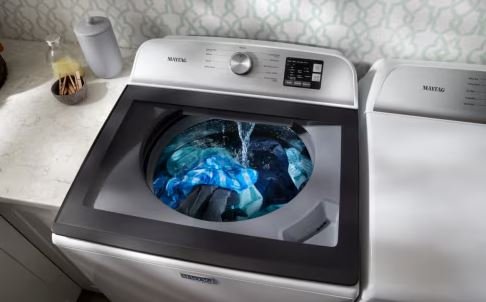
Maytag Centennial Washer Error Codes Overview
| Code Format | System Category | Typical Severity | User Fixable | Example Codes |
| F#E# (two digits) | Component failures | Moderate-High | Sometimes | F1E1, F7E1, F9E1 |
| Single letter codes | Operational alerts | Low-Moderate | Usually | LD, Sud, HC |
| LC/LO codes | Lid/door issues | Low | Usually | LC, LO, LD |
| Int codes | Cycle interruptions | Very Low | Always | Int |
| F#E# (motor/drive) | Drive system faults | High | Rarely | F7E1, F7E5, F7E7 |
| Sensor codes | Detection problems | Moderate | Sometimes | F8E1, F9E1 |
Understanding Maytag Error Code Structure
Maytag Centennial washers use systematic error code architecture. Understanding this structure helps you interpret any code even without memorizing every possibility.
Code Component Breakdown
Error codes follow predictable patterns revealing problem categories through their structure.
F codes indicate failures requiring attention. The “F” prefix signals actual component malfunctions rather than operational notifications.
The number following “F” categorizes the problem area. F1 relates to controls, F5 to lid systems, F7 to motors, F8 to water systems, F9 to drainage.
E codes specify exact error conditions. The “E” prefix with its number pinpoints the precise malfunction within the category.
Together, F#E# combinations provide detailed fault identification. F7E1 specifically means “motor speed sensing error” while F7E5 indicates “shift actuator fault.”
Letter-only codes communicate operational conditions. These simpler alerts address user-correctable situations.
Sud indicates excessive suds detection. LD warns about lid problems. HC reports hot/cold water reversed connections.
These straightforward codes usually require user action rather than component replacement.
Severity Assessment
Not all error codes represent equal urgency or expense.
Critical failures prevent all operation. The washer refuses to function until problems resolve.
Motor failures (F7E1), control board errors (F1E1), and drive system faults create these severe conditions.
Moderate problems allow some operation but affect specific functions. Cycles might complete with limitations.
Pressure switch issues (F8E1) or temperature sensor problems fall into this category.
Minor alerts simply inform without preventing operation. These represent conditions worth monitoring.
Unbalanced load warnings (Ub) or cycle interruption notices (Int) fit this classification.
Understanding severity helps prioritize repair urgency and budget allocation appropriately.
How Do You Read Maytag Centennial Washer Error Codes?
Reading error codes involves more than seeing displayed characters. Comprehensive interpretation requires understanding display methods, code persistence, and contextual information.
Display Methods and Locations
Maytag Centennial models use different methods presenting error information.
LED indicator codes appear on washers with simple displays. Specific lights flash in patterns indicating errors.
Count the flashes carefully. The pattern repeats multiple times allowing accurate counting.
Long pauses separate digit groupings. Flash-pause-flash-pause patterns communicate multi-digit codes.
Reference your owner’s manual’s LED code chart. These match flash patterns to specific error codes.
Digital display codes show alphanumeric characters directly. These washers have advanced control panels with text displays.
Codes appear clearly spelled out. F7E1 displays exactly as written requiring no interpretation.
Some models show scrolling text. “Motor Speed Error” might accompany or replace alphanumeric codes.
Codes alternate with normal cycle information. Watch the display through several cycles noting all displayed messages.
Combination displays use both LEDs and partial text. These systems use indicator lights supplemented by simple text.
Observe which LEDs illuminate alongside displayed codes. Combined information provides fuller diagnostic pictures.
Code Capture Timing
Error codes appear at specific times during malfunction detection.
Immediate display occurs when problems prevent cycle start. The code appears before any operation begins.
These indicate pre-operation safety checks failed. The washer detected problems during initialization.
Mid-cycle display happens when faults develop during operation. The cycle stops and codes display.
These suggest components failed under operational loads. Problems manifested only during actual use.
End-cycle display shows after cycle completion. The washer functioned but detected marginal conditions.
These often represent warnings rather than failures. The machine completed operation but noted abnormal conditions.
Intermittent display flashes briefly then disappears. These elusive codes challenge diagnosis.
Use diagnostic mode accessing stored error history. The control board remembers codes even after display clearing.
Code Persistence and Clearing
Understanding how long codes remain helps troubleshooting.
Permanent codes persist until the underlying problem resolves. The code reappears immediately after clearing.
These require actual repairs. Clearing the display doesn’t fix component failures.
Temporary codes clear when power cycles or reset procedures execute. These might not return after clearing.
Temporary codes suggest transient conditions or electronic glitches. Monitor for recurrence determining if actual problems exist.
Stored codes remain in control board memory. The current display might be clear but history persists.
Diagnostic mode reveals code history. Access these stored codes diagnosing intermittent problems.
Code clearing procedures remove displayed and stored errors.
Unplug the washer for 5-10 minutes. This clears temporary electronic faults.
Run diagnostic mode’s error clearing function. This erases stored code history.
Complete successful wash cycles. Some codes automatically clear after problem-free operation.
What Are the Error Codes for Maytag Centennial Washer?
Comprehensive error code documentation enables accurate problem identification and appropriate response.
F-Series Error Codes
F-series codes indicate component failures requiring diagnosis and repair.
F1E1 – Main Control Board Error (signals control board internal problems)
The electronic control board detected failures in its own circuitry. Self-diagnostic routines identified component problems.
Causes include power surges damaging circuits, moisture intrusion causing corrosion, or component age deterioration.
Solutions involve control board replacement costing $150-300. Professional installation adds $100-200.
F1E2 – Control Board Communication Error (indicates communication breakdown between control components)
The main board can’t communicate with user interface board. Connection problems interrupt signal transmission.
Check wire harness connections between boards. Reseat all connectors ensuring proper engagement.
Replace damaged wire harnesses if continuity testing reveals broken conductors.
F5E1 – Lid Lock Error means the lid lock mechanism failed.
The control board can’t engage or verify lid lock operation. Mechanical or electrical problems prevent proper locking.
Inspect lid strike alignment. Bent strikes don’t engage locks properly.
Test lid lock assembly electrically. Replace failed locks costing $40-80.
F5E2 – Lid Unlock Error (signals the lid won’t unlock after cycles)
The lock mechanism engages but won’t release. Mechanical binding prevents unlocking.
Manually release stuck locks accessing the mechanism. Apply appropriate lubrication to moving parts.
Replace persistently stuck lock assemblies preventing frustrating lock-in conditions.
F7E1 – Motor Speed Sensing Error (indicates motor speed detection problems)
The control board can’t verify motor rotation speed. Hall effect sensors or motor problems prevent proper feedback.
Test motor operation in diagnostic mode. Verify the motor runs and basket rotates.
Check Hall sensor connections and condition. Replace faulty sensors or motors.
F7E5 – Shift Actuator Error (reveals transmission shifting problems)
The shift actuator can’t position the transmission correctly. Mechanical binding or electrical failures prevent proper operation.
Listen for actuator operation during diagnostic testing. Working actuators produce audible mechanical sounds.
Replace failed actuators costing $60-120. Ensure proper mechanical engagement during installation.
F7E7 – Motor Control Error (signals motor drive circuit problems)
The control board can’t properly control motor operation. Drive circuits or motor windings have failed.
Test motor resistance across windings. Out-of-range values indicate motor failure.
Control board replacement becomes necessary if motor tests properly. Drive circuits on the board have failed.
F8E1 – Water Fill Error (means the washer detects inadequate water flow)
Insufficient water enters during fill cycles. Supply problems or inlet valve failures prevent proper filling.
Verify water supply valves are fully open. Check supply pressure adequacy.
Clean inlet screens removing mineral deposits. Replace failed inlet valves if flow remains inadequate.
F8E2 – Water Overflow Error (indicates excessive water in the tub)
The pressure switch detects water level exceeding safe limits. Inlet valve or pressure switch problems cause overfilling.
Test inlet valves ensuring they close when de-energized. Stuck-open valves cause continuous filling.
Verify pressure switch operation. Failed switches report incorrect water levels triggering false alarms.
F9E1 – Drain Time Exceeded (signals drainage problems)
Water doesn’t evacuate within expected timeframes. Blockages or pump failures prevent proper draining.
Check drain hose for kinks or obstructions. Straighten hoses ensuring unobstructed flow.
Clean drain pump filter removing accumulated debris. Replace failed pumps if cleaning doesn’t restore function.
Letter Code Alerts
Simple letter codes communicate operational conditions requiring user attention.
LD – Long Drain (warns that drainage takes longer than expected)
Partial restrictions slow water evacuation. The washer completes draining but takes excessive time.
This differs from F9E1 which indicates complete drainage failure. LD suggests developing problems worth addressing.
Clean drain paths thoroughly preventing progression to complete blockage.
LC or LO – Lid Open (indicates the washer detects an open lid)
Your Maytag Centennial washer won’t start with a detected open lid. Safety interlocks prevent operation.
Close the lid firmly ensuring proper engagement. Listen for lid lock clicking.
If codes persist with closed lids, test lid switches. Misalignment or switch failure causes false open detection.
Sud or Sd – Excessive Suds (alerts to too much detergent or wrong detergent type)
Excessive suds interfere with proper washing and rinsing. The washer detects foam preventing normal operation.
Use only HE (High Efficiency) detergent. Regular detergents create excessive suds.
Reduce detergent quantity. Use recommended amounts—more doesn’t mean cleaner.
Run additional rinse cycles removing excess suds. The washer might automatically extend rinses addressing this.
Ub – Unbalanced Load (warns of detected load imbalance)
The washer senses dangerous vibration levels. Spinning would create excessive stress and potential damage.
Redistribute items manually. Spread clothing evenly around the basket.
Remove some items if overloaded. Excessive quantities prevent proper balance.
Add items if underloaded. Small loads don’t provide adequate mass for balance.
HC – Hot/Cold Reversed (indicates incorrect water temperature connections)
Hot and cold water supplies connect to wrong inlet valves. This affects cycle water temperatures.
Verify supply hose connections. Hot connects to the left valve, cold to the right.
Swap hose connections correcting reversed installation. This simple fix resolves the alert.
Int – Cycle Interrupted (records user-initiated cycle cancellations)
You pressed pause or cancel during operation. The code simply logs this interruption.
No action required. This informational code doesn’t indicate problems.
Frequent Int codes might suggest user dissatisfaction with cycle performance warranting settings review.

Diagnostic Mode Codes
Special codes appear only during diagnostic mode operation.
Test codes (88, 888, or similar) display during diagnostic mode entry.
All display segments illuminate verifying display function. This confirms proper panel operation.
Proceed with diagnostic testing after display verification.
Component activation codes show during manual component testing.
Individual numbers or letters indicate which component currently activates. This guides diagnostic procedures.
Reference your model’s service manual for specific code meanings during testing.
Error history codes display sequentially when accessing stored faults.
The control board shows previously stored errors. These provide valuable troubleshooting information.
Document all displayed codes including their order. This reveals failure patterns.
How Do You Run a Diagnostic Test on a Maytag Centennial Washer?
Built-in diagnostic capabilities enable systematic testing identifying specific component failures.
Entering Diagnostic Mode
Precise button sequences access hidden service menus.
Standard entry procedure works on most Centennial models.
Ensure the washer is in standby mode. No cycles should be running.
Rotate the cycle selector knob one position clockwise. Don’t select a specific cycle—just move one click.
Press and release specific buttons in sequence. Common combinations include “Soil Level” three times within 5 seconds.
Alternative sequences use “Control Lock” or “Delay Start” buttons. Consult your model’s service manual for exact procedures.
The display indicates successful entry. All lights might flash simultaneously, or “88” or “888” appears.
Model-specific variations require different entry methods.
Some models require holding multiple buttons while turning the cycle selector. Combinations vary by production year.
Online resources provide model-specific instructions. Search using your complete model number for accurate information.
Service manuals contain definitive procedures. Download these from manufacturer websites or appliance parts retailers.
Automatic Diagnostic Cycle
Comprehensive automatic testing checks all major systems sequentially.
Initiation begins immediately after diagnostic mode entry on many models.
The washer automatically starts testing components. This comprehensive cycle runs 10-15 minutes.
Observe the entire process. Watch and listen for normal component operation.
Test sequence follows predetermined patterns.
The lid lock engages and releases multiple times. Verify clicking sounds and proper mechanical movement.
Water inlet valves open allowing brief fill periods. Both hot and cold valves should activate.
The motor runs at various speeds. Listen for smooth operation without grinding or unusual sounds.
The drain pump activates evacuating water. Proper pumping produces steady flow without blockages.
The shift actuator cycles through positions. Mechanical sounds indicate proper actuator operation.
Result interpretation reveals which components passed or failed.
Specific LED patterns or display codes indicate test results. Steady lights show passed tests.
Flashing lights or error codes identify failed components. Document all failures for troubleshooting.
Some models display “PASS” or “FAIL” messages. These clear results simplify interpretation.
Manual Component Testing
Individual component activation allows focused testing.
Component selection uses cycle selector positioning.
After entering diagnostic mode, rotate the cycle selector knob. Each position activates different components.
Reference your service manual identifying which position tests which component. Standard sequences vary by model.
Water valve testing verifies inlet valve operation.
One position opens the cold water valve. Listen for valve clicking and water flow.
Another position activates the hot water valve independently. Test both valves separately.
Extended activation allows fill assessment. Verify adequate flow rate and pressure.
Motor testing checks drive motor function.
Select the motor test position. Press start activating the motor at various speeds.
The motor should start smoothly and reach full speed. Unusual sounds indicate bearing or winding problems.
Observe basket movement ensuring proper coupling. The basket should rotate consistently with motor operation.
Drain pump testing activates the pump independently.
Position the selector to pump test mode. Press start running the pump.
Listen for pump motor operation. Working pumps produce steady humming without grinding.
Verify water evacuation. Place hoses in buckets observing actual pumping performance.
Lid lock testing exercises the lock mechanism.
Select lid lock test position. Press start cycling the lock.
The lock engages and releases repeatedly. Count cycles ensuring consistent operation.
Verify proper mechanical engagement. The lock should firmly secure the lid.
Actuator testing operates shift mechanisms.
Choose the actuator test position. Activate testing observing mechanical movement.
Listen for motor sounds and mechanical repositioning. Working actuators produce distinct operational noises.
Failed actuators remain silent or create grinding sounds indicating mechanical binding.
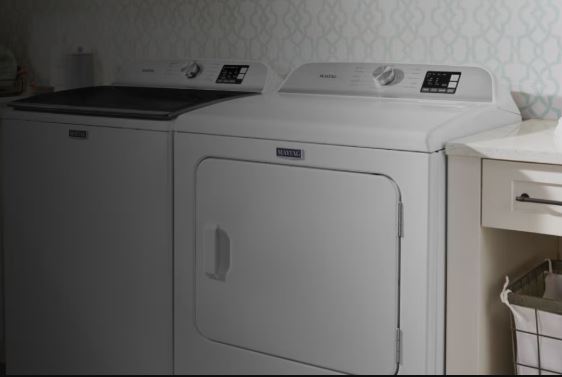
Maytag Centennial Washer Error Codes Retrieval
Accessing stored error history provides valuable diagnostic information.
Stored code access reveals historical faults.
After entering diagnostic mode, navigate to error memory display. Specific button presses or selector positions access this.
The display shows stored codes sequentially. Each code appears for several seconds before advancing.
Write down all displayed codes. This record helps identify intermittent problems.
Code timestamp information sometimes accompanies error codes.
Some models display cycle counts when errors occurred. This temporal information reveals failure patterns.
Recent errors deserve immediate attention. Historical codes from many cycles past might represent resolved issues.
Error memory clearing erases stored code history.
Navigate to the clear function within diagnostic mode. This option appears after error display.
Confirm clearing operation. The display indicates successful memory erasure.
Clearing helps distinguish new problems from old history. Future codes definitely represent current issues.
Exiting Diagnostic Mode
Proper exit procedures return washers to normal operation.
Press the “Pause/Cancel” button multiple times. This usually exits diagnostic mode immediately.
Unplug the washer briefly if exit buttons don’t work. Power cycling forces diagnostic mode exit.
Verify normal operation after exiting. Run a standard wash cycle confirming proper function.
Improper exit might leave the washer in test mode. The machine won’t operate normally until properly exited.
Interpreting Maytag Centennial Washer Error Codes Patterns
Multiple error codes or specific sequences reveal additional diagnostic information.
Simultaneous Multiple Codes
Several codes appearing together indicate related failures.
Cascading failures occur when one problem triggers others.
Motor failures (F7E1) might accompany drain errors (F9E1). The motor can’t drive the pump creating secondary drainage problems.
Identify primary failures causing subsequent issues. Repairing root causes eliminates related error codes.
System-wide problems generate multiple unrelated codes.
Control board failures affect numerous systems simultaneously. Power supply problems create diverse error conditions.
Multiple random codes suggest control board replacement. Central control problems manifest as varied symptoms.
Intermittent vs. Persistent Maytag Centennial Error Codes
Code behavior reveals problem nature and urgency.
Persistent codes appear consistently every cycle.
These indicate actual component failures. Problems exist continuously regardless of conditions.
Prioritize these repairs. Persistent failures typically worsen over time.
Intermittent codes appear sporadically under specific conditions.
Temperature-dependent problems manifest only when hot or cold. Electrical connections work until vibration shifts components.
Document when intermittent codes occur. Identify triggering conditions narrowing diagnostic focus.
Condition-dependent codes correlate with specific operations.
Codes appearing only during spin cycles suggest spin-specific component problems. Fill-phase codes indicate water system issues.
Test components during relevant operational phases. This focused testing efficiently identifies problematic parts.
Also Read: Maytag Stackable Washer and Dryer Problems Fixed!
Error Code Troubleshooting Workflows
Systematic approaches based on error codes guide efficient diagnosis.
Water System Error Workflow
F8 and F9 codes indicate water-related problems.
Step 1 – Verify water supply adequacy. Open supply valves fully and check pressure.
Step 2 – Inspect inlet screens for blockages. Clean or replace as necessary.
Step 3 – Test inlet valve operation. Measure resistance and observe flow.
Step 4 – Check pressure switch and tubes. Clean blocked tubes and test switch function.
Step 5 – Examine drain pump and hoses. Remove blockages and verify pump operation.
Step 6 – Replace failed components. Install new valves, switches, or pumps as diagnosed.
Motor System Error Workflow
F7 codes indicate drive system malfunctions.
Step 1 – Access motor and drive components. Remove necessary panels for inspection.
Step 2 – Visually inspect belts and couplings. Look for obvious damage or wear.
Step 3 – Test motor electrically. Measure winding resistance and check for grounds.
Step 4 – Verify Hall sensor operation. Test sensor output during motor rotation.
Step 5 – Check actuator function. Test mechanical movement and electrical characteristics.
Step 6 – Replace diagnosed failures. Install new motors, actuators, or sensors appropriately.
Control System Error Workflow
F1 codes suggest control board problems.
Step 1 – Rule out external causes. Verify power supply, check connections, eliminate interference.
Step 2 – Reset the control system. Perform complete power cycles and resets.
Step 3 – Test user interface board. Verify button operation and display function.
Step 4 – Inspect control board visually. Look for burnt components, damaged traces, or corrosion.
Step 5 – Verify control board outputs. Test voltage at component connections during operation.
Step 6 – Replace control board if confirmed. Install new board following all procedures carefully.
Preventing Future Maytag Centennial Washer Error Codes
Proactive maintenance reduces error code frequency.
Regular Maintenance Tasks
Consistent care prevents many component failures.
Clean inlet screens quarterly. This prevents F8E1 water flow errors.
Inspect and clean drain systems monthly. This avoids F9E1 drainage failures.
Check hose connections and electrical terminals. Tighten loose connections preventing intermittent errors.
Run washing machine cleaner monthly. This prevents Sud errors and maintains component cleanliness.
Proper Operating Practices
User habits significantly affect washer reliability.
Use HE detergent (View on Amazon) exclusively. This prevents Sud codes and excessive suds problems.
Follow recommended detergent quantities. More detergent doesn’t mean cleaner clothes.
Balance loads properly. This prevents Ub codes and mechanical stress.
Don’t overload consistently. Excessive weight stresses motors and drive systems.
Close lids gently. Hard impacts damage lid switches causing F5 errors.
Environmental Considerations
Installation environment affects long-term reliability.
Maintain proper laundry room temperature. Extreme cold affects component operation.
Ensure adequate ventilation. Moisture accelerates electrical corrosion.
Use surge protectors. Power fluctuations damage control boards.
Level the washer properly. Unlevel installation increases mechanical wear.
When Professional Help Becomes Necessary
Certain error codes and situations warrant expert intervention.
Complex control board diagnostics exceed typical DIY capabilities. F1 errors often require professional assessment.
Motor and transmission problems need specialized tools. F7 errors might justify professional service.
Warranty coverage mandates authorized service. DIY repairs void remaining warranty protection.
Multiple unsuccessful repair attempts suggest misdiagnosis. Fresh professional perspective identifies overlooked problems.
Safety concerns about electrical hazards require proper expertise. Don’t risk injury attempting complex electrical repairs.
Frequently Asked Questions
What does F1E1 mean on my Maytag Centennial washer?
F1E1 indicates a main control board error. The control board detected internal circuit problems through self-diagnostic routines. Try resetting by unplugging for 10 minutes. If the code returns immediately, the control board likely needs replacement costing $150-300 plus installation.
How do I clear error codes on my Maytag Centennial?
A basic reset of your Maytag Centennial washer can help to clear error codes. Unplug the washer for 5-10 minutes clearing temporary codes. For stored code history, enter diagnostic mode and use the error memory clear function. Some codes clear automatically after successful wash cycles. Persistent codes indicate actual problems requiring repair before clearing.
Can I run my washer with an error code showing?
This depends on the specific code. Minor alerts like Ub (unbalanced) or Sud (excessive suds) allow operation after correction. Critical failures like F7E1 (motor error) prevent all operation. Moderate codes like LD (long drain) might allow operation with reduced performance.
Why do error codes keep coming back after I clear them?
Recurring codes indicate unresolved component failures. Clearing the display doesn’t fix mechanical or electrical problems. The fault condition still exists triggering repeat codes. Diagnose and repair the actual problem eliminating the root cause.
How accurate are Maytag error codes?
Error codes are generally accurate pointing to correct systems. However, they indicate symptoms not always root causes. F9E1 (drain error) might stem from clogged hoses, failed pumps, or kinked hoses—the code indicates the symptom (slow drainage) requiring further diagnosis determining exact causes.
Do I need special tools to read Maytag error codes?
No special tools are required. Error codes display on the control panel. LED models use flash patterns counted visually. Digital displays show alphanumeric codes directly. Accessing diagnostic mode requires only button pressing following specific sequences—no equipment necessary.
Can error codes appear without problems?
Rarely. False codes occasionally occur from electronic glitches or sensor malfunctions. However, assume codes indicate real problems until proven otherwise. Sensors might fail reporting incorrect conditions, but this sensor failure itself represents an actual problem requiring attention.
Decoding Maytag Centennial Washer Error Codes
Maytag Centennial error codes transform mysterious malfunctions into specific, actionable information. These diagnostic messages communicate exactly which systems detected problems and under what conditions failures occurred.
Understanding code structure—F prefix indicating failures, numeric combinations specifying systems and conditions—enables logical interpretation even of unfamiliar codes.
Reading codes involves more than seeing displayed characters. Recognize when codes appear, how long they persist, and what patterns emerge revealing additional diagnostic information.
Comprehensive code knowledge identifies common failures. F7E1 motor errors, F9E1 drain problems, and Sud detergent alerts represent frequent issues with well-established solutions.
Diagnostic mode access unlocks powerful troubleshooting capabilities. Built-in testing functions systematically evaluate every major component identifying specific failures.
Systematic workflows based on error codes guide efficient repairs. Follow logical diagnostic sequences from simple checks to component replacement.
Some codes resolve through simple corrections. Sud requires detergent changes, LD needs drain cleaning, Ub demands load redistribution.
Complex codes like F1E1 control errors or F7E7 motor control problems often warrant professional assessment. Economic considerations guide repair versus replacement decisions.
Preventive maintenance dramatically reduces error code frequency. Regular cleaning, proper detergent use, and appropriate loading practices prevent most failures.
Your Maytag Centennial communicates actively through error codes. Listen to these messages, interpret them correctly, and respond appropriately maintaining reliable operation for years.

Hi, I’m Barlgan! I created Repair Me Yourself to empower homeowners to tackle appliance repairs with confidence. From decoding error codes to fixing cooling issues, I break down complex repairs into simple, actionable steps that save you time and money.