
Your LG washing machine’s control panel looks more like a spaceship dashboard than a simple appliance. Between the TurboWash icons, 6 Motion indicators, AI DD symbols, and a whole alphabet soup of error codes, figuring out what each symbol means can feel overwhelming. And unlike older, simpler washers with just a few basic settings, LG packs their machines with advanced technology that comes with an equally advanced symbol system.
LG has built a reputation for innovation in laundry appliances. Their Direct Drive motors, artificial intelligence wash systems, steam technology, and smartphone connectivity set them apart from competitors. But all these features mean more symbols to learn and understand. That flashing icon could be telling you about a brilliant feature you didn’t know you had, or it could be warning you about a problem that needs immediate attention.
This comprehensive guide demystifies every symbol, icon, and error code you’ll encounter on your LG washing machine in 2026. You’ll discover what those LG-exclusive technology symbols actually do, learn to interpret error codes before they ruin your laundry day, and understand how to troubleshoot issues using both the control panel and LG’s smart features.

LG Washing Machine Symbols Meaning: Understanding Your Control Panel
LG washing machines vary significantly in their control panel designs depending on the model and price point. Understanding how your specific washer organizes its symbols makes navigation much simpler and less intimidating.
How LG Organizes Washing Machine Symbols
LG uses two main control panel styles. Dial-based controls feature a large selector knob surrounded by additional buttons for options and settings. You turn the dial to choose your cycle, then press buttons to modify temperature, spin speed, and special features.
Touch controls appear on premium models. The entire panel is a smooth surface with symbols that illuminate when touched. These look sleek and modern but can be less intuitive initially. Some models combine both approaches with a dial for cycle selection and touch buttons for everything else.
Cycle selection layout typically arranges the most popular cycles at the top or front positions on the dial. Normal, Heavy Duty, and Delicates are almost always in the first three or four positions. Specialty cycles like Tub Clean, Download Cycle, or Allergiene appear further along the dial rotation.
Temperature and soil level indicators usually sit to the right or below the cycle selector. LG gives you independent control over water temperature and how dirty the washer assumes your clothes are. This combination lets you customize cleaning intensity precisely.
Spin speed symbols appear as separate controls, often showing options ranging from No Spin (for hand-wash items you’ll drip-dry) up to High or Extra High (for maximum water extraction). The exact RPM varies by model, with some LG washers spinning at 1,300 RPM or higher.
Smart features and technology indicators cluster together, typically near the top or side of the control panel. You’ll see Wi-Fi symbols, smartphone icons, and technology badges like TurboWash or 6 Motion DD.
Status versus warning symbols differ in color and behavior. Status symbols glow steadily in white or blue to show what the washer is doing. Warning symbols appear in red or orange and often flash to grab your attention about problems.
Common Cycle Symbols on LG Washers
Here’s what you’ll find on most LG washing machines:
| Symbol/Cycle Name | Icon Appearance | Best Used For | Typical Duration |
|---|---|---|---|
| Normal/Cotton | Simple fabric or shirt icon | Everyday cottons, mixed loads, sturdy fabrics | 50-60 minutes |
| Heavy Duty | Reinforced fabric or jeans | Work clothes, heavily soiled items, towels | 70-90 minutes |
| Delicates/Hand Wash | Feather or gentle hand icon | Lingerie, silk, wool, anything fragile | 35-45 minutes |
| Speed Wash | Clock with short time indicator | Lightly soiled small loads, time-saving | 15-20 minutes |
| Allergiene | Bacteria/allergen symbol or “AL” | Bedding, baby clothes, allergy sufferers | 90-110 minutes |
| Tub Clean | Drum with sparkles or cleaning symbol | Monthly washer maintenance | 60-90 minutes |
| Download Cycle | Smartphone or download arrow | Custom cycles from ThinQ app | Varies |
Normal and Cotton Cycles
The Normal or Cotton cycle shows as a basic fabric icon, sometimes styled as a t-shirt or generic clothing item. This workhorse cycle handles the bulk of your laundry needs with moderate agitation, full water levels, and adjustable temperatures.
LG’s Normal cycle adapts based on load size thanks to built-in sensors. The washer detects how much laundry you’ve loaded and adjusts water level, wash time, and rinse cycles accordingly. This smart adaptation saves water and energy compared to older washers that used fixed amounts regardless of load size.
Use this cycle for cotton t-shirts, jeans, towels, bed sheets, and any mixed load of durable fabrics. It strikes the perfect balance between thorough cleaning and fabric care.
Heavy Duty for Tough Jobs
Heavy Duty appears with a reinforced fabric icon or jeans symbol. This cycle provides extended wash time, more vigorous agitation, and higher spin speeds to tackle seriously dirty items.
LG’s Heavy Duty cycle is perfect for work uniforms covered in grease or dirt, muddy sports equipment, heavily soiled children’s play clothes, and grimy garage rags. The extended tumbling and stronger water action break down stubborn soil that Normal cycles might miss.
The trade-off is longer cycle times, usually 70-90 minutes compared to 50-60 for Normal. It also uses more water and energy, so reserve it for loads that genuinely need the extra muscle.
Delicates and Specialty Gentle Cycles
The Delicates or Hand Wash cycle displays as a feather or gentle hand symbol. LG engineered this cycle to mimic hand-washing with minimal agitation, cooler water, and slow spin speeds.
What makes LG’s delicate cycle special is the 6 Motion DD technology (on models that have it). The washer uses gentler drum motions specifically designed for fragile fabrics. Instead of the standard tumbling, it employs swinging and stepping motions that clean without stretching or damaging delicate fibers.
Use this for lingerie, wool sweaters (check garment labels first), silk blouses, lace items, and anything marked “hand wash only.” The reduced mechanical action and lower spin speed protect these items from the damage they’d suffer in rougher cycles.
Speed Wash When Time Matters
Speed Wash or Quick Wash shows a clock icon, often with a reduced time indicator. This cycle completes a full wash in just 15-20 minutes by using higher water temperatures and more concentrated agitation.
LG’s speed cycle works best for small loads of lightly soiled clothing. Think about items worn briefly or clothes that just need freshening rather than deep cleaning. A shirt you wore to dinner for two hours doesn’t need the same treatment as your gym clothes.
The secret to Speed Wash effectiveness is washing smaller loads. Cramming a full load into this cycle won’t get clothes clean. Half-full or less gives the best results. The cycle uses speed and heat to compensate for the short time, so it actually consumes more energy per item than longer cycles.
Allergiene for Health-Conscious Washing
Allergiene appears with a bacteria symbol, allergen icon, or simply the letters “AL” on some models. This LG-exclusive cycle uses steam technology combined with high temperatures to remove 95% of common household allergens.
The cycle heats water to approximately 145°F and maintains that temperature throughout the wash. Steam penetrates deep into fabric fibers, breaking down allergen proteins from dust mites, pet dander, and pollen. This makes it invaluable for households with allergy sufferers, young children, or anyone with sensitive skin.
Use Allergiene for bedding (sheets, pillowcases, comforters), baby clothes and blankets, pet bedding, and any items exposed to allergen sources. The cycle takes longer (90-110 minutes) but provides peace of mind that allergens are genuinely eliminated, not just rinsed away.
Tub Clean for Maintenance
Tub Clean displays as a drum with sparkles, a recycling symbol, or cleaning-related icon. This isn’t a laundry cycle but a maintenance cycle that cleans the washer’s drum, gaskets, and internal components.
LG washers track usage and display a Tub Clean reminder approximately monthly. The cycle uses extremely hot water and special drum movements to remove detergent residue, fabric softener buildup, and biological growth that accumulate over time.
Running Tub Clean monthly keeps your washer fresh-smelling and prevents the musty odors that plague washers when residue builds up. It takes 60-90 minutes but requires no supervision. Just start the cycle empty (no clothes or detergent) and let it run.
Temperature, Soil Level, and Spin Symbols
LG separates temperature and soil level controls, giving you precise customization.
Cold or Tap Cold appears with a blue indicator or snowflake. This uses unheated water straight from your cold water line. It’s the most energy-efficient option and works perfectly for dark colors, delicates, and lightly soiled loads.
Warm shows as an orange or yellow indicator. LG mixes hot and cold water to achieve temperatures around 90-100°F. This activates detergent effectively while being gentler than hot on most fabrics.
Hot displays in red or with a thermometer icon showing high temperature. Water reaches 130-140°F for maximum cleaning power on whites, heavily soiled items, and sanitizing loads.
Soil level options (Light, Normal, Heavy) adjust wash time and agitation intensity. Light soil shortens the cycle by reducing wash time. Heavy soil extends it and increases agitation. The control panel shows these as bars or levels, with more bars indicating heavier soil settings.
Spin speed indicators range from No Spin up to High or Extra High. LG displays these as RPM numbers on premium models or as Low/Medium/High on basic models. Higher spin speeds extract more water, reducing drying time but potentially wrinkling delicate fabrics.
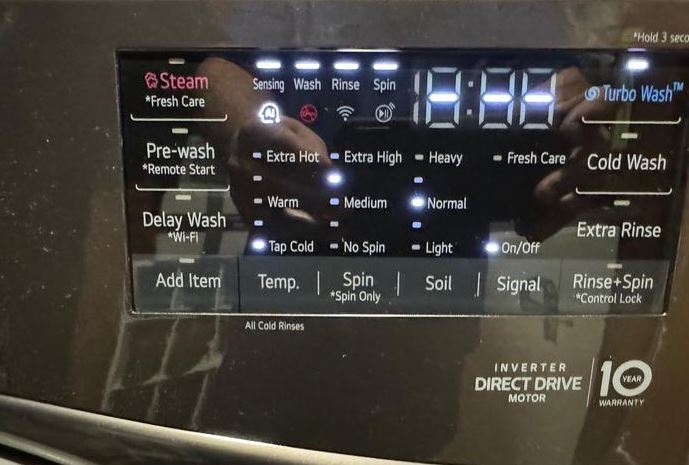
LG-Specific Feature Symbols
Pre-Wash appears as a “I” numeral or water droplet with a “+” symbol. This adds an initial wash phase before the main cycle, perfect for extremely dirty items. The washer runs a short wash, drains, then starts the selected cycle fresh.
Extra Rinse shows as multiple water droplets or a rinse symbol with a plus sign. This adds an additional rinse cycle to remove detergent residue. It’s essential for people with sensitive skin or when you’ve accidentally used too much detergent.
Delay Wash displays as a clock with timer numbers. You can set the washer to start automatically up to 19 hours in the future. This lets you load the washer before work and have it finish right when you get home, preventing wet clothes from sitting and developing mildew smells.
Signal On/Off is a speaker icon that controls whether the washer beeps at cycle end. Some people appreciate the reminder. Others find it annoying, especially on washers located near bedrooms.
Child Lock shows as a padlock or lock icon with a smiley face. When activated, it prevents children from changing settings, opening the door mid-cycle, or starting the washer. Essential for households with curious toddlers.
LG Washing Machine TurboWash Symbols
TurboWash represents one of LG’s signature innovations in washing machine technology. Understanding what this feature does and when to use it helps you save time without sacrificing cleaning performance.
What Is TurboWash Technology?
TurboWash uses powerful water jets strategically positioned in the drum to saturate clothes faster and rinse more efficiently. Traditional washers rely on drum rotation to move water through fabrics. LG’s TurboWash adds high-pressure spray nozzles that force water and detergent into clothing fibers in a fraction of the time.
The technology reduces wash times by 20-30 minutes compared to standard cycles. A Normal cycle that typically takes 50-60 minutes completes in 30-40 minutes with TurboWash. This time savings adds up significantly over the washer’s lifetime.
Benefits beyond speed include improved energy efficiency (shorter cycles use less power), better detergent activation (the jets mix water and detergent thoroughly), and enhanced cleaning on bulky items (the jets penetrate thick fabrics like comforters more effectively).
TurboWash versus TurboWash 360 marks an important distinction. Standard TurboWash uses nozzles at the back of the drum. TurboWash 360 (found on premium 2026 models) surrounds the drum with jets for even more thorough saturation and faster cleaning. If your washer has TurboWash 360, you’ll see “360” marked near the symbol.
Understanding the TurboWash Symbol
The TurboWash symbol appears as the text “TurboWash™” or as a stylized jet spray icon showing water streams. It’s typically located near the cycle selector or as a separate button you can press to activate the feature.
On some LG models, TurboWash activates automatically when you select compatible cycles. The symbol lights up to confirm it’s engaged. On other models, you manually press the TurboWash button to enable it for your selected cycle.
When the symbol is illuminated, you know the washer will use its jet spray system during the cycle. The washer will complete the load faster while maintaining the same cleaning standards as the longer standard version of that cycle.
Not all cycles support TurboWash. Delicate cycles, for example, don’t use it because the high-pressure jets would be too aggressive for fragile fabrics. If you press the TurboWash button and nothing happens, your selected cycle doesn’t support this feature.
TurboWash Cycle Options
LG offers TurboWash compatibility across their most popular cycles.
TurboWash Normal completes everyday loads in 29-39 minutes instead of the standard 50-60. This is the most frequently used TurboWash option. It handles regular cotton items, mixed loads, and moderately soiled clothing with the same cleaning power as the extended cycle.
TurboWash Heavy Duty reduces the typical 90-minute Heavy Duty cycle down to about 60 minutes. You still get the aggressive cleaning action needed for tough stains and heavy soil, just faster. The jets help compensate for the reduced wash time by improving water and detergent penetration.
TurboWash Allergiene combines allergen removal with time savings. The cycle still reaches the high temperatures needed to eliminate allergens but completes the process faster through improved water circulation. Instead of 110 minutes, you’re looking at around 75-80 minutes.
TurboWash 360 appears only on premium models and represents LG’s fastest cleaning technology. Some 2026 models advertise complete wash cycles in as little as 20 minutes for small loads. The 360-degree jet coverage enables this dramatic time reduction while maintaining cleaning quality.
Maximizing TurboWash Efficiency
Proper load sizes matter more with TurboWash than standard cycles. The jets work best when they can reach clothing throughout the drum. Overloading prevents the spray from penetrating effectively, reducing both cleaning quality and the time-saving benefit.
Fill the drum to about two-thirds capacity for optimal TurboWash performance. You want clothes to move freely during the cycle. If you’re cramming items in tightly, you’ve added too much.
Detergent recommendations are critical. Use HE (High Efficiency) detergent (View on Amazon) exclusively. The powerful jets create more agitation than standard cycles, and regular detergent will produce excessive suds. Too many suds actually interfere with the jets’ effectiveness and can trigger error codes.
Start with half the detergent amount you’d normally use. The jets distribute detergent so thoroughly that you need less to achieve the same cleaning. You can always increase slightly if results aren’t satisfactory, but most users find they use 30-40% less detergent with TurboWash.
When to use TurboWash: Perfect for when you’re in a hurry, washing everyday items that aren’t extremely soiled, doing multiple loads in one day (the time savings really add up), or when you want to reduce energy consumption on regular loads.
When to skip TurboWash: Don’t use it for delicate items (the jets are too aggressive), heavily soiled items that need extended soaking time, waterproof fabrics (the jet pressure can damage waterproof coatings), or when washing items with heavy embellishments that might be damaged by the spray force.
LG Washing Machine 6 Motion Direct Drive Symbols
LG’s 6 Motion Direct Drive technology represents a fundamental engineering difference from most other washing machines. Understanding what this symbol means helps you appreciate why your LG washer moves differently than other brands.
Understanding 6 Motion DD Technology
Direct Drive means the motor connects directly to the drum without a belt. Traditional washers use a motor that spins a belt, which turns pulleys connected to the drum. Every connection point introduces potential failure and energy loss.
LG eliminated the belt entirely. The motor bolts directly to the back of the drum and spins it without intermediary components. This design reduces mechanical failure points, operates more quietly (no belt slapping or pulley noise), and transfers energy more efficiently (no power lost to belt friction).
The result is a washer with fewer parts that can break, quieter operation even during high-speed spins, and better energy efficiency. LG backs this confidence with 10-year warranties on Direct Drive motors, compared to typical 1-year warranties on conventional motor assemblies.
6 Motion technology takes Direct Drive further by programming six different drum movement patterns. Traditional washers basically tumble in one direction. LG’s system varies the rotation direction, speed, and pattern based on what you’re washing.
The six motions are: Basic (standard tumbling), Rolling (gentle side-to-side for delicates), Stepping (lifting and dropping for tough stains), Scrubbing (back-and-forth scrubbing action), Swing (pendulum motion for thorough saturation), and Filtration (high-speed spinning for rinsing).
Each cycle automatically combines different motions. Heavy Duty might use Stepping and Scrubbing to attack stains. Delicates relies on Rolling and Swing to clean gently. You don’t control the motions manually. The washer’s programming determines the optimal combination.
The 6 Motion Symbol
The 6 Motion DD symbol appears as “DD” text, “Direct Drive” spelled out, or a motor icon with the number 6. On premium models, you might see “6 Motion Direct Drive” written across the control panel or on the washer’s exterior.
This symbol is informational rather than something you activate. It tells you your washer has this technology built in. When you see it illuminated during a cycle, it confirms the Direct Drive motor is engaged (which it always is during operation).
Some models display which specific motion is currently active. The control panel might show “Stepping” or “Rolling” text during the cycle, though this is more common on top-tier models with advanced displays. Most washers don’t tell you which motion is running at any given moment.
How 6 Motion Works Across Cycles
Different cycles emphasize different motions based on cleaning needs.
Normal cycles combine Basic tumbling with occasional Stepping to handle everyday soil. You’ll notice the drum changes direction and speed periodically rather than maintaining constant rotation.
Heavy Duty cycles rely heavily on Stepping (lifting clothes high then dropping them) and Scrubbing (rapid back-and-forth motion). These aggressive movements physically beat dirt out of fabrics. You might hear distinct changes in the motor sound as it switches between motions.
Delicate cycles use exclusively gentle motions like Rolling and Swing. The drum never reaches high speeds or makes sudden directional changes. Clothes move through the water smoothly without the mechanical stress of aggressive tumbling.
Automatic motion selection happens in the background. The cycle programming tells the motor controller which motion sequence to use. You’ll notice the washer sounds different during various parts of the cycle as the motion patterns change.
This variation is normal and expected. Unlike belt-driven washers that sound consistent throughout, Direct Drive washers have distinctive audio signatures for each motion. Once you’ve used your LG washer for a few cycles, you’ll recognize the different sounds and what they mean.
Troubleshooting 6 Motion Issues
Unusual noises despite Direct Drive can still occur. While Direct Drive eliminates belt noise, you might hear other sounds.
A rumbling or grinding noise suggests something is caught between the drum and tub. Check for coins, bra underwires, or small items that escaped through the drum holes. Stop the washer and inspect carefully.
Clicking sounds during motion changes are normal. The motor controller switches between different motion modes, and you might hear relay clicks or brief motor adjustments. If the clicking is rhythmic and continuous, that’s different and might indicate a mechanical problem.
Motor-related error codes (LE, CE, SE) specifically relate to Direct Drive motor issues. We’ll cover these in detail in the error code section, but they generally indicate the motor can’t turn the drum (LE), is drawing too much current (CE), or the speed sensor can’t detect rotation properly (SE).
If you get motor errors, first check for overloading. An overstuffed drum puts too much strain on even Direct Drive motors. Remove half the load and try again. If the error persists with a small load, you likely have a genuine motor or sensor problem requiring professional service.
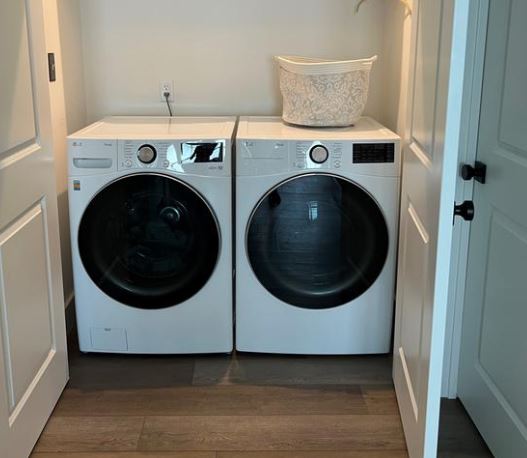
LG Washing Machine AI DD and Smart Features Symbols
LG has aggressively integrated artificial intelligence and smart home connectivity into their washing machines. These features come with their own unique symbols that separate LG from more traditional manufacturers.
AI DD (Artificial Intelligence Direct Drive)
AI DD technology represents LG’s next evolution beyond basic Direct Drive. The system uses sensors and machine learning to detect fabric type and load weight, then automatically optimizes washing motions, cycle time, and drum movements for those specific conditions.
Traditional washers run the same programmed cycle regardless of whether you’re washing towels or dress shirts. AI DD analyzes what’s actually in the drum and customizes the wash accordingly. It detects the weight of wet fabric (heavier fabrics hold more water) and the resistance to movement (delicate fabrics move more easily than stiff denim).
The artificial intelligence component means the washer improves over time. It learns from each load and refines its understanding of different fabric types. After months of use, AI DD becomes increasingly accurate at identifying what you’re washing and providing the optimal cleaning approach.
The AI DD symbol appears as “AI DD” text or a brain/intelligence icon combined with the DD motor symbol. When this illuminates, the washer is actively analyzing your load and adjusting the cycle.
During the first few minutes of a cycle with AI DD active, you’ll notice the drum makes several small movements in different directions. The washer is “feeling” the load to determine weight and fabric characteristics. This sensing phase takes longer than on non-AI washers, but the payoff is a more precisely optimized wash.
Smart Diagnosis Symbol
Smart Diagnosis is LG’s remote troubleshooting system that uses your smartphone to diagnose washer problems. The symbol appears as a smartphone icon combined with sound waves or signal indicators.
When your washer malfunctions, you can activate Smart Diagnosis instead of immediately calling for service. The washer plays a series of tones through its speaker. You hold your smartphone (with the LG ThinQ app installed) near the control panel, and the app “listens” to these diagnostic tones.
The tones encode information about the washer’s internal status, recent error codes, cycle history, and sensor readings. The app decodes this data within seconds and provides troubleshooting recommendations. Many issues can be resolved through the app’s guidance without any service call.
How Smart Diagnosis works:
Open the LG ThinQ app, select your washer from your connected devices, tap “Smart Diagnosis,” then follow the prompts. Press and hold the designated button combination on the washer (usually Temp and Spin together for 3 seconds) to activate diagnostic mode. The washer plays its diagnostic tone sequence. Hold your phone close until the app confirms it’s received the data.
The app then displays findings and recommendations. Sometimes it’s as simple as “clean your drain pump filter” or “reduce your load size.” Other times it identifies component failures and helps you schedule service with specific information about what part needs replacement.
This feature is incredibly valuable. It saves service calls for simple issues, provides technicians with precise information when service is needed, and helps you understand what’s wrong with your washer in plain language.
Wi-Fi and ThinQ Symbols
Wi-Fi connectivity symbols appear as standard Wi-Fi indicators or the LG ThinQ logo. When solid, they confirm your washer is connected to your home network. When blinking, they indicate the washer is attempting to connect or has lost connection.
ThinQ app control unlocks extensive functionality beyond basic operation. You can start cycles remotely (if you’ve pre-loaded the washer), receive end-of-cycle notifications on your phone, download new wash cycles designed for specific fabric types, monitor energy and water usage over time, and access the complete user manual and troubleshooting guides.
Remote Start enabled icon is a separate symbol from basic Wi-Fi connectivity. For safety reasons, you must physically press a button on the washer to enable remote starting. A remote start symbol (often a smartphone with a play button) illuminates when this is active.
This prevents accidental starts. Imagine your child pressing buttons in the app randomly. Without the physical enable step, they could start the washer unexpectedly. By requiring you to press the remote enable button on the actual washer, LG ensures you’re aware the washer can be started remotely.
The remote enable automatically disables after you run one cycle. You must physically re-enable it each time you want remote start capability. This might seem inconvenient, but it’s an important safety feature.
SmartTag and NFC Symbols
On select LG models, SmartTag or NFC symbols indicate Near Field Communication capability. These washers can read NFC tags to automatically configure custom cycles.
The feature works like this: LG or third parties create NFC tags encoded with specific wash settings. You might have a tag for “muddy sports uniforms” programmed with Heavy Duty cycle, hot water, extra rinse, and high spin. Touch the tag to your washer’s NFC sensor, and it instantly loads those exact settings.
Some LG models sold with specific detergent brands include tags for optimal settings with that detergent. Home organization enthusiasts create tags for different family members (so kids can just tap their tag instead of selecting settings). You can even create tags for different seasons (summer lightweight clothes versus winter heavy fabrics).
The NFC symbol looks like a wireless signal icon or tag image, typically located where you’d touch an NFC tag to the washer. Not all LG washers have this feature. It’s more common on premium models sold in markets where NFC adoption is high.
Downloading specialty cycles works through the ThinQ app even without NFC. LG periodically releases new wash programs optimized for specific needs. You might download a “workout gear” cycle designed for synthetic athletic wear, a “bedding refresh” cycle for comforters, or seasonal cycles for winter coats or summer linens.
Browse available downloads in the ThinQ app, select the cycles you want, and send them to your washer over Wi-Fi. They appear on your cycle selection dial or in a special “downloaded cycles” menu. This keeps your washer updated with the latest LG wash technology without buying a new machine.
LG Washing Machine Error Codes and Symbols
LG’s error code system is comprehensive and specific. Understanding these codes helps you quickly identify problems and often resolve them without professional help.
Understanding LG Error Code System
LG uses two-character alphanumeric codes combining letters and numbers. The letter typically indicates the system affected (d for door, I for inlet, O for outlet, etc.), while the number provides more specific information about the failure.
How errors display varies by model. Washers with full digital displays show the error code clearly as text (“OE” or “dE” right on the screen). Models with LED indicators without digital displays show errors through blinking patterns. You count the LED blinks to determine the code.
For example, on LED-only models, three blinks followed by a pause, then three more blinks might indicate an OE (drain) error. Consult your specific model’s manual for the LED blink pattern chart if you have this type of display.
Common characteristics across all LG error codes: They appear when the washer detects a problem that prevents normal operation. The washer stops the cycle immediately when most errors occur. The error code remains displayed until you address the problem or reset the washer.
Some errors are temporary and clear with a simple reset. Others indicate genuine failures requiring repair. Learning which is which saves you time and money.
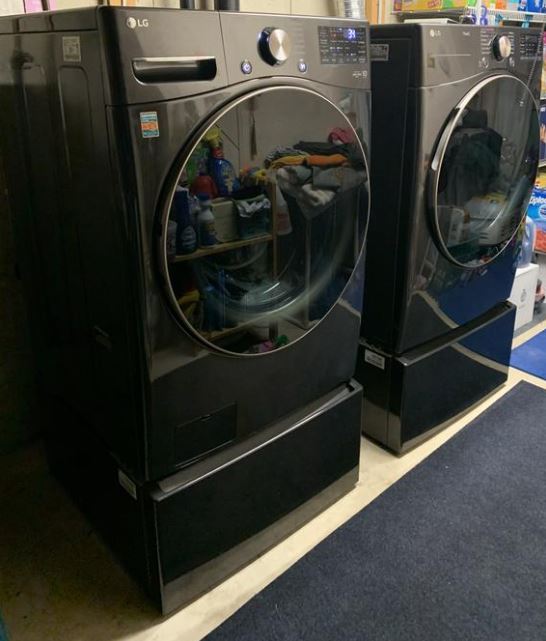
Most Common LG Washer Error Codes
Here are the common LG washing machine error codes and their applicable troubleshooting tips:
Door and Lid Errors
dE is the standard door error. The washer cannot verify that the door is properly closed and locked. This safety interlock prevents the washer from operating with an open door (which would be dangerous during spin cycles).
Check that the door is fully closed with a firm push until you hear a click. Inspect the door seal for items caught in it (socks love to wedge themselves in door gaskets). Make sure nothing is preventing the door from closing flush against the washer body.
dE1 specifically indicates the door lock switch has failed. The door may physically close, but the electrical switch that confirms this to the control board isn’t working. This usually requires replacing the door lock assembly (View on Amazon).
dE2 means the door switch is stuck in the activated position. The washer thinks you’re constantly opening and closing the door, even when you’re not touching it. This can happen if the switch mechanism has broken or if there’s an electrical short in the door lock wiring.
These door errors are among the most common LG issues. Many resolve simply by making sure the door truly latches with an audible click.
Water Supply and Drainage Errors
IE stands for inlet error. Water isn’t entering the washer, or it’s entering too slowly. The washer expects to fill to a certain level within a set time. If that doesn’t happen, IE appears.
Check that water supply valves behind the washer are fully open. Inspect inlet hoses for kinks or damage. The most common culprit is clogged inlet filters. These small mesh screens sit in the water inlet valve ports where hoses connect to the washer. Over time, sediment and mineral deposits clog them.
Unscrew the hoses, pull out the small screen filters with needle-nose pliers, rinse them clean under running water, and reinstall. This five-minute fix resolves most IE errors.
OE indicates drain error. Water isn’t draining from the washer properly. LG washers have a drain pump with a filter that catches lint, coins, bobby pins, and small items to prevent them from damaging the pump. When this filter clogs, water can’t drain.
The drain pump filter is accessed through a small door at the bottom front of front-load washers (usually on the lower left). Place a shallow pan underneath, open the door, slowly turn the filter cap counterclockwise, and pull it out. Water will drain out, so have towels ready. Remove any debris from the filter, rinse it, and reinstall.
Also check that the drain hose isn’t kinked or clogged. Make sure it’s installed at the proper height (the end should be 39-96 inches above the floor per LG specifications). If it’s too low, it causes siphoning. Too high and gravity prevents proper drainage.
FE means overfill error. Too much water has entered the drum, usually due to a faulty water inlet valve that won’t close completely. The valve might be stuck open, or the water pressure in your home might be extremely high, forcing water past the valve even when closed.
Turn off the water supply to the washer and call for service. A stuck-open inlet valve requires replacement. This isn’t a DIY repair for most people since it involves disassembling the washer and working with water supply connections.
PE indicates pressure sensor error. The water level sensor (which uses air pressure to detect water level) isn’t working correctly. This can cause improper filling, failure to drain, or the washer thinking it’s full when it’s empty or vice versa.
Check that the drain hose isn’t installed too low (causing siphoning that confuses the sensor). Verify the small air tube connected to the pressure sensor hasn’t come loose. This requires opening the top or rear panel to inspect. If connections look good, the pressure sensor itself has likely failed.
E1 means water leak detected. LG washers have leak sensors in the base that trigger this error if water collects where it shouldn’t be. Turn off the water supply immediately and inspect for obvious leaks from hoses, the drain pump, or door seal. Don’t run the washer until you’ve identified and fixed the leak source.
Balance and Load Errors
UE indicates an unbalanced load error. The washer tried to spin but detected the load is unevenly distributed. Spinning an unbalanced load would cause excessive vibration, potentially damaging the washer or walking it across the floor.
Open the washer and redistribute the clothes evenly around the drum. Don’t leave everything bunched on one side. Mix large and small items. LG washers are particularly sensitive to single large heavy items like bathrobes or bath mats. Add a few towels to balance single heavy items.
Ub (lowercase b) appears during the washer’s attempt to rebalance the load automatically. The washer will try several rebalance attempts before giving up and showing UE (uppercase E). If you see Ub, just let the washer work. It’s trying to fix the problem itself by redistributing through controlled drum movements.
These balance errors are more common with front-load washers than top-loaders. Front-loaders rely on gravity and tumbling to keep loads balanced. Make sure your washer is level (use a bubble level on top of the washer to check). An unlevel washer has more difficulty balancing loads and triggers UE errors more frequently.
CL appears on the display but isn’t actually an error code. It simply means Child Lock is activated. This prevents changes to settings and button presses. Deactivate it by pressing and holding the designated button combination (check your manual, but usually Temp + Spin for 3 seconds).
Temperature and Sensor Errors
tE signals heating error or temperature sensor failure. The heating element that warms wash water isn’t working, or the thermistor that measures temperature has failed.
This error affects only cycles using warm or hot water. Cold water cycles work normally. Try running a cold water cycle to verify the washer otherwise functions. If that works but warm/hot cycles trigger tE, you have a confirmed heating system problem.
Check your home’s water heater first. If you’re not getting hot water anywhere else in your home, that’s the issue, not your washer. If other faucets produce hot water but your washer shows tE, the internal heating element or temperature sensor needs replacement.
LE means locked motor error. The drum won’t turn, or the motor can’t spin it. This occurs when something jams the drum, when the motor itself has failed, or when the load is so heavy the motor can’t rotate it.
First, unplug the washer and manually try to rotate the drum by hand through the door opening. If it won’t budge, something is jamming it. Check for items wedged between the drum and tub. Remove all clothes and inspect carefully.
If the drum rotates freely by hand but still shows LE during operation, you likely have a motor failure or control board issue. Reduce the load size significantly and try once more. If LE persists with a tiny load and a freely-rotating drum, professional service is needed.
CE indicates current error, meaning the motor is drawing too much electrical current. This happens when the motor works too hard, usually because of overloading or mechanical resistance in the drum.
Reduce your load size by half and try again. Check for items caught in the drum that create resistance. If CE appears with small loads and no obstructions, the motor or control board has a problem requiring professional diagnosis.
Control and Communication Errors
EE signals EEPROM error. The control board’s memory chip has failed or corrupted. This chip stores cycle settings, error history, and operational parameters. When it fails, the washer can’t remember its programming.
Try a full power reset (unplug for 10 minutes). If EE returns immediately, the control board needs replacement. This is a professional repair requiring a new board and potentially programming.
SE means hall sensor error. The motor speed sensor (which tells the control board how fast the drum is spinning) isn’t working. Without accurate speed readings, the washer can’t properly control spin cycles.
This sensor failure requires professional repair. The hall sensor is internal to the motor assembly and not a DIY replacement for most owners.
AE indicates auto-restart error. The washer tried to automatically restart after a power failure but encountered a problem. This isn’t a common error. If you see it, reset the washer completely and start a fresh cycle.
E6 appears on top-load models with a mechanical clutch. The clutch (which engages to spin the tub) isn’t working correctly. This mechanical failure requires professional service for clutch replacement.
LG Washing Machine Error Code Table with Solutions
| Error Code | What It Means | Common Cause | Quick Fix |
|---|---|---|---|
| OE | Drain Error | Clogged pump filter or kinked hose | Clean drain pump filter, check hose routing |
| IE | Inlet Error | No water entering washer | Check water valves on, clean inlet filters |
| UE | Unbalanced Error | Uneven load distribution | Redistribute clothes evenly, add items to balance |
| dE | Door Error | Door not latched properly | Close door firmly until click, check seal |
| LE | Locked Motor | Motor can’t turn drum | Check for jams, reduce load size dramatically |
| tE | Temperature Error | Heating element or sensor issue | Verify home water heater works, use cold water |
| FE | Overfill Error | Water inlet valve stuck open | Turn off water supply, call for service |
| PE | Pressure Sensor | Water level detection failure | Check drain hose height, verify connections |
| CL | Child Lock Active | Safety lock engaged (not an error) | Press Temp + Spin for 3 seconds to deactivate |
| CE | Current Error | Motor drawing excessive current | Reduce load, check for drum obstructions |
Step-by-Step LG Error Code Troubleshooting
Step 1: Read and record the error code
Note exactly what code appears. Some are similar (UE vs. Ub, dE vs. dE1) but mean different things. Take a photo of the display if you’re not sure you’ll remember correctly.
Step 2: Consult the quick reference guide
Most LG washers have error codes listed inside the detergent drawer or on the inside of the access panel. This quick reference tells you the basic meaning of each code.
Step 3: Try the recommended basic fix
For water errors, check the water supply and drainage. If it’s door errors, inspect the door seal and latch. In case of balance errors, redistribute the load. These simple steps resolve the majority of errors.
Step 4: Use Smart Diagnosis
If the basic fix doesn’t work, run Smart Diagnosis through the ThinQ app (if your washer has this feature). The diagnostic tones provide much more detailed information about the failure than the simple error code alone.
Step 5: Perform a full reset
Unplug the washer completely from power for 5-10 minutes. This discharges all capacitors and fully resets the control board. Some errors are temporary glitches that clear with a complete power cycle.
Step 6: Test with a simple cycle
After resetting, run a short cycle with a small, simple load (just a few towels). This tests whether the error was temporary or indicates a persistent problem.
When DIY fixes work versus professional service needed
You can handle most water supply issues (cleaning filters, checking hoses), drainage problems (cleaning pump filter), door latch issues (inspecting seal, adjusting closure), and load balance errors (redistributing clothes) yourself.
Call for professional service when you get motor errors (LE, CE, SE) that persist after reducing load size, control board errors (EE, AE), heating errors (tE) after verifying your home water heater works, or any error that returns immediately after a full reset and trying the recommended fix.
LG’s Smart Diagnosis often tells you clearly whether an issue is DIY-fixable or requires a technician. Trust that guidance.
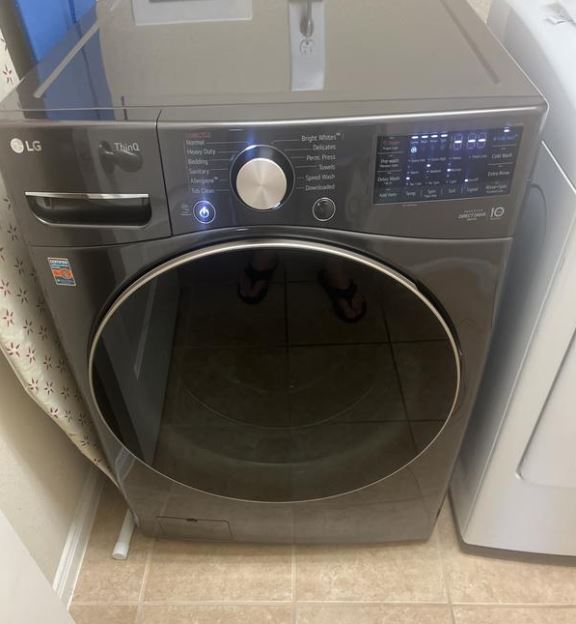
LG Washing Machine Flashing Symbols and Lights
Flashing symbols serve different purposes than steadily illuminated ones. Understanding these patterns helps you distinguish between normal operation, helpful notifications, and genuine problems.
Normal Flashing Patterns
‘Door lock flashing during cycle‘ is completely normal. The lock symbol blinks while the washer is determining whether it’s safe to lock the door. Once locked, the symbol goes solid. During the wash, it remains solid. As the cycle ends and the door unlocks, you might see it flash briefly again.
This flashing communicates the door lock status. It’s working as designed and not an error indication.
‘Cycle selection blinking before Start‘ happens when you’ve selected a cycle but haven’t confirmed by pressing the Start button. LG uses this blinking as a visual reminder that you need to take one more action to begin the wash.
Once you press Start, the blinking stops and the cycle indicator goes solid.
End-of-cycle notifications include flashing lights and often beeping. When your wash finishes, LG washers flash the cycle complete indicator and sound a series of chimes to get your attention.
The flashing continues until you open the door or press a button. It’s a persistent reminder to remove your clothes promptly and prevent wrinkle-setting or mildew smells from wet clothes sitting in the drum.
Child Lock indicator behavior includes specific flashing. When you activate Child Lock, the symbol might flash several times to confirm activation, then go solid. If someone tries to press buttons while Child Lock is active, the lock symbol flashes to indicate “controls are locked.”
Error-Related Flashing
Rapid flashing typically signals a problem. Unlike the slow, rhythmic flashing of normal operations, error-related flashing is faster and more urgent-looking.
If any symbol starts flashing rapidly in a pattern you haven’t seen during normal operation, check the display for an error code. The flashing is drawing your attention to the error message.
Multiple symbols flashing together often indicates the washer has entered diagnostic mode, either intentionally or accidentally. If you pressed multiple buttons simultaneously while cleaning the panel, you might trigger diagnostic mode.
Turn the washer off and back on to exit diagnostic mode. If symbols continue flashing in unusual patterns, consult your manual to decode the specific diagnostic indicator.
Diagnostic mode light patterns are distinctive. All the cycle indicators might flash in sequence, one at a time around the dial. Or they might all flash together simultaneously. Temperature and spin indicators might cycle through their options.
These patterns are tools for technicians to test the washer’s functions. You shouldn’t be in diagnostic mode during normal operation. Exit by pressing the power button or turning the cycle selector to the Off position.
Time Remaining Display
How LG calculates time estimates is more complex than simple countdown. The washer starts with an estimated cycle time based on your selections. As the cycle runs, sensors detect actual load size, water temperature, soil level, and other factors.
The washer continuously recalculates the time estimate based on real conditions. This is why you might see the time jump up or down during a cycle.
Why time estimates change mid-cycle frustrates many users. You started with 45 minutes remaining, but five minutes later it shows 50 minutes. This happens because the washer detected a heavier load than initially estimated, added an extra rinse due to high soil levels, or lowered the water temperature and needs more time to heat.
LG washers prioritize cleaning performance over precise time predictions. The time display is an estimate, not a countdown timer. Think of it as “approximately this long” rather than “exactly this many minutes.”
Sensing phase indicators appear at the beginning of cycles. The display might show “Sensing” text or a series of dashes instead of a time. During this phase, the washer is detecting load weight, running diagnostic checks, and calculating the optimal cycle parameters.
On washers with AI DD, the sensing phase takes longer because the system is analyzing fabric type and condition. Be patient. This extra time at the beginning results in better cleaning and more accurate time estimates for the rest of the cycle.
Smart Feature Flashing
Wi-Fi connection status uses different flashing patterns to communicate connectivity state.
Slow, rhythmic flashing means the washer is trying to connect to your Wi-Fi network. This happens during initial setup or if the washer loses connection and attempts to reconnect.
Rapid flashing might indicate a Wi-Fi error or failed connection attempt. Check that your router is working and that the washer is within range. The washer needs a strong Wi-Fi signal for reliable connectivity.
Solid (not flashing) means successfully connected and communicating with the ThinQ app.
‘Download in progress indicator‘ shows when the washer is receiving a new cycle or firmware update from the ThinQ app. You’ll see a download symbol or the Wi-Fi icon flashing in a specific pattern. Don’t unplug the washer or turn it off during downloads.
Firmware update symbols appear when LG pushes software updates to your washer. The update downloads, installs, and the washer may restart automatically. The whole process takes 5-15 minutes. Updates can add new features, improve existing cycles, or fix bugs discovered after manufacturing.
LG Steam Technology Symbols
Steam technology represents a major differentiator for LG washers. Understanding when and how to use these features maximizes their benefit.
Understanding LG Steam Features
Steam technology works by heating water to create steam, then injecting that steam into the drum during specific cycle phases. The steam penetrates deep into fabric fibers, loosening dirt, killing bacteria, and relaxing wrinkles.
Unlike simply using hot water, steam reaches higher temperatures (over 212°F) because it’s gaseous rather than liquid. This higher temperature provides sanitization that regular hot water washing can’t achieve.
Benefits include superior allergen removal (steam denatures proteins in dust mite waste, pet dander, and pollen), enhanced stain treatment (steam breaks down complex stains more effectively than water alone), wrinkle reduction (making ironing easier or unnecessary), and odor elimination (high heat destroys odor-causing bacteria).
Which cycles include steam varies by model. Most LG steam washers offer Steam Fresh, Allergiene with steam, and the ability to add steam to standard cycles like Cotton or Heavy Duty.
Steam Symbol Identification
The steam symbol appears as stylized steam droplets or waves, sometimes combined with heat indicators. LG’s TrueSteam™ branding appears on premium models with their most advanced steam technology.
Regular steam features spray steam into the drum. TrueSteam uses pure water vapor generated from the bottom of the tub, producing finer steam particles that penetrate fabrics more thoroughly.
‘When steam activates‘ depends on the cycle. Some cycles use steam during the wash phase to improve cleaning. Others apply steam during the final rinse to reduce wrinkles and refresh fabrics. Dedicated steam cycles might use steam exclusively without traditional water filling.
You’ll know steam is active when you see condensation on the washer’s door or hear the steam generator operating (a slight hissing sound is normal).
Steam Cycle Options
Steam Fresh refreshes clothes without a full wash. Use this for garments worn briefly that aren’t actually dirty but just need freshening. The cycle uses steam to relax wrinkles, eliminate odors, and sanitize without water filling the drum.
It’s perfect for suits, dress pants, blazers, and clothes you’d normally take to the dry cleaner just for freshening. A 20-minute Steam Fresh cycle costs less than dry cleaning and is gentler on fabrics.
‘Allergiene with Steam‘ is LG’s most powerful allergen-fighting cycle. It combines high water temperatures with steam injection to remove 95% of common household allergens. The cycle is certified by the Asthma and Allergy Foundation.
Use this for bedding, children’s stuffed animals, pet blankets, and any items that come into contact with allergen sources. Running Allergiene monthly helps maintain a low-allergen environment for sensitive household members.
‘Steam Sanitary‘ achieves NSF certification for sanitization, killing 99.9% of bacteria. This cycle reaches temperatures and durations required to meet professional sanitization standards.
Use it for kitchen towels, bathroom mats, cloth diapers, and anything exposed to potentially harmful bacteria. The high heat and extended time (cycles can run 90-120 minutes) ensure thorough sanitization.
‘Steam added to regular cycles‘ appears as an option you can select. When choosing Cotton, Heavy Duty, or other standard cycles, press the Steam button to add steam enhancement. This increases cleaning power, allergen removal, and wrinkle reduction without running a specialty steam cycle.
The added steam extends cycle time by 10-20 minutes but noticeably improves results on heavily soiled items or when household members have allergies.
Steam Troubleshooting
‘Steam not activating‘ when you’ve selected a steam cycle has several possible causes.
Check that the water supply is connected and valves are open. Steam generators need water to create steam. Verify your model actually has steam capability (not all LG washers include this feature).
Some models require you to press a dedicated Steam button in addition to selecting the cycle. Check your control panel for a separate steam activation button.
‘Excessive moisture after steam cycles‘ is somewhat normal. Steam cycles deliberately use moisture to penetrate fabrics. You’ll notice clothes are damper after a steam cycle than after a regular wash.
If clothes are dripping wet or water pools in the drum, that’s excessive. It might indicate the steam generator is over-producing, the drain isn’t working properly, or the cycle didn’t complete its final spin properly. Run a Rinse + Spin cycle to extract excess water.
‘Water spots on clothing‘ after steam cycles happen when mineral-heavy water leaves deposits as steam condenses. If you have hard water, consider installing a water softener or using a descaling solution (View on Amazon) in your washer monthly.
Wipe down the door glass and gasket after steam cycles to remove condensation before it dries into water spots.
LG Top Load vs. Front Load Symbol Differences
LG manufactures both top-load and front-load washers, and the symbol systems differ somewhat between these fundamentally different designs.
Front Load Washer Symbols
Standard front load layout places controls either on the front top edge of the washer or on top of the lid. Front-top controls make the display visible while standing in front of the machine. Top-mounted controls are easier to reach but require stepping to the side to view the display.
Most modern LG front-loaders use front-top mounting because it’s more ergonomic and keeps controls dry (water can’t drip onto top-mounted panels).
AddWash door symbol appears on select front-load models. This feature provides a small secondary door within the main door for adding forgotten items mid-cycle. The symbol appears as a small door icon with a plus sign or “Add Door” text.
Press the pause button, wait for the AddWash light to illuminate, then open the small door to toss in forgotten items. This is one of LG’s most appreciated convenience features for front-loaders.
Front control versus top control panels affect which symbols are visible at a glance. Front controls let you see status, time remaining, and errors without changing your position. Top controls hide this information unless you intentionally check.
Premium model features like LG Styler integration might add unique symbols. Some high-end models communicate with LG closet systems or have built-in textile care options beyond simple washing.
Top Load Washer Symbols
Impeller versus agitator model differences impact available cycles and symbols.
Agitator models (with the tall center post) have simpler control panels with fewer specialty cycles. You’ll see basic symbols for Normal, Heavy Duty, Delicate, and maybe a few others.
Impeller models (low-profile center cone) offer more advanced cycles and technologies like 6 Motion DD. Their control panels include more symbols for specialty features and settings.
Top load specific cycles include Deep Fill (adding extra water for heavily soiled loads) and Soak cycles that are less common on front-loaders. You’ll see symbols for these unique to top-load models.
The Deep Fill symbol appears as a water droplet with an upward arrow or “MAX” indicator. This overrides the automatic water level sensor and fills the tub to maximum capacity. Use it sparingly, as it wastes water and energy, but it’s helpful for extremely dirty loads or items that float (preventing proper washing).
Simpler control layouts on basic models mean fewer symbols to learn. Budget-friendly LG top-loaders keep things straightforward with just the essential cycle selections and basic settings. You won’t find TurboWash, AI DD, or steam symbols on entry-level machines.
WashTower Symbols
LG’s WashTower combines a washer and dryer in a single integrated unit with unified controls. The symbol system handles both appliances from one control panel.
Single control panel for both appliances sits in the middle bridge between the washer (bottom) and dryer (top). You select washer cycles on one side and dryer cycles on the other side of the same panel.
Coordinated cycle symbols let you program wash and dry settings simultaneously. The washer completes its cycle, then the system prompts you to transfer clothes to the dryer (which is directly above, making transfer easy).
Some WashTower models offer automatic transfer notification systems with symbols indicating when it’s time to move clothes from washer to dryer.
Stacking kit indicators appear when you’ve stacked a separate washer and dryer (not an integrated WashTower). Some models communicate with each other when stacked, displaying coordinated symbols for recommended dryer settings based on the wash cycle you just completed.
WT7 Series and Ultra Large Capacity Models
LG’s WT7 series and other ultra-large capacity washers (5.0-5.5 cubic feet) include symbols for mega loads that smaller washers don’t need.
Mega capacity indicators help you understand how much you can load. These might show load level guides or warnings when you exceed safe capacity.
Commercial-grade symbols appear on models designed for heavy home use. These washers borrow technology from LG’s commercial laundry equipment, including specialized cycles and durability indicators.
Extended cycle options for larger loads mean additional symbols. You might see “Bulky Items,” “Waterproof,” or other specialty cycles designed specifically for the kinds of oversized items these mega washers can handle (like sleeping bags, comforters, or multiple loads combined).
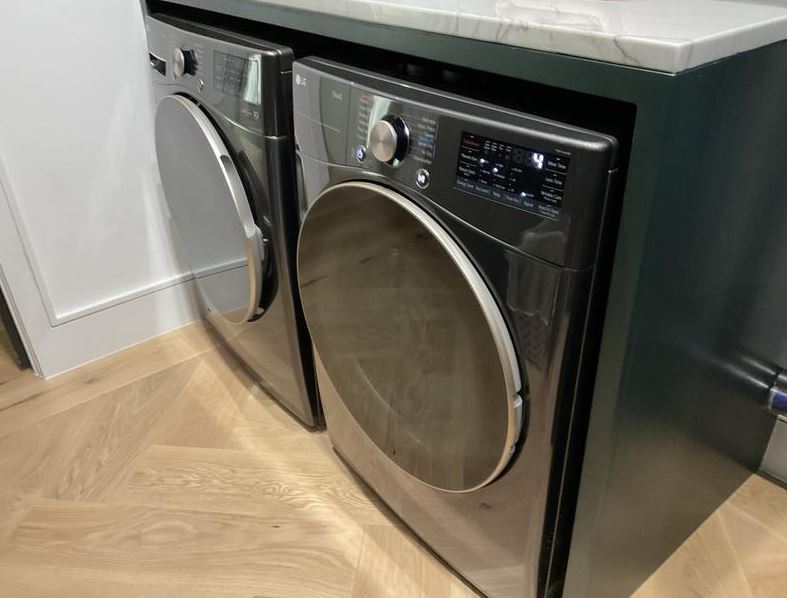
LG Washer Maintenance and Cleaning Symbols
Proper maintenance prevents most washing machine problems. LG includes helpful reminder symbols to keep you on track with necessary upkeep.
Tub Clean Symbol and Cycle
The Tub Clean symbol appears as a drum with sparkles, a cleaning brush icon, or simply the text “Tub Clean” on the display. This reminder illuminates after approximately 30 wash cycles or monthly usage.
When Tub Clean reminder appears, you should run the Tub Clean cycle at your earliest convenience. While you can ignore it temporarily, running Tub Clean monthly maintains optimal washer performance and prevents odor development.
How often to run Tub Clean depends on usage patterns. Once monthly works for average households doing 8-10 loads weekly. Heavy users (15+ loads weekly) should run it every 3 weeks. Light users (fewer than 5 loads weekly) can extend to every 6 weeks.
If you notice musty odors developing, run Tub Clean immediately regardless of the reminder schedule.
What Tub Clean does is run the drum at extremely high temperatures without any laundry. The cycle uses maximum water level and special drum motions to dislodge detergent residue, fabric softener buildup, and biological growth from the drum, gaskets, and internal components.
The cycle typically takes 60-90 minutes. Don’t add any clothes. LG recommends running it empty (no detergent) for standard cleaning, though you can add washer cleaning tablets or powdered tub cleaner for enhanced results if residue buildup is severe.
After Tub Clean completes, wipe down the door gasket with a dry cloth to remove any loosened debris. Leave the door open for several hours to allow the interior to dry completely.
Drain Pump Filter Symbol
The drain pump filter location indicator appears in your user manual and sometimes on the washer itself. On front-load models, it’s behind a small access panel at the bottom front (usually lower left corner).
The filter catches lint, coins, hair clips, small toys, and other items to prevent them from damaging the drain pump. Over time, this accumulation restricts water flow and triggers OE errors.
Cleaning frequency recommendations are every 1-2 months for average use. If you wash items that shed heavily (pet bedding, fuzzy blankets, lint-producing towels), clean it monthly. If you wash primarily synthetics that don’t shed, every 8 weeks is sufficient.
Always check the filter immediately if you get an OE error, regardless of when you last cleaned it. Something might have gotten through recently.
What happens if you ignore it starts with longer cycle times as the washer struggles to drain through a restricted filter. This progresses to OE errors where cycles don’t complete. Eventually, the drain pump can burn out from working too hard, requiring expensive replacement.
Spending 5 minutes monthly cleaning the filter prevents a $200-300 pump replacement.
Step-by-step filter cleaning:
Open the access panel at the bottom front. Place a shallow pan or towels underneath to catch water. Slowly turn the filter cap counterclockwise (it will resist at first as water pressure works against you). Pull the filter out once unscrewed. Expect water to drain out (a quart or so is normal).
Remove all debris, hair, and items from the filter. Rinse it under running water. Inspect the filter housing inside the washer opening for items that might have gotten past the filter. Reinstall by inserting the filter and turning clockwise until snug. Close the access panel.
Detergent Dispenser Symbols
LG detergent drawers include marked compartments for different products. Understanding these symbols ensures products dispense at the right time during the cycle.
Main wash compartment shows “II” (two vertical lines) or the number “2”. This is the largest compartment and where your regular detergent goes for every load. The washer releases this detergent during the main wash phase.
Pre-wash compartment displays “I” (one vertical line) or the number “1”. Only use this if you’re running a cycle with pre-wash selected. Detergent placed here releases during the initial pre-wash phase before the main cycle begins.
For most loads, leave this empty. It’s only necessary for extremely dirty items that benefit from two separate detergent applications.
Fabric softener compartment shows a flower symbol, star icon, or “Softener” text. Pour liquid fabric softener here (never exceed the MAX line). The washer releases it automatically during the final rinse.
Don’t put fabric softener directly in the drum. It won’t dispense at the right time and can stain clothes.
Bleach compartment appears on some models as a triangle symbol or “Bleach” label. Pour chlorine bleach here (diluted per bottle instructions, never exceeding MAX line). The washer releases it at the proper point in the wash cycle, diluted to safe concentrations.
Never put bleach directly on clothes. It causes discoloration and fabric damage. The bleach dispenser ensures proper dilution and timing.
Liquid versus powder guides sometimes appear as removable inserts in the detergent compartment. Position the insert one way for liquid detergent, flip or remove it for powder. This ensures proper flow and dispensing for different detergent forms.
Many LG models feature auto-dispense systems that hold enough detergent and fabric softener for multiple loads. These show fill level indicators and symbols for each reservoir. Refill when the indicator shows low. The washer automatically dispenses the perfect amount for each load size.
Child Lock Activation
Child Lock prevents children from changing settings, opening the door during cycles, or starting the washer accidentally.
Activating Child Lock: Press and hold the designated button combination (most commonly Temp + Spin buttons, sometimes Soil Level + Spin) for 3-5 seconds. You’ll hear a chime and see the lock symbol illuminate on the display.
Some models require you to press the buttons while the washer is in standby mode (powered on but not running a cycle). Others let you activate it anytime.
What Child Lock prevents includes pressing any buttons (all controls become unresponsive), opening the door (even when no cycle is running), starting cycles, and changing cycle settings. Basically, the washer becomes completely locked until you deactivate Child Lock.
Deactivating: Use the same button combination. Press and hold for 3-5 seconds until you hear the chime and the lock symbol disappears.
If you forget the button combination, check the quick reference guide inside the detergent drawer or consult your manual. The combination varies slightly between models.
LG Washer Display Messages Beyond Symbols
Modern LG washers with full digital displays show text messages in addition to traditional symbols. These messages provide helpful information and guidance.
Text Messages on Digital Displays
“Add Detergent” reminders appear on auto-dispense models when detergent reservoirs run low. The message prompts you to refill the main wash reservoir before it runs completely empty.
Some models show remaining loads (example: “15 loads remaining”) so you can plan ahead for refilling.
“Sensing” or “Adjusting” messages display during the initial phase when the washer analyzes the load. You’ll see this for 2-5 minutes at cycle start while the drum makes small movements to detect weight and fabric type.
This is normal operation. The washer is gathering data to optimize the cycle. Don’t interrupt or add more items during sensing.
“Door Open” warnings appear if you haven’t closed the door fully or if the door comes open during a cycle (which shouldn’t happen, but might if the latch fails).
Simply close the door firmly until you hear it click. The message should clear and the cycle resume.
Cycle completion messages like “Cycle Complete” or “End” appear when washing finishes. These stay on screen until you open the door or press a button, serving as a reminder to remove clothes promptly.
Smart Alerts and Notifications
ThinQ app notifications send messages to your smartphone about washer status. You’ll receive alerts when cycles complete, when errors occur, when maintenance is needed, or when the washer needs attention.
Customize notification preferences in the app settings. You can choose which alerts you want to receive and whether they appear as push notifications, emails, or both.
End-of-cycle alerts can be set to notify you even when you’re away from home. If you start a cycle before leaving for work, you’ll get a notification when it’s done, reminding you to have someone transfer clothes to the dryer or hang items promptly.
Maintenance reminders via app include Tub Clean prompts, filter cleaning schedules, and seasonal maintenance checklists. The app tracks usage patterns and sends timely reminders based on actual use rather than just calendar dates.
Energy usage displays on premium models show water and electricity consumption per cycle, weekly totals, and trends over time. This information helps you make informed choices about cycle selection and load sizes to minimize utility costs.
Troubleshooting LG Symbol Display Issues
Sometimes the control panel itself malfunctions, causing symbol display problems that aren’t related to washer operation.
When Symbols Won’t Display
Display panel completely dark but the washer powers on (you hear it or interior lights work) indicates a display failure separate from the control board. Check that the washer is truly getting power (circuit breaker on, outlet working).
If other appliances plugged into the same outlet work fine, the issue is internal to the washer. The display might have a failed backlight, loose ribbon cable connection, or completely dead display panel.
Partial symbol illumination where some segments or symbols show but others don’t suggests LED failures or connection issues. LCD displays can develop dead pixels or segments. This may not prevent using the washer if you can still read enough to select settings, but it will likely worsen over time.
Dim or flickering symbols point to power supply issues within the washer or failing LED backlights. If all symbols dim together, the problem is likely in the power supply to the display. If only certain symbols flicker, those specific LEDs are failing.
Control board versus display failure distinction matters for repairs. The control board runs the washer’s functions. The display shows information from the control board. Sometimes the control board works perfectly but the display fails, or vice versa. Proper diagnosis determines which component needs replacement.
Resetting LG Washers
Standard reset procedure for most issues involves unplugging the washer from the electrical outlet or turning off its circuit breaker. Wait 5-10 minutes (longer than quick resets for other brands) to ensure complete capacitor discharge.
LG washers retain settings and error memory in capacitors that take several minutes to fully discharge. A 30-second reset won’t truly clear everything. Five minutes ensures a clean slate.
Restore power and test. Many issues resolve with this complete reset.
Factory reset for smart features restores Wi-Fi settings and app connections to defaults without affecting washer operation. This helps when you’re having ThinQ app connectivity problems but the washer otherwise works fine.
Access factory reset through the settings menu (varies by model) or by pressing specific button combinations while powering on. Check your manual for the exact procedure for your model.
Clearing error code memory sometimes requires entering diagnostic mode, then exiting it. This procedure varies significantly between models. Some clear error history with a long power-off reset. Others require technician codes to access error memory.
For most users, a complete 10-minute power reset clears error history sufficiently.
Diagnostic test mode entry lets you run individual component tests. The entry procedure differs by model but commonly involves pressing and holding three specific buttons while turning on the washer.
In diagnostic mode, you can test the door lock, water inlet valves, drain pump, drum motor, heater, and each sensor individually. This helps pinpoint exactly which component has failed when troubleshooting complex issues.
Exit diagnostic mode by powering off the washer or pressing the designated exit button combination.
Touch Control Issues
Unresponsive touch panels frustrate users of models with capacitive touch controls. These panels detect the electrical conductivity of your finger rather than physical pressure.
Clean the panel surface with a slightly damp microfiber cloth (unplug first for safety). Soap residue, detergent film, or greasy fingerprints interfere with touch sensitivity.
Make sure your hands are dry when using touch controls. Wet fingers don’t register properly on capacitive surfaces. Similarly, wearing gloves prevents the panel from detecting touches.
False touches or “ghost pressing” where the panel registers touches you didn’t make happens when water droplets, residue, or moisture sits on the panel surface. The panel interprets these as finger touches.
Dry the panel completely and keep the area around the washer dry. Water dripping onto touch panels during load/unload creates false inputs.
Cleaning touch surfaces properly requires care to avoid damage. Never use abrasive cleaners, rough sponges, or harsh chemicals on touch panels. These can scratch the protective coating and ruin touch sensitivity permanently.
Use only soft microfiber cloths slightly dampened with water or mild dish soap solution. Wipe gently, then dry with a clean cloth.
Sensitivity adjustments aren’t available on most LG models. The touch sensitivity is factory-calibrated. If the panel becomes consistently less responsive over time, the touch layer may be wearing out and eventually require panel replacement.
Also Read: LG Dishwasher Symbols and Their Meaning Explained
Smart Feature Connection Problems
Wi-Fi symbol not appearing when your model should have Wi-Fi capability suggests the feature hasn’t been activated or has been disabled.
Check your model specifications to confirm it actually includes Wi-Fi (not all LG washers have smart features). If confirmed, navigate through the settings menu to enable Wi-Fi connection mode.
ThinQ app won’t connect to your washer even though Wi-Fi is enabled has several possible causes.
Verify your smartphone and washer are on the same Wi-Fi network. The washer can only communicate with the app when both are connected to the same router.
Check that your router’s 2.4GHz band is enabled. Most LG washers connect only to 2.4GHz Wi-Fi, not 5GHz networks. Ensure your router broadcasts both bands.
Move the washer closer to your router if possible, or use a Wi-Fi extender. Weak signal strength causes connection failures and dropouts.
Resetting Wi-Fi settings on the washer clears the existing connection and lets you set up fresh. The exact process varies by model but generally involves accessing the Settings menu, selecting Wi-Fi, then choosing Reset or Forget Network.
After resetting, go through initial Wi-Fi setup again as if connecting for the first time.
Router compatibility issues occasionally occur with older routers or those using outdated security protocols. LG washers require WPA2 security as a minimum. Older WEP encryption won’t work.
If you have an ancient router, upgrading to a modern model solves many smart appliance connectivity problems simultaneously.
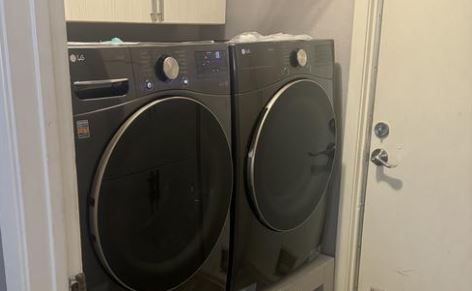
LG Model-Specific Symbol Variations
LG’s symbol systems have evolved significantly over the years. Understanding your specific model’s generation helps you interpret its unique symbols.
2024-2026 Model Updates
New AI features and symbols dominate recent LG washers. The AI DD logo appears prominently on models with fabric-sensing artificial intelligence. You’ll see brain icons or “AI” text indicating these advanced features.
ezDispense auto-detergent symbols appear as dual reservoir icons showing fill levels for detergent and fabric softener. These models automatically dispense the right amount for each load size, eliminating measuring and waste.
The symbols show when reservoirs need refilling and display remaining load capacity.
Advanced vibration reduction indicators on premium models might show “TrueBalance” or vibration-related icons. LG’s latest anti-vibration technology makes washers incredibly quiet even during high-speed spins.
Updated smart home integration symbols reflect compatibility with voice assistants (Alexa, Google Assistant) and expanded smart home platforms beyond just LG ThinQ. You might see specific icons for different smart home ecosystems your washer can join.
Discontinued Features
Older Steam technology symbols from 2018-2020 models look slightly different than current TrueSteam symbols. The functionality is similar, but the icon styling has changed.
Legacy cycle options like “Bedding” or “Sanitary” have been consolidated into more modern cycle naming. What was once “Sanitary” is now “Allergiene” with enhanced capabilities.
Replaced error codes happen occasionally as LG refines their diagnostic systems. Some older error codes were split into more specific subcodes (like dE becoming dE1 and dE2) to provide better troubleshooting information.
Regional Differences
North American versus European models show significant variation. European LG washers display temperatures in Celsius (30°, 40°, 60°, 90°) while North American models use Cold/Warm/Hot or Fahrenheit.
European models emphasize energy efficiency symbols more prominently (EU energy labels are legally required). North American models focus more on cleaning power and speed.
Voltage indicators differ based on electrical standards. North American models are 120V. European and most Asian models are 220-240V. This affects which heating elements and motors are used, which in turn affects some error codes and symbols.
Cycle name variations by region occur even when the actual cycle programming is identical. What’s called “Cotton” in Europe might be “Normal” in North America. The symbol may be the same, but text labels differ.
Finding Your LG Model Information
Where to locate model number is essential for finding accurate symbol guides. Look for a sticker or metal plate in these locations: inside the door opening on the frame, inside the detergent drawer, on the back of the washer near the water connections, or sometimes on top of the washer (pull it away from the wall to check).
The model number format is typically WM#### or WT#### (WM for front-load, WT for top-load) followed by letters and numbers. Write down the complete model number.
Accessing LG Support for manuals is easiest through lg.com/us/support. Enter your model number in the search box. You’ll find downloadable PDF manuals, quick start guides, installation instructions, and symbol reference charts specific to your exact model.
You can also download the LG ThinQ app and add your washer (even non-smart models can be added for manual access). The app provides quick reference guides, symbol explanations, and model-specific troubleshooting.
Using model number for accurate symbol guide prevents confusion from generic guides that may not match your specific washer. LG has dozens of washer models in production at any time, each with slight variations in symbols and features.
Always reference your model-specific manual when in doubt about a symbol’s meaning.
Also Read:
Frequently Asked Questions
What does IE mean on my LG washing machine?
IE is an inlet error code indicating that water isn’t entering your washer properly or is entering too slowly for the washer to fill within the expected timeframe. The most common causes are closed water supply valves behind the washer, kinked inlet hoses that restrict flow, or clogged inlet filter screens that need cleaning. Check that both hot and cold water valves are fully open, inspect hoses for kinks or damage, and clean the small mesh filters inside the water inlet valve ports where hoses connect to the washer.
How do I clear the OE error code on my LG washer?
OE indicates a drain error where water cannot exit the washer properly, almost always caused by a clogged drain pump filter or kinked drain hose. Locate the drain pump filter access panel at the bottom front of your washer (usually lower left), place towels underneath, slowly unscrew the filter cap to release trapped water, remove all lint and debris from the filter, rinse it thoroughly, and reinstall by screwing it back in clockwise until snug. Also verify your drain hose isn’t kinked and is installed at the proper height (39-96 inches above floor level per LG specifications).
What is the CL symbol on my LG washer?
CL indicates that Child Lock is currently activated on your washer, which is a safety feature rather than an error code, preventing children from changing settings or starting cycles accidentally. To deactivate Child Lock, press and hold the designated button combination (typically the Temp and Spin buttons together, though this varies by model) for approximately 3-5 seconds until you hear a confirmation chime and the CL symbol disappears from the display. Consult your user manual for the exact button combination for your specific model if the standard combination doesn’t work.
What does UE mean and how do I fix it?
UE is an unbalanced load error that occurs when clothes are distributed unevenly in the drum, making it unsafe for the washer to enter high-speed spin because the imbalance would cause excessive vibration and potential damage.
Open the washer door and manually redistribute clothes evenly around the drum, avoiding bunching everything on one side, and ensure you’re mixing large items (like towels) with smaller items rather than washing single heavy items alone.
Also verify your washer is level by using a bubble level on top of the machine, as an unlevel washer has much more difficulty balancing loads properly.
How do I use Smart Diagnosis on my LG washer?
Smart Diagnosis is LG’s remote troubleshooting feature that uses diagnostic tones from your washer to identify problems through the LG ThinQ smartphone app. Download and open the ThinQ app, select your washer from connected devices, tap “Smart Diagnosis,” then press and hold the designated buttons on your washer (usually Temp and Spin together for 3 seconds) to activate diagnostic mode where the washer plays a series of tones.
Hold your phone near the control panel while these tones play, and the app will decode the diagnostic information within seconds to provide specific troubleshooting recommendations, potential solutions, or instructions for scheduling service with details about the suspected component failure.
What does the TurboWash symbol mean on an LG washing machine?
The TurboWash symbol indicates LG’s time-saving washing technology that uses powerful water jets to saturate clothes faster and reduce cycle times by 20-30 minutes compared to standard cycles while maintaining the same cleaning performance.
When the TurboWash symbol is illuminated on your control panel, it means the washer will use high-pressure spray nozzles during the cycle to force water and detergent into fabric fibers more quickly, completing a thorough wash in significantly less time.
Use TurboWash for everyday loads when you’re in a hurry, but avoid it for delicate items that might be damaged by the jet pressure, and remember to use HE detergent and reduce the amount by about 30-40% because the jets distribute detergent so effectively.
Why is my LG washer stuck on “Sensing”?
The “Sensing” phase at the beginning of LG wash cycles is when the washer analyzes load weight, fabric type, and determines optimal cycle parameters through a series of small drum movements and sensor readings, typically lasting 2-5 minutes on standard models or slightly longer on AI DD models that perform more sophisticated fabric analysis.
This is completely normal operation and not an indication of a problem, so allow the sensing phase to complete without interruption, avoiding the temptation to add more clothes or change settings during this time.
However, if sensing extends beyond 10 minutes without progressing to the wash phase, the washer may have detected a problem with load balance, door closure, or water supply, so check that the door is fully closed, clothes are distributed evenly, and water valves are open before resetting the washer.
What do the different 6 Motion symbols on the LG washing machine indicate?
The 6 Motion DD symbols indicate your LG washer has Direct Drive motor technology that can perform six different drum movement patterns automatically selected by the washer based on the cycle and fabric type being washed.
These six motions (Basic tumbling, Rolling, Stepping, Scrubbing, Swing, and Filtration) combine in different sequences throughout each cycle to optimize cleaning effectiveness while protecting fabrics, though most models don’t display which specific motion is active at any given moment.
The DD or “Direct Drive” symbol simply confirms this technology is present and active, with the washer’s programming automatically determining the optimal motion combination for each cycle without requiring any manual selection from you.
Wrapping Up ‘LG Washing Machine Symbols’ Guide
Mastering your LG washing machine’s symbol system transforms it from a mysterious appliance into a powerful laundry partner you fully control. From understanding TurboWash time-saving technology to interpreting error codes before they disrupt your routine, knowing what each symbol means empowers you to get better results and solve problems independently.
LG’s commitment to innovation means their washers pack more features and intelligence than ever before. The AI DD fabric sensing, 6 Motion Direct Drive, steam technology, and smart home connectivity all deliver real benefits, but only when you understand how to use them properly. Those symbols aren’t just decoration on the control panel. They’re communication tools that tell you what your washer is doing, what it needs, and how to optimize every load.
Keep your model’s user manual accessible through the LG ThinQ app or bookmark the downloaded PDF for quick reference when unusual symbols appear. Take advantage of Smart Diagnosis when errors occur, as this feature often provides solutions immediately without requiring service calls. Run Tub Clean monthly, check the drain pump filter regularly, and use the right amount of HE detergent to prevent most problems before they start.

Hi, I’m Barlgan! I created Repair Me Yourself to empower homeowners to tackle appliance repairs with confidence. From decoding error codes to fixing cooling issues, I break down complex repairs into simple, actionable steps that save you time and money.