
Standing in your laundry room watching your LG dryer flash symbols you don’t recognize is frustrating. Is that vent warning serious or just a reminder? What’s the difference between all those sensor indicators? And why is there a code showing when the dryer seems to be working fine?
LG dryers come loaded with technology that genuinely improves performance, but that innovation brings a control panel full of symbols that can seem overwhelming.
LG has pioneered features that set their dryers apart from every other brand. Flow Sense vent monitoring warns you about dangerous blockages before they cause fires. LoopSense dual sensor technology prevents over-drying better than any competitor. TurboSteam refreshes clothes without washing them.
Meanwhile, AI Dry learns your preferences and optimizes cycles automatically. These aren’t marketing gimmicks. They’re real technologies that require their own symbols and indicators so you can understand what’s happening inside your dryer.
This guide decodes every symbol, sensor light, and error code you’ll encounter on your LG dryer in 2026. You’ll discover what those mysterious vent blockage bars actually mean, learn when sensor alerts require immediate action versus simple maintenance, and understand how to troubleshoot error codes using both the control panel and LG’s smart diagnostic features.
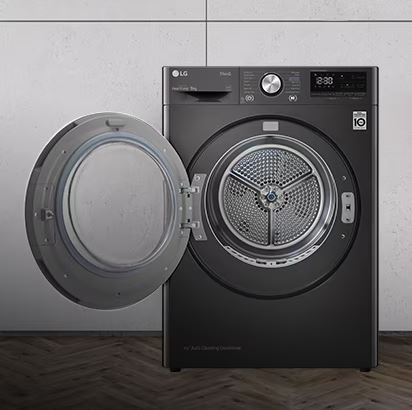
LG Dryer Symbols Meaning: Understanding Your Control Panel
LG dryers range from straightforward models with basic mechanical controls to sophisticated smart dryers with full-color touchscreens. Understanding how your specific model organizes information makes interpreting symbols much simpler.
How LG Organizes Dryer Symbols
Cycle selection layout takes two primary forms on LG dryers. Traditional models use a rotary dial surrounded by buttons for options and settings. You turn the dial to select your drying cycle, then press additional buttons to customize temperature, dryness level, and special features.
Premium models feature digital touch controls or full touchscreen interfaces. These display cycle options on screen with touch-activated selections. The visual presentation is more modern, but the underlying organization remains similar: select cycle first, then customize settings.
Temperature and dryness level indicators typically appear separately from cycle selection. Temperature controls range from High (for cottons and sturdy fabrics) down through Medium, Low, Ultra Low (delicates), and No Heat (air fluff). Dryness levels span from Damp Dry (for items you’ll iron) through Very Dry (maximum moisture removal).
LG gives you independent control over these two parameters. You can select High heat with Less Dry if you want faster drying but slightly damp results. Or Low heat with More Dry for delicate items that need complete drying without heat damage.
Specialty feature symbols cluster together on the control panel. You’ll find Steam, Wrinkle Care, Sensor Dry, and other premium features grouped logically. These appear as dedicated buttons on mid-range models or as on-screen options on touchscreen dryers.
Status lights versus warning indicators: Blue or white lights show normal operation and cycle status. Yellow or orange typically indicate maintenance reminders that aren’t urgent. Red symbols always mean immediate attention required, often for safety-critical issues like severe vent blockages.
Common Cycle Symbols on LG Dryers
Here’s what you’ll find across most LG dryer model ranges:
| Cycle Symbol | Icon Appearance | Best Used For | Typical Duration |
|---|---|---|---|
| Normal/Cotton | Basic fabric or shirt icon | Everyday cotton items, towels, sheets | 40-60 minutes |
| Heavy Duty | Reinforced fabric or towel stack | Thick towels, jeans, heavy fabrics | 60-80 minutes |
| Delicates | Feather or flowing fabric | Lingerie, synthetics, anything fragile | 30-40 minutes |
| Speed Dry | Clock with reduced time | Small loads, lightly damp items | 20-30 minutes |
| Air Dry/Air Fluff | Wind symbol, no heat | Fluffing pillows, refreshing clothes | 20-30 minutes |
| Steam Fresh | Steam droplets | Refresh worn clothes, remove wrinkles | 20-25 minutes |
| Wrinkle Care | Wrinkle or tumble icon | Prevent wrinkles after cycle ends | 90-150 minutes |
Normal and Cotton Cycles
The Normal or Cotton cycle appears as a simple fabric or clothing icon. This is your workhorse cycle for the majority of laundry. It uses moderate-to-high heat and runs until the moisture sensors detect dryness.
What makes LG’s Normal cycle special is the sensor technology. Unlike timed dryers that run for a fixed duration regardless of moisture level, LG’s sensors continuously monitor dampness. The cycle ends precisely when clothes reach your selected dryness level, saving energy and preventing over-drying damage.
Use this for cotton t-shirts, jeans, towels, bed linens, and mixed loads of sturdy fabrics. The cycle adjusts automatically to load size, so it works equally well for small and large loads.
Heavy Duty for Thick Items
Heavy Duty shows as reinforced fabric, a towel stack icon, or jeans symbol. This cycle provides extended drying time with sustained high heat for items that hold significant moisture.
Bath towels, beach towels, comforters, jeans, and work clothes benefit from Heavy Duty. These items are either thick (trapping moisture deep in fibers) or dense (holding water stubbornly). The extended cycle ensures thorough drying all the way to the core.
The cycle typically runs 60-80 minutes but can extend longer for very wet or bulky loads. LG’s sensors prevent the cycle from ending until everything is genuinely dry, not just surface-dry with damp cores.
Delicates for Gentle Drying
Delicates displays as a feather or flowing fabric symbol. This cycle uses low or ultra-low heat with reduced tumbling intensity to protect fragile items from heat damage and mechanical stress.
Lingerie, workout clothes with elastic, dress shirts, anything labeled “tumble dry low,” and synthetic fabrics all belong in Delicates. The gentle heat prevents shrinkage, elastic breakdown, and fabric degradation.
LG’s Delicates cycle often uses what they call “low temperature drying” that keeps heat below 125°F throughout the entire cycle. Regular cycles can reach 150°F or higher, which damages delicate fibers over time.
Speed Dry for Quick Results
Speed Dry appears with a clock icon showing reduced time. This cycle maximizes heat and airflow to dry small loads as quickly as possible, typically completing in 20-30 minutes.
It works best for items that are already partially dry (maybe you hang-dried them for an hour first) or very small loads like a single outfit you need immediately. Don’t expect miracles with soaking-wet full loads. Speed Dry uses intense heat that works great for small amounts but can’t handle large volumes efficiently.
The trade-off for speed is energy consumption. Speed Dry uses more power per item than longer, sensor-based cycles. Use it when time matters more than efficiency.
Air Dry and Air Fluff Cycles
Air Dry or Air Fluff shows a wind symbol or fan icon, often in blue to indicate no heat. The drum tumbles clothes with room-temperature air circulation but zero heating element activation.
This is perfect for fluffing pillows, freshening clothes that just need wrinkles shaken out, drying plastic shower curtains or waterproof items that can’t handle heat, and removing dust from items that have been stored. It’s also useful for delicate items you worry might shrink even on low heat.
The cycle takes 20-30 minutes and uses minimal electricity since the heating element stays off. Just the motor and blower fan operate.
Steam Fresh and Steam Cycles
Steam Fresh displays steam droplet icons or wave symbols. This LG feature generates steam inside the drum to refresh clothes, remove wrinkles, and eliminate odors without washing.
Think of it as a home alternative to dry cleaning for freshening. That suit jacket you wore to one meeting doesn’t need full washing, just odor removal and wrinkle treatment. Dress pants worn briefly. A blazer that smells like restaurant food. Steam Fresh handles these in 20 minutes without water or detergent.
LG’s steam system heats water in a small reservoir, converts it to steam, and injects it into the tumbling drum. The combination of steam heat and tumbling relaxes fibers, releasing wrinkles and neutralizing odors.
LG Dryer Temperature Setting Symbols
LG separates temperature control from cycle selection, giving you precise customization.
High heat appears in red or with a thermometer showing maximum level. This reaches approximately 130-150°F and provides the fastest drying for cotton and durable fabrics. Use it for towels, sheets, jeans, and anything that can handle aggressive heat.
Medium heat displays in orange or mid-level thermometer. This maintains around 110-130°F for balanced drying that works with most mixed loads. It’s the sweet spot between speed and fabric care for everyday laundry.
Low heat shows in yellow or lower thermometer levels. Operating around 90-110°F, this protects synthetics, workout gear, and anything with elastic from heat damage while still providing active drying.
Ultra Low heat appears on premium models as the gentlest heat setting, around 80-90°F. This is barely warm, designed for the most delicate items that need some warmth but could be damaged by standard low heat.
No Heat or Air Dry uses blue coloring or a snowflake symbol. The drum tumbles with ambient air circulation but zero heating, as discussed in the Air Fluff section.
LG Dryer Dryness Level Symbols
LG’s dryness level controls let you specify exactly how dry you want clothes, separate from temperature selection.
Damp Dry leaves clothes slightly moist, perfect for items you plan to iron immediately or hang to finish drying. The dryer stops while items still contain noticeable moisture.
Less Dry removes most but not all moisture. Use this for delicate knits you want to lay flat to finish drying or items that wrinkle badly when over-dried.
Normal Dry is the default setting that removes moisture until clothes are ready to wear or fold immediately. This is the standard endpoint most people want.
More Dry continues beyond Normal to ensure absolutely no dampness remains. Use this for thick towels, heavy jeans, or items where any residual moisture is unacceptable.
Very Dry is the maximum setting that runs until sensors detect zero moisture. Be cautious with this setting as over-drying damages fabrics, causes static buildup, and wastes energy. Reserve it for situations where complete dryness is critical.
How LG sensors determine dryness involves metal sensor bars mounted inside the drum. As clothes tumble past these bars, the sensors measure electrical conductivity. Wet fabric conducts electricity. Dry fabric doesn’t. The dryer monitors this conductivity and ends the cycle when readings indicate your selected dryness level is reached.
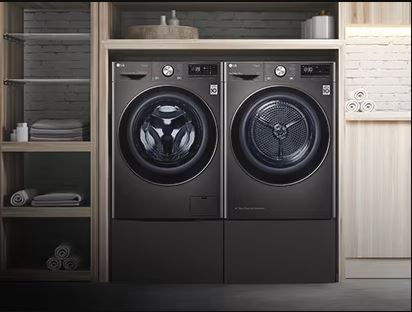
LG Dryer Sensor Dry Technology Symbols
Sensor Dry represents one of LG’s core technologies that separates their dryers from basic timed models. Understanding how it works helps you get optimal results.
What Is Sensor Dry Technology?
Moisture sensors are thin metal strips mounted inside the drum, typically on the front or rear panel where clothes make contact during tumbling. LG uses these to detect the moisture content of your load in real time throughout the drying cycle.
The science is straightforward. Water conducts electricity. Dry fabric acts as an insulator. When wet clothes touch the sensor bars, electrical current flows between them. As clothes dry, conductivity decreases. The control board monitors this resistance continuously, building a picture of how moisture levels are changing.
Benefits over timed drying are significant. Timed dryers run for a predetermined duration regardless of actual moisture. If you set 60 minutes, they run 60 minutes whether clothes are dry in 35 minutes or still damp at 59 minutes. This wastes energy (continuing to heat already-dry clothes) or leaves clothes damp (stopping before they’re actually dry).
Sensor Dry adapts to reality. Small loads dry faster, so the cycle ends early. Large or very wet loads need more time, so the cycle extends automatically. You get perfectly dried clothes with minimum energy consumption every time.
Dual sensor systems on premium models use two sets of sensor bars in different drum locations. This provides more accurate readings by sampling moisture from multiple points as clothes tumble. Single-sensor systems might miss damp spots if wet items don’t contact the sensor frequently. Dual sensors catch these variations.
Energy savings from sensor technology are substantial. Studies show sensor dryers use 15-25% less energy than timed dryers for the same loads. The savings come from ending cycles at the precise moment clothes reach proper dryness, not continuing pointlessly or requiring re-runs because items stayed damp.
Understanding LG Dryer Sensor Dry Symbols
The Sensor Dry indicator appears as “Sensor” text, a sensor bar icon, or on some models simply as the default state (no symbol means sensor is active, while a “Timed” symbol indicates you’ve overridden sensors).
When the sensor is active versus inactive matters for cycle performance. Sensor Dry activates automatically on most cycles (Normal, Heavy Duty, Delicates) unless you manually select Timed Dry. When active, you’ll notice the cycle time estimate changes during drying as the sensors recalculate based on actual moisture detection.
When inactive (Timed Dry selected), the dryer runs for the exact duration you set without any sensor input. The time counts down steadily without adjustments.
Difference between manual and auto sensor modes: On some LG models, you can choose “Auto Dry” which uses sensors with automatic dryness level selection, or “Sensor Dry” where sensors monitor moisture but you specify the dryness level. The distinction is subtle. Auto Dry makes all decisions. Sensor Dry uses sensor technology but respects your dryness preference.
Cycles That Use Sensor Dry
Which cycles rely on sensors: Nearly all standard cycles on LG dryers use Sensor Dry by default. Normal, Cotton, Heavy Duty, Delicates, Towels, and Bedding all operate with sensor monitoring unless you manually override to Timed Dry.
Speed Dry cycles often use time-based operation because they’re optimized for duration rather than sensor precision. Steam cycles use time because they’re performing specific treatments that take predetermined durations regardless of moisture.
Timed Dry versus Sensor Dry selection: You can manually choose Timed Dry when you want predictable duration (maybe you need clothes ready at a specific time) or when drying items that don’t work well with sensors (waterproof jackets, rubber-backed mats).
Access Timed Dry by pressing the appropriate button on your control panel or selecting it from the touchscreen menu. You’ll set a specific number of minutes, and the dryer runs exactly that long.
Optimizing sensor dry performance requires keeping the sensor bars clean. Fabric softener residue, dryer sheet buildup, and lint accumulation coat the sensors and interfere with accurate moisture detection.
Every few months, wipe the sensor bars inside your drum with a cloth dampened with rubbing alcohol. This removes invisible buildup that reduces sensor accuracy. You’ll notice more consistent drying results after cleaning sensors.
Also avoid overloading. Sensors work best when clothes tumble freely and make regular contact with sensor bars. Overstuffed drums prevent proper tumbling, reducing sensor contact and accuracy.
Troubleshooting Sensor Dry Issues
Clothes still damp after sensor cycle indicates the sensors ended the cycle prematurely. Several causes are possible.
Sensor bars might be coated with residue, preventing accurate moisture detection. Clean them with rubbing alcohol as described above.
You might have selected a dryness level lower than you intended. Check that “Normal Dry” or higher is selected, not “Less Dry” or “Damp Dry.”
Static electricity can interfere with sensor readings. Synthetic fabrics generate static during drying, which can cause false dry readings. Use dryer balls or reduce synthetic load sizes.
Cycle ending too early is the same issue as damp clothes. The sensors are telling the dryer clothes are dry when they’re not, usually due to sensor contamination or calibration drift.
Try running a Timed Dry cycle as a test. If clothes dry properly on Timed but stay damp on Sensor cycles, you’ve confirmed a sensor problem rather than an airflow or heating issue.
Sensor bar cleaning requirements involve simple maintenance every 2-3 months. Locate the sensor bars inside your drum (check your manual for exact position, as it varies by model). Dampen a soft cloth with rubbing alcohol (not water, as it leaves mineral deposits). Wipe the metal bars thoroughly. Let them air dry for a few minutes before using the dryer.
This five-minute maintenance task prevents the vast majority of sensor-related drying problems.
When sensors may need replacement is rare but possible. If you’ve cleaned sensors thoroughly, run calibration cycles (some models have this in diagnostic mode), and still get consistently poor sensor performance, the sensor assembly might have failed.
Sensor replacement requires disassembling the dryer drum area and accessing the internal sensor wiring. This is a job for technicians unless you’re very comfortable with appliance repair. Sensors themselves are inexpensive ($20-40), but labor makes the repair cost $150-250 typically.
LG Dryer Flow Sense and Vent Indicators
Flow Sense is LG’s signature safety feature that sets their dryers apart from every competitor. Understanding this system could literally prevent a house fire.
Understanding LG Dryer Flow Sense Technology
What Flow Sense monitors is airflow restriction through your entire vent system. The technology uses pressure sensors to measure how easily air moves from the dryer through the vent hose, ductwork, and out the exterior vent opening.
Normal airflow creates a certain pressure differential. As lint builds up in the vent system, airflow becomes restricted. Pressure increases inside the dryer. Flow Sense detects this pressure change and calculates the percentage of blockage.
How it detects vent blockages happens continuously during every drying cycle. The system doesn’t just check once and assume conditions remain constant. It monitors throughout the cycle because blockages can worsen as lint accumulates or shift as the vent hose moves.
Pressure readings get compared to baseline values stored in the dryer’s memory. When current pressure exceeds baseline by specific thresholds, Flow Sense triggers alerts at 80%, 90%, and 95% blockage levels.
Four-bar indicator system explained:
LG displays vent restriction as a series of bars, similar to cell phone signal strength indicators.
One bar means minimal restriction (under 60% blocked). This is normal or minor buildup that doesn’t require immediate action.
Two bars indicate moderate restriction (60-79% blocked). You should clean your vent soon but can complete current loads safely.
Three bars show significant restriction (80-89% blocked). Clean your vent system before running another load. The dryer still operates but efficiency drops dramatically.
Four bars mean severe restriction (90%+ blocked). The dryer may limit operation or refuse to heat as a safety measure. Clean the vent immediately before using the dryer again.
Safety benefits of Flow Sense are enormous. The U.S. Fire Administration reports over 2,900 dryer fires annually, with failure to clean being the leading cause. Lint buildup in vents creates highly flammable conditions. Restricted airflow also causes dryers to overheat, igniting accumulated lint.
Flow Sense provides early warning before conditions become dangerous. Most people have no idea their vents are clogging until a fire starts or the dryer stops working. Flow Sense alerts you at 80% restriction, long before fire risk becomes critical.
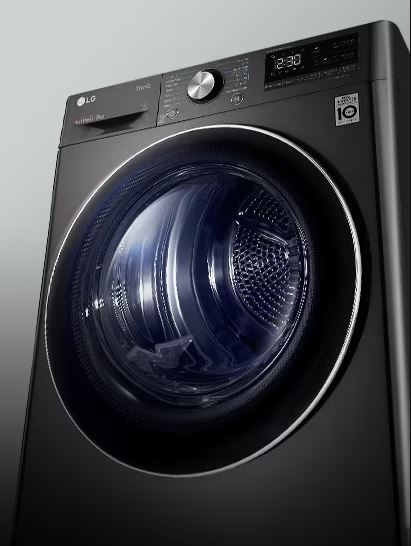
Flow Sense Symbol and Alerts
The Flow Sense indicator appears as a vent or ductwork icon with a number (80, 90, 95) or as a series of bars lighting up progressively as blockage increases.
What each bar level means translates directly to action urgency.
One bar (or d60 on some displays): Minor restriction detected. Normal lint buildup. Clean your lint filter before each load and schedule vent cleaning within the next month.
Two bars (d70): Moderate restriction. Clean your entire vent system within the week. Drying times will be longer, and energy consumption increases.
Three bars (d80 or d90): Significant restriction requiring immediate attention. Clean the vent before running more loads. The dryer works but very inefficiently, with potential overheating.
Four bars (d95): Critical restriction. The vent is 95% blocked, creating serious fire risk and almost certainly preventing proper drying. Some LG models disable heating when this level is reached. Do not use the dryer until the vent is completely cleaned.
When to take immediate action is any time you see three or four bars. Drop what you’re doing and address the vent blockage. The safety risk isn’t theoretical. Severely blocked vents cause dryer fires every day.
Difference between warning and critical alerts: Two bars or less are warnings. The dryer still functions reasonably, though inefficiently. Three or four bars are critical alerts indicating genuine danger that requires immediate response.
How to Respond to Flow Sense Alerts
Checking the exterior vent opening should be your first step. Go outside to where your dryer vent exits the house. While the dryer runs, you should feel strong, warm airflow coming out.
If airflow is weak or nonexistent, you have a blockage between the dryer and exterior opening. If you see lint accumulated around the exterior vent flap, that’s a visible sign of problems.
Make sure the exterior vent flap opens freely. Sometimes these get stuck closed, blocked by lint, or even become nesting sites for birds or rodents. Clear any obstructions from the exterior opening.
Inspecting vent hose for kinks requires pulling your dryer away from the wall. Check the flexible vent hose connecting the dryer to the wall duct. Look for crushing, kinking, or severe bends that restrict airflow.
The hose should have smooth, gradual curves without pinch points. If it’s crushed behind the dryer from pushing the dryer too close to the wall, this alone can trigger Flow Sense alerts.
Replace any damaged vent hose with proper rigid or semi-rigid metal ductwork. Never use plastic or foil accordion-style vents as these catch lint easily and pose fire hazards.
Cleaning the complete vent system means addressing every section from dryer to exterior.
Start by disconnecting the vent hose from both the dryer and wall duct. Shake out loose lint and inspect inside for buildup. If heavily caked with lint, replace the hose entirely.
Use a dryer vent cleaning brush (View on Amazon) to clean the dryer wall ductwork. Insert it from the dryer end and push toward the exterior, then pull back to remove lint. Repeat from the exterior end if accessible.
For long vent runs or those with multiple bends, consider hiring a professional vent cleaning service. They have specialized equipment including powerful vacuums and rotating brushes that reach areas DIY cleaning can’t access effectively.
Professional vent cleaning is recommended annually for typical households or every six months for heavy dryer users. Professional services cost $100-200 typically, but thoroughly clean the entire system including vertical rises, long horizontal runs, and complex routing that makes DIY cleaning difficult.
Resetting Flow Sense Indicators
When alerts clear automatically:
After you’ve cleaned the vent system thoroughly, run a test cycle. The Flow Sense system monitors airflow during this cycle and compares pressure readings to blockage thresholds.
If cleaning was successful and airflow has been restored, the bars or restriction number should decrease or disappear entirely by the end of the test cycle. The system resets itself once it detects normal airflow has been restored.
Manual reset procedures exist on some models but generally aren’t necessary. The Flow Sense system is designed to clear alerts automatically once actual airflow conditions improve.
If you’ve cleaned thoroughly but alerts persist, try a complete power reset. Unplug the dryer for 5 minutes, then restore power. Run a test cycle to let Flow Sense reassess airflow.
Preventing future Flow Sense warnings requires consistent maintenance habits.
Clean the lint filter before every single load without exception. This simple act prevents the majority of lint from ever entering the vent system.
Vacuum behind and under your dryer quarterly to remove lint accumulation in areas you can’t see during normal use.
Schedule professional vent cleaning annually or clean it yourself thoroughly twice a year. Mark it on your calendar as non-negotiable maintenance.
Avoid overloading the dryer. Overstuffed drums shed more lint than properly-sized loads, accelerating vent clogging.
Use dryer balls instead of dryer sheets when possible. Sheets leave waxy residue that combines with lint to create stubborn clogs. Dryer balls reduce static without residue.
LG Dryer LoopSense and Advanced Sensor Symbols
LoopSense represents LG’s premium sensor technology found on higher-end models. It’s a meaningful upgrade over standard Sensor Dry.
What Is LoopSense Technology?
Dual sensor system explained: While standard Sensor Dry uses one or two moisture sensor bars inside the drum, LoopSense adds external sensors that monitor exhaust air properties.
The internal drum sensors detect moisture in clothes directly through conductivity. The external exhaust sensors measure humidity levels in the air leaving the dryer. By comparing data from both sensor systems, the dryer builds a more complete picture of drying progress.
Think of it as stereo versus mono sensing. Single sensor systems get one data point. LoopSense triangulates from multiple data sources for superior accuracy.
How it improves drying accuracy comes from catching situations where single sensors fail. Sometimes clothes tumble in ways that prevent consistent contact with drum sensors. Synthetic fabrics generate static that interferes with conductivity readings. Very small loads might not contact sensors frequently enough.
LoopSense’s exhaust monitoring catches these edge cases. Even if drum sensors give questionable readings, exhaust sensors detect moisture in the air leaving the drum. The combination provides reliable data across all load types and sizes.
Models that include LoopSense are typically LG’s premium and mid-premium dryers. Look for LoopSense mentioned in product specifications or on the model’s rating plate. Not all LG dryers have this technology. Budget models use standard single-sensor systems.
Performance benefits show up in several ways. Clothes come out more consistently dried to your selected level. Energy consumption decreases because the system ends cycles at the precise optimal moment. You’ll experience fewer instances of overdried clothes (damaged fibers, excessive wrinkles) or underdried loads requiring re-running.
LoopSense vs. Standard Sensor Dry
Enhanced precision is the primary difference. Standard Sensor Dry works well for typical loads but can struggle with edge cases. Very small loads, loads of all one fabric type, or unusual items confuse single sensors.
LoopSense handles these challenging scenarios gracefully. The dual sensing approach compensates for limitations in either individual sensor system.
Better energy efficiency results from this precision. When the dryer knows exactly when clothes reach proper dryness, it doesn’t waste energy continuing beyond that point or require you to restart cycles that ended too early.
LG’s internal testing shows LoopSense models consume 10-15% less energy than comparable single-sensor models over time. The difference comes from accumulated savings across hundreds of loads.
Reduced over-drying and fabric damage extends the life of your clothes. Over-drying breaks down fibers, causes shrinkage, sets wrinkles permanently, and fades colors. By stopping at the precise moment clothes reach your selected dryness without overshooting, LoopSense protects your wardrobe investment.
LG Dryer AI Dry Symbols (Premium Models)
Artificial intelligence drying takes LoopSense concepts even further. AI Dry uses machine learning algorithms that analyze patterns from your drying habits and load characteristics.
The system learns over time. It recognizes that certain load types consistently dry faster or slower than initial estimates. It also detects your preferences (do you prefer slightly damper or dryer results when you select “Normal Dry”). And it identifies seasonal variations (summer’s humid air affects drying differently than winter’s dry air).
Algorithm indicators appear on premium models as “AI Dry” text or a brain/intelligence icon similar to AI symbols on LG washers. When illuminated, the dryer is applying learned optimizations to the current cycle.
Automatic cycle optimization happens invisibly in the background. You won’t notice the AI working, but you’ll notice results improve over weeks of use as the system accumulates data and refines its understanding of your specific usage patterns.
AI Dry symbol appearance varies by model but typically shows as “AI” text, a stylized brain icon, or integrated into a premium feature badge on the control panel. Not all LG dryers have this capability. It’s exclusive to top-tier models in the 2024-2026 product range.
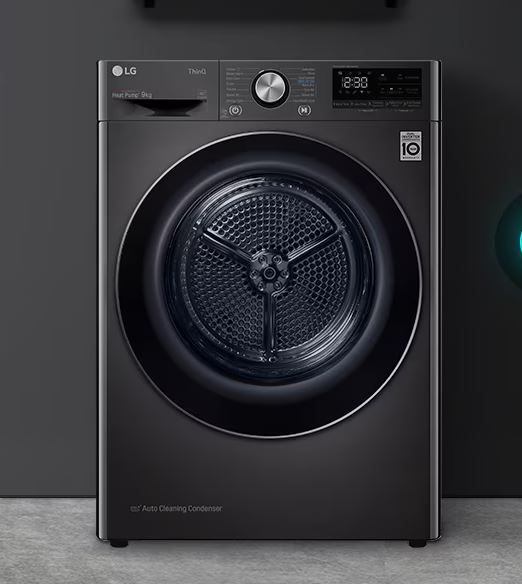
LG TurboSteam Dryer Symbols
TurboSteam brings LG’s steam technology to drying, offering benefits you can’t get from washing alone.
Understanding LG Dryer TurboSteam Technology
What TurboSteam does is inject steam into the dryer drum to refresh clothes, reduce wrinkles, and sanitize fabrics without the full wash cycle. The steam generator heats water to create true steam (not just mist), then disperses it evenly throughout the drum.
As clothes tumble through the steam, the moisture and heat penetrate fabric fibers. This relaxes wrinkles that have set into fabric, neutralizes odors absorbed by clothing, kills bacteria and allergens through high-temperature exposure, and reduces static electricity naturally.
Steam generation system works via a small water reservoir or direct water line connection (depending on model). When you select a steam cycle, the system heats this water past the boiling point to create steam, then introduces it into the drum through strategically-placed vents.
The amount of steam varies by cycle. Steam Fresh uses light steam for refreshing. Steam Sanitary produces heavy steam at high temperatures for sanitization.
Benefits include: Avoiding washing clothes that aren’t actually dirty (extending garment life), removing wrinkles from stored clothes without ironing, eliminating odors from smoke, food, or body odor exposure, and sanitizing items like stuffed animals or pillows that can’t be washed easily.
Which models include TurboSteam: LG’s mid-range and premium dryers offer steam capabilities. Budget models typically don’t include steam generators. Check product specifications for “TurboSteam” or “Steam” features to confirm your model has this technology.
TurboSteam Symbol Identification
The TurboSteam symbol appears as stylized steam droplets, wavy steam lines rising upward, or simply the text “Steam” on the control panel.
When steam activates in cycles:
Steam cycles begin with a brief preheat period where the generator creates steam. You’ll then hear a slight hissing sound as steam enters the drum (this is normal, not a leak). The drum tumbles clothes through the steam for the programmed duration.
Different cycles use steam at different points. Steam Fresh applies steam throughout the cycle. Some cycles add steam at the beginning for wrinkle release, while others apply it at the end as a finishing treatment.
TrueSteam versus standard steam:
LG uses “TrueSteam” branding on premium models with advanced steam systems. TrueSteam generates purer, finer steam particles that penetrate fabrics more effectively than standard steam.
The practical difference is subtle for most uses. TrueSteam provides slightly better wrinkle removal and more thorough sanitization, but standard steam still delivers excellent results.
Steam Cycle Options
Steam Fresh is the most popular steam cycle. It refreshes lightly worn clothes in 20 minutes without washing. Use it for suits, dress pants, blouses worn briefly, or anything that smells like food or smoke but isn’t actually soiled.
The cycle uses gentle heat and steam to eliminate odors and release wrinkles. Clothes come out looking freshly pressed and smelling clean without the wear and tear of washing.
Steam Sanitary uses high-temperature steam to kill 99.9% of bacteria and allergens. This cycle runs hotter and longer than Steam Fresh, typically 30-40 minutes.
Use Steam Sanitary for items that need germ elimination: stuffed animals, pillows, comforters, pet bedding, or anything exposed to illness. It’s also excellent for sanitizing items you bought secondhand before putting them in your closet.
Reduce Static is a steam option on some models that adds brief steam exposure to regular drying cycles. The moisture from steam naturally dissipates static electricity buildup.
This is particularly useful for synthetic fabrics like polyester or nylon that generate significant static during tumble drying. The steam treatment eliminates static without dryer sheets or fabric softener.
‘Adding steam to regular cycles‘ appears as a button press or option selection. Choose your primary cycle (Normal, Delicates, etc.), then press the Steam button to add steam treatment.
This extends cycle time by 10-15 minutes but combines thorough drying with steam benefits like wrinkle reduction and static elimination.
TurboSteam Troubleshooting
‘Steam not generating‘ when you’ve selected a steam cycle has several potential causes.
First verify your model actually has steam capability. Not all LG dryers include steam generators. Check your product specifications.
On models with water reservoirs, make sure the reservoir is filled with clean water. The dryer can’t generate steam without water.
On models with direct water connections, verify the water line is connected and the supply valve is open. Check for kinks in the water line.
‘Water reservoir issues‘ occur on reservoir-based steam systems. The reservoir might not be seated properly in its housing, preventing the dryer from detecting it.
Remove the reservoir completely, inspect for cracks or damage, fill with fresh water to the indicated line, and reinstall firmly until it clicks into place.
If the reservoir constantly needs refilling, you might have a leak in the steam generator system requiring professional service.
‘Excessive moisture from steam cycles‘ is somewhat normal. Steam introduces water vapor into the drum, so clothes will be damper after steam cycles than after regular drying.
If clothes are dripping wet or the drum has standing water, that’s excessive. It indicates the steam generator is over-producing steam or the condensation system isn’t removing moisture properly.
Try running a regular dry cycle after steam cycles if you need clothes completely dry. Or reduce the steam level if your model offers steam intensity adjustments.
Wipe down the drum interior and door glass after steam cycles to remove condensation before it develops into mildew or odor.
LG Dryer Error Codes and Symbols
LG dryer error codes provide specific diagnostic information that helps you identify problems quickly and determine whether repairs are DIY-friendly or require professional service.
Understanding LG Dryer Error Code System
Alphanumeric code structure combines letters and numbers to indicate the system affected and specific failure mode. The letter typically identifies the component system (t for temperature, d for door/ductwork, H for heater, etc.) while the number provides additional detail.
For example, tE1 and tE2 are both temperature errors, but tE1 indicates inlet thermistor failure while tE2 points to exhaust thermistor problems. The distinction helps technicians diagnose faster.
How errors display varies between dryer models. Full digital displays show error codes as clear text (“tE1” or “d80” right on screen). Basic LED models without digital displays show errors through blinking patterns.
On LED-only models, you count the number of blinks, wait for a pause, count another series of blinks, and decode this pattern using your manual’s error code chart. It’s less convenient than digital displays but conveys the same information.
Error severity levels aren’t officially categorized by LG, but patterns emerge. Errors starting with lowercase letters (dE, tE) tend to be component failures. Errors with just numbers or uppercase letters (HS, PS, HE) indicate more serious electrical or control issues.
Most errors prevent the dryer from operating until resolved, ensuring you can’t damage clothes or create safety hazards by continuing to use a malfunctioning dryer.
Most Common LG Dryer Error Codes
Temperature and Heating Errors
tE1 indicates an inlet thermistor failure. The inlet thermistor measures incoming air temperature as it enters the dryer. When this sensor fails, the dryer can’t regulate heating properly and displays tE1.
The thermistor itself is an inexpensive part ($20-30), but accessing it requires partial dryer disassembly. This repair is manageable for experienced DIYers but typically runs $150-200 through professional service.
tE2 signals exhaust thermistor error. This sensor measures the temperature of air exiting the dryer. Like tE1, it indicates sensor failure preventing proper temperature control.
Both tE1 and tE2 errors might still allow the dryer to run on No Heat or Air Fluff cycles since those don’t require temperature regulation. Hot cycles won’t function.
HS means humidity sensor error. The humidity sensor works with the moisture sensors to detect dryness. It measures water vapor in exhaust air. When it fails, HS appears.
Before replacing the sensor, try cleaning it. Humidity sensors can accumulate lint and residue that interferes with operation. Locate the sensor (check your manual), gently clean with rubbing alcohol on a soft cloth, and test again.
If HS persists after cleaning, the sensor assembly needs replacement.
HE indicates heater circuit malfunction. Either the heating element itself has failed, or the electrical circuit controlling it has problems.
Check your home’s circuit breaker first. LG electric dryers require 240V power. If one leg of the circuit breaker has tripped, the dryer receives only 120V. It will run but won’t heat, potentially triggering HE.
If the breaker is fine, you likely have a failed heating element or thermal fuse requiring replacement.
F0 signals a faulty heater relay on the main control board. The relay is an electrical switch that controls power to the heating element. When it fails, the control board can’t activate heating.
This error requires control board replacement or relay replacement if you’re skilled with electronics repair. It’s a challenging DIY repair, typically handled by professionals.
Airflow and Ventilation Errors
d80, d90, d95 represent different levels of vent blockage detected by Flow Sense.
d80 means 80% airflow restriction. Clean your vent system before running more loads.
d90 indicates 90% blockage. This is critical. Clean the vent immediately before any further dryer use.
d95 signals 95% restriction, nearly complete blockage. Many LG dryers disable heating at this level to prevent fire hazards. The dryer won’t work properly until you’ve thoroughly cleaned the entire vent system.
See the Flow Sense section earlier for detailed information on responding to these alerts.
PS means power supply or surge error. The dryer detected voltage fluctuations or irregular power that could damage electronics.
This often occurs during storms, brownouts, or when large appliances on the same circuit cycle on and off. The dryer protects itself by shutting down and displaying PS.
Usually, a simple reset clears PS errors. Unplug the dryer for 5 minutes, then restore power. If PS returns immediately, you have a genuine electrical supply problem requiring an electrician to investigate.
dE or dE2 indicate door errors. The dryer can’t verify the door is properly closed and latched.
Check that nothing is caught in the door preventing it from closing flush. Inspect the door strike (the part the door latch catches on) for damage. Make sure the door gasket isn’t torn or preventing proper closure.
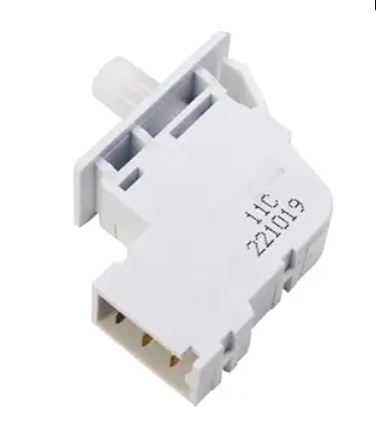
If the door physically closes but the error persists, the door switch (an electrical component detecting door closure) may have failed and needs replacement (View on Amazon).
Motor and Mechanical Errors
tE4 indicates duct sensor error, which is different from the thermistors mentioned earlier. The duct sensor monitors internal airflow and temperature within the dryer’s ductwork (before the exhaust vents externally).
Clean your lint filter and internal lint trap areas. Check that nothing is blocking airflow inside the dryer cabinet. If the error persists, the sensor itself has likely failed.
LE signals motor locked error, meaning the drum motor can’t turn or is turning with excessive resistance.
Unplug the dryer and manually try to rotate the drum through the door opening. If it won’t budge, something is jamming it. Check for items stuck between the drum and housing. Look for belt issues or seized bearings.
If the drum rotates freely by hand but LE appears when powered, the motor or motor controller has failed.
OE indicates over-dry protection activated. This is LG’s safety feature that prevents excessive drying damage to fabrics.
OE appears when the dryer runs much longer than typical for a load without detecting the expected moisture reduction. Either you’ve selected an inappropriate cycle for the load, the moisture sensors are malfunctioning, or there’s a heating problem preventing proper drying.
Try a different cycle. Clean the moisture sensors. Check that the dryer is heating properly.
Control and Electronic Errors
FO (letter F, number zero) means main control communication error. The control board and user interface can’t communicate properly.
This can result from loose wiring connections between boards, control board failure, or interface panel failure. Check connections first if you’re comfortable opening the dryer. Otherwise, this requires professional diagnosis.
CE signals current error, indicating the dryer’s electrical system detected overcurrent (excessive electrical flow).
This protective error prevents damage from short circuits or component failures drawing too much power. It requires professional diagnosis to identify which component is causing the overcurrent condition.
PF displays after power failures. It’s not actually an error indicating malfunction. LG dryers show PF to let you know they lost power while a cycle was running.
Simply press any button or restart the cycle to clear PF. The dryer will function normally.
LG Dryer Error Code Table with Solutions
| Error Code | What It Means | Common Cause | Quick Fix |
|---|---|---|---|
| d80/d90/d95 | Vent Blockage | Lint buildup in exhaust system | Clean entire vent path, check hose routing |
| tE1 | Inlet Temperature Sensor | Failed thermistor | Professional sensor replacement |
| tE2 | Exhaust Temperature Sensor | Failed thermistor | Professional sensor replacement |
| dE/dE2 | Door Error | Door not latched or switch failed | Close firmly, inspect latch and strike |
| HS | Humidity Sensor Error | Dirty or failed sensor | Clean sensor, replace if cleaning fails |
| LE | Motor Locked | Jammed drum or motor failure | Check for obstructions, may need motor service |
| PS | Power Supply Issue | Voltage fluctuation or surge | Reset dryer, check home electrical, use surge protector |
| HE | Heater Error | Heating element or circuit failure | Check circuit breaker, verify 240V power |
| PF | Power Failure | Electricity interrupted mid-cycle | Not an error, just press any button to clear |
| FO | Control Communication Error | Board connection or failure | Check wiring, likely needs control board service |
LG Dryer Step-by-Step Error Code Troubleshooting
Step 1: Read and record the exact error code
Note precisely what displays. Similar codes mean different things (tE1 vs tE2, d80 vs d90). Take a photo if you’re worried about forgetting.
Step 2: Check the quick reference guide
Most LG dryers include basic error information in the user manual or on a sticker inside the lint filter housing. This gives you the general meaning of each code.
Step 3: Try appropriate basic fixes
For vent errors (d80-d95), clean the vent system and for door errors (dE), inspect the door closure. Meanwhile, for power errors (PS, PF), reset the dryer and for heating errors (HE), check the circuit breaker.
These simple steps resolve many errors immediately without further troubleshooting.
Step 4: Use Smart Diagnosis if available
LG dryers with ThinQ capability support Smart Diagnosis. Open the ThinQ app, select your dryer, choose Smart Diagnosis, and follow the prompts. Press and hold the designated buttons on the dryer to activate diagnostic tone transmission.
The app analyzes the tones and provides detailed troubleshooting specific to your error, often including step-by-step fix instructions.
Step 5: Perform a complete reset
Unplug the dryer from power for 5-10 minutes. This clears temporary glitches and resets the control board completely. Restore power and test.
Step 6: Run a test cycle
After attempting fixes and resetting, run a short test cycle with a small load. This verifies whether the error is resolved or persists.
When to attempt DIY fixes:
You can safely handle vent cleaning (d80-d95), door adjustments (dE), power resets (PS, PF), circuit breaker checks (HE), and sensor cleaning (HS).
Professional service indicators:
Call for service when you get motor errors (LE) that persist after checking for jams, control errors (FO, CE), temperature sensor errors (tE1, tE2) requiring part replacement, or any error that returns immediately after a full reset despite attempting the recommended fix.
LG’s Smart Diagnosis often tells you explicitly whether a repair is DIY-appropriate or requires professional service. Trust that guidance.
LG Dryer Flashing and Blinking Symbols
Flashing symbols communicate different information than steady illumination. Understanding these patterns helps you distinguish normal operation from problems requiring attention.
Normal Blinking Patterns on LG Dryer
Cycle in progress indicators blink slowly and rhythmically during operation. The selected cycle symbol might pulse gently to show the dryer is actively running that program.
This is purely informational, confirming the dryer is operating as intended. No action is needed.
Cooling down phase blinking appears near cycle end. Most LG dryers include a cooldown period where the drum continues tumbling but heating stops. This prevents wrinkles and makes clothes safe to handle immediately.
During cooldown, you’ll see a “Cool Down” indicator blinking or the cycle light pulsing in a distinctive pattern. This typically lasts 5-15 minutes depending on the cycle and temperature used.
‘Wrinkle Prevent tumbling notifications‘ appear if you’ve selected Wrinkle Prevent (also called Wrinkle Care). This feature tumbles clothes briefly every few minutes for up to 150 minutes after the cycle ends.
Each time the dryer tumbles, the Wrinkle Prevent symbol blinks along with the drum rotation. This continues until you open the door and remove clothes.
‘End-of-cycle alerts‘ include blinking lights and chimes. When drying completes, most LG dryers flash the cycle complete indicator and play a series of beeps to get your attention.
The flashing continues until you open the door or press a button, serving as a persistent reminder to remove clothes promptly and prevent wrinkle-setting.
Error-Related Blinking on LG Dryer
‘Rapid flashing versus slow rhythmic blinking‘ distinguishes errors from normal operations. Error-related flashing is noticeably faster and more urgent-looking.
If a symbol suddenly starts flashing rapidly in a pattern you haven’t seen during normal use, check the display for an error code. The flashing draws attention to the problem.
‘Multiple symbols flashing simultaneously‘ often indicates diagnostic mode activation. If you accidentally press specific button combinations while cleaning the panel or selecting cycles, you can trigger diagnostic mode.
In diagnostic mode, symbols flash in sequence as the system tests various functions. Simply turn off the dryer to exit diagnostic mode. If symbols continue flashing in unusual patterns after power cycling, consult your manual or use Smart Diagnosis.
‘Critical error blink patterns‘ vary by model. Some errors cause all symbols to flash together. Others create distinctive patterns like alternating lights or sequential illumination around the dial.
These unusual patterns always indicate something needs attention. Check for error codes, consult your manual’s troubleshooting section, or use Smart Diagnosis.
Time Remaining Display Behavior
Sensing/calculating phase appears at cycle start on Sensor Dry cycles. The display might show “Sensing,” dashes instead of time, or just a very long initial estimate.
During this phase, the dryer analyzes load size, moisture content, and airflow to calculate how long drying will take. This sensing period lasts 2-5 minutes typically.
Why time estimates change mid-cycle frustrates many users but reflects intelligent operation. The dryer starts with an estimate based on selected cycle and initial sensing. As the actual drying progresses, sensors provide real data about moisture removal rate.
If clothes are drying faster than expected, time decreases. If moisture reduction is slower than predicted, time increases. These adjustments ensure accurate completion estimates based on reality rather than just assumptions.
“Sensing” message meaning indicates the dryer is gathering data about your load. You’ll see this at cycle start on sensor-based cycles. Let it complete without interruption.
Opening the door during sensing forces the system to restart its analysis, delaying the cycle start.
‘Cool down countdown‘ appears as the cycle nears completion. The display might show “Cooling” or “Cool Down” with time remaining. This counts down the cooldown phase duration.
You can usually open the door during cooldown without harming clothes, though they’ll be warmer than if you’d waited for complete cooling.
Filter and Lint Alerts Flashing on LG Dryer
‘Check filter reminder frequency‘ varies by model. Some LG dryers display a filter check reminder every cycle as a standard practice reminder. Others use sensors to detect restricted airflow and only display the reminder when actual filter clogging is detected.
The filter symbol might flash briefly at cycle end as a reminder, or it might remain constantly illuminated until you clean the filter and reset the indicator.
How often filter light appears should be every single cycle if your model uses the “always remind” approach. Clean the lint filter before each load without exception regardless of whether the reminder appears.
If your model only displays the filter alert when sensors detect restriction, seeing it means airflow is impacted and cleaning is overdue.
‘Resetting filter indicators‘ happens automatically on most models when you close the door after opening it (which you do when removing and cleaning the filter). Some models require pressing a specific reset button.
If the filter indicator stays illuminated after thorough filter cleaning, check for deeper lint buildup in the filter housing, vent system blockages (which could trigger a false filter alert), or a stuck filter sensor requiring service.
LG Smart Dryer Features and Symbols
LG’s smart connectivity transforms how you interact with your dryer, adding convenience and diagnostic capabilities that traditional models can’t offer.
ThinQ App Integration Symbols
Wi-Fi connectivity indicator appears as the standard Wi-Fi symbol or LG ThinQ logo. When solid, your dryer is connected to your home network and communicating with the ThinQ app. When blinking, it’s attempting to connect or has lost connection.
Remote start enabled icon is a separate indicator from basic Wi-Fi connection. For safety, you must physically press a button on the dryer to enable remote starting before you can start cycles from your phone.
This symbol (often a smartphone with a play icon) lights up when remote start is enabled. It automatically disables after one cycle use, requiring you to re-enable it each time you want remote control capability.
Smart Diagnosis symbol shows as a smartphone icon with sound waves. When you activate Smart Diagnosis through the ThinQ app, this symbol appears on the dryer as it transmits diagnostic tones.
Cycle download indicator displays when you’re sending custom cycles from the app to the dryer. The transfer takes 10-30 seconds typically, with a download arrow or progress indication showing completion status.
Smart Features Available
Remote monitoring and notifications let you check dryer status from anywhere. The app shows which cycle is running, time remaining, and cycle completion status.
You receive push notifications when cycles complete, when errors occur, or when the dryer needs attention. This is invaluable if your dryer is in a basement or garage where you might not hear the end-of-cycle chime.
Cycle customization downloads allow LG to release new drying programs long after you bought your dryer. They might create specialty cycles for specific fabric types, seasonal needs, or new technologies.
Browse available cycles in the ThinQ app, download ones that interest you, and they appear in your dryer’s cycle selection menu.
Energy usage tracking shows detailed consumption data. The app tracks electricity usage per cycle, weekly totals, monthly trends, and cost estimates based on your local utility rates (which you can input in settings).
This information helps you identify which cycles are most efficient and see how your usage compares to similar households.
Proactive alerts go beyond simple error notifications. The app can remind you when vent cleaning is due (based on Flow Sense data trends), when the lint filter needs deep cleaning (based on airflow patterns), and when scheduled maintenance is recommended.
Tag On and NFC Symbols on LG Dryer
NFC tag reader location/symbol appears on select premium LG dryers that include Near Field Communication capability. The NFC reader (marked with an NFC symbol or tag icon) is usually located on the control panel.
Using specialty cycle tags involves touching encoded NFC tags to the reader area. LG and partners create tags programmed with specific cycle settings. Touch the tag to the dryer, and it automatically loads those settings.
You might have tags for “delicate workout clothes,” “towel refresh,” or “allergy care” that you can just tap instead of manually selecting multiple settings each time.
Creating custom cycles via tags is possible with writable NFC tags. Program a tag with your ideal settings for a frequently-used combination (specific temperature, dryness level, cycle type, and options), then tap it whenever you need those exact settings.
Troubleshooting Smart Feature Issues on LG Dryer
Wi-Fi won’t connect when setting up your dryer’s smart features has several common causes.
Verify you’re connecting to the 2.4GHz Wi-Fi band. Most LG dryers can’t connect to 5GHz networks. Check your router settings to ensure the 2.4GHz band is active and broadcasting.
Make sure your smartphone and dryer are on the same Wi-Fi network during setup. The app needs both devices on the same network to establish the initial connection.
Move the dryer closer to your router if possible, or use a Wi-Fi extender. Weak signal strength causes connection failures. Dryers in basements or distant laundry rooms often have connectivity challenges.
‘App communication failures‘ after successful initial setup often relate to network changes. If you changed your Wi-Fi password, replaced your router, or renamed your network, the dryer can’t connect with outdated credentials.
Reset the dryer’s Wi-Fi settings and go through setup again with the current network information.
‘Smart Diagnosis not working‘ might mean you’re not holding your phone close enough to the control panel. The diagnostic tones aren’t loud. Position your phone’s microphone within a few inches of the dryer’s speaker during tone playback.
Make sure the ThinQ app has microphone permissions enabled. Check your phone’s privacy settings to verify the app can access the microphone.
Close other apps that might be using the microphone simultaneously. Having multiple apps trying to access the microphone creates conflicts.
LG Dryer Maintenance Symbols and Reminders
Regular maintenance prevents most dryer problems and extends appliance lifespan. LG’s maintenance reminder symbols help you stay on track.
Lint Filter Symbol
The check filter light or symbol appears as a mesh screen icon or simply the text “Check Filter” on digital displays.
When it appears depends on your model’s design philosophy. Some LG dryers illuminate the filter reminder every single cycle as a standard practice. You see it even with a perfectly clean filter. It’s just a habitual reminder to clean the filter before each use.
Other models use airflow sensors to detect restriction and only display the filter alert when actual filter clogging is detected by reduced airflow.
Proper filter cleaning technique is simple but important. After each cycle, pull out the lint filter (typically located inside the door opening or on top of the dryer). Peel off the layer of lint. Don’t just brush at it—grab the lint sheet and pull it off in one piece.
Every month, wash the lint filter with warm water and dish soap to remove invisible fabric softener and dryer sheet residue. This buildup doesn’t look like lint but restricts airflow significantly. Rinse thoroughly and let air dry completely before reinstalling.
Deep cleaning lint filter monthly removes residue that routine lint removal misses. Run the filter under water. If water beads up instead of flowing through easily, residue is clogging it. Scrub gently with a soft brush and mild detergent. Rinse until water flows freely through the screen.
Clean Condenser Symbol (Heat Pump Models)
Heat pump dryers require different maintenance than traditional vented or ventless condenser models.
Condenser maintenance indicator appears on heat pump LG dryers as a condenser icon or “Clean Condenser” text message. The condenser is a radiator-like component that cools refrigerant in the heat pump system.
How often to clean condenser is typically monthly for average use, or more frequently if you dry heavy lint-producing items like towels and fleece regularly.
Location and cleaning procedure:
The condenser is usually accessed through a panel at the bottom or front of the dryer. Open the access panel, slide out the condenser unit, rinse it under running water to remove lint and dust buildup, let it air dry completely, and reinstall.
Never operate a heat pump dryer with the condenser removed or improperly installed. The heat pump system requires the condenser for proper operation.
LG Dryer Drum Light Indicator
Interior light symbol appears when the drum light activates upon opening the door. Some models have an indicator showing when this feature is active or when you’ve manually turned it on/off.
When drum light activates: Most LG dryers illuminate the drum interior automatically when you open the door (assuming the dryer has power). This helps you see inside the drum to remove clothes or check for items left behind.
Replacing drum light bulb: When the light stops working, you’ll need a new bulb. Locate the bulb assembly inside the drum (usually at the rear or side). Unplug the dryer first for safety.
Remove the bulb cover (typically a quarter-turn or snap-off design). Replace with an appliance bulb of the correct wattage (check your manual, usually 10W). Never exceed the rated wattage as this creates fire hazards.
Child Lock Symbol
Child Lock prevents children from operating the dryer or changing settings during cycles.
Activating/deactivating child lock: Press and hold the designated button combination (commonly Temp + Time, or Options + Signal buttons, depending on model) for 3-5 seconds. You’ll hear a chime and see the lock symbol illuminate.
Deactivate using the same button combination. The symbol disappears and controls unlock.
What child lock prevents includes pressing buttons (all controls become unresponsive), opening the door mid-cycle (on some models), and starting new cycles. The dryer finishes the current cycle normally but won’t respond to button presses until you deactivate the lock.
Model-specific button combinations vary, so consult your user manual for the exact procedure. Most follow the pattern of pressing two buttons simultaneously and holding for a few seconds, but the specific buttons differ by model year and series.
LG Gas vs. Electric Dryer Symbol Differences
LG manufactures both gas and electric dryers, and while they share many symbols, each type has unique indicators related to its power source.
Gas Dryer Specific Symbols
Gas valve indicators show on some gas models as a flame icon or gas-related symbol. This illuminates when the gas valve is open and gas is flowing to the burner.
Igniter status symbols appear on premium gas models. The igniter is an electrical component that lights the gas. A symbol might show igniter activity during the initial heating phase of each cycle.
Gas-specific error codes include issues unique to gas operation. For example, glow bar igniter failures, gas valve problems, or flame sensor errors that electric dryers never experience.
Check your gas model’s manual for complete gas-specific error code listings.
Safety shut-off indicators appear if the gas system detects unsafe conditions like failed ignition (gas flowing but not lighting), flame-out during operation, or ventilation problems that could cause carbon monoxide buildup.
Gas dryers have additional safety sensors and shut-offs that electric models don’t need.
Electric Dryer Symbols
Heating element indicators on some electric models show heating element status. The symbol illuminates when electricity flows to the heating element.
240V power requirements mean electric dryers need dedicated 240-volt circuits with proper amperage (typically 30 amps). If you see power-related errors or the dryer runs but doesn’t heat, verify both legs of the 240V circuit are active.
Electric-specific errors relate to heating element failures, thermal fuses, high-limit thermostats, and electrical overcurrent conditions unique to resistance heating systems.
Universal Symbols Across Both Types
Cycles that work identically include all the drum tumbling and cycle options (Normal, Delicates, Steam Fresh, etc.). Gas and electric dryers differ only in how they generate heat, not in cycle programming.
Shared error codes cover door errors (dE), motor problems (LE), control board issues (FO, CE), sensor failures (HS), and vent blockages (d80-d95). These problems affect both gas and electric models equally.
Common maintenance alerts like check filter, clean sensors, and vent monitoring apply to both types. The heat source doesn’t affect these basic maintenance requirements.
LG Dryer Model-Specific Symbol Variations
LG’s extensive dryer lineup means symbol systems vary somewhat between model categories.
Stackable vs. Side-by-Side Models
Space-saving models symbol differences: Stackable dryers often have more compact control panels with condensed symbol layouts. You might see combination symbols representing multiple functions, or touchscreen interfaces that display options on-screen rather than using dedicated physical buttons.
Washer-dryer combo unique symbols: All-in-one washer-dryer combos have unified control panels managing both washing and drying. You’ll see symbols indicating which appliance is currently active, coordinated cycle symbols (wash this way, dry that way), and combination cycle options unique to these units.
WashTower integrated controls: LG’s WashTower places washer and dryer in a single tall unit with unified controls in the middle. The control panel shows both washer and dryer symbols simultaneously, with coordination features that recommend dryer settings based on what you just washed.
Front Control vs. Top Control Panels
Symbol visibility differences: Front-mounted controls (on the dryer’s front top edge) remain visible while you’re loading or unloading. Top-mounted controls require you to look down from above or step to the side.
Premium models typically use front controls for better visibility and accessibility. Budget models often have top-mounted controls to reduce manufacturing costs.
Premium versus basic model features: High-end dryers pack control panels with advanced symbols for TurboSteam, LoopSense, AI Dry, smart features, and specialty cycles. Budget models have simplified panels with just essential cycle selections and basic temperature/dryness controls.
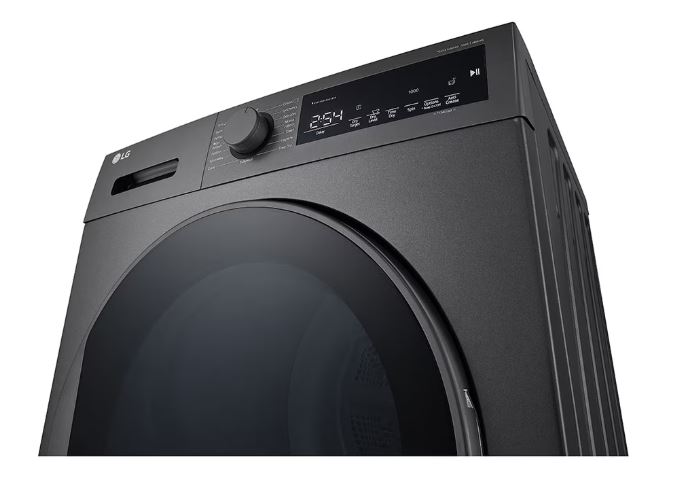
Touch control panels: Premium LG dryers use capacitive touch controls or full touchscreens. These provide more flexibility in symbol presentation since options appear on-screen rather than requiring dedicated physical buttons for each function.
2024-2026 Model Updates
New AI features and symbols: Recent models emphasize artificial intelligence with AI Dry symbols, machine learning indicators, and automatic optimization badges.
Updated steam technology indicators: Newer models show refined steam symbols distinguishing between standard steam, TrueSteam, and specific steam treatment types (wrinkle release vs. sanitization vs. odor removal).
Enhanced sensor symbols: LoopSense branding and dual sensor indicators appear more prominently on 2024-2026 models, highlighting LG’s sensor technology advancements.
Discontinued legacy symbols: Older features like “Cotton” vs. “Normal” distinction (now unified as just “Normal”), outdated cycle names, and previous generation technology badges have been phased out in favor of simpler, more intuitive naming.
Heat Pump Dryer Symbols
Condenser-specific icons: Heat pump models display condenser maintenance reminders, refrigerant system indicators, and heat exchanger status symbols that traditional dryers don’t have.
Water reservoir indicators (ventless models): Some heat pump dryers collect condensed water in a reservoir rather than draining it. These models show reservoir fill level indicators and “Empty Tank” alerts when the reservoir reaches capacity.
Energy efficiency symbols: Heat pump dryers are dramatically more efficient than traditional dryers. Models often display energy-saving indicators, efficiency ratings, or eco mode symbols highlighting this advantage.
Heat pump operation lights: Specific indicators show when the heat pump compressor is running, when refrigerant is circulating, or when the system is in defrost mode (heat pumps occasionally need defrost cycles to maintain efficiency).
Troubleshooting LG Dryer Symbol Display Issues
Sometimes the control panel itself malfunctions, creating symbol display problems unrelated to actual dryer operation.
When Display Won’t Show Symbols
Completely dark display while the dryer otherwise works (you hear it running, the drum turns) indicates a display panel failure separate from the control board.
Check that the dryer has power by verifying other appliances on the same circuit work. Try the drum light – if it illuminates, power is reaching the dryer even though the display is dark.
If display failure is confirmed, the display board or its connection to the main control board needs service. This is a professional repair.
Partial symbol illumination where some segments or symbols work while others remain dark suggests LED failures or loose ribbon cable connections.
LCD/LED displays can develop dead segments over time. If you can still operate the dryer using visible symbols, you can continue using it, but display deterioration typically worsens over time.
Dim or flickering display points to power supply problems within the dryer’s electronics or failing backlights.
Check voltage at the outlet to ensure full 240V (for electric dryers) or 120V (for gas dryers) is available. If voltage is correct, the internal power supply or backlight system is failing.
Control board versus display failure distinction affects repair approach. The control board runs all dryer functions. The display just shows information from the control board.
Sometimes the control board works perfectly but can’t communicate with the display. Other times the display works but receives bad data from a failing control board. Proper diagnosis determines which component needs replacement.
Frequently Asked Questions
What does d80 mean on my LG dryer?
The d80 code indicates your dryer’s Flow Sense system has detected 80% airflow restriction in the vent system, meaning lint buildup or blockages are severely limiting exhaust airflow and creating potential fire hazards. You should immediately stop using the dryer and thoroughly clean the entire vent path from the dryer through the ductwork to the exterior opening, checking for kinked hoses, lint accumulation, or exterior vent flap obstructions. Resume dryer use only after cleaning has been completed and the d80 alert clears, which happens automatically once the dryer detects normal airflow has been restored.
How do I reset the filter light on my LG dryer?
The filter reminder light on most LG dryers resets automatically when you open and close the door after cleaning the lint filter, as the door sensor triggers the reset sequence. If the light persists after thorough filter cleaning and door cycling, check for deeper lint accumulation in the filter housing cavity where the filter slides in, inspect for vent system blockages that might be triggering false filter alerts, or try a complete power reset by unplugging the dryer for 5 minutes. On models with manual reset requirements, consult your specific manual for the button combination needed to clear the filter indicator.
What does the Flow Sense symbol mean on LG dryer?
The Flow Sense symbol with accompanying bars or numbers (d60, d80, d90, d95) indicates LG’s vent monitoring system is actively measuring airflow restriction levels throughout your exhaust system to warn you about dangerous lint buildup before it causes fires or dryer damage. The bars progressively light up as blockage increases: one bar means minor restriction under 60%, two bars indicate 60-79%, three bars show critical 80-89% blockage requiring immediate cleaning, and four bars signal severe 90-95%+ restriction where the dryer may disable heating for safety. This is a safety-critical feature unique to LG dryers that you should never ignore, as it provides early warning of conditions that cause thousands of dryer fires annually.
Why is my LG dryer showing HS error?
The HS error code indicates the humidity sensor has failed or is providing readings outside normal parameters, preventing the dryer from accurately detecting moisture levels in the exhaust air during sensor dry cycles. Before assuming sensor failure, locate the humidity sensor (consult your manual for exact location, typically in the exhaust duct), clean it gently with a soft cloth and rubbing alcohol to remove any lint or residue buildup that might interfere with readings, and test again after cleaning. If HS persists after thorough sensor cleaning and a power reset, the humidity sensor assembly has likely failed and requires professional replacement, though the dryer should still operate on timed dry cycles that don’t rely on humidity sensing.
What does the wrinkle care symbol mean?
The Wrinkle Care or Wrinkle Prevent symbol indicates a feature that periodically tumbles your dried clothes for up to 90-150 minutes after the main drying cycle ends to prevent wrinkles from setting while clothes sit stationary in the drum. When activated, the dryer briefly rotates the drum every few minutes without heat, and the symbol blinks each time this anti-wrinkle tumbling occurs, continuing until you open the door and remove the clothes. This feature is invaluable if you can’t immediately remove laundry when the cycle ends, as it keeps clothes from developing the permanent creases that occur when damp fabric sits compressed in the same position for extended periods.
How do I use Smart Diagnosis on my LG dryer?
Smart Diagnosis uses diagnostic tones transmitted from your dryer to your smartphone to identify problems and provide troubleshooting guidance without requiring a service call. Open the LG ThinQ app, select your dryer from connected devices, tap “Smart Diagnosis,” then press and hold the designated button combination on your dryer (usually Temp and Time buttons together for 3 seconds) to activate diagnostic mode where the dryer plays a series of tones encoding its internal status and error information. Hold your smartphone close to the dryer’s control panel with the app listening during tone playback, and within seconds the app will decode the diagnostic data and provide specific troubleshooting steps, repair recommendations, or instructions for scheduling service if professional help is needed.
Why won’t my LG dryer symbols light up?
When the control panel display remains completely dark but the dryer still operates (drum turns, you hear the motor), this indicates a display panel failure, loose wiring connection between the display and main control board, or power supply problem affecting only the display circuits while leaving the dryer’s main functions intact. First verify the dryer has power by checking that the circuit breaker hasn’t tripped and other appliances on the same circuit work normally, then try a complete power reset by unplugging for 5-10 minutes to see if the display initializes after rebooting. If the display remains dark after confirming power and resetting, you likely need professional service to diagnose whether the display panel itself has failed, the control board can’t communicate with the display, or internal wiring connections have come loose, any of which requires opening the dryer and working with electronic components.
Conclusion
Understanding your LG dryer’s comprehensive symbol system empowers you to use its advanced features effectively and respond appropriately to warnings before small issues become major problems. From Flow Sense vent monitoring that could prevent a house fire to LoopSense precision that protects your clothes from over-drying damage, these symbols communicate valuable information that makes your dryer safer, more efficient, and longer-lasting.
LG’s investment in sensor technology, smart connectivity, and safety features sets their dryers apart in meaningful ways. Flow Sense alone justifies attention to symbols, as it provides warnings about dangerous vent conditions that other brands simply can’t detect. TurboSteam refreshes clothes without washing, extending garment life. AI Dry optimizes cycles based on your actual usage patterns rather than generic factory programming. But all these innovations depend on you understanding what the symbols mean and responding appropriately.
Keep your dryer’s manual accessible through the ThinQ app or save the downloaded PDF where you can reference it quickly. When Flow Sense bars appear, drop everything and clean your vents immediately rather than gambling with fire risk. Use Smart Diagnosis when errors occur, as it often provides solutions without requiring expensive service calls. Run the check filter reminder seriously by cleaning before every single load without exception.
Your LG dryer represents a significant investment in your home’s laundry capabilities. The few minutes you’ve invested learning its symbol language will pay back many times over through better drying results, lower energy bills, fewer repairs, extended appliance lifespan, and most importantly, the safety that comes from responding to warnings before they escalate into genuine hazards. These symbols aren’t obstacles to overcome but rather tools that help you and your dryer work together more effectively.

Hi, I’m Barlgan! I created Repair Me Yourself to empower homeowners to tackle appliance repairs with confidence. From decoding error codes to fixing cooling issues, I break down complex repairs into simple, actionable steps that save you time and money.