
Your LG dishwasher speaks through symbols, icons, and display codes that guide you toward cleaner dishes and trouble-free performance. These visual indicators appear across control panels, digital displays, and inside the appliance itself—each serving a specific purpose. Missing their meaning can lead to incomplete cycles, wasted detergent, or persistent error codes that halt operation entirely.
This guide unpacks every symbol you’ll encounter with your LG dishwasher, from cycle indicators to maintenance alerts and error codes. You’ll learn which symbols demand immediate action, which ones simply provide information, and how to respond appropriately to each. With this knowledge, you’ll maximize cleaning results while avoiding the frustration of cryptic display messages.
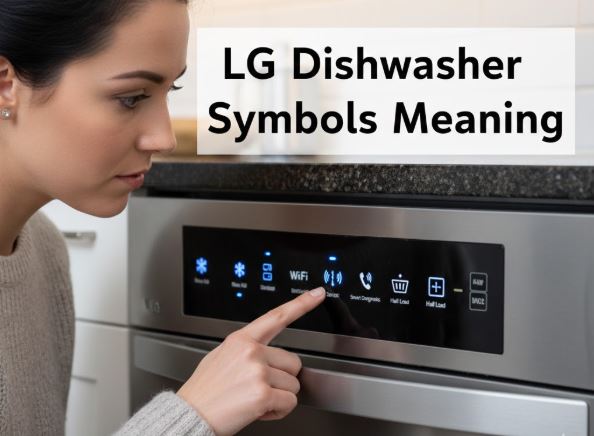
Essential LG Dishwasher Symbols: Quick Identification Chart
| Symbol/Display | Type | Meaning | Required Response |
|---|---|---|---|
| Lock icon | Control panel | Child lock or control lock active | Hold Dual Zone button 3 seconds |
| Star/Snowflake | Inside door lid | Rinse aid compartment indicator | Refill when low indicator lights |
| Stylized “S” | Inside door | Dishwasher salt reservoir | Add salt if available on model |
| Flashing machine icon | Display | Machine clean reminder | Run cleaning cycle within next uses |
| 01-24 number | Display | Delay start hours remaining | Informational – cycle delayed |
| “dr” display | Display | Drain mode active | Wait for drainage to complete |
| “CL” or lock + snowflake | Display | Control lock engaged | Deactivate using model-specific buttons |
| “IE” code | Display | Water inlet error | Check supply valve, hose, filter |
| “OE” code | Display | Drain obstruction detected | Clear sink drain, check hose |
| “tE” code | Display | Thermal error – overheating | Requires service if persistent |
| Low rinse aid light | Display panel | Rinse aid level depleted | Add rinse aid to reservoir |
| END display | Display | Cycle complete | Remove clean dishes |
LG Dishwasher Control Panel Cycle Symbols
LG dishwashers feature multiple wash cycles, each optimized for specific dish types and soil levels. The control panel displays these options clearly, though the exact layout varies by model series.
Standard Cycle Indicators
Auto Cycle Symbol: The Auto setting uses sensors to detect load size and soil level, then adjusts water temperature, spray intensity, and cycle duration automatically. This intelligent program delivers consistent results without manual customization. The turbidity sensor measures water cloudiness to determine optimal wash time.
Heavy/Pots & Pans Cycle: Represented by heavily soiled dishes or pot icons, this intensive program tackles baked-on food and greasy cookware. It combines maximum water temperature above 150°F, extended wash time, and powerful spray action. Models with TrueSteam technology activate steam during this cycle for enhanced cleaning power.
Normal Cycle: The default setting for everyday dishes handles typical food residue from regular meals. This balanced program uses moderate temperatures around 120-140°F and standard spray patterns. Most households rely primarily on this cycle for daily dishwashing needs.
Delicate/China Cycle: Indicated by fragile glassware or cup symbols, this gentle program protects fine china, crystal, and delicate stemware. Lower water pressure and reduced temperatures prevent chipping and heat damage. The cycle extends duration to compensate for gentler mechanical action.
Express/Quick Cycle: Lightning bolt or clock symbols mark rapid wash options completing in 30-45 minutes. These abbreviated cycles suit lightly soiled dishes when time is critical. They sacrifice some cleaning thoroughness for speed and use higher temperatures to compensate for shorter duration.
Specialty Program Symbols
Turbo Cycle: Combines speed with cleaning power through intensified spray action and optimal temperature management. This cycle outperforms Express on moderately soiled loads while still completing faster than Normal.
Refresh/Rinse Cycle: A quick rinse without detergent for dishes sitting between full loads. This prevents food from drying and hardening while you accumulate enough items for a complete wash cycle.
Machine Clean: The self-cleaning program removes mineral deposits, grease buildup, and odors from internal components. Run this cycle monthly using citric acid or specialized dishwasher cleaner with an empty tub. The machine clean icon flashes after every 30 cycles as a reminder.
LG Dishwasher Display Panel Status Indicators
Digital displays on LG models communicate operational status through numbers, text, and symbols that change throughout the wash cycle.
Time and Progress Displays
Estimated Time Remaining: Numbers on the display show hours and minutes until cycle completion. These estimates adjust dynamically based on actual water temperature, load sensors, and selected options. Time may extend if unbalanced loads require redistribution or if foam detection triggers additional rinses.
Delay Start Counter: Two-digit codes from 01 to 24 indicate delay start activation, with numbers representing hours until the cycle begins. This feature allows scheduling washes during off-peak electricity rates or ensuring dishes finish exactly when needed.
END Indicator: When “END” appears, the full cycle including drying has completed. Some models add an audible chime that can be toggled on or off through button combinations specific to your series.
Option Indicators
Extra Dry Symbol: When illuminated, this option adds 60 minutes of enhanced drying time using higher temperatures and extended air circulation. Particularly beneficial for plastics and items that typically retain moisture.
Night Dry Feature: Press and hold Extra Dry for three seconds to activate Night Dry, which runs the ventilation fan periodically overnight. This prevents steam condensation from re-wetting dishes left in the closed dishwasher after the cycle ends.
Sanitary Indicator: Shows the high-temperature sanitization cycle is active, reaching final rinse temperatures exceeding 150°F. LG dishwashers hold NSF certification for 99.999% bacteria reduction when this feature operates.
Dual Zone Activation: This advanced feature allows different spray intensities on upper versus lower racks simultaneously. Delicate glassware on top receives gentle cleaning while heavily soiled pots below get powerful washing.
LG Dishwasher Detergent and Additive Compartment Symbols
Understanding dispenser symbols ensures proper product placement for optimal cleaning results.
| Compartment Symbol | Product Type | Usage Guidelines | Capacity Notes |
|---|---|---|---|
| Main wash (no symbol) | Powder, liquid, or tablet detergent | Use for every standard cycle | Larger primary compartment |
| Star/Snowflake | Rinse aid | Refill monthly or when indicator lights | Fill to MAX line only |
| Pre-wash (if present) | Detergent for pre-wash phase | Only when pre-wash option selected | Smaller secondary compartment |
| “S” marking | Dishwasher salt | For water softening (European models) | Check model compatibility |
Rinse Aid Importance: The star symbol marks the rinse aid reservoir critical for spot-free drying. Rinse aid reduces water surface tension, allowing water to sheet off dishes rather than forming droplets. The low rinse aid indicator illuminates when refilling becomes necessary.
Detergent Dispensing Timing: The main compartment lid opens automatically during the wash cycle when water temperature and timing are optimal. Never place detergent directly in the tub bottom, as it dissolves during pre-rinse before the main wash begins.
LG Dishwasher Error Code Symbols: Troubleshooting Common Issues
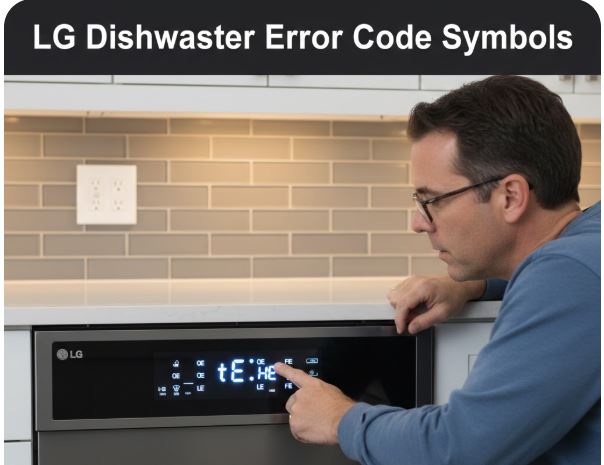
LG dishwashers display alphanumeric codes when problems occur, combining letters and sometimes symbols for diagnosis.
Critical Error Codes
IE Error – Inlet Water Problem: This code signals insufficient water entering the dishwasher. Check that the water supply valve under the sink is fully open. Inspect the inlet hose for kinks or damage. The inlet valve filter screen may be clogged with sediment—disconnect power, remove the hose, and clean the small mesh screen inside the valve.
If water pressure in your home is below required levels, the dishwasher cannot fill properly. Standard household pressure should exceed 20 PSI.
OE Error – Drain Obstruction: The dishwasher detects water not draining within expected timeframes. First, check your sink drain and garbage disposal for clogs, as dishwashers typically share these drain lines. Run the disposal and verify it empties completely.
Examine the drain hose connection under the sink for kinks or blockages. Some installations include an air gap that can become clogged and require cleaning. The dishwasher’s internal filter may also be blocked—remove, clean under warm water, and reinstall.
tE Error – Thermal Malfunction: Temperature sensor problems or overheating trigger this code. If water temperature exceeds 194°F or the thermistor fails to provide accurate readings, the dishwasher protects itself by stopping operation.
This error often indicates a stuck relay on the control board keeping the heating element continuously powered. Professional service typically becomes necessary for tE codes that persist after power cycling.
Informational Displays
“dr” Display: This shows drain mode activation, typically after pressing cancel mid-cycle. The dishwasher automatically empties before allowing door opening. Wait for drainage to complete—forcing the door open can cause water spillage.
“CL” or Control Lock Symbol: Not an error but confirmation that control lock prevents accidental button presses. The specific deactivation method varies by model—common methods include holding Dual Zone for three seconds or pressing specific button combinations detailed in your manual.
P1-P4 Codes: These indicate downloaded custom cycles from the LG ThinQ app rather than errors. Each represents a specialty program: P1 for pots and pans, P2 for casseroles, P3 and P4 for other custom settings you’ve added.
LG Dishwasher Advanced Feature Symbols: ThinQ and Smart Functions
Modern LG dishwashers incorporate WiFi connectivity and app-based controls with corresponding symbols.
WiFi Icon Status: The WiFi symbol appears on compatible models showing connection status. When lit solid, your dishwasher connects successfully to your home network. Flashing indicates attempting to connect. Off means WiFi is disabled or connection failed.
Through the LG ThinQ app, you monitor cycle progress remotely, receive completion notifications, download new wash programs, and access Smart Diagnosis for troubleshooting guidance.
Smart Diagnosis Symbol: When technical issues arise, Smart Diagnosis uses smartphone communication to analyze the problem. Hold your phone’s microphone near the display while the dishwasher transmits diagnostic tones. The app interprets these sounds and suggests solutions or indicates whether professional service is needed.
What’s Safe to Wash
Beyond appliance symbols, understanding dishware markings prevents damage to your belongings.
Dishwasher Safe Indicators: Plates or glasses under water droplets mean items tolerate machine washing. However, no universal standard exists—manufacturers define “dishwasher safe” differently. Top rack only symbols show items require placement away from intense bottom rack heat and spray pressure.
Hand Wash Required: Crossed-out dishwasher icons or hand-in-basin symbols indicate machine washing will damage the item. Delicate finishes, gold trim, wood components, and certain plastics require manual cleaning.
Glassware Warnings: Wine glass symbols with droplets confirm stemware can withstand dishwasher conditions. Fine crystal without this marking risks cloudiness from harsh detergents and high temperatures even if it survives structurally.
Maximizing Performance Through Symbol Awareness
Responding appropriately to symbols prevents most dishwasher problems homeowners encounter.
Maintenance Symbol Compliance: When the machine clean icon flashes, don’t ignore it. Built-up grease and minerals reduce cleaning effectiveness and can eventually cause mechanical failures. Running the cleaning cycle takes minimal effort compared to dealing with clogged spray arms or reduced water heating efficiency.
Load Configuration Indicators: If your model includes load sensing features, displayed symbols may suggest optimal rack arrangements. QuadWash models with four spray arms distribute water more evenly, but blocking any spray arm reduces cleaning coverage.
Option Combination Awareness: Some option symbols cannot illuminate simultaneously because they’re mutually exclusive. Understanding these limitations prevents confusion when certain button combinations don’t activate as expected.
Also Read:
Frequently Asked Questions
What does the lock symbol combined with a snowflake mean on my LG dishwasher display?
This combination indicates the control lock feature is engaged, preventing any control panel buttons from changing settings during operation. The control lock stops children or pets from accidentally opening doors mid-cycle or altering programs.
To deactivate, press and hold the Dual Zone button for three seconds on most models—listen for a confirmation beep and watch for the symbols to disappear. Some older LG models use different button combinations like holding Rinse and Spray simultaneously. If the standard method doesn’t work, consult your specific model manual for the exact procedure. The control lock resets automatically on some models when you turn off the dishwasher, while others remember the setting until manually changed.
How do I know when to add rinse aid to my LG dishwasher?
The rinse aid low indicator illuminates on the control panel when the reservoir needs refilling. This light typically appears as a star or snowflake symbol matching the marking on the rinse aid compartment lid inside the door.
Check rinse aid levels monthly by opening the compartment—you should see liquid visible through the indicator window. Refill when the level drops below the visible mark, filling only to the MAX line to prevent overflow during dispensing. If you use detergent tablets with built-in rinse aid, you can often disable the low rinse aid warning light through settings to prevent unnecessary alerts. However, separate rinse aid still typically provides superior drying results compared to combination tablets, especially in hard water areas.
Why does my LG dishwasher display show numbers like 03 or 12 instead of the cycle time?
Two-digit numbers from 01 to 24 indicate the delay start feature is activated rather than showing an error or remaining cycle time. The number represents how many hours until the wash cycle actually begins.
This feature allows you to load the dishwasher at your convenience but schedule it to run during off-peak electricity hours for cost savings, or to finish exactly when you’ll be home. To cancel delay start and begin the cycle immediately, open the door and press the specific cancel button combination for your model—commonly holding certain buttons simultaneously for three seconds. Alternatively, simply turning off the circuit breaker for a few minutes clears the delay setting, though this also resets any other customized options.
What should I do when my LG dishwasher shows the IE error code?
The IE error signals water inlet problems preventing the dishwasher from filling properly. Start troubleshooting by checking the water supply valve under your sink—it must be fully open, not just partially turned.
Inspect the inlet supply hose for kinks or sharp bends that restrict water flow. If those check out, the next step involves examining the inlet valve’s filter screen. Disconnect power to the dishwasher, turn off water supply, remove the inlet hose, and check the small mesh screen inside the valve connection for sediment or debris buildup. Clean thoroughly and reassemble. If the IE error persists after these steps, you may have inadequate home water pressure below 20 PSI, a faulty inlet valve requiring replacement, or internal wiring issues that need professional diagnosis.
How often should I run the machine clean cycle when the symbol flashes on my LG dishwasher?
The machine clean reminder icon flashes automatically after every 30 wash cycles, indicating it’s time to clean internal components. Running this maintenance cycle monthly prevents grease accumulation, mineral deposits, odors, and reduced cleaning performance.
Use the cycle with the tub completely empty—no dishes inside. For best results, add citric acid, white vinegar, or a commercial dishwasher cleaner designed for this purpose, though you can run it with just water if nothing else is available. The cleaning cycle reaches higher temperatures and uses specific spray patterns to flush residual soils from places regular cycles don’t thoroughly clean, including spray arm nozzles, filters, and hidden crevices. You can manually reset the flashing reminder by pressing and holding the Delicate button for three seconds after running the cycle, though it will automatically turn off once the cleaning completes.
Mastering Your LG Dishwasher: Symbol Fluency for Better Results
LG dishwasher symbols evolve from confusing codes into a helpful communication system once you understand their meanings and appropriate responses. Each indicator serves a purpose—whether selecting the optimal wash cycle, alerting you to maintenance needs, or diagnosing problems before they escalate.
Keep this guide accessible for quick reference when unfamiliar symbols appear on your display. Most dishwasher issues homeowners face stem from ignoring maintenance symbols or misunderstanding error codes that have straightforward solutions. By responding promptly to alerts and selecting programs matched to your actual needs, you’ll achieve consistently clean dishes while extending your appliance’s service life.
Your LG dishwasher combines advanced cleaning technology with intuitive controls. The symbols bridge the gap between sophisticated engineering and everyday use, ensuring you harness the full capability of features like QuadWash spray systems, TrueSteam sanitization, and intelligent sensing without needing technical expertise.

Hi, I’m Barlgan! I created Repair Me Yourself to empower homeowners to tackle appliance repairs with confidence. From decoding error codes to fixing cooling issues, I break down complex repairs into simple, actionable steps that save you time and money.