
Your KitchenAid microwave is acting weird. Maybe error codes keep popping up, the buttons aren’t responding, or it just stopped working after last night’s power outage. Before you panic or call an expensive repair tech, try a simple reset first.
There’s no physical reset button on KitchenAid microwaves. Instead, you’ll use specific button combinations and power cycling techniques to get things working again.
In this KitchenAid microwave troubleshooting guide, I’m going to walk you through eight different reset methods that work across all models. Most take less than five minutes, so pick the one that matches your problem, and you’ll likely have your microwave working again before your coffee gets cold.
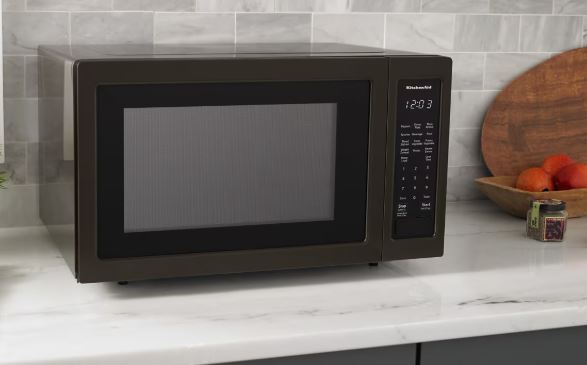
KitchenAid Microwave Reset Methods Overview
| Problem | Reset Method | Time | What Gets Erased |
|---|---|---|---|
| Control lock active | Unlock sequence | 5 seconds | Nothing |
| Random errors after outage | Power cycle | 5 minutes | Clock only |
| Touchpad not working | Hard reset | 30 minutes | Clock only |
| Error codes won’t clear | Diagnostic mode reset | 10 minutes | Error history |
| Total malfunction | Factory reset | 15 minutes | Everything |
| Corrupted settings | Factory reset + power cycle | 20 minutes | Everything |
| Frozen display | Extended disconnect | 2 hours | Clock only |
| Won’t heat food | Demo mode off | 30 seconds | Nothing |
How KitchenAid Microwave Resets Actually Work
The missing reset button is intentional. KitchenAid doesn’t want you accidentally wiping all your settings while cleaning the control panel, so they built resets into button combinations instead.
Your microwave stores settings in protected memory that survives power outages, which means regular power cycling won’t erase your custom programs. You need specific reset procedures to clear that memory. Think of it like this: there are soft resets that preserve your settings, and hard resets that wipe everything clean.
Countertop and built-in models work the same way, so installation type doesn’t change the reset process. Convection combo models are slightly different because they have two cooking systems, but we’ll cover those details later.
The 8 KitchenAid Microwave Reset Methods
Start with method 1, and if that doesn’t work, move to the next one.
1. Standard Power Cycle Reset
This fixes most problems, so try it first.
Step 1: Unplug the microwave from the wall. Don’t flip the breaker; actually pull the plug out.
Step 2: Wait 5 minutes to let the capacitors discharge and clear temporary memory.
Step 3: While unplugged, press and hold the Start button for 10 seconds. This drains leftover power from the circuits.
Step 4: Plug it back in and you should see the display light up with a flashing clock or 12:00.
Step 5: Test it by setting the clock, trying different power levels, and heating a cup of water for 30 seconds.
This method fixes about 60% of microwave issues. If your microwave still doesn’t work right, keep reading.
2. Hard Reset with Extended Disconnect
This is the nuclear option for stubborn problems that won’t clear with a standard reset.
Step 1: Unplug the microwave and make sure the display is completely dark.
Step 2: Flip the circuit breaker for that outlet so you have zero power coming from anywhere.
Step 3: Press every button on the control panel a few times to discharge any energy stored in the circuits.
Step 4: Wait at least 30 minutes, or up to 2 hours for really bad glitches.
Step 5: Turn the breaker back on first, then plug in the microwave to prevent power surges during reconnection.
This forces a complete system reset and clears issues that survive standard power cycling.
3. Factory Reset Through Control Panel
Factory reset erases everything: your custom settings, saved programs, all of it. Use this when nothing else works or when your settings are corrupted beyond repair.
Step 1: Press and hold “Stop/Clear” for 5 seconds. Some models will show “RESET” on the display.
Step 2: If nothing happens, press “Stop/Clear” then quickly tap “1-2-3” within 2 seconds. You should see diagnostic symbols appear.
Step 3: Use the number keys to find the reset option, though every model is slightly different here.
Step 4: Press “Start” or “Enter” to confirm. The display might flash or count down.
Step 5: Wait for it to finish. When it’s done, you’re back to factory settings and you’ll need to reprogram everything.

4. Diagnostic Mode Reset
This one’s specifically for KitchenAid microwave error codes that won’t go away no matter what you try.
Step 1: Press “1” then immediately hit “Start” within 2 seconds. The display will enter test mode.
Step 2: Write down any error codes you see, which look like “F1” or “E-11.”
Step 3: Press “Stop/Clear” to exit. Some codes clear automatically when you do this.
Step 4: If codes stick around, press “0-0-0” then “Start” while you’re still in diagnostic mode.
Step 5: Run the diagnostic sequence again to make sure the codes are gone.
If the same error code keeps coming back after this, you’re dealing with a hardware problem that resets can’t fix.
5. Control Lock Deactivation
This is hands down the most common “my microwave is broken” call, and spoiler alert: it’s not broken. Control lock turns off all the buttons on purpose to prevent kids from accidentally starting the microwave. If you see a little lock icon on your display, this is definitely your problem.
For most KitchenAid models: Press and hold “Cancel/Off” for 3 seconds and watch the lock icon disappear.
For built-in models: Press “Stop” and “3” at the same time for 3 seconds.
For KMHC319 series: Press “0” then “Stop/Clear” within 2 seconds.
If it doesn’t unlock on the first try, power cycle the microwave first, then try the unlock sequence again right after you plug it back in.
6. Demo Mode Deactivation
Demo mode is designed for showrooms where the microwave needs to look like it’s working without actually heating anything. The timer runs, the lights turn on, but food stays cold. If your KitchenAid microwave suddenly stopped heating, check for demo mode first because it’s surprisingly easy to activate by accident.
Option 1: Press and hold “0” and “Start” together for 5 seconds. Some models will show “DEMO OFF” to confirm.
Option 2: Press “Stop/Clear” three times fast, then hold “Start” for 5 seconds. This works on older models.
After deactivation, test it with a cup of water. Run it for 30 seconds and the water should get hot. Demo mode sometimes survives a regular power cycle, but factory reset always clears it.
7. Clock Reset After Power Outage
Power outages mess up the clock, which is completely normal. What’s not obvious is that many KitchenAid microwaves won’t run until you reset the clock, so the display flashes “12:00” or sits blank and you can’t use the microwave.
Step 1: Press “Clock” or “Options” and the hours digit will start flashing.
Step 2: Enter the current time with the number pad, then press “Clock” again to move to minutes.
Step 3: Some models want AM/PM selection. Press “1” for AM or “2” for PM, then press “Clock” to finish.
Step 4: If there’s no Clock button on your model, press “0” to open settings and navigate to the clock option.
Once the clock is set, your microwave should work normally again.
8. Service Mode Reset
Don’t try this yourself. Service mode is strictly for trained technicians because it gives deep access to firmware and system settings. One wrong button press can brick your microwave completely, turning a fixable problem into an expensive replacement.
These resets require undocumented button combinations that vary by model, and KitchenAid doesn’t publish them for good reason. Authorized service centers charge $100 to $150 for service mode resets, so if standard resets don’t work, call them instead of experimenting on your own.
Model-Specific Reset Instructions
Some KitchenAid models have their own quirks that you need to know about.
KMHC319 Over-the-Range Models
These work mostly like standard models with just a few differences.
Control lock: Press “0” then “Stop/Clear” within 2 seconds instead of the usual sequence.
Factory reset: Hold “Stop/Clear” and “5” together for 5 seconds. You’ll see “CLEAR” on the display when it works.
Diagnostic mode: Press “1-6” at the same time rather than “1-Start.”
Power cycling works the same as other models, so just unplug for 5 minutes. This series has integrated ventilation, which means resets affect both the microwave and fan controls at the same time.
KCMS1555 Built-In Series
Built-in models have capacitive touchpads that are really picky about timing, so button holds need to be exactly 3 seconds. Count “one-thousand-one, one-thousand-two, one-thousand-three” to get it right.
Control lock: Press “Cancel/Off” for exactly 3 seconds.
Factory reset: Press “Options” three times fast, then hold “Start” for 5 seconds.
These models remember settings better than countertop units, which means factory reset is the only way to clear truly corrupted settings. Convection resets affect both cooking systems simultaneously.
KMBP100 Built-In Microwave
This series mixes capacitive and mechanical buttons, but power cycling works the same on all of them. Just unplug for 5 minutes.
Control lock: Touch “Cancel” with completely dry fingers because moisture blocks the capacitive sensor.
Factory reset: Press “Stop-1-2-3-Start” within 4 seconds. Timing is critical here.
Check your warranty before paying for repairs since extended warranties often cover control board issues on this particular model.
KMCC5015 Combination Microwave
Combo models are more complicated because they have separate microwave and convection systems. General resets hit both systems at once, which is usually what you want.
To reset only the microwave functions, select microwave mode first, then perform the reset. To reset only convection, select convection mode first so you can preserve your microwave settings.
Honestly, I’d recommend calling a pro for combo units because DIY troubleshooting gets messy fast without proper training.
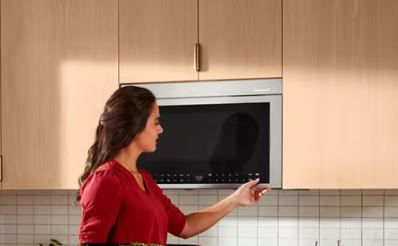
When KitchenAid Microwave Resets Don’t Work
Sometimes the reset procedure works perfectly, but the problem comes back within hours or days. That usually means you’re dealing with hardware failure rather than software glitches.
KitchenAid Microwave Error Codes Keep Coming Back
Persistent error codes mean real hardware problems where the control board keeps detecting the same issue. Write down the exact code and look it up in your manual or online.
F1 means control board failure
F3 means oven sensor error
E-11 means touchpad communication failure
These issues require component replacement, so doing more resets won’t help at all.
KitchenAid Microwave Won’t Power On After Reset
Total power failure after a reset usually means blown fuses or tripped thermal protection. Check your circuit breaker first by flipping it all the way off, then back on, even if it looks fine.
Test the outlet with another appliance to make sure power is actually getting through. Internal fuses blow during power surges and need professional replacement, while thermal fuses protect against overheating and don’t reset once they’re blown.
KitchenAid Microwave Settings Change on Their Own
Settings reverting after a factory reset is completely normal because that’s exactly how factory resets are supposed to work. But if settings change randomly without you doing any resets, the control board is dying and memory circuits are failing.
Some models have battery backup for the clock, so dead batteries cause constant clock resets. If settings survive a reset when they’re supposed to clear, you probably didn’t complete the reset procedure properly, so double-check your timing.
KitchenAid Microwave Display Shows Gibberish After Reset
Garbled displays after a reset usually mean you didn’t complete the reset procedure fully. Try the extended disconnect reset by unplugging for at least 2 hours minimum.
Ribbon cables between the display and control board can come loose over time, though reseating them requires opening the cabinet. Failed displays need complete touchpad assembly replacement because the display and touchpad are integrated together.
If the extended reset doesn’t help, call a tech instead of trying different methods over and over.
When to Call a Pro
Some situations require professional expertise right away, no matter how handy you are.
You Keep Needing Resets
If resets work temporarily but problems come back within hours or days, you have hardware failure where components are actively degrading. Track how long each reset lasts because this information helps technicians diagnose the specific problem.
Intermittent board failures look exactly like this: the board works fine after a reset but fails again on a predictable schedule. Professional diagnosis costs $85 to $150, which is worth it to avoid replacing the wrong parts through trial and error. Check your warranty too, since KitchenAid extends coverage for documented pattern failures.
Resets Stop Working Completely
When the correct reset procedure produces zero results, you probably have a completely dead control board. Double-check that you’re using the right procedure for your specific model by cross-referencing your manual with online guides.
Some control board failures prevent the board from even recognizing reset commands because it’s too damaged to process them. High-voltage failures like bad magnetrons, capacitors, or diodes don’t respond to resets at all since they need physical replacement.
Professional technicians have diagnostic tools that aren’t available to consumers, and these instruments can identify failures that standard testing completely misses.
Safety Red Flags
Error codes about overheating, sensor failures, or door interlock issues need immediate professional attention because they represent real safety hazards. Burning smells, sparks, or weird sounds mean you should shut it down immediately without attempting any resets.
Door latch problems that prevent proper closure need professional adjustment because radiation leakage risks aren’t worth attempting DIY fixes. Any shock sensations or high-voltage warnings mean call a technician right away and don’t operate the microwave at all.
Professional service costs are completely justified when safety is involved because risk mitigation beats saving money on repairs.
Preventive Maintenance
Regular resets can prevent problems from building up over time, even when your KitchenAid microwave seems to be working fine.
Monthly Resets
Power cycle your microwave once a month even when it’s working perfectly because this clears minor glitches before they compound into bigger problems. The easiest approach is doing it during your regular kitchen cleaning routine by unplugging for 5 minutes.
Monthly resets won’t erase the clock on models with battery backup, and the whole process takes almost no time while preventing noticeable problems down the road. Track reset dates in a maintenance log if you want to catch hardware issues early through pattern tracking.
After Power Outages
Always power cycle after electrical storms or outages because power irregularities can corrupt control board memory. Wait until electrical service fully stabilizes before resetting, since flickering lights mean you should wait longer.
Check your circuit breaker after outages even if it looks normal by resetting it fully off then back on. Power outage resets clear surge damage and prevent compounding problems, so test all microwave functions after resetting instead of assuming everything is fine.
Twice-Yearly Factory Resets
Factory reset twice a year during spring and fall cleaning as part of comprehensive maintenance. This clears accumulated setting drift and minor corruption while giving you a chance to optimize your settings during reprogramming.
Take photos of your custom settings before doing factory resets to make restoration much easier afterward. Combine seasonal resets with physical cleaning so both electronic and mechanical systems benefit from the maintenance.
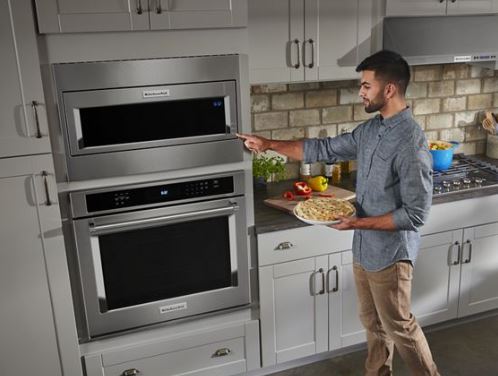
Need to replace your KitchenAid microwave? Check out the best over-the-range microwave ovens on Amazon!
Common Questions
How do you reset a KitchenAid microwave?
Unplug it for 5 minutes to perform a standard reset. While it’s unplugged, press and hold the Start button for 10 seconds to drain residual power from the circuits. Plug it back in and test all the functions. For a factory reset, press “Stop/Clear” then “1-2-3” within 2 seconds, navigate to the reset option, and confirm the selection.
Where is the reset button on a KitchenAid microwave?
There isn’t one because KitchenAid uses button combinations instead of physical reset buttons. This design prevents accidental resets when you’re cleaning the control panel. The most common reset need is actually control lock deactivation, which you do by holding “Cancel/Off” for 3 seconds.
Why won’t my KitchenAid microwave work after a power outage?
Power outages corrupt the control board memory and reset the clock. Many KitchenAid models won’t operate until you set the clock again. Unplug the microwave for 5 minutes to clear the corrupted memory, then set the clock using the Clock button. Some models require you to press “0” first to access the settings menu.
How do I unlock my KitchenAid microwave control panel?
Press and hold “Cancel/Off” for 3 seconds on most models. Look for a lock icon on the display to confirm that control lock is actually active. Built-in models might need “Stop” and “3” pressed together simultaneously, while the KMHC319 series uses “0” then “Stop/Clear” within 2 seconds.
What does it mean when my KitchenAid microwave display flashes?
Flashing after a power outage means you need to set the clock. Press “Clock” and enter the current time. Continuous flashing without a power outage suggests control board problems that need professional diagnosis. Flashing error codes indicate specific component failures, so write down the exact code before attempting any fixes.
Can resetting fix heating problems?
No, because resets only fix software glitches and can’t repair hardware components. If your microwave runs but doesn’t heat food, you’re dealing with failed components like burned-out magnetrons, dead capacitors, or bad high-voltage diodes. Try reset procedures first since they’re free, but heating failures typically require professional repair costing $150 to $400.
Bottom Line
Most KitchenAid microwave problems can be fixed with a simple 5-minute power cycle. Stubborn issues might need a factory reset that erases all your settings, but either way you’re looking at under 20 minutes of work.
The missing reset button is intentional design that gives you more control without the risk of accidental resets. When reset procedures don’t restore functionality, you’re dealing with hardware failure that needs professional diagnosis and repair.
Start with the simplest reset method for your specific problem and work your way up to more aggressive procedures only if needed. Most issues clear up on the first or second attempt.

Hi, I’m Barlgan! I created Repair Me Yourself to empower homeowners to tackle appliance repairs with confidence. From decoding error codes to fixing cooling issues, I break down complex repairs into simple, actionable steps that save you time and money.