
When your Kenmore series 500 washer stops working properly, laundry piles up fast. This reliable machine can develop various issues from spinning problems to strange noises to cycles that won’t start. Most problems have simple causes you can fix yourself. You don’t need to be a trained technician to get your washer running again.
Kenmore series 500 washer troubleshooting involves systematically checking common failure points including the lid lock assembly, drive motor, shift actuator, control board, and water inlet systems. Most issues stem from worn mechanical components, sensor failures, or simple electrical problems that can be diagnosed and repaired with basic tools and clear guidance.

Key Takeaways
Before diving into specific problems, understand how your Kenmore series 500 operates. This knowledge helps you troubleshoot the Kenmore washer more effectively.
- Your washer uses electronic controls paired with mechanical components. When these systems don’t communicate properly, the washer malfunctions.
- Most repairs require only basic tools like screwdrivers, pliers, and a multimeter. You probably already have these in your toolbox.
- Always unplug the washer before working on it. Electrical shock can be fatal, so never skip this safety step.
- Document any error codes or flashing light patterns before resetting. These codes guide your troubleshooting process.
- Many problems share similar symptoms. Work through tests methodically rather than guessing at solutions.
Kenmore Series 500 Washer Troubleshooting Overview
| Problem | Primary Cause | Quick Test | Typical Fix |
|---|---|---|---|
| Won’t start | Lid lock failure, power issue | Check lid lock click, test outlet | Replace lid lock or reset |
| Stuck on sensing | Shift actuator failure | Listen for actuator sound | Replace shift actuator |
| Not spinning | Drive motor coupling, belt | Check for burning smell | Replace coupling or belt |
| Loud noise | Worn bearings, loose components | Identify noise timing | Replace bearings or tighten parts |
| Stuck on wash | Timer/control board issue | Try manual cycle advance | Reset or replace control board |
| Sensing light flashing | Multiple sensor errors | Enter diagnostic mode | Address specific error codes |
| Won’t drain | Clogged pump, kinked hose | Check drain hose | Clear blockage or replace pump |
Why is My Kenmore Series 500 Washer Not Working?
When your washer completely stops functioning, multiple causes could be responsible. Start with the most obvious issues before assuming major component failure.
Power problems account for nearly half of all “won’t work” service calls. These have nothing to do with the washer itself.
Checking Electrical Power Supply
Your washer needs consistent 120-volt power to operate. Fluctuations or complete power loss prevent normal operation.
Plug a lamp into the same outlet. If the lamp doesn’t work, you have an electrical problem, not a washer problem.
Check your home’s circuit breaker panel. Look for a tripped breaker in the off position.
Washer circuits sometimes trip due to power surges or circuit overload. Simply reset the breaker and try again.
Testing the Outlet
Use a multimeter (View on Amazon) to verify outlet voltage. Set the meter to AC voltage and insert probes into the outlet slots.
You should read between 115-125 volts. Readings outside this range indicate electrical supply problems.
Check both slots against the ground hole. Both should show proper voltage for the washer to function.
Inspecting the Power Cord
Examine the entire power cord for damage. Look for cuts, burns, or exposed wiring.
Wiggle the cord where it connects to the washer. If lights flicker, the internal connection has loosened or failed.
Replace damaged power cords immediately. Never tape or patch electrical cords on appliances.
Control Panel and Display Issues
A blank or unresponsive control panel suggests control board problems. The board manages all washer functions.
Check if any indicator lights illuminate when you press buttons. Partial lighting indicates some power is reaching the board.
Complete darkness means no power is getting through. This points to a power supply issue rather than board failure.
Control Board Power Supply
The control board receives power through the main wire harness. Connections can corrode or loosen over time.
Access the control board by removing the top panel. Check all wire connections for tightness.
Look for visible damage on the control board. Burn marks, bulging capacitors, or corrosion indicate board failure.
Water damage is a common control board killer. Even small amounts of moisture short out delicate circuits.
Door/Lid Lock Problems
The lid lock must engage before the washer operates. This safety feature prevents operation with an open lid.
Listen for a clicking sound when you close the lid and press Start. This click confirms the lock engaged.
No click means the lock isn’t working. The control board won’t allow operation without lid lock confirmation.
Test the lock by pressing down firmly on the lid near the lock location. Sometimes it catches but doesn’t fully engage.
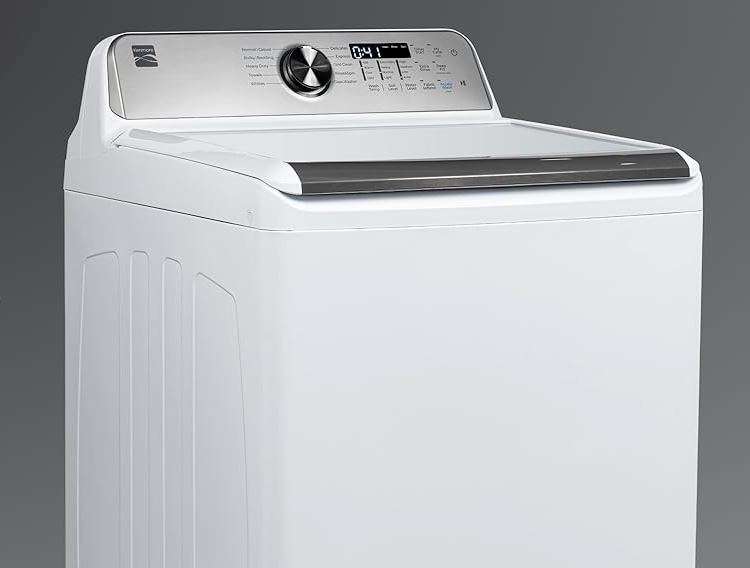
Kenmore Series 500 Washer Won’t Start
A Kenmore washer that won’t respond when you press Start is different from one that has no power. The control panel lights up but nothing happens.
This frustrating problem usually involves the lid lock, control board communication, or start switch itself.
Lid Lock Assembly Testing
The lid lock serves dual purposes. It physically locks the lid and sends a signal to the control board.
When either function fails, the washer refuses to start. The board won’t risk operating with an unlocked lid.
How to Test the Lid Lock
Close the lid and press Start. Watch the lid lock indicator light.
The light should illuminate within 2-3 seconds. If it doesn’t, the lock has a problem.
Listen carefully for the locking mechanism clicking. A click without a light means the lock engaged but the sensor failed.
No click at all means the lock mechanism is broken. The solenoid that moves the locking pin has failed.
Replacing the Lid Lock
Unplug the washer completely. Open the lid and locate the lock assembly on the washer frame.
Remove the screws holding the lock in place. There are typically two Phillips head screws.
Disconnect the wire harness by pressing the release tab. Don’t pull on the wires themselves.
Install the new lock and reconnect the wiring. Test the operation before reassembling the panels.
Lid locks cost $30-60 depending on the exact model. Installation takes about 20 minutes.
Start Switch and Button Problems
The Start button itself can wear out from repeated use. The contacts inside fail to make proper connection.
Press the Start button multiple times. If the washer occasionally starts after several presses, the button is failing.
Replace the entire control panel if the button fails. Individual buttons typically can’t be replaced separately.
Control Board Start Circuit Failure
Sometimes the control board receives the start signal but fails to initiate the cycle. Internal circuits have failed.
This requires control board replacement. Confirm this diagnosis by testing all other components first.
Control boards cost $150-250. Make certain this is the problem before ordering this expensive part.
Kenmore Series 500 Washer Stuck on Sensing
The sensing cycle determines load size and water requirements. A Kenmore Series 500 washer stuck on sensing never advances to the wash cycle. The sensing light stays on indefinitely.
Understanding the Sensing Process
During sensing, multiple things happen simultaneously. The washer fills with water to a preset level.
The shift actuator moves the transmission into sensing position. Small agitation movements test the load.
Sensors report data back to the control board. The board analyzes this information to determine wash parameters.
If any part of this process fails, the washer stays stuck in sensing mode. It won’t proceed without complete information.
Shift Actuator Problems
The shift actuator is the most common cause of sensing failures. This component fails more frequently than any other in the Kenmore series 500.
The actuator is a small motor that physically moves the transmission. It includes a position sensor that confirms movement occurred.
Listen during the sensing cycle. You should hear mechanical clicking or whirring from the actuator.
Complete silence means the actuator isn’t receiving power or has failed internally. Clicking without cycle advancement means stripped gears inside.
Testing the Shift Actuator
Access the actuator by removing the back panel and cabinet. It sits on top of the transmission.
Check the wire harness connection first. Ensure it’s pushed in completely and locked.
Remove the actuator by unscrewing two mounting bolts. Inspect the drive mechanism for damage.
White plastic shavings indicate stripped gears. The plastic gears inside wear out after several years of use.
Replace the shift actuator if you see any gear damage. This part costs $40-70 and fixes most sensing problems.
Water Level Sensor Issues
The pressure switch monitors water level through an air tube connected to the tub. Clogs in this tube prevent accurate sensing.
Remove the air tube and blow through it. You should feel minimal resistance.
If the tube is blocked, flush it with warm water. Soap residue and mineral deposits commonly accumulate inside.
Test the pressure switch itself with a multimeter. It should click and change continuity when you blow into the port.
How Do I Reset My Kenmore 500 Washer?
Resetting your washer clears temporary errors and recalibrates the control system. This simple step fixes many Kenmore series 500 washer troubleshooting issues.
Always try resetting before replacing any parts. It takes minutes and costs nothing.
Basic Reset Procedure
The simplest reset involves cutting all power to the washer. This clears the control board’s memory.
Press and hold the Start button for 5 seconds. This initiates a soft reset that sometimes works.
Unplug the washer from the wall outlet. Wait 60 full seconds before plugging it back in.
This delay allows capacitors to discharge completely. Residual electrical charge must dissipate for a proper reset.
Plug the washer back in. Wait 30 seconds for the control panel to initialize.
Select a cycle and test the washer. Use a small load to verify normal operation.
Control Panel Reset Method
For stubborn issues, perform a master reset through the control panel buttons. This accesses deeper system functions.
Turn the washer off. Make sure the control panel goes completely dark.
Select the Normal wash cycle. Within 5 seconds, press this sequence: Signal button, Drain/Spin, Signal, Drain/Spin.
All indicator lights should illuminate when done correctly. The washer enters a special reset mode.
Some model years use different button sequences. Check your owner’s manual if this sequence doesn’t work.
Factory Reset Process
A factory reset returns all settings to original defaults. This erases any custom cycles or preferences.
This deeper reset sometimes resolves persistent Kenmore series 500 washer troubleshooting problems that standard resets don’t fix.
Hold down three buttons simultaneously: Signal, Rinse Options, and Heavy Duty. Hold for 3 seconds.
The display will flash or all lights will turn on. This confirms the factory reset initiated.
The washer will drain any standing water. Wait for this process to complete before using the machine.
When Resetting Fails
If multiple Kenmore washer reset attempts don’t resolve the issue, you have a hardware failure. Software resets can’t fix broken parts.
Move on to testing specific components. Don’t waste more time on resetting.
Document any error codes that may appear, which guide you toward the failed component.
Kenmore Series 500 Washer Not Spinning Clothes Dry
Clothes that come out soaking wet indicate spin cycle problems. Your Kenmore series 500 washer troubleshooting should focus on the drive system and lid lock.
The washer may agitate normally but refuse to spin. Or it might spin weakly, leaving clothes wetter than normal.
Drive Motor Coupling Failure
The motor coupling connects the motor shaft to the transmission. This plastic and rubber component absorbs shock during startup.
Over time, the coupling deteriorates and eventually breaks. When it fails, the motor runs but the transmission doesn’t move.
You’ll hear the motor running during spin attempts. The drum won’t rotate despite the motor sound.
Inspecting the Motor Coupling
Remove the cabinet to access the motor and transmission. The coupling sits between these two components.
Look for broken plastic pieces underneath the washer. These are fragments of the failed coupling.
Remove the motor mounting bolts. Slide the motor back slightly to expose the coupling.
If the coupling shows cracks, missing pieces, or excessive wear, replace it immediately. This repair prevents further damage to the motor or transmission.
Motor couplings cost $10-20. The repair takes about 45 minutes if you work carefully.
Drive Belt Problems
Some Kenmore series 500 models use a belt to drive the drum. A broken or loose belt prevents spinning.
You’ll hear the motor running but the drum stays still. A loose belt causes weak spinning that doesn’t extract water properly.
Checking Belt Condition
Access the belt by removing the back panel. Inspect the belt for cracks, fraying, or glazing.
A glazed belt appears shiny and smooth instead of slightly rough. This belt will slip during the spin cycle.
Check belt tension by pressing on it. It should deflect about 1/2 inch when pressed firmly.
Replace belts showing any wear signs. Don’t wait for complete failure.
Lid Lock Preventing Spin
The washer won’t spin if the lid lock doesn’t confirm the lid is secure. This is a safety feature.
The washer may fill and agitate normally. When spin time comes, nothing happens because the lock signal is missing.
Test the lid lock as described earlier. Replace it if it’s not clicking or the indicator light doesn’t illuminate.
Kenmore Series 500 Washer Making Loud Noise
Unusual sounds during operation indicate mechanical problems. The type of noise and when it occurs help identify the cause.
Different noises point to different components. Listen carefully to determine what you’re hearing.
Identifying Common Washer Noises
Grinding sounds suggest metal-on-metal contact. This indicates worn bearings or a failing transmission.
Squealing or screeching points to belt problems. The belt is slipping or wearing against a pulley.
Thumping or banging indicates an unbalanced load or worn suspension. The drum is hitting the cabinet.
Clicking or rattling suggests loose parts. Something has come free and is bouncing around.
Humming without movement means the motor is trying to run but can’t. The motor or coupling has failed.
Worn Tub Bearings
The tub rides on bearings that allow smooth rotation. These bearings wear out after years of use.
Failed bearings create a loud grinding or roaring sound during spinning. The sound gets progressively worse over time.
Check for bearing failure by manually rotating the drum. It should spin smoothly with slight resistance.
If you feel grinding or the drum is difficult to turn, bearings have failed. This is a complex repair requiring significant disassembly.
Bearing replacement costs $150-200 for parts alone. Labor adds another $150-200 if you hire a technician.
Loose or Damaged Shock Absorbers
Shock absorbers dampen tub movement during the spin cycle. Worn or damaged shocks allow excessive tub movement.
This creates loud banging as the tub strikes the cabinet. The washer may walk across the floor during spinning.
Inspect the shocks by tilting the washer back. Look underneath for the shock absorbers attached to the frame.
Push on each shock to test resistance. They should compress smoothly with firm resistance.
If a shock moves freely without resistance, it has failed. Replace shocks in pairs for balanced operation.
Foreign Objects in the Drum
Small items can slip between the inner and outer tub. Coins, bra underwires, and buttons commonly get stuck.
These objects scrape and rattle during agitation and spinning. The noise varies with drum speed.
Remove the agitator or inspect the tub carefully. Look for items lodged in the tub holes.
Use a flashlight to peer into the gap between the inner basket and outer tub. Sometimes you can see trapped items.
Fishing out stuck objects can be challenging. You may need to partially disassemble the tub.
Kenmore Series 500 Washer Diagnostic Mode
Your washer has a built-in diagnostic mode that tests components automatically. Accessing this mode helps identify specific problems.
Diagnostic mode is essential for effective Kenmore series 500 washer troubleshooting. It tells you exactly what’s wrong.
How to Enter Diagnostic Mode
Turn off the washer completely. Wait for all lights to go dark.
Turn the cycle selector to Normal. Within 5 seconds, press this button sequence.
Press Signal, then Drain/Spin, then Signal again, then Drain/Spin again. All within 5 seconds.
All indicator lights should illuminate simultaneously. This confirms you entered diagnostic mode correctly.
If lights don’t illuminate, try the sequence again. Timing is critical for this to work.
Running Automatic Diagnostics
Once in diagnostic mode, press the Start button. The washer runs through automatic component tests.
Watch the indicator lights. Different light patterns indicate which test is running.
The washer tests these components in sequence: lid lock, water inlet valves, drain pump, motor, and shift actuator.
Listen and observe as each component activates. You can identify which component fails to respond.
Reading Diagnostic Error Codes
Error codes appear as flashing light patterns. Count the number of flashes to identify the code.
The control panel lights flash in groups. A pause separates different digit groups.
For example, three quick flashes, pause, then two flashes indicates error code 3-2. Write down the codes you see.
Consult your owner’s manual for code meanings. Common codes include:
F1 indicates control board communication errors. The main board isn’t responding properly.
F2 means the control board isn’t detecting proper keypad operation. This suggests user interface problems.
F7 signals motor speed sensing errors. The control board can’t detect motor RPM.
F9 indicates drainage timeout. Water isn’t draining within the expected timeframe.
Manual Component Testing
Diagnostic mode lets you test components individually. After automatic diagnostics complete, you can manually trigger specific parts.
Advance through the diagnostic cycle by pressing the Start button repeatedly. Each press activates the next component.
This helps confirm repairs. After replacing a part, run diagnostics to verify proper operation.
Kenmore Series 500 Washer Stuck on Wash
When the washer fills and begins agitating but never advances to rinse and spin, you have a timer or control board problem.
The washer seems to wash forever. The cycle never progresses no matter how long you wait.
Timer Motor Failure (Mechanical Models)
Older Kenmore series 500 models use mechanical timers. A small motor advances the timer through the cycle.
If this motor fails, the timer stays stuck on wash. You can hear normal washing sounds but the cycle doesn’t advance.
Listen for the timer ticking. This subtle sound indicates the timer motor is working.
No ticking means the timer motor has died. The contacts stay in one position indefinitely.
Testing the Timer
Access the timer by removing the control panel. Unplug the wire harness from the timer.
Use a multimeter to test the timer motor. Look for continuity across the motor terminals.
The motor should show resistance of 2000-3000 ohms. Infinite resistance means the motor is open and has failed.
Timer replacement is straightforward. Match the new timer’s wire colors to the old one before disconnecting anything.
Electronic Control Board Issues
Newer models use electronic controls instead of mechanical timers. The control board manages cycle progression.
A failed board gets stuck in one mode. Software glitches or hardware failures prevent cycle advancement.
Try a factory reset before replacing the control board. This clears any software corruption.
If resetting doesn’t help and the washer is always stuck on wash, the control board has failed. This requires replacement.
Water Temperature Sensor Problems
The control board monitors water temperature during the wash cycle. Some models won’t advance until water reaches a certain temperature.
A failed temperature sensor reports incorrect readings. The board thinks water hasn’t warmed up yet.
This problem typically occurs only on hot or warm wash selections. Cold washes work normally.
Test the temperature sensor with a multimeter. It should show changing resistance as water temperature changes.
Kenmore Series 500 Washer Sensing Light Flashing
A flashing sensing light indicates multiple possible errors. The pattern and number of flashes tell you what’s wrong.
This is actually helpful for Kenmore series 500 washer troubleshooting. The washer is communicating specific problems.
Interpreting Flash Patterns
Count how many times the light flashes before pausing. The number indicates the error type.
Two flashes mean a drainage problem. The washer can’t drain water properly.
Three flashes indicate a water level sensor error. The pressure switch or its air tube has a problem.
Four flashes signal a water temperature error. The water isn’t heating or the temperature sensor failed.
Five flashes mean motor problems. The control board can’t detect motor operation.
Six flashes indicate door/lid lock errors. The lock isn’t engaging or confirming properly.
Addressing Drainage Errors (Two Flashes)
Check the drain hose for kinks or clogs. Straighten the hose and remove any blockages.
Clean the drain pump filter. Access it through the small panel at the bottom front.
Test the drain pump for proper operation. It should hum or make pumping sounds during the drain cycle.
Fixing Water Level Errors (Three Flashes)
Remove and inspect the pressure switch air tube. Clear any clogs by blowing through it.
Test the pressure switch by blowing into it. You should hear it click.
Check water inlet valve screens for sediment. Clogged screens prevent proper filling.
Resolving Lid Lock Errors (Six Flashes)
Listen for the lid lock clicking. No click means the lock mechanism has failed.
Check for obstructions preventing the lid from closing fully. Even small gaps prevent locking.
Test the lid lock with a multimeter. It should show continuity when engaged.
Replace the lid lock assembly if it fails any tests. This fixes most flashing sensing light problems.
Explore various Kenmore Series 500 washer replacement parts on Amazon, including lid locks, shift actuators, clutches, agitator dogs, suspension rods, and motor couplings.
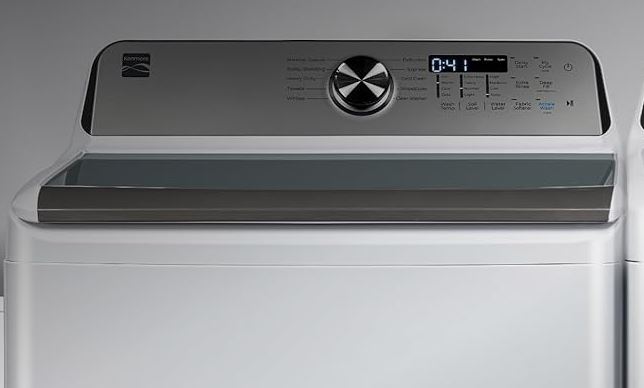
Additional Kenmore Series 500 Washer Troubleshooting Tips
Some problems don’t fit neatly into specific categories. Here are additional issues you might encounter.
These tips cover less common problems that still affect Kenmore series 500 washers.
Kenmore Series 500 Washer Won’t Fill with Water
Consider checking if both water supply valves are fully open when your Kenmore washer stops filling with water. That’s largely because partially closed valves restrict flow.
Inspect inlet hose screens for debris. Remove the hoses and clean the small screens inside the valve.
Test the water inlet valve with a multimeter. Each solenoid should read 500-1500 ohms.
Kenmore Series 500 Excessive Vibration During Spin
Verify the washer sits level. Use a bubble level to check both side-to-side and front-to-back.
Adjust the leveling legs until perfectly level. An unlevel washer vibrates excessively.
Check that shipping bolts were removed. These bolts secure the tub during transport and must come out before use.
Ensure the load is balanced. Heavy items on one side throw the drum off balance.
Water Leaking from Kenmore Series 500 Washer
Identify the leak source. Water can come from hoses, the pump, or internal seals.
Tighten all hose connections. Check that hose washers are in place and not deteriorated.
Inspect the drain pump for cracks. Pumps can crack from freezing or impact damage.
Look for water around the door seal. This suggests a worn or damaged seal that needs replacement.
Preventive Maintenance Schedule
Regular maintenance prevents many Kenmore series 500 washer troubleshooting problems. A few simple tasks extend your washer’s lifespan significantly.
Most maintenance takes just minutes. It’s far easier than dealing with a broken washer.
| Task | Frequency | Time Required | Prevents |
|---|---|---|---|
| Clean lint filter | Monthly | 5 minutes | Drainage problems |
| Inspect hoses | Every 6 months | 10 minutes | Leaks and floods |
| Check inlet screens | Every 6 months | 15 minutes | Fill problems |
| Test lid lock | Every 3 months | 2 minutes | Start failures |
| Run cleaning cycle | Monthly | 1 hour | Odors and residue |
| Level check | After moving | 10 minutes | Excessive vibration |
| Inspect belts | Annually | 15 minutes | Spin failures |
Monthly Maintenance Tasks
Run a cleaning cycle with washer cleaner or vinegar to remove detergent buildup and mildew.
Leave the lid open between loads to allows the tub to dry completely.
Wipe down the door seal and lid, and remove any hair, lint, or debris you find.
Check for unusual sounds during operation. Catching problems early prevents major failures.
Seasonal Maintenance Tasks
Inspect all hoses for cracks, bulges, or leaks. Replace hoses showing any wear signs.
Clean the inlet valve screens. Mineral deposits build up over time and restrict water flow.
Test the lid lock operation. Make sure it clicks and locks properly every time.
Check that the washer remains level. Vibration can cause feet to shift over time.
Using Correct Detergent
Always use HE detergent in your Kenmore series 500. Regular detergent creates excessive suds.
Too many suds interfere with sensors. The washer can’t operate properly through foam.
Follow detergent dosing instructions carefully. Remember, more soap doesn’t mean cleaner clothes.
If you see suds remaining after the final rinse, you’re using too much detergent. Cut the amount in half.
Frequently Asked Questions
How long do Kenmore series 500 washers typically last?
Kenmore series 500 washers last 10-14 years with proper maintenance. Some units run for 15-20 years when well cared for.
Factors affecting lifespan include usage frequency, water hardness, maintenance practices, and load sizes. Overloading shortens the washer’s life significantly.
Regular maintenance extends operational life. Addressing small problems before they become major failures adds years to your washer.
Hard water areas see more component failures. Mineral deposits damage valves, pumps, and heating elements faster.
Can I repair my Kenmore series 500 washer myself?
Most Kenmore series 500 repairs are DIY-friendly. You need only basic tools like screwdrivers, pliers, and a multimeter.
Simple repairs include replacing the lid lock, motor coupling, drive belt, inlet valves, and drain pump. These take 20 minutes to an hour.
More complex repairs like bearings or transmission work require advanced skills. Consider hiring a professional for these jobs.
Always unplug the washer before starting any repair. Electrical safety is critical.
Why does my Kenmore series 500 washer smell bad?
Bad smells come from mold and mildew growing in the tub, pump, or hoses. Moisture remaining after cycles creates ideal conditions for growth.
Leave the lid open after each wash. This allows air circulation and complete drying.
Run a cleaning cycle monthly with washer cleaner or white vinegar. This kills mold and removes buildup.
Check the drain pump and hoses for standing water. Trapped water harbors bacteria that cause odors.
What causes my Kenmore series 500 to shake violently?
Violent shaking indicates load imbalance, worn suspension, or an unlevel machine. The tub hits the cabinet during spinning.
Redistribute the load evenly around the drum. Don’t wash single heavy items alone.
Check that the washer sits level. Adjust the leveling legs until a bubble level shows perfect level.
Inspect suspension rods and springs for damage. Worn suspension allows excessive tub movement.
How much does Kenmore series 500 washer troubleshooting and repair cost?
DIY repairs cost $10-70 for most common parts. Shift actuators run $40-70, lid locks cost $30-60, and motor couplings are $10-20.
Professional repairs run $150-300 including labor. Technicians charge $75-150 for service calls plus parts.
Control board replacement is most expensive at $150-250 for the part plus $100-150 labor. Always confirm board failure before replacing.
Bearing replacement costs $300-400 total. This approaches the cost of a new washer on older machines.
Why won’t my Kenmore series 500 drain completely?
Incomplete or poor drainage usually means a clogged drain pump, kinked hose, or failed pump. Water remains in the tub after the cycle ends.
Check the drain hose for kinks. Straighten the hose and ensure proper standpipe height.
Clean the drain pump filter. Hair, coins, and debris accumulate here.
Test the drain pump by listening for operation. You should hear humming or pumping sounds.
Replace the pump if it’s silent or makes grinding noises. Pumps cost $30-60 and take about 30 minutes to replace.
Can power surges damage my Kenmore series 500 washer?
Yes, power surges damage control boards and electronic components. Lightning strikes and electrical storms are common causes.
Install a surge protector rated for appliances. Standard surge strips don’t provide enough protection.
Unplug the washer during severe storms. This provides absolute protection from surges.
Consider a whole-house surge protector. This protects all your appliances simultaneously.
If your washer stops working after a storm, the control board likely took a hit. This requires board replacement.
Should I repair or replace my Kenmore series 500 washer?
Repair makes sense if your washer is less than 8 years old. These machines typically last 10-14 years.
For washers older than 10 years, consider total repair costs. Multiple repairs exceeding $300 suggest replacement is smarter.
Simple repairs like lid locks or drain pumps are worth doing regardless of age. These extend the washer’s life significantly.
Expensive repairs like control boards or bearings on older machines may not be cost-effective. Compare repair costs to new washer prices.
Keeping Your Kenmore Series 500 Washer Running Smoothly
Effective Kenmore series 500 washer troubleshooting combines knowledge, patience, and systematic testing. Most problems have straightforward causes and solutions.
Start with simple checks like power supply and lid lock operation. These solve many issues immediately.
Use diagnostic mode to identify specific component failures. Let the washer tell you what’s wrong.
Replace only components that have failed tests. Don’t guess at solutions or replace parts randomly.
Regular maintenance prevents most problems. A few minutes each month saves hours of troubleshooting.
With the information in this guide, you can diagnose and fix the majority of Kenmore series 500 problems. You’ll save hundreds in service calls while keeping your washer running for years to come.

Hi, I’m Barlgan! I created Repair Me Yourself to empower homeowners to tackle appliance repairs with confidence. From decoding error codes to fixing cooling issues, I break down complex repairs into simple, actionable steps that save you time and money.