
Your laundry day grinds to a halt when your Kenmore series 500 washer stuck on sensing won’t move past the initial cycle. The machine fills with water, the lid locks, and then nothing happens. The sensing light blinks endlessly while your clothes sit in water. This frustrating problem stops you from getting anything done.
A Kenmore series 500 washer stuck on sensing typically indicates problems with the shift actuator, control board communication, water level sensors, or lid lock assembly. The washer cannot detect load size or water levels properly, preventing it from advancing to the wash cycle. Most fixes involve testing sensors, resetting the control system, or replacing faulty components.
Key Takeaways
- The sensing phase serves a specific purpose in your washer’s operation. Understanding this helps you diagnose the problem faster.
- During sensing, the washer measures load size and fabric type. It determines how much water and detergent are needed for optimal cleaning.
- The process should take 2-3 minutes maximum. If it exceeds 5 minutes, something has failed.
- Your washer relies on multiple sensors working together. When one fails, the entire system gets stuck.
- The good news is most causes have straightforward solutions. You can fix many of these issues yourself without calling a technician.
Kenmore Series 500 Washer Sensing Problems Overview
| Symptom | Most Common Cause | Solution | Time to Fix |
|---|---|---|---|
| Stuck on sensing indefinitely | Shift actuator failure | Replace shift actuator | 45-60 minutes |
| Sensing light blinks, no action | Control board glitch | Reset washer system | 5 minutes |
| Fills then stops at sensing | Water level sensor issue | Test and replace pressure switch | 30 minutes |
| Sensing with lid lock problems | Faulty lid lock assembly | Replace lid lock mechanism | 30 minutes |
| Keeps sensing after filling | Load imbalance detection error | Redistribute clothes, check suspension | 10 minutes |
Why is My Kenmore Washing Machine Stuck on Sensing?
The sensing cycle is more complex than it appears. Your washer performs multiple checks before deciding how to proceed with the wash.
Understanding what happens during sensing helps you pinpoint where things go wrong. Each component plays a specific role.
What Happens During the Sensing Cycle
The control board activates the lid lock first. This ensures safety before any mechanical movement begins.
Water begins filling to a preset level. The pressure switch monitors this fill process.
The shift actuator moves the transmission into position. This component is critical for the sensing process.
The washer attempts small agitation movements. These help determine load size and fabric density.
Sensors feed data back to the control board. The board analyzes this information and decides on the wash cycle parameters.
Common Failure Points
The shift actuator is the most frequent culprit in Kenmore series 500 models. This plastic and metal component wears out from repeated cycles.
When it fails, the washer cannot shift between sensing and washing modes. You’ll hear clicking sounds or complete silence.
The control board communication system can develop glitches. Power surges or voltage fluctuations corrupt the software.
Water level sensors provide critical feedback. A stuck or failed pressure switch sends incorrect readings.
The lid lock assembly must confirm the lid is secure. A faulty lock prevents the sensing cycle from completing.
How the System Fails
Most failures prevent the control board from receiving confirmation signals. Without these signals, the board won’t advance the cycle.
The washer plays it safe by staying in sensing mode. It won’t risk operating with incomplete information.
Temperature changes affect some sensors over time. Plastic components become brittle and crack.
Electrical connections corrode from humidity. A poor connection creates intermittent failures that are hard to diagnose.
Kenmore Series 500 Washer Not Sensing
When your Kenmore series 500 washer stuck on sensing won’t progress, you need to check specific components in order. Start with the easiest tests first.
This systematic troubleshooting approach saves time and prevents unnecessary part replacements.
Testing the Shift Actuator
The shift actuator sits on top of the transmission. It’s a small motor with a position sensor attached.
Listen carefully during the sensing cycle. You should hear a mechanical clicking or whirring sound.
Complete silence means the actuator isn’t receiving power or has failed internally. A clicking without movement indicates a stripped gear.
Accessing the Shift Actuator
Unplug the washer and turn off the water supply. Remove the cabinet by unscrewing the back panel and sliding it off.
Locate the shift actuator on top of the gearcase. It’s a black or gray component about 3 inches long.
Check the wire harness connection. Push firmly to ensure it’s fully seated.
Remove the actuator by unscrewing two bolts. Inspect the drive mechanism for stripped plastic gears.
If you see white plastic shavings or broken gear teeth, the actuator has failed. Replacement costs $40-70 and takes about an hour.
Inspecting the Water Level Pressure Switch
The pressure switch tells the control board when the proper water level is reached. It connects to the tub via a small air tube.
A clogged air tube or failed switch prevents accurate water level detection. The washer stays stuck because it doesn’t know if it has enough water.
Testing Pressure Switch Operation
Locate the pressure switch on the control panel area. It’s a round component with a clear or black tube attached.
Remove the air tube and blow through it gently. You should feel minimal resistance.
If you encounter a blockage, flush the tube with warm water. Soap residue and mineral deposits commonly clog this tube.
Test the switch with a multimeter (View on Amazon) set to continuity. Blow into the pressure port while checking for a click and any change in continuity.
Replace the switch if it doesn’t respond to air pressure. This part costs $25-40.
Checking Control Board Issues
The main control board orchestrates all washer functions. A glitch in its programming causes sensing loop problems.
Before assuming board failure, rule out simpler causes. Control boards are expensive ($150-250) and should be your last resort.
Signs of Control Board Problems
Multiple error codes appearing randomly suggest board issues. The display may flash or show garbled information.
Other cycles work fine but sensing always fails. This points to specific circuit damage on the board.
Burning smells or visible scorch marks on the board indicate electrical damage. This requires immediate replacement.
Water damage on the board shows as corrosion or discoloration. Moisture shorts out delicate circuits.
Try a master reset before replacing the board. Sometimes clearing the memory resolves software glitches.
How Do You Reset a Kenmore Series 500 Washer
Resetting your Kenmore series 500 washer clears temporary errors and recalibrates sensors. This simple process fixes many sensing problems without requiring parts.
Always try resetting before ordering expensive components. It takes just a few minutes and costs nothing.
Basic Power Reset Method
The simplest reset involves cutting power to the washer completely. This clears the control board’s temporary memory.
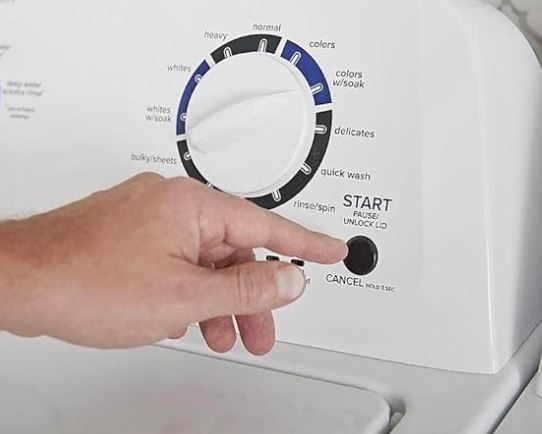
Press and hold the Start/Pause button for 5 seconds. This initiates a soft reset.
Unplug the washer from the wall outlet. Wait a full 60 seconds before plugging it back in.
This delay allows all capacitors to discharge fully. Residual power in the system must dissipate completely.
Plug the washer back in and wait 30 seconds. The control panel should light up normally.
Run a test cycle to see if the Kenmore series 500 washer stuck on sensing problem is resolved. Use a small load for testing.
Advanced Control Panel Reset
For persistent issues, perform a deeper reset through the control panel. This accesses the washer’s diagnostic mode.
Turn the washer off completely. Select the Normal wash cycle.
Within 5 seconds, press this button sequence: Signal (volume) button, then Drain/Spin, then Signal again, then Drain/Spin again. Some models use different button combinations.
Check your owner’s manual for the exact sequence. Each model year may vary slightly.
All lights should illuminate when done correctly. The washer enters diagnostic mode.
Press Start to run through automatic diagnostics. The machine tests each component and recalibrates sensors.
When Resetting Doesn’t Work
If your washer remains stuck after multiple reset attempts, you have a hardware failure. The problem requires physical repair or part replacement.
Don’t keep resetting indefinitely hoping for different results. Three attempts should tell you if resetting will help.
Move on to testing individual components. Focus on the shift actuator and pressure switch first.
Document any error codes that appear during reset attempts. These codes guide your troubleshooting efforts.
Kenmore Series 500 Washer Keeps Sensing
When your Kenmore series 500 washer stuck on sensing happens repeatedly, even after repairs, you’re dealing with an underlying condition. Something in the environment or usage pattern triggers the problem.
Intermittent issues are harder to diagnose than complete failures. The washer works sometimes, making you question what’s different when it fails.
Load Balance and Distribution Problems
The washer uses sensing to detect load balance. Severely unbalanced loads prevent the cycle from advancing.
Large items like comforters or sleeping bags create balance problems. The washer can’t distribute the weight evenly.
Proper Loading Techniques
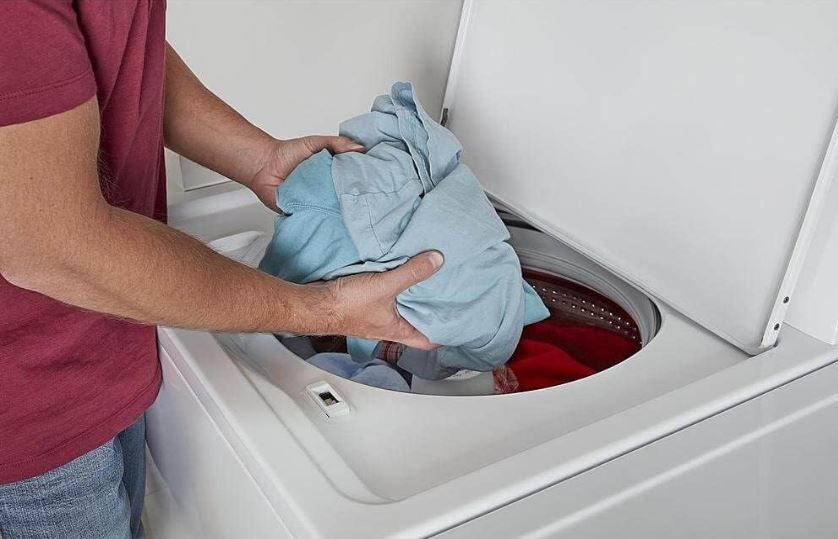
Fill the tub loosely to about 3/4 capacity. Clothes should move freely when you push them.
Mix large and small items together. This helps the washer balance itself during sensing.
Don’t wash a single heavy item alone. Add towels or similar weight items to balance the load.
Distribute clothes evenly around the agitator or impeller. Don’t pile everything on one side.
Heavy items like wet blankets throw off the sensors. The washer thinks it’s overloaded and stays in sensing mode.
Recurring Sensor Failures
If you’ve replaced the shift actuator but problems persist, check your home’s electrical supply. Voltage issues damage electronic components repeatedly.
Power fluctuations corrupt control board programming. The board gets stuck in loops.
Protecting Your Washer
Install a surge protector rated for appliances (View on Amazon). Standard surge strips don’t provide enough protection for washers.
Check your home’s voltage with a multimeter. It should read 115-125 volts AC consistently.
Significant voltage swings (more than 10 volts variation) indicate electrical problems. Call an electrician to investigate.
Consider installing a dedicated circuit for the washer. Sharing circuits with other large appliances causes voltage drops.
Water Supply Issues
Inadequate water pressure prevents proper sensing. The Kenmore washer can’t fill with water to the right level in the expected time.
Low pressure triggers safety timeouts. The machine stays in sensing rather than risk operating with insufficient water.
Testing Water Pressure
Turn on a nearby faucet while the washer attempts to sense. Watch for significant flow reduction.
If the faucet slows to a trickle, you have a pressure problem. The washer and faucet are competing for limited water.
Check your home’s main water pressure. It should be at least 20 PSI for proper washer operation.
Inspect the inlet valve screens for debris. Clogged screens restrict water flow even with good pressure.
Clean the screens by removing the inlet hoses. Use an old toothbrush to gently scrub away sediment.
Diagnosing Load Size Detection Failures
Your washer determines load size during sensing through multiple methods. When these systems fail, the sensing cycle never completes.
The machine can’t decide on water levels or agitation speed without this information.
Weight Sensor Problems
Some Kenmore series 500 models use strain gauges to measure load weight. These sensors mount on the suspension system.
Over time, the sensors drift out of calibration. They report incorrect weights to the control board.
Check the suspension rods and springs for damage. Broken suspension creates false weight readings.
Tighten any loose mounting bolts on the suspension system. Movement in the mounts affects sensor accuracy.
Recalibrating weight sensors requires professional equipment. If you suspect this problem, call a technician.
Agitation Response Testing
During sensing, the washer makes small agitation movements. It monitors motor current to determine how much resistance the load provides.
A seized transmission or stuck agitator prevents these test movements. The washer stays in sensing because it can’t feel the load.
Remove the agitator or impeller and spin it by hand. It should rotate freely with slight resistance.
If the agitator won’t move or feels stuck, you have a mechanical problem. The transmission may have failed.
Listen for grinding or clicking sounds during sensing attempts. These indicate internal mechanical damage.
Lid Lock Assembly Problems
The lid lock must engage and confirm to the control board before sensing completes. A faulty lock keeps the washer stuck.
Your Kenmore series 500 washer stuck on sensing might actually be a lid lock issue disguised as a sensor problem.
Testing Lid Lock Function
Watch the lid lock indicator during startup. It should illuminate within a few seconds.
Listen for a distinct clicking sound when the lid locks. This confirms mechanical engagement.
If you hear clicking but the light doesn’t come on, the lock engaged but the sensor failed. The board doesn’t know the lid is locked.
Try pressing down firmly on the lid during sensing. Sometimes the lock catches but doesn’t fully engage.
Replacing the Lid Lock
Unplug the washer completely. Open the lid and locate the lock assembly on the frame.
Remove the two screws holding the lock mechanism. Disconnect the wire harness.
Install the new lock and reconnect the wiring. Test the lock by closing the lid and starting a cycle.
Lid lock assemblies cost $30-60. Installation takes about 20 minutes.
Lid Lock Wiring Issues
The wire harness connecting the lid lock to the control board can develop problems. Vibration loosens connections over time.
Corrosion on the connector pins prevents proper signal transmission. The board doesn’t receive the “lid locked” confirmation.
Inspect the wire harness for visible damage. Look for cracked insulation or exposed copper.
Disconnect and reconnect the harness firmly. Sometimes reseating the connection solves the problem.
Use electrical contact cleaner on corroded pins. Spray the cleaner and let it dry completely before reconnecting.
Advanced Kenmore Series 500 Washer Troubleshooting Steps
If you’ve checked the common causes and your Kenmore series 500 washer stuck on sensing persists, move to advanced diagnostics.
These tests require more technical skill and specialized tools.
Running Diagnostic Cycles
Kenmore washers have built-in diagnostic modes that test individual components. Accessing these modes varies by model year.
The diagnostic cycle runs each system independently. You can isolate which component is failing.
Entering Diagnostic Mode
Turn off the washer completely. Select the Normal cycle on the dial.
Press the Signal button, then Drain/Spin, then Signal, then Drain/Spin within 5 seconds. The exact sequence varies.
Watch for all lights to illuminate. The washer is now in diagnostic mode.
Press Start to begin automatic diagnostics. The washer tests each component sequentially.
Watch for error codes displayed through light combinations. Record these codes for reference.
Checking Motor and Drive System
The drive motor must respond to control board commands during sensing. A failing motor connection prevents proper operation.
Listen for the motor attempting to run during sensing. You should hear a low humming or buzzing.
Complete silence suggests no power reaching the motor. This points to control board or wiring problems.
Testing Motor Continuity
Access the drive motor by removing the back panel. Disconnect the motor wire harness.
Use a multimeter to test motor winding resistance. Most washer motors read 4-10 ohms between terminals.
Infinite resistance means the motor windings are open. The motor has failed and needs replacement.
Check for continuity between motor terminals and the motor housing. There should be no continuity (infinite resistance).
If you get continuity to ground, the motor is shorted. This is dangerous and requires immediate replacement.
Transmission Position Sensor Issues
The transmission contains a sensor that reports its position to the control board. This confirms the shift actuator moved the transmission properly.
A failed position sensor tells the board the transmission didn’t move. The washer stays in sensing waiting for confirmation.
This sensor fails less frequently than the shift actuator. Test the actuator thoroughly before suspecting the position sensor.
Replacing the position sensor requires partial transmission disassembly. This is an advanced repair best left to professionals.
Preventive Maintenance to Avoid Kenmore Series 500 Washer Sensing Problems
Regular maintenance prevents many causes of Kenmore series 500 washer stuck on sensing issues. A few simple tasks protect your investment.
Most maintenance takes just minutes per month. It’s far easier than dealing with a broken washer.
| Maintenance Task | Frequency | Benefit |
|---|---|---|
| Clean inlet valve screens | Every 6 months | Ensures proper water flow |
| Inspect lid lock for debris | Every 3 months | Prevents lock failures |
| Check suspension system | Every 6 months | Maintains sensor accuracy |
| Run cleaning cycle | Monthly | Reduces residue buildup |
| Verify proper loading | Every load | Prevents balance issues |
| Test water pressure | Annually | Identifies supply problems early |
Keep the Control Board Dry
Moisture is the enemy of electronic control boards. Water damage causes intermittent glitches and sensing loops.
Never spray water directly on the control panel. Wipe spills immediately with a dry cloth.
Check for leaks around the detergent dispenser. Water can drip down onto the control board.
Ensure proper ventilation in your laundry room. High humidity affects electronic components.
Use Correct Detergent Amounts
Excessive suds interfere with sensing mechanisms. The washer can’t accurately detect load characteristics through a layer of foam.
Use only HE detergent (View on Amazon) in your Kenmore series 500. Regular detergent creates too many suds.
Follow the detergent manufacturer’s dosing guidelines. More soap doesn’t mean cleaner clothes.
If you see suds remaining after the rinse cycle, you’re using too much detergent. Reduce the amount by half.
Balance Loads Properly
Consistently unbalanced loads stress the suspension system. This throws off weight sensors and load detection.
Mix large and small items in each load. Don’t wash all towels or all delicates together.
Stop the cycle and redistribute if you hear loud banging. The washer is telling you the load isn’t balanced.
Frequently Asked Questions
How long should the sensing cycle take on a Kenmore series 500 washer?
Normal sensing takes 2-3 minutes from when you press Start. The washer fills with water, makes small agitation movements, and then proceeds to the wash cycle.
If sensing exceeds 5 minutes, you have a problem. The washer should never stay in sensing for more than 8-10 minutes.
Different load sizes affect sensing time slightly. Larger, heavier loads take an extra minute as the washer assesses the weight.
If your washer consistently takes more than 4 minutes to sense, address the issue before it fails completely. This extended time indicates a developing problem with the shift actuator or sensors.
Can I force my Kenmore series 500 washer past the sensing cycle?
You cannot manually override the sensing cycle. The washer must complete this phase before advancing to wash.
Attempting to force the cycle by unplugging or manually advancing the timer doesn’t work. Modern washers rely on electronic controls that require proper sensor feedback.
Some people try opening and closing the lid repeatedly. This doesn’t help and may damage the lid lock mechanism.
The only solution is fixing the underlying problem causing the sensing hang-up. Shortcuts don’t exist for this issue.
Why does my Kenmore series 500 washer sense fine sometimes but get stuck other times?
Intermittent problems suggest an electrical connection issue or a component failing gradually. The part works when connections are good but fails when vibration loosens them.
Temperature changes affect electrical resistance in components. A marginal part may work when cold but fail when warm.
Power supply voltage fluctuations cause intermittent control board glitches. The board needs consistent voltage to operate reliably.
Check all wire harness connections for corrosion or looseness. Spray electrical contact cleaner on suspect connections and ensure they’re pushed in firmly.
Will unplugging my washer fix the sensing problem?
Unplugging performs a reset that fixes software glitches. If the problem stems from corrupted control board memory, a reset may resolve it.
However, hardware failures like a broken shift actuator won’t fix themselves through resets. The part needs physical replacement.
Try unplugging for 60 seconds as your first troubleshooting step. If this solves the problem but it returns later, you have an intermittent electrical issue.
If unplugging never helps, don’t waste time trying it repeatedly. Move on to testing components.
What’s the difference between stuck on sensing and slow sensing?
Stuck on sensing means the washer never advances past the sensing phase. It stays there indefinitely until you intervene.
Slow sensing completes eventually but takes much longer than normal. This suggests a weak component that still functions marginally.
Slow sensing (5-8 minutes) indicates a shift actuator that’s wearing out but hasn’t completely failed. The actuator moves slowly and struggles to reach position.
Address slow sensing promptly. The component will fail completely soon, leaving you with a washer stuck on sensing permanently.
Can hard water cause sensing problems in Kenmore series 500 washers?
Hard water deposits build up in the pressure switch air tube. This restricts airflow and prevents accurate water level detection.
Mineral buildup on sensors affects their accuracy. The sensors can’t provide precise feedback to the control board.
Clean the pressure switch tube every 6 months if you have hard water. Flush it with white vinegar to dissolve mineral deposits.
Consider installing a water softener. This protects all your appliances from hard water damage.
How much does it cost to fix a Kenmore series 500 washer stuck on sensing?
DIY repairs cost $25-70 depending on which part failed. The shift actuator (most common cause) costs $40-70.
Professional repair runs $150-300 including labor and parts. Technicians charge $75-150 for the service call plus parts.
Control board replacement is the most expensive repair at $150-250 for the part plus $100-150 labor. Always verify the board is truly faulty before replacing it.
Many repairs take less than an hour once you identify the problem. You save significantly by doing it yourself.
Should I repair or replace my Kenmore series 500 washer if it’s stuck on sensing?
If your washer is less than 7 years old, repair makes financial sense. These washers typically last 10-14 years with proper maintenance.
For washers older than 10 years, consider replacement costs versus repair costs. A $200 repair on a 12-year-old washer may not be worthwhile.
Factor in the cost of all recent repairs. If you’ve spent $300+ in the past two years, replacement might be smarter.
The shift actuator repair is relatively inexpensive and extends the washer’s life significantly. This repair is almost always worth doing regardless of age.
Getting Your Kenmore 500 Series Washer Running Again
A Kenmore series 500 washer stuck on sensing frustrates any homeowner. The good news is most causes have straightforward fixes.
Start with a simple reset. This costs nothing and solves software glitches immediately.
Test the shift actuator next since it’s the most common failure point. Listen for its operation during the sensing cycle.
Check the pressure switch and its air tube for clogs. This simple cleaning fixes many sensing problems.
Replace components only after testing confirms they’ve failed. Don’t waste money on parts you don’t need.
With patience and systematic troubleshooting, you’ll have your washer working properly again. Most repairs take less than an hour and cost under $100 in parts.

Hi, I’m Barlgan! I created Repair Me Yourself to empower homeowners to tackle appliance repairs with confidence. From decoding error codes to fixing cooling issues, I break down complex repairs into simple, actionable steps that save you time and money.