
Your Mitsubishi air conditioner is acting strange. Maybe it won’t respond to commands. Perhaps error lights are flashing. Or it simply refuses to cool your space properly.
Reset procedures fix most Mitsubishi AC problems without requiring service calls. These units are remarkably reliable, but they develop quirks that resets can resolve. I’ve worked with hundreds of Mitsubishi systems from ductless mini-splits to multi-zone installations, and proper reset techniques solve most issues.
Resetting a Mitsubishi air conditioner involves power cycling the unit, using remote control reset functions, or pressing physical reset buttons on the indoor or outdoor units. Most issues resolve with a 5-minute power cycle, while persistent problems require control board resets or error code clearing procedures.
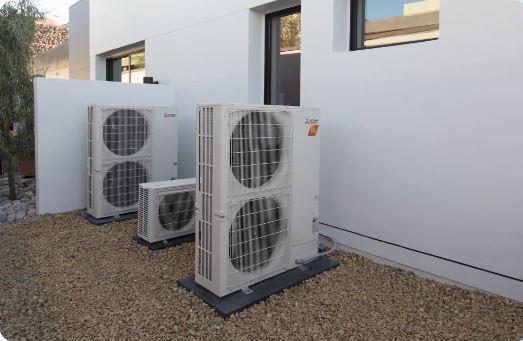
When Does Your Mitsubishi Air Conditioner Need Resetting?
Not every problem requires a reset. Understanding when resets actually help saves you time and frustration.
Resets clear temporary software glitches affecting the control system. They restore factory default settings and erase error logs. They also recalibrate sensors that have drifted from accurate readings.
However, resets don’t fix hardware failures. Broken thermistors, failed compressors, or refrigerant leaks need actual repairs. A reset might temporarily clear error codes, but problems return immediately.
Watch for these signs indicating a reset might help. The unit doesn’t respond to remote commands anymore. Error lights blink without clear cause. Temperature control seems erratic despite proper settings. The system entered a locked state after power outages.
Overview of 7 Ways to Reset a Mitsubishi Air Conditioner
Here are the seven most effective reset methods, organized by problem type and difficulty level.
| Method | Best For | Success Rate | Time Required |
|---|---|---|---|
| 1. Power cycle reset | Software glitches, general issues | 70% | 7 minutes |
| 2. Remote control reset | Remote unresponsive | 85% | 2 minutes |
| 3. Remote pairing reset | Communication problems | 80% | 3 minutes |
| 4. Indoor unit reset button | Control board errors | 75% | 5 minutes |
| 5. Outdoor unit reset button | Compressor issues | 70% | 10 minutes |
| 6. Control board hard reset | Persistent errors | 75% | 15 minutes |
| 7. Factory settings restoration | Complete system wipe | 90% | 10 minutes |
How to Reset Mitsubishi Air Conditioner – Methods Breakdown
Method 1: Basic Power Cycle Reset for All Mitsubishi Models
The simplest reset works across all Mitsubishi air conditioner types. This method clears temporary control glitches affecting most units and should always be your first attempt.
Start by turning off the unit using your remote control. Don’t just unplug it yet. Proper shutdown prepares the system for reset.
Locate your circuit breaker panel and find the breaker dedicated to your AC system. Flip it to the OFF position completely.
Wait exactly 5 minutes by setting a timer. This duration ensures all capacitors discharge fully and the control board memory clears completely.
Flip the breaker back ON and wait another 30 seconds before attempting to start the unit. The control systems need initialization time.
Turn on the AC using your remote and test all functions. Check cooling, fan speeds, and mode changes to verify complete recovery.
This reset resolves about 60% of minor operational issues. If problems persist, deeper reset methods become necessary.
Method 2: Remote Control Reset
Remote control resets address communication problems between your controller and the indoor unit. This procedure works for standard infrared remotes on most Mitsubishi models.
Remove the batteries from your Mitsubishi remote control. Don’t skip this step. It’s essential for complete reset.
Press every button on the remote at least once while batteries are removed. This discharges any residual power in the remote’s capacitors.
Wait 60 seconds before reinserting batteries. Ensure batteries face the correct direction and make solid contact.
Point the remote directly at the indoor unit’s receiver and press the ON button. The unit should beep or flash acknowledging the signal.
If the remote still doesn’t communicate, replace batteries with fresh ones. Weak batteries cause intermittent connection issues that mimic other problems.
Method 3: Remote Pairing Reset
Some Mitsubishi models require re-pairing remotes after battery removal or system resets. This process re-establishes the wireless link between remote and unit.
Stand within 6 feet of the indoor unit with clear line of sight to the receiver. Remove any obstacles blocking the signal path.
Press and hold the Mode and Fan buttons simultaneously for 5 seconds. Watch the indoor unit for confirmation, usually a beep or light flash.
Release the buttons and immediately press the ON/OFF button three times rapidly. The unit should respond to indicate successful pairing.
Test all remote functions including temperature adjustment, mode selection, and fan speed changes. Everything should work smoothly now.
For newer wireless remotes that don’t require line-of-sight, access the remote settings menu by pressing and holding the Menu button for 10 seconds. Look for “Reset” or “Initialize” options, select it, and confirm. The remote automatically searches for paired indoor units over the next 30-60 seconds.
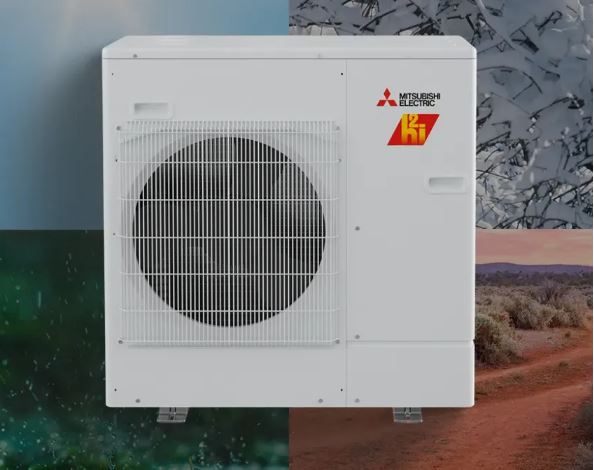
Method 4: Indoor Unit Physical Reset Button
Many Mitsubishi models include physical reset buttons for direct control board access. This method works when remote resets fail to solve the problem.
Indoor units mount high on walls, making reset button access challenging. You’ll likely need a ladder for safe access.
Remove the front panel by lifting it gently upward. Most Mitsubishi panels clip into place without screws. Don’t force it. Locate release tabs first.
Look for a small button near the control board, often labeled “SW1,” “Reset,” or showing a circular arrow symbol. It’s typically recessed requiring a paperclip.
Press this button once firmly for 1 second. Don’t hold it longer. That might trigger diagnostic modes instead of reset.
The indoor unit should emit a confirmation beep and reset all settings to factory defaults. Lights may flash briefly during the reset process.
Replace the front panel and test the unit. You’ll need to reprogram all custom settings since the reset erased them.
Method 5: Outdoor Unit Physical Reset Button
Outdoor unit resets help when compressor or condenser problems persist after indoor resets. These require outdoor access and address hardware-related control issues.
Locate your outdoor condenser unit and remove the service panel covering electrical components. This usually involves removing 4-6 screws.
Find the control board inside, typically mounted vertically on one side. Look for a reset button similar to the indoor unit.
Press the reset button once. Outdoor units may not provide audible confirmation, but LED indicators should flash or change patterns.
Wait 2 minutes before restoring power. Outdoor units need longer initialization periods than indoor components.
Test the complete system after reset. Both indoor and outdoor units must communicate properly for normal operation.
Method 6: Control Board Hard Reset
Some issues require resetting the control board directly using its reset button. This goes deeper than simply unplugging the unit and addresses persistent control errors.
Remove the front panel to access the control board. Look for a small button labeled “Reset” or “SW1” near the microprocessor.
Press this button once with a paperclip tip. The display should briefly show all segments, confirming successful reset.
This reset clears error logs and calibration data, restoring absolute factory defaults. You’ll need to reprogram all settings afterward.
The unit may take several minutes to complete initialization. Don’t attempt to operate it during this time. Wait for all lights to stabilize.
Method 7: Factory Settings Restoration
Complete factory resets erase all custom programming and return units to original out-of-box settings. Use this for persistent problems that other methods can’t fix.
Access the advanced settings menu by pressing and holding both the Up and Down temperature buttons simultaneously for 10 seconds.
Look for “Factory Reset,” “Initialize,” or “Default Settings” options in the menu. Navigation varies by remote model.
Select the factory reset option. Most systems require confirmation by pressing OK or Yes within 10 seconds.
The unit will power off, flash all lights briefly, then restart. This process takes 30-60 seconds. Don’t interrupt it.
After restart, all settings revert to factory defaults. You’ll need to reconfigure temperature, schedules, modes, and any smart home integrations.
Set the current date and time first. Many advanced features depend on accurate time settings for proper scheduling. Then configure your preferred temperature units, fan speed preferences, airflow direction, and reconnect any smart home integrations or mobile apps.
Mitsubishi Electric Air Conditioner Blinking Green Light Diagnosis
Blinking green lights indicate specific system states or errors. Understanding these patterns speeds troubleshooting significantly and helps you determine if a reset will actually help.
Normal Operation Blink Patterns
Some green light blinking is completely normal during certain operations. The unit communicates its status through these patterns.
Single slow blinks every 3 seconds indicate normal standby mode. The system is ready but not actively cooling or heating.
Rapid blinking during startup is normal for 10-30 seconds. Control systems initialize and perform self-diagnostics during this period.
Rhythmic blinking in sequence with red lights shows normal defrost cycle operation during heating mode. This isn’t an error condition.
Error Indication Blink Codes
Specific blink patterns signal problems requiring attention. Count the blinks carefully. Patterns repeat after brief pauses.
Two quick blinks followed by a pause indicate temperature sensor failures. The thermistor reading falls outside expected ranges.
Three blinks signal communication errors between indoor and outdoor units. Check wiring connections and power supply to both units.
Continuous rapid blinking without pattern suggests control board malfunctions. This often requires professional diagnosis and possible board replacement.
Clearing Blinking Light Errors
Many blinking light errors clear after addressing the root cause and performing proper resets. Don’t ignore persistent patterns though.
Perform a full power cycle reset first. Turn off the breaker for 5 minutes as described earlier. This clears many temporary error codes.
If blinking continues, check air filters and clean them thoroughly. Restricted airflow triggers multiple sensor readings that cause error codes.
Inspect both indoor and outdoor units for obvious problems like blocked coils, disconnected wires, or tripped safety switches.
After addressing issues, press the physical reset button on the indoor unit. This clears the error log and attempts normal operation.
If the same blink pattern returns immediately, professional service is needed. The error indicates genuine component failure requiring replacement.
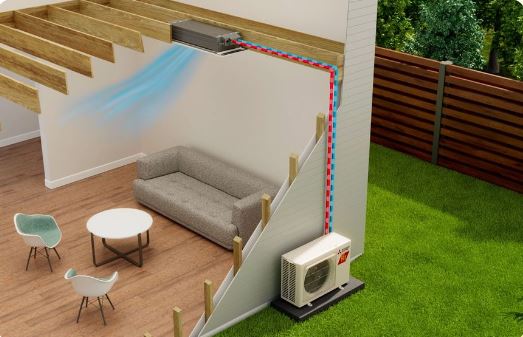
Resetting Mitsubishi Systems After Power Outages
Power outages scramble AC control systems in specific ways. Post-outage resets follow special procedures for best results.
Mitsubishi units include protective circuits preventing immediate restart after power restoration. This protects compressors from rapid cycling damage.
Don’t attempt manual reset for at least 3 minutes after power returns. Let protective circuits complete their delay cycles first.
Check that circuit breakers fully reset to ON position. Sometimes breakers trip during power restoration from the surge.
After waiting, perform the standard power cycle reset. Flip the breaker OFF for 5 minutes, then back ON. This ensures clean restart.
The system may display “delay” messages or flash lights for several minutes. This normal protection prevents compressor damage from short cycling.
Some units require manual restarts after outages rather than auto-restart. Check your model’s behavior and press power buttons if needed.
Mitsubishi Air Conditioner Heat Mode Not Working Solutions
Heat mode failures require different troubleshooting than cooling problems. Mitsubishi heat pumps have unique characteristics affecting winter operation that respond to specific reset sequences.
Understanding Mitsubishi Heat Pump Operation
Mitsubishi heat pumps extract heat from outdoor air even when temperatures feel cold. This works down to specific temperature limits.
Most Mitsubishi models operate in heat mode down to -13°F to 5°F depending on the specific model. Below these limits, heating capacity drops dramatically.
Heat pumps reverse refrigerant flow direction compared to cooling mode. This requires additional components like reversing valves that can fail.
Defrost cycles interrupt heating periodically when outdoor coils ice over. The unit temporarily switches to cooling mode melting accumulated frost.
Diagnose Heat Mode Failures
First verify you’re actually in heat mode. This sounds obvious, but mode selection errors are common. Check the remote display shows heat mode.
Set temperature significantly above current room temperature, at least 5 degrees higher. Small temperature differentials might not trigger heating activation.
Listen for outdoor unit operation. The condenser must run for heat mode to function. No outdoor sounds mean the system isn’t attempting heating.
Feel the air coming from the indoor unit after running 10 minutes. It should feel noticeably warm. Cool air means heating isn’t occurring.
Check outdoor unit for ice buildup. Excessive frost blocks airflow and prevents heat extraction. Some frost is normal, but heavy accumulation indicates problems.
Reset Procedures for Heat Mode Issues
Heat mode problems often respond to specific reset sequences targeting the reversing valve and heating circuits.
Turn off the unit using the remote. Switch to cooling mode and run for 5 minutes. This exercises the reversing valve in the opposite direction.
After 5 minutes, turn off and wait 3 minutes. Then switch back to heat mode. Sometimes reversing valves stick requiring directional exercise.
If heat mode still fails, perform a full power cycle reset. Turn off the breaker for 5 minutes as described earlier.
After power restoration, immediately select heat mode and maximum fan speed. Maximum airflow sometimes helps stuck reversing valves complete their travel.
Listen for a distinct “whoosh” sound when switching modes. This indicates the reversing valve moving. No sound suggests valve failure requiring professional service.
Advanced Troubleshooting: When Resets Don’t Work on a Mitsubishi Air Conditioner
Sometimes resets don’t resolve problems because the issue is hardware-based rather than software-based. Knowing when to escalate saves time and money.
Persistent Error Codes After Reset
If the same error code returns within minutes of a successful reset, actual component failure is occurring. The reset cleared the code but didn’t fix the problem.
Error codes in the E1-E9 range typically indicate sensor failures. Temperature sensors, pressure sensors, or other monitoring devices have failed.
Codes in the U0-U9 range show communication problems. Wiring between indoor and outdoor units has damage or connections have corroded.
P-codes indicate compressor or electrical issues. These are serious problems requiring professional diagnosis with specialized equipment.
Document exact error codes before calling for service. Technicians can often diagnose remotely with accurate error information, saving time and money.
Control Board Failure Symptoms
Some symptoms indicate control board failure that resets can’t fix. The control board is the computer managing all AC functions.
Completely dead units that don’t respond to any inputs including physical reset buttons usually have failed control boards.
Erratic operation where settings randomly change or the unit switches modes unexpectedly indicates processor malfunction.
Burnt smell or visible damage on the control board means replacement is inevitable. Don’t continue operating units showing physical damage.
Control boards cost $150-400 depending on model. For units over 12 years old, consider replacement economics versus repair.
Mechanical Component Failures
Resets never fix mechanical problems. These require actual part replacement regardless of reset procedures.
Compressors that won’t start despite reset attempts have mechanical or electrical failure. Listen for clicking sounds indicating start attempts.
Fans that don’t spin have motor failures or seized bearings. No amount of resetting revives dead motors.
Leaking refrigerant cannot be fixed through resets. You’ll need professional refrigerant recovery, leak repair, and system recharge.
Stuck reversing valves preventing mode changes need mechanical replacement. Exercise resets sometimes work temporarily but eventual replacement is needed.
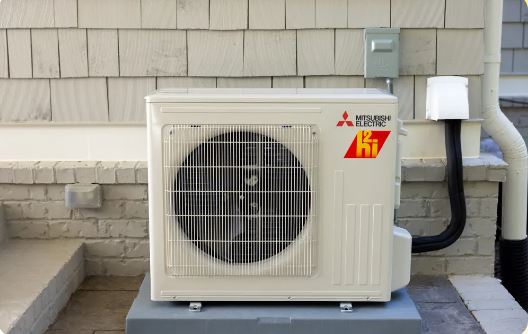
Preventive Measures to Reduce Reset Necessity
Most reset situations arise from preventable causes. Regular maintenance dramatically reduces the need for troubleshooting resets.
Clean filters monthly during peak usage seasons. Dirty filters cause sensor readings to drift requiring resets for recalibration.
Schedule professional maintenance annually before cooling season. Technicians catch developing problems before they cause system failures.
Protect your AC circuit with quality surge protectors. Power events scramble control electronics more than any other cause.
Keep outdoor units clear of debris, vegetation, and snow. Environmental blockages cause operational stress triggering error conditions.
Avoid frequent temperature changes and mode switching. Constant adjustment wears mechanical components like reversing valves prematurely.
Understanding Error Code Patterns
Mitsubishi uses systematic error coding across model lines. Learning the pattern helps predict problems and determine if resets will help.
All error codes starting with E relate to sensors. The number indicates which specific sensor has failed or reads incorrectly.
U-codes always mean communication problems. These indicate wiring issues or signal interference between components.
P-codes signal power or compressor issues. These are the most serious errors often requiring professional intervention.
L-codes show control system failures. The main control board has detected internal problems with its own circuitry.
When you see error codes, write down the exact code before resetting. Codes provide diagnostic value even after clearing.
Seasonal Reset Recommendations
Performing strategic resets at season changes prevents accumulated errors from affecting performance during peak usage periods.
Spring Cooling Season Preparation
Before first cooling use each year, perform a complete power cycle reset. This clears any settings from heating season.
Test all modes and fan speeds after the reset. Verify cooling operates properly before temperatures climb requiring reliable operation.
Clean filters and coils thoroughly, then reset the filter timer. This ensures accurate maintenance tracking throughout the season. Use an appropriate coil cleaning kit (View on Amazon) to get the job done.
Fall Heating Season Transition
Switch to heat mode and run for 30 minutes before performing season transition reset. This verifies heat mode functions before cold weather arrives.
After confirming operation, do a full factory reset erasing all cooling season schedules and preferences. Program heating schedules fresh.
Check outdoor unit drainage and clear any debris. Then perform outdoor unit reset to optimize heating performance.
Mid-Season Maintenance Resets
Every 6-8 weeks during active use, perform basic power cycle resets. This prevents error accumulation from causing problems.
These maintenance resets take only 10 minutes but significantly reduce mid-season failures requiring emergency service calls.
Also Read:
Frequently Asked Questions
How do I reset my Mitsubishi air conditioner without a remote?
You can reset your Mitsubishi AC without a remote by accessing the indoor unit’s control board directly. Remove the front panel by lifting it gently upward (most panels clip into place without screws). Locate the reset button near the circuit board, typically labeled “SW1” or “Reset.” Press it once with a paperclip tip for about 1 second. The unit will beep and reset to factory defaults.
Alternatively, perform a power cycle reset by turning off the circuit breaker dedicated to your AC for exactly 5 minutes, then turning it back on. This method works universally across all Mitsubishi models and doesn’t require any remote control. After either reset method, wait 30 seconds before attempting to operate the unit to allow the control systems time to fully initialize.
Why does my Mitsubishi AC need frequent resets?
Frequent reset requirements indicate underlying problems rather than normal operation. The most common causes include dirty air filters restricting airflow, which causes sensors to send incorrect temperature readings to the control board. Loose electrical connections create intermittent communication errors between indoor and outdoor units. Failing temperature sensors send data outside expected ranges, triggering error codes.
Control board degradation from age, moisture exposure, or power surges causes erratic behavior. Low refrigerant levels (from leaks) make the system work harder and trigger overload protection. Instead of repeatedly resetting your unit, address these root causes. Clean or replace filters monthly, inspect wiring connections for corrosion or looseness, have a technician test sensors and refrigerant levels, and consider control board replacement if your unit is over 10 years old and has persistent issues.
Will resetting my Mitsubishi AC erase my scheduled programs?
The answer depends on which type of reset you perform. A basic power cycle reset (turning off the breaker for 5 minutes) preserves most settings including programmed schedules, temperature preferences, and timer settings. Remote control resets only affect the pairing between remote and unit without changing any system settings stored in the indoor unit’s memory.
However, a factory reset completely erases everything, returning the unit to its original out-of-box state. This wipes all scheduled programs, custom temperature settings, fan speed preferences, smart home integrations, and saved timer settings. After a factory reset, you must manually reconfigure every setting from scratch. Choose your reset method based on your situation: use power cycle or remote resets for most troubleshooting, and reserve factory resets only for persistent problems that simpler methods can’t resolve.
Can I reset my Mitsubishi AC during operation?
No, you should never reset your Mitsubishi AC while it’s actively cooling or heating. Always turn the unit completely off using the remote control first, then wait at least 2 minutes before proceeding with any reset procedure. Resetting during operation can damage the compressor or other components through rapid shutdown, which doesn’t allow the refrigerant pressure to equalize properly.
Sudden power interruption while the compressor is running creates mechanical stress on internal components and can cause premature failure. The waiting period after shutdown lets the compressor coast to a stop, refrigerant pressures stabilize, and capacitors discharge. For best results, follow this sequence: turn off via remote, wait 2 minutes, perform your chosen reset method, wait another 30 seconds after reset completion, then restart the unit normally.
How long should I wait between reset attempts?
Wait at least 10 minutes between reset attempts. Control systems need time to fully initialize and stabilize after each reset. The control board runs through diagnostic sequences, re-establishes communication with the outdoor unit, calibrates sensors, and loads operating parameters from memory. This initialization process takes 5-8 minutes typically. Rushing into another reset before initialization completes can confuse the control logic, cause additional error codes, or mask symptoms needed for proper diagnosis.
If you’ve tried 2-3 different reset methods with 10-minute intervals and problems persist, the issue is likely hardware failure rather than a software glitch. At that point, further resets won’t help. Document the symptoms and error codes you observed, then contact a qualified Mitsubishi technician for professional diagnosis and repair.
Getting Your Mitsubishi Running Smoothly Again
Most Mitsubishi air conditioner issues resolve with proper reset procedures matched to specific symptoms. Now that you know how to reset Mitsubishi air conditioner units, start simple and escalate methodically through the seven methods.
Power cycle resets fix 70% of common problems. They cost nothing and take only minutes. Try this first before moving to complex procedures.
Document symptoms and error codes before resetting. Write down exact blink patterns, sounds, and behaviors. This information proves valuable if professional service becomes necessary.
Know when to call experts. Persistent problems after multiple reset attempts indicate hardware failures beyond DIY repair scope. Don’t waste time on endless reset cycles when professional diagnosis is needed.
Your Mitsubishi’s reliability returns with the right reset approach. Just match the method to your specific situation.

Hi, I’m Barlgan! I created Repair Me Yourself to empower homeowners to tackle appliance repairs with confidence. From decoding error codes to fixing cooling issues, I break down complex repairs into simple, actionable steps that save you time and money.