
Has your GE window air conditioner stopped working right when you need it most? Whether it’s refusing to start, flashing mysterious error codes, or blowing warm air instead of cool comfort, these issues are frustrating but often fixable.
This guide walks you through the most common GE window AC problems—from units that won’t power on to Wi-Fi connectivity issues—with clear solutions that work. We’ll cover everything from simple resets to diagnosing error codes, so you can get back to enjoying cool air without an expensive service call.
If your GE window air conditioner isn’t working, the most common culprits are power supply issues, dirty filters restricting airflow, thermostat misconfigurations, or error codes indicating specific component failures. Most problems can be resolved with basic troubleshooting like checking the circuit breaker, cleaning or replacing the filter, resetting the unit, or adjusting temperature settings.
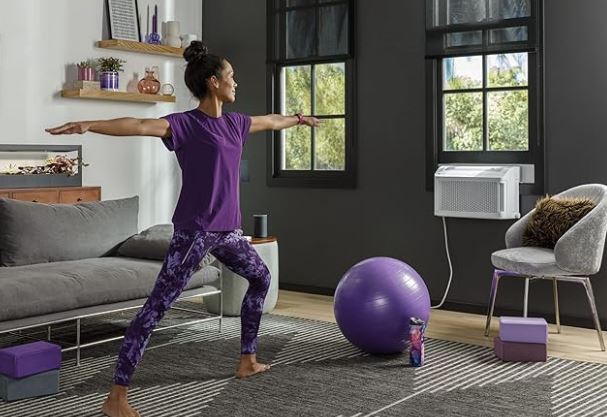
Quick Fix Guide for a GE Window Air Conditioner Not Working
| Problem | Most Likely Cause | Quick Fix |
| Won’t turn on | Tripped breaker or loose plug | Check power source and reset breaker |
| Not cooling | Dirty filter or low refrigerant | Clean/replace filter; check for leaks |
| All lights flashing | System error or power surge | Unplug for 5 minutes, then restart |
| Buttons unresponsive | Control panel lock or malfunction | Try remote or reset the unit |
| Freezing up | Restricted airflow or low temperature | Clean filter and raise thermostat |
| No air blowing | Fan motor failure or blocked vents | Check for obstructions and listen for motor |
| WiFi not connecting | Network issues or outdated firmware | Reset WiFi settings and update app |
Understanding Common GE Window Air Conditioner Problems
GE window air conditioners are reliable cooling solutions, but they face predictable issues over time. The 2024-2026 models feature advanced electronics and WiFi connectivity, which adds new troubleshooting dimensions.
Most problems stem from three categories: electrical issues, mechanical failures, and airflow restrictions. Electrical problems include power supply interruptions, control board malfunctions, and wiring issues. Mechanical failures involve the compressor, fan motor, or thermostat components. Airflow restrictions typically result from dirty filters, blocked vents, or ice buildup.
Understanding your specific model helps with troubleshooting. GE’s AJCQ series and newer smart models have different diagnostic systems than older mechanical units. Check your model number on the unit’s side panel—it starts with letters like “AHM,” “AEC,” or “AJCQ.”
Environmental factors also play a role. Units operating in dusty conditions clog faster. High humidity causes more condensation and potential freezing. Direct sunlight on the unit can affect cooling efficiency.
GE Window Air Conditioner Not Starting
Nothing happens when you press the power button or adjust the remote. This is the most reported issue with GE window units in 2026.
Check the Power Source First
Start with the basics before assuming major component failure. Verify the unit is plugged in completely—plugs can loosen over time from vibration. Check your home’s circuit breaker panel for any tripped breakers.
GE window ACs require dedicated 115V or 230V circuits depending on BTU rating. Units above 12,000 BTU typically need 230V. A shared circuit may trip when other appliances run simultaneously.
Test the outlet with another device like a lamp. If nothing works, the outlet itself is faulty. Replace it or call an electrician.
Inspect the Power Cord and Plug
Examine the entire power cord for visible damage, fraying, or burn marks. The plug prongs should be clean and straight. Corrosion on prongs prevents proper electrical contact.
Listen for buzzing or humming when plugged in. This indicates the unit receives power but won’t start. No sound at all usually means no power reaches the unit.
Some 2025-2026 GE models have built-in GFCI (Ground Fault Circuit Interrupter) plugs. Check if the GFCI tripped and press the reset button.
Test the Control Panel
If power reaches the unit but it won’t start, the control panel may be locked. Many GE models have a child lock feature activated by holding specific buttons.
Try using the remote control if your unit has one. If the remote works but the panel doesn’t, the control board needs replacement.
Check for any display lights or LED indicators. A completely dark display suggests a control board or transformer issue.
Verify Delay Protection Feature
GE window air conditioners have a built-in 3-minute delay protection. This prevents the compressor from restarting immediately after shutting off. It protects the compressor from damage.
If you just turned off the unit, wait a full 3-5 minutes before attempting to restart. This is normal operation, not a malfunction.
The delay resets each time you press the power button. Be patient and avoid repeatedly pressing buttons.
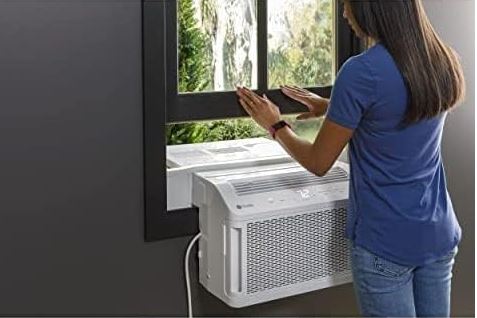
GE Window Air Conditioner Error Codes
Modern GE window ACs display error codes to help diagnose specific problems. These alphanumeric codes appear on the digital display panel.
Common GE Error Codes and Meanings
| Error Code | What It Means | Solution |
| E0 or EO | Temperature sensor failure | Check sensor connection; may need replacement |
| E1 | Evaporator sensor error | Clean evaporator coils; verify sensor placement |
| E2 | Condenser sensor malfunction | Inspect condenser sensor wiring |
| E3 | Fan motor failure | Check fan blade obstructions; test motor |
| E4 | Full water tank (portable models) | Empty condensate tank |
| E5 | Communication error | Reset unit; check control board connections |
| FL or F1 | Water full indicator | Drain water collection system |
| PF | Power failure protection | Unit recovered from power outage—press reset |
Decoding E0/E1/E2 Temperature Sensor Errors
Temperature sensors tell the unit when to cycle on and off. When sensors malfunction, the AC can’t regulate temperature properly.
E0 errors indicate the main ambient temperature sensor failed. This sensor monitors room temperature. It’s usually located behind the front grille near the air intake.
E1 points to evaporator sensor issues. The evaporator is the cold coil inside your room. Ice buildup or disconnected wires cause this error.
E2 relates to the condenser sensor on the outdoor-facing side. Excessive heat or physical damage affects this sensor.
Resolving Fan Motor and Communication Errors
E3 error codes mean the fan motor isn’t operating correctly. First, ensure nothing blocks the fan blades. Turn off the unit and manually rotate the fan.
If the fan moves freely but the error persists, the motor itself may be failing. Listen for grinding or clicking sounds.
E5 communication errors occur when the control board can’t communicate with other components. This happens after power surges or when connections corrode.
Unplug the unit for 10 minutes to reset all electronic components. Plug back in and test. If E5 returns, the control board likely needs professional repair.
Clearing Error Codes
Most error codes clear automatically once you fix the underlying problem. Some require a manual reset by unplugging the unit.
Don’t ignore error codes—they prevent further damage. Continuing to run a malfunctioning unit can destroy the compressor.
If multiple error codes appear in sequence, write them down before calling service. This helps technicians diagnose faster.
GE Window Air Conditioner Not Cooling
The unit runs but doesn’t cool the room effectively. This is especially frustrating during peak summer heat in 2026.
Clean or Replace the Air Filter
A clogged filter is the number one cause of poor cooling. Filters trap dust, pet hair, and debris. When airflow restricts, cooling efficiency drops dramatically.
GE recommends cleaning filters every two weeks during heavy use. Remove the front grille and slide out the filter. Washable filters can be rinsed with warm water and mild detergent.
Let the filter dry completely before reinstalling—usually 24 hours. Never run the unit without a filter. This allows dust into sensitive components.
Disposable filters should be replaced monthly. Check your owner’s manual for the correct filter type.
Find matching GE window air conditioner filter replacements on Amazon!
Verify Thermostat Settings and Mode
Ensure the unit is set to “Cool” mode, not “Fan” or “Energy Saver.” Fan mode circulates air without cooling. Energy Saver mode cycles the fan on and off, which may seem like poor cooling.
Set the temperature at least 5-7 degrees below current room temperature. If the room is 80°F, set the thermostat to 73°F or lower.
Some GE models have precise digital thermostats. Others use dial controls. Dial controls can drift over time and need recalibration. In case of issues, use this AC thermostat troubleshooting guide to try and fix it.
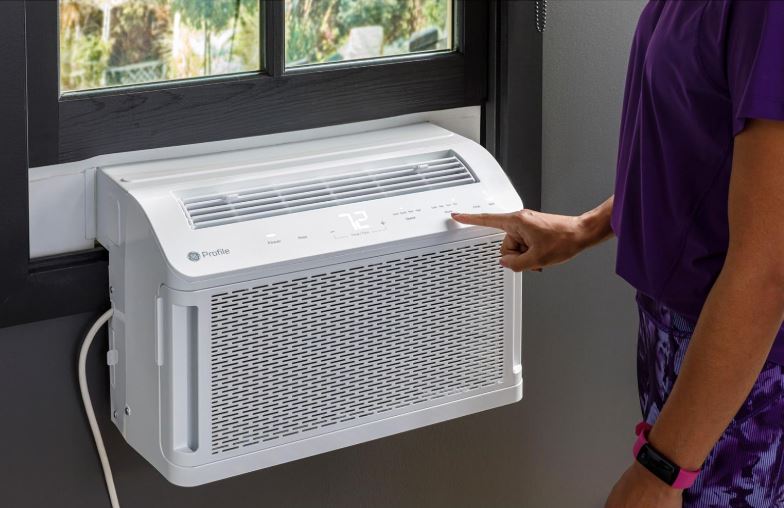
Check for Proper Unit Sizing
An undersized unit can’t cool the space adequately. Calculate your room’s square footage and compare it to the unit’s BTU rating.
As a general rule: 150 square feet needs 5,000 BTU, 300 square feet needs 7,000 BTU, and 450 square feet needs 10,000 BTU. Add 10% for rooms with high ceilings or excessive sunlight.
If your unit is too small, no amount of troubleshooting will solve the problem. You’ll need a higher-capacity model (View on Amazon).
Inspect for Refrigerant Leaks
Low refrigerant prevents effective cooling. Signs include ice on the copper lines, hissing sounds, or the unit running constantly without cooling.
Refrigerant doesn’t “run out”—leaks are the only cause of low levels. Check the copper refrigerant lines for oily residue or frost.
Refrigerant repair requires EPA-certified technicians. DIY recharging is illegal and dangerous for window AC units.
Ensure Adequate Clearance and Ventilation
The back of your window AC must have at least 12 inches of clearance outside. Bushes, walls, or debris block airflow and reduce efficiency.
Inside, keep furniture, curtains, and other objects at least 20 inches from the front grille. Blocked intake prevents proper air circulation.
Check that the unit is level or tilted slightly backward (toward the outside). This allows condensate to drain properly.
GE Window Air Conditioner All Lights Flashing and Beeping
Multiple lights flashing simultaneously with beeping sounds indicates a system-wide error. This alarm pattern is designed to get your attention.
Understanding the Flash Pattern
GE units flash all lights when detecting critical errors. The control board enters a protective mode to prevent damage. Beeping accompanies the flashing on most 2025-2026 models.
Count the number of beeps in each cycle. Some error patterns use specific beep codes: three beeps might indicate one issue while five beeps signal another.
This symptom often appears after power outages or electrical surges. The unit’s safety systems activate to protect sensitive electronics.
Reset the Control Board
The most effective solution is a complete power reset. Unplug the unit from the wall outlet. Don’t just press the power button—physically disconnect it.
Wait a full 5 minutes. This allows capacitors to fully discharge and the control board to reset completely. Some technicians recommend waiting 10 minutes for stubborn issues.
Plug the unit back in and power on. If lights flash again immediately, an underlying component failure exists.
Check for Power Supply Issues
Voltage fluctuations cause false error triggers. Use a multimeter to test your outlet voltage. It should read 115V±10% or 230V±10% depending on your unit.
Low voltage makes the compressor struggle and triggers protective shutdowns. High voltage can damage electronic components.
Consider installing a surge protector rated for air conditioners. Standard power strips don’t provide adequate protection.
Component Failure Indicators
If resetting doesn’t work, the control board itself may be damaged. Water infiltration is a common cause—check for leaks around the unit installation.
Blown fuses on the control board also cause this symptom. Fuses are usually visible on the board and appear blackened when blown.
Compressor failure sometimes triggers all-lights-flashing. Listen for clicking or buzzing without the compressor starting. This requires professional diagnosis.
| Symptom After Reset | Likely Cause | Action Needed |
| Lights flash immediately | Control board failure | Professional repair |
| Unit runs 2-3 minutes then flashes | Compressor overheating | Check condenser coils; call technician |
| Flashing stops, then returns hours later | Intermittent electrical issue | Install surge protector; monitor |
| No change after multiple resets | Major component failure | Contact GE service |
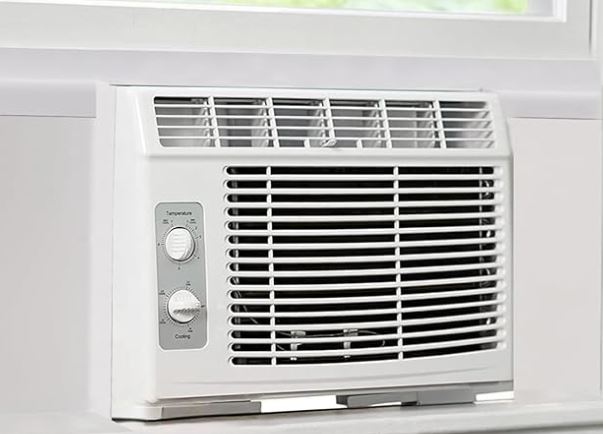
GE Window Air Conditioner Buttons Not Working
You press buttons but nothing happens. The unit may be running already, but you can’t change settings.
Control Panel Lock Feature
GE window ACs include a control lock to prevent accidental changes. Children and pets can activate controls unintentionally.
Look for a lock icon on the display panel. To unlock, press and hold the “Timer” and “Temp Down” buttons simultaneously for 3 seconds. Some models use different button combinations.
Check your specific model’s manual for the exact unlock sequence. The manual is available on GE’s website using your model number.
If you’ve lost your manual, try common GE unlock combinations: Timer + Mode, or Up Arrow + Down Arrow held together.
Try the Remote Control
If physical buttons don’t work but the remote does, the control panel membrane is likely damaged. This common issue affects units 3-5 years old.
Humidity and temperature cycling degrades the membrane material. Replacing the control panel costs $50-$150 depending on the model.
Meanwhile, the remote provides full functionality. Keep spare batteries on hand—2026 models typically use AAA or CR2032 batteries.
Inspect for Physical Damage
The control panel might not be working. Hence, examine it for cracks, discoloration, or stuck buttons. Water damage leaves white residue or corrosion.
Sometimes debris gets lodged under button membranes. Gently clean around buttons with isopropyl alcohol and a cotton swab.
Never spray cleaners directly on the control panel. Liquid seeping inside causes permanent damage.
Control Board Replacement
When both panel buttons and remote fail, the control board needs replacement. This is the “brain” of the unit.
Replacement boards cost $100-$250. Installation requires disconnecting wires and mounting the new board. Moderate DIY skill is needed.
Many 2026 GE models use universal-style boards. Verify compatibility before ordering. The board should match your model number exactly.
GE Window Air Conditioner Freezing Up
Ice forms on the coils or front grille. This completely blocks airflow and stops cooling.
Identify the Root Cause
Freezing happens when the evaporator coil drops below 32°F for extended periods. Several factors cause this abnormal temperature drop.
Restricted airflow is the primary culprit. When air can’t flow freely across coils, moisture freezes instead of draining away.
Low refrigerant causes coils to become too cold. The remaining refrigerant absorbs heat more aggressively, dropping temperatures below freezing.
Running the unit on low temperature settings in cool weather also causes freezing. Don’t run your AC when outdoor temperature drops below 60°F.
Immediate Steps to Take
Turn off the cooling function immediately. Switch to “Fan” mode to help melt the ice. Never chip or scrape ice from coils—you’ll damage fins.
Let the unit defrost completely. This takes 2-8 hours depending on ice thickness. Place towels underneath to catch water.
Inspect and clean the filter during defrost time. A dirty filter is often the cause.
Clean the Evaporator Coils
Once defrosted, clean the evaporator coils themselves. These are the cold coils inside the unit facing your room.
Use a soft brush or vacuum with a brush attachment. Remove dust and debris between the fins. Bent fins can be straightened with a fin comb.
Spray coil cleaner (available at hardware stores) on the coils. Follow product directions—most require 10-15 minutes before rinsing.
Adjust Temperature Settings
Don’t set the thermostat too low. Keep it at 70-75°F during normal operation. Lower settings don’t cool faster—they just freeze the unit.
Avoid running the AC continuously on the coldest setting. This stresses the system and promotes freezing.
Use “Auto” fan mode instead of “High” fan mode. Auto mode cycles the fan properly with the compressor.
Monitor Humidity Levels
High indoor humidity contributes to freezing. In humid climates, run a dehumidifier alongside your AC.
GE window ACs automatically remove humidity, but excessive moisture overwhelms the system. The 2026 models have improved moisture removal capacity.
Ensure condensate drains properly. Blocked drain holes cause water backup and increase internal humidity.
| Prevention Strategy | Frequency | Impact on Freezing |
| Clean air filter | Every 2 weeks | High |
| Vacuum coils | Monthly | High |
| Check refrigerant level | Annually | Medium |
| Verify proper unit tilt | Seasonally | Medium |
| Inspect drain holes | Monthly | Low |
How Do I Reset My GE Window Air Conditioner?
Resetting clears minor electronic glitches and error codes. It’s like rebooting your computer.
Soft Reset Procedure
The simplest reset method works for most issues. Press the “Reset” button on GFCI-equipped power cords. This restores power if GFCI tripped.
For units without GFCI plugs, turn off the unit using the control panel. Wait 30 seconds. Turn it back on.
This soft reset clears temporary errors but doesn’t reset stored settings like WiFi configuration.
Hard Reset (Power Cycle)
A hard reset completely clears all temporary settings and errors. Unplug the unit from the wall outlet.
Wait 5-10 minutes. This discharges capacitors and resets the control board memory. Longer wait times ensure complete discharge.
Press the power button a few times while unplugged. This helps discharge remaining electricity.
Plug back in and configure your settings from scratch. Temperature preferences and schedules will need reprogramming.
Factory Reset for Smart Models
GE smart window ACs with WiFi have a factory reset option. This returns all settings to manufacturer defaults.
Access factory reset through the SmartHQ app. Go to Settings > Advanced > Factory Reset. Confirm the action.
Alternatively, press and hold the “WiFi” button for 10-15 seconds until lights flash. This resets network settings without erasing other preferences.
After factory reset, you’ll need to reconnect to WiFi and reconfigure all smart features.
When to Reset
Reset when the unit displays error codes that don’t match obvious problems. Also reset after power outages or electrical storms.
Moreover, reset if the unit behaves erratically—turning on and off randomly, ignoring commands, or cycling incorrectly.
Don’t reset repeatedly for the same issue. If the problem returns after 2-3 resets, something else is wrong.
GE Window Air Conditioner Not Blowing Air
The compressor runs but no air comes from the vents. Or very weak airflow that barely reaches across the room.
Test the Fan Motor
Listen carefully to the unit. You should hear two distinct sounds: the compressor (a deep hum) and the fan (a whooshing sound).
If you hear only the compressor, the fan motor failed. Turn off the unit immediately. Running without fan airflow damages the compressor.
Manually spin the fan blade (with unit unplugged). It should rotate freely with slight resistance. Grinding or complete seizing indicates motor failure.
Remove Obstructions
Check for objects blocking the fan blades. Installation debris, insulation material, or even small animals sometimes get inside.
Remove the front grille and filter. Look directly at the fan blades. Clear any visible obstructions carefully.
On the exterior side, ensure nothing blocks the exhaust. Bird nests, leaves, or debris accumulate on the outdoor portion.
Inspect the Fan Capacitor
The fan capacitor starts and runs the fan motor. A failed capacitor means the motor receives power but can’t spin.
Capacitor failure is common in units 5+ years old. It’s a cylindrical component attached to the motor.
Replacing capacitors requires electrical knowledge. It stores charge even when unplugged—touching terminals can shock you.
Symptoms of bad capacitor include clicking sounds, fan attempting to start but failing, or burning smell.
Check Motor Bearings
Worn motor bearings create friction that slows or stops the fan. You’ll hear squealing or grinding noises.
Some fan motors have lubrication ports. A few drops of electric motor oil can extend bearing life.
If bearings are badly worn, motor replacement is necessary. Motors for 2026 GE models cost $80-$200.
Verify Control Board Fan Signal
Sometimes the control board fails to signal the fan motor. The motor is fine but receives no start command.
This is harder to diagnose without a multimeter. Measure voltage at motor connections—should be 115V when fan should run.
Control board issues often accompany other symptoms like unresponsive buttons or error codes.
Why Is My GE Window Air Conditioner Not Turning On?
This combines several issues into one common question. Let’s systematically diagnose the complete no-power situation.
Complete Power Failure Checklist
Start with the most basic checks before assuming major failure:
Step 1: Confirm the unit is plugged in completely. Wiggle the plug—poor connection prevents power flow.
Step 2: Test the outlet with a lamp or phone charger. If nothing works, the outlet is dead.
Step 3: Check your home’s circuit breaker panel. Look for tripped breakers in the “off” or middle position.
Step 4: Inspect the power cord for damage. Replace if you see fraying, cuts, or exposed wires.
Step 5: Press the GFCI reset button if your unit has one. These trip from power surges or ground faults.
Test for Internal Fuse Failure
GE window ACs have internal fuses that protect against electrical surges. When these blow, the unit receives zero power.
Accessing internal fuses requires removing the outer case. This voids some warranties—check your warranty status first.
Fuses are located on the control board or near the power connection. They look like small glass tubes with metal caps.
A blown fuse appears blackened or has a broken wire inside. Replace with an exact match—wrong amperage causes fire risk.
Thermostat Not Calling for Cooling
Sometimes the unit has power but the thermostat doesn’t activate cooling. The display lights up but nothing else happens.
Set thermostat significantly below room temperature—at least 10 degrees cooler. A small difference might not trigger the compressor.
Faulty thermostors (temperature sensors) send incorrect readings. The unit “thinks” the room is already cool.
Thermistor testing requires a multimeter measuring resistance. Resistance should change as you warm the sensor with your hand.
Delay Timer Confusion
Many people think their unit is broken when it’s actually in delay mode. GE’s 3-minute delay protection is often misunderstood.
After turning off, you cannot immediately restart the unit. Wait a full 3 minutes before the next power-on attempt.
This delay protects the compressor from pressure buildup damage. It’s built into the circuit—you can’t override it.
Be patient. Don’t repeatedly press the power button. Each press resets the 3-minute timer.
How Long Do GE Window Air Conditioners Last?
Understanding expected lifespan helps you decide between repair and replacement.
Average Lifespan by Usage Pattern
GE window air conditioners typically last 8-12 years with proper maintenance. However, usage intensity significantly affects longevity.
Units running 24/7 during summer may last only 6-8 years. Components wear faster under constant stress. The compressor has a finite number of cycles.
Seasonal use—4-6 months per year—extends life to 10-15 years. Proper winterization and off-season storage protect components.
Budget models (under $300) generally last 5-8 years. Mid-range models ($400-$700) last 8-12 years. Premium GE models can exceed 15 years.
Factors That Extend or Reduce Lifespan
| Factor | Extends Life | Reduces Life |
| Filter maintenance | Clean every 2 weeks | Never cleaned |
| Installation quality | Level, properly sealed | Improper tilt, air leaks |
| Operating temperature | 60-80°F outdoor temp | Extreme heat (95°F+) |
| Electrical supply | Stable voltage, surge protected | Frequent power surges |
| Environment | Climate-controlled storage off-season | Left in window year-round |
| Load | Appropriately sized for room | Oversized or undersized |
Signs Your Unit is Near End of Life
Frequent repairs costing more than 50% of replacement price indicate end of life. Repair doesn’t make economic sense.
Refrigerant leaks in older units often aren’t worth fixing. R-22 refrigerant (used pre-2020) is expensive and phased out.
Excessive noise, rattling, or grinding sounds suggest worn components throughout the system.
Declining efficiency—higher electric bills for the same cooling—means the compressor is weakening.
You can find decent window air conditioners, including GE models, on Amazon.
2026 Model Improvements
GE’s 2024-2026 window AC models feature improved compressor designs rated for 20,000+ operating hours. This translates to potentially longer lifespans.
Enhanced moisture protection on control boards reduces electronic failure. Corrosion-resistant coatings extend component life in humid climates.
WiFi-connected models receive firmware updates that optimize performance and extend component longevity.
Maintenance Schedule for Maximum Longevity
Every 2 weeks: Clean or replace air filter.
Monthly: Vacuum evaporator and condenser coils. Check drain operation.
Quarterly: Inspect exterior seals and weather stripping. Tighten mounting hardware.
Annually: Professional deep cleaning. Refrigerant pressure check. Electrical connection inspection.
Off-season: Clean thoroughly before storage. Cover or remove from window. Store in dry location.
GE Window Air Conditioner Not Connecting to WiFi
Smart GE air conditioners offer app control through the SmartHQ platform. WiFi connectivity issues are increasingly common in 2026.
Verify Network Compatibility
GE smart window ACs only connect to 2.4GHz WiFi networks. They do not support 5GHz networks. This is the most common connection error.
Check your router settings. Many modern routers broadcast both 2.4GHz and 5GHz signals with the same network name.
Temporarily disable 5GHz in router settings during setup. Once connected, you can re-enable it.
Guest networks often have isolation enabled. This prevents smart devices from connecting. Use your primary network.
SmartHQ App Setup Process
Download the latest GE SmartHQ app from Apple App Store or Google Play. Outdated app versions cause connection failures.
Create or log into your GE account. One account manages all GE smart appliances.
Put the air conditioner in pairing mode. Press and hold the WiFi button for 3 seconds until the WiFi indicator blinks.
Follow in-app prompts to connect. The app searches for your unit via Bluetooth first, then configures WiFi.
Troubleshoot Connection Failures
If connection fails, move your router closer to the AC unit temporarily. WiFi signals weaken through walls and at distance.
Check for interference from other 2.4GHz devices like microwaves, baby monitors, or Bluetooth speakers. Turn them off during setup.
Reset the unit’s WiFi by holding the WiFi button for 10 seconds. This clears any corrupted network data.
Restart your router completely. Unplug it for 30 seconds, plug back in, and wait for full boot.
Firmware Updates
Outdated firmware causes compatibility issues with newer routers and app versions. GE releases updates regularly.
The SmartHQ app automatically checks for firmware updates. Allow updates when prompted—they take 5-10 minutes.
During updates, don’t unplug the unit or turn it off. Interrupting firmware updates can brick the control board.
If your unit won’t update, factory reset and try again. Persistent update failures indicate hardware issues.
Network Security Settings
WPA3 security isn’t universally supported on older GE models. Switch router to WPA2 (AES) for best compatibility.
Extremely long or complex WiFi passwords sometimes cause entry errors. Temporarily simplify your password during setup.
MAC address filtering on your router blocks unknown devices. Add your AC’s MAC address to allowed devices.
Find the MAC address on the unit’s specifications sticker or in the SmartHQ app after partial connection.
When WiFi Isn’t Essential
Remember that WiFi is a convenience feature. Your AC functions completely without connectivity. Manual controls always work.
If you can’t solve connectivity issues, use the unit normally. Schedule a technician visit for persistent smart feature problems.
Some users prefer manual operation for security and privacy reasons. Disconnected operation is perfectly valid.
When to Call a Professional
Some repairs require specialized tools, refrigerant handling licenses, or electrical expertise beyond DIY scope.
Call a professional for these situations:
Refrigerant leaks: EPA certification is required to handle refrigerants. DIY refrigerant work is illegal and dangerous.
Compressor failure: Replacing compressors costs $300-$600 including labor. Often better to buy a new unit.
Electrical issues beyond basic troubleshooting: Anything involving the main electrical board or high-voltage wiring.
Repeated error codes after resets: Persistent problems indicate component failures needing diagnostic equipment.
Water leaking inside your home: Improper installation or drain issues can damage walls and floors.
Strange smells like burning plastic: This indicates serious electrical problems or melting components.
GE’s authorized service network provides warranty-covered repairs. Check warranty status before paying for independent technicians.
Extended warranties purchased with the unit may cover parts and labor. Review your warranty documentation.
Prevention Tips for GE Window Air Conditioners
Proper maintenance prevents most issues and extends unit lifespan significantly.
Regular Cleaning Schedule
Clean the filter every two weeks during active use. This single task prevents 60% of common AC problems.
Deep clean coils at the start of each cooling season. Use coil cleaner spray and a soft brush.
Vacuum around the unit monthly to prevent dust buildup. Keep the area around the AC clean.
Installation Best Practices
Ensure proper window fit using manufacturer-provided brackets and seals. Gaps allow hot air infiltration and reduce efficiency.
Tilt the unit slightly backward (¼ inch per foot). This helps condensate drain properly outside.
Never install under direct sunlight if avoidable. Shaded installations run cooler and more efficiently.
Secure the unit firmly. Vibration from loose mounting damages internal components over time.
Seasonal Preparation
Before summer starts, test your unit on a cool day. Identify problems before you actually need cooling.
When winter arrives, either remove the unit entirely or use a proper AC cover. Cheap plastic bags trap moisture—use breathable covers.
For units left installed year-round, seal any gaps with weather stripping. This prevents drafts and heating loss in winter.
Smart Usage Habits
Don’t constantly adjust temperature settings. Let the unit reach the set temperature and maintain it.
Use “Auto” fan mode for optimal efficiency. Constant “High” fan wastes energy without improving cooling.
Close curtains or blinds on sunny windows. Reducing heat gain helps your AC work less.
Run ceiling fans to circulate cool air. This allows higher thermostat settings while maintaining comfort.
Frequently Asked Questions
Why does my GE air conditioner turn on and off frequently?
Short cycling happens when the unit reaches the set temperature too quickly or has airflow problems. Clean your filter first. Ensure the thermostat isn’t near heat sources like lamps or sunlight. Oversized units also short cycle—they cool the space too quickly. If the unit cycles every 5-10 minutes, the thermostat or control board may be faulty.
Can I run my GE window AC in cold weather?
Don’t operate window air conditioners when outdoor temperature drops below 60°F. The compressor oil thickens in cold, causing damage. Refrigerant pressure becomes too low for proper operation. Some newer GE models have cold-weather protection that prevents starting below certain temperatures. Use heating mode if your unit has heat pump functionality.
What size GE window air conditioner do I need?
Measure your room’s square footage (length × width). For 100-150 sq ft, use 5,000 BTU. and for 250-300 sq ft, use 7,000 BTU. For 350-400 sq ft, use 10,000 BTU. Add 10% capacity for rooms with high ceilings, kitchens, or rooms with large windows. The 2026 GE Energy Star calculator on their website provides precise sizing recommendations.
How much does it cost to repair a GE window air conditioner?
Basic repairs like filter replacement cost $15-$30. Control board replacement runs $150-$300 including labor. Fan motor replacement costs $100-$250. Refrigerant recharge (if legal for your unit) costs $150-$300. Compressor replacement costs $300-$600 but often exceeds replacement value. Get quotes from authorized GE service centers for warranty coverage.
Is it worth repairing an old GE window air conditioner?
Apply the 50% rule: if repair costs exceed 50% of a new unit’s price, replace instead. Units over 10 years old have lower efficiency even when working. Newer 2026 Energy Star models save 20-30% on electricity. Consider accumulated repairs—multiple repairs over 2-3 years indicate end of life. Factor in warranty coverage on new units.
How do I stop my GE air conditioner from dripping water inside?
Water dripping inside means improper installation angle or blocked drain holes. The unit must tilt backward slightly toward the outside. Check the drain holes on the bottom back panel—clear them with a wire or pipe cleaner. Excessive humidity can overwhelm drainage capacity. Frozen coils that later thaw also cause indoor dripping. Clean the filter and ensure proper airflow to prevent freezing.
Why does my GE window AC smell bad?
Musty odors indicate mold or mildew growth on the evaporator coils or in the drain pan. Clean coils with coil cleaner and spray with antimicrobial solution. Burning smells suggest electrical problems or overheating motors—turn off immediately and call a technician. Chemical or plastic smells when first running are normal—they dissipate after a few hours. Clean filters monthly to prevent biological growth that causes odors.
Can I install a GE window air conditioner myself?
Yes, installation is designed for DIY completion. Most units include installation kits with brackets, foam seals, and instructions. You’ll need a screwdriver and possibly a level. Two people make installation safer for larger units over 50 pounds. Follow manufacturer instructions precisely for proper tilting and sealing. Electrical requirements are usually standard 115V outlets. Units over 12,000 BTU may need 230V dedicated circuits requiring an electrician.
Conclusion
GE window air conditioners deliver reliable cooling when properly maintained and promptly troubleshooted. Most issues—from units that won’t start to WiFi connectivity problems—have straightforward solutions you can handle without professional help. Regular filter cleaning, proper installation, and understanding error codes prevent the majority of failures in 2026 models.
Start with simple fixes like checking power sources and cleaning filters before assuming major component failure. Reset procedures resolve many electronic glitches. When problems persist despite troubleshooting, professional diagnosis saves time and prevents further damage.
Remember that prevention outweighs repair. A 15-minute monthly maintenance routine extends your unit’s lifespan by years. Keep your GE window air conditioner clean, properly installed, and operated within design specifications for consistent cooling performance.
Stay cool and comfortable. Your GE window AC is built to last when you give it the care it deserves.

Hi, I’m Barlgan! I created Repair Me Yourself to empower homeowners to tackle appliance repairs with confidence. From decoding error codes to fixing cooling issues, I break down complex repairs into simple, actionable steps that save you time and money.