
Your GE washer stops mid-cycle, water still partially filling the drum, and an unfamiliar code flashes on the display: “E11” or “E23” or “E85.” Your family’s laundry is sitting in soapy water, you bought GE for its smart technology and reliability, and you’re wondering if the SmartHQ app can help diagnose the problem or if you need to call for service.
GE washer error codes are intelligent diagnostic messages identifying Auto Dispense system failures, Precision Fill sensor malfunctions, smart door lock errors, WiFi connectivity issues, drain pump blockages detected by flow sensors, dynamic balancing failures, water inlet complications, and control board communication errors unique to GE’s connected appliance ecosystem.
Common codes include water inlet failures (E1, insufficient fill detected by sensors), drain system errors (E8, E85, E20, E21 indicating pump or hose blockages), door lock malfunctions (E11 on WiFi-enabled models), pressure sensor issues (E23, E30, E31 affecting Precision Fill), unbalanced load detection (UL, UE from dynamic balancing system), suds alerts (Sd detected by pressure sensors), Auto Dispense errors (shown primarily in app), and WiFi diagnostic messages that appear in SmartHQ rather than on the display.
This smart diagnostic guide decodes every major GE washer error code with troubleshooting procedures leveraging their intelligent technology. You’ll learn what codes mean for GE’s Precision Fill sensors, how to use the SmartHQ app for remote diagnostics and guided repairs, when Auto Dispense errors indicate reservoir cleaning versus component failure, repair cost expectations for smart components, and preventive maintenance that keeps sensor-driven washing systems running optimally.
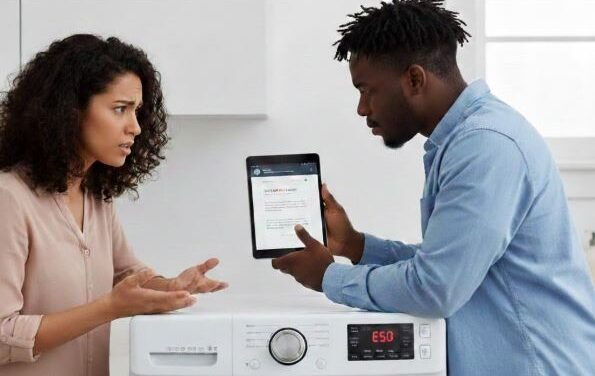
Smart Diagnostic Reference for GE Washing Machine Error Codes
GE error codes reflect their sensor-driven design and intelligent home integration. This chart shows common codes with GE-specific diagnostic capabilities.
Understanding how smart sensors and app diagnostics enhance troubleshooting helps you resolve issues faster using GE’s technology.
| Error Code | System Affected | GE Smart Feature | Primary Cause | App Diagnostic Available? | DIY Fix Possible? |
|---|---|---|---|---|---|
| E1 | Water inlet | Precision Fill monitoring | Low pressure, closed valve, clogged screens | Yes – shows fill time and pressure | Yes – check water supply |
| E8 / E85 | Drain system | Smart drain monitoring | Drain pump blockage, kinked hose | Yes – pump operation data shown | Yes – clear blockage |
| E11 | Door lock | WiFi-enabled safety | Door lock failure, alignment issue | Yes – lock status real-time | Check door alignment |
| E20 / E21 | Drain pump | Flow sensor monitoring | Pump clog, failed pump motor | Yes – flow rate measurements | Yes – clean pump filter |
| E23 | Water level sensor | Precision Fill technology | Pressure sensor malfunction | Yes – pressure readings shown | Service recommended |
| E30 / E31 | Pressure switch | Auto-sensing calibration | Pressure hose issue, sensor drift | Yes – calibration data | Moderate DIY |
| Sd | Suds detection | Smart pressure monitoring | Excessive detergent, wrong detergent type | Yes – suds level indicator | Yes – reduce detergent |
| UL / UE | Load balance | Dynamic balancing system | Unbalanced load distribution | Yes – shows load distribution | Yes – redistribute items |
| Auto Dispense Alert | Detergent system | 38-load reservoir | Low detergent, clogged dispenser | App notification only | Yes – refill reservoir |
| WiFi icon flashing | Connectivity | SmartHQ integration | Network connection issue | Full diagnostics in app | Yes – reconnect WiFi |
| No code (app alert) | Various | Remote monitoring | Issue detected, no display code | Complete diagnostics in app | Depends on alert type |
App Diagnostic Available: Whether the SmartHQ app provides additional diagnostic data beyond the basic error code display
Understanding GE Washer Error Codes: Sensor-Based Diagnostic Systems
GE’s smart technology means error codes often relate to sensor systems and intelligent features unique to their connected washers. Let’s decode codes with GE-specific diagnostic approaches for homeowners.
GE Washer Water Inlet Error Codes: Precision Fill Intelligence
GE’s water inlet errors tie directly to their Precision Fill technology, which uses sensors to detect fill issues beyond simple “no water” alerts.
E1 – Water Inlet Error: The washer cannot fill with water within the expected timeframe, detected by Precision Fill pressure sensors.
How GE’s smart inlet monitoring works:
- Pressure sensors track fill rate in real-time
- Measures gallons per minute entering the drum
- Compares actual fill rate to expected rate for cycle
- Displays E1 when fill takes 8+ minutes for standard load
SmartHQ app enhancement for E1: The app shows detailed fill diagnostics including “Last Fill Time: 12 minutes” and “Expected: 6 minutes,” helping you understand severity. Graph displays track fill times over multiple cycles to identify gradually worsening restrictions.
E1 troubleshooting progression:
- Check SmartHQ app “Diagnostics” section for fill time history
- Verify both hot and cold water supply valves are fully open
- Check household water pressure (should be 20-100 PSI)
- Clean inlet screen filters on both hot and cold inlets
- Disconnect inlet hoses and test flow rate – should fill 5-gallon bucket in 2 minutes
Precision Fill advantage: GE’s sensors detect partial restrictions that basic washers would tolerate. An inlet screen 50% clogged might not trigger errors on basic washers but E1 on GE models—this protects the motor and prevents incomplete washing from inadequate water.
Prevention strategy: Clean inlet screens every 6 months in hard water areas, annually otherwise. GE’s Precision Fill is sensitive to restrictions that wouldn’t affect traditional washers.
GE Washer Drain System Error Codes: Smart Flow Monitoring
GE washers use flow sensors to monitor drainage performance, providing specific error codes for different drain failures.
E8 / E85 – Drain Error: The washer cannot drain water within the allocated time, detected by flow sensors monitoring pump output.
GE drain monitoring technology:
- Flow sensors measure water leaving pump
- Tracks drainage rate (gallons per minute)
- E8 indicates slow drain (partial blockage)
- E85 indicates no drain (complete blockage or pump failure)
SmartHQ app drain diagnostics:
- Shows “Drain Time: 15 minutes” vs “Expected: 8 minutes”
- Displays pump motor current draw (indicates if pump running)
- Historical drain time graph identifies gradual blockage development
- “Pump Status: Running but low flow” vs “Pump Status: Not operating”
E8/E85 resolution for GE washers:
- Access drain pump filter (front panel on front-loads, inside drum on some top-loads)
- Place towels – 2-3 gallons may drain when opening filter
- Remove filter and clear debris (coins, bobby pins, small items)
- Check pump impeller behind filter – should spin freely
- Inspect drain hose for kinks, crushing, or blockages
- Verify standpipe height is 39-96 inches above floor
Common GE-specific drain issues:
- Auto Dispense residue: Concentrated detergent can create thick buildup in pump
- Precision Fill debris: Sensors require cleaner water, so pumps handle more filtered particles
- Fabric softener pods: Undissolved pods clog GE’s high-efficiency drain systems
E20 / E21 – Drain Pump Specific Errors: Pump motor failure or severe mechanical blockage preventing impeller rotation.
E20 vs E21 distinction:
- E20: Pump motor won’t start (electrical failure or seized motor)
- E21: Pump running but no water movement (blocked impeller)
The SmartHQ app differentiates these by showing pump motor current—E20 shows “0 amps” while E21 shows “normal current draw.”
GE Washer Door Lock Error Codes: WiFi-Enabled Safety Systems
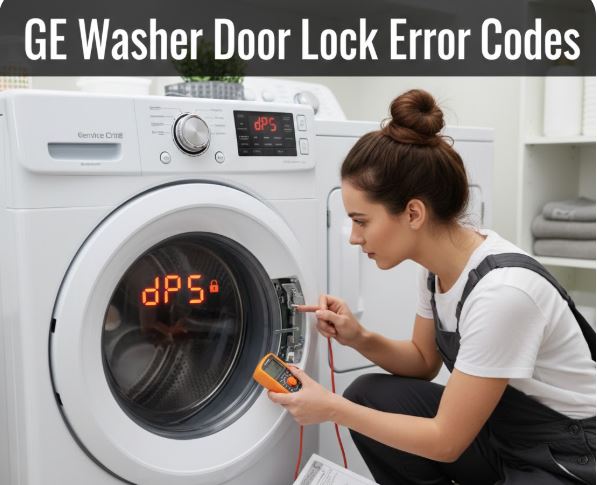
GE’s smart washers include sophisticated door lock systems with real-time status monitoring through the app.
E11 – Door Lock Failure: The door lock mechanism cannot engage or the control board doesn’t receive lock confirmation.
GE smart door lock features:
- Lock status visible in SmartHQ app in real-time
- Front-load models hold 25-30 gallons, requiring robust locks
- Safety interlock prevents opening during fill/wash
- Enhanced on Profile and Café WiFi models
E11 diagnostic sequence using app:
- Open SmartHQ app and check “Washer Status” section
- App shows “Door Lock: Failed to Engage” or specific error
- Visually inspect door gasket for items preventing closure
- Clean door strike area with cloth to remove detergent residue
- Close door firmly – app should show “Door Locked” within 3 seconds
Common E11 causes:
- Detergent/softener buildup on latch mechanism (60%)
- Item caught in door gasket preventing full closure (25%)
- Failed door lock actuator (10%)
- Misaligned door due to leveling issues (5%)
DIY success rate: 85% of E11 codes resolve through cleaning the latch area and ensuring nothing blocks door closure. Only 15% require actual door lock assembly replacement (View on Amazon).
GE Washer Pressure Sensor Error Codes: Precision Fill Technology Issues
GE’s Precision Fill relies on pressure sensors to measure water levels accurately, and these sensors can fail or drift out of calibration.
E23 – Water Level Sensor Error: The pressure sensor cannot accurately measure water level in the drum.
How GE’s pressure sensing works:
- Air-filled tube connects to drum bottom
- As water fills, air pressure in tube increases
- Sensor converts pressure to water level measurement
- Control board uses this for Precision Fill calculations
E23 troubleshooting approach:
- Check SmartHQ app for “Pressure Sensor Reading: Error”
- App may show “Last Valid Reading: 12 PSI” before failure
- Inspect pressure hose for kinks, cracks, or disconnection
- Look for blockages in pressure hose or trap
- If hose is clear, sensor replacement likely needed
E30 / E31 – Pressure Switch Errors: Related to pressure sensing but specifically indicating switch mechanism failure rather than sensor measurement errors.
SmartHQ diagnostic data: The app shows pressure readings during fill cycles. Erratic readings (jumping between values) indicate hose issues. Stuck readings (doesn’t change during fill) indicate sensor failure.
Pressure sensor costs: Replacement pressure sensors cost $60-$120 including labor. GE sensors are more expensive than basic washer sensors due to Precision Fill precision requirements (±0.5 PSI accuracy vs. ±2 PSI on basic sensors).
GE Washer Load Balance Error Codes: Dynamic Balancing System
GE’s dynamic balancing technology attempts to redistribute unbalanced loads automatically before displaying errors.
UL / UE – Unbalanced Load: The washer cannot balance the load for safe spinning despite multiple redistribution attempts.
GE’s dynamic balancing process:
- Detects imbalance during initial spin attempt
- Reverses drum direction to redistribute items
- Makes 5-7 attempts at different speeds and directions
- Displays UL if balance impossible after all attempts
- Reduces spin speed rather than stopping completely
SmartHQ app balancing insights:
- Shows “Load Distribution: 68% Front, 32% Rear”
- Displays “Balance Attempts: 5 of 7”
- Historical balance data shows if issue is recurring or one-time
- “Spin Speed Reduced: 800 RPM instead of 1200 RPM”
UL/UE resolution steps:
- Open door and manually redistribute items around drum
- Separate heavy items if you have single large item with small items
- Use app to check “Load Size” – may indicate overloading
- Verify washer sits level using carpenter’s level
- Check leveling legs haven’t vibrated loose
GE balancing advantage: Unlike basic washers that simply stop when unbalanced, GE’s system reduces spin speed and completes the cycle at lower RPM. Your clothes emerge slightly wetter but not completely wet.
GE Washer Detergent and Suds Error Codes
GE’s sensors detect excessive suds that interfere with washing performance and damage pressure sensors.
Sd – Suds Detection: The pressure sensor detects foam levels beyond optimal washing parameters.
How GE detects suds:
- Pressure sensor readings fluctuate erratically with suds present
- Clean water shows steady, predictable pressure changes
- Suds create irregular pressure patterns the sensor identifies
- SmartHQ app shows “Suds Level: High” with numeric indicator
Sd immediate resolution:
- Washer pauses automatically to allow suds dissipation
- Let machine sit 20-30 minutes without opening door
- SmartHQ app shows “Waiting for Suds to Settle” countdown
- Washer automatically resumes when suds level drops
Preventing Sd codes with Auto Dispense: If you have Auto Dispense, let the system dose automatically—it prevents overuse. If adding detergent manually despite having Auto Dispense, use only 1/3 the amount you think you need. GE’s high-efficiency design requires minimal detergent.
Long-term Sd prevention:
- Use only HE detergent (non-HE creates 10x more suds)
- Reduce detergent amount by 50% as starting point
- If you have soft water, reduce another 25%
- Run monthly clean washer cycle to remove residue
GE Washer Auto Dispense System Errors
Unlike codes displayed on the washer, Auto Dispense issues appear primarily through SmartHQ app notifications.
Auto Dispense Low Detergent Alert: App notification when reservoir has approximately 5 loads remaining.
How Auto Dispense monitoring works:
- System tracks dispensing events and calculates remaining detergent
- “Dispenser Level: 15% (5-6 loads remaining)” shown in app
- Push notification sent to smartphone before reservoir empty
- Red indicator light may illuminate on some models
Auto Dispense Clog Alert: Appears when dispenser can’t release detergent properly.
Diagnostic steps via app:
- App shows “Last Dispense: Failed” or “Dispenser: Clogged”
- “Detergent Level: 40% but not dispensing” indicates clog, not empty reservoir
- Follow app’s guided cleaning procedure with photos
- Monthly reservoir rinse prevents 90% of clogs
Auto Dispense troubleshooting:
- Remove dispenser drawer completely
- Rinse reservoir with warm water
- Use small brush to clean dispensing mechanism
- Run rinse cycle while observing dispenser operation
- Refill with fresh HE detergent
GE Washer Control Board and Connectivity Errors
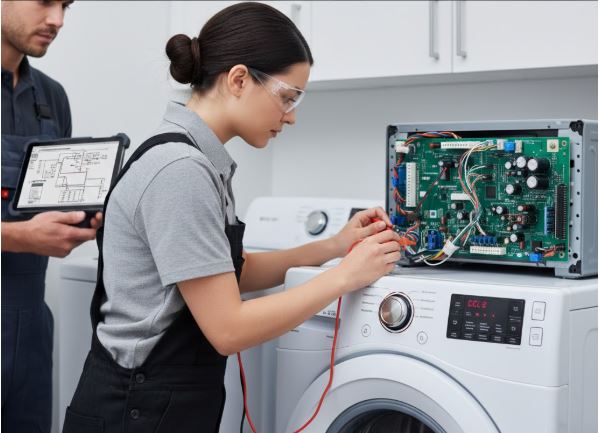
GE’s smart washers use advanced control boards managing WiFi, sensors, and Auto Dispense simultaneously.
WiFi Connection Issues: Flashing WiFi icon or “Disconnected” status in SmartHQ app.
SmartHQ WiFi diagnostics:
- App shows “Connection Status: Offline” with last connected time
- “Signal Strength: Weak (1 bar)” indicates router distance issue
- “Network Error: 2.4GHz Required” if connected to wrong band
- Event log shows connection drops with timestamps
WiFi troubleshooting:
- Verify home WiFi operational on phone/computer
- Ensure washer within 30-40 feet of router (WiFi range)
- Confirm router broadcasts 2.4GHz network (5GHz won’t work)
- Power cycle washer and router simultaneously
- Re-run WiFi setup from washer settings menu
SmartHQ app-only error notifications: Some issues generate app alerts without washer display codes:
- “Extended Wash Time Detected” – indicates developing drain restriction
- “Fill Time Increasing” – gradual inlet restriction developing
- “Temperature Anomaly” – water heater not supplying hot water properly
- “Excessive Vibration” – leveling or load balance issues
These predictive alerts allow you to address problems before they become failures requiring service.
Preventive Maintenance for GE Sensor-Driven Washers
GE’s intelligent technology requires maintenance calibrated to sensor and connectivity systems.
Weekly maintenance:
- Wipe door gasket completely dry after last load of day
- Leave door open 4-6 hours daily for drum drying
- Check SmartHQ app “Maintenance” alerts
Monthly maintenance:
- Run clean washer cycle with Affresh or washer cleaner
- Clean Auto Dispense reservoir (if equipped)
- Check inlet screens for sediment buildup
- Review SmartHQ app “Cycle History” for performance trends
Quarterly maintenance:
- Deep clean drain pump filter
- Inspect all hoses for bulging or cracks
- Verify washer remains level (use carpenter’s level)
- Test WiFi connectivity and app functionality
Annual professional service:
- Complete inspection including pressure sensor calibration
- Hose replacement if over 5 years old
- Control board connection check
- Sensor system verification
Smart maintenance advantage: Enable all SmartHQ notifications to receive alerts before failures occur. The app tracks fill times, drain times, cycle durations, and can alert you to gradual performance degradation weeks before error codes appear.
Common GE Washer Error Code Questions
How do I access detailed diagnostics in the SmartHQ app when my washer shows an error code?
When your GE washer displays an error code, open the SmartHQ app and tap your washer from the appliances list. Select “Diagnostics” or “Troubleshooting” (varies by app version) to access comprehensive diagnostic information beyond what appears on the washer display. The diagnostics screen shows real-time sensor readings including water pressure, fill time, drain time, pump motor current, door lock status, and error code history with timestamps.
For active error codes, the app provides contextual information and guided troubleshooting. For example, an E1 water inlet error shows “Last Fill Time: 15 minutes, Expected: 7 minutes, Water Pressure: Low” helping you understand whether it’s a pressure issue or a restriction. The app includes step-by-step troubleshooting with photos and videos specific to your error code and washer model.
You can share diagnostic reports directly from the app with GE support or service technicians, providing complete system information before they arrive. Enable push notifications so the app alerts you to developing issues before they trigger error codes—gradually increasing fill times, drain performance degradation, or pressure sensor drift often appear in app data days before actual codes display.
What’s the difference between E8 and E85 drain error codes?
E8 indicates a slow drain condition where water is draining but taking longer than expected (typically 12+ minutes when it should take 6-8 minutes), suggesting a partial blockage or restriction in the drain system. E85 indicates a complete drain failure where no water is leaving the washer drum, pointing to either a completely clogged drain path or a failed drain pump motor.
The SmartHQ app helps differentiate by showing pump motor current draw. E8 typically shows “Pump Motor: Running, Low Flow Detected” meaning the pump operates but water movement is restricted by a partial blockage in the filter, hose, or standpipe. E85 shows either “Pump Motor: Not Operating” (motor failure or electrical problem) or “Pump Motor: Running, Zero Flow” (completely blocked impeller).
For E8, cleaning the drain pump filter usually resolves the issue since it’s partial blockage. For E85, you may need both filter cleaning and pump replacement (View on Amazon) if the motor has failed. The progression from E8 to E85 over multiple cycles indicates a gradually worsening blockage you should address before complete failure occurs—the app’s historical drain time tracking shows this trend developing.
Can I continue using my GE washer when it displays an error code?
It depends entirely on which error code appears and what safety systems are affected. For Sd (suds detection), the washer pauses automatically but resumes once suds dissipate—you can complete your cycle. For UL/UE (unbalanced), the washer reduces spin speed and completes at lower RPM—clothes finish slightly wetter but the cycle completes. For E1 (water inlet), the washer won’t start a new cycle but you can manually fill and use Rinse & Spin to finish a partially-washed load.
For E11 (door lock failure), the washer won’t start at all as a safety measure—you must resolve the door issue before any operation since front-loads can hold 25-30 gallons and opening mid-cycle creates flooding. For E8/E85 (drain errors), don’t start new cycles until resolved—continuing to use with drain restrictions can overflow the washer and damage the pump motor.
For pressure sensor errors (E23, E30, E31), Precision Fill won’t work but you can potentially use manual water level settings if your model has them. The SmartHQ app indicates whether each error allows continued operation, requires immediate service, or presents safety/water damage risks. Check the app’s alert priority: “Warning” means finish current cycle but fix before next use; “Critical” means stop immediately and don’t operate until repaired.
How much does it typically cost to repair a GE washer based on common error codes?
Repair costs vary significantly by component failure. Simple fixes like refilling Auto Dispense reservoirs, cleaning inlet screens (E1), or clearing drain pump filters (E8/E85) cost nothing but your time. Professional drain cleaning including pump removal runs $100-$180. Inlet valve replacement for persistent E1 codes costs $120-$200 installed. Pressure sensor replacement for E23/E30/E31 errors runs $150-$250 including parts and labor.
Door lock assembly replacement for E11 codes costs $150-$220 for front-load models ($80-$120 for top-loads). Drain pump motor replacement for E85 when the motor has failed costs $180-$280 installed. The expensive repairs involve control boards—basic GE model boards cost $200-$350 total, while Profile and Café smart boards with WiFi and Auto Dispense control run $350-$500 including labor.
For washers under 5 years old, even control board replacement makes economic sense given GE’s quality construction. For washers 8+ years old showing expensive errors, calculate carefully: a $450 control board repair on a 9-year-old washer may not be worthwhile when new efficient washers with warranties cost $700-$1,100. The SmartHQ app’s diagnostic reports help obtain accurate quotes before technicians arrive, potentially saving the $75-$125 diagnostic fee many services charge.
Why does my GE washer error code appear on some cycles but not others?
Different cycles use different sensors and features, so failures only affect cycles relying on the malfunctioning component. Pressure sensor errors (E23, E30, E31) only affect cycles using Precision Fill’s automatic water sensing—cycles where you manually select water level bypass the pressure sensor and work normally. Auto Dispense-related issues only affect cycles where you rely on automatic dosing—manually adding detergent to the drum allows cycles to run despite Auto Dispense errors.
Door lock errors (E11) affect front-load models on all cycles since door must lock for any operation, but top-load models may only show E11 on certain cycles depending on lid switch design. Drain errors (E8, E85) appear on all cycles since every cycle must drain, but you might notice them more on longer cycles that use more water.
The SmartHQ app helps identify these patterns through cycle-specific error logging. If E23 appears only on “Whites” cycle but not “Delicates,” the issue might be related to hot water pressure specifically rather than the sensor itself. If E1 appears on all hot water cycles but not cold, your hot water inlet screen is clogged. These cycle-specific error patterns actually aid diagnosis by pinpointing exactly which system component is failing without testing each part individually.
Leverage GE’s Smart Diagnostics for Effective Troubleshooting
Understanding GE washer error codes through their smart diagnostic capabilities enables faster, more accurate problem resolution than traditional troubleshooting methods. The SmartHQ app transforms cryptic error codes into detailed diagnostic reports with sensor data, historical trends, and guided repairs—capabilities that basic washers simply cannot provide.
Start by enabling all SmartHQ app notifications and reviewing the app weekly for maintenance alerts and performance monitoring. The app frequently detects developing issues weeks before error codes appear, allowing preventive maintenance rather than reactive repairs. A gradual fill time increase from 6 minutes to 8 minutes to 11 minutes warns you to clean inlet screens before the E1 code triggers at 15+ minutes.
Leverage GE’s Precision Fill sensors, Auto Dispense monitoring, and dynamic balancing systems by maintaining them according to smart maintenance schedules. The app provides maintenance reminders calibrated to your actual usage patterns rather than generic timeframes. When errors do occur, use app diagnostic data to make informed decisions: sudden sensor failures likely need replacement, while gradual performance degradation often indicates contamination requiring cleaning. Understanding your GE washer’s intelligent systems transforms error codes from frustrating interruptions into actionable diagnostic information that keeps your smart appliance running optimally for 12-15 years.

Hi, I’m Barlgan! I created Repair Me Yourself to empower homeowners to tackle appliance repairs with confidence. From decoding error codes to fixing cooling issues, I break down complex repairs into simple, actionable steps that save you time and money.