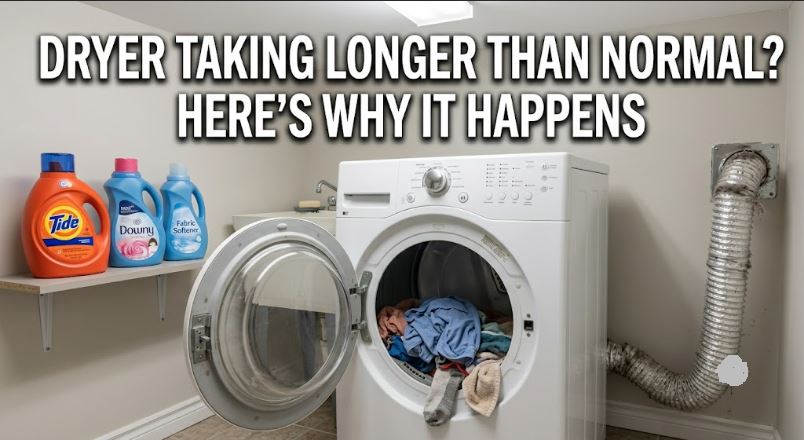
Six months ago, a load took forty-five minutes. Lately, you’re setting a second timer just to check whether it’s done, and it usually isn’t. Nothing about the dryer looks broken. It just seems to have gotten slower, one load at a time, without you ever noticing the exact day it started. So, ‘why is my dryer taking longer than normal?’ you ask.
A dryer that’s taking longer than normal is almost always losing airflow somewhere, from a clogged vent, a weak blower wheel, or a miscalibrated moisture sensor.
That kind of slowdown rarely happens all at once. It creeps in over weeks or months, which is why it’s worth tracking down before a full cycle turns into two.

Quick Diagnosis for a Dryer Taking Longer Than Normal
| Symptom | What’s Likely Going On | Next Step |
|---|---|---|
| Cycle time has crept up gradually over months | Lint building up in the vent or screen | Clean the screen, then the full vent run |
| Airflow feels weak at the outside vent hood | Blower wheel losing efficiency | Inspect and possibly replace the blower wheel |
| Auto-dry cycle runs the full maximum time, every load | Moisture sensor stuck reading “wet” | Clean or replace the sensor bars |
| Dryer runs, but seems to lack full power | Loose plug, damaged cord, or weak circuit voltage | Inspect the power cord and outlet connection |
| Only towels or heavy loads run long | Load size outpacing dryer capacity | Split loads, dry towels separately |
| Slower on “auto” but fine on “timed” heat | Cycle selection mismatch | Switch to timed dry for dense loads |
| Dryer is 10+ years old and has always run a bit slow | Cumulative wear across several components | Weigh repair against replacement |
Why Is My Dryer Taking Longer Than Normal?
Slower drying almost always comes down to one of two things: less air moving through the system, or a sensor misjudging when the load is dry.
1. Lint Buildup in the Screen or Vent
A lint screen cleaned after every load can still let a fine film build up underneath it, and the exhaust duct collects lint the same slow, invisible way over months. Airflow drops gradually, so cycle times creep rather than jump.
This is the most common reason dry times increase, and it ties directly to overheating too, since the same restriction traps heat. A flexible vent cleaning kit (View on Amazon) clears years of buildup in one pass.
2. A Blower Wheel Losing Efficiency
The blower wheel doesn’t need to fail completely to slow drying down. A cracked blade, a loose fit on the motor shaft, or a wheel partially packed with lint all reduce airflow gradually rather than cutting it off entirely.
If the vent and screen are already clean and times keep climbing, a direct-fit blower wheel (View on Amazon) for rear-mounted Whirlpool and Kenmore motors is the next thing worth checking.
3. A Moisture Sensor Stuck Reading Damp
Sensor-dry cycles stop once two metal strips inside the drum detect the load is dry. When those strips corrode or lose calibration, they can undersense moisture and run near maximum length every time, even on loads that finished drying earlier.
This is essentially the opposite failure mode from a sensor that ends cycles too early. A replacement moisture sensor bar (View on Amazon) resolves both directions of failure.
4. A Weak Power Supply or Damaged Cord
Electric dryers need a steady 240-volt supply to run the heating element at full strength. A loose plug, a frayed cord, or an undersized circuit can leave the element under-powered, so drying takes noticeably longer for the same result.
This is easy to overlook, since the dryer still runs normally otherwise. If the outlet connection looks worn or the cord shows fraying, a genuine replacement power cord (View on Amazon) rules this out cheaply.
5. Load Size Outpacing the Dryer’s Capacity
A load that used to take one cycle can start taking longer simply because laundry habits changed, more towels, bulkier bedding, larger loads than the dryer was ever sized for. That’s a mismatch, not a fault.
Splitting oversized loads, especially towels and bedding, into two smaller ones often resolves creeping cycle times without touching a single part.
6. Cycle Selection Working Against the Load
Auto-dry and sensor cycles run longer and cooler on dense loads than a timed cycle at high heat would, by design. If cycle length only became an issue after switching to an eco or auto setting, the setting itself may explain it.
Switching to timed dry for towels, bedding, or heavy loads is worth testing before assuming anything mechanical has changed.
7. General Wear on an Older Dryer
Dryers past the ten-year mark often lose efficiency gradually across several parts at once, a weaker motor, a less efficient blower, seals that don’t hold heat as well. No single part has failed, but the cumulative effect is a machine that takes longer to finish the same load.
A Faster Way to Track Down the Cause
Work through these roughly in order, since each step rules out the most common causes first.
- Check the lint screen and full vent run, since this alone resolves most slow-drying cases.
- Feel for airflow at the outside vent hood while the dryer runs a cycle.
- Run the same load on timed dry instead of auto-sensing to see if cycle length changes.
- Inspect the power cord and outlet for looseness, heat discoloration, or fraying.
- Test the moisture sensor strips with a damp cloth wipe before assuming they need replacing.
Always unplug the dryer before inspecting the cord, outlet, or anything inside the cabinet.
DIY Fix or Professional Repair?
| Factor | DIY Repair | Professional Repair |
|---|---|---|
| Typical cost | $10–$50 in parts | $150–$350 including labor |
| Time required | 15 minutes to 1 hour | Same day to a few days |
| Skill level | Basic hand tools | Required for outlet or circuit issues |
| Best for | Vent cleaning, blower wheel, sensor bars, cord | Undersized circuits, recurring failures |
| Watch for | Cycle times still climbing after a fix | Needed if voltage tests low at the outlet |
When Slower Drying Signals Something Bigger
Occasional long cycles aren’t worth chasing. What’s worth acting on is a sustained trend, cycles that keep stretching month over month with no change in laundry habits. On a dryer already past ten or twelve years old, that trend is often cumulative wear rather than one fixable part, and it’s reasonable to weigh repair against a new machine. Our budget dryers under $500 guide is worth a look if replacement starts to make more sense.
Common Questions
Why did my dryer suddenly start taking twice as long?
A dryer taking two cycles to dry usually points to one failed part, most often a blown thermal fuse or a blocked vent, rather than gradual wear. Slow creep over weeks points more toward lint buildup or a weakening blower wheel.
Does a dryer get slower as it ages, even without a specific problem?
Yes, to some degree, a dryer gets slower as it ages. Motors, blowers, and seals all lose efficiency over a decade of daily use, even with no single component failure to point to.
Can a clogged dryer vent actually double my drying time?
Yes, easily. A significantly restricted vent is one of the most common reasons a 45-minute cycle turns into 90 minutes or more, since the dryer can’t remove moist air fast enough.
Should I be worried about a dryer that’s taking longer, or just annoyed?
Worth checking, not panicking. A dryer that’s slow but otherwise normal is usually an airflow or sensor issue, though a restricted vent is worth addressing since it’s also a fire-risk factor.
Will drying smaller loads more often fix slow drying?
It can mask the symptom without fixing the cause. Smaller loads dry faster regardless of what’s wrong, so normal-looking cycle times don’t necessarily mean the underlying issue is resolved.
Bringing Cycle Times Back to Normal
A dryer that’s gradually taking longer is telling you something is restricting airflow or misreading moisture, not that it’s failing outright. Start with the vent and lint screen, since that fix alone resolves most of these cases, then work through the blower wheel, power supply, and sensor strips if cycle times are still off. Track down the actual cause instead of compensating with shorter loads, and a forty-five-minute cycle should go back to being a forty-five-minute cycle.