
Most appliance diagnosis starts with a symptom and ends with a guess. An appliance that stops working, cycles erratically, draws too much power, or trips a breaker sends you looking for a fault that conventional tools — multimeters, voltage testers, inspection cameras — find by testing components one at a time. That process is systematic and effective for hardware faults. But it misses an entire category of appliance problems that aren’t component failures at all.
Power problems — voltage fluctuations, overcurrent events, intermittent supply interruptions, excessive standby consumption — are invisible to component testing because the components themselves are fine. The problem is in how power is being delivered, consumed, or interrupted. And conventional diagnostic tools, designed to test what’s inside the appliance, can’t see what’s happening at the supply level over time.
Smart plugs change that. A smart plug positioned between the wall outlet and the appliance monitors the electrical supply continuously — logging voltage, current, power consumption, and usage patterns in real time and over extended periods. Used correctly, they reveal power problems that no single-point measurement tool can find and provide diagnostic data that transforms guesswork into evidence-based conclusions.
This guide covers exactly what smart plugs can and can’t diagnose, which features matter for appliance diagnosis versus home automation, and which specific models give you the most diagnostic capability per dollar.
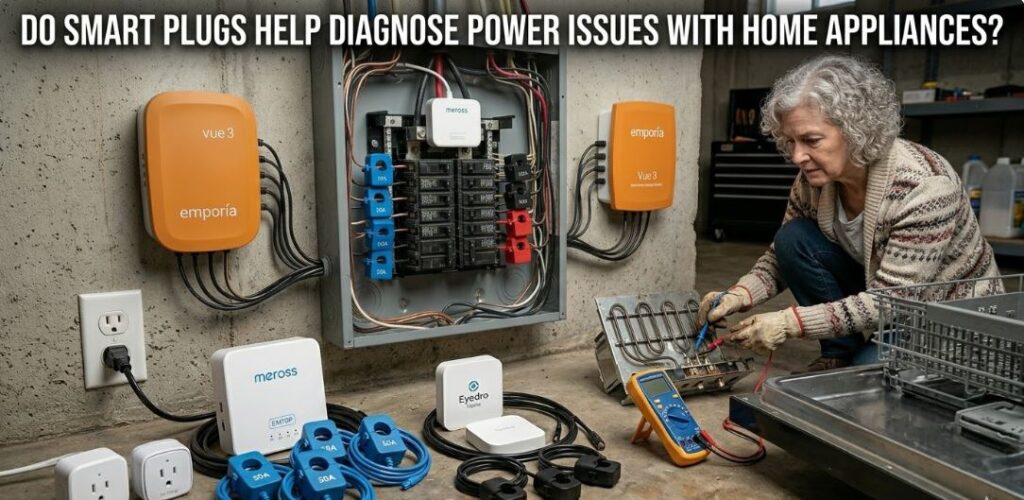
Quick Reference: Smart Plugs for Appliance Power Problems Diagnosis
| Device (View on Amazon) | Type | Best For | Connection |
| Emporia Vue 3 Home Energy Monitor | Whole-Home | Reliable monitoring of all major circuits | Wi-Fi / Ethernet |
| Eyedro Home Electricity Monitor | Panel Monitor | Long-term HVAC & water heater health | Wi-Fi / Ethernet |
| Refoss Smart Home Energy Monitor | Individual Plug | Fast, low-cost fridge or washer checks | Wi-Fi |
| Meross Smart Energy Monitor | Panel Monitor | Matter integration & multi-circuit tracking | Wi-Fi (Matter) |
| Eve Energy 2-Pack | Individual Plug | Privacy-first smart home users | Thread / BT |
| Siemens Smart Home Energy Monitor | Panel Monitor | Industrial-grade reliability and precision | Wi-Fi |
| Fusion Energy Smart Home Energy Monitor | Panel Monitor | Local MQTT control & high-density sensors | Wi-Fi (MQTT) |
What a Smart Plug Actually Measures
Before understanding what smart plugs can diagnose, it’s worth being clear about what they actually measure — because the terminology varies between products and some specs are more diagnostically useful than others.
Power (Watts)
Real-time power consumption in watts is the most common measurement across all energy-monitoring smart plugs. It tells you how much power the appliance is drawing at any given moment. A refrigerator compressor starting draws a brief inrush spike then settles to its running wattage. A washing machine heating water draws its full element wattage. A dryer cycling its heating element on and off shows as a fluctuating wattage reading. These patterns are normal — deviations from them are diagnostic.
Current (Amps)
Current draw in amps is a more directly useful measurement for motor-driven appliances than watts alone because it reveals mechanical load. A motor drawing more amps than its rated current is working harder than it should — due to a mechanical restriction, a worn bearing, or a developing winding fault. Not all smart plugs measure current separately from watts — check the spec before buying if this matters for your diagnostic use case.
Energy (kWh)
Cumulative energy consumption in kilowatt-hours over a defined period gives you the efficiency baseline that single-point wattage measurements can’t provide alone. A refrigerator consuming 180 kWh in a month when its Energy Guide label estimates 100 kWh annually is running at nearly twice its rated efficiency — a clear indication that something is forcing it to work harder than designed.
Voltage
Voltage monitoring — the supply voltage delivered to the appliance — is the most diagnostically valuable measurement for power supply problems and the one most often absent from budget smart plug specifications. Supply voltage fluctuations outside the 110–125V range cause appliances to behave erratically, motors to run hot, and control boards to malfunction — problems that look like appliance faults but are actually supply faults. The Shelly Plug S and Sonoff S31 both include voltage monitoring — a significant advantage for power diagnosis over energy-only monitoring plugs.
Usage Patterns and Scheduling
Usage logs — timestamps of when the appliance drew power, for how long, and at what level — reveal operational patterns that contain diagnostic information independent of wattage or voltage values. A refrigerator that runs its compressor for 45 minutes out of every hour instead of 20–25 minutes is working significantly harder than it should. A dishwasher that shows a heating element drawing power for twice as long as a normal cycle suggests a water temperature fault. Pattern deviation is a diagnostic signal even when instantaneous measurements appear normal.
What Smart Plugs Can Diagnose
Excessive Standby Power Consumption
Every appliance draws some power when idle — control boards remain powered, display panels stay lit, capacitors maintain charge. Normal standby consumption for major appliances ranges from under 1 watt for simple timers to 5–15 watts for appliances with active displays and connectivity features.
A smart plug monitoring standby consumption reveals appliances drawing significantly above their normal idle power — which indicates a component that’s failing to enter its low-power idle state correctly, a relay that’s stuck partially closed, or a control board with a developing fault. A washing machine that should draw 2–3 watts in standby but is measured at 25 watts has a component that’s energized when it shouldn’t be — a fault that a multimeter test during disassembly might find, but that the smart plug identifies passively without any intervention.
Intermittent Power Supply Problems
Appliances that work sometimes and fail other times — cycling erratically, resetting randomly, failing to start on specific occasions — are among the most frustrating diagnostic challenges because the fault isn’t present when you go looking for it. A multimeter test on a day the appliance works normally finds nothing wrong. A visual inspection reveals nothing. The fault exists only during the specific conditions that trigger it.
A smart plug logging power consumption and voltage continuously captures the fault in its actual context. A supply voltage dip below 105V that occurs when a large appliance on the same circuit starts — captured as a timestamped voltage event in the smart plug’s log — explains why the refrigerator occasionally resets its control board. A brief power interruption lasting 50 milliseconds — completely invisible to human observation — shows clearly in a smart plug’s usage log as a gap in the consumption timeline that coincides with every reported appliance reset.
Circuit Overload Diagnosis
When a circuit breaker trips repeatedly, the standard diagnostic approach is to test individual appliances for faults and check the circuit for shorts. But a circuit that trips under specific load conditions — when multiple appliances run simultaneously — requires monitoring of cumulative load rather than individual component testing.
A smart plug on each major appliance on the circuit, reporting wattage simultaneously through a shared app, reveals exactly when combined draw exceeds the circuit’s rated capacity. A 15-amp circuit can handle 1800 watts continuously. If two appliances monitored by smart plugs show combined consumption consistently above this threshold during the periods when the breaker trips, the diagnosis is circuit overload rather than appliance fault — and the solution is load management or circuit upgrading rather than parts replacement.
Compressor and Motor Cycling Patterns
Refrigerator and freezer compressor health is difficult to assess without specialised equipment — the compressor runs internally, its condition isn’t visible, and static component tests don’t reveal whether it’s maintaining adequate compression under load. Smart plug energy monitoring provides an indirect but genuinely useful window into compressor health through its cycling pattern.
A healthy refrigerator compressor runs for 15–25 minutes per hour under normal ambient conditions, then rests for an approximately equal period. The smart plug’s power log shows this as a regular on-off pattern with consistent run times. A compressor that’s running for 40–50 minutes per hour indicates it’s struggling to maintain temperature — due to dirty condenser coils, a failing gasket, low refrigerant, or a compressor beginning to lose efficiency. A compressor running almost continuously indicates a more serious fault requiring immediate investigation.
Heating Element Cycling Diagnosis
Ovens, dryers, dishwashers, and water heaters all use heating elements that cycle on and off to maintain temperature within a set range. A smart plug measuring wattage over time shows this cycling as a waveform — high wattage when the element is on, low wattage when it’s off. The duty cycle — the proportion of time the element spends on — reveals whether the heating system is maintaining its target temperature efficiently.
An oven that’s supposed to maintain 350°F but shows its element on 80% of the time is losing heat faster than expected — pointing to a door seal fault, a calibration problem, or insulation degradation. An oven element running 30% of the time at the same setting is more efficient than specification, which might indicate a thermostat reading lower than actual temperature. Either deviation from normal cycling duty cycle is a diagnostic signal the smart plug captures without any disassembly.
What Smart Plugs Cannot Diagnose
Being clear about limitations prevents the frustration of expecting a smart plug to answer questions it can’t address.
Smart plugs measure aggregate power consumption — the total electrical draw of everything connected to them. They can’t distinguish between two components drawing power simultaneously on the same circuit. A washing machine with a functioning motor and a faulty heating element drawing reduced wattage shows a different total power consumption than the same machine running correctly — but the smart plug can’t tell you which component is responsible for the difference. A multimeter testing individual components is required for component-level fault isolation.
Smart plugs can’t detect mechanical failures that don’t affect power consumption. A worn drum bearing in a dryer that’s noisy but still turning, a door latch that’s stiff but still closing, a spray arm in a dishwasher that’s blocked but whose pump still draws normal current — none of these produce measurable changes in the power data a smart plug monitors.
Smart plugs can’t detect gas leaks, water leaks, temperature calibration errors, or physical blockages. Their diagnostic capability is entirely within the electrical domain.
And smart plugs operating on standard 120V outlets don’t work on 240V appliances — electric dryers, electric ovens, central air conditioners, and electric water heaters all require 240V supply that standard smart plugs can’t monitor. Clamp meters and dedicated 240V energy monitors cover these appliances.
Features That Matter for Appliance Diagnosis vs. Home Automation
Most smart plug marketing emphasises scheduling, voice assistant integration, and remote control — features that are useful for home automation but largely irrelevant for appliance diagnosis. The features that matter specifically for diagnostic use are different.
Real-Time Wattage Display
A smart plug that only logs daily or monthly kWh totals is useful for efficiency monitoring but not for pattern-based diagnosis. Real-time wattage display — updated every 1–5 seconds — lets you observe appliance behaviour during a specific cycle or under specific conditions. Watch the wattage display as a refrigerator starts a defrost cycle, as a washing machine transitions between wash and spin, or as an oven preheats — the real-time pattern reveals operational behaviour that logged totals obscure.
Historical Data Logging
The ability to review power consumption history over hours, days, or weeks — with sufficient time resolution to see individual compressor cycles and element duty cycles — is the most diagnostically valuable data feature. The Kasa EP25 logs detailed history accessible through its app. The Emporia Vue provides particularly detailed historical data with 1-second resolution during active monitoring periods.
Voltage Monitoring
As noted earlier, voltage monitoring separates the diagnostic smart plugs from the automation-focused ones. If supply voltage problems are a potential cause of the appliance behaviour you’re investigating, a plug without voltage monitoring gives you an incomplete picture. The Shelly Plug S and Sonoff S31 are the strongest options in this specific capability at their price points.
Alert Notifications
The ability to set consumption thresholds and receive alerts when the appliance crosses them — either above or below a set wattage level — turns a monitoring tool into an active diagnostic assistant. Set an alert for when a refrigerator compressor runs for more than 35 consecutive minutes and you’ll be notified of abnormal cycling events automatically, even overnight, without watching the app continuously.
Recommended Smart Plugs for Appliance Diagnosis
Below is a review of several energy monitoring devices and smart plugs that can help diagnose appliance power issues. While some are whole-home monitors and others are individual smart plugs, each offers unique data for troubleshooting.
1. Emporia Vue 3 Whole Home Energy Monitor
The Emporia Vue 3 Home Energy Monitor (View on Amazon) is a comprehensive diagnostic tool that installs in your electrical panel. By using sensors on individual circuits, it provides real-time data for every major appliance simultaneously. It is ideal for identifying “hidden” power draws or a compressor that is cycling too frequently without needing individual plugs for every outlet.
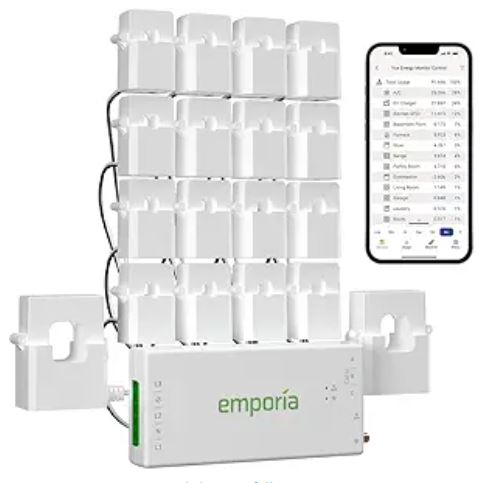
2. Eyedro Home Electricity Monitor
Similar to the Emporia, the Eyedro Home Electricity Monitor (View on Amazon) focuses on real-time electricity monitoring via sensors in the panel. It provides a cloud-based dashboard to track energy consumption. While less “plug-and-play” than a smart plug, it is excellent for diagnosing intermittent faults in heavy-duty appliances like HVAC systems or electric water heaters that don’t use standard outlets.
3. Refoss Smart Plug with Energy Monitoring
The Refoss Smart Home Energy Monitor (View on Amazon) is a budget-friendly, individual smart plug ideal for smaller appliances like fridges or washing machines. It provides real-time and historical power consumption data through an app. It is a great “entry-level” diagnostic tool to see if a specific appliance is drawing more current than its manufacturer rating suggests.
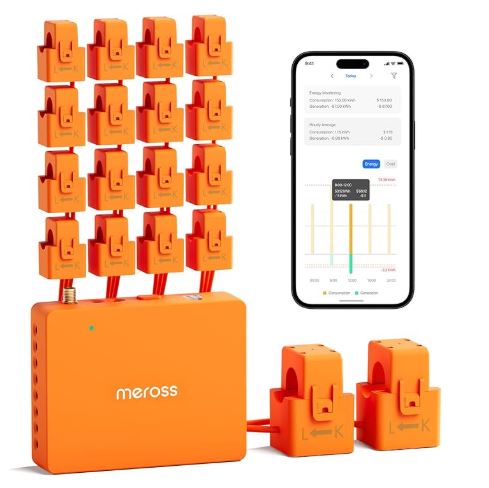
4. Meross Smart Energy Monitor (EM06/EM16P)
The Meross Smart Energy Monitor (View on Amazon) is a versatile “panel-side” monitor that supports up to 16 individual circuits (on the EM16P model). It is particularly powerful because it natively supports Matter and Home Assistant, allowing for deep technical integration. It’s perfect for spotting energy spikes across multiple kitchen or laundry circuits without a subscription.
5. Eve Energy (Matter) 2-Pack
The Eve Energy 2-Pack (View on Amazon) is a premium option focused on privacy and cutting-edge connectivity (Matter/Thread). It provides detailed energy consumption graphs and cost estimates. Because it doesn’t require a cloud account, it is the best choice for privacy-conscious users who want to diagnose appliance health via the Apple Home or Samsung SmartThings ecosystems.
6. Siemens Smart Home Energy Monitor
A high-end industrial-grade solution, the Siemens Smart Home Energy Monitor (View on Amazon) provides high-granularity data. It is designed for those who want a robust, long-term monitoring solution. It excels at detecting subtle “noise” in power consumption that might indicate a motor or heating element is on the verge of failure before it actually breaks.
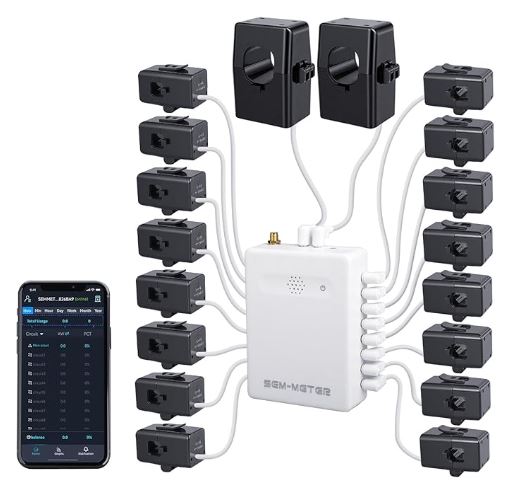
7. Fusion Energy Smart Home Energy Monitor (SEM-Meter)
Equipped with 16 50A circuit sensors, the Fusion Energy Smart Home Energy Monitor (View on Amazon) is designed for the high-end DIYer. It offers a “Super Privacy Mode” that allows you to run the device entirely over a local MQTT server (no cloud required). This makes it the ultimate tool for tech-savvy homeowners who want sub-second data granularity to diagnose complex appliance behaviors.
Smart Plug Diagnostic Workflow
| Step | Action | Tool | What You Learn |
|---|---|---|---|
| 1 | Install smart plug, monitor 24–48 hours | Smart plug + app | Baseline consumption and cycling pattern |
| 2 | Identify anomalies in consumption log | App historical data | Abnormal cycling, excessive standby, pattern deviation |
| 3 | Check voltage log for supply fluctuations | Shelly / Sonoff app | Supply quality issues |
| 4 | Compare consumption to spec | Energy Guide label | Efficiency deviation percentage |
| 5 | Set alerts for abnormal consumption events | App alert settings | Automatic notification of fault recurrence |
| 6 | Correlate power events with symptoms | Consumption log + symptom diary | Confirm supply vs appliance fault |
| 7 | Hand off to component testing | Multimeter + clamp meter | Component-level fault isolation |
Smart Plug vs. Traditional Diagnostic Tools: What Each Does Best
| Diagnostic Question | Smart Plug | Multimeter | Clamp Meter |
|---|---|---|---|
| Is the supply voltage correct? | Yes (Shelly, Sonoff) | Yes | No |
| Is the appliance consuming too much energy? | Yes | No | Partial |
| Is the compressor cycling correctly? | Yes | No | Partial |
| Has a specific component failed? | No | Yes | Partial |
| Is there a motor overload? | Partial | No | Yes |
| Is there an intermittent power interruption? | Yes | No | No |
| Is standby consumption abnormal? | Yes | No | No |
| What is the element duty cycle? | Yes | No | No |
Read Also:
- What Smart Tools Can Monitor Refrigerator and Freezer Performance?
- Can Wi-Fi Sensors Really Diagnose Broken Home Appliances?
Frequently Asked Questions
Can a smart plug tell me why my appliance keeps tripping the circuit breaker?
A smart plug reveals whether the appliance itself is drawing excessive current — shown as abnormally high wattage — at the moment the breaker trips. If the smart plug shows normal consumption up to the point of the trip, the fault may be cumulative circuit load from multiple appliances running simultaneously, a breaker that’s weakening with age, or a wiring fault in the circuit rather than the appliance. A smart plug on each major appliance on the circuit simultaneously identifies whether combined load is the cause.
Do smart plugs work on 240V appliances like dryers and electric ovens?
Standard smart plugs are rated for 120V circuits only and cannot be used on 240V appliances. For monitoring electric dryers, ovens, and other 240V appliances, a clamp meter measuring current draw on the supply wires, or a dedicated 240V energy monitor like the Sense Home Energy Monitor installed at the electrical panel, provides equivalent consumption monitoring capability.
How long should I monitor an appliance with a smart plug before drawing diagnostic conclusions?
For cycling appliances like refrigerators, 48–72 hours of monitoring captures enough compressor cycles across varying ambient conditions to establish a reliable baseline pattern. For appliances with intermittent faults — an appliance that only malfunctions once a week — continuous monitoring until the fault recurs is necessary, with the smart plug’s log providing the consumption data around the fault event. And for standby consumption diagnosis, a single overnight monitoring period is sufficient.
Can a smart plug detect a failing refrigerator compressor?
Indirectly — through its cycling pattern rather than direct measurement. A healthy compressor runs 15–25 minutes per hour. A failing compressor that’s losing compression efficiency runs longer per cycle to achieve the same temperature reduction. A smart plug logging compressor run time over several days shows this pattern shift clearly. Combined with a clamp meter measuring current draw — which increases as a compressor works harder against declining compression efficiency — the smart plug provides the temporal pattern that motivates the clamp meter investigation.
Will a smart plug tell me if my outlet is wired correctly?
A smart plug with voltage monitoring confirms that supply voltage is within the correct range — 110–125V AC for standard US outlets. It doesn’t diagnose wiring faults like reversed polarity, open ground, or open neutral directly. A plug-in outlet tester like the Sperry STK001 diagnoses outlet wiring faults specifically and should be used before installing a smart plug on any outlet where wiring correctness is in question.
Is a smart plug accurate enough for appliance diagnosis?
Consumer-grade smart plugs typically measure power with ±1–3% accuracy — sufficient for pattern-based diagnosis and efficiency comparison but not for precision power quality analysis. For most appliance diagnostic purposes — identifying excessive consumption, detecting cycling anomalies, monitoring for intermittent power events — this accuracy level is more than adequate. For precision measurement of specific current draw against manufacturer specifications, a True RMS clamp meter provides higher accuracy than any smart plug.
In Conclusion, Can Smart Plugs Help Diagnose Appliance Power Problems?
Smart plugs occupy a diagnostic niche that no other tool fills — continuous, passive monitoring of power consumption patterns over time. They don’t replace multimeters for component testing or clamp meters for motor load assessment. They complement them by providing the temporal and pattern data that single-point measurements can’t capture.
Used systematically, a smart plug installed on a suspect appliance before any disassembly begins often reveals whether the problem is in the power supply, the appliance’s consumption behaviour, or an intermittent event that occurs only under specific conditions — information that directs the subsequent component-level investigation rather than leaving it to chance.
Start with the Kasa EP25 for general appliance monitoring and consumption pattern analysis. Add the Shelly Plug S where voltage monitoring matters — whenever supply quality is a potential contributor to the fault being investigated. Use the Emporia Vue where detailed historical logging depth is the priority.
The best diagnostic outcome is one where you know what you’re looking for before you open the appliance. Smart plugs are the tool that gives you that knowledge — passively, continuously, and at a cost that makes deploying several of them across multiple appliances simultaneously entirely practical.
Browse smart plugs with energy monitoring on Amazon and start monitoring before the next unexplained appliance behaviour occurs.

Hi, I’m Barlgan! I created Repair Me Yourself to empower homeowners to tackle appliance repairs with confidence. From decoding error codes to fixing cooling issues, I break down complex repairs into simple, actionable steps that save you time and money.