
Your window AC runs constantly but never reaches the temperature you set. Or maybe it shuts off when the room still feels hot. Perhaps it cycles on and off every few minutes without actually cooling.
These frustrating symptoms all point to thermostat problems. The thermostat is your AC’s decision-maker, telling the compressor when to run based on room temperature. When this small component fails, your entire cooling system becomes unreliable.
Window air conditioner thermostat issues manifest as constant running, short cycling, temperature control failure, or complete unresponsiveness. Problems stem from calibration drift, sensor contamination, electrical failures, or mechanical wear. Most issues can be diagnosed and fixed through adjustment, cleaning, or replacement costing $15-60 in parts.
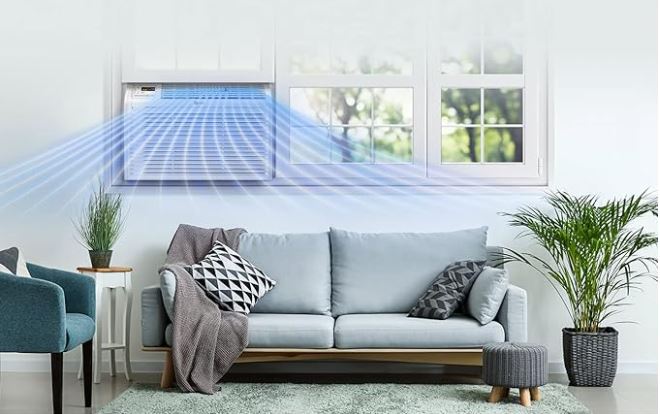
Window Air Conditioner Thermostat Function and Failure Patterns
Understanding how thermostats work helps you diagnose problems accurately. Window AC thermostats operate differently than household wall thermostats.
Most window units use mechanical thermostats with a temperature-sensing bulb filled with gas or liquid. As temperature changes, the fluid expands or contracts, moving internal contacts that control power flow.
Digital thermostats in newer units use electronic temperature sensors called thermistors. These measure resistance changes with temperature and send signals to the control board.
When thermostats fail, they create specific symptom patterns. Learning these patterns lets you identify thermostat problems versus other AC issues.
Quick Window Air Conditioner Thermostat Troubleshooting Reference
Different symptoms point to specific thermostat failures. Use this diagnostic framework before starting repairs.
| Symptom | What It Means | Likely Cause | Urgency |
|---|---|---|---|
| Runs continuously | Thermostat stuck “calling for cooling” | Frozen contacts or sensor failure | Medium |
| Never turns on | Thermostat stuck “satisfied” | Open circuit or dead sensor | High |
| Short cycling (2-3 min) | Temperature reading fluctuating | Dirty sensor or bad location | Medium |
| Wrong temperature reading | Calibration error | Drift over time or damage | Low |
| Mechanical clicking only | Contacts making but compressor not starting | Thermostat working, look elsewhere | High |
| Works in one mode, not others | Mode-specific contact failure | Partial thermostat failure | Medium |
Window Air Conditioner Thermostat Troubleshooting & Diagnosis
Accurate diagnosis prevents replacing working thermostats or missing real problems elsewhere in the system. Follow this systematic approach to pinpoint the exact issue.
Verify the Problem Is Actually Thermostat-Related
Many issues blamed on thermostats actually originate elsewhere. Rule out other possibilities first before committing to thermostat work.
Check if the compressor runs at all. Listen for the deeper hum separate from fan noise. No compressor sound means electrical problems beyond the thermostat.
Feel both the evaporator coils (inside) and condenser coils (outside). Cold inside coils mean the compressor works and refrigerant flows properly.
Test manual operation if your model has a bypass. Some units include test switches letting you run the compressor continuously. If this works, the thermostat is definitely your problem.
Measure room temperature with an accurate thermometer placed near the AC’s intake. Compare this to what the thermostat setting shows. Differences over 5°F indicate thermostat issues.
Locate Your Thermostat Assembly
Thermostats hide in different locations depending on window AC design. Finding yours is the first hands-on troubleshooting step.
Remove the front grille by lifting upward or pulling forward. Most grilles clip into place without tools required.
Look behind the air filter area. Many thermostats mount here with the sensing bulb positioned in the airflow path.
Check the control panel area. Digital thermostats integrate with the main control board, while mechanical types may sit separately nearby.
On some models, the sensing bulb extends on a capillary tube to a better location. Follow any thin tubes from the control area to find the actual sensor.
Take photos during disassembly. These reference images prove invaluable during reassembly when you can’t remember what connects where.
Perform Visual Inspection for Obvious Damage
Many thermostat problems become obvious upon visual examination. Look for these telltale signs of failure.
Check the sensing bulb or thermistor for physical damage. Dents, cracks, or corrosion all prevent accurate temperature sensing.
Inspect wire connections at the thermostat. Loose wires cause intermittent operation. Corroded terminals block electrical flow completely.
Look for signs of water damage. Condensation dripping onto thermostats causes corrosion and shorts. Mineral deposits indicate repeated water exposure.
Examine the thermostat body for cracks or broken mounting tabs. Physical damage from rough handling or impacts affects internal components.
Check for excessive dust or debris coating the sensor. Insulation from dirt prevents accurate temperature reading and causes erratic cycling.
Test Thermostat Response to Temperature
This functional test quickly identifies whether the thermostat actually responds to temperature changes as designed.
Set your AC to maximum cooling with the lowest temperature setting. Let it run for 5 minutes to establish baseline conditions.
Place a bag of ice directly on or near the thermostat sensing bulb. Wait 2-3 minutes and listen for the compressor to shut off.
If the compressor stops when cooled artificially, your thermostat responds to temperature correctly. The problem lies in placement, calibration, or room-specific issues.
If nothing changes despite direct cooling, the thermostat has failed internally and needs replacement. It’s not sensing temperature changes at all.
Remove the ice and watch for the compressor to restart within 5 minutes as the sensor warms. Proper thermostats show clear response to temperature variation.
Check Electrical Continuity
For mechanical thermostats, electrical testing reveals contact failures even when sensors work correctly.
Unplug the AC completely before any electrical testing. Capacitors store dangerous voltage even when unplugged, so wait 5 minutes.
Disconnect the thermostat wires noting their positions. Most use two wires, though some have three for different functions.
Set a multimeter (View on Amazon) to continuity or low resistance mode. Touch probes to thermostat terminals while manually rotating the temperature dial.
Working thermostats show continuity (beep or near-zero resistance) at lower temperature settings and open circuit (no beep, infinite resistance) at higher settings.
Test at multiple temperature points across the full range. Intermittent failures show up as inconsistent readings at the same dial positions.
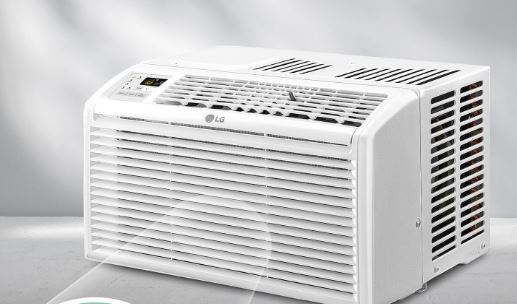
Window Air Conditioner Thermostat Adjustment Techniques
Many “broken” thermostats just need proper adjustment. Calibration drift occurs naturally over time from temperature cycling and vibration. These techniques restore accurate operation without replacement.
Calibration Testing and Correction
Accurate calibration ensures your AC maintains the temperature you actually want. Off-calibration wastes energy and reduces comfort.
Place a quality thermometer 3 feet from the AC at the same height as the intake vent. Digital thermometers work better than old mercury types.
Set your AC thermostat to 72°F and run it for 30 minutes until the room stabilizes. Note what temperature your reference thermometer shows.
The difference between thermostat setting and actual room temperature is your calibration error. Errors under 3°F are acceptable. Beyond that needs correction.
Most mechanical thermostats include small calibration screws or adjustment nuts. These typically require very small turns. Quarter rotations make significant changes.
Turn the adjustment screw clockwise to make the AC think it’s warmer (runs more). Counterclockwise makes it think it’s cooler (runs less).
Make tiny adjustments and test for 20 minutes between changes. Overcorrecting creates new problems requiring re-adjustment in the opposite direction.
Mechanical Thermostat Contact Cleaning
Dirty electrical contacts cause inconsistent operation even when temperature sensing works perfectly. Cleaning often restores proper function.
Access the thermostat’s internal contacts by removing the cover. Some require removing small screws while others simply pop off.
Look for the electrical contacts. These are small metal pieces that touch together to complete circuits. They’re usually visible as shiny metal surfaces.
Clean contacts using electrical contact cleaner spray from auto or electronics stores. Never use sandpaper or files. These damage contact surfaces.
Spray cleaner directly on contacts and immediately work them by manually moving the thermostat adjustment. This wipes away contamination.
Let cleaner evaporate completely before reconnecting wires. Alcohol-based cleaners dry within 2-3 minutes without leaving residue.
Test operation after cleaning. Many thermostats work perfectly after contact cleaning resolves intermittent connection problems.
Optimizing Thermostat Position
Location affects thermostat accuracy more than most people realize. Poor placement causes chronic problems no adjustment can fix.
Thermostats exposed to direct airflow from the AC cool faster than the room, shutting off prematurely. The room never actually reaches the set temperature.
Sensors near external walls or windows read incorrectly because these areas maintain different temperatures than the room average.
Ensure the sensing bulb or thermistor sits in the intake airflow path, not the output. It should measure room air returning to the AC, not cold air leaving it.
If positioning seems wrong, some thermostats allow sensor repositioning by carefully bending the capillary tube. Move slowly. These tubes break easily.
For thermostats with fixed positions, you might need to relocate the entire AC unit if placement fundamentally prevents accurate temperature sensing.
Window Air Conditioner Thermostat Not Working: Advanced Fixes
When adjustment and cleaning don’t resolve issues, deeper problems exist. These fixes address more serious thermostat failures that require component-level intervention.
Diagnose Complete Thermostat Failure
Total thermostat failure means no temperature control whatsoever. The AC either runs constantly or won’t start at all.
Test for thermostat failure by bypassing it temporarily. Disconnect thermostat wires and touch them together directly. If the compressor starts immediately, the thermostat definitely failed.
Check for burned thermostat components. Open circuits from burned contacts or failed sensors prevent any current flow.
Mechanical thermostats develop worn contact surfaces over years of cycling. Eventually the metal wears too thin to make reliable connections.
Electronic thermostats fail when thermistors break internally or control board circuits burn out. These show no external damage signs but simply stop functioning.
Complete failures require replacement. No amount of adjustment or cleaning revives electrically dead components.
Address Moisture and Corrosion Issues
Water damage destroys thermostats slowly through corrosion. Early intervention might save them, but advanced corrosion requires replacement.
Identify water sources first. Condensation from cold coils drips onto nearby components. Seal gaps and redirect water away from electrical parts.
Remove visible corrosion using cotton swabs dipped in white vinegar. The acid dissolves mineral deposits without damaging metal components.
For heavy corrosion, use electronics contact cleaner after vinegar treatment. Spray liberally and brush gently with an old toothbrush.
Dry everything completely using compressed air or a hair dryer on low setting. Residual moisture accelerates corrosion even after cleaning.
Apply dielectric grease to electrical connections after cleaning. This prevents future corrosion by sealing out moisture.
If corrosion has pitted metal deeply or broken through capillary tubes, replacement becomes necessary. Severe corrosion damage isn’t reversible.
Fix Intermittent Operation
Intermittent problems frustrate because they seem to fix themselves temporarily. These elusive issues have specific causes.
Loose wire connections cause intermittent operation. Vibration and thermal expansion loosen terminals over time. Check and tighten all thermostat wire connections.
Oxidized terminals develop resistance that varies with temperature and humidity. Current flows sometimes but not consistently. Clean all terminals thoroughly.
Partially failed sensors read temperature correctly in some ranges but fail at others. You’ll notice problems occurring only when trying to reach certain temperatures.
Test across the full temperature range slowly. Set to coldest, run for 10 minutes, then gradually warm in 2-degree increments. Note any temperatures where problems occur.
Temperature-specific failures indicate sensor degradation. These thermostats work enough to seem functional but fail when you need them most.
Repair Capillary Tube Damage
Mechanical thermostats use thin capillary tubes connecting the control to the sensing bulb. These tubes damage easily but sometimes can be repaired.
Check the full tube length for kinks, crimps, or flat spots. Even small deformations prevent proper fluid flow and affect temperature response.
Very gentle straightening might restore function if damage is minor. Use fingers only. Tools crush the delicate tubing completely.
Look for signs of fluid leakage at connections or along the tube body. Dried residue or staining indicates past leaks.
Leaking capillary systems cannot be repaired DIY. The sealed fluid system requires specialized equipment and expertise to recharge properly.
If you suspect capillary damage but see no external signs, the problem likely exists inside the sensing bulb itself. This also requires complete replacement.
How to Replace Thermostat in Window Air Conditioner
Replacement becomes necessary when repair attempts fail or damage is too severe. Fortunately, thermostat replacement is straightforward with the right approach and parts.
Sourcing the Correct Replacement Thermostat
Using the right replacement part ensures proper function and prevents installation headaches. Generic thermostats rarely work without modifications.
Locate your AC’s model number on the rating plate. This metal tag typically mounts on the side or rear of the unit.
Search for OEM (original equipment manufacturer) replacement thermostats using the complete model number. Manufacturer parts cost more but guarantee compatibility.
Alternative suppliers like AppliancePartsPros, RepairClinic, or PartSelect stock thermostats for most brands. Enter your model number for exact matches.
Some thermostats interchange across multiple models within the same brand family. Check compatibility charts when buying aftermarket parts.
Expect to pay $15-40 for mechanical thermostats and $30-60 for electronic types. Prices vary significantly by brand and availability.
Order sooner than later. Thermostats for discontinued models become scarce. Waiting might force you to buy entire control assemblies instead.
Prepare for Thermostat Replacement
Proper preparation makes replacement faster and prevents mistakes that could damage your AC or the new thermostat.
Photograph everything before touching any wires. Take close-ups showing wire colors, terminal positions, and how components mount.
Unplug the AC and wait 5 minutes before starting work. This gives capacitors time to discharge safely.
Gather necessary tools. You’ll typically need screwdrivers, needle-nose pliers, wire strippers, and possibly a socket set for mounting hardware.
Label wires using masking tape and a marker. Write terminal positions clearly like “T1,” “T2,” etc. This prevents confusion during installation.
Test the new thermostat before completely removing the old one. Compare physical dimensions, mounting hole positions, and wire terminal locations.
Verify the new thermostat includes any necessary mounting hardware. Some come bare while others include brackets and fasteners.
Step-by-Step Thermostat Removal
Careful removal prevents damage to surrounding components and makes installation easier.
Remove the front grille and filter to access internal components. Set these aside in a clean area where they won’t get damaged.
Locate all screws or clips holding the control panel and thermostat assembly. Remove these methodically, keeping fasteners organized.
Disconnect electrical wires from thermostat terminals. Pull straight off terminals. Twisting damages both wires and terminals.
If your thermostat uses a capillary tube, follow it to the sensing bulb. Remove any clips or ties holding it in position.
Carefully extract the sensing bulb from its location. These bulbs fit tightly in clips or grommets requiring gentle but firm pulling.
Remove any mounting hardware securing the thermostat body. Note orientation. Some thermostats only fit one way.
Set the old thermostat aside for reference during installation. Don’t discard it until confirming the new one works correctly.
Install New Thermostat Correctly
Installation is essentially removal in reverse, but several details require attention for proper function.
Position the new thermostat in the same orientation as the old one. Mounting tabs and wire routing determine correct positioning.
Secure the thermostat body using original mounting hardware. If the new thermostat has different mounting holes, drill new ones carefully.
Route the sensing bulb’s capillary tube following the original path. Avoid sharp bends that could crimp the tube.
Insert the sensing bulb into its clip or grommet. Ensure it sits firmly and contacts the airflow path as intended.
Connect wires to terminals matching your labels. Most thermostats mark terminals clearly. Match wire colors to terminal designations.
Double-check all connections before applying power. Reversed wires can damage the new thermostat or control board immediately upon powerup.
Secure any loose wires with zip ties or clips. Vibration can shake connections loose over time if not properly secured.
Test New Thermostat Function
Thorough testing confirms successful installation and identifies any problems before reassembling everything.
Plug in the AC and listen for normal startup sounds. The compressor should start within 30 seconds if the thermostat is set below room temperature.
Cycle the thermostat through its full range. Set it very cold, then gradually warm to maximum. The compressor should respond by turning on and off.
Feel the air output temperature. It should progressively cool as the system runs, indicating everything works correctly.
Listen for unusual sounds. Clicking, buzzing, or arcing noises indicate connection problems requiring immediate attention.
Monitor for 20 minutes of continuous operation. Short cycling or failure to maintain cooling indicates installation issues or a defective new thermostat.
Test all fan speeds and modes if your AC has multiple settings. The thermostat should control the compressor properly in every configuration.
Once confident everything works, reassemble the front grille and filter. Recheck operation after reassembly. Sometimes covers affect airflow enough to influence thermostat behavior.
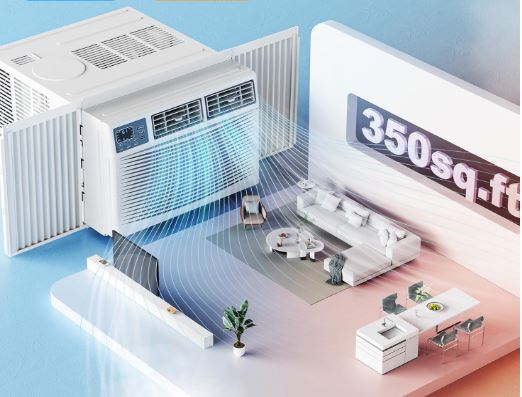
How to Bypass Thermostat on Window Air Conditioner
Bypassing the thermostat lets you test other components or operate the AC temporarily while awaiting replacement parts. This is a diagnostic tool, not a permanent solution.
Understanding Bypass Purposes and Risks
Bypassing thermostats serves specific diagnostic purposes but creates risks if used long-term. Know what you’re doing before attempting this.
Bypass testing confirms whether the thermostat is actually your problem. If the AC works perfectly when bypassed, the thermostat definitely failed.
Temporary bypass operation keeps you cool while waiting for replacement parts during heat waves. This beats sweating for days during parts delivery.
Continuous operation without temperature control wastes significant electricity. The compressor runs constantly, freezing coils and possibly damaging components.
Bypassed ACs can’t shut off automatically. You must manually monitor and control operation, which is inconvenient and easy to forget.
Never leave bypassed ACs running unattended overnight or when leaving home. Frozen coils can damage the system permanently.
Use bypass operation sparingly and only when necessary. Restore proper thermostat control as quickly as possible.
Simple Bypass Methods for Emergency Operation
Several bypass techniques exist depending on your comfort level and available tools. Start with the simplest safe method.
The easiest bypass disconnects thermostat wires and connects them directly together. This tells the control board to run the compressor continuously.
Unplug the AC and access the thermostat terminals. Identify the two wires controlling compressor operation, usually running to a terminal block.
Disconnect both wires from the thermostat. Touch the bare wire ends together and secure with a wire nut temporarily.
Plug in the AC and set the fan to your desired speed. The compressor should start immediately and run constantly.
Monitor room temperature with a thermometer. Manually unplug the AC when temperature reaches your target, then plug back in when it warms up.
For slightly more control, install an inline switch in the bypassed circuit. This lets you turn the compressor on and off without unplugging repeatedly.
Advanced Bypass Using External Thermostats
For longer-term bypass situations, external thermostats provide automatic temperature control without repairing the original unit.
Purchase an inexpensive plug-in thermostat (View on Amazon). These outlet-mounted thermostats cost $20-40 and control any plug-in appliance.
Bypass the internal thermostat as described above so the compressor runs whenever the unit has power.
Plug your bypassed AC into the external thermostat, then plug that into the wall outlet. Set desired temperature on the external control.
The external thermostat cuts power to the entire AC when temperature reaches setpoint. This provides automatic cycling similar to proper thermostat operation.
External thermostats work well but control the entire unit, not just the compressor. The fan stops too, which might not be ideal.
Position the external thermostat’s sensor properly. It should measure room air away from direct AC output for accurate temperature sensing.
Safety Considerations During Bypass Operation
Bypassing safety controls requires extra vigilance. Follow these guidelines to prevent damage or hazards.
Never bypass thermostats rated for higher amperage than the circuit provides. This safety margin protects wiring from overheating.
Watch for excessive frost or ice on coils during bypassed operation. This indicates too much continuous runtime. Shut down and let defrost.
Check wire temperatures periodically. Wires should feel barely warm or cool. Hot wires mean excessive current flow indicating problems.
Don’t bypass if you smell burning or see any smoke. These signs indicate serious electrical problems requiring professional attention.
Keep a close eye on amp draw if possible. Use a clamp meter to verify current stays within safe limits during continuous operation.
Restore proper thermostat control before selling or transferring ownership of your AC. Bypassed safety systems create liability issues.
Thermostat vs. Control Board Issues
Distinguishing between thermostat failures and control board problems saves time and money by targeting the actual failed component.
Symptoms Indicating Control Board Problems
Some symptoms blamed on thermostats actually originate in the control board circuitry. Recognize these patterns.
Multiple functions failing simultaneously usually indicates control board issues. Thermostats typically fail in ways that affect only temperature control.
Display malfunctions with working compressor control mean separate issues. The display connects to the control board differently than thermostat circuits.
Error codes or diagnostic lights point to control board detection of problems. Working control boards identify and report various failure conditions.
If bypassing the thermostat doesn’t fix operation, the control board likely has failed. Bypassing should work if only the thermostat is bad.
Burnt smell specifically from the control board area indicates component failure there. Thermostats rarely produce burning odors unless severely damaged.
Symptoms Confirming Thermostat Failure
These symptoms reliably indicate thermostat problems rather than control board issues.
Temperature control failure with all other functions working normally isolates the problem to temperature sensing circuits.
Physical damage to the sensing bulb or thermistor clearly points to sensor replacement needs. Control boards don’t affect physical sensors.
Cycling patterns that change when warming or cooling the sensor directly prove the sensor works but reads incorrectly or inconsistently.
Proper compressor operation during bypass testing but failure with the thermostat connected means the thermostat is definitely the culprit.
Corrosion or water damage specifically on thermostat components rather than throughout the unit indicates localized thermostat failure.
Window Air Conditioner Thermostat Maintenance for Longevity
Proper maintenance extends thermostat life and prevents premature failures. Simple regular care prevents most problems before they start.
Monthly Maintenance Tasks
Quick monthly checks catch developing problems before they cause complete failure. Set calendar reminders to maintain consistency.
Visually inspect the thermostat area for moisture accumulation. Wipe away any condensation before it causes corrosion.
Clean dust from around the sensing area using a soft brush or compressed air. Don’t spray cleaners directly. Moisture damages electronics.
Test thermostat response by adjusting temperature settings and confirming the compressor cycles appropriately. Catch response degradation early.
Check that the sensing bulb remains properly positioned in airflow. Vibration sometimes shifts sensors from optimal positions.
Seasonal Deep Maintenance
Perform thorough maintenance before each cooling season when the thermostat will see heavy use. This prevents mid-summer failures.
Remove the thermostat cover if possible and inspect internal components. Look for signs of overheating, corrosion, or damage.
Clean electrical contacts using contact cleaner spray. Even slightly dirty contacts affect reliability significantly.
Verify calibration using a reliable reference thermometer. Adjust if actual room temperature varies more than 3°F from the setting.
Check all wire connections for tightness. Thermal cycling and vibration loosen terminals over months of dormancy.
Test operation across the full temperature range. Confirm smooth operation at all settings before hot weather arrives.
Environmental Protection
Protecting thermostats from harsh conditions dramatically extends their working life beyond typical expectations.
Improve drainage to prevent condensation from dripping onto thermostat components. Redirecting water flow is easier than replacing corroded parts.
Consider installing splash guards if the thermostat location experiences water exposure. Simple plastic shields block most moisture.
Maintain clean filters and coils to prevent dust accumulation on temperature sensors. Dirty sensors read incorrectly and fail prematurely.
Ensure adequate ventilation around the thermostat. Poor airflow causes localized hot spots that damage sensitive components.
Use surge protectors (View on Amazon) on the AC circuit. Voltage spikes damage thermostat electronics even when they don’t affect more robust compressor circuits.
Comparing Thermostat Replacement vs. Unit Replacement
Sometimes thermostat repairs don’t make economic sense. Understanding replacement economics helps you make smart decisions.
| Factor | Favor Thermostat Replacement | Favor Unit Replacement |
|---|---|---|
| Unit age | Under 8 years | Over 12 years |
| Repair cost | Under $75 total | Over $150 total |
| Thermostat availability | Readily available | Discontinued, hard to find |
| Overall condition | Excellent, well-maintained | Multiple issues, poor condition |
| Energy efficiency | Modern, efficient unit | Pre-2015 low-efficiency model |
| Other needed repairs | None apparent | Several components failing |
Units nearing end-of-life rarely justify thermostat replacement. Invest in new efficient window ACs (View on Amazon) instead of pouring money into old ones.
Discontinued models with scarce parts should be replaced rather than kept on life support with increasingly difficult repairs.
If the thermostat costs more than 30% of a new unit’s price including labor, replacement deserves serious consideration.
Also Read:
- Window Air Conditioner Control Panel Troubleshooting
- Frigidaire Window Air Conditioner Troubleshooting
- GE Window Air Conditioner Not Working (Fixes!)
Frequently Asked Questions
Can I use a universal thermostat in my window air conditioner?
Universal thermostats rarely fit properly without significant modification. Window AC thermostats integrate tightly with specific control systems and mounting configurations unique to each manufacturer. The physical mounting points, wire terminal spacing, sensing bulb dimensions, and electrical ratings all vary between models.
While some universal thermostats claim compatibility across brands, they typically require custom bracket fabrication, wire splicing, and often don’t fit in the original housing. OEM replacements ensure proper fit, guaranteed compatibility, and reliable operation.
If you must use universal parts, verify that electrical ratings (voltage and amperage) match your unit exactly, be prepared for mounting adaptation work, and understand you may void any remaining warranty. The $10-15 saved on a universal part often costs more in time and frustration than buying the correct OEM replacement from the start.
Why does my window AC run but never reach the set temperature?
This problem has several possible causes beyond just the thermostat. First, verify your AC’s BTU rating matches your room size. An 8,000 BTU unit cannot cool a 500 square foot room adequately regardless of thermostat function. Calculate 20 BTU per square foot as a baseline.
Second, check for refrigerant loss. Low refrigerant prevents adequate cooling despite continuous compressor operation. Feel the larger refrigerant line (should be cold and possibly sweating).
Third, examine thermostat sensor placement. If the sensor sits in direct cold airflow from the AC output, it cools much faster than the room, causing premature shutoff. The room never reaches the set temperature because the thermostat thinks it already has. Relocate the sensor to the intake side where it measures room air returning to the unit.
Fourth, inspect for air leaks around the window installation. Hot air infiltration makes the AC work constantly without achieving the target temperature. Finally, clean or replace filters and coils. Restricted airflow from dirt buildup dramatically reduces cooling capacity.
How do I know if my AC thermostat needs calibration or replacement?
Perform the ice test to determine which action is needed. Place a bag of ice directly on or very close to the thermostat’s sensing bulb or thermistor. Within 2-3 minutes, the compressor should shut off as the sensor detects the temperature drop. If the compressor stops when you apply ice, the sensor physically works and responds to temperature changes. This indicates calibration drift rather than sensor failure.
Adjust the calibration screw in small increments until room temperature matches your desired setting. If the compressor continues running despite ice directly on the sensor for 5+ minutes, the sensor has failed completely and cannot detect temperature changes. No amount of calibration fixes a dead sensor. Replacement becomes necessary.
Also test at multiple points across the temperature range. Set to maximum cold, wait 10 minutes, then gradually increase the setting in 2-degree increments. If the thermostat responds at some temperatures but not others, partial sensor failure exists requiring replacement rather than calibration.
Is it safe to bypass my window AC thermostat permanently?
Absolutely not. Never bypass thermostats as a permanent solution. Continuous compressor operation without temperature control creates multiple serious problems. First, the evaporator coils freeze solid within hours, blocking airflow completely and potentially damaging the coil itself. Ice buildup can crack coils when it melts and refreezes repeatedly.
Second, constant runtime wastes enormous amounts of electricity, often doubling your cooling costs.
Third, compressors not designed for continuous duty overheat and fail prematurely. They need periodic shutdown cycles to cool and allow oil to return to the sump.
Fourth, frozen coils can cause water damage when they melt, flooding surrounding areas.
Fifth, bypassed systems present safety hazards from overheating connections, overloaded circuits, and fire risk.
Use bypass only for two legitimate purposes: diagnostic testing to confirm thermostat failure (run for 10-15 minutes maximum), or emergency cooling while awaiting replacement parts during extreme heat (manually monitor and cycle the unit).
In the second case, unplug the AC when room temperature drops to your target, then plug back in when it warms 5+ degrees. Never leave bypassed ACs running unattended.
What causes air conditioner thermostats to fail prematurely?
Moisture exposure causes most premature thermostat failures. Condensation from cold evaporator coils drips onto nearby electrical components. Water corrodes terminals, shorts circuits, and deposits minerals that conduct electricity improperly. Improve condensate drainage and consider installing plastic splash guards to protect thermostats from dripping water.
Power surges damage electronic thermistors and control board connections in digital thermostats. Install quality surge protectors rated for appliance use on your AC circuit. Even brief voltage spikes destroy sensitive electronics instantly. Physical impact breaks sensing bulbs or crimps delicate capillary tubes in mechanical thermostats.
Handle window ACs carefully during installation, removal, and storage. A single drop can damage the sensing system internally without visible external damage. Excessive cycling wears mechanical contacts prematurely.
Thermostats switching hundreds of times daily develop pitted, burned contact surfaces that eventually fail to conduct properly. This occurs in units placed in poorly insulated rooms or those with obstructed airflow causing rapid temperature swings.
Finally, manufacturing defects occasionally cause early failures, though quality units typically last 8-12 years with proper care. Protect against moisture, use surge protection, handle carefully, and address room insulation issues to maximize thermostat lifespan.
Restoring Reliable AC Temperature Control
Thermostat problems frustrate because they prevent the comfort you bought your window air conditionerto provide. Most issues resolve with systematic troubleshooting following the methods outlined here.
Start with simple fixes like calibration and cleaning before assuming replacement necessity. These quick adjustments solve many problems without spending money on new parts.
When replacement becomes necessary, invest in quality OEM parts. The few extra dollars ensure proper fit and reliable long-term performance without compatibility headaches.
Never ignore persistent thermostat problems hoping they’ll resolve themselves. Small issues escalate into expensive damage when left unaddressed.
Your window AC will maintain perfect temperatures again. Just follow the diagnostic path matching your specific symptoms.