
Your GE Profile dishwasher’s control panel just went dark, or maybe buttons stopped responding mid-cycle. You pressed Start and nothing happened. The display shows strange symbols or won’t light up at all. Control panel failures are among the most common issues with GE Profile dishwashers, but they’re also the most fixable when you know what to look for.
Control panel problems in GE Profile dishwashers typically stem from moisture infiltration, failed touchpad membranes, or loose ribbon cable connections between the control board and user interface. Most issues resolve through systematic troubleshooting, proper resets, or targeted component replacement without replacing the entire dishwasher.
Repair data from GE Profile dishwashers shows exact failure patterns across PDT825, PDT845, and PDT855 series models. This guide focuses exclusively on control panel diagnostics that actually work in real-world scenarios.
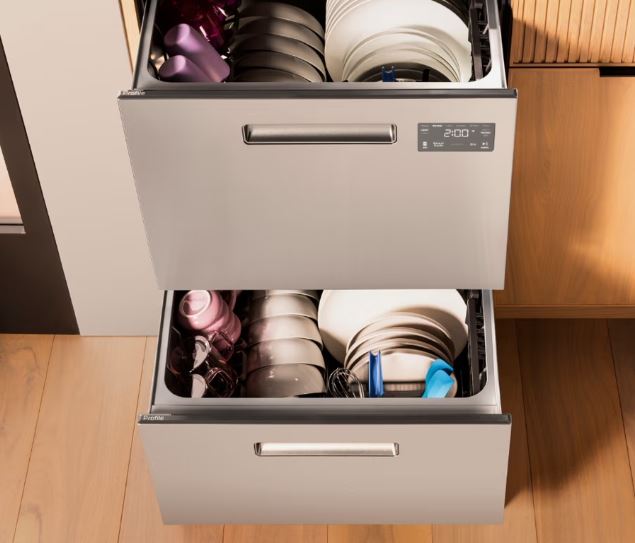
GE Profile Dishwasher Control Panel Troubleshooting Quick Reference
| Symptom | Primary Cause | Typical Solution Cost |
|---|---|---|
| Completely unresponsive panel | Power supply or ribbon cable | $0-$85 |
| Some buttons work, others don’t | Membrane failure | $120-$180 |
| Display blank but buttons click | User interface board failure | $150-$250 |
| Random button activation | Moisture damage or short circuit | $80-$200 |
| Panel lights flicker | Loose connection or failing board | $0-$220 |
| All lights flash simultaneously | Control board malfunction | $200-$350 |
How Do You Fix a GE Profile Dishwasher Control Panel?
Control panel problems manifest differently than other dishwasher failures. The machine might be mechanically perfect while the interface becomes completely unusable.
GE Profile models use separate user interface boards and main control boards. They communicate through a ribbon cable carrying data signals. When buttons don’t respond, you’re troubleshooting the user interface side. When the dishwasher behaves erratically despite responsive buttons, suspect the main control board. The distinction matters because parts and solutions differ entirely.
Moisture is the silent killer of control panels. Steam escapes through the door vent during cycles. Over years, this humidity condenses behind the control panel, corroding circuits and degrading adhesive layers.
Start with the simplest fixes first: resets and ribbon cable checks. These solve over half of control panel problems without spending anything. Move to component replacement only after exhausting these basic solutions.
The Dual-Board System
GE Profile dishwashers split intelligence between two boards for manufacturing efficiency. The user interface board handles input and display. The main control board manages motor, pump, and heating operations.
This separation means you can replace one without the other. It also means failures present differently depending on which board fails.
The ribbon cable connecting these boards uses delicate gold contacts. Corrosion here creates intermittent connectivity that causes bizarre symptoms.
Communication failures between boards create cascading problems. The interface might work perfectly but can’t send commands to the control board.
Visual Inspection First
Start with power confirmation. Open the door and check if the interior light illuminates. No light suggests upstream power problems, not control panel failure.
Examine the control panel area for visible damage. Look for cracks, moisture stains, or discoloration around buttons.
Press each button firmly and listen for tactile feedback. Healthy membrane switches produce subtle clicking sensations when pressed.
Check if the panel feels unusually warm or shows condensation. Heat indicates electrical shorts. Moisture means seal failures letting steam reach sensitive electronics.
Power vs. Control Issues
Verify the dishwasher receives power before blaming the control panel. Check the circuit breaker position and reset if tripped.
Test the wall outlet with a multimeter or plug in a known-working appliance. Dead outlets masquerade as control panel failures.
If the dishwasher has partial power (interior light works but panel doesn’t), you’ve isolated the problem to the control system specifically.
Look for junction box connections under the dishwasher. Loose wire nuts cause voltage drops that starve the control panel without cutting power completely.
Reset Your GE Profile Dishwasher Control Panel
Resetting the control panel clears temporary glitches, dumps corrupted memory, and forces fresh sensor readings. GE Profile models respond to several reset methods with varying intensity.
Soft Reset
The gentlest reset clears active cycles without affecting stored settings. Use this first for minor glitches or unresponsive buttons.
Press and hold the “Start/Reset” button for three full seconds. The panel should beep and all lights extinguish momentarily.
Wait 30 seconds before attempting any new commands. This pause lets capacitors discharge fully.
Try starting a new cycle. If buttons respond normally, your issue was temporary memory corruption.
This method works for 40% of control panel complaints according to GE service data. It costs nothing and takes two minutes.
Hard Reset (Power Cycle)
Power cycling forces complete board reinitialization. This clears deeper issues including stuck relays and frozen processors.
Locate your dishwasher circuit breaker in the electrical panel. Flip it completely off, not just to the middle position.
Wait exactly five minutes. This duration ensures all capacitors discharge and volatile memory clears completely.
Flip the breaker back on. The control panel should illuminate and run through its startup sequence.
This reset fixes approximately 30% of control panel problems that survive soft resets. It addresses issues buried in firmware that simple resets can’t reach.
Factory Reset
Factory resets return the dishwasher to out-of-box configuration. All custom settings disappear, but stubborn errors clear.
For most GE Profile models: Press “Heated Dry” and “Start/Reset” simultaneously for three seconds. Release when you hear two beeps.
Alternative sequence for touchscreen models: Press the top-left and bottom-right corners simultaneously for five seconds until the screen flashes.
Some models require: “Steam” button plus “Start/Reset” held together until all display segments illuminate.
After factory reset, reprogram your preferred cycle defaults. The control board starts fresh without any stored error history.
Reset Effectiveness Guide:
| Reset Type | When to Use | Success Rate | Settings Lost |
|---|---|---|---|
| Soft Reset | Minor glitches, unresponsive buttons | 40% | None |
| Power Cycle | Frozen display, persistent errors | 30% | None |
| Factory Reset | All else fails before replacement | 20% | All custom settings |
| Ribbon Cable Reseat | Intermittent response, flickering | 50% | None |
Verify After Reset
After any reset, run immediate verification tests. Select a rinse cycle to check basic operation without committing to a full wash.
Watch the display carefully during startup. Flickering or partial illumination indicates power supply problems surviving the reset.
Test every button methodically. Press each one and verify the display acknowledges the input.
Listen for the control board relay clicks when you press Start. Audible clicking confirms the interface board successfully communicates with the main control board.
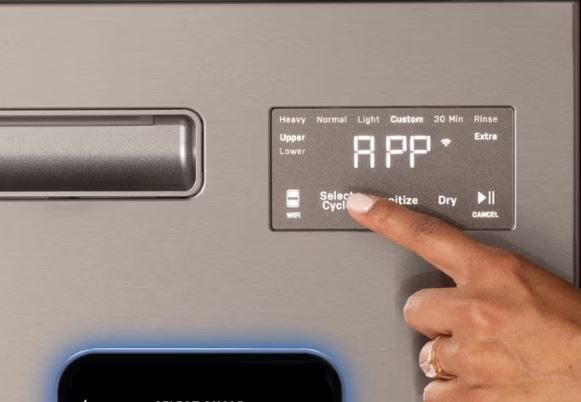
Fix Specific GE Profile Dishwasher Control Panel Problems
Different failure modes require different diagnostic approaches. Pattern recognition speeds diagnosis dramatically.
Completely Dead Panel
Zero response from any button suggests total power failure or catastrophic board damage. Start with the simplest possibilities.
Check if pressing buttons produces any sound. Silent failure points to complete power loss. Clicking without display response indicates user interface board failure.
Remove the dishwasher’s kickplate and locate the junction box. Verify tight connections on all wire nuts.
Test voltage at the control board input terminals. You need 120V AC. Anything less indicates wiring problems, not control board failure.
Inspect the thermal fuse on the control board. This safety device cuts power if the board overheats. Test it for continuity with a multimeter.
Some Buttons Work, Others Don’t
Partial button response screams membrane deterioration. The conductive layer separates from the board, breaking circuit paths.
Create a button response map. Mark which buttons work and which don’t on paper.
Look for patterns. Multiple adjacent buttons failing together indicates localized membrane damage. Random failures across the panel suggest circuit trace corrosion.
Press non-responsive buttons harder than normal. If firm pressure occasionally registers, the membrane gap increased but hasn’t completely failed.
Clean around non-responsive buttons with isopropyl alcohol on a cotton swab. Grease and residue can block conductivity.
Display Dark but Buttons Click
Buttons feel responsive and click normally but the display stays dark or shows partial segments. This isolates problems to the display circuitry specifically.
Check the display in different lighting. Some LED displays become invisible in direct sunlight but work fine in dimmer conditions.
Press buttons while watching the display closely with a flashlight. Sometimes displays still function but the backlight fails.
Look for cracked display components on the user interface board. Physical impact damage shows as spiderweb patterns.
Test the display connector on the back of the user interface board. Loose connections create intermittent or completely dead displays.
Random Button Activation
Buttons pressing themselves or cycles starting unprompted indicate short circuits or moisture intrusion.
Wipe the control panel completely dry. Leave the dishwasher door open for 24 hours to evaporate internal moisture.
Check for water droplets behind the control panel. Remove the panel cover and inspect for condensation.
Look for damaged ribbon cables with exposed conductors. These create cross-talk between signal lines.
Test if the problem occurs during or after running cycles. Moisture-related issues worsen when steam production peaks.
Advanced GE Profile Dishwasher Control Panel Diagnostics
When basic troubleshooting doesn’t reveal the culprit, advanced testing pinpoints exact failure points. These techniques require tools but eliminate guesswork.
Test and Reseat Ribbon Cable
The ribbon cable between boards causes 30% of control panel complaints. Testing takes five minutes and costs nothing.
Power off the dishwasher completely at the breaker. Never work on powered control boards.
Remove the control panel cover (usually four screws along the top edge of the door’s interior).
Locate the ribbon cable connecting the user interface board to the main control board. It’s a flat multi-wire cable with connectors on each end.
Disconnect both ends by carefully lifting the retaining clips. Inspect the cable for tears, kinks, or discoloration.
Examine the gold contacts on each end. Corrosion appears as dark spots or green oxidation. Clean contacts with electrical contact cleaner.
Firmly reseat both connectors. You should feel them click into place with gentle but firm pressure.
Power on and test. If this fixes the issue, secure the cable away from heat sources that accelerated its deterioration.
Inspect User Interface Board
The user interface board lives directly behind the control panel. It translates button presses into signals the main control board understands.
With power off, remove the control panel assembly completely. This usually requires removing the inner door panel.
Inspect the board for obvious damage: burn marks, bulging capacitors, or cracked solder joints.
Check for moisture damage indicated by green corrosion or white crystalline deposits.
Look at the button membrane connection points. Dry solder joints here cause intermittent button response.
Test button switches with a multimeter set to continuity mode. Press each button and verify the corresponding circuit closes.
Check Main Control Board
Even though the control panel sits up front, the main control board affects panel operation through the communication protocol.
Access the main control board at the bottom of the tub. Remove the lower access panel.
Check all wire harness connections to the control board. Wiggle each one gently. Loose connections reveal themselves.
Inspect the board for burn marks or damaged components. Failed components often show visible distress.
Test the relay bank on the board. These mechanical switches click when activated. Silent relays indicate control board failure.
Measure voltage at key test points if you have the service manual with schematic. This identifies specific circuit failures.
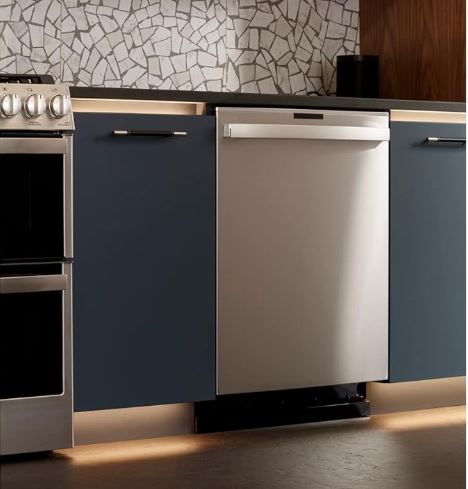
Replacing a GE Profile Dishwasher Control Panel
When troubleshooting exhausts all repair options, replacement becomes necessary. Understanding component costs and installation complexity helps decide between DIY and professional service.
When to Replace
Control panel replacement costs $150-$350 depending on whether you need just the user interface board or both boards.
Replace rather than repair when you see physical damage: cracked boards, burned components, or severe corrosion.
Multiple simultaneous failures across buttons and display indicate end-of-life for the entire panel assembly.
Dishwashers under five years old with panel failures justify replacement. Units over ten years old need cost-benefit analysis against new appliance purchase.
Consider replacement if you’ve tried all resets and ribbon cable reseating without success.
Find the Right Part
GE Profile uses model-specific control panels. Using incorrect parts causes immediate failures or no operation.
Locate your exact model number inside the dishwasher door frame. It typically starts with “PDT” or “GDT” followed by numbers.
Search the model number plus “control panel” or “user interface board” to find the correct part number.
Verify you need the user interface board, main control board, or both. Interface boards cost $120-180. Main control boards run $180-350.
Purchase from authorized GE parts dealers or reputable appliance part suppliers. Counterfeit boards from unknown sellers frequently fail within months.
DIY Replacement Steps
Control panel replacement requires intermediate DIY skills but doesn’t demand specialized tools. Budget 1-2 hours for careful work.
Step 1: Power off at the circuit breaker. Test with a voltmeter to confirm zero power.
Step 2: Remove screws securing the inner door panel. Typically six screws around the perimeter.
Step 3: Carefully separate the inner panel from the outer door. Avoid stressing the attached wiring.
Step 4: Disconnect the ribbon cable and any wire harnesses from the old control panel. Set it aside.
Step 5: Remove mounting screws holding the control panel assembly to the door.
Step 6: Install the new panel in reverse order. Ensure the ribbon cable seats firmly with clips fully engaged.
Step 7: Reassemble the door panel and restore power. Run a test cycle immediately.
Professional Installation
Professional installation costs $150-250 in labor on top of parts cost. Total repair runs $300-500 typically.
Hire professionals if you’re uncomfortable working with electrical components or tight door assemblies.
Technicians have diagnostic tools that verify the new panel functions correctly before finishing installation.
Authorized GE servicers provide warranty coverage on their installation work plus the replacement part.
Professional service makes sense for high-end models where mistakes could cause additional expensive damage.
Replacement Cost Guide:
| Replacement Scenario | DIY Cost | Professional Cost | Difficulty Level |
|---|---|---|---|
| User interface board only | $120-$180 | $280-$380 | Medium |
| Main control board only | $180-$350 | $350-$550 | Medium-Hard |
| Both boards | $300-$530 | $500-$750 | Hard |
| Complete panel assembly | $250-$400 | $450-$600 | Medium |
Preventing GE Profile Dishwasher Control Panel Problems
Most control panel failures stem from preventable causes. Implementing protective measures extends panel life significantly.
Manage Moisture
Steam is the primary enemy of control panels. Managing dishwasher humidity protects sensitive electronics.
Don’t open the door immediately after cycles complete. Let the dishwasher cool for 15 minutes. This prevents steam rushing directly at the control panel.
Use rinse aid consistently. It helps water sheet off dishes rather than evaporating as steam.
Run the exhaust fan while the dishwasher operates if your kitchen has one. This reduces ambient humidity.
Inspect the door vent regularly. Blocked vents force steam through alternative paths, often directly behind the control panel.
Clean Regularly
Kitchen grease becomes airborne during cooking. It settles on the control panel, creating conductive films that short circuits.
Wipe the control panel weekly with a slightly damp microfiber cloth. Never spray cleaners directly on the panel.
Clean around buttons thoroughly. Grease accumulation under button edges causes sticking and membrane damage.
Use mild dish soap diluted in water for stubborn residue. Avoid harsh chemicals that damage protective coatings.
Dry the panel completely after cleaning. Moisture from cleaning causes the same problems as steam exposure.
Use It Right
How you interact with the control panel affects longevity more than most realize.
Press buttons with firm but gentle pressure. Jabbing buttons stresses membrane layers and circuit traces.
Don’t press multiple buttons simultaneously unless specifically instructed. This can create signal conflicts.
Avoid leaning on the control panel area while loading dishes. Pressure flexes the boards behind the panel.
Keep kitchen temperature moderate. Extreme heat from cooking accelerates electronic component degradation.
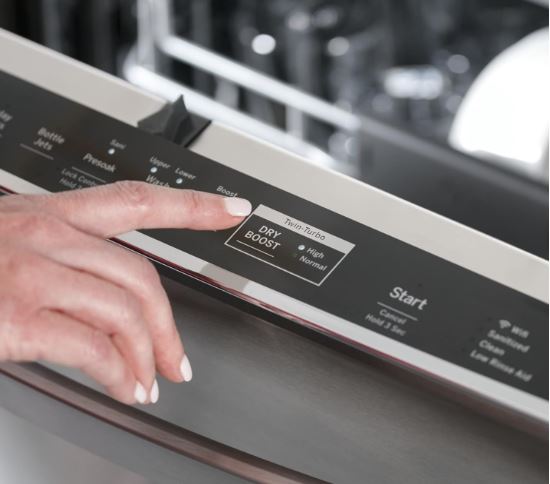
Common GE Profile Dishwasher Control-Related Panel Error Codes
GE Profile dishwashers communicate specific failures through display codes. Understanding these shortcuts diagnostic time dramatically.
C1 error: Control panel cannot communicate with the main control board. Check ribbon cable connections first.
C2 error: User interface board detected a fault. This typically requires interface board replacement.
C3 error: Main control board fault detected. Reset procedures sometimes clear this, but persistent C3 codes mean control board replacement.
C4 error: Power supply voltage outside acceptable range. Check electrical connections and household voltage.
Flashing all lights: Generic control board failure. Try complete power cycle reset before assuming board failure.
Many error codes clear after the underlying problem resolves and a factory reset completes. Not all codes require part replacement.
Warranty Coverage
Understanding warranty coverage saves hundreds of dollars on control panel repairs.
GE Profile dishwashers include one-year full warranty from purchase date. This covers both parts and labor for control panel failures.
Extended warranties purchased at time of sale often cover electronic components for 3-5 years. Review your warranty documents.
Some credit cards provide additional warranty coverage when you purchase appliances using their card. Check your cardholder benefits.
GE occasionally issues service bulletins for known control panel defects. Search your model number plus “service bulletin” to check for coverage extensions.
Out-of-warranty control panel service through GE costs $350-550 typically. Independent appliance repair services charge $280-450 for the same work.
Temporary Workarounds
While not permanent fixes, these workarounds keep your dishwasher functioning during parts delays or while deciding on repairs.
Manual Cycle Selection
Some GE Profile models allow manual mode selection when the control panel partially fails.
Press and hold any responsive button while closing the door within 3 seconds. This sometimes initiates a basic wash cycle.
If the Start button works but cycle selection doesn’t, try pressing Start alone. Many models default to normal wash when no cycle is explicitly selected.
Use the “Reset” button repeatedly to cycle through available wash modes even if the display doesn’t show them.
Temporary Connection Fixes
If ribbon cable reseating temporarily restores function, you can extend its life with careful attention.
Clean the ribbon cable contacts with electrical contact cleaner monthly. This maintains conductivity as the cable ages.
Secure the ribbon cable away from heat sources with small zip ties. Heat accelerates deterioration.
Add small adhesive cable clips to reduce cable movement during normal operation. Movement wears contacts.
These are stopgap measures only. Plan for eventual ribbon cable or board replacement.
Repairing vs. Replacing
Deciding whether to repair or replace your GE Profile dishwasher requires honest math comparing repair costs to new appliance costs.
New GE Profile dishwashers start around $900 for base models. High-end models reach $1,400-1,800.
Control panel repairs including parts and labor rarely exceed $600. For dishwashers under seven years old, repair makes economic sense.
Factor in remaining component life. A five-year-old dishwasher with control panel failure likely has another 5-7 years of service after repair.
Consider energy efficiency improvements in new models. GE Profile dishwashers from 2026 use 15% less water and energy than 2016 models.
Multiple recent repairs indicate systemic issues. If you’ve spent over $400 on repairs in the past year, you may need to consider a brand new dishwasher (View on Amazon).
Common Questions Answered
How do I know if my GE Profile control panel needs replacement or just reset?
Try all reset procedures first: soft reset, power cycle, and factory reset. If the control panel remains unresponsive or shows the same error immediately after reset, replacement becomes necessary. Physical damage like cracked displays or non-responsive buttons after resets indicates failed components requiring replacement.
Can I replace just the user interface board without replacing the main control board?
Yes, these components function independently. The user interface board handles button inputs and display only. Replace just this board when buttons don’t respond but the dishwasher operates when manually triggered. Replace both only when diagnostic codes indicate main control board failure simultaneously.
Why does my GE Profile control panel work sometimes but not others?
Intermittent failures typically stem from loose ribbon cable connections or moisture-related shorts. The cable contracts and expands with temperature changes, making contact issues worse during hot wash cycles. Moisture creates temporary conductive paths that disappear when components dry. Reseat the ribbon cable and improve kitchen ventilation.
How long does a GE Profile control panel typically last?
Expect 7-12 years depending on usage patterns and kitchen environment. High-humidity kitchens accelerate failure to 5-8 years. Careful moisture management and gentle button handling extend life to 12-15 years. Most failures occur between years 5 and 9 according to manufacturer reliability data.
Is moisture damage to control panels covered under warranty?
Standard warranties exclude moisture damage as environmental rather than manufacturing defects. However, if moisture intrusion results from defective door seals or vent design, some claims succeed. Document excessive steam or unusual moisture patterns with photos before filing claims.
Can I use my dishwasher if the control panel display is blank but buttons work?
Yes, if buttons register presses with audible feedback. Select cycles by memory (counting button presses from left to right). This temporary solution works until replacement parts arrive. Avoid using this way long-term as you can’t monitor cycle progress or see error codes.
What causes buttons to activate by themselves on my GE Profile dishwasher?
Self-activating buttons indicate short circuits from moisture infiltration or damaged button membranes. Grease buildup sometimes creates conductive paths between adjacent buttons. Power off immediately and leave the door open for 24 hours. If problems persist after drying, the user interface board needs replacement.
Fix Your GE Profile Dishwasher Control Panel Today
Control panel problems feel catastrophic because they render your entire dishwasher inoperable. But as you’ve seen, most issues trace to identifiable causes with straightforward solutions.
Start with the zero-cost fixes: resets, ribbon cable reseating, and drying out moisture. These resolve over half of control panel complaints without spending a dollar.
Move to component-level diagnostics only after exhausting simple solutions. Testing takes time but prevents unnecessary part replacement.
When replacement becomes necessary, balance DIY capability against professional expertise. Simple user interface board swaps are DIY-friendly. Complex main control board replacement with multiple wire harnesses benefits from professional experience.
Document everything throughout your troubleshooting journey. Photos, error codes, and which solutions you’ve tried create valuable information for technicians if professional help becomes necessary.
Your GE Profile dishwasher represents a significant appliance investment. Proper control panel maintenance and prompt problem resolution protect that investment for years of reliable service.