
Your Maytag Centennial washer displays cryptic error codes, refuses to respond to button presses, or behaves erratically after power outages. Situations where the universal tech support advice “have you tried turning it off and on again” actually applies brilliantly to washing machines.
Reset procedures represent the appliance equivalent of rebooting a computer, clearing temporary glitches, restoring factory settings, and giving electronic control systems fresh starts eliminating accumulated errors that compromise normal operation.
Yet confusion abounds about which reset method addresses which problem type, when simple power cycling suffices versus requiring complex calibration procedures, and how to execute resets without accidentally erasing valuable settings or causing additional problems through improper execution.
Resetting a Maytag Centennial washer involves multiple methods depending on the problem: basic power resets clear temporary electronic glitches by unplugging for 5-10 minutes, control panel resets use specific button sequences restoring default settings, diagnostic mode resets through service menus erase error histories and recalibrate sensors, and master resets combine multiple procedures completely restoring factory conditions.
No universal “reset code” exists. Different reset types require distinct button combinations and procedures tailored to specific control board versions and model years.
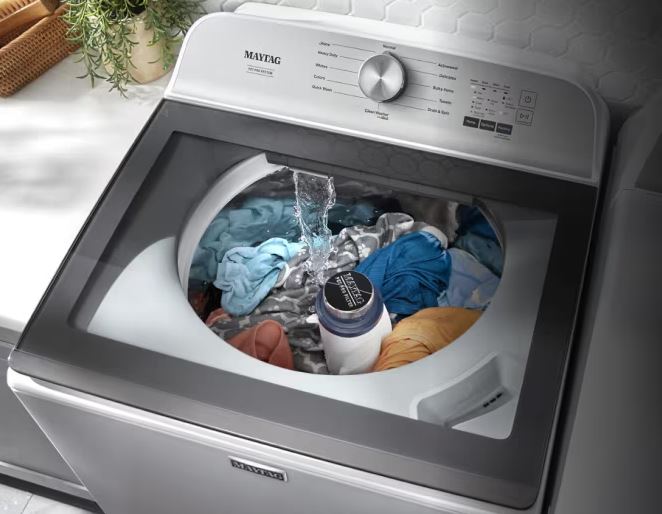
Quick Maytag Centennial Washer Reset Guide
| Reset Type | Problem It Solves | Time Required | Complexity | Data Lost | Effectiveness |
| Basic Power Reset | Temporary glitches, frozen controls | 5-10 minutes | Very Easy | None | 60-70% of minor issues |
| Control Panel Reset | Stuck settings, unresponsive buttons | 2-3 minutes | Easy | Custom cycle settings | 40-50% of control issues |
| Diagnostic Mode Reset | Error codes, calibration drift | 10-15 minutes | Moderate | Error history, calibration | 70-80% of sensor issues |
| Master Reset | Multiple problems, major glitches | 20-30 minutes | Moderate | All custom settings | 85-90% of electronic issues |
Understanding Maytag Centennial Washer Reset Types and Use
Maytag Centennial washers contain sophisticated electronic control systems. Different reset methods address distinct problem categories requiring matched approaches.
What Resets Actually Do
Reset procedures affect various system aspects depending on methodology.
Memory clearing erases temporary data stored in the control board RAM. This includes Maytag Centennial washer error codes, cycle counts, and temporary operational parameters.
Electronic systems accumulate data during operation. Occasionally this data becomes corrupted creating operational problems.
Power cycling clears volatile memory. Unplugging removes electrical power discharging capacitors that maintain memory.
Settings restoration returns customized parameters to factory defaults. User preferences and learned behaviors get erased.
The control board remembers your typical usage patterns. It optimizes operation based on historical data.
Factory resets erase this learning. The washer reverts to original programming ignoring accumulated usage data.
Calibration reestablishment restores sensor baseline values. Pressure switches, load sensors, and other components require proper calibration.
Sensors drift over time. Temperature changes, component aging, and environmental factors affect readings.
Calibration procedures reestablish accurate baseline measurements. The control board relearns proper sensor responses.
Error history clearing removes stored fault codes. The control board maintains logs of problems encountered.
These logs help technicians diagnose intermittent problems. However, outdated error codes sometimes interfere with normal operation.
Clearing error history provides fresh starts. New problems generate new codes without old data confusion.
When to Use Each Type of Maytag Centennial Washer Reset
Different situations call for specific reset approaches.
Basic power resets address temporary electronic glitches. Use these resets when:
- The washer suddenly malfunctions without obvious cause.
- The control panel freezes unresponsive to buttons.
- Display shows random characters or behaves erratically.
- The washer won’t start for whatever reason
- Cycles start but stop unexpectedly. The machine seems confused about its operational state.
Power cycling costs nothing and takes minutes. Always try this first before complex procedures.
Control panel resets fix button and setting problems. These target user interface issues, which includes:
- Certain buttons don’t respond despite working display.
- The washer ignores specific control inputs.
- Custom cycle settings seem stuck or corrupted.
- You can’t change certain parameters.
- The delayed start feature won’t deactivate.
- Control lock remains engaged despite unlock attempts.
Diagnostic resets address sensor and calibration problems. Use these when:
- Error codes persist or performance degrades.
- Load sensing takes excessive time.
- The washer struggles determining appropriate water levels.
- Balance detection triggers unnecessarily.
- Properly balanced loads generate unbalance errors.
- Temperature or pressure readings seem inaccurate.
- Cycles don’t match selected parameters.
Master resets tackle multiple simultaneous problems. These comprehensive procedures address the following:
- System-wide issues.
- Several unrelated systems malfunction at the same time.
- Control, mechanical, and operational problems combine.
- Simple resets provide only temporary relief.
- Problems return within cycles or days.
- The washer behaves completely unlike normal operation.
- Something fundamentally disrupted system function.
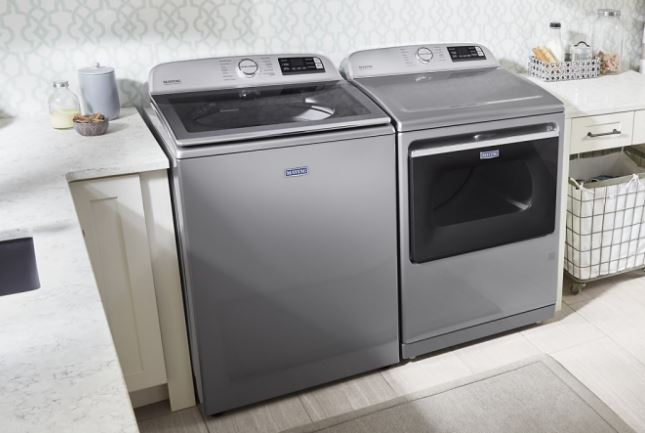
How Do You Reset a Maytag Centennial Washer?
Systematic reset procedures follow specific sequences, ensuring proper execution and maximum effectiveness. Here are the methods and techniques to try out:
1. Basic Power Reset Procedure
This fundamental reset clears most temporary electronic problems.
Step 1: Complete Power Disconnection
Press “Pause/Cancel” button twice stopping any running cycles. The washer must be in standby mode before proceeding.
Unplug the power cord from the wall outlet. Physical disconnection ensures complete power removal.
Don’t just turn off a switch. Actually remove the plug from the outlet.
If the outlet is inaccessible, turn off the circuit breaker. This achieves the same complete disconnection.
Step 2: Extended Wait Period
Wait 5 minutes minimum. This allows control board capacitors to discharge completely.
Longer wait periods prove more effective. Consider waiting 10-15 minutes for thorough discharge.
During this time, press and hold the “Start” button for 30 seconds. This drains any residual electrical charges stored in capacitors.
Step 3: Reconnection and Initialization
Plug the power cord back into the outlet. Ensure complete secure connection.
The control panel lights up. Allow 30-60 seconds for full control board initialization.
Don’t press buttons immediately. Let the system complete its boot sequence.
Step 4: Testing Normal Operation
Select a simple “Normal” cycle. Use default settings without modifications.
Load a small balanced quantity of towels. This provides realistic testing conditions.
Press “Start” and observe cycle initiation. The washer should begin operating normally.
If problems persist, proceed to more advanced reset methods.
2. Control Panel Button Reset
Specific button sequences reset user interface and control settings.
Standard Button Reset Sequence
Ensure the washer is in standby with no cycles running.
Locate the “Control Lock” button on your control panel. Some models label this differently.
Press and hold “Control Lock” for 3 seconds. Release when the control lock indicator changes.
Immediately press and hold “Delay Start” for 3 seconds. This combination triggers interface reset.
Watch for all display lights flashing simultaneously. This confirms successful reset execution.
Alternative Reset Combinations
Model variations require different button sequences. Try these alternatives if standard methods don’t work.
Press “Extra Rinse” and “Spin Speed” simultaneously holding for 5 seconds.
Some models use “Soil Level” pressed three times rapidly within 3 seconds.
Consult your owner’s manual for model-specific instructions. Button combinations vary between production years.
Post-Reset Configuration
After button resets, custom settings disappear. The washer returns to factory default parameters.
Favorite cycle modifications revert to standard. Reestablish preferred settings manually.
Delayed start and control lock deactivate completely. These safety features reset to off positions.
Test all controls verifying proper responsiveness. Press each button confirming appropriate display response.
3. Diagnostic Mode Master Reset
Accessing service menus enables comprehensive system resets.
Entering Diagnostic Mode
Start with the washer in standby mode. No cycles should be running.
Rotate the cycle selector knob one position clockwise. Don’t select a specific cycle—just move one click.
Within 5 seconds, press “Soil Level” button three times rapidly. Timing is critical for successful entry.
The display changes indicating diagnostic mode activation. All lights might flash or “888” appears.
Alternative entry methods exist for different model years. Try holding “Control Lock” while rotating the selector.
Navigating to Reset Functions
Rotate the cycle selector knob navigating diagnostic menu options. Each position represents different functions.
Look for positions labeled or documented as “Calibration” or “Reset.” Service manuals provide exact position information.
The display changes at each position. Note which position corresponds to reset functions.
Press “Start” to activate the selected function. The washer begins executing the reset procedure.
Executing Calibration Reset
Select the calibration position within diagnostic mode. This varies by model.
Press “Start” beginning automatic calibration. The washer runs through various test cycles.
Water fills and drains multiple times. Motors operate at various speeds.
Don’t interrupt calibration. Power loss during this process corrupts control board data.
Calibration completes in 10-15 minutes. The machine automatically returns to normal mode or requires manual exit.
Clearing Error History
Navigate to error code display position. Stored codes appear sequentially.
Document displayed codes before clearing. This information helps identify recurring problems.
Advance to the clear function. This might be a separate selector position.
Press “Start” confirming error memory erasure. The display indicates successful clearing.
Exiting Diagnostic Mode
Press “Pause/Cancel” multiple times. Most models exit diagnostic mode through this method.
Alternatively, unplug briefly forcing system restart. This ensures complete diagnostic mode exit.
Verify normal operation after exiting. Run a standard wash cycle confirming proper function.
4. Master Reset Complete Procedure
This comprehensive approach combines multiple reset methods for maximum effectiveness.
Phase 1: Initial Power Cycle
Unplug the washer for 15 minutes. Extended disconnection ensures thorough capacitor discharge.
While unplugged, press and hold “Power” (if available) or “Start” for 60 seconds. This drains all residual charges.
Phase 2: Button Sequence Reset
Reconnect power. Immediately execute control panel reset sequences.
Press and hold “Control Lock” and “Delay Start” simultaneously for 5 seconds.
Release, wait 3 seconds, then press and hold “Soil Level” and “Spin Speed” together for 5 seconds.
Phase 3: Diagnostic Mode Calibration
Enter diagnostic mode following your model’s specific sequence.
Navigate to calibration function. Execute full calibration cycle.
Clear error history while in diagnostic mode. Erase all stored fault codes.
Phase 4: Empty Test Cycle
Exit diagnostic mode properly. Allow the system to initialize normally.
Run a complete empty wash cycle. Select “Normal” cycle with hot water.
Let the entire cycle complete uninterrupted. This final step reestablishes operational baselines.
Phase 5: Verification Testing
After empty cycle completion, test with actual laundry.
Use a small balanced load of towels. This provides realistic operating conditions.
Observe all cycle phases carefully. Note any unusual behaviors or persistent problems.
Successful completion indicates effective reset. The washer should operate like new.
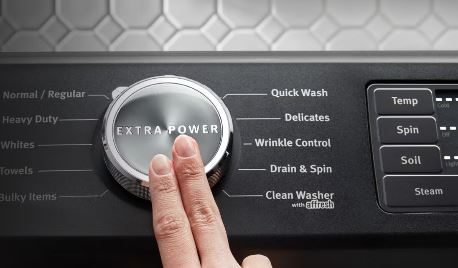
Maytag Centennial Washer Reset Code
Understanding “reset codes” involves clarifying common misconceptions about reset procedures.
Reset Code Misconceptions
No universal single “reset code” exists for Maytag Centennial washers. The term “reset code” creates confusion about actual procedures.
Button sequence confusion – People seek magic button combinations.
Various button sequences access different functions. No single combination resets everything.
Different model years use different sequences. Production changes alter control board programming.
What works on one model might not work on another. Always reference your specific model’s documentation.
Service code misunderstanding – Technician access codes aren’t reset codes.
Service technicians use diagnostic codes accessing advanced functions. These aren’t generally user-accessible.
Attempting wrong sequences might lock systems or cause problems. Stick to documented user-accessible procedures.
Error code clearing confusion – Error codes aren’t reset codes.
Displayed error codes indicate problems. They’re symptoms not reset procedures.
Clearing error displays doesn’t fix underlying problems. Actual repairs remain necessary.
Model-Specific Reset Sequences
Different Centennial model series use distinct reset methods.
MVWC Models (Later Centennial)
These models typically use: Press “Extra Rinse” and “Spin Speed” simultaneously for 5 seconds.
Some require: Hold “Control Lock” while rotating selector one click clockwise.
Diagnostic entry: Rotate selector one click, press “Soil Level” three times within 5 seconds.
MVWX Models (Earlier Centennial)
Standard reset: Hold “Delay Start” and “Control Lock” together for 3 seconds.
Alternative: Press “Power” button three times rapidly within 2 seconds.
Diagnostic entry: Similar to MVWC models with slight timing variations.
Model Number Location
Find your exact model number for accurate instructions. The number appears on labels inside the washer lid or on the back panel.
Model numbers contain 10-12 characters. Record the complete number including all letters and digits.
Online resources provide model-specific documentation. Search using your complete model number for accurate information.
Documented Reset Sequences by Function
Different button combinations achieve specific reset objectives.
Control Lock Reset
Purpose: Deactivate control lock when normal unlock fails.
Sequence: Press and hold “Control Lock” for 3-5 seconds until indicator changes.
Verification: All buttons should respond normally after successful unlock.
Delayed Start Reset
Purpose: Cancel delayed start countdown stuck or won’t clear.
Sequence: Press “Delay Start” repeatedly cycling through all delay options to zero.
Alternative: Press and hold “Delay Start” for 5 seconds completely deactivating the feature.
Cycle Settings Reset
Purpose: Return all cycle modifications to factory defaults.
Sequence: Hold “Extra Rinse” and “Deep Wash” simultaneously for 5 seconds.
Result: Custom temperature, spin, and option selections revert to standard.
Load Sensing Reset
Purpose: Recalibrate automatic load sensing function.
Method: Enter diagnostic mode and run calibration cycle.
Duration: 10-15 minutes of automatic testing and calibration.
Troubleshooting Failed Maytag Centennial Washer Reset Attempts
Sometimes reset procedures don’t resolve problems as expected.
Reset Didn’t Solve the Problem
When resets fail to fix issues, different approaches become necessary.
Underlying component failures prevent reset effectiveness.
Resets clear electronic errors but don’t repair broken parts. Failed motors, switches, or sensors require actual replacement.
If problems immediately return after reset, component failure is likely. Physical repairs become necessary.
Test individual components systematically. Identify which specific parts malfunction requiring replacement.
Improper reset execution causes apparent failures.
Button sequences require precise timing. Incorrect timing prevents successful reset execution.
Repeat procedures carefully following timing requirements exactly. Video yourself for verification if needed.
Some sequences require specific starting conditions. Ensure the washer is in correct modes before attempting resets.
Multiple simultaneous problems need individual attention.
One reset might fix one problem while others persist. Complex situations require multiple targeted interventions.
Document all remaining issues after reset attempts. Address each problem individually.
Consider professional assessment if multiple complex problems exist simultaneously.

Reset Made Things Worse
Rarely, reset procedures create new problems requiring corrective action.
Stuck in diagnostic mode prevents normal operation.
If diagnostic mode won’t exit, try extended unplugging. Disconnect power for 30 minutes forcing complete system restart.
Press and hold multiple buttons simultaneously while reconnecting power. This sometimes forces diagnostic exit.
Consult service manuals for emergency exit procedures. Model-specific methods exist for diagnostic mode problems.
Settings completely cleared requires reconfiguration.
Factory resets erase all custom preferences. Reestablish desired settings manually.
Note favorite cycle configurations before major resets. This documentation speeds restoration.
New error codes appeared after reset.
Fresh error codes might represent problems previously masked by corrupted data. These aren’t new problems—just newly visible.
Address new error codes using appropriate diagnostic procedures. The reset revealed rather than created issues.
Advanced Maytag Centennial Washer Reset Techniques
Specialized situations require advanced reset approaches.
Cold Start Reset
Mimics fresh-from-factory initialization.
Unplug the washer overnight. Extended cold soaking allows complete discharge.
Ensure the laundry room reaches ambient temperature. Temperature stabilization improves reset effectiveness.
Reconnect power in the morning. The extended cold period creates the most thorough electronic reset possible.
Immediately run calibration procedures. Fresh initialization benefits from immediate calibration.
Component-Specific Resets
Individual systems sometimes need targeted reset procedures.
Lid Lock Reset
Access lid lock mechanism. Manually release any stuck components.
Clean lock mechanism thoroughly. Remove detergent buildup and debris.
Cycle the lock manually 10-20 times. This mechanical exercise helps restore proper function.
Pressure Sensor Reset
Disconnect pressure tube from pressure switch. Clear any blockages.
Blow through the tube verifying unobstructed airflow. Clean or replace blocked tubes.
Reconnect and run diagnostic pressure tests. This recalibrates pressure sensing system.
Motor Position Reset
Enter diagnostic mode accessing motor tests. Run motor through full speed range.
This procedure resets motor position sensors. Hall effect sensors reestablish baseline positions.
Actuator Position Reset
Test actuator function in diagnostic mode. Cycle through all positions multiple times.
This mechanical reset helps unstick actuators. Multiple cycles clear minor binding.
Network/Smart Feature Reset
Internet-connected Centennial models need additional reset procedures.
WiFi Connection Reset
Access network settings through control panel menu. Navigate to WiFi configuration.
Select “Forget Network” or “Disconnect.” This clears stored network credentials.
Reconnect following initial setup procedures. Fresh connection often resolves smart feature problems.
App Connection Reset
Delete the washer from smartphone apps. Remove all pairing information.
Reset the washer’s network module. This might require diagnostic mode procedures.
Re-pair devices following manufacturer instructions. Fresh pairing resolves most connectivity issues.
Read Also: Maytag Stackable Washer and Dryer Issues Solved!
Preventing Future Maytag Centennial Washer Reset Needs
Proactive measures reduce reset procedure frequency.
Power Protection
Electrical supply quality affects control board stability.
Install surge protectors. Quality surge protection prevents power spike damage.
Avoid sharing circuits with high-draw appliances. Refrigerators, microwaves, or space heaters create power fluctuations.
Consider whole-house surge protection. This protects all appliances simultaneously.
Verify adequate circuit capacity. Washers need dedicated 15-20 amp circuits.
Environmental Considerations
Installation location affects electronic reliability.
Maintain moderate temperatures. Extreme cold or heat affects electronic components.
Control humidity levels. Excessive moisture corrodes connections and attacks circuit boards.
Ensure adequate ventilation. Heat buildup accelerates electronic deterioration.
Protect from water exposure. Leaks or splashing damage electrical components.
Operational Best Practices
Usage habits impact system stability.
Don’t interrupt cycles unnecessarily. Excessive cancellations confuse control logic.
Allow complete cycle completion. Full cycles help maintain calibration accuracy.
Use appropriate detergents. Wrong products create operational problems.
Follow loading guidelines. Consistent overloading stresses all systems.
Close lids gently. Hard impacts damage switches and sensors.
Regular Maintenance
Preventive care reduces electronic problems.
Clean the washer monthly. Remove detergent buildup affecting sensors.
Inspect electrical connections quarterly. Tighten any loose connections.
Run cleaning cycles regularly. This maintains sensor cleanliness.
Address small problems immediately. Minor issues become major failures when ignored.
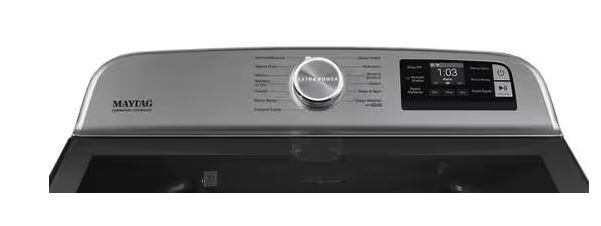
Post-Reset Optimization
Maximize reset effectiveness through proper post-reset procedures.
Verification Testing
Confirm successful reset through systematic testing.
Run multiple test cycles. Use various cycle types verifying proper operation.
Test all control panel functions. Press every button confirming appropriate responses.
Monitor for recurring errors. Document any codes reappearing after reset.
Evaluate performance improvements. Note which problems resolved and which persist.
Reconfiguration
Restore preferred settings after factory resets.
Reestablish favorite cycle configurations. Set preferred temperatures, spin speeds, and options.
Reconfigure delayed start preferences. Set typical delay intervals used regularly.
Adjust default settings. Modify standard cycle parameters matching your preferences.
Test customized settings. Verify configured parameters work correctly.
Documentation
Record reset procedures and results.
Note which reset methods were used. Document exact procedures performed.
Record date and circumstances. This history helps diagnose future problems.
Photograph any unusual conditions. Visual documentation assists future troubleshooting.
Save all error codes encountered. This information helps identify patterns.
Frequently Asked Questions
How often should I reset my Maytag Centennial washer?
Regular resets aren’t necessary for properly functioning washers. Reset only when specific problems occur like error codes, frozen controls, or erratic behavior. Frequent reset needs indicate underlying problems requiring diagnosis and repair rather than repeated resetting.
Will resetting my washer erase the warranty?
No, reset procedures don’t void warranties. These are user-accessible functions designed for homeowner use. However, opening the washer cabinet or attempting component-level repairs might void coverage. Always check warranty terms before repairs.
Can I reset my Maytag Centennial without unplugging it?
Basic button sequence resets work without unplugging. However, thorough power resets require actual disconnection. Unplugging ensures complete capacitor discharge clearing all temporary memory. For maximum effectiveness, combine unplugging with button sequences.
Why do resets sometimes fix problems temporarily?
Temporary fixes indicate underlying component failures rather than electronic glitches. Resets clear symptoms but don’t repair broken parts. Failed components work briefly after reset but fail again quickly. Identify and replace failing components for permanent solutions.
What’s the difference between reset and calibration?
Resets clear settings and memory returning to defaults. Calibration establishes accurate sensor baseline readings. Calibration is a specific reset type focusing on measurement accuracy. Comprehensive resets include calibration plus additional clearing procedures.
Can resets damage my Maytag Centennial washer?
Properly executed reset procedures can’t damage washers. These functions are built into control programming. However, repeatedly resetting without addressing root causes delays necessary repairs potentially allowing problems to worsen over time.
How long does a complete reset take?
Basic power resets require 5-10 minutes. Control panel button resets take 2-3 minutes. Diagnostic mode resets with calibration need 15-20 minutes. Master resets combining all methods take 30-45 minutes including testing. Time varies by specific procedures performed.
Mastering Maytag Centennial Washer Reset Procedures
Reset procedures represent powerful troubleshooting tools when properly understood and executed. These electronic control clearing methods resolve many Maytag Centennial problems without repairs.
Different reset types address specific problem categories. Match reset methods to your particular symptoms for maximum effectiveness.
Basic power resets solve most temporary electronic glitches. Always try this simplest approach first before complex procedures.
Control panel button resets target user interface issues. These clear stuck settings and unresponsive control problems.
Diagnostic mode resets provide comprehensive system clearing. Calibration and error history clearing restore proper sensor function.
Master resets combine multiple approaches. These comprehensive procedures tackle complex or multiple simultaneous problems.
No universal reset code exists despite common misconceptions. Model-specific button sequences and procedures vary between production years.
Failed resets indicate underlying component problems. Electronic clearing can’t repair broken mechanical or electrical parts.
Preventive measures reduce reset needs. Proper operation, power protection, and regular maintenance minimize electronic problems.
Post-reset optimization ensures maximum benefit. Verification testing and proper reconfiguration confirm successful problem resolution.
Document all reset procedures and results. This history provides valuable troubleshooting information for future problems.
Your Maytag Centennial contains sophisticated electronics managing every operational aspect. Understanding reset procedures gives you control over these systems maintaining reliable performance throughout the washer’s lifespan.