
Your Mitsubishi mini split system suddenly stopped working, and you’re left searching for answers. Whether the indoor unit won’t turn on, keeps shutting off unexpectedly, displays mysterious green lights, or makes unsettling buzzing noises, these issues disrupt your comfort when you need climate control most.
Mitsubishi Electric mini splits are known for their reliability, but even the best systems develop problems that need systematic troubleshooting. This guide walks you through every common Mitsubishi mini split issue you’re likely to encounter in (from units that won’t heat properly to cryptic error codes flashing on displays) with practical diagnostic steps and real solutions. You might be able to save yourself an expensive service call by understanding exactly what’s going wrong and how to fix it.
Mitsubishi mini split problems usually come from power supply interruptions, remote control malfunctions, refrigerant system issues, dirty filters blocking airflow, or error codes pointing to specific component failures. Most issues can be resolved through systematic troubleshooting: checking power connections and breakers, replacing remote batteries, cleaning filters and coils, resetting the system properly, and reading error codes to identify what’s actually failed.
Understanding the patterns helps you figure out whether you’re dealing with electrical, mechanical, or refrigerant-related problems.
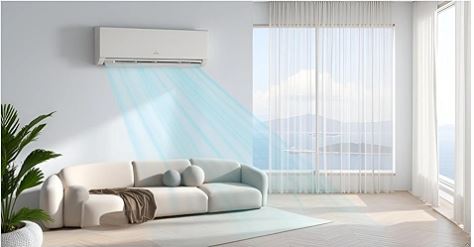
Mitsubishi Mini Split Quick Diagnostic Chart
| Problem Pattern | Indoor Unit Behavior | Outdoor Unit Status | Indicator Lights | Most Probable Cause | Initial Action |
|---|---|---|---|---|---|
| Complete power loss | No response, dark display | No operation | All lights off | Tripped breaker or blown fuse | Check electrical panel |
| Won’t stay running | Starts then stops after minutes | Cycles briefly | Normal then off | Clogged filter or sensor issue | Clean filter immediately |
| Two green lights flashing | Display shows error | May or may not run | 2 green LED pattern | Specific error code | Count flash pattern; check manual |
| Won’t heat | Runs in cool/fan mode | Outdoor unit inactive | Normal operation | Reversing valve or thermostat | Verify heat mode selection |
| Buzzing sound | Operates but noisy | Normal function | No error indication | Loose components or fan blade | Inspect indoor unit interior |
| No airflow | Powers on, no air movement | Outdoor runs normally | Normal lights | Fan motor or control board | Check fan blade rotation |
| Remote unresponsive | Unit doesn’t react | No response to commands | Previous state continues | Dead batteries or pairing lost | Replace batteries; re-pair |
| Constant beeping | Audible alarm | May shut down | Error lights flashing | Critical error detected | Document beep pattern; check code |
Understanding Mitsubishi Mini Split Systems
Mitsubishi Electric pioneered ductless mini split technology, and their 2024-2026 models represent some of the most advanced HVAC engineering available today.
Mini splits consist of two primary components. The indoor air handler mounts high on your wall, while the outdoor condensing unit sits outside, connected through refrigerant lines that run between them.
Unlike traditional window units, mini splits use inverter technology—essentially a variable-speed compressor that gives you precise temperature control and exceptional energy efficiency. The system can ramp up or down based on exactly what your space needs rather than just turning on and off.
Communication between the indoor and outdoor units is surprisingly sophisticated. Control signals, electrical power, and refrigerant all flow through those connecting lines, which means any disruption can affect how the whole system operates.
Mitsubishi’s diagnostic systems are actually pretty advanced. LED indicator patterns and error codes can pinpoint specific problems if you know how to read them. Learning to interpret these signals can dramatically speed up your troubleshooting process.
The M-Series, P-Series, and MSZ/MUZ model lines are what you’ll find in most residential installations. Each has slightly different features, but they all share common troubleshooting principles that we’ll cover here.
Mitsubishi Mini Split Common Problems Trubleshooting
Understanding the most frequent issues helps you prioritize where to start troubleshooting. These problems account for roughly 80% of service calls.
Power and Electrical Issues
Electrical problems top the list. Symptoms range from complete power loss to the unit working only when it feels like it.
Tripped breakers happen when circuits get overloaded or short circuits develop. Mitsubishi mini splits typically draw 10-20 amps depending on capacity, so undersized breakers will trip frequently.
Blown fuses in the outdoor disconnect box stop everything from working. These fuses protect against power surges, but they need replacement once they blow.
Loose wiring connections cause those frustrating intermittent problems where the unit works fine one day and not the next. The heating and cooling cycles gradually loosen terminal screws over months, creating resistance, heat buildup, and eventual failure.
Power supply quality matters more than you might think. If your voltage falls outside specifications (less than 197V or more than 253V on 230V systems), the unit’s protective systems will shut everything down to prevent damage.
Remote Control Failures
Remote control issues are particularly frustrating because they can look exactly like unit failures when really it’s just your remote acting up.
Dead batteries are the obvious culprit, but they’re far from the only problem. Signal interference from LED lights, WiFi routers, or other electronics can disrupt the infrared communication—your remote is transmitting, but the unit isn’t receiving.
Lost pairing between the remote and indoor unit prevents operation entirely. This commonly happens after power outages or when you change the batteries.
Physical damage to the remote’s infrared emitter stops signal transmission. Even small drops and impacts can crack internal components you can’t see.
Some 2026 models use wireless remotes operating on 2.4GHz frequencies instead of infrared, which means they have completely different troubleshooting requirements.
Filter and Airflow Restrictions
Here’s something that might surprise you: clogged filters are responsible for about 40% of performance complaints. When airflow gets restricted, it creates problems throughout the entire system.
Dirty filters force your unit to work significantly harder, which increases energy consumption, reduces cooling and heating capacity, and puts stress on components that weren’t designed to handle it.
Frozen evaporator coils are what happens when airflow restriction gets severe. Ice buildup blocks the remaining airflow, creating a problem that just keeps getting worse.
Return air blockage from furniture or curtains pushed too close also restricts airflow. Wall-mounted units need at least 12 inches of clearance in front to work properly.
Dirty indoor coils accumulate grime even when you’re good about changing filters. Dust bypasses filters or sneaks through during filter changes. Annual coil cleaning is essential for maintaining performance.
Refrigerant System Problems
Refrigerant issues require professional service, but understanding the symptoms helps you know what you’re dealing with.
Refrigerant leaks develop at connections from vibration or occasionally from manufacturing defects. Here’s an important point: systems don’t “use up” refrigerant during normal operation—only leaks cause low levels.
Low refrigerant prevents adequate heating or cooling. Your unit will run continuously without ever reaching the temperatures you’ve set.
Overcharged systems create high pressure situations that trigger safety switches and protective shutdowns.
Refrigerant line restrictions from kinks or internal contamination prevent proper refrigerant flow, and performance degrades gradually over time.
Condensate Drainage Failures
Mini splits generate a surprising amount of condensate during cooling operation, and drainage problems cause shutdowns and potential water damage.
Clogged drain lines from algae growth are extremely common. The warm, moist environment inside those drain lines is basically perfect for biological growth.
Frozen drain lines in cold weather block drainage, which particularly affects systems running in cooling mode when it’s cold outside.
Improper installation pitch prevents gravity drainage. Lines need to slope continuously downward without any dips that create water traps.
Float switches detect when the drain pan is about to overflow and shut down the system. It’s annoying, but it prevents water damage—you just need to clear whatever’s blocking the drain.
Control Board and Sensor Malfunctions
Electronic control systems are sophisticated, which unfortunately makes them vulnerable to various types of failure.
Control boards can fail from power surges, moisture getting where it shouldn’t, or just component age. When a board fails, it typically prevents all system operations.
Temperature sensors (thermistors) that go bad cause erratic operation because the system is receiving incorrect temperature data and responding to information that doesn’t match reality.
Communication failures between indoor and outdoor units create some truly mysterious problems. The units literally can’t coordinate their operation without proper communication.
Display panel failures prevent you from monitoring status and controlling the unit. You can’t see error codes or system status without a functional display.
Mitsubishi Mini Split Not Turning On
Your unit shows absolutely no signs of life—no display lights, no response to the remote, complete silence. This total failure has specific causes. Here’s what to check when your AC won’t turn on:
Check Power Supply First
Before assuming your unit has failed, verify that it’s actually receiving electrical power. This simple step solves about 30% of “dead unit” complaints.
Locate the circuit breaker controlling your mini split. Check both the indoor and outdoor unit breakers if they’re on separate circuits. Reset any tripped breakers by flipping them fully off, then back on.
Test the outlet powering the indoor unit if it’s a plug-in style. Use a lamp or phone charger to verify the outlet is actually working.
Inspect the outdoor disconnect box near the condensing unit. Make sure it’s in the “ON” position and the fuses inside are intact.
Check for GFCI protection on the circuit. Some installations use GFCI breakers or outlets that trip independently from regular breakers. Press any “RESET” buttons you find.
If you’re comfortable with a multimeter, verify voltage at the disconnect box. You should read 208-230V depending on your system specifications.
Replace Remote Control Batteries
Dead remote batteries are surprisingly common culprits, and the remote can appear to work even when it’s not transmitting any signal.
Remove the remote’s battery cover and replace all batteries with fresh ones. Pay careful attention to the polarity markings—getting these backwards prevents operation.
Mitsubishi remotes typically use AAA or AA batteries. Some wireless models use CR2032 coin cells instead.
After replacing batteries, test the remote’s infrared emitter. Point it at your smartphone camera and press buttons—you should see a flashing light on the phone screen if the remote is working.
If no infrared flash appears, the remote itself has failed. You’ll need to order a replacement remote ($40-$80 typically) using your indoor unit’s model number.
Inspect the Indoor Unit’s Power Connection
Wall-mounted indoor units receive power through either hardwired connections or plug-in power cords, depending on how they were installed.
For hardwired units, verify the circuit breaker is on and check the junction box connection at the unit for any loose wires.
For plug-in models, ensure the plug is fully inserted in the outlet. Vibration from operation can gradually loosen plugs over time.
Look for any tripped inline fuses or breakers. Some installations include disconnect switches right at the indoor unit location for easier servicing.
Check that the power cord hasn’t been damaged by furniture being pushed against it, pets chewing on it, or home renovations. Even small damage can cause complete power loss.
Reset the Indoor Unit
Electronic glitches sometimes prevent startup even when there’s nothing physically wrong. A complete reset clears these temporary errors.
Locate the manual reset button on your indoor unit. It’s usually behind the front cover somewhere near the display panel.
Press and hold the reset button for 3-5 seconds. Some models require using a thin object like a paperclip to reach the recessed button.
Alternatively, turn off the circuit breaker for a full 5 minutes, then restore power. This performs what’s called a “hard reset” of the entire system.
After resetting, wait about 3 minutes before attempting to operate the unit. The system needs time to complete its initialization sequence.
If the unit still won’t power on after a proper reset, you’re likely dealing with internal component failure that requires professional repair.
Check for Blown Fuses
Mitsubishi mini splits contain internal fuses that protect against electrical surges and short circuits.
Accessing internal fuses requires removing the indoor unit’s cover. Always disconnect power before opening anything up.
Fuses are typically located on the control board or near where power enters the unit. They’re small cylindrical or rectangular components.
Blown fuses often appear blackened or have visibly broken internal elements. You can also test them with a multimeter set to check continuity.
Replace blown fuses only with exact amperage matches. Common ratings are 3A, 5A, or 6.3A. Using the wrong amperage creates serious fire hazards.
If fuses blow repeatedly after replacement, there’s an underlying electrical problem causing them to blow. At this point, professional diagnosis becomes necessary.
Verify Outdoor Unit Operation
Sometimes the indoor unit has power but problems with the outdoor unit prevent the whole system from operating.
Walk outside to your condensing unit and listen for any sounds when you attempt to turn on the system from inside.
Check the outdoor disconnect switch position and verify the fuses in the disconnect box are intact.
Look for any obvious damage—disconnected wires, animal damage to wiring, or impact damage to the unit itself.
The outdoor unit must receive power and communicate with the indoor unit to work. Communication wire failures prevent operation of both units even when they both have power.
Mitsubishi Mini Split Won’t Stay On
The unit starts up normally but then shuts off after just a few minutes of operation. This cycling pattern points to specific problems.
Clean the Air Filter Immediately
Dirty filters are far and away the number one cause of units shutting off prematurely. Restricted airflow triggers the system’s safety shutdowns.
Open the front panel of your indoor unit. The filter is right there behind it, designed for easy access.
Remove the filter carefully and hold it up to a light source—if you can’t see through it clearly, it’s too dirty to work properly.
Wash the filter under running water. Use mild dish soap for heavy soil, then rinse thoroughly until the water runs completely clear.
Let the filter dry completely before reinstalling—minimum 4 hours, but preferably 24 hours. Never put a damp filter back in the unit.
Mitsubishi recommends cleaning filters every two weeks during heavy use seasons. Monthly cleaning is the absolute minimum for maintaining proper operation.
Check for Frozen Evaporator Coils
Ice formation on the indoor coil causes shutdowns because the unit detects abnormal temperatures and protects itself from damage.
Turn off the system completely and allow ice to melt naturally. This takes anywhere from 2 to 6 hours depending on how thick the ice buildup is.
Never try to chip or scrape ice off the coils. This damages the delicate fins and can puncture refrigerant lines, turning a fixable problem into an expensive one.
After everything defrosts, you need to identify what caused the freezing. Common culprits include dirty filters, low refrigerant levels, or operating in cooling mode when the outdoor temperature is below 60°F.
Check that nothing is blocking the indoor unit’s air intake or output. Furniture, curtains, or wall decorations need to be at least 12 inches away from the unit.
If freezing happens again after you’ve cleaned the filter and ensured proper clearance, low refrigerant is likely the problem. This requires professional service.
Inspect the Condensate Drain System
Blocked drains trigger float switches that shut down the entire system to prevent water overflow and damage to your home.
Locate the condensate drain line exiting your indoor unit and follow it to where it terminates.
Check for standing water in the drain pan. Remove the front cover and look inside the base of the unit.
Clear the drain line using a wet-dry vacuum. Attach the vacuum hose directly to the drain line exit outside and create suction to pull out blockages.
Algae and mold growth commonly clog drain lines because the warm, moist environment inside is perfect for them. Pour a mixture of bleach and water (1:10 ratio) through the drain to kill anything growing and prevent future buildup.
Some installations include auxiliary drain pans with their own separate float switches. Make sure you check all drain pans in the system.
Verify Thermostat and Temperature Settings
Sometimes what looks like a malfunction is actually the unit reaching the temperature you set and shutting off normally—which means it’s working exactly as designed.
Make sure your temperature setting is at least 5-7 degrees different from the current room temperature. Small differentials cause the unit to reach target temperature quickly and cycle on and off frequently.
Check what operating mode you’re in. “Auto” mode switches between heating and cooling based on temperature needs. This might appear to shut off when it’s actually just not actively conditioning the air at that moment.
Temperature sensor location matters more than you’d think. If the sensor is in direct airflow from the unit or getting hit by sunlight through a window, it reads incorrectly and causes premature shutoff.
Some Mitsubishi models have “i-See” sensors that monitor different zones in your room. These sophisticated sensors occasionally need recalibration through the service menu.
Address Electrical Connection Issues
Loose wiring connections cause intermittent operation problems. The repeated heating and cooling cycles gradually loosen terminal screws over months and years of use.
This diagnosis requires electrical knowledge and proper tools. If you’re not comfortable working with electrical systems, hire a professional—it’s worth it.
With power completely off, inspect all wire connections at the indoor unit’s terminal strip. Gently tug each wire—none should move at all.
Tighten terminal screws carefully and evenly. Don’t overtighten, as this can break wire strands or crack the terminals themselves.
Check connections at the outdoor unit the same way. Loose connections there cause shutdowns just as often as indoor connection problems.
Oxidized connections develop greenish corrosion over time. Clean these with contact cleaner spray or replace corroded terminals entirely.
Check for Error Codes
Units that shut off repeatedly often display error codes that tell you exactly what’s wrong if you know how to read them.
Observe the LED indicators on the indoor unit during and immediately after shutdown. Note any flashing patterns you see.
Consult your owner’s manual for error code interpretation. Different Mitsubishi model lines use different code systems, so you need information specific to your model.
Common codes that cause shutdowns include filter maintenance reminders, high-pressure errors, communication failures between units, and sensor malfunctions.
Document any error codes you see before calling for service. This information significantly reduces diagnostic time and potentially saves you money on the service call.
2 Green Lights on Mitsubishi Mini Split
Two flashing green lights indicate specific error conditions. Understanding what these patterns mean helps you identify problems quickly.
Decode the Flash Pattern
Mitsubishi uses LED flash patterns as diagnostic codes that communicate specific information about what’s happening with your system.
Count the number of flashes in each sequence carefully. Two green lights flashing simultaneously is different from lights that alternate flashing.
Note the speed of the flashing. Slow flashes at 1-second intervals indicate different issues than rapid flashes at half-second intervals.
Observe how long the pattern continues before pausing. Flash sequences typically repeat every 5-10 seconds with brief pauses between cycles.
Some models have multiple LEDs in different colors, so two green lights is just one of many possible combinations you might see.
Common Two-Green-Light Error Codes
| Flash Pattern | What It Indicates | Component Affected | Typical Cause |
|---|---|---|---|
| Both green slow flash | Normal standby mode | None (normal operation) | No error—unit is ready |
| Both green rapid flash | Communication error | Indoor/outdoor communication | Wiring issue or board failure |
| Alternating green flashes | Temperature sensor error | Thermistor malfunction | Sensor disconnected or failed |
| Two greens + one red | Refrigerant system issue | Pressure switch or leak | Low refrigerant or pressure problem |
| Continuous two green | Filter maintenance reminder | Air filter | Time for filter cleaning |
Consult Your Specific Model Manual
Mitsubishi produces numerous model lines, and each uses different indicator systems. Your specific model determines the exact meaning of any flash pattern.
Locate your model number on the indoor unit’s data plate. It’s typically on the right side of the unit behind the front cover.
Download the service manual from Mitsubishi’s website. Consumer manuals often lack the detailed error code information you need for troubleshooting.
The service manual includes complete LED pattern charts that definitively identify what each pattern means for your specific model.
If you can’t locate your manual, contact Mitsubishi customer service with your model number. They can provide error code interpretation for your particular unit.
Reset to Clear Temporary Errors
Some two-green-light patterns indicate temporary conditions that will clear with a proper reset.
Turn off power at the circuit breaker and wait a full 5 minutes for complete system discharge.
Restore power and observe the startup sequence. Many temporary errors clear automatically when the system reboots.
If the same pattern returns immediately, the error is still active and you need to fix the underlying problem causing it.
Filter reminders need manual reset after you’ve cleaned the filter. Most Mitsubishi models reset by holding specific button combinations on the remote or indoor unit.
Address Communication Errors
Two flashing green lights often indicate communication failures between the indoor and outdoor units.
Inspect the communication wire running between units. This low-voltage wire carries the control signals that let the units coordinate.
Check connections at both the indoor and outdoor units. Communication wires often loosen from vibration over time.
Look for damaged communication wire along its length. Landscape equipment, animal activity, or severe weather can sever these wires.
Test communication wire continuity with a multimeter. Resistance should be quite low (under 10 ohms) between the units.
If wiring is intact but communication still fails, you’re likely dealing with control board problems that require professional diagnosis.
How to Reset Mitsubishi Mini Split
Resetting clears temporary errors and often restores normal operation. Different types of resets address different kinds of problems.
Basic Soft Reset Procedure
The simplest reset takes about 90 seconds and resolves many minor glitches.
Using your remote control, turn the unit completely off. Wait until all indicator lights go out and you don’t hear any sounds.
Wait 60 seconds. This brief pause allows the control system to clear its active memory.
Turn the unit back on using the remote and observe the startup sequence for any unusual behavior.
This soft reset clears temporary errors but doesn’t reset learned settings or filter timers.
Complete Hard Reset Method
Full power cycling resets all electronic systems completely, which is more thorough than a soft reset.
Step 1: Turn off the unit using the remote control. Let it shut down completely—this usually takes about 30 seconds.
Step 2: Turn off the circuit breaker controlling both the indoor and outdoor units. This removes all power from the system.
Step 3: Wait a full 10 minutes. This duration ensures capacitors fully discharge and control boards completely reset.
Step 4: Restore power at the circuit breaker. Don’t turn the unit on yet—let it sit powered but inactive for 1 minute.
Step 5: Turn on the system using the remote control. The unit will perform its full initialization sequence from scratch.
This hard reset clears virtually all electronic errors that aren’t caused by actual hardware failure.
Filter Reminder Reset
After cleaning your filters, you need to reset the maintenance reminder to stop the warning indicators.
The exact procedure varies significantly by model. Most require pressing and holding specific buttons on either the remote or the indoor unit itself.
Common reset sequence: Press and hold the “Mode” and “Fan” buttons together for 3-5 seconds while the unit is running.
Alternative method: Access filter reset through the remote’s menu system. Navigate to Settings > Maintenance > Filter Reset.
Some newer models auto-reset when they detect adequate airflow after you’ve cleaned the filter. These require no manual intervention.
Consult your owner’s manual for model-specific filter reset instructions, as procedures vary significantly across different product lines.
Factory Reset to Default Settings
Factory reset returns all settings to manufacturer defaults. Use this only when necessary because it erases all your customization.
Access factory reset through the remote’s advanced menu. This typically requires entering a service code or button combination.
For many models: Press and hold “Mode + Temp Down” buttons together for 10+ seconds. The display will show “00” or “RST” indicating you’ve entered reset mode.
Confirm the factory reset when prompted. The unit will restart and return to out-of-box configuration.
After a factory reset, you must reconfigure everything: temperature preferences, fan speeds, swing patterns, timer schedules, and WiFi connections if applicable.
Reset After Error Codes
Specific error codes require targeted reset procedures after you’ve fixed the underlying problem.
Document the error code displayed or LED pattern you observed. Fix the actual problem indicated by that code.
After making the repair, perform a hard reset to clear the error from system memory. The unit needs to recognize that the problem has been resolved.
Some errors auto-clear when conditions return to normal. Others require manual acknowledgment through button sequences.
If the same error returns immediately after reset, the problem wasn’t actually fixed. You’ll need to do further diagnosis.
When Resets Don’t Help
If problems persist after multiple proper resets, you’re dealing with hardware failure. Resets fix software glitches and temporary errors, not broken components.
Document exactly what happens after each reset attempt. This information helps technicians diagnose the problem efficiently.
Count how many times the same error occurs and under what conditions. Intermittent problems are harder to diagnose than consistent, repeatable ones.
Consider your unit’s age and repair history. Units 8+ years old that have needed multiple recent repairs often aren’t worth extensive troubleshooting and may need replacement.
Find the best-selling mini split air conditioners on Amazon!
Mitsubishi Mini Split Troubleshooting Codes
Mitsubishi uses alphanumeric error codes displayed on the indoor unit or indicated by LED flash patterns to communicate what’s wrong.
Understanding the Code System
Mitsubishi error codes typically consist of 1-2 numbers. Each number represents a specific diagnostic result from the system’s self-check.
Codes display on the indoor unit’s LED screen if your model is equipped with one. Units without screens use LED flash patterns instead.
Some codes indicate exactly which component has failed. Others point to symptoms that require further diagnosis to pinpoint the exact problem.
Code severity varies widely. Some are simple maintenance reminders you can handle yourself. Others indicate critical failures requiring immediate professional service.
Most Common Mitsubishi Mini Splir Air Conditioner Error Codes
| Error Code | What It Means | Affected Component | DIY Fixable? | Professional Action |
|---|---|---|---|---|
| Error 1 | PCB (control board) communication error | Control boards | Sometimes | Check wiring; may need board replacement |
| Error 2 | Outdoor unit heat exchanger temp sensor | Thermistor | No | Replace outdoor sensor |
| Error 3 | Indoor unit heat exchanger temp sensor | Thermistor | No | Replace indoor sensor |
| Error 4 | Outdoor defrost sensor error | Defrost thermistor | No | Sensor replacement needed |
| Error 5 | Outdoor-indoor unit communication | Communication wire | Sometimes | Verify wire continuity |
| Error 6 | Indoor unit fan motor | Fan motor or board | No | Motor replacement or board repair |
| Error 7 | Indoor unit swing motor | Louver motor | Sometimes | Check for obstructions blocking movement |
| Error 8 | Current overload | Compressor or wiring | No | Electrical diagnosis required |
| Error 9 | Outdoor unit thermistor | Temperature sensor | No | Sensor replacement |
| Error 10 | Compressor discharge temperature abnormal | Compressor sensor | No | Check refrigerant levels and compressor |
| Error 11 | Indoor unit float switch activated | Drain system | Yes | Clear condensate drain blockage |
| Error 12 | High pressure switch tripped | Refrigerant system | No | Check for overcharge or airflow problems |
Refrigerant System Error Codes
These codes indicate problems with the refrigerant system that typically require professional service.
High pressure errors suggest refrigerant overcharge, blocked outdoor coil, or outdoor fan motor failure. The system protects itself by shutting down.
Low pressure errors point to refrigerant leaks, blocked indoor coil, or indoor fan problems. Insufficient refrigerant flow triggers these codes.
Discharge temperature errors mean the compressor is running too hot. This can result from low refrigerant, overcharge, or compressor problems.
You shouldn’t attempt DIY repairs on refrigerant system issues. Refrigerant handling requires EPA certification, and mistakes can damage expensive components or create safety hazards.
Sensor and Thermistor Error Codes
Temperature sensor failures are common and relatively straightforward for technicians to fix.
Sensors measure temperatures at various points throughout the system. Failed sensors send incorrect data, causing erratic operation.
Thermistor errors (Codes 2, 3, 4, 9) indicate specific sensor failures. Technicians can test sensors with multimeters and replace failed ones relatively quickly.
Sensor replacement typically costs $150-$300 including service call, parts, and labor.
Communication Error Troubleshooting
Communication errors between indoor and outdoor units create frustrating intermittent problems.
Check the communication wire first. This small-gauge wire carries signals between units and commonly gets damaged during landscaping or other work.
Verify connections at both ends. Loose terminals prevent reliable communication even when wires are intact.
Test wire continuity with a multimeter. The wire should show very low resistance (typically under 10 ohms) from end to end.
If wiring checks out, control board issues are likely. One or both boards may need replacement, which typically costs $300-$600 depending on your model.
Error Code Documentation
Properly documenting error codes helps technicians diagnose problems quickly and accurately.
Write down the exact error code or LED flash pattern you observe. Include details about when it appears—during startup, during operation, or after specific conditions.
Note what the system was doing when the error occurred. Was it heating, cooling, just turned on, been running for hours?
Document how often the error appears. Consistent errors point to permanent failures. Intermittent errors suggest environmental conditions or marginal component failures.
Take photos or videos of flashing LED patterns. This visual documentation helps technicians interpret patterns correctly.
When to Call a Professional
Some error codes clearly indicate you need professional help rather than continuing DIY troubleshooting.
Refrigerant system codes (high/low pressure, discharge temperature) require professional equipment and EPA certification to fix properly.
Multiple simultaneous error codes suggest complex system failures that need expert diagnosis.
Repeatedly recurring errors after you’ve attempted fixes indicate problems beyond basic troubleshooting.
Any error involving the compressor warrants professional service, as compressor work is expensive and mistakes cost even more.
Frequently Asked Questions About Mitsubishi Mini Split Troubleshooting
Why does my Mitsubishi mini split keep turning off by itself?
Your mini split most likely keeps shutting off because of a dirty air filter restricting airflow, which triggers the system’s safety mechanisms. Clean your filter thoroughly under running water and let it dry completely before reinstalling.
If the problem continues after filter cleaning, check for frozen evaporator coils, blocked condensate drain lines, or error codes displayed on the unit.
Other causes include incorrect temperature settings (where the unit reaches the set temperature and turns off normally), loose electrical connections, or communication errors between the indoor and outdoor units.
How do I reset my Mitsubishi mini split without a remote?
You can reset your Mitsubishi mini split without a remote by turning off the circuit breaker that controls the unit, waiting 5-10 minutes for complete power discharge, then turning the breaker back on. This hard reset clears most temporary errors.
Most indoor units also have a manual reset button located behind the front cover near the display panel—press and hold this button for 3-5 seconds using a thin object like a paperclip. Some models have manual control buttons directly on the indoor unit that allow you to power the system on and off without a remote. Check your model’s manual for the specific location of manual controls.
What do 2 green flashing lights mean on a Mitsubishi mini split?
Two green flashing lights on a Mitsubishi mini split indicate an error condition, with the specific meaning depending on the flash pattern and your model. Slow simultaneous flashing often indicates normal standby mode with no error. Rapid simultaneous flashing typically points to a communication error between the indoor and outdoor units.
Alternating green flashes usually indicate a temperature sensor problem. Two green lights plus one red light suggests a refrigerant system issue. Continuous two green lights often mean it’s time to clean your filter. Consult your specific model’s service manual to interpret the exact pattern you’re seeing, as different model lines use different diagnostic systems.
How often should I clean my Mitsubishi mini split filter?
You should clean your Mitsubishi mini split filter every 2 weeks during periods of heavy use (summer cooling or winter heating seasons) and at least once per month during lighter use periods. If you live in a dusty environment, have pets, or run the system continuously, you may need to clean filters even more frequently—potentially every week.
The filter is easy to access behind the front panel and cleans quickly under running water with mild soap if needed. Always let the filter dry completely (minimum 4 hours, preferably 24 hours) before reinstalling. Dirty filters are responsible for about 40% of mini split performance problems, so regular cleaning is one of the most important maintenance tasks you can do.
Why won’t my Mitsubishi mini split heat?
If your Mitsubishi mini split won’t heat, first verify you’ve selected heat mode on the remote control rather than cool or auto mode—this simple oversight is surprisingly common. Make sure your temperature setting is higher than the current room temperature by at least 5-7 degrees. Check that the outdoor unit is running when you’re in heat mode; if it’s silent, you may have a reversing valve problem or refrigerant issue.
Outdoor temperatures below approximately 5°F can limit heating capacity in standard models (though hyper-heat models work at lower temperatures). Other causes include low refrigerant from leaks, frozen outdoor coil during defrost cycle delays, thermostat sensor errors, or communication problems between units. If basic checks don’t resolve it, you’ll likely need professional diagnosis.
What does Error Code 1 mean on a Mitsubishi mini split?
Error Code 1 on a Mitsubishi mini split indicates a PCB (printed circuit board) communication error between the indoor and outdoor units. This means the control boards can’t properly communicate with each other. Start troubleshooting by checking the communication wire that runs between units—look for damage, loose connections at either end, or disconnected terminals.
Test wire continuity with a multimeter (should read under 10 ohms resistance). Power off the system completely for 10 minutes, then restart to see if it’s a temporary glitch that clears. If the error persists after checking wiring and resetting, one of the control boards has likely failed and needs replacement by a professional, which typically costs $300-$600 depending on which board failed and your specific model.
How do I know if my mini split is low on refrigerant?
You’ll know your mini split is low on refrigerant if it runs continuously without reaching the set temperature, produces weak airflow with little cooling or heating effect, shows ice buildup on the indoor evaporator coil or outdoor unit lines, makes hissing or bubbling sounds near refrigerant connections, or displays error codes related to pressure or temperature sensors.
The outdoor unit may run but feel unusually warm to the touch when it should be cold during cooling mode. Low refrigerant doesn’t happen from normal use—it only occurs from leaks, so simply adding refrigerant without finding and fixing the leak is a temporary solution at best. Refrigerant diagnosis and repair require professional service with proper EPA certification, specialized equipment, and leak detection tools.
Can I run my Mitsubishi mini split if it shows an error code?
Whether you can run your Mitsubishi mini split with an error code showing depends on what the code indicates. Filter maintenance reminders (often shown as continuous green lights) mean you should clean the filter soon but don’t prevent operation. Minor sensor errors may allow limited operation while you schedule service.
However, you should not run the system if it shows refrigerant system errors (high/low pressure codes), compressor errors, or critical component failures, as continued operation can cause serious damage to expensive components and turn a simple repair into a complete system replacement.
Drain system errors (float switch codes) will typically prevent operation automatically to protect your home from water damage. Always consult your manual to understand error severity, and when in doubt, shut down the system and call a professional rather than risking component damage that costs far more to fix.
Why is my Mitsubishi mini split making a buzzing noise?
A buzzing noise from your Mitsubishi mini split usually comes from loose components vibrating during operation, such as loose mounting screws, cover panels that aren’t secured properly, or a fan blade touching its housing. Electrical causes include loose wire connections creating arcing, a failing capacitor, or the contactor relay in the outdoor unit.
Sometimes the compressor itself develops a buzzing sound as it ages or if it’s struggling to start due to electrical issues. Start troubleshooting by tightening any loose screws on the indoor unit’s cover and mounting bracket.
Check that the fan blade rotates freely without resistance. If the buzzing comes from the outdoor unit, inspect the contactor (the large relay switch) and capacitor, as these commonly cause buzzing as they fail. Loud or unusual buzzing that suddenly appears should be investigated promptly, as it can indicate electrical problems that worsen over time.
How long do Mitsubishi mini splits typically last?
Mitsubishi mini splits typically last 15-20 years with proper maintenance, though many units continue operating beyond 20 years in well-maintained installations. The key factors affecting lifespan include regular filter cleaning (every 2-4 weeks), annual professional maintenance with coil cleaning and refrigerant checks, proper installation by certified technicians, operating conditions (units in harsh climates or dusty environments age faster), and usage patterns.
The outdoor unit usually lasts longer than the indoor unit since indoor units have more moving parts that wear out. Signs your mini split is nearing end of life include frequent repairs (especially of major components like the compressor), significantly decreased efficiency, difficulty maintaining temperature, refrigerant leaks, and repair costs exceeding 50% of replacement cost. Mitsubishi’s reputation for quality means their units often outlast competing brands, making them excellent long-term investments despite higher upfront costs.
Conclusion
Troubleshooting your Mitsubishi mini split doesn’t have to mean an expensive service call for every issue that pops up. Many of the most common problems—from units that won’t turn on to those that keep shutting off—have straightforward solutions you can handle yourself. Start with the basics: check your power supply, replace remote batteries, clean that filter, and learn to read your unit’s error codes. These simple steps resolve the majority of issues homeowners encounter.
That said, know when to call in the professionals. Refrigerant system problems, control board failures, and complex electrical issues require specialized tools and expertise you shouldn’t attempt without proper training. Mini splits are sophisticated systems, and some repairs need professional attention to avoid creating bigger, more expensive problems. Understanding what you can fix yourself versus what needs expert help saves you both time and money in the long run.
Regular maintenance is your best defense against problems. Clean your filters every 2-4 weeks during heavy use, schedule annual professional service, and keep the area around both units clear of debris and obstructions. A little preventive care keeps your Mitsubishi mini split running efficiently for the 15-20 years these quality systems are designed to last.