
Your GE air conditioner chose the worst possible moment to malfunction. Maybe the control panel stopped responding, mysterious error codes appeared, or the unit keeps cycling on and off every few minutes.
These frustrations are common but rarely require expensive service calls. This comprehensive guide addresses the most reported GE air conditioner problems—from unresponsive touchpads to malfunctioning heat modes—with proven fixes you can apply today.
We’ll decode those cryptic error messages, stop annoying beeping sounds, and get your unit back to reliable operation without the technician’s bill.
When your GE air conditioner malfunctions, the issue typically stems from control panel failures, thermostat miscalibration, electrical problems, or refrigerant system issues. Most problems can be resolved through systematic troubleshooting including power resets, cleaning procedures, thermostat adjustments, or addressing specific error codes that pinpoint the exact component failure.
Quick Diagnosis Guide for Common GE Air Conditioner Problems
| Symptom | Most Common Cause | First Action |
| Control panel unresponsive | Child lock or power issue | Check for lock icon; try remote |
| Error code 88 displayed | EEPROM memory failure | Power cycle for 10 minutes |
| Touchpad buttons won’t work | Membrane damage or moisture | Test with remote control |
| Heat mode not working | Thermostat or reversing valve | Verify heat mode selection |
| Cycles on/off constantly | Thermostat issue or dirty filter | Clean filter; adjust thermostat |
| Thermostat incorrect readings | Sensor failure or placement | Recalibrate or replace sensor |
| All lights flashing with beeps | Critical system error | Complete power reset |
| Unit beeping and shutting off | Overheating or electrical fault | Check for blockages |
| Not blowing cold air | Filter clog or refrigerant leak | Replace filter; inspect coils |
| Lights blinking patterns | Diagnostic error indicators | Count blinks; consult manual |
Understanding Your GE Air Conditioner’s Control System
Modern GE air conditioners use sophisticated electronic control systems. The 2025-2026 models feature microprocessor-based controls that manage every function from temperature regulation to energy efficiency.
The control panel serves as your interface to this system. Behind the buttons and display lies a control board—essentially a small computer. This board receives input from temperature sensors, humidity detectors, and safety switches.
When something goes wrong, the control system attempts self-diagnosis. It generates error codes or visual indicators to help identify problems. Understanding these signals is crucial for effective troubleshooting.
GE’s newer units include self-protection features. These automatically shut down the system when conditions could cause damage. While frustrating, these shutdowns prevent expensive repairs.
Different GE models use varied control interfaces. Window units typically have simpler controls. Through-the-wall and portable models offer more features. Smart WiFi-enabled models add app-based controls.
GE Air Conditioner Control Panel Not Working
The entire control panel is unresponsive—no lights, no beeps, nothing happens when you press buttons. This total failure has several potential causes.
Verify Power Supply to the Unit
Complete panel failure usually indicates no power reaching the control system. Check the obvious first—is the unit plugged in securely? Wall outlet connections loosen over time from vibration.
Test the outlet with another device like a phone charger. If nothing works, the outlet itself is dead. Check your circuit breaker panel for tripped breakers.
GE air conditioners draw significant power. Units over 10,000 BTU typically require dedicated 20-amp circuits. Shared circuits may trip when other appliances operate simultaneously.
Look for blown fuses at your home’s electrical panel. Reset any tripped breakers fully—flip to “off” position first, then back to “on.”
Inspect the Power Cord and GFCI
Examine the entire power cord for damage. Look for frayed sections, exposed wires, or discoloration indicating overheating. Damaged cords create fire hazards and must be replaced.
Many 2026 GE models include GFCI (Ground Fault Circuit Interrupter) plugs. These safety devices trip when detecting electrical irregularities. Press the “RESET” button on the plug itself.
If GFCI trips repeatedly, an internal short circuit exists. Water infiltration commonly causes ground faults in air conditioners. Check for leaks around the unit.
The plug prongs should be clean and straight. Corrosion or bent prongs prevent proper electrical contact. Clean with fine sandpaper if corroded.
Check for Control Lock Activation
GE air conditioners feature child lock functions that disable the control panel. This prevents accidental changes or curious children from altering settings.
Look for a padlock icon on the display. If present, the panel is locked intentionally. The display may still show temperature but buttons won’t respond.
Unlock by pressing and holding specific button combinations. Common sequences include “Timer + Temp Down” for 3 seconds or “Mode + Fan” held together.
Each model uses different unlock codes. Consult your owner’s manual for the exact sequence. The manual is downloadable from GE’s support website using your model number.
Test with the Remote Control
If the panel doesn’t work but you have a remote, try controlling the unit remotely. A functioning remote indicates the control board is operational—the panel interface itself is damaged.
Control panel membranes wear out from repeated use. The 2026 models have improved membrane durability, but older units commonly fail after 4-6 years.
Humidity and temperature cycles degrade the membrane material. Moisture seeping under the membrane causes corrosion on contact traces.
Remote control substitutes for the panel temporarily. Order a replacement panel ($50-$180) or continue using the remote permanently.
Examine the Control Board
When both panel and remote fail completely, suspect control board failure. The board is the central computer managing all functions.
Accessing the control board requires removing the unit’s cover. Disconnect power before opening any panels. Look for visible damage—burn marks, blown capacitors, or water damage.
Control board replacement is moderately difficult. You’ll disconnect multiple wire harnesses and mount the new board. Take photos before disconnecting wires.
Replacement boards cost $120-$300 depending on model. Ensure exact compatibility—boards are model-specific. Installing the wrong board causes immediate failure.
GE Window Air Conditioner Error Codes
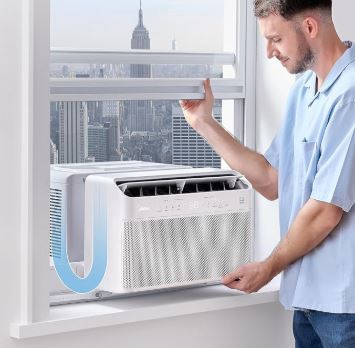
GE air conditioners display alphanumeric error codes when detecting problems. These codes help technicians diagnose issues quickly but can confuse homeowners. Overall, they can help you recognize when your GE window air conditioner is not working as it should.
Comprehensive Error Code Reference
| Error Code | Component Affected | What It Indicates | Immediate Action |
| E0 | Ambient temperature sensor | Sensor disconnected or failed | Check sensor wiring; replace if needed |
| E1 | Evaporator coil sensor | Coil temperature reading error | Clean coils; verify sensor placement |
| E2 | Condenser sensor | Outdoor sensor malfunction | Inspect condenser sensor connections |
| E3 | Fan motor | Motor not responding | Check for obstructions; test motor |
| E4 | Water tank | Full condensate tank (portable units) | Empty water collection tank |
| E5 | Control board communication | Internal communication failure | Power cycle unit completely |
| E6 | Compressor protection | Overheating or electrical issue | Allow cooling; check for blockages |
| E7 | EEPROM error | Memory chip failure | Factory reset or board replacement |
| 88 | System diagnostic | Full system check or memory fault | Complete power reset procedure |
| FL or F1 | Water level | Condensate overflow detected | Check drain system |
| PF | Power failure | Unit recovered from power loss | Press any button to resume |
| HS | High temperature shutdown | Unit overheating protection | Clean filters and coils immediately |
Understanding Error Code 88
Error code 88 is particularly common and confusing. This code appears during the unit’s self-test sequence or indicates EEPROM (memory chip) problems.
When you first power on a GE air conditioner, it runs diagnostics. All display segments illuminate briefly, often showing “88” as every segment lights up. This is normal—not an error.
If code 88 persists beyond 3-5 seconds, the control board’s memory chip has corrupted data. This prevents the unit from operating normally.
EEPROM stores user settings, operating parameters, and calibration data. Corruption occurs from power surges, age, or manufacturing defects.
Clearing Error Code 88
Start with a complete power cycle reset. Unplug the unit from the wall outlet. Don’t use the control panel power button—physically disconnect it.
Wait a full 10-15 minutes. This extended time allows all capacitors to discharge completely. The control board needs time to fully reset memory systems.
Press and hold the power button while the unit is unplugged. This helps discharge residual electricity. Do this for 15-20 seconds.
Plug the unit back in and observe the startup sequence. The 88 should appear briefly then transition to normal operation. If it persists, the EEPROM chip has permanent damage.
Resolving Other Common Error Codes
For E0/E1/E2 sensor errors: These temperature sensors are thermistors—resistors that change value with temperature. They’re located on the coils or in the airstream.
Sensors can become disconnected from vibration. Check wire connections at both the sensor and control board. Reconnect any loose wires securely.
Sensors covered in dust or debris give incorrect readings. Clean around sensor locations carefully. Use compressed air to remove dust.
Failed sensors require replacement. They cost $15-$40 and plug directly into the control board. Match the resistance value exactly.
For E3 fan motor errors: Verify nothing blocks the fan blade. Turn off power and manually rotate the fan. It should spin freely with minimal resistance.
Listen for grinding or squealing noises indicating worn bearings. Motor bearings fail after years of operation. Lubrication sometimes helps temporarily.
The fan capacitor might be failing. This cylindrical component starts the fan motor. Capacitor failure prevents the motor from spinning despite receiving power.
For E5 communication errors: This indicates data transmission problems between control board and display panel. Ribbon cables connecting components can work loose.
Open the unit carefully and reseat all ribbon cable connections. Ensure they’re fully inserted into their sockets. Oxidation on connectors prevents proper communication.
If reseating cables doesn’t help, either the control board or display panel has failed. Both require replacement.
When Error Codes Don’t Clear
Persistent error codes after proper troubleshooting indicate hardware failure. Document which codes appear and how frequently they occur.
Multiple different error codes appearing randomly suggest control board failure rather than specific component problems. The board’s microprocessor is malfunctioning.
Contact GE’s customer service with your model number and error codes. They can verify whether a recall or known defect affects your unit.
Warranty coverage depends on purchase date and registration status. GE typically offers 1-year full warranty and 5-year sealed system warranty.
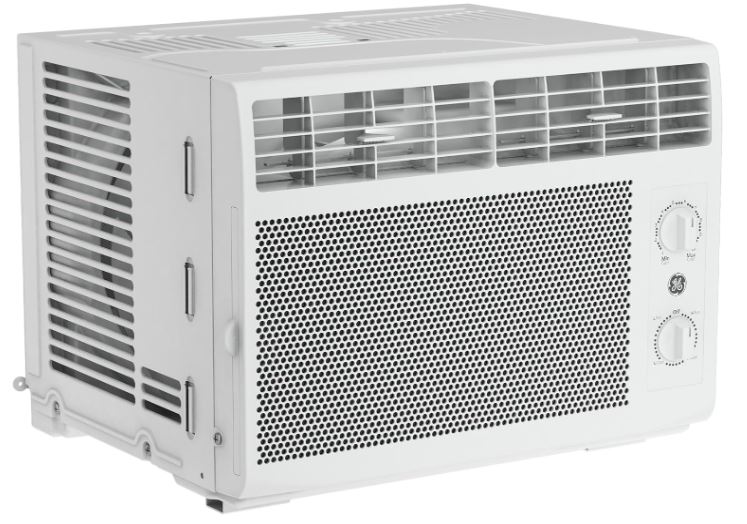
GE Air Conditioner Touchpad Not Working
The touchpad responds inconsistently or not at all. Some buttons work while others don’t. This frustrating issue has specific causes.
Identify the Problem Pattern
Determine exactly which buttons malfunction. Do specific buttons never work, or does the entire pad fail randomly? Patterns reveal different causes.
If the same button consistently fails, that specific membrane contact is damaged. If all buttons work intermittently, the issue is connection-based.
Press firmly and hold buttons for 2-3 seconds. Sometimes worn contacts need extra pressure to register. This confirms membrane wear.
Test whether the touchpad works better when dry versus humid. Moisture affects touchpad performance significantly on some models.
Clean the Touchpad Surface
Dirt, oils, and residue accumulate on touchpads over time. This creates a barrier preventing proper button registration. Regular cleaning maintains functionality.
Power off the unit completely. Use a slightly damp microfiber cloth with isopropyl alcohol (70% or higher). Gently wipe the entire control panel surface.
Never spray cleaner directly onto the panel. Liquid seeping into gaps damages internal electronics. Apply cleaner to the cloth first.
Pay special attention to button edges where grime accumulates. Use a soft toothbrush for stubborn buildup in crevices.
Let the panel dry completely—at least 30 minutes—before restoring power. Moisture conducts electricity and can short circuits.
Check for Physical Damage
Inspect the touchpad for cracks, warping, or discoloration. Physical damage compromises the membrane layer beneath the surface.
Look at an angle in good light. You can often see stress marks or micro-cracks not visible straight-on. These indicate structural failure.
Press gently on different areas of the touchpad. If you feel excessive movement or hear cracking sounds, the membrane has separated from its backing.
Water damage leaves telltale signs—white residue, cloudy spots, or corrosion around buttons. Once water infiltrates, replacement is typically necessary.
Temporary Workarounds
Use the remote control if your unit includes one. Remotes access all functions the touchpad does. This provides full operation while you arrange repairs.
For units without remotes, universal air conditioner remotes exist. Verify compatibility before purchasing. Most work with GE models using standard infrared protocols.
Some 2026 GE smart models allow smartphone app control via WiFi. This bypasses the touchpad entirely. Check if your model has SmartHQ compatibility.
If only specific buttons fail, memorize button combinations that achieve the same result. For example, multiple temp-down presses instead of using a broken preset button.
Touchpad Replacement Procedure
Replacement touchpads cost $40-$120 depending on model. They’re available from GE parts distributors and appliance repair suppliers.
Installation difficulty varies by model. Some touchpads are separate modules that unplug easily. Others integrate with the display panel requiring more disassembly.
Order parts using your complete model number—usually found on a sticker inside the air filter compartment or on the side panel.
If uncomfortable with electrical work, hire a technician. Professional installation costs $80-$150 in labor. Total repair runs $120-$270.
GE Air Conditioner Heat Mode Not Working
Your GE air conditioner has a heat pump feature, but it won’t produce warm air. The unit runs but blows cool or room-temperature air.
Confirm Heat Mode Capability
Not all GE air conditioners have heating functions. Cooling-only models are common. Check your unit’s specifications before troubleshooting heat mode.
Look for a “Heat” button on the control panel or remote. If absent, your unit doesn’t have heat pump capability. It only cools and fans.
The model number indicates features. Models with “H” in the designation typically include heat. For example, “AJCQ10ACH” has heat while “AJCQ10AC” doesn’t.
Your owner’s manual lists all operating modes. Download it from GE’s website if you’ve lost the printed copy.
Verify Proper Mode Selection
Ensure you’ve actually selected heat mode, not just adjusted the temperature. Many users set temperature to 80°F while in cooling mode and wonder why it doesn’t heat.
Press the “Mode” button repeatedly until “Heat” appears on the display. The unit should indicate the selected mode clearly.
Set the thermostat several degrees above current room temperature. For testing, set it 10 degrees higher than room temp—if it’s 68°F, set to 78°F.
Wait 5-10 minutes after selecting heat mode. The reversing valve takes time to switch refrigerant flow direction. Initial air might feel cool.
Understand Outdoor Temperature Limitations
Heat pumps become inefficient in extreme cold. GE air conditioner heat modes typically work effectively only above 40-45°F outdoor temperature.
Below this threshold, the unit struggles to extract heat from cold outdoor air. It may run continuously without producing adequate warmth.
Check the outdoor temperature. If it’s below 45°F, poor heating performance is expected. Heat pumps aren’t designed for cold-climate heating.
Some 2026 models include auxiliary electric heating elements for cold weather. These activate automatically but significantly increase power consumption.
Inspect the Reversing Valve
The reversing valve changes refrigerant flow direction between cooling and heating modes. When this valve fails, heating becomes impossible.
Reversing valve failure is common in units 7+ years old. The valve is electromechanical and wears from repeated cycling.
Symptoms include stuck valves that won’t switch modes. The unit might work fine in cooling but not heating, or vice versa.
Listen for a clicking sound when switching between modes. This is the reversing valve actuating. No click suggests valve failure or electrical issues.
Testing requires gauges and refrigerant knowledge. This repair needs professional service—expect costs of $200-$400 including labor.
Check the Defrost Cycle
In heating mode, the outdoor coil becomes the evaporator and can frost over. This is normal in humid or cool conditions.
GE heat pumps automatically defrost. The unit temporarily switches to cooling mode to melt ice buildup. During defrost, heating pauses 5-15 minutes.
Excessive frosting indicates problems—low refrigerant, restricted airflow, or faulty defrost controls. The outdoor coil should be visible and shouldn’t have thick ice layers.
If defrost cycles happen constantly (every 20-30 minutes), the defrost sensor or control board has issues. This requires technical diagnosis.
Thermostat and Sensor Issues
Faulty temperature sensors cause heat mode problems. The thermistor must accurately read room temperature to control heating cycles.
Sensors giving false readings make the unit think it’s already warm enough. It cycles off prematurely or never starts.
Test by setting the thermostat to maximum heat. If the unit runs briefly then stops, the sensor likely reports incorrect high temperatures.
Sensor replacement costs $20-$50 for parts. They plug into the control board. Match resistance specifications exactly.
GE Air Conditioner Turning On and Off Repeatedly
Your unit cycles constantly—running for 2-3 minutes, shutting off, then restarting shortly after. This “short cycling” wastes energy and reduces lifespan.
Identify Normal Versus Abnormal Cycling
Normal cycling runs the compressor for 10-15 minutes per cycle. The unit should run until reaching the set temperature, then remain off 10-15 minutes before the next cycle.
Short cycling means on-off cycles every 3-7 minutes. The compressor barely runs before shutting down. This indicates problems requiring attention.
Count the minutes between starts. Document the pattern over an hour. This information helps diagnose the specific cause.
Very rapid cycling (every 1-2 minutes) often indicates electrical issues. Slower short cycling (5-10 minutes) suggests thermostat or sizing problems.
Most Common Cause: Dirty Air Filter
Restricted airflow from clogged filters is the number one cause of short cycling. The unit can’t move enough air across the evaporator coil.
This causes rapid temperature drops in the immediate airflow. The thermostat senses this false “cool” reading and shuts off prematurely.
Remove and inspect the air filter. Hold it up to light—if you can’t see through it clearly, it’s too dirty.
Clean washable filters with warm water and mild soap. Replace disposable filters. Never run the unit without a filter.
After cleaning/replacing, monitor cycling patterns. Most short cycling resolves with this simple fix.
Find GE air conditioner filter replacements on Amazon!
Oversized Unit for the Space
An oversized air conditioner cools too quickly. It reaches set temperature before dehumidifying properly. This causes rapid on-off cycles.
Calculate room square footage and compare to unit capacity. A 12,000 BTU unit in a 200 sq ft room is massively oversized.
Oversizing is a common mistake—people assume bigger is better. Actually, proper sizing ensures efficient operation and comfort.
If oversized, you have limited options. Reduce cooling capacity by setting temperature higher or using “Energy Saver” mode. Consider replacing with appropriately-sized unit.
Installing a programmable thermostat with temperature differential settings helps. Wider differentials (3-4 degrees) reduce cycling frequency.
Thermostat Location and Calibration
Thermostats in bad locations give false readings. Placement near heat sources, cold drafts, or direct sunlight causes cycling problems.
Check thermostat location. It shouldn’t be near windows, doors, lamps, or in direct airflow from the AC itself.
Built-in thermostats on window units sometimes malfunction. The sensor should be in the airstream but not directly in the cold air blast.
Calibrate the thermostat by comparing its reading to an accurate thermometer placed in the same location. Differences over 3 degrees indicate calibration drift.
Some GE models allow thermostat offset adjustments. Check your manual for calibration procedures. This typically involves button combinations on the control panel.
Refrigerant Level Issues
Low refrigerant causes short cycling. The system pressure drops, triggering safety switches that shut down the compressor.
Signs of low refrigerant include ice on refrigerant lines, hissing sounds, and steadily decreasing cooling performance.
Refrigerant doesn’t get “used up”—leaks are the only cause of low levels. Look for oily residue on connections indicating leak points.
Refrigerant work requires EPA-certified technicians. DIY refrigerant handling is illegal and environmentally harmful. Professional recharge costs $150-$300.
Electrical Problems Causing Cycling
Voltage fluctuations make compressors cycle erratically. Insufficient voltage prevents the compressor from running steadily.
Test outlet voltage with a multimeter. It should read 115V ± 10% or 230V ± 10% depending on unit requirements.
Loose wiring connections create intermittent contact. This causes the unit to lose power momentarily then restart. Check all wire connections inside the unit.
The start capacitor helps the compressor motor begin operation. Failed capacitors cause hard starting and immediate cycling. Capacitor replacement costs $50-$100.
GE Air Conditioner Thermostat Not Working Properly
The thermostat doesn’t maintain consistent temperatures. The room gets too cold or too warm. Settings seem ignored.
Symptoms of Thermostat Malfunction
Rooms that overshoot set temperatures significantly indicate thermostat problems. If set to 72°F but the room reaches 65°F before shutting off, the thermostat is reading incorrectly.
Inconsistent cycling patterns suggest thermostat issues. Sometimes it reaches temperature quickly, other times it takes hours.
The unit might not respond to temperature changes at all. Setting it warmer or cooler produces no change in operation.
Display reading completely different from actual room temperature is the clearest sign. Use a separate thermometer to verify.
Clean the Thermostat Sensor
Dust and debris accumulation on sensors causes incorrect readings. The sensor is typically a small thermistor positioned in the air intake.
Locate the sensor—consult your model’s service manual. It’s usually visible near the evaporator coil or behind the air filter.
Use compressed air to blow away dust. Don’t touch the sensor itself with anything—it’s delicate and precise.
Ensure the sensor has adequate airflow around it. Sometimes installation materials or shifted insulation blocks the sensor.
Recalibrate the Thermostat
Many GE models allow thermostat offset adjustment. This compensates for sensor drift over time.
Place an accurate thermometer near the air intake. Let both stabilize for 30 minutes. Note the difference.
Access calibration mode through the control panel. This typically involves holding specific button combinations—refer to your manual.
Adjust the offset to match the actual temperature. Some models allow ±5 degrees of adjustment.
Test the calibration by setting a target temperature and monitoring how close the unit maintains it.
Replace the Temperature Sensor
When calibration doesn’t help, the sensor itself has failed. Temperature sensors (thermistors) have finite lifespans.
Order replacement sensors using your model number. They cost $15-$45. Ensure exact specifications match—resistance values must be identical.
Replacement involves disconnecting two wires from the control board and connecting the new sensor. Take photos before disconnecting.
Sensors are polarity-sensitive in some models. Connect exactly as the original was connected. Reversed polarity gives wildly incorrect readings.
After replacement, run the unit through several cycles to verify proper operation. Monitor actual room temperature against thermostat readings.
Upgrade Options
If your built-in thermostat consistently fails, consider external control options. Some 2026 models support smart thermostats.
Smart thermostats learn your preferences and adjust automatically. They use room sensors separate from the AC unit for accurate readings.
Check compatibility carefully—not all GE window or portable units support external thermostat control. Built-in systems have limited integration options.
For units without smart features, focus on maintaining the existing thermostat. Regular cleaning and careful calibration extend its functional life.
GE Window Air Conditioner All Lights Flashing and Beeping
Every indicator light blinks simultaneously while the unit emits continuous or intermittent beeping. This alarm state demands immediate attention.
Decode the Warning Pattern
GE uses light patterns and beeps to communicate critical errors. The pattern provides diagnostic information.
Count the number of beeps in each sequence. Some errors produce 3 beeps, others 5, and some beep continuously.
Observe whether lights flash in unison or in sequence. Simultaneous flashing indicates general system errors. Sequential patterns point to specific components.
Note when the flashing started. Immediately after power restoration suggests power-related issues. During normal operation indicates component failure.
Critical System Protection Activation
All-lights-flashing typically means the control board detected conditions that could damage the system. It enters protective mode to prevent further damage.
Common triggers include electrical surges, voltage abnormalities, overheating, or refrigerant pressure extremes. The system won’t resume operation until conditions normalize.
This isn’t a malfunction—it’s a safety feature. Older units without this protection simply burned out when problems occurred.
Modern GE units prioritize component protection. While inconvenient, these shutdowns prevent expensive repairs.
Immediate Response Steps
Turn off the unit using the control panel button. Don’t just unplug—proper shutdown is important.
After shutting down, unplug the unit from the wall outlet. This completely removes power and begins the reset process.
Wait a full 10 minutes minimum. This allows all systems to fully discharge and reset. Some technicians recommend 15 minutes for severe errors.
While waiting, check for obvious problems—blocked vents, dirty filters, or visible damage. Address any issues you find.
Systematically Check Common Causes
Verify electrical supply: Test the outlet voltage. Too high or too low voltage triggers protection modes. Use a multimeter or outlet tester.
Inspect for blockages: Ensure both indoor and outdoor sides have clear airflow. Remove any obstructions from vents or coils.
Check filter condition: A completely clogged filter can trigger overheating protection. Clean or replace immediately.
Look for water accumulation: Portable units with full water tanks trigger alarm states. Empty any condensate collection.
Examine refrigerant lines: Ice formation on lines indicates refrigerant issues. Frost or ice buildup requires addressing.
When Flashing Persists
If lights continue flashing after proper reset, document the pattern. Count beeps and note which specific lights flash.
Consult your owner’s manual for model-specific error code information. Many newer GE models explain flash patterns in the troubleshooting section.
Contact GE customer service with your model number and observed pattern. They can interpret manufacturer-specific codes.
Persistent flashing after troubleshooting indicates hardware failure—control board, compressor protection, or sensor issues. Professional diagnosis becomes necessary.
Preventing Future Alarms
Install a surge protector rated for air conditioner amperage. Standard power strips don’t provide adequate protection.
Maintain the unit properly—clean filters bi-weekly, vacuum coils monthly, and ensure proper drainage.
Don’t operate the unit in extreme conditions. Outdoor temperatures below 60°F or above 110°F stress the system.
If your area has frequent power issues, consider a voltage regulator. These maintain stable power delivery protecting sensitive electronics.
How Do You Reset a GE Air Conditioner?
Resetting clears temporary errors and restores normal operation. Different reset types address different problems.
Quick Reset for Minor Issues
The simplest reset addresses temporary glitches. Press the power button to turn the unit off. Wait 30 seconds. Press power again to restart.
This soft reset clears minor electronic hiccups but doesn’t reset learned settings or stored errors.
For units with remote controls, removing batteries for 30 seconds resets the remote. This solves remote communication problems.
If your model has a dedicated “Reset” button (usually on GFCI plugs), press it firmly. This restores tripped ground fault protection.
Complete Power Cycle Reset
A full power cycle resolves most electronic issues. This is the most commonly needed reset procedure.
Step 1: Turn off the unit using the control panel or remote. Wait for all sounds to stop—fans should cease completely.
Step 2: Unplug the unit from the wall outlet. Don’t skip this—simply turning off isn’t sufficient for a true reset.
Step 3: Wait 5-10 minutes. This duration allows capacitors to discharge and the control board to fully reset memory.
Step 4: While unplugged, press and hold the power button for 15 seconds. This discharges any residual electricity.
Step 5: Plug the unit back in. Don’t turn it on immediately—let it sit powered but off for 30 seconds.
Step 6: Turn on and reconfigure settings. Temperature preferences and timers will need to be re-entered.
Factory Reset for Smart Models
GE smart air conditioners with WiFi connectivity support factory resets. This returns all settings to manufacturer defaults.
Factory reset erases WiFi credentials, user preferences, schedules, and learned behaviors. Use this only when necessary.
Via SmartHQ app: Open the app, select your air conditioner, go to Settings, then Advanced Settings, and select Factory Reset. Confirm the action.
Via control panel: Press and hold the WiFi button for 10-15 seconds until all lights flash. Release when you see the flash pattern.
After factory reset, you’ll need to reconnect to WiFi and reconfigure all preferences from scratch.
Reset After Error Codes
Specific error codes require targeted reset procedures. Simply power cycling doesn’t always clear error memory.
For persistent error codes, perform an extended reset—unplug for 15+ minutes. This ensures complete EEPROM discharge.
If the same error returns immediately, the underlying problem still exists. Resets don’t fix hardware failures, only electronic glitches.
Some errors require manual reset acknowledgment. After fixing the problem, press a specific button combination (usually Mode + Timer) to clear the error log.
When Resets Don’t Work
If you’ve reset 3+ times with the same problem recurring, stop resetting. Repeated resets won’t help hardware failures.
Document the exact problem, error codes, and reset attempts. This information helps technicians diagnose efficiently.
Consider age and repair history. Units 8+ years old with multiple recent problems often aren’t worth extensive troubleshooting.
Calculate repair costs versus replacement. If repairs exceed 50% of a new unit’s price, replacement makes more financial sense.
Find the best-selling room air conditioners on Amazon!
Why Is My GE Air Conditioner Beeping and Shutting Off?
Beeping signals alert you to conditions requiring attention. Shutdowns prevent damage to the system.
Decode the Beeping Pattern
Different beep patterns communicate different messages. Pay attention to the rhythm and frequency.
Single beep: Usually confirms button presses. This is normal operation, not an error.
Three beeps: Often indicates mode changes or programmed actions completing. Check if timers activated.
Continuous beeping: Signals urgent problems—full water tank, overheating, or critical errors. Requires immediate attention.
Beeping with shutdown: The most serious category. The unit detected dangerous conditions and protected itself.
Filter Warning Beeps
Many 2026 GE models include filter reminder features. After preset operating hours (typically 250-300 hours), the unit beeps to remind you.
This is maintenance reminder, not an actual problem. Clean or replace the filter to stop the beeping.
Reset the filter timer after cleaning. Most models require pressing and holding the “Filter Reset” button for 3 seconds.
If you ignore filter warnings long enough, some units eventually shut down. This forces filter maintenance.
Overheating Protection
Units beep before shutting down when internal temperatures exceed safe limits. This prevents compressor or motor damage.
Overheating causes include blocked airflow, dirty coils, or running the unit in extreme heat (outdoor temp above 110°F).
When overheating shuts down your unit, let it cool completely—at least 30 minutes. Don’t attempt immediate restart.
Clean all filters and coils. Check that both indoor and outdoor sides have adequate clearance—12+ inches recommended.

Verify the outdoor portion isn’t in direct sunlight. Shade or awnings improve efficiency and reduce overheating risk.
Water Tank Full (Portable Units)
Portable GE air conditioners collect condensate in internal tanks. When full, they beep and shut down automatically.
This prevents water overflow that would damage floors and surrounding areas. Empty the tank through the drain plug or remove the tank entirely.
After emptying, reinsert the tank properly. Improperly seated tanks trigger the same error.
Some models have continuous drain options. Connect a hose to the drain port for automatic drainage if near a floor drain or outside.
Electrical Fault Detection
GE units monitor electrical conditions. Voltage irregularities trigger protective shutdowns with beeping alerts.
Power surges, brown-outs, or loose wiring connections cause electrical faults. The beeping warns of potentially dangerous conditions.
Have an electrician test the circuit if electrical shutdowns occur frequently. The problem might be your home’s wiring, not the AC unit.
Use surge protectors rated for the unit’s amperage. These devices absorb power spikes before they reach sensitive electronics.
Compressor Protection
The compressor is the most expensive component. GE units aggressively protect it from damage.
Short-cycling protection prevents restarting immediately after shutoff. You’ll hear beeping if you try to restart during the 3-minute delay period.
Pressure protection triggers when refrigerant pressure becomes too high or too low. This indicates refrigerant problems requiring professional service.
Thermal protection activates when the compressor itself overheats. Extended operation in hot conditions or low refrigerant causes this.
Why Is My GE Air Conditioner Not Blowing Cold Air?
The unit runs, fan operates, but the air isn’t cold. This common complaint has several potential causes, and here’s how to go about its troubleshooting:
Verify Cooling Mode Selection
Surprisingly often, the unit is in “Fan” mode rather than “Cool” mode. Fan mode circulates air without cooling it.
Press the “Mode” button until “Cool” appears on the display. Some models use icons instead of text.
Ensure the temperature is set significantly below room temperature. Set it at least 5-7 degrees cooler than current conditions.
“Energy Saver” mode cycles the fan on and off. During off cycles, no air blows. This can seem like insufficient cooling.
Check and Replace the Air Filter
Dirty filters restrict airflow drastically. Limited airflow means less heat exchange and reduced cooling capacity.
Remove the filter and inspect it. Hold it up to a light source. If you can’t see light through it, replacement is necessary.
Washable filters need cleaning every two weeks during heavy use. Rinse with warm water, add mild detergent, and rinse thoroughly.
Let filters dry completely before reinstalling—24 hours minimum. Damp filters promote mold growth and further restrict airflow.
Disposable filters should be replaced monthly. Using the wrong filter size allows unfiltered air to bypass, carrying dust to coils.
Assess Proper Unit Sizing
An undersized air conditioner cannot cool adequately. It runs constantly but never reaches desired temperature.
Calculate your room’s square footage (length × width). Compare to the unit’s BTU rating using this guide:
| Room Size | Required BTU | GE Model Range |
| 100-150 sq ft | 5,000 BTU | AEC05LX, AHE05LX |
| 150-250 sq ft | 6,000 BTU | AHC06LY, AEC06LY |
| 250-350 sq ft | 8,000 BTU | AJCM08ACL, AHP08LX |
| 350-450 sq ft | 10,000 BTU | AJCQ10ACH, AHM10AY |
| 450-550 sq ft | 12,000 BTU | AJCQ12DCH, AHY12LZ |
| 550-700 sq ft | 14,000 BTU | AJCQ14DWH, AHE14AZ |
Add 10% capacity for rooms with high ceilings, kitchens, or excessive sun exposure. South-facing rooms need more cooling power.
If your unit is undersized, no troubleshooting will solve the problem. You need a higher-capacity model.
Inspect for Refrigerant Leaks
Refrigerant doesn’t deplete—it circulates in a closed system. Low refrigerant always indicates a leak.
Signs of refrigerant leaks include ice forming on copper lines, hissing or bubbling sounds, and oily residue near connections.
Check the refrigerant lines visible on your unit. They should be dry and clean. Frost or ice indicates low refrigerant.
The unit might run continuously without reaching set temperature. Cooling performance gradually worsens over days or weeks.
Refrigerant repair requires EPA-certified technicians. Federal law prohibits DIY refrigerant work. Professional service costs $150-$350.
Clean the Evaporator and Condenser Coils
Dirty coils cannot transfer heat effectively. This dramatically reduces cooling capacity even with adequate refrigerant.
The evaporator coil faces inside your room. Access it by removing the front grille and filter. It looks like a radiator with metal fins.
Spray evaporator coil cleaner (available at hardware stores) according to product directions. Most require 10-15 minutes before rinsing.
Use a soft brush or vacuum with brush attachment to remove dust between fins. Bent fins restrict airflow—straighten with a fin comb.
The condenser coil faces outside. Remove any debris, leaves, or dirt buildup. Outdoor coils get much dirtier than indoor ones.
Coil cleaning should happen at the start of each cooling season. In dusty environments, clean monthly for best performance.
Verify Adequate Clearance and Ventilation
Blocked airflow prevents proper operation. Both indoor and outdoor sides need clear space.
Indoor clearance: Maintain 20 inches in front of the unit. Keep furniture, curtains, and decorations away from the air intake and output.
Outdoor clearance: Ensure 12 inches of space behind the unit. Bushes, walls, or accumulated debris block heat exhaust.
Check that the unit is installed level or tilted slightly backward. Incorrect tilt affects condensate drainage and overall performance.
Window installation must be tight with proper sealing. Gaps around the unit allow hot air infiltration, reducing efficiency.
Compressor Not Running
If the fan operates but you don’t hear the compressor (a deeper humming sound), the compressor isn’t running.
Compressor failure is catastrophic and expensive. Replacement costs $300-$600 plus labor, often exceeding the unit’s replacement value.
However, compressor startup issues might be the capacitor. This $20-$50 part helps the compressor motor start.
Listen carefully. A clicking sound without compressor startup suggests capacitor or electrical issues. Continuous humming without compressor operation indicates motor problems.
Compressor diagnosis requires professional equipment. Don’t assume compressor failure without proper testing.
Why Is My GE Air Conditioner Blinking?
Blinking lights communicate diagnostic information. Understanding these patterns helps identify problems quickly.
Standard Operating Blinks
Some blinking is completely normal. LED indicators often blink to show the unit is functioning.
The power indicator might blink once when you press buttons. This confirms the control board received your command.
During the 3-minute compressor delay, some models blink a specific light. This tells you to wait before the cooling cycle begins.
WiFi indicators blink during connection attempts. Rapid blinking means searching for network. Slow blinking indicates successful connection.
Error Indication Blink Patterns
Rapid blinking of all lights simultaneously signals critical errors. This is the highest priority alert pattern.
Slow, rhythmic blinking of specific lights indicates component-specific issues. Count the blinks in each sequence.
| Blink Pattern | Component | Indicated Problem |
| Continuous rapid blink (all lights) | Control board | Critical system error |
| 3 blinks, pause, repeat | Temperature sensor | Sensor disconnected or failed |
| 5 blinks, pause, repeat | Compressor | Compressor protection activated |
| Alternating blink (2 lights) | Communication | Control board communication error |
| Single blink every 5 seconds | Normal operation | Standby mode indicator |
Filter Reset Light Blinking
A blinking “Filter” light reminds you to clean the air filter. This is maintenance reminder, not an error.
Most GE 2026 models have filter timers based on operating hours. After 250-300 hours, the reminder activates.
Clean or replace the filter, then press and hold the “Filter Reset” button for 3 seconds. The blinking should stop.
If filter light continues blinking after reset, the filter sensor itself might be faulty. This is rare but possible.
Timer Light Blinking
A blinking timer light indicates a programmed event is set. The unit will start or stop automatically at the scheduled time.
Check your timer settings. Cancel unwanted timers by pressing the “Timer” button until the light turns off.
If the timer blinks but you didn’t set one, buttons may have been accidentally pressed. Clear all timers and reprogram as needed.
Some models blink the timer light during countdown. This is normal behavior showing active programming.
Thermostat Light Blinking
Blinking thermostat or temperature indicators suggest sensor issues. The control board detects abnormal temperature readings.
This often accompanies E0, E1, or E2 error codes on models with digital displays.
Check that nothing blocks the temperature sensor. Ensure it has adequate air circulation.
Clean around the sensor area with compressed air. Dust accumulation affects readings and triggers warning blinks.
WiFi Connection Light Blinking
Smart GE models have dedicated WiFi indicators. Blinking patterns indicate connection status.
Fast blinking: Unit is in pairing mode, searching for your WiFi network. This is normal during initial setup.
Slow blinking: Successfully connected to WiFi but communicating with the cloud. This is normal operation for smart features.
No light: WiFi disabled or not configured. Press the WiFi button to enable.
Solid light: Strong WiFi connection established. All smart features available.
If WiFi won’t connect despite correct password, ensure you’re using 2.4GHz network. GE units don’t support 5GHz WiFi.
Resolving Persistent Blinking
Document the exact blinking pattern. Count blinks per sequence and note which specific lights blink.
Consult your owner’s manual. Model-specific patterns are explained in the troubleshooting section.
Perform a complete power cycle reset. Many blinking patterns clear after proper reset procedures.
If blinking continues after reset and fixing obvious issues, contact GE support with your model number and documented pattern.
Advanced Troubleshooting for Persistent GE Air Conditioner Issues
When basic troubleshooting doesn’t resolve problems, advanced diagnosis becomes necessary.
Control Board Diagnosis
The control board is the unit’s computer. It receives input from sensors, user controls, and safety switches.
Testing control boards requires a multimeter and electrical knowledge. Measure voltage at various connection points.
Common control board failures include blown fuses, burned traces, or failed relays. Visual inspection often reveals these issues.
Control board replacement costs $120-$300 for parts. Installation requires disconnecting and reconnecting multiple wire harnesses.
Take photos of all connections before disconnecting anything. Wrong reconnection causes immediate failure or safety hazards.
Refrigerant System Testing
Refrigerant diagnosis requires gauges and certification. Never attempt refrigerant work without proper licensing.
Technicians test refrigerant pressure on both high and low sides. Normal pressure ranges depend on outdoor temperature.
Leak detection uses electronic sniffers or UV dye. Small leaks are difficult to locate without specialized equipment.
After repairs, systems must be evacuated to remove air and moisture before recharging. Improper procedures destroy compressors.
Electrical Testing Procedures
Electrical issues cause numerous symptoms. Testing requires safety precautions and proper tools.
Always disconnect power before testing internal components. Even when unplugged, capacitors store dangerous voltage.
Test voltage at the outlet first. It should match unit requirements—115V±10% or 230V±10%.
Check continuity on electrical components. Fan motors, thermostats, and switches should show appropriate resistance values.
Look for loose connections. Vibration loosens terminal screws over time. Tighten all electrical connections.
Mechanical Component Inspection
Fans, compressors, and motors have mechanical parts that wear out. Bearings, bushings, and shafts fail with age.
Listen for unusual sounds—grinding, squealing, or rattling. Each sound indicates specific mechanical problems.
Grinding: Worn bearings in fan motors or compressor. Usually requires component replacement.
Squealing: Lack of lubrication or misaligned parts. Sometimes correctable with motor oil on lubrication ports.
Rattling: Loose parts or foreign objects. Remove covers and inspect for loose screws or debris.
Clicking: Starting components like capacitors or relays. These are inexpensive replacements.
When to Replace Versus Repair
Calculate the cost-benefit of repairs. Use the 50% rule—if repairs cost more than 50% of new unit price, replace instead.
Consider unit age. Repairs on units under 5 years old usually make sense. Units over 10 years old rarely justify expensive repairs.
Factor in efficiency improvements. 2026 models are 30-40% more efficient than units from 2016. Energy savings offset replacement costs.
Warranty status affects decisions. Covered repairs are always worthwhile. Out-of-warranty compressor replacements rarely make financial sense.
Find top-selling split-system air conditioners on Amazon if you are looking to replace!
Maintenance Tips to Prevent Future GE Air Conditioner Problems
Preventive maintenance dramatically reduces failures and extends lifespan. Establish regular maintenance routines.
Monthly Maintenance Tasks
Clean or replace filters. This single task prevents 60% of air conditioner problems. Set a calendar reminder.
Vacuum the coils. Use a soft brush attachment to remove dust from both evaporator and condenser coils.
Check drainage. Ensure condensate drains properly. Clear any blockages in drain holes or tubes.
Inspect the unit. Look for loose parts, unusual sounds, or vibration. Address small issues before they become big problems.
Test all functions. Cycle through modes—cooling, heating (if equipped), fan only, and different speeds. Verify everything works.
Seasonal Maintenance
Start of season: Deep clean before first use. Remove covers, clean thoroughly, and test all functions on mild days.
Mid-season: Inspect during peak usage. Check for efficiency loss, unusual behavior, or developing problems.
End of season: Clean before storage or winterization. Remove all dust and debris. Apply coil protectant if storing.
Winter storage: For removable units, store in a dry location. Clean completely before storage. Cover to prevent dust accumulation.
Installation Best Practices
Proper installation prevents many problems. Follow manufacturer specifications exactly.
Ensure the unit tilts backward (toward outside) approximately ¼ inch per foot. This promotes condensate drainage.
Seal all gaps around the installation. Use foam insulation strips provided. Gaps allow hot air infiltration and insects.
Install on dedicated electrical circuits. Units over 12,000 BTU need 20-amp dedicated circuits to prevent tripping.
Provide adequate outdoor clearance. Nothing should be within 12 inches of the outdoor side.
Smart Usage Habits
Don’t constantly adjust settings. Let the unit reach temperature and maintain it. Frequent changes waste energy.
Use timers and schedules. Program the unit to cool before you arrive home. Don’t cool empty rooms.
Maintain reasonable temperatures. Setting to 68°F in 95°F weather makes the unit work extremely hard. Aim for 72-75°F.
Use supplemental fans. Ceiling fans or portable fans circulate cool air, allowing higher thermostat settings.
Close blinds and curtains. Reducing solar heat gain helps your AC work less and last longer.
Professional Maintenance
Annual professional maintenance catches problems early. Technicians perform tasks beyond DIY capability.
Refrigerant pressure testing: Verifies proper charge without leaks. Early detection prevents compressor damage.
Electrical testing: Measures voltage, amperage, and resistance throughout the system. Identifies failing components before they fail completely.
Deep coil cleaning: Professional equipment cleans coils more thoroughly than homeowner methods.
Safety inspection: Tests all safety switches and protective devices. Ensures safe operation.
Professional maintenance costs $80-$150 annually. This investment prevents $300+ emergency repairs.
Also Read: Frigidaire Air Conditioner Not Working? (DIY Fixes)
Frequently Asked Questions
How often should I clean my GE air conditioner filter?
Clean washable filters every two weeks during active use—May through September in most climates. Replace disposable filters monthly. Increase frequency if you have pets, allergies, or live in dusty areas. Dirty filters are the number one cause of AC problems. Set phone reminders to maintain this schedule. In low-use months, monthly cleaning suffices.
Can I use my GE air conditioner without a filter temporarily?
Never run without a filter, even briefly. Filters prevent dust from reaching the evaporator coil and internal components. Running filterless for even a few hours allows dust accumulation that reduces efficiency. One week without a filter can cause damage requiring professional coil cleaning. If your filter is damaged, use a temporary makeshift from furnace filter material until replacement arrives.
What does it mean when my GE AC compressor clicks but won’t start?
Clicking without compressor startup indicates capacitor failure or electrical issues. The start capacitor provides the initial power surge needed to start the compressor motor. When it fails, you hear the relay clicking but the motor can’t start. Capacitor replacement costs $50-$100 professionally. Other causes include low voltage, bad compressor motor, or faulty relay switches.
How do I know if my GE air conditioner needs refrigerant?
Signs include ice forming on refrigerant lines, decreased cooling performance over time, and the unit running constantly without cooling. Hissing sounds indicate active leaks. Oily residue on connections points to past leaks. However, never add refrigerant without professional diagnosis. Overcharging causes as many problems as undercharging. Only EPA-certified technicians should handle refrigerant legally.
Why does my GE air conditioner smell like mildew?
Mildew odors indicate mold growing on the evaporator coil or in the drain pan. High humidity and inadequate drainage create perfect mold conditions. Clean coils with foaming coil cleaner and antimicrobial spray. Ensure proper drainage—the unit should tilt backward slightly. Run the fan-only mode for 15 minutes after cooling to dry internal components. This prevents future mold growth.
Is it normal for my GE AC to drip water outside?
Yes, outdoor dripping is completely normal. Air conditioners remove humidity from indoor air, creating condensation. This water should drain outside through drain holes. You might see steady dripping or even puddles on hot, humid days. However, water dripping inside indicates installation problems—the unit isn’t tilted properly or drain holes are blocked.
How long should a GE air conditioner last?
Expect 8-12 years with proper maintenance. Budget models last 6-8 years, mid-range units 8-12 years, and premium models can exceed 15 years. Factors affecting lifespan include usage intensity, maintenance quality, installation correctness, and environmental conditions. Units running 24/7 in hot, dusty environments wear faster than those used seasonally in climate-controlled spaces.
Can I repair my GE air conditioner myself or should I call a professional?
Basic troubleshooting, filter changes, coil cleaning, and button resets are DIY-friendly. Control panel replacement requires moderate skill. However, refrigerant work requires EPA certification and is illegal for unlicensed individuals. Electrical issues beyond basic troubleshooting need professionals for safety. Compressor or major component replacement often costs more than new units. Assess your skill level and tool availability honestly.
Concluding Thought on GE Air Conditioner Acting Up!
GE air conditioner problems range from simple filter issues to complex control board failures. Most problems have straightforward solutions when you understand the symptoms and apply systematic troubleshooting. Start with the easiest fixes—power resets, filter cleaning, and thermostat adjustments—before assuming major component failure.
Error codes, blinking patterns, and beeping sounds aren’t random annoyances. They’re diagnostic tools helping you identify specific problems. Document these indicators and consult your manual for model-specific meanings.
Know when to call professionals. Refrigerant work requires certification. Complex electrical issues need expertise for safety. Compressor failures often justify replacement rather than repair.
Prevention remains your best strategy. Regular filter cleaning, annual professional maintenance, and proper installation prevent most failures. A 15-minute monthly maintenance routine extends your unit’s lifespan significantly while maintaining peak efficiency throughout 2026 and beyond.
Your GE air conditioner is engineered for reliability when properly cared for—give it the attention it deserves and enjoy years of comfortable cooling.