
You load your food, set the timer, press start, and… nothing. The display lights up, buttons beep when pressed, but that crucial start button refuses to cooperate. Before you trash your microwave or call an expensive repair technician, understand that most start button failures have simple solutions you can implement in minutes.
When your microwave start button stops working, the problem usually involves a worn membrane switch, control panel malfunction, stuck touchpad, or software glitch requiring a hard reset. Less commonly, door latch issues or faulty control boards prevent the start function from activating even though other buttons respond normally.
This guide walks you through every possible cause, from stuck membranes to control board glitches, with brand-specific troubleshooting for the most common microwave manufacturers.
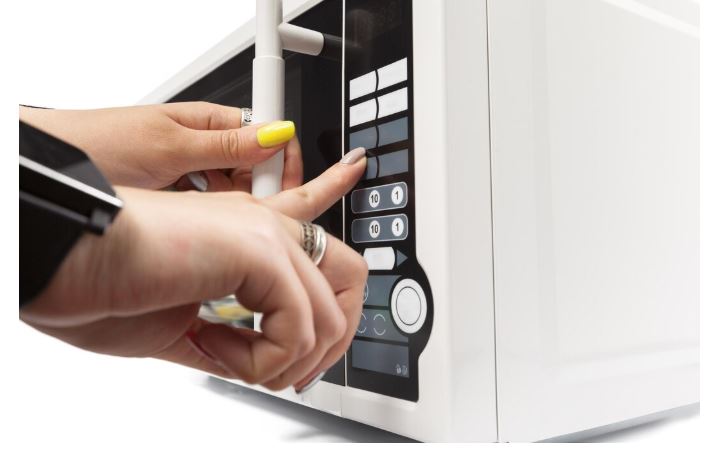
Quick Fix Guide for a Microwave Start Button Not Working
| Issue Type | Visual Clue | First Action | Success Rate |
| Stuck membrane | Button feels spongy | Clean under keypad | 65% |
| Control glitch | Display shows errors | Power cycle reset | 55% |
| Door interlock | Door feels loose | Check latch alignment | 40% |
| Touchpad failure | No beep when pressed | Replace control panel | 85% |
| Button wear | Physical damage visible | Replace switch assembly | 90% |
| Software freeze | All buttons unresponsive | Factory reset procedure | 70% |
Why Microwave Start Buttons Fail
Start buttons endure more mechanical stress than any other control. They’re pressed multiple times daily for years, creating wear patterns that eventually cause failure.
Unlike stovetop or oven buttons that use mechanical switches, most modern microwaves use membrane keypads. These thin plastic layers with printed circuits degrade from heat, moisture, and repeated pressure.
The start button carries the highest electrical load in the control panel. When you press it, the signal triggers multiple systems simultaneously—magnetron, turntable motor, light, and fan. This concentrated demand accelerates component fatigue.
Manufacturers use different membrane materials and circuit designs. Some brands experience higher failure rates due to cost-cutting measures in panel construction. Understanding your specific brand’s weaknesses helps target repairs effectively.
Why is My Microwave Start Button Not Working?
Below are the likely reasons your microwave’s start button isn’t working and the troubleshooting:
1. Membrane Switch Degradation
The membrane switch sits beneath the plastic button you press. It’s a thin, flexible circuit that completes when pressed against contact points below.
Over time, the conductive coating wears away from the contact area. This happens faster if you press buttons with excessive force or use sharp objects to push them.
Cleaning can temporarily restore function by removing oxidation and debris. Use 90% isopropyl alcohol on a cotton swab to clean the membrane and contact points.
Complete membrane replacement costs $30-$60 for parts. The repair takes 45-60 minutes for someone comfortable with small electronics.
2. Control Panel Circuit Board Failure
The circuit board interprets button presses and sends signals to the main control. Micro-cracks in solder joints cause intermittent or complete button failure.
Heat cycling from years of use creates thermal stress. Solder joints crack where components connect to the board, breaking electrical continuity.
Visual inspection sometimes reveals brown discoloration around failed solder joints. A magnifying glass helps identify these tiny defects.
Professional reflow soldering can repair cracked joints for $80-$150. This requires specialized equipment and skills most DIYers lack.
3. Stuck or Jammed Button Mechanism
Food splatter, grease, and moisture seep behind the control panel. This sticky residue literally glues buttons in place or prevents full travel.
Remove the control panel and clean thoroughly with isopropyl alcohol. Cotton swabs reach tight spaces around individual buttons.
Some panels use rubber dome switches instead of membranes. These can be removed individually for deep cleaning.
Preventive cleaning every 6 months prevents this issue. Wipe the control panel with a damp cloth after cooking messy foods.
4. Door Interlock Switch Malfunction
Microwaves won’t start unless all three door switches engage properly. A misaligned door or worn latch prevents the start signal from reaching the magnetron.
Test by pressing firmly on the door while attempting to start. If it suddenly works, the door interlock system needs adjustment.
Door switches themselves rarely fail—alignment issues are more common. Hinges sag over time, preventing proper latch engagement.
Tightening hinge screws or replacing worn latch assemblies costs $40-$80. This repair prevents both start button issues and potential radiation leakage.
5. Control Lock Activation
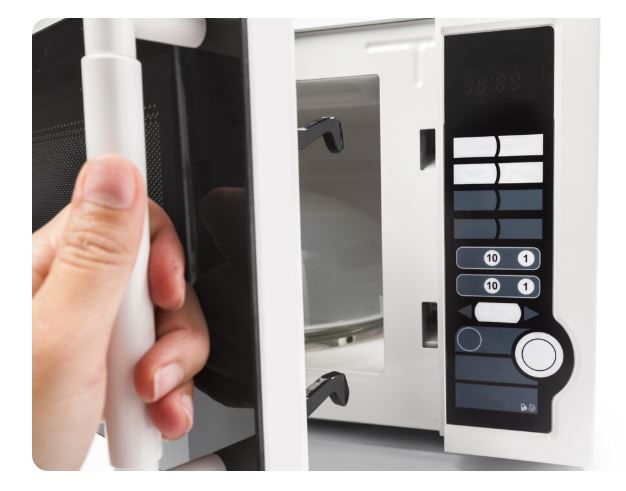
Most microwaves have a control lock feature that disables buttons. You’ve likely activated it accidentally and forgotten.
Look for a lock icon on the display. The user manual explains the specific button combination to unlock controls.
Common unlock sequences include holding “Cancel” for 3 seconds or pressing “Off” and “Start” simultaneously. Try your manual’s instructions first.
This isn’t a mechanical failure—just user error. No repair costs apply once you understand the unlock procedure.
6. Touchpad Overlay Damage
The touchpad overlay is the printed plastic sheet covering the membrane switch. Scratches, cracks, or worn printing prevent proper button function.
Physical damage to the overlay allows moisture penetration. This corrodes the membrane circuit underneath, causing permanent failure.
Replacement overlays cost $20-$40 but must match your exact model number. The adhesive backing makes installation straightforward.
Some users report success using clear packing tape as temporary overlay protection. This prevents further damage while awaiting replacement parts.
7. Main Control Board Failure
The main control board manages all microwave functions. When it fails, multiple buttons may stop working or the display shows error codes.
Control board failures often start gradually. First the start button works intermittently, then stops completely.
Replacement boards cost $150-$300 depending on the model. This repair makes economic sense only for high-end or built-in units.
Power surges and voltage fluctuations damage control boards. Using a surge protector extends component life significantly.
8. Ribbon Cable Connection Issues
A ribbon cable connects the control panel to the main board. This flat, multi-conductor cable can disconnect partially or corrode at connection points.
Carefully remove and reseat the ribbon cable. Clean the gold contacts with isopropyl alcohol if corrosion is visible.
Cable connections loosen from cabinet vibrations and repeated door slamming. Check that the cable connector clicks firmly into its socket.
Replacement ribbon cables cost $15-$30. They’re model-specific, so order using your complete model number.
9. Moisture Infiltration
Steam from cooking penetrates control panel gaps. This moisture creates short circuits or corrodes delicate membrane circuits.
Over-the-range models experience worse moisture exposure from stovetop steam. This accelerates component degradation compared to countertop units.
Disassemble the control panel and allow complete drying for 48 hours. Use silica gel packets to absorb residual moisture.
Apply dielectric grease to membrane contacts before reassembly. This creates a moisture barrier that prevents future corrosion.
10. Software Glitches and Freezes
Modern microwaves with digital controls occasionally freeze like computers. The processor stops responding to button inputs including the start command.
A hard reset clears temporary memory and restarts the operating system. Unplug the microwave for 5 minutes, then restore power.
Some models have hidden diagnostic modes that reset all settings. Check online forums for your specific model’s reset procedure.
Software glitches don’t indicate hardware failure. They’re annoying but usually resolve with proper reset procedures.
11. Button Contact Wear
Physical button contacts wear smooth from millions of presses. The metal-to-metal or metal-to-carbon contact surface loses conductivity.
Inspect the underside of buttons for shiny, worn areas. Compare to less-used buttons to see the difference.
Some users successfully restore conductivity using conductive paint or copper tape. These temporary fixes last 3-12 months.
Complete button assembly replacement is the permanent solution. Parts cost $25-$50 for most models.
Microwave Power Cycling and Reset Procedures
These simple steps resolve 40% of start button issues without any repair.
The Standard Hard Reset
Unplug the microwave completely from the wall outlet. Don’t just use the circuit breaker—physically disconnect the power cord.
Wait exactly 5 minutes to allow capacitors to fully discharge. This clears the control board’s volatile memory.
Plug back in and test immediately. Many control glitches resolve through this complete power cycle.
Document whether the fix is temporary or permanent. Recurring issues after resets indicate hardware problems requiring professional attention.
Factory Reset Through Control Panel
Some microwaves have built-in factory reset functions. Press and hold specific button combinations to access this feature.
Common reset sequences include holding “Stop/Clear” for 5 seconds or entering “0-0-0” then pressing “Start.” Check your manual for model-specific instructions.
Factory resets erase all saved settings including clock time and custom cooking programs. You’ll need to reprogram everything.
This procedure works for software issues but won’t fix physical button damage. Use it as a diagnostic step before ordering parts.

Brand-Specific Microwave Start Button Troubleshooting
Different manufacturers use unique control systems that require specialized approaches.
Whirlpool Microwave Start Button Not Working
Whirlpool models from the WMH series frequently develop start button issues around years 5-7. The membrane switches use lower-grade materials prone to premature wear.
Model WMH31017HZ specifically has documented control panel failures. The touchpad membrane separates from the circuit board beneath, preventing button registration.
Whirlpool’s diagnostic mode helps identify electrical failures versus mechanical problems. Press “1” and “6” simultaneously for 3 seconds to enter test mode.
The control panel assembly for most Whirlpool models costs $80-$120. Part number W10211613 fits multiple models in the WMH series.
Check door switch alignment on Whirlpool over-the-range units. The door sag issue affects models manufactured between 2017-2020, preventing proper latch engagement.
Whirlpool technical support at 1-866-698-2538 provides excellent troubleshooting guidance. They often identify solutions that avoid unnecessary service calls.
LG Microwave Start Button Not Working
LG’s SmartThinQ models with Wi-Fi connectivity experience unique software-related start button failures. The app integration sometimes conflicts with manual button operation.
Disconnect Wi-Fi and disable SmartThinQ features temporarily. Many users report start button functionality returns after disabling smart features.
LG model LMHM2237ST has widespread touchpad sensitivity issues. The capacitive touch system requires extremely clean, dry fingers to register presses properly.
The EasyClean interior coating on LG models isn’t compatible with all cleaners. Using ammonia-based products damages the control panel’s protective coating.
LG’s membrane switches show premature wear in humid climates. Coastal and southern regions report higher failure rates than drier areas.
Replacement control panels for LG cost $90-$150 depending on model complexity. Part numbers begin with “EBR” followed by model-specific digits.
KitchenAid Microwave Start Button Not Working
KitchenAid uses premium components but designs prone to moisture infiltration. The sleek flush-mounted controls create sealing challenges.
Models KMHC319E and KMHS120E have documented issues with ribbon cable connections. The cable detaches during normal door operation due to poor routing.
Remove the control panel and reseat the ribbon cable. Apply a small piece of electrical tape to secure it against vibration.
KitchenAid control panels integrate LED lighting that generates heat. This accelerates membrane switch degradation near the start button.
The start button on KitchenAid models requires 30% more activation force than competitors. This design choice reduces accidental starts but accelerates wear.
Extended warranties through Whirlpool (KitchenAid’s parent company) typically cover control panel failures, among other KitchenAid microwave issues. Check coverage before paying for repairs.
| KitchenAid Issue | Affected Models | Quick Fix | Permanent Solution |
| Ribbon cable loose | KMHC319, KMHS120 | Reseat connector | Add tape retention |
| Moisture damage | All built-in models | 48-hour drying | Dielectric grease |
| Button force wear | KMCS, KMBS series | Clean membrane | Replace panel $120 |
| LED heat damage | Models with lighting | Improve ventilation | Replace panel $150 |
Frigidaire Microwave Start Button Not Working
Frigidaire uses capacitive touch controls on newer models that fail differently than traditional buttons. These sense finger proximity rather than physical pressure.
The Gallery series FGMV17WNVF requires perfectly clean, dry hands. Moisture, lotions, or even humidity prevent the capacitive sensor from detecting touches.
Clean the control panel weekly with electronics-safe cleaner. Fingerprint oils and cooking residue interfere with capacitive touch sensitivity.
Frigidaire models manufactured in 2019-2021 had defective control board batches. Contact customer service if your model falls in this range—recalls may apply.
The start button on Frigidaire microwaves doubles as a “Quick Start” feature. Pressing it without entering time runs for 30 seconds automatically.
This dual function creates software complexity that occasionally glitches. A hard reset resolves most quick-start malfunctions without hardware replacement.
Samsung Microwave Start Button Not Working
Samsung’s sensor cooking technology sometimes conflicts with manual start commands. The microwave expects automatic moisture-based timing and ignores manual starts.
Disable sensor cook by pressing “More/Less” before each use. This forces manual operation mode and often restores start button functionality.
Model ME21M706BA has a documented firmware issue affecting start button responsiveness. Samsung released a service bulletin with updated software installation instructions.
Contact Samsung’s appliance support to verify if firmware updates apply to your model. Some updates can be installed remotely through the Smart Home app.
Samsung’s ceramic capacitive buttons resist wear better than membrane switches. However, they’re extremely sensitive to moisture and require perfect surface dryness.
The control panel costs $100-$180 for Samsung models. Part availability is excellent through Samsung’s extensive service network.
Also Read: How to Fix a Samsung Microwave Touchpad Not Working
Neff Microwave Start Button Not Working
Neff microwaves (popular in Europe and UK markets) use German-engineered controls with unique failure modes. These premium appliances prioritize aesthetics over serviceability.
The flush-mounted touch controls on Neff models have sealed designs. This prevents casual DIY repairs without specialized tools.
Neff control panels integrate with convection and combination cooking modes. Failures often affect multiple functions simultaneously rather than just the start button.
UK service centers charge £120-£180 for control panel replacement. Parts availability requires ordering through authorized Neff dealers.
The Start button on Neff combination ovens requires the mode selector to be in microwave position. Incorrect mode selection prevents start activation—this confuses many users.
Neff’s excellent build quality means start button failures usually indicate genuine wear after 10+ years. Repair costs are justified given the appliance’s premium price point.
Microwave Start Button Diagnostic Testing Sequence
Follow these steps systematically to identify your specific problem.
Test Other Buttons First
Press every button on the control panel. Note which ones respond with beeps and display changes.
If no buttons work, the problem is power supply or main control board failure. The start button isn’t specifically broken.
If only the start button fails while others work, the issue is isolated to that specific switch or circuit trace.
Multiple adjacent buttons failing suggests membrane switch damage or moisture infiltration in that panel section.
Visual Inspection Checklist
Remove the control panel covering (usually 2-4 screws). Look for obvious damage like cracks, burn marks, or corrosion.
Examine the membrane switch for bubbling, tears, or separation from the circuit board. These indicate definite replacement needs.
Check ribbon cable connections for tightness and corrosion. Wiggle them gently while watching for intermittent display behavior.
Photograph everything before disassembly. These reference photos help during reassembly and when ordering parts.
Continuity Testing With Multimeter
Set your multimeter (View on Amazon) to continuity mode (buzzer symbol). Touch probes to the start button’s circuit board contacts.
Press the button while measuring. You should hear a beep indicating the complete circuit. No beep means switch failure.
Test multiple times to identify intermittent failures. A button working 80% of the time still needs replacement.
Continuity testing requires removing power completely. Never test live circuits—you’ll damage the meter and risk injury.
Microwave Control Panel Replacement Guide
Most start button issues require complete control panel replacement rather than individual component repair.
Ordering the Correct Part
Locate your microwave’s complete model number inside the door frame or on the back panel. Model numbers contain critical revision information.
Cross-reference the model number with parts suppliers like PartSelect, RepairClinic, or manufacturer direct sources. Generic parts rarely fit properly.
Control panels range from $60-$180 depending on features. Touchscreen models cost more than simple button arrays.
Order directly from manufacturers when possible. Third-party parts may work but often lack quality control and correct connectors.
Installation Process
Disconnect power completely before starting. This isn’t optional—control panels connect directly to high-voltage systems.
Document screw locations and wire connections with photos. Microwaves use different screw lengths in different positions.
The new panel should include adhesive backing and mounting clips. Follow manufacturer instructions precisely for proper sealing.
Test all functions before reassembling the cabinet. Running diagnostic cycles confirms proper installation and prevents repeat disassembly.
Tools Required
You’ll need a Phillips screwdriver, a flathead screwdriver, and possibly a nut driver. Most microwaves use standard #2 Phillips screws. Get the best screwdriver sets on Amazon.
Electrical tape helps secure loose ribbon cables. Isopropyl alcohol cleans contact surfaces before installation.
A smartphone for reference photos is essential. You’ll forget wire routing and screw positions faster than expected.
Anti-static wrist straps (View on Amazon) protect sensitive electronics during handling. These cost $5-$10 and prevent expensive mistakes.
Common Microwave Start Button Fixes By Symptom
| Symptom | Most Likely Cause | DIY Fix? | Average Cost |
| Button doesn’t click | Stuck membrane | Yes | $0 (cleaning) |
| No beep when pressed | Membrane failure | Maybe | $40-$80 |
| Works when pressed hard | Worn contacts | Maybe | $30-$60 |
| All buttons dead | Control board failure | No | $150-$300 |
| Intermittent function | Loose ribbon cable | Yes | $0-$25 |
| Error codes displayed | Software glitch | Yes | $0 (reset) |
| Door must be forced | Latch misalignment | Maybe | $40-$80 |
When Microwave DIY Repairs Make Sense
Some situations justify professional service despite higher costs.
Age and Value Considerations
Microwaves under 3 years old warrant repair regardless of type. Component failures this early suggest manufacturing defects possibly covered by warranty.
Mid-range countertop models (3-7 years old) require cost-benefit analysis. Repair costs exceeding 50% of replacement value favor buying a new microwave (View on Amazon).
High-end built-in and over-the-range units justify repairs up to 70% of new unit cost. Installation labor makes replacement significantly more expensive.
Vintage or discontinued models with sentimental value deserve repair attempts. Parts availability determines feasibility more than repair costs.
Skill Level Requirements
Membrane switch cleaning and ribbon cable reseating suit confident DIYers. These repairs need basic hand tools and mechanical aptitude.
Control panel replacement requires moderate electrical knowledge. You must safely disconnect power and identify correct wire positions.
Main control board replacement needs advanced skills. High-voltage exposure risks and complex diagnostics make professional service safer.
Assess your comfort level honestly. A botched repair costs more than hiring professionals initially.

Prevention Strategies That Actually Work
These maintenance practices extend control panel life significantly.
Gentle Button Pressing
Apply firm but gentle pressure when pressing buttons. Excessive force accelerates membrane wear exponentially.
Use flat fingertips rather than fingernails. Sharp points concentrate force and puncture protective coatings.
Teach children proper button operation. Their enthusiasm often translates to aggressive pressing that damages switches.
The start button needs no more pressure than other buttons. Don’t develop habits of hitting it harder “to make sure it works.”
Control Panel Protection
Wipe the control panel with a damp cloth after cooking messy foods. Don’t let the splatter dry and harden on buttons.
Never spray cleaner directly onto the control panel. Liquid seeps behind buttons and corrodes electronics underneath.
Use microwave covers to contain splatter. The $5 spent on a plastic cover prevents $100+ in control panel repairs.
Ventilation fan use reduces humidity accumulation. Run the fan for 2-3 minutes after cooking high-moisture foods.
Environmental Factors
Position countertop microwaves away from stovetops and sinks. Excessive heat and moisture accelerate component degradation.
Maintain kitchen humidity below 60% if possible. Dehumidifiers protect all appliances, not just microwaves.
Don’t place microwaves in enclosed cabinets without ventilation. Trapped heat shortens electronic component life.
Coastal environments require extra vigilance. Salt air corrodes control panels faster than inland locations.
Warranty and Service Options
Understanding coverage saves money and frustration.
Manufacturer Warranty Coverage
Standard warranties cover control panel defects for 1 year. Extended warranties may cover up to 3-5 years depending on purchase agreements.
Labor costs are sometimes excluded from manufacturer warranties. You pay service call fees even with free parts.
Document purchase dates and keep receipts. Warranty claims require proof of purchase with exact dates.
Some credit cards extend manufacturer warranties automatically. Check your card benefits before paying for repairs.
Third-Party Repair Services
Independent appliance repair shops charge $75-$125 for service calls. This fee typically applies toward repair costs.
Manufacturer-authorized service centers cost more but use genuine parts. They’re required for warranty repairs.
Big-box store repair services (Home Depot, Lowe’s) offer convenience and competitive pricing. Quality varies by local technician assignments.
Online repair marketplaces like Puls or HomeX provide guaranteed pricing. Read reviews carefully—experiences vary significantly by region.
Extended Warranty Value
Extended warranties cost $50-$150 depending on coverage length. Most microwave control panel failures occur in years 5-8.
Calculate the math: if repair costs average $200 and failure probability is 40%, expected repair cost is $80. Compare against warranty cost.
Extended warranties through manufacturers typically exclude “wear items” like control panels. Read the fine print before purchasing.
Third-party warranty companies often add claim delays and coverage disputes. Stick with manufacturer or credit card warranties when possible.
Comparative Brand Reliability Data
| Brand | Avg. Button Lifespan | Control Panel Cost | Service Availability | User Satisfaction |
| Whirlpool | 6-8 years | $80-$120 | Excellent | 7.5/10 |
| LG | 5-7 years | $90-$150 | Good | 7.8/10 |
| KitchenAid | 8-10 years | $120-$180 | Excellent | 8.5/10 |
| Frigidaire | 5-7 years | $70-$130 | Good | 7.2/10 |
| Samsung | 6-9 years | $100-$180 | Excellent | 8.0/10 |
| Neff | 10-12 years | $150-$220 | Limited (UK/EU) | 8.8/10 |
Frequently Asked Questions
Why does my microwave start button work sometimes but not others?
Intermittent start button function indicates worn membrane switches or loose ribbon cable connections. The conductive coating has partially degraded, making contact inconsistent. Temperature changes affect conductivity—cold microwaves often work better than warm ones. Try pressing slightly harder or at different angles to confirm membrane wear versus complete failure.
Can I bypass a broken start button temporarily?
No safe bypass exists for microwave start buttons. They’re integrated into safety interlock systems that prevent operation with open doors. Attempting bypass creates radiation leakage risks and fire hazards. Order replacement parts immediately and use alternative cooking methods meanwhile.
How do I know if the problem is the button or control board?
Test other buttons on the control panel. If all buttons fail, the main control board is faulty. If only the start button doesn’t work while others respond normally, the membrane switch or that specific circuit trace has failed. A multimeter continuity test definitively identifies switch failure.
Why won’t my microwave start even after replacing the control panel?
New panel installation requires proper ribbon cable seating and power cycling. Disconnect power for 5 minutes after installation to reset the system. Verify the door latch engages all three safety switches—panels won’t start if door alignment prevents proper latching.
Are microwave control panels covered by warranty?
Standard manufacturer warranties cover control panels for 1 year from purchase. Extended warranties vary—some exclude wear items like buttons and panels. Credit card purchase protection may extend coverage by 12 additional months. Always check documentation before paying for repairs.
Can cleaning fix a non-responsive start button?
Cleaning resolves approximately 30% of start button issues caused by stuck membranes or debris. Remove the control panel and clean with 90% isopropyl alcohol. Address visible food residue, grease buildup, and moisture. If cleaning doesn’t restore function within 24 hours, replacement is necessary.
Get Your Start Button Working Today
Start button failures frustrate but rarely require microwave replacement. Most issues stem from worn membrane switches, control glitches, or moisture damage—all fixable with proper diagnosis. Use this guide’s brand-specific troubleshooting to identify your exact problem and determine whether DIY repair or professional service makes sense.
Simple resets and cleaning resolve many issues without spending money. When replacement becomes necessary, control panels cost far less than new microwaves for most models. Your cooking convenience can be restored quickly with the right knowledge and approach.