
You press start, the turntable spins, the light comes on, and everything seems normal. But when the timer beeps, your coffee is still ice cold. A microwave that runs without heating is one of the most frustrating appliance problems because it looks like it’s working perfectly.
When your microwave runs but doesn’t heat, the issue typically stems from a failed magnetron, faulty high-voltage diode, blown capacitor, or defective door switch. These components are essential for generating the microwaves that heat your food, and when they fail, your appliance will appear to operate normally while producing zero heat.
This comprehensive guide covers the eight most common reasons your microwave won’t heat food, brand-specific troubleshooting for Samsung, LG, and GE models, and exactly when to call for professional repair.
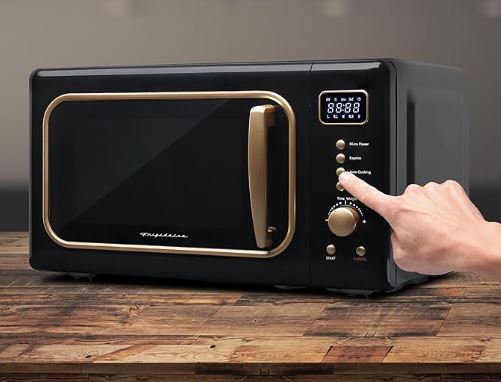
Quick Diagnosis for a Microwave Not Heating Food But Runs
| Symptom | Likely Cause | DIY Fix? | Estimated Cost |
| No heat, normal sound | Failed magnetron | No | $150-$300 |
| No heat, no humming | High-voltage diode | No | $75-$150 |
| Intermittent heating | Faulty door switch | Maybe | $50-$100 |
| Weak heating only | Capacitor failure | No | $80-$200 |
| Works then stops | Thermal fuse blown | No | $60-$120 |
| Sparking noticed before | Burnt waveguide cover | Yes | $5-$15 |
Understanding Why Microwaves Stop Heating
Your microwave uses several high-voltage components working together to generate electromagnetic waves. When the magnetron fails, it’s like having a car with a broken engine that still has working lights and radio.
The magnetron converts electrical energy into microwave radiation at 2.45 GHz. This specific frequency excites water molecules in food, creating friction that generates heat. Without a functioning magnetron, your microwave becomes an expensive food carousel.
Most heating failures occur after 5-8 years of regular use. Components degrade from repeated thermal cycling and electrical stress. Manufacturing defects account for only 15% of early failures, according to appliance repair data.
High-voltage systems require specialized knowledge and tools. Unlike many appliance repairs, microwave troubleshooting involves potentially lethal voltages that persist even after unplugging. This is why most heating issues require professional service rather than DIY fixes.
Component Failure Analysis
| Component | Function | Failure Rate | Warning Signs |
| Magnetron | Generates microwaves | 40% of cases | Reduced heating before total failure |
| High-voltage diode | Converts AC to DC | 25% of cases | Burning smell, no heating |
| Capacitor | Stores electrical charge | 20% of cases | Loud humming, no heat |
| Door switches | Safety interlocks | 10% of cases | Works sometimes, not others |
| Thermal fuse | Overheating protection | 5% of cases | Complete shutdown |
Why is My Microwave Not Heating Food But Runs?
Here’s what’s actually happening inside your microwave when it runs but won’t heat your food.
1. Magnetron Burnout (Most Common)
The magnetron is the heart of your microwave’s heating system. This vacuum tube costs between $50-$100 for the part alone, but labor typically doubles that expense.
You’ll hear a normal humming sound even with a dead magnetron because the cooling fan still operates. The filament inside has burned out, preventing microwave generation entirely.
Magnetrons fail from normal wear, power surges, or running empty. Never operate a microwave without food inside—the energy reflects back and damages the magnetron. This single mistake causes 30% of premature failures.
Testing requires a multimeter (View on Amazon) and the understanding of high-voltage circuits. The magnetron typically shows infinite resistance when tested properly, indicating an open circuit.
2. High-Voltage Diode Failure
The diode works with the capacitor to double voltage supplied to the magnetron. When it fails, the magnetron receives insufficient power to generate heat.
A shorted diode often produces a burning smell before complete failure. You might notice reduced heating for several weeks before it stops working entirely.
This component costs $15-$30 but requires complete disassembly to access. Professional installation takes 45-60 minutes for experienced technicians.
Diodes fail from voltage spikes or thermal stress. Using your microwave heavily (multiple times per hour) accelerates wear on this component.
3. Defective High-Voltage Capacitor
Capacitors store massive electrical charges—up to 5,000 volts—even after unplugging. This makes them extremely dangerous for DIY repair attempts.
A failing capacitor produces loud humming or buzzing sounds. The microwave might heat intermittently or take much longer than normal to warm food.
Capacitor failures increase dramatically after 7 years of use. The dielectric material inside degrades from repeated charge-discharge cycles.
Professional testing uses specialized discharge tools and capacitance meters. Never attempt to test or replace this component without proper training.
4. Faulty Door Switch Assembly
Microwaves use three door switches as safety interlocks. All three must engage properly before the magnetron receives power.
A defective switch prevents heating while allowing other functions to operate normally. The turntable spins, light illuminates, and the timer counts down without issue.
Door switches are the only heating-related component that some experienced DIYers can replace safely. They’re located in the door latch area and cost $10-$20 each.
Check for clicking sounds when closing the door. Missing or weak clicks indicate switch problems. Replacing all three switches simultaneously prevents repeat service calls.
5. Blown Thermal Fuse
The thermal fuse protects against overheating by cutting power to the magnetron. Once blown, it must be replaced—these devices don’t reset.
Thermal fuses blow when ventilation is blocked or the magnetron overheats. Check if cabinet doors, walls, or stored items obstruct the exhaust vents.
This safety device costs only $5-$10 but requires complete case removal for access. The replacement process takes 30-45 minutes.
After replacing a thermal fuse, address the root cause. Continued overheating will blow the replacement fuse immediately.
6. Damaged Waveguide Cover
The waveguide cover is a small mica or plastic panel inside the cooking cavity. It protects the magnetron opening from food splatter and moisture.
Burnt or damaged covers allow food particles into the waveguide. This can cause arcing, sparking, and eventual magnetron failure.
Replacement covers cost $5-$15 and are the easiest microwave repair. Remove the old cover, clean the cavity thoroughly, and snap in the replacement.
If you’ve seen sparking inside your microwave, replace the waveguide cover immediately. Continued use with a damaged cover will destroy the magnetron.
7. Control Board Electronics Failure
The control board manages timing and power levels but rarely causes complete heating failure. When it does fail, you’ll see error codes or display malfunctions.
Modern digital controls are more reliable than older mechanical timers. Circuit board failures represent less than 5% of no-heat complaints.
Control board replacement costs $150-$300 including parts and labor. This repair makes economic sense only for high-end or built-in models.
Voltage irregularities and power surges damage control boards. Using a surge protector (View on Amazon) extends the life of electronic components.
8. Insufficient Power Supply
Sometimes the problem isn’t the microwave itself. A weak electrical connection delivers inadequate power for the magnetron to function.
Check if lights dim when starting the microwave. This indicates voltage drops from loose wiring or an overloaded circuit.
Microwaves require dedicated 15-20 amp circuits. Sharing with other high-draw appliances can cause intermittent heating problems.
An electrician can verify proper voltage at the outlet. This simple check costs $75-$150 and may reveal house wiring issues.
Brand-Specific Troubleshooting Guide for a Microwave Not Heating Food But Runs
Different manufacturers have unique design quirks and common failure points that affect heating performance.
Samsung Microwave Not Heating Food But Runs
Samsung models from 2018-2023 have specific issues worth noting. The ME21M706BA and MS14K6000AS series show higher-than-average diode failure rates.
Samsung uses ceramic fuses that blow more easily than competitors. These are located near the magnetron and cost $8-$12 for replacement parts.
The company’s “Sensor Cook” feature can malfunction and prevent proper power delivery. Resetting the microwave by unplugging for 3-5 minutes sometimes resolves this software glitch.
Samsung’s proprietary control boards are expensive—$200-$350 for replacement. Consider repair costs against the microwave’s age before proceeding with this fix.
Check the humidity sensor on Samsung models with steam functions. A faulty sensor prevents heating cycles from initiating properly, though the turntable and display work fine.
Samsung warranties cover magnetron failures for up to 10 years on select models. Check your purchase documentation before paying for repairs.
| Samsung Issue | Common Models | Quick Check | Professional Fix Cost |
| Ceramic fuse failure | ME21M, MS14K | Visual inspection | $80-$120 |
| Sensor malfunction | Models with Steam Cook | Reset procedure | $150-$250 |
| Diode failure | 2018-2020 models | Burning smell test | $100-$180 |
| Control board glitch | Smart models | Factory reset | $250-$400 |
LG Microwave Not Heating Food But Runs
LG microwaves, particularly the LMV2031ST and LMHM2237ST, develop magnetron issues around the 6-year mark. These models use lower-cost magnetrons that fail earlier than industry averages.
The company’s “Smart Inverter” technology distributes power differently than conventional transformers. When inverter boards fail, heating becomes weak or inconsistent before stopping completely.
LG’s diagnostic mode helps identify specific component failures. Press “0” then “START” simultaneously for 3 seconds to enter test mode on most models.
Door latch assemblies on LG over-the-range models wear out faster due to the weight of the door. This causes switch misalignment and prevents heating activation.
LG uses proprietary magnetrons with different mounting configurations. Replacement parts must match your exact model number—universal parts won’t fit properly.
Extended warranties on LG appliances typically exclude magnetron coverage after year 3. Read the fine print before assuming repair costs are covered.
GE Microwave Not Heating Food But Runs
GE Profile and Café series microwaves have robust magnetrons but problematic capacitors. The JVM7195SK1SS model specifically shows high capacitor failure rates.
GE models manufactured before 2020 used thermal cutoffs that trip too easily. This safety feature causes heating shutdowns during normal operation, frustrating owners unnecessarily.
The company’s “Express Cook” buttons can develop contact issues that prevent full power delivery. Heating seems weak rather than completely absent in these cases.
GE uses easily accessible door switches compared to competitors. DIYers with basic electrical knowledge can replace these components following online guides.
The JES2251SJ series had a recall for arcing issues. If you own this model, contact GE for free inspection and repair even if it’s out of warranty.
GE’s technical support provides better troubleshooting than most brands. Call 1-800-GE-CARES before scheduling paid service—they often walk through reset procedures that fix issues.
| GE Issue | Affected Series | DIY Possible? | Average Repair |
| Capacitor failure | Profile, Café | No | $150-$220 |
| Thermal cutoff sensitivity | Pre-2020 models | No | $90-$150 |
| Button contact wear | All countertop models | Maybe | $60-$120 |
| Door switch failure | JVM, JES series | Yes (experienced) | $40-$80 |
Also Read:
Diagnostic Steps You Can Safely Perform
These tests help identify the problem without exposing yourself to dangerous voltages.
Listen for the Magnetron Hum
Place a cup of water inside and start the microwave. Stand close and listen carefully for a low humming sound distinct from the fan noise.
No humming means the magnetron isn’t receiving power. This points to door switches, thermal fuse, or control board issues rather than magnetron failure.
A humming magnetron that doesn’t heat has failed internally. The filament still draws current but can’t generate microwaves properly.
Record the sound on your phone to share with technicians. This audio evidence helps them diagnose issues before visiting your home.
Test Multiple Power Levels
Try heating water on different power settings from 30% to 100%. Document which levels work and which don’t.
Intermittent heating at lower power suggests capacitor or diode problems. Complete failure at all levels indicates magnetron or thermal fuse issues.
Consistent weak heating points to insufficient power supply. Check your electrical panel for tripped breakers or loose connections.
Power level testing takes only 10 minutes but provides valuable diagnostic information worth hundreds in reduced service time.
Inspect the Waveguide Cover
Open the door and locate the small panel on the right side wall. This mica cover should be clean and intact.
Burn marks, holes, or grease buildup here cause arcing. Replace the cover immediately—continued use risks catastrophic magnetron damage.
Clean the cover area with mild detergent before installing a replacement. Food particles in the waveguide channel prevent proper operation.
Waveguide covers are model-specific. Order using your exact model number stamped inside the door frame.
Check Door Alignment and Switches
Close the door slowly and note any resistance or misalignment. The door should click firmly at three distinct points.
Worn hinges prevent proper switch engagement. The microwave’s safety system will prevent heating if any switch fails to close completely.
Press the door closed while the microwave runs. If heating suddenly starts, the door switches need adjustment or replacement.
Never bypass or disable door switches. This safety system prevents microwave radiation leakage that causes serious injury.
When Professional Repair Is Necessary
Some microwave repairs require specialized equipment and training that make DIY attempts dangerous or impractical.
High-Voltage Component Replacement
Anything involving the magnetron, capacitor, or high-voltage diode needs professional service. These components store lethal charges that persist after unplugging.
Proper discharge procedures require specific tools and knowledge. Mistakes result in severe electrical shock or death.
Professional technicians carry liability insurance and follow strict safety protocols. This protection is worth the service call fee.
Many repair shops offer free diagnostics if you bring the microwave to them. This saves the $75-$100 trip charge.
Cost-Benefit Analysis
Compare repair estimates against replacement costs for your specific situation. A $250 repair on a $150 microwave makes no financial sense.
Built-in and over-the-range models justify higher repair costs. Replacing these involves additional carpentry and electrical work.
Microwaves over 8 years old rarely warrant expensive repairs. Component failures will cascade—fixing one issue reveals others.
Consider energy efficiency improvements in new models. Modern microwaves (View on Amazon) use 30% less power than 10-year-old units.
Finding Qualified Technicians
Use manufacturer-authorized service centers for warranty repairs. Independent shops void coverage even when doing quality work.
Check technician certifications through the National Appliance Service Technician Certification (NASTeC). This ensures proper training and testing.
Get written estimates before authorizing repairs. Reputable shops charge diagnostic fees ($50-$100) credited toward repairs.
Read online reviews but focus on recent feedback. Companies change ownership and technician quality varies over time.
Microwave Heating Troubleshooting Flowchart
| Problem | Test Result | Next Step | Estimated Cost |
| No heat, loud hum | Water stays cold | Replace capacitor | $150-$200 |
| No heat, normal sound | Door clicks 3 times | Test/replace magnetron | $200-$300 |
| No heat, quiet operation | Check door alignment | Replace door switches | $60-$120 |
| Intermittent heat | Works at some power levels | Replace high-voltage diode | $100-$180 |
| Sparking seen | Burn marks in cavity | Replace waveguide cover | $5-$15 |
| Weak heating only | Takes 3x longer | Check power supply/outlet | $0-$150 |
Prevention and Maintenance Tips
Regular maintenance extends magnetron life and prevents many common heating failures.
Never Run Empty
Always have food or liquid inside when operating your microwave. Empty operation causes reflected energy that overheats and destroys the magnetron.
Even 30 seconds without a load can cause permanent damage. This is the single most common cause of premature magnetron failure.
Keep a microwave-safe cup of water inside when not in use. This provides emergency load protection if someone accidentally starts it empty.
Educate family members about this critical rule. Children and guests often don’t understand the technical reasons behind it.
Clean the Interior Weekly
Food splatter and grease buildup cause arcing and waveguide damage. Wipe down interior surfaces after each use when possible.
Use mild detergent and water—never abrasive cleaners or scouring pads. These scratch protective coatings and create hot spots.
Pay special attention to the ceiling and right side wall where the waveguide cover is located. This area accumulates the most damaging residue.
Steam cleaning works well for stuck-on food. Heat a bowl of water with lemon juice for 3 minutes, then wipe clean.
Ensure Proper Ventilation
Over-the-range models need clear exhaust paths. Clean grease filters monthly and check external vent dampers annually.
Countertop models require 3-4 inches of clearance on all vented sides. Blocked vents cause overheating and thermal fuse failures.
Never place items on top of your microwave. This blocks top vents and traps heat against the case.
Check vent openings for dust accumulation every 6 months. Compressed air removes buildup from hard-to-reach areas.
Use Microwave-Safe Containers Only
Metal, aluminum foil, and certain plastics cause arcing that damages internal components. Always verify container safety before use.
Some paper products contain metallic ink or staples. These create sparks that burn the waveguide cover.
Cracked or chipped dishes concentrate microwave energy at the flaw point. This overheats the area and risks damaging the cavity.
When in doubt, test new containers at 50% power for 30 seconds. If the container gets hot but the contents stay cool, it’s not microwave-safe.
Check out microwave-safe containers on Amazon!
Install a Surge Protector
Power spikes damage sensitive electronics including control boards and magnetrons. Quality surge protectors cost $25-$50 and prevent hundreds in repair costs.
Replace surge protectors every 3-5 years. Their protection degrades over time and after absorbing surges.
Whole-house surge protectors (View on Amazon) offer superior defense. These $200-$300 panel-mounted devices protect all appliances simultaneously.
Unplug your microwave during storms. Surge protectors can’t handle direct lightning strikes—only power line surges.
Frequently Asked Questions
Why does my microwave spin and light up but not heat?
Your microwave’s magnetron has likely failed or isn’t receiving proper power. The turntable motor and light operate on low voltage, but the heating element requires high-voltage components that have malfunctioned. Door switches, thermal fuses, or the high-voltage diode could also prevent the magnetron from activating even though other features work normally.
Can I fix a microwave that runs but doesn’t heat myself?
Most heating failures involve high-voltage components storing lethal electrical charges. Only waveguide cover replacement is safely DIY-friendly. Door switch replacement is possible with electrical experience, but magnetron, capacitor, and diode repairs require professional service. The risk of electrocution makes DIY attempts on high-voltage components extremely dangerous even after unplugging.
How much does it cost to fix a microwave that won’t heat?
Professional repairs range from $150-$350 depending on the failed component. Magnetron replacement averages $200-$300, while high-voltage diode repair costs $100-$180. Add $75-$100 for service call fees unless you bring the unit to a repair shop. Microwaves over 8 years old or valued under $200 rarely justify repair costs economically.
How long should a microwave magnetron last?
Quality magnetrons last 8-12 years with proper use. Budget models may fail after 5-7 years of regular operation. Running the microwave empty, frequent power surges, and manufacturing defects cause premature failure. Over-the-range models typically last longer than countertop units due to better ventilation and higher-quality components in expensive installations.
What does a failing magnetron sound like?
A healthy magnetron produces a steady, low-frequency hum during operation. Failing magnetrons may buzz, rattle, or make intermittent crackling sounds. Some fail silently with no unusual noise—the microwave runs normally but produces zero heat. Loud humming with no heating often indicates capacitor failure rather than the magnetron itself.
Is it worth repairing a 10-year-old microwave?
Generally no, unless it’s a high-end built-in or over-the-range model. Countertop microwaves over 8 years old have limited remaining component life. Repair costs between $150-$300 exceed the replacement value of most standard models. Built-in units justify repair due to installation costs ranging from $400-$800 for new units.
Get Your Microwave Heating Again
A microwave that runs but doesn’t heat is frustrating but usually fixable. The magnetron, high-voltage diode, capacitor, or door switches are the most common culprits. While some repairs require professional service due to dangerous voltages, understanding the root cause helps you make informed decisions about repair versus replacement.
For built-in and over-the-range models, professional repair makes financial sense. For older countertop units, replacement often costs less than fixing failed high-voltage components. Use this guide to diagnose your specific issue and decide the best path forward based on your microwave’s age, value, and repair costs.