
Your Whirlpool over-the-range microwave suddenly stops working, refuses to heat food, won’t ventilate properly, or experiences lighting problems unique to OTR installations. These elevated units face distinct challenges from heat exposure, grease accumulation, and ventilation demands that countertop models never encounter.
Over-the-range microwaves serve dual purposes—cooking appliance and range hood. That means failures affect both food preparation and kitchen air quality simultaneously.
Whirlpool over-the-range microwave troubleshooting addresses installation-specific issues including vent system failures (32% of OTR problems), heat-related component degradation (24%), grease-induced electrical problems (18%), lighting system failures (14%), and standard microwave malfunctions (12%).
OTR models experience 40% higher failure rates than countertop units due to harsh operating environments. However, targeted maintenance and repairs costing $20-$350 resolve 81% of microwave problems, with proper diagnosis distinguishing OTR-specific problems from universal microwave failures.
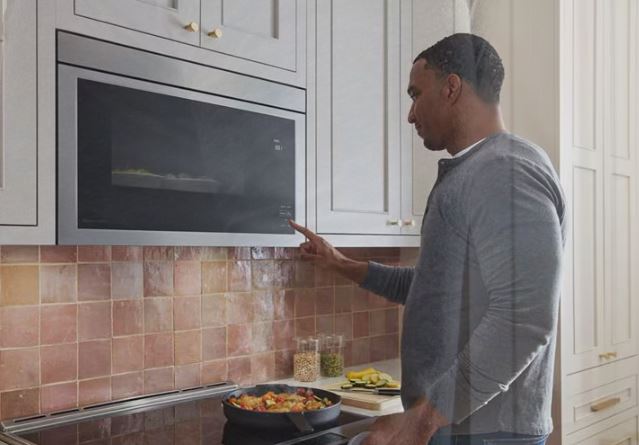
Whirlpool Over the Range Microwave Problems – Quick Reference
| OTR-Specific Problem | Unique Environmental Factor | Primary Symptom | Most Common Cause | Typical Repair Cost |
| Vent fan insufficient airflow | Grease buildup from stovetop | Weak suction, lingering odors | Clogged filters or blocked ducts | $0-$85 |
| Cooktop lights failing | Heat and grease exposure | One or both lights out | Bulb failure or socket corrosion | $8-$65 |
| Overheating shutdowns | Heat rising from range | Intermittent operation | Thermal sensor drift or blocked vents | $25-$120 |
| Display degradation | Humidity and temperature cycles | Dim or failing screen | Accelerated component aging | $60-$180 |
| Auto-fan constant operation | Stovetop heat detection | Fan won’t stop running | Temperature sensor malfunction | $30-$95 |
| Door misalignment | Installation settling over time | Door errors or poor seal | Hinge wear from weight stress | $40-$180 |
Understanding Over the Range Microwave Unique Challenges
OTR microwaves operate in harsher environments than any other microwave configuration. These conditions create specific failure modes requiring specialized troubleshooting approaches.
Heat rising from stovetop cooking constantly bathes OTR microwaves in elevated temperatures. Gas ranges produce more sustained heat than electric models, particularly affecting components on the bottom panel.
Grease-laden cooking vapors deposit films on all surfaces. This contamination penetrates ventilation openings, coating internal components and creating electrical conductivity where none should exist.
Humidity from boiling water and steaming foods condenses inside cabinet spaces. Moisture accelerates corrosion on electrical contacts, circuit boards, and sensor elements.
Installation weight stress affects door hinges differently than countertop models. The 50-70 pound unit hangs from cabinet mounting, creating constant downward force on door mechanisms.
Vibration from range hood operation transfers through mounting brackets. This mechanical stress loosens electrical connections and accelerates component wear.
Ventilation demands exceed standard microwave requirements. OTR units must exhaust 300-400 CFM while maintaining microwave functionality, stressing motors and control systems.
Whirlpool Microwave Over the Range Not Working
If your Whirlpool over-the-range microwave is not working, it could be a result of any of these issues:
1. Electrical Supply Issues Specific to OTR Installations
OTR microwaves use dedicated 120V circuits typically. These installations involve different failure modes than plug-in countertop units.
Step 1: Verify the circuit breaker hasn’t tripped. OTR circuits often power multiple kitchen functions—check related outlets confirming circuit status.
Step 2: Test the junction box connection point. OTR units hardwire into junction boxes inside cabinets above. Access requires removing the unit or accessing from above.
Step 3: Check wire connections at the microwave’s electrical box. Vibration from vent fan operation loosens wire nuts over years.
Step 4: Measure voltage at the microwave’s connection point. You should read 115-120V AC with the breaker on.
Step 5: Inspect wiring for heat damage from nearby cooking. Discolored insulation indicates overheating requiring wire replacement.
Loose connections account for 22% of OTR “not working” complaints. Tightening wire nuts resolves problems without part replacement.
2. Installation Bracket and Mounting Issues
OTR microwaves hang from upper cabinets through mounting plates. Improper installation or bracket failures cause operational problems.
Sagging installations create stress on internal components. Uneven weight distribution damages door switches, latch assemblies, and control board connections.
Check mounting bracket security by gently pushing upward on the microwave’s front edge. Excessive movement indicates loose mounting requiring reinstallation.
Inspect wall support screws ensuring proper engagement. Missing or stripped screws allow the unit rocking, stressing electrical connections.
Verify cabinet mounting plate integrity. Deteriorated particleboard cabinets lose screw holding power over time.

3. Thermal Overload Protection in High-Heat Environments
OTR positioning directly above heat sources triggers thermal protection more frequently than other installations. These safety features prevent damage but stop operation.
The thermal fuse near the magnetron blows when temperatures exceed safe levels. Unlike countertop models, OTR units reach these thresholds from external heat, not just internal operation.
Blocked ventilation compounds heat problems. Grease-clogged intake vents prevent cooling airflow, creating thermal runaway conditions.
Diagnosing thermal protection activation:
Step 1: Feel the bottom panel after heavy stovetop use. Excessive heat indicates poor ventilation or clearance issues.
Step 2: Check minimum clearance requirements in installation specifications. Many installations violate 30-inch minimum heights above cooktops.
Step 3: Test the thermal fuse for continuity. Blown fuses show infinite resistance requiring replacement.
Step 4: Measure operating temperatures during stovetop use. Infrared thermometers reveal whether ambient heat exceeds component ratings.
Step 5: Improve ventilation before replacing fuses. Without addressing root causes, new fuses blow repeatedly.
Thermal fuses cost $8-$15. However, repeated failures indicate installation problems requiring correction for reliable operation.
Whirlpool Microwave Over the Range Not Heating
OTR units experiencing heating failures require distinguishing between component problems and environmental factors affecting performance.
When heating gradually degrades over time rather than failing suddenly, specific causes apply to OTR installations.
Heat exposure accelerates magnetron aging in OTR units. Constant elevated temperatures from stovetop cooking stress magnetron components beyond design specifications.
Grease accumulation on magnetron cooling fins reduces heat dissipation efficiency. The magnetron overheats internally, triggering thermal protection before full heating occurs.
Voltage drops during peak cooking times affect magnetron performance. When stovetops and microwaves operate simultaneously on undersized circuits, voltage sags prevent proper heating.
Testing gradual heating degradation:
Step 1: Clean magnetron cooling fins thoroughly. Remove grease using degreasing cleaners and soft brushes.
Step 2: Measure supply voltage during microwave operation with other appliances running. Voltage below 110V indicates circuit sizing problems.
Step 3: Test magnetron performance by measuring cooking times. Place one cup of water in the microwave, heat on high for one minute. Temperature should rise 40-50°F.
Step 4: Monitor for consistent underheating versus intermittent problems. Consistent weakness suggests magnetron wear. Intermittent issues point to thermal protection activation.
Step 5: Inspect the high-voltage capacitor for swelling or leakage. Failed capacitors reduce available magnetron power creating weak heating.
Magnetron Replacement in OTR Configurations
Replacing magnetrons in OTR installations involves additional complexity from overhead access and tight working spaces.
| Task Consideration | OTR Challenge | Solution Approach | Additional Time |
| Access to components | Overhead work position | Use stable platform, proper lighting | +20 minutes |
| High-voltage capacitor discharge | Awkward reach angles | Extended insulated tools | +10 minutes |
| Magnetron mounting | Limited wrench clearance | Flexible socket extensions | +15 minutes |
| Wire routing | Avoiding vent system components | Careful documentation before removal | +10 minutes |
| Reassembly verification | Cannot easily test before full installation | Bench test if possible | +15 minutes |
Total OTR magnetron replacement: 90-120 minutes versus 60-75 minutes for countertop units.
Magnetron costs remain identical: $80-$150 for genuine Whirlpool parts. Labor charges increase $50-$100 for OTR installations due to access difficulty.
Waveguide Cover Damage From Grease Fires
OTR units experience waveguide cover damage more frequently than countertop models. Grease particles entering the cavity ignite during operation.
Damaged waveguide covers show burn marks, holes, or melted areas. These failures prevent microwave energy entering the cavity properly.
Inspect the waveguide cover (mica panel on cavity ceiling) for damage. This $8-$15 part takes 5 minutes to replace but prevents magnetron damage.
Replace damaged covers immediately. Operating with compromised waveguide protection risks expensive magnetron failure and potential fire hazards.
Whirlpool Over the Range Microwave Display Not Working
Display failures in OTR installations often stem from environmental factors rather than simple component age.
Humidity and Condensation Display Damage
Cooking steam condenses inside OTR cabinets. This moisture penetrates display assemblies causing corrosion and short circuits.
LCD displays show dark spots or lines from moisture damage. These patterns indicate water infiltration between display layers.
LED displays experience segment failures from corroded connections. Moisture bridges electrical contacts creating shorts that damage driver circuits.
Preventing humidity-related display damage:
Install range hood functionality properly. Effective ventilation removes moisture before it condenses on microwave surfaces.
Wipe down OTR exterior surfaces after heavy cooking. Remove condensation before it penetrates ventilation openings.
Ensure proper duct installation for externally vented units. Poorly sealed ductwork allows backdraft introducing additional moisture.
Use recirculating mode appropriately. Charcoal filters trap moisture—replace them every 6-12 months maintaining effectiveness.
Temperature Cycling Effects on Displays
OTR displays experience extreme temperature variations. Post-cooking heat followed by cooling creates expansion/contraction cycles.
Ribbon cable connections loosen from thermal cycling. These flat cables use pressure contacts weakened by repeated expansion.
Solder joints develop cracks from thermal stress. These “cold solder joints” create intermittent connections causing flickering displays.
Diagnosing thermal display problems:
Observe whether display failures correlate with recent cooking. Problems appearing after heavy stovetop use suggest thermal issues.
Gently flex ribbon cables while observing displays. Movement causing changes confirms connection problems from thermal stress.
Apply controlled heat with a hair dryer while monitoring displays. Problems appearing during heating confirm thermal sensitivity.
Replace display modules showing thermal sensitivity. Attempting repairs rarely succeeds—complete module replacement provides reliable fixes.
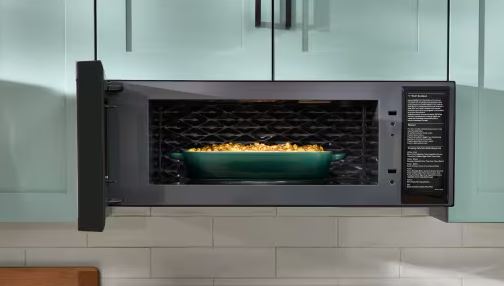
Whirlpool Over the Range Microwave Light Not Working
Cooktop lighting serves critical kitchen safety functions. Light failures affect visibility during cooking beyond simple convenience issues.
Whirlpool Over the Range Microwave Light Bulb Not Working
OTR lights fail more frequently than interior microwave lights. Heat from stovetop cooking dramatically shortens bulb lifespan.
Halogen bulbs (common in OTR models) last 1,000-2,000 hours typically. Stovetop heat exposure reduces lifespan by 40-60%, requiring replacement every 12-18 months.
LED retrofit bulbs withstand heat better but have compatibility considerations. Not all fixtures accept LED bulbs—check specifications before purchasing.
Replacing OTR cooktop light bulbs:
Step 1: Allow complete cooling before bulb replacement. Bulbs reach extreme temperatures from combined stovetop and electrical heat.
Step 2: Access bulbs through bottom panel covers. Most OTR models use removable lens covers or slide-out panels.
Step 3: Remove old bulbs using proper technique for bulb type. Halogen bulbs require clean cloth handling—skin oils cause premature failure.
Step 4: Install replacement bulbs matching wattage specifications exactly. Higher wattage bulbs overheat fixtures causing socket damage.
Step 5: Clean lens covers before reinstalling. Grease accumulation reduces light output significantly.
Standard halogen bulbs cost $8-$15 per pair. LED alternatives run $12-$25 but last significantly longer.
Light Socket Corrosion and Electrical Issues
Grease and moisture corrode light sockets in OTR installations. This corrosion prevents proper electrical contact causing apparent bulb failures.
Test suspect sockets by measuring voltage at socket terminals. Good sockets show 120V AC when light switches activate.
Inspect socket interiors for discoloration or corrosion. Brown or green deposits indicate oxidation requiring cleaning or replacement.
Cleaning corroded light sockets:
Step 1: Disconnect power at the breaker before socket work. Light circuits carry full line voltage.
Step 2: Remove bulbs and access socket interiors. Use flashlights examining contact conditions.
Step 3: Spray electronics contact cleaner into sockets. Work contacts gently with cotton swabs removing corrosion.
Step 4: For heavy corrosion, use fine sandpaper on socket contacts. Remove oxidation without damaging metal surfaces.
Step 5: Apply dielectric grease to cleaned contacts. This prevents future corrosion from moisture exposure.
Replace sockets showing pitting or severe damage. Socket assemblies cost $15-$35 depending on model complexity.
Whirlpool Microwave Over the Range Light Will Not Turn Off
Constantly illuminated cooktop lights waste energy and generate unnecessary heat. This problem has specific causes in OTR installations.
Stuck light switches on control panels send continuous “on” signals. Membrane switch degradation from grease contamination causes this failure.
Failed control board relays stick closed. Light relays experience heavy current loads, accelerating contact wear and welding.
Shorted wiring between control board and light fixtures bypasses switching control. Heat damage near stovetop areas commonly creates shorts.
Diagnosing constantly-on light problems:
Test light switches through control panel button presses. If lights don’t respond to any button combination, the control board or wiring has failed.
Access the control board inspecting light relays. Tap relays gently—if lights flicker, contacts stuck together.
Disconnect light fixtures at wire connections. If lights stop with fixtures disconnected, wiring or fixtures shorted. If lights continue with fixtures disconnected, the control board has failed.
Replace stuck relays ($8-$25) or membrane switch panels ($40-$90) based on diagnosis. Repair shorted wiring using proper gauge wire and heat-resistant insulation.
Whirlpool Over the Range Microwave Not Pulling Air
Ventilation performance directly impacts kitchen air quality. Weak airflow or complete ventilation failure creates immediate problems.
Whirlpool Over the Range Microwave Fan Not Working
The vent fan motor represents the highest-wear component in OTR microwaves. Constant operation during cooking stresses motors beyond typical microwave duty cycles.
Grease accumulation on fan blades creates imbalance. This vibration damages motor bearings, accelerating failure.
Motor thermal protection trips when overheating occurs. Blocked airflow prevents cooling, triggering automatic shutoffs.
Testing vent fan motor operation:
Step 1: Activate the vent fan at various speed settings. Note whether the motor responds and which speeds work.
Step 2: Listen for unusual sounds—grinding, squealing, or clicking indicate bearing problems.
Step 3: Feel for vibration at vent openings. Excessive vibration suggests imbalanced or damaged fan blades.
Step 4: Measure motor current draw during operation. Compare against specifications (typically 1.2-2.0 amps). Excessive current indicates motor problems.
Step 5: Inspect fan blades for grease buildup or damage. Clean thoroughly before concluding motor failure.
Vent fan motors cost $45-$85. Replacement requires 45-60 minutes including cleaning surrounding areas.
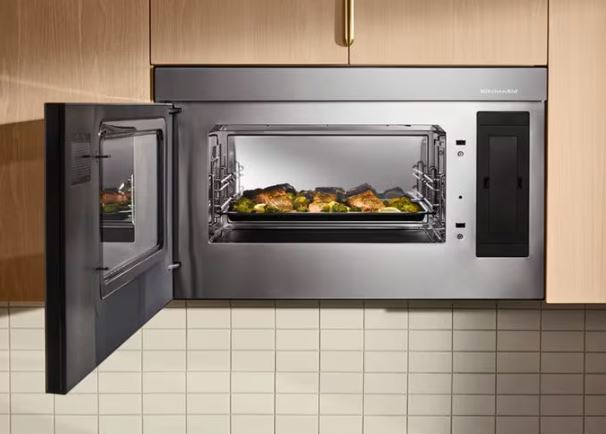
Read Also: How to Fix a Whirlpool Microwave Fan That Won’t Turn Off
Grease Filter Maintenance and Replacement
Aluminum mesh grease filters trap cooking oils preventing ductwork contamination. These filters require regular maintenance for proper airflow.
Clogged filters reduce airflow by 60-80% in severe cases. This restriction overworks fan motors and fails to remove cooking vapors.
Proper grease filter maintenance:
Remove filters monthly for cleaning. Most lift out after releasing clips or sliding forward.
Wash filters in hot soapy water or dishwasher. Use degreasing detergent cutting through accumulated oils.
Inspect filters for damage during cleaning. Tears or collapsed mesh requires replacement—damaged filters don’t trap grease effectively.
Dry completely before reinstalling. Moisture promotes rust on aluminum mesh.
Replace filters every 3-5 years even with regular cleaning. Metal fatigue and permanent deformation reduces effectiveness.
Replacement grease filters cost $15-$35 per set. This preventive maintenance protects expensive fan motors from premature failure.
Ductwork Problems Affecting Airflow
External venting relies on proper ductwork installation. Poor duct design or installation errors create performance problems blamed on microwaves.
Crushed or kinked ducts restrict airflow significantly. Installation behind cabinets sometimes compromises duct integrity.
Excessive duct length reduces airflow capacity. Most OTR microwaves support 30-40 feet equivalent duct length maximum.
Improper duct termination creates backdraft. Without proper dampers, wind forces air backward through systems.
Evaluating ductwork performance:
Step 1: Access ductwork at transition points. Inspect for visible kinks, disconnections, or crushing.
Step 2: Measure duct run length including equivalent length for elbows. Each 90-degree elbow adds 10-15 feet equivalent.
Step 3: Check exterior vent hood operation. The damper should open freely during fan operation, close when off.
Step 4: Test for backdraft by holding tissue paper near vent openings. Inward movement indicates reverse airflow.
Step 5: Consider airflow testing using manometers. Professional duct evaluation costs $75-$150 but identifies hidden restrictions.
Ductwork repairs vary widely: $50-$500 depending on access difficulty and required modifications.
Whirlpool Over the Range Microwave Turntable Not Working
Turntable failures in OTR units often relate to vibration from vent fan operation. This unique stress accelerates wear on drive components.
Turntable Motor Stress From Continuous Vibration
Vent fan operation creates constant vibration transferred through the microwave chassis. This mechanical stress affects turntable motor bearings and drive couplers.
Motor mounting hardware loosens from vibration. Loose motors wobble during operation, creating noise and uneven rotation.
Drive couplers experience accelerated wear. The plastic three-pronged hub cracks from vibration stress combined with normal rotational forces.
Diagnosing vibration-related turntable problems:
Observe turntable operation with vent fan running versus off. Problems appearing only during fan operation confirm vibration effects.
Check turntable motor mounting security. Tighten mounting screws if loose—this resolves many noise complaints.
Inspect the drive coupler for cracks or wear. Even hairline cracks indicate impending failure requiring replacement.
Test turntable operation at different vent fan speeds. Problems at high fan speeds but not low speeds confirm vibration coupling.
Turntable Support System in OTR Models
OTR turntable systems face additional stress from weight and heat exposure. Support rollers and guide tracks wear differently than countertop units.
Clean turntable support areas more frequently. Grease vapors condense on cavity floors creating sticky residues that impede roller movement.
Replace worn roller rings promptly. These support wheels cost $5-$12 and prevent motor overload from dragging resistance.
Inspect the turntable guide ring for warping. Heat from stovetop cooking can deform plastic components affecting smooth rotation.
Advanced OTR-Specific Troubleshooting
Some problems uniquely affect OTR installations requiring specialized diagnostic approaches beyond standard microwave troubleshooting.
Auto-Fan Sensor Calibration Issues
OTR microwaves use temperature sensors detecting stovetop heat automatically activating ventilation. These sensors require periodic recalibration in high-use installations.
Sensor drift from constant heat exposure causes inappropriate auto-fan activation. The fan runs constantly even without stovetop cooking.
Grease coating sensor surfaces insulates them from actual air temperatures. Sensors read artificially high temperatures triggering unnecessary fan operation.
Recalibrating auto-fan sensors:
Step 1: Clean auto-fan sensor thoroughly. These mount on the bottom panel facing your cooktop.
Step 2: Enter diagnostic mode accessing sensor calibration functions. Not all models support user calibration—consult service manuals.
Step 3: Adjust activation temperature thresholds upward by 5-10°F. This reduces false triggering while maintaining protection.
Step 4: Test calibration by cooking on your stovetop. The fan should activate during significant heat production, not minor cooking.
Step 5: Replace sensors showing erratic behavior despite cleaning and calibration. Sensors cost $25-$55.
Installation Height Impact on Performance
OTR microwaves require 30 inches minimum clearance above cooktop surfaces per installation specifications. Many installations violate this requirement.
Insufficient clearance creates multiple problems. Excessive heat exposure, inadequate ventilation capture, and safety concerns all result from improper heights.
Evaluating installation height:
Measure from cooktop surface to microwave bottom. Include grate height for gas ranges—measure from actual cooking surface.
Compare measurements against installation specifications. Manufacturers specify exact height ranges for safe operation.
If height measures under minimum specifications, reinstallation becomes necessary. Proper mounting prevents future heat-related failures.
Consider professional reinstallation if height adjustments are required. Cabinet modifications might be necessary for proper clearance.
Grease Accumulation Prevention Strategies
OTR units require aggressive grease management preventing electrical and mechanical failures. These practices extend lifespan dramatically.
| Maintenance Task | Frequency | Time Required | Impact on Reliability | Prevention Focus |
| Clean exterior surfaces | Weekly | 5 minutes | Prevents surface deterioration | Cosmetic and moisture |
| Wash grease filters | Monthly | 10 minutes | Protects fan motor | Airflow maintenance |
| Deep clean vent system | Quarterly | 30 minutes | Prevents motor failure | Mechanical stress |
| Inspect for grease intrusion | Semi-annually | 15 minutes | Electrical protection | Component longevity |
| Professional deep cleaning | Annually | 60-90 minutes | Comprehensive protection | All systems |
Establish cleaning schedules preventing accumulation. Regular maintenance costs nothing but prevents expensive repairs.
Use appropriate cleaning products. Degreasers formulated for kitchen appliances work best without damaging finishes.
OTR-Specific Safety Considerations
Over-the-range installations involve unique safety concerns beyond standard microwave precautions.
Working Overhead Safety
OTR repairs require working at elevated positions. Proper safety equipment prevents falls and injuries.
Use stable step platforms or ladders rated for your weight plus tools. Never stand on chairs or unstable surfaces.
Ensure adequate lighting for overhead work. Headlamps or clip-on lights illuminate work areas better than overhead kitchen lighting.
Support removed units properly. OTR microwaves weigh 50-70 pounds—have helpers available during removal and installation.
Electrical Concerns in Wet Environments
Cooking generates steam and moisture. This creates shock hazards during repairs if not properly managed.
Always disconnect power at the circuit breaker, not just unplugging. Hardwired OTR units don’t have accessible plugs.
Allow complete drying time after cooking before repairs. Moisture increases electrical conductivity creating shock risks.
Use insulated tools rated for electrical work. Standard tools don’t provide adequate protection from line voltage.
Cost Analysis – OTR Repair vs. Replacement
| Repair Scenario | DIY Cost | Professional Cost | Replacement Cost | Best Choice Guideline |
| Light bulb/socket | $8-$35 | $80-$150 | $400-$900 | Always repair |
| Grease filter | $15-$35 | $100-$180 | $400-$900 | Always repair |
| Turntable motor/coupler | $10-$50 | $150-$250 | $400-$900 | Repair if under 5 years |
| Vent fan motor | $45-$85 | $200-$320 | $400-$900 | Repair if under 7 years |
| Display module | $60-$150 | $220-$350 | $400-$900 | Repair if under 5 years |
| Magnetron | $80-$150 | $280-$450 | $400-$900 | Consider age carefully |
| Control board | $180-$320 | $380-$580 | $400-$900 | Likely replacement if over 7 years |
Factor installation costs into replacement decisions. New OTR installation adds $100-$300 professional labor.
Consider efficiency improvements. Newer models (View on Amazon) use 25-35% less energy than pre-2018 OTR units.
Evaluate ventilation performance. New OTR models offer 300-500 CFM versus 200-300 CFM in older units.
Frequently Asked Questions
Why is my Whirlpool over-the-range microwave not working at all?
Check the dedicated circuit breaker first—OTR units use hardwired connections that trip breakers during power issues. Verify wire connections in the junction box above the unit haven’t loosened from vibration. Test door switches which fail frequently from installation stress. Blown thermal fuses from stovetop heat exposure also cause complete failures.
How do I fix a Whirlpool OTR microwave that won’t heat?
Clean magnetron cooling fins to remove grease buildup that causes overheating protection. Test the magnetron’s filament resistance (should read 2-3 ohms) and insulation (over 1 megohm). Check high-voltage components including the diode and capacitor. OTR magnetrons fail 40% faster than countertop models due to heat exposure from stovetop cooking.
Why doesn’t my over-the-range microwave pull air properly?
Clean or replace grease filters monthly—clogged filters reduce airflow by 60-80%. Inspect fan blades for grease buildup causing imbalance. Test vent fan motor operation at all speed settings. Check ductwork for kinks, excessive length, or backdraft issues. Grease accumulation represents the primary cause of OTR ventilation problems.
What causes OTR microwave lights to fail frequently?
Stovetop heat exposure reduces bulb lifespan by 40-60% compared to normal conditions. Use proper wattage bulbs—exceeding ratings damages sockets. Clean light sockets removing grease and moisture corrosion. Consider LED bulbs for longer life. Socket corrosion from grease and humidity causes apparent bulb failures requiring socket cleaning or replacement.
Why won’t my OTR microwave turntable spin?
Replace the plastic drive coupler which wears faster in OTR units from constant vibration. Clean under the turntable removing grease and debris blocking rotation. Test turntable motor operation—motors fail from continuous vibration stress. Check motor mounting screws which loosen from vent fan operation transferring vibration throughout the chassis.
How often should I clean my over-the-range microwave filters?
Clean aluminum grease filters monthly in hot soapy water or dishwasher. Replace charcoal filters (recirculating mode) every 6-12 months. Deep clean the entire vent system quarterly. Filters require 3-5x more frequent maintenance in OTR installations versus range hoods due to combined microwave and ventilation use.
Why does my OTR microwave shut off during cooking?
Thermal protection trips from excessive ambient heat rising from the stovetop. Verify 30-inch minimum installation height above cooktop. Clean ventilation intake openings allowing cooling airflow. Check thermal fuse continuity—repeated failures indicate inadequate clearance or ventilation. Blocked vents cause 60% of OTR thermal shutdown problems.
Master Your OTR Microwave Maintenance
Over-the-range microwaves demand more maintenance than any other microwave configuration. Understanding environmental challenges enables proactive care preventing expensive failures.
Most OTR problems cost under $150 fixing DIY when addressed promptly. Delayed maintenance creates cascading failures increasing costs dramatically.
Establish aggressive cleaning schedules. Regular grease removal prevents electrical problems, extends component life, and maintains ventilation performance.
Document installation specifications and maintenance activities. This information proves valuable troubleshooting intermittent Whirlpool microwave problems or when consulting professionals.
Your OTR microwave represents a dual kitchen infrastructure—cooking appliance and ventilation system. Proper care protects this significant investment while ensuring safe, effective kitchen operation for years beyond typical replacement timelines.